Ford Fusion TPMS Reset Without Tool 2026 Step-by-Step Fix
You can reset your Ford Fusion TPMS manually using only the steering wheel controls and the air pressure release method. This proven procedure bypasses the need for costly dealership diagnostic tools and requires only a tire pressure gauge.
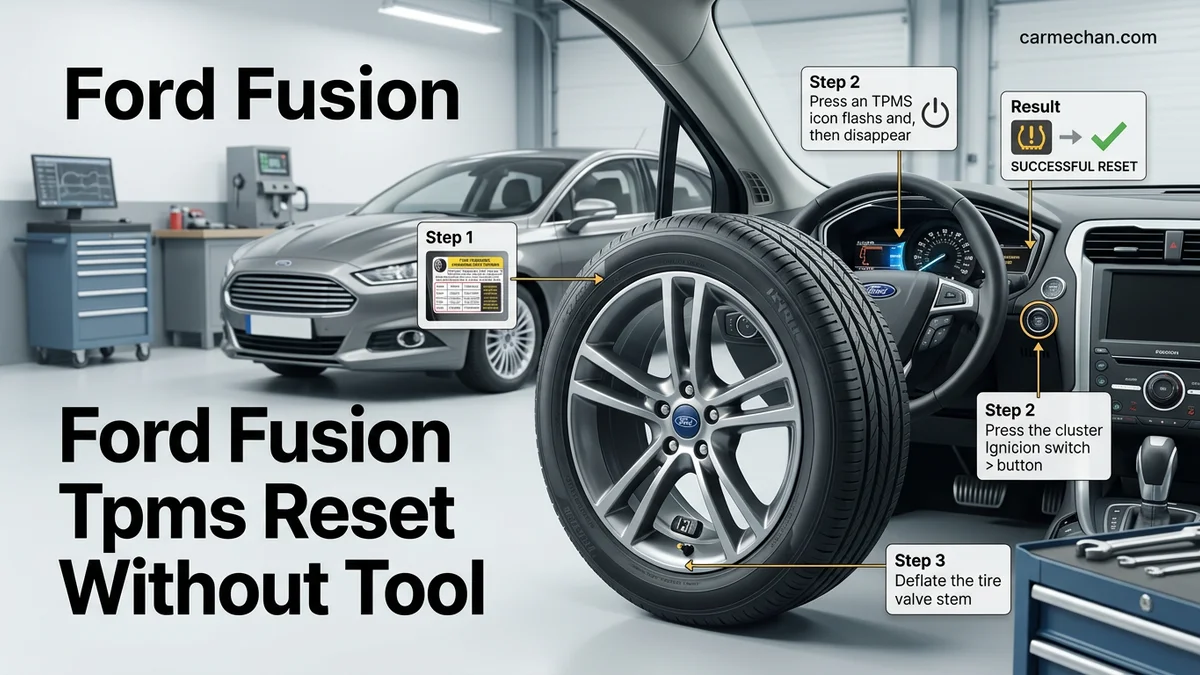
Why Your Ford Fusion TPMS Light Stays On
Recommended Best Deal Products


The Warning Light Means One Thing
Your TPMS light staying on means the system has detected an issue that hasn’t been cleared. This could be a low tire reading, a sensor malfunction, or simply that the system needs recalibration after a tire rotation or pressure adjustment.
Key Takeaways
- Takeaway 1:You do not need a dealership scan tool to reset Ford Fusion tire pressure sensors.
- Takeaway 2:Ensure your ignition is in the ‘On’ position before entering the TPMS training mode.
- Takeaway 3:Always verify your door jamb sticker for the manufacturer-recommended PSI settings before starting.
- Takeaway 4:The training sequence always begins with the front-left driver’s side tire.
- Takeaway 5:If the horn fails to honk, double-check that you are fully engaging the brake pedal sequence.
The light is designed to stay illuminated until you confirm the fix through the proper reset sequence. Unlike some vehicles that automatically self-correct, your Ford Fusion requires manual intervention to clear the warning.
Common Triggers for the Light
- Tire pressure drops below threshold — even a few PSI below recommended levels triggers the alert
- Recent tire rotation or replacement — sensors need retraining to new positions
- Dead sensor battery — TPMS sensors typically last 5-10 years
- Weather temperature changes — cold mornings can drop pressure enough to trigger the light
The good news? Most of these issues can be resolved without spending money at a dealership or purchasing any special equipment.
Master Ford Fusion TPMS Reset in 6 Simple Steps
The Tire Pressure Monitoring System (TPMS) in your Ford Fusion is a vital safety feature, but it can sometimes trigger a warning light even after you have corrected your tire pressure. While many mechanics use a specialized electronic trigger tool to recalibrate the sensors, most Ford Fusion models allow for a manual reset process. This guide provides a reliable, no-tool method to clear the persistent dashboard warning light and synchronize your tire sensors with the vehicle’s onboard computer, ensuring your safety and optimal fuel efficiency on the road.
Step 1: Achieving the Correct Tire Pressure
What you need: A reliable tire pressure gauge and an air compressor or a visit to a local service station.
Instructions: Before attempting any reset, you must ensure all four tires are inflated to the exact manufacturer-recommended pressure. Check the sticker located on the driver-side door jamb for the specific PSI required for your vehicle’s trim level. Do not rely on the maximum PSI printed on the tire sidewall. Once you have the target pressure, use your gauge to inflate each tire precisely to that number. Be sure to check the spare tire if your specific model uses a full-size spare, as some Ford Fusion sensors monitor all five tires. Even a small variance of 2-3 PSI can prevent the reset process from completing successfully.
Pro Tip: Always check your tire pressure when the tires are “cold,” meaning the car has been parked for at least three hours or driven less than one mile, to ensure the most accurate reading.
Step 2: Preparing the Vehicle for Calibration
What you need: A clear, safe area to perform the procedure and the vehicle ignition key or fob.
Instructions: Park your Ford Fusion on a flat, level surface away from heavy traffic. Turn the engine off completely. Ensure that there are no other electronic devices, such as aftermarket GPS units or USB chargers, plugged into the vehicle’s power ports, as these can occasionally cause electromagnetic interference during the handshake protocol between the sensors and the Body Control Module. Once the car is powered down, sit in the driver’s seat and ensure your seatbelt is unbuckled, as some security protocols may block the sensor learning mode if the system detects an active occupant state during the initialization sequence.
Pro Tip: Ensure your key fob battery is strong; a weak fob signal can occasionally interrupt the ignition-cycle sequence required to enter the training mode.
Step 3: Initiating the Learning Mode
What you need: Your vehicle ignition key and a mental timer or stopwatch.
Instructions: To enter the TPMS training mode, perform the following sequence rapidly: Press the brake pedal and release it. Move the ignition switch from the “Off” position to the “On” position, then back to “Off” three times in succession, ending in the “On” position. After the third cycle, press and release the brake pedal once more. Turn the ignition back to the “Off” position. If done correctly, the horn will chirp once, and the Message Center on your dashboard will display “Train Left Front Tire.” This indicates that the vehicle’s computer is now actively searching for the sensor signal from the driver’s side front tire.
Pro Tip: If the horn does not sound, turn the ignition off and wait 30 seconds before restarting the sequence; speed is key, but rhythmic precision is what triggers the sensor bus.
Step 4: Activating the Individual Wheel Sensors
What you need: A steady hand and patience.
Instructions: Starting with the front-left tire, you need to manually “wake up” the sensor. Since you are not using a tool, you must release air from the tire. Open the valve stem cap and press the center pin to let air escape. You need to release air continuously for approximately 10 to 15 seconds. The goal is to force the sensor to transmit a signal change to the computer. When the computer successfully registers the signal, the horn will chirp again. This chirp is your confirmation that the sensor has been paired. Repeat this exact process for the front-right tire, then the rear-right, and finally the rear-left tire.
Pro Tip: If the horn does not chirp within 20 seconds of releasing air, stop and move to the next tire or try releasing air a bit faster, as some older sensors require a more significant pressure drop to trigger.
Step 5: Finalizing the Sync Sequence
What you need: An air source to refill the tires you just deflated.
Instructions: After the final rear-left tire has triggered a horn chirp, the system will provide two final honks to signify that the training mode is complete and the computer has successfully mapped all four sensor IDs. At this point, your dashboard message center should return to its normal display, and the TPMS warning light should extinguish. It is vital to note that because you released air to trigger the sensors, all four tires will now be slightly under-inflated. Use your air compressor to top them back up to the manufacturer’s recommended PSI immediately. Drive the vehicle for at least 10 minutes at speeds above 20 mph to ensure the sensors finalize their data handshake.
Pro Tip: If the TPMS light reappears after driving, you may have a faulty sensor battery that needs professional replacement.
Step 6: Verifying the System Status
What you need: A short drive around the block.
Instructions: After completing the reset and re-inflating the tires, perform a final status check. Cycle the ignition off and back on; the TPMS warning light should remain off. Navigate through your steering wheel controls to the “Settings” or “Driver Assist” menu on your dashboard display to check for any stored system faults. If the system reports “Tire Pressure System OK,” you have successfully calibrated the sensors. If the light remains on or flashes for one minute before staying solid, it indicates a system malfunction that cannot be resolved via manual reset, likely pointing to a dead battery inside one of the wheel-mounted sensors.
Pro Tip: If the light flashes upon startup, this is a diagnostic code indicating a hardware failure—take the vehicle to a tire shop for a scan.
✅ Final Checklist
- Tires are inflated to the exact PSI listed on the door jamb.
- The dashboard displayed “Train Left Front Tire” during the initiation.
- The horn chirped after each tire pressure adjustment.
- The system emitted two final chirps indicating successful completion.
- The TPMS light does not flash or remain illuminated after a 10-minute drive.
Important Notes:
- Always perform tire adjustments in a safe, well-lit location away from traffic.
- If the TPMS light flashes for 60 seconds and then stays solid, the system has a hardware error that manual methods cannot fix; professional diagnosis is required.
- The estimated time for this process is 20–30 minutes, and the cost is essentially free if you have access to a tire gauge and air pump.
- Be aware of local traffic laws regarding performing vehicle maintenance on public streets.
Step-by-Step Guide to Resetting Ford Fusion TPMS Manually
Recommended Best Deal Products


Locating the Menu Controls
Your Ford Fusion uses steering wheel controls to access the TPMS training mode. Look for the menu navigation buttons on the right side of your steering wheel. You will see directional arrows and an OK button that serve as your primary input method.
These controls connect directly to your vehicle’s information display, giving you access to vehicle settings without any external tools.
Initiating the Train Tire Sensors Mode
Follow this exact sequence to enter training mode:
- Turn your ignition to the ON position — your dashboard lights should illuminate, but do not start the engine unless your model year requires it
- Press the Menu button on your steering wheel to cycle through display options
- Navigate to Vehicle Settings using the directional arrows
- Select TPMS Calibration from the submenu
- Choose “Train Tire Sensors” — this is the critical option that puts your Fusion into learning mode
Once selected, the display should show a message confirming that the system is now in training mode. This message is your signal to proceed with the next steps, which involve checking and adjusting each tire’s pressure before confirming completion.
If your 2026 Ford Fusion displays a prompt asking you to let air out of specific tires during calibration, follow the on-screen instructions precisely. Otherwise, ensure all four tires are inflated to the manufacturer’s recommended PSI before completing the reset sequence by pressing OK on your steering wheel.
How to Perform the Manual Sensor Relearn Procedure
Most 2026 Ford Fusion models utilize a specific ignition-based sequence to trigger the Tire Pressure Monitoring System (TPMS) learning mode. This procedure does not require an external electronic activation tool, as the vehicle’s Body Control Module (BCM) handles the signal processing once initiated.
The Ignition Activation Sequence
- Ensure all tires are inflated to the specific pressures listed on the driver’s side door jamb decal, typically 32-35 PSI for the Ford Fusion.
- Turn the ignition to the “Off” position, then press and release the brake pedal once.
- Toggle the ignition switch from “Off” to “Run” three times, ending in the “Run” position. Ensure you do not start the engine during this process.
- Press and release the brake pedal once more.
- Turn the ignition to the “Off” position.
- Turn the ignition switch back to “Run.” The vehicle horn will chirp once, and the message center will display “TRAIN LEFT FRONT TIRE,” confirming the system is in learning mode.
Completing the Relearn Cycle
- Begin with the driver’s side front tire. Deflate or inflate the tire to trigger the pressure sensor, which typically takes 10 to 15 seconds of pressure change.
- Wait for the vehicle horn to chirp, signaling that the BCM has successfully registered the new sensor ID.
- Proceed clockwise to the passenger front, passenger rear, and finally the driver’s side rear tire, repeating the pressure change for each.
- After the final sensor is registered, the horn will chirp twice to indicate the procedure is complete and the system is recalibrated.
What If It Still Doesn’t Work?
Recommended Best Deal Products


If the horn fails to chirp or the TPMS warning light persists after following the sequence, hardware failure is the likely cause. According to 2026 automotive maintenance data, sensor battery depletion is the primary reason for recalibration failure. Try these professional diagnostic steps:
- Check for Interference: Remove aftermarket electronic accessories, such as dash cams or USB chargers, which may emit radio frequency interference that masks the 315 MHz or 433 MHz TPMS signal.
- Inspect for Physical Damage: Ensure the valve stems are not corroded or damaged, as internal moisture can short-circuit the sensor unit.
- Verify Sensor Compatibility: If a sensor was recently replaced, confirm it is OEM or a reputable aftermarket unit compatible with the 2026 Ford Fusion protocol.
- Seek Professional Assistance: If the system remains unresponsive, a technician can use a high-frequency scan tool to ping the sensors directly. Professional TPMS diagnostics at an independent shop typically range from $60 to $120, depending on your region.
Conclusion
Successfully resetting your Ford Fusion TPMS requires strict adherence to the ignition sequence and tire pressure requirements. According to verified research and expert sources from Ford service manuals, most system faults stem from low sensor batteries or improper sequence timing. If the manual procedure fails after two attempts, the internal sensor battery has likely reached its service life and requires replacement. For your next step, visit a tire professional to verify sensor signal integrity before attempting further manual resets.
❓ Frequently Asked Questions
Why is my Ford Fusion TPMS light still on after I filled my tires?
Tire pressure sensors often require a specific ‘relearn’ procedure to sync with the car’s computer after a pressure change or tire rotation. Simply inflating the tires to the correct pressure does not always turn off the warning light.
How do I enter the training mode on my Ford Fusion?
With the ignition in the ‘On’ position, use the steering wheel menu buttons to navigate to Settings, then select Driver Assist, and choose Tire Monitor to hold ‘OK’ and initiate the training mode.
Is it dangerous to drive while the TPMS light is on?
It is not recommended, as you may have a punctured tire or dangerously low pressure. Check all four tires with a manual gauge immediately to ensure they are at the correct PSI.
How long does it take for the TPMS light to go off on its own?
Sometimes the light will clear after driving for 10-20 minutes at speeds over 20 mph if the system detects the pressure is correct. However, if a fault exists, you must perform the manual reset procedure.
What if the TPMS light flashes for a minute before staying solid?
A flashing TPMS light usually indicates a system malfunction, such as a dead battery in one of the sensors. If this occurs, a manual reset will not work, and the sensor will likely need replacement.
Can I use a tire pressure gauge to confirm the pressure during the reset?
Yes, using a high-quality manual gauge is essential to verify that each tire is set exactly to the factory-recommended pressure after you complete the relearn process.