Ford F-250 TPMS Reset Procedure by Year and Method
Last Updated on June 24, 2026 by Albert Duke
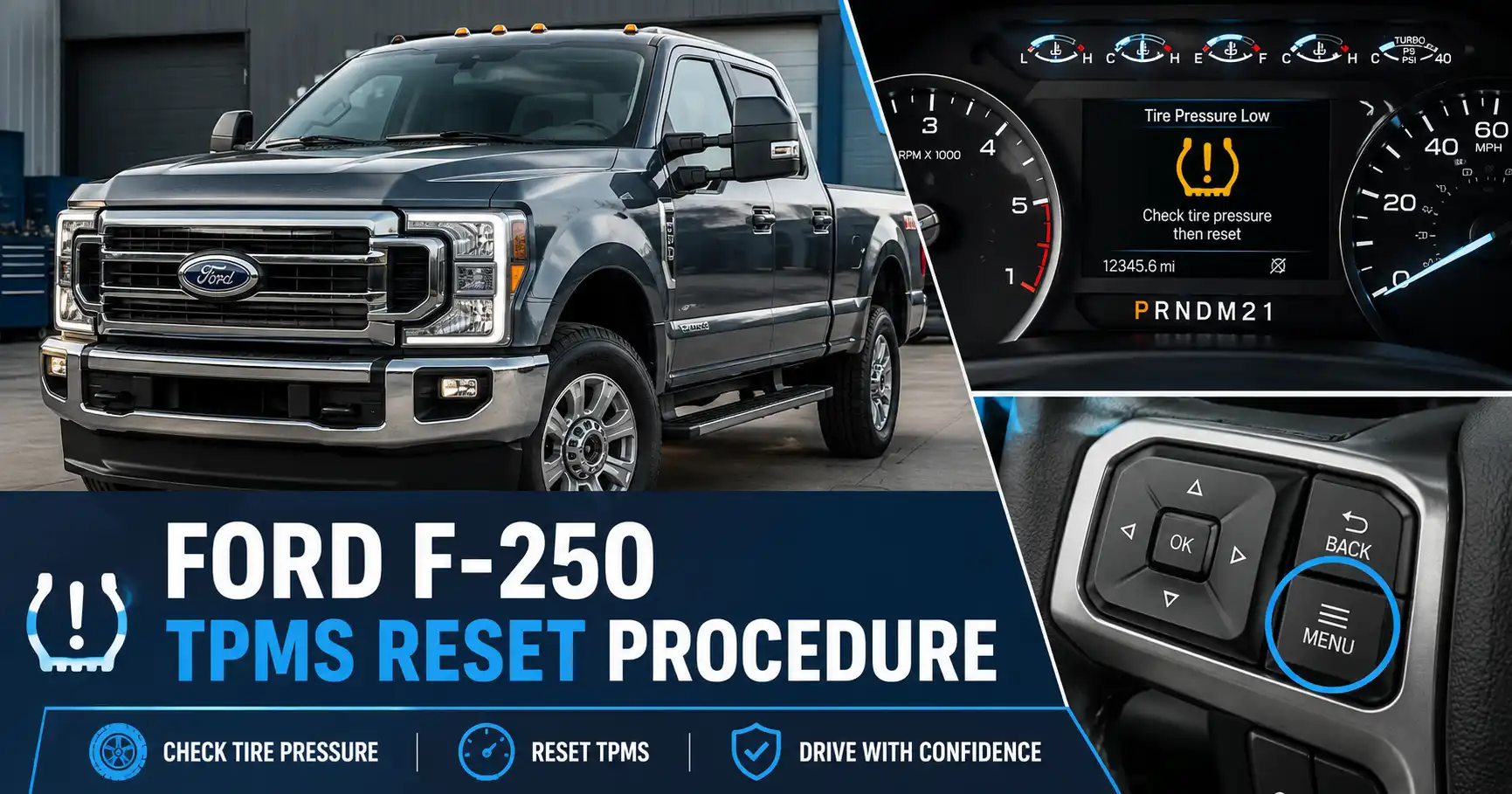
The Ford F-250 TPMS reset procedure depends on why the light came on. TPMS means Tire Pressure Monitoring System, and it warns you when tire pressure is low or when the truck cannot read one or more tire sensors.
For most owners, the first fix is simple. Check the tires cold, inflate them to the pressure on the driver door label, then drive the truck long enough for the sensors to update.
But if the light came on after rotating tires, replacing sensors, installing new wheels, or changing pressure ranges, your F-250 may need a sensor relearn instead of a basic pressure reset. Start by identifying the warning type, then use the method that matches your truck.
What Ford F-250 TPMS Warning Means First


A Ford F-250 TPMS light is not always asking for the same reset. A solid warning light, a flashing warning light, and incorrect tire positions can point to different problems.
Solid Tire Pressure Light
A solid TPMS light usually means one or more tires are below the pressure Ford expects for your truck.
Ford and NHTSA both recommend using the Tire and Loading Information Label or Safety Compliance Certification Label on the driver-side door area, not the maximum pressure printed on the tire sidewall. NHTSA says tire pressure should be checked when tires are cold and that TPMS is not a replacement for monthly tire pressure checks. NHTSA tire pressure guidance explains why the door label matters.
Flashing TPMS Warning Light
A flashing TPMS light usually points to a system fault, not just low pressure.
NHTSA says a TPMS malfunction may appear as a flashing warning for 60 to 90 seconds, followed by a steady light. If that happens on your F-250, the truck may not be reading one or more sensors correctly. NHTSA explains TPMS malfunction warning behavior.
Different Front and Rear Pressures
Many Ford F-250 trucks use different recommended front and rear tire pressures, especially when loaded or configured for heavy-duty use.
That matters after tire rotation. Ford says the tire pressure monitoring system must be reset after each tire rotation on vehicles that require different recommended front and rear tire pressures. Ford’s official TPMS reset procedure states this requirement.
Once you know which warning you have, the basic pressure reset is the first method to try.
How To Reset Ford F-250 TPMS After Tire Inflation
If the light came on after cold weather or low pressure, start with the simple pressure reset. This method does not train new sensors. It only helps the truck clear a low-pressure warning after the tires are corrected.
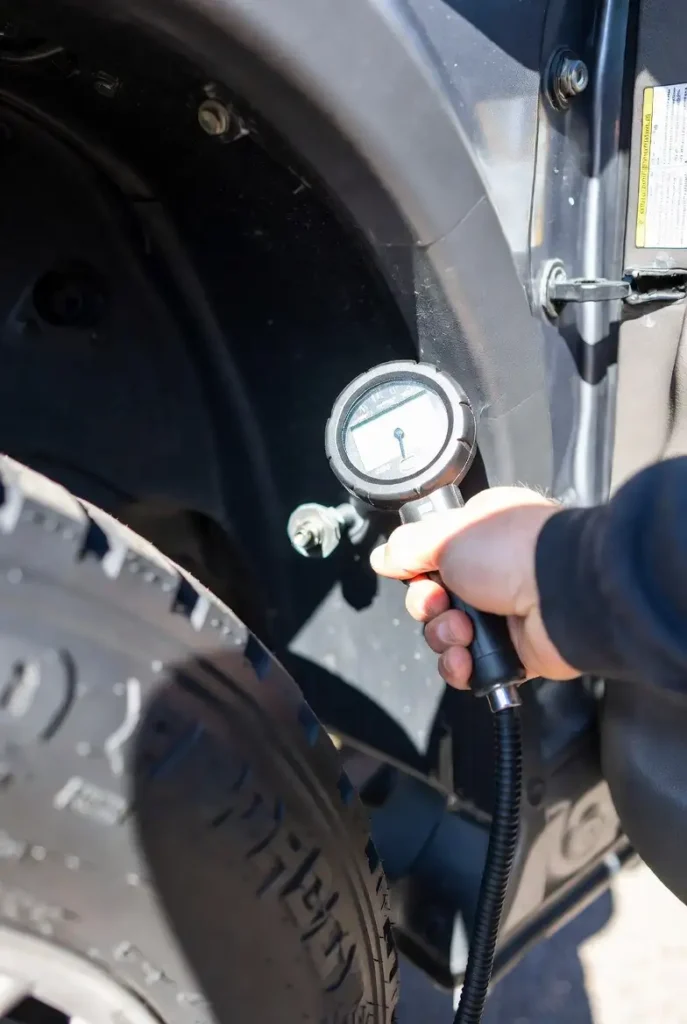
- Park the F-250 safely and let the tires cool. A cold tire means the truck has been parked for at least three hours.
- Check all four tires with an accurate gauge. If you need one, CarMechan’s guide to the best tire pressure gauge can help you choose a gauge that is easier to trust than a gas-station inflator.
- Inflate each tire to the pressure shown on the driver-side door label. Do not use the maximum psi number printed on the tire sidewall as your target.
- Reinstall all valve caps, then drive the truck above 20 mph.
- Give the system time to update. Ford’s official reset procedure starts by driving above 20 mph for at least two minutes before the reset sequence.
If the light turns off after the drive, you fixed a pressure warning. If it stays on, check the pressure again when cold before moving to sensor relearn.
If the light started after rotating tires, the truck may need a different reset path.
How To Relearn Ford F-250 TPMS After Tire Rotation
After a tire rotation, some Ford F-250 trucks need sensor positions relearned. This is especially true when the truck uses different recommended pressures for the front and rear tires.
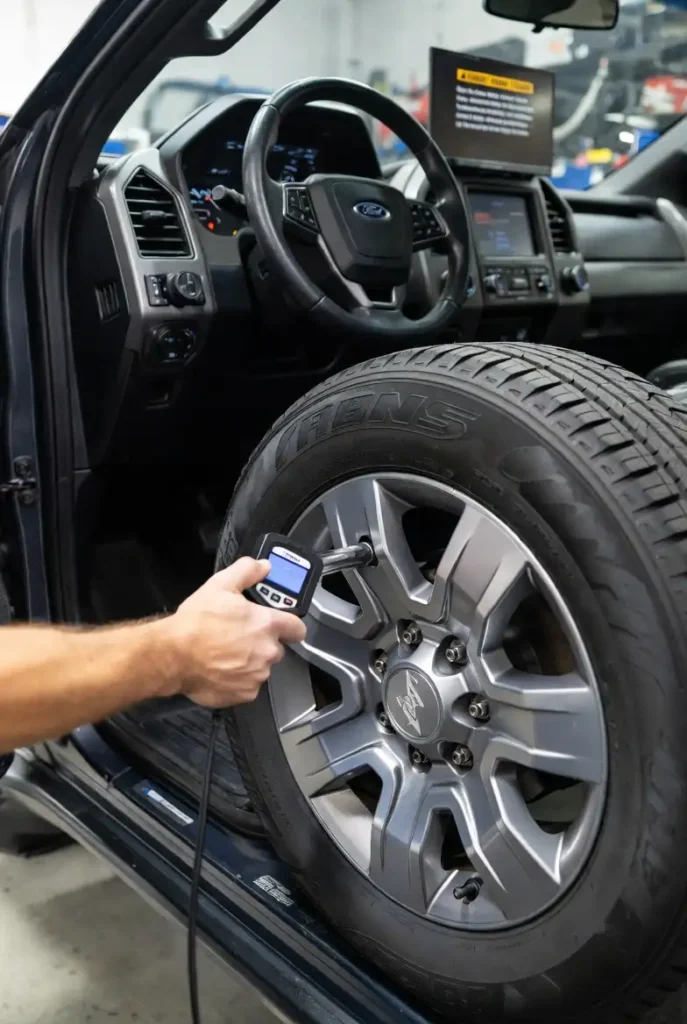
Use this method when the tire pressures are correct but the display shows the wrong tire position, the warning came on after a rotation, or Ford’s manual calls for a reset after rotation.
- Drive the truck above 20 mph for at least two minutes.
- Park in a safe place where you can reach all four tires.
- Keep the truck at least three feet away from another vehicle undergoing a TPMS reset. Ford warns this helps reduce signal interference.
- Switch the ignition off.
- Switch the ignition on, but do not start the engine.
- Turn the hazard flashers on and off three times within 10 seconds.
- Watch for confirmation. Ford says successful reset mode entry is confirmed by one horn sound, a flashing system indicator, and a message in the information display.
- Start at the left front tire. Remove the valve cap and decrease air pressure until the horn sounds.
- Move to the right front tire, then the right rear tire, then the left rear tire.
- Switch the ignition off after the final tire is trained.
- Reinflate all four tires to the recommended pressure on the Safety Compliance Certification Label.
Ford says a single horn tone confirms the sensor identification code has been learned for that tire position. If the horn sounds twice, the reset was unsuccessful and the procedure should be repeated.
The steps can change slightly when your F-250 uses push-button start.
How To Reset Ford F-250 TPMS With Push Button Start
Push-button start changes how you turn the ignition on without starting the truck. On many F-250 models, pressing the start button without your foot on the brake powers the ignition mode without starting the engine.
For push-button trucks, use the same logic as the official Ford reset procedure. The goal is to put the truck in ignition-on mode, not engine-running mode.
- Park the truck safely.
- Press the start button without pressing the brake pedal.
- Confirm the dash is powered but the engine is not running.
- Turn the hazard flashers on and off three times within 10 seconds.
- Listen for one horn sound and watch for a TPMS reset or training message.
- Train the tires in the order shown by the truck. For the Ford procedure above, the order is left front, right front, right rear, then left rear.
- After training, turn the ignition off and reinflate all tires to the correct pressure.
What success looks like: the horn chirps once when training mode starts, then once for each tire as the truck learns the sensor position.
If your push-button F-250 does not enter training mode after repeated attempts, do not keep cycling the ignition. Use your owner manual for that exact year and trim, or have a tire shop use a TPMS activation tool.
Older key-start trucks often use a similar relearn sequence, but the ignition step is different.
How To Reset Ford F-250 TPMS On Older Key Start Trucks
Older Ford F-250 trucks with a key ignition usually follow the same basic relearn pattern. The difference is how you switch the truck to ignition-on mode.
Key Start Training Mode
Insert the key and turn it to the on position without starting the engine.
Then use the Ford reset sequence: hazard flashers on and off three times within 10 seconds. If the truck enters reset mode, the horn sounds once, the TPMS indicator flashes, and the display shows a reset message.
Tire Sensor Training Order
The official Ford order is left front, right front, right rear, and left rear.
At each tire, remove the valve cap and release air until the horn sounds. Do not wait more than two minutes between tires, because Ford says the reset mode can time out.
What Success Looks Like
A single horn sound means the truck learned that tire’s sensor position.
A double horn after training usually means the reset failed. Ford says that if the horn sounds twice again after repeating the procedure, the truck should be checked by an authorized dealer.
If the warning still returns, the problem is likely not a simple reset.
Why Ford F-250 TPMS Light Stays On After Reset
A Ford F-250 TPMS light that stays on after reset usually means the truck still sees a fault. Repeating the same reset will not fix a dead sensor, incompatible sensor, or wrong wheel setup.
Common causes include:
- Incorrect cold tire pressure. Recheck the pressure when the truck has been parked for at least three hours.
- Pressure set from the tire sidewall. Use the door label instead.
- Sensor positions not relearned after rotation. This matters when front and rear pressures differ.
- Weak or dead TPMS sensor battery. Most direct TPMS sensors use internal batteries that are replaced as part of the sensor assembly.
- New sensors not trained to the truck. Some sensors need programming, cloning, or relearn before the truck can read them.
- Wrong frequency or incompatible aftermarket sensors. Owner reports show compatibility confusion on some Super Duty wheel and sensor swaps.
- Damaged sensor after tire replacement. Tire mounting work can damage a valve-stem sensor.
- Spare tire or trailer tire setup confusing the warning message. Ford has separate trailer TPMS notes for trucks equipped with trailer tire monitoring.
Parts pricing varies widely by year and sensor type. RockAuto listings for Ford Super Duty TPMS sensors show some aftermarket sensors around the $18 to $45 range, while AutoZone listings for Ford F-250 TPMS sensors show individual sensors and programmable options from low-cost listings to much higher programmable sensor kits. RockAuto Super Duty TPMS listings show low-cost aftermarket sensor examples.
Before replacing parts, run through a quick decision table.
Quick Ford F-250 TPMS Reset Decision Table
Use this table before repeating the same reset procedure. The correct path depends on what changed before the warning appeared.
| Situation | Best First Action | Likely Tool Needed | When To Get Help |
|---|---|---|---|
| Light came on after cold weather | Inflate tires cold and drive above 20 mph | No | Light returns after pressure is correct |
| Light came on after tire rotation | Relearn TPMS sensor positions | Sometimes | Truck will not enter training mode |
| New tires or wheels installed | Train or program sensors | Usually yes | Sensors are not detected |
| Light flashes then stays on | Diagnose TPMS system fault | TPMS tool or scan tool | Flashing warning returns |
| One tire reads blank | Inspect that sensor and wheel position | Usually yes | Sensor ID or signal is missing |
This table also helps avoid confusing TPMS with other dashboard warnings. If your truck has a check engine warning instead, use the separate CarMechan guide on Ford F-250 check engine light reset steps.
Ford F-250 TPMS Reset Decision Flow
Use this quick flow to choose the correct reset path before repeating the same procedure.
Light After Cold Weather
The warning came on after a temperature drop or low tire pressure reading.
Action: Inflate tires cold and drive above 20 mph.Light After Tire Rotation
The tires were rotated and the truck may need sensor positions relearned.
Action: Enter TPMS reset mode and train each tire.New Wheels Or Sensors
The truck has replacement wheels, new sensors, or programmable sensors.
Action: Use a TPMS tool or shop programming.Flashing Light Or Blank Tire
The truck cannot read one or more sensors or sees a system fault.
Action: Diagnose sensor signal, battery, and compatibility.With the correct path chosen, the final step is knowing when DIY should stop.
When To Visit A Tire Shop For Ford F-250 TPMS
DIY reset attempts are useful, but they cannot fix every TPMS fault. If the truck cannot detect a sensor, the problem usually requires a TPMS activation tool, sensor programming, or wheel dismounting.
Visit a tire shop if:
- The TPMS light flashes before staying on.
- One tire position shows no reading.
- New wheels were installed and the truck cannot read the sensors.
- The reset sequence fails after repeated attempts.
- The tire shop recently replaced tires but did not confirm sensor programming.
- You are unsure whether the sensors match your F-250 year.
Ask the shop one clear question: were the sensors programmed, cloned, or only installed? That answer tells you whether the truck still needs sensor setup.
For heavy-duty owners who rotate tires, tow, or run different load pressures, it also helps to understand the truck’s load limits. CarMechan’s guide to Ford F-250 curb weight and payload details explains why tire load and pressure matter on a Super Duty.
The key is choosing the reset method that matches the warning.
Best Next Step For Ford F-250 TPMS Reset
The right Ford F-250 TPMS reset procedure depends on what changed before the light came on. If nothing changed except temperature or tire pressure, start with a cold pressure check, inflate to the driver door label, and drive the truck.
If the warning started after tire rotation, sensor replacement, or new wheels, use the relearn procedure instead. If the light flashes, one tire reads blank, or the truck refuses to enter training mode, stop repeating resets and have the sensors checked with a TPMS tool.
That approach saves time and prevents you from replacing sensors when the truck only needed a proper pressure correction.
Ford F-250 TPMS Reset FAQ
How Do You Reset The TPMS On A Ford F-250
Reset Ford F-250 TPMS by first setting all tires to the cold pressure on the driver door label. If the light came on after tire rotation, use Ford’s relearn procedure by entering reset mode, then training the tires in order.
Why Is My Ford F-250 TPMS Light Still On
Your Ford F-250 TPMS light may stay on because the pressure is still wrong, a sensor is not trained, or a sensor has failed. If the warning flashes before staying on, treat it as a TPMS fault instead of a basic pressure reset.
Do You Need A Tool To Reset Ford F-250 TPMS
You usually do not need a tool for a simple low-pressure warning. You may need a TPMS activation tool when replacing sensors, installing new wheels, or when the truck does not learn sensor positions through the air-release method.
What Order Do You Train Ford F-250 TPMS Sensors
Ford’s official reset procedure trains the left front tire first, then right front, right rear, and left rear. The horn should sound after each tire to confirm the truck learned that sensor position.
Will Ford F-250 TPMS Reset Itself After Driving
A low-pressure warning may clear after the tires are corrected and the truck is driven. A tire rotation relearn or new sensor setup may not reset itself, especially when the truck needs sensor positions trained.