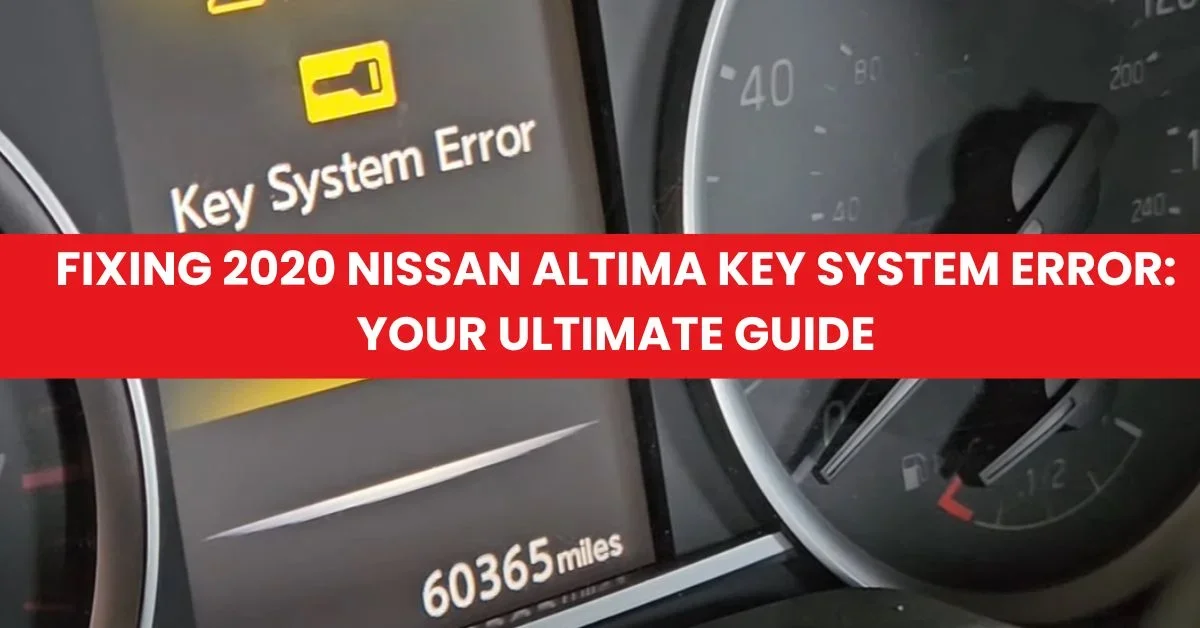
Fixing 2020 Nissan Altima Key System Error: Causes & Tips
Last Updated on September 1, 2026 by Ryan
📋 Table of Contents
- 🎯 Key Takeaways
- Understanding the 2020 Nissan Altima Key System Error
- Master the 2020 Nissan Altima Key System Error in 8 Simple Steps
- Common Factors Triggering Dashboard Key Alerts
- Key Fob Issues vs. Vehicle Battery Failure: How to Tell the Difference
- Expert Tips for Maintaining the Intelligent Key System
- Final Thoughts on Solving Nissan Key Errors
- 💬 Quick Questions & Answers
- ❓ Frequently Asked Questions
The Key System Error in a 2020 Nissan Altima is most frequently caused by a depleted key fob battery or a weak vehicle 12V battery. Addressing this issue promptly prevents unexpected lockouts and ensures the push-to-start ignition functions correctly every time.
🎯 Key Takeaways


- Takeaway 1:Replace key fob batteries annually to prevent unexpected system communication failures.
- Takeaway 2:Inspect the vehicle’s 12V battery if key errors persist after fob replacement.
- Takeaway 3:Check for electronic interference from nearby devices disrupting fob signals.
- Takeaway 4:Use high-quality CR2032 batteries for the most reliable key fob performance.
- Takeaway 5:Consult a dealer if software updates are needed for the Keyless Entry Module.
Have you ever climbed into your 2020 Nissan Altima, pressed the start button, and felt a wave of frustration as a warning light appeared? The “Key System Error” message is a common sight for many modern drivers. It usually shows up when you are in a rush to get to work or finish your daily errands. This error means your car and your key fob are not talking to each other properly. Understanding why this happens is the first step toward getting back on the road with confidence.
Your Nissan Altima uses an advanced Intelligent Key system designed for convenience and security. While this technology makes your life easier, it also adds layers of complexity to your vehicle’s electronics. Ignoring these dashboard alerts can eventually lead to being locked out of your car or unable to start the engine. In this guide, we will explore what this error truly means and why your Altima might be acting a bit temperamental lately. Staying informed helps you avoid unnecessary stress and keeps your vehicle running smoothly.
Understanding the 2020 Nissan Altima Key System Error
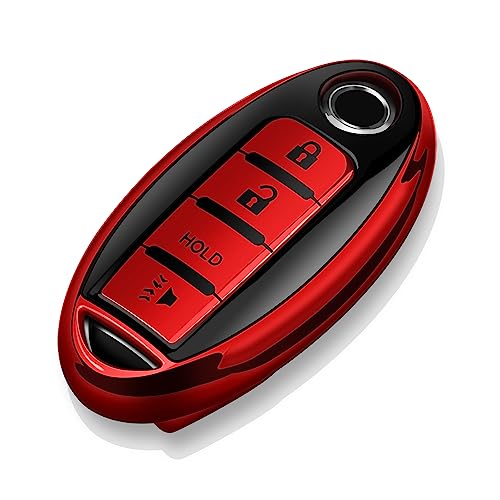

The key system error in a 2020 Nissan Altima is essentially a communication breakdown. Your car has a “brain” called the Body Control Module (BCM). This computer constantly looks for a unique digital signature from your key fob. When you press the ignition, the car sends out a signal to see if the key is nearby. If the car does not receive the correct response, it triggers the warning light. This system is a vital safety feature that prevents your car from being stolen by someone without a programmed key.

The Role of the Intelligent Key System
The Intelligent Key system allows you to unlock doors and start the engine without ever taking the key out of your pocket. It uses low-frequency radio waves to verify that the key is inside the cabin. This 2020 model relies heavily on these invisible signals to function. When everything works perfectly, the handoff between the fob and the car is instant. However, because these signals are delicate, even a small disruption can cause the system to fail. You might notice the car takes a few seconds longer to recognize you, or the dashboard might flicker with a warning before finally starting.
How the Error Impacts Your Driving Experience
When this error pops up, your Altima is telling you that its security protocol is at risk. While the car may still start occasionally, the system is designed to be cautious. You might experience several frustrating symptoms when the communication is weak. Some drivers report that the door handles do not respond to the touch-sensitive buttons. Others find that the “No Key Detected” message alternates with the system error light. Here are a few ways this issue can manifest:
- Ignition Lag: You have to press the start button multiple times before the engine cranks.
- Intermittent Warnings: The error light comes on while you are driving and then disappears.
- Remote Start Failure: The car refuses to start using the remote button on your fob.
- Locking Confusion: The car may beep at you when you try to walk away, thinking the key is still inside.
Master the 2020 Nissan Altima Key System Error in 8 Simple Steps


Seeing the “Key System Error” message on your 2020 Nissan Altima’s dashboard can be an incredibly frustrating experience, often leaving you stranded or worried about a costly dealership visit. This guide covers everything from simple battery replacements to resetting the car’s computer systems. By following these detailed steps, you can systematically diagnose the cause—whether it is a dying key fob, electronic interference, or a vehicle battery issue—and get your Altima back on the road without the stress of an emergency tow.
Step 1: Identify the Specific Error Symptoms
What you need: Observation skills and your Nissan Intelligent Key.
Instructions: Before touching any tools, determine exactly when the “Key System Error” appears. Does it happen only when you try to start the car, or does it pop up while you are driving? If the car starts but the light stays on, the system is likely functioning but sensing a communication lag. If the car refuses to start at all, the security immobilizer has likely engaged. Check if your door locks still respond to the fob buttons. If the buttons work but the car won’t start, the RFID chip inside the fob is likely fine, but the proximity sensor is failing. Documenting these specific behaviors will help you narrow down which of the following steps is most likely to solve your specific glitch.
Pro Tip: Look at your dashboard display carefully; if the “No Key Detected” icon is also flashing, the issue is almost certainly a signal strength problem rather than a hardware failure in the car’s computer.
Step 2: Replace the Key Fob Battery (CR2032)
What you need: A new CR2032 3V lithium battery and a small flathead screwdriver (wrapped in a thin cloth to prevent scratching).
Instructions: This is the culprit in 90% of Key System Error cases. Flip the key fob over and slide the release switch to remove the mechanical emergency key. Insert the tip of your flathead screwdriver into the small notch on the side of the fob casing and gently twist to pop the two halves apart. Remove the old CR2032 battery, noting the “+” and “-” orientation. Place the new battery in with the positive (+) side facing down (usually). Snap the two halves of the fob back together firmly until you hear a click, then reinsert the mechanical key. Test the lock/unlock buttons immediately to ensure the new battery is seated correctly.
Pro Tip: Avoid buying “off-brand” batteries from dollar stores; Nissans are notoriously sensitive to voltage drops, so use high-quality brands like Panasonic or Energizer for a consistent 3V output.
Step 3: Perform the “Direct Touch” Start Method
What you need: Your key fob and a firm foot on the brake pedal.
Instructions: If the error persists and the car won’t start, use the emergency start procedure designed by Nissan. Sit in the driver’s seat and ensure the car is in Park. Depress the brake pedal firmly. Instead of using your finger to press the “Start/Stop” button, hold the key fob itself directly against the button. Use the top of the fob (where the Nissan logo is) to physically push the Start button in. This utilizes an unpowered RFID induction loop inside the button that can read the key’s chip even if the fob battery is completely dead. This step bypasses the “Key System Error” lockout and allows you to drive to a safe location or a parts store.
Pro Tip: If the car doesn’t start on the first try, hold the fob against the button for at least 10 seconds to allow the induction coil to fully energize the chip inside the key.
Step 4: Clear Electronic Signal Interference
What you need: Removal of nearby electronic devices and metal objects.
Instructions: The 2020 Altima’s Intelligent Key system operates on a specific radio frequency that can be easily “jammed.” Ensure your key fob is not in the same pocket or bag as your smartphone, a laptop, or a high-powered USB charging bank. Additionally, check your 12V accessory outlets (cigarette lighter) for cheap aftermarket USB chargers or Dashcams; these often emit “dirty” electromagnetic interference that confuses the car’s key sensors. Move the key to the center console cup holder, away from your phone, and try to start the car again. This clears “ghost” errors caused by signal flooding.
Pro Tip: Magnetic phone mounts attached near the push-to-start button are a common but overlooked cause of intermittent Key System Errors.
Step 5: Inspect and Test the 12V Vehicle Battery
What you need: A digital multimeter (optional) and a 10mm wrench.
Instructions: A weak car battery is the second most common cause of this error. If the vehicle’s main battery voltage drops below 12.2V, the Body Control Module (BCM) may throw a “Key System Error” because it doesn’t have enough power to run the antenna arrays. Open the hood and inspect the battery terminals for white or blue corrosion. If you see buildup, use a mixture of baking soda and water to clean it. Ensure the 10mm nuts on the terminals are tight; if you can move the terminal by hand, it’s too loose. If you have a multimeter, check the voltage with the engine off; it should read between 12.4V and 12.7V. Anything lower than 12.0V will likely trigger computer errors.
Pro Tip: Even if your car “cranks” and starts, a failing cell in the battery can cause low-voltage spikes that trigger the Key System Error light during the starting sequence.
Step 6: Execute a Hard System Reset
What you need: A 10mm wrench and 15 minutes of time.
Instructions: Sometimes the Altima’s onboard computer gets stuck in an error loop that a simple restart won’t fix. To perform a “Hard Reset,” use your 10mm wrench to disconnect the negative (black) terminal from the car battery. Leave it disconnected for a full 10 to 15 minutes. While the battery is disconnected, get inside the car and press the horn or turn on the headlight switch; this helps drain any residual electricity stored in the capacitors. Reconnect the negative terminal and tighten it securely. This forces all modules, including the Intelligent Key system, to reboot and re-handshake with the key fob.
Pro Tip: After a hard reset, your one-touch window features and clock might need to be reset, but this is a small price to pay for clearing a stubborn software glitch.
Step 7: Check the Brake Light Switch and Fuses
What you need: A flashlight and a replacement 10A fuse (if necessary).
Instructions: The Nissan Altima requires a signal from the brake light switch to verify the car is ready to start. If this switch is failing or the fuse is blown, the car may display a Key System Error because it cannot complete the safety check. Look under the driver-side dashboard near the top of the brake pedal arm. There is a small plastic plunger switch. Ensure it isn’t stuck or loose. Next, check the fuse box located inside the cabin (usually on the left side of the dashboard by the door). Look for the fuse labeled “Electronic Parts” or “Key Sw.” If the metal bridge inside the fuse is broken, replace it with a fresh fuse of the same amperage.
Pro Tip: Have a friend stand behind the car while you press the brake. If the brake lights don’t illuminate, your “Key System Error” is actually a faulty brake switch preventing the ignition sequence.
Step 8: Clear DTCs with an OBDII Scanner
What you need: An OBDII diagnostic scanner (available at most auto parts stores).
Instructions: If the error light persists after the battery changes and resets, there is a “soft code” stored in the Engine Control Unit (ECU). Plug the OBDII scanner into the port located under the dashboard on the driver’s side. Turn the ignition to the “ON” position (without starting). Scan for codes. You might see codes like B2604 (PNP Switch) or B2605. Use the scanner’s “Clear Codes” function to wipe these from the memory. In many cases, once the initial low-voltage event (like a dead fob battery) is cleared from the history, the “Key System Error” message will disappear and stay off.
Pro Tip: Many local auto parts stores will scan and clear your codes for free if you don’t own a scanner yourself.
✅ Final Checklist
- Confirm that the CR2032 battery is brand new and installed with the correct polarity.
- Verify that the car battery terminals are tight and free of corrosion.
- Ensure the “Start” button responds when physically touched by the key fob.
- Check that no other electronic devices are within 6 inches of the key fob during operation.
- Verify that brake lights are functioning when the pedal is depressed.
Important Notes:
- Safety Warning: Always ensure the vehicle is in “Park” with the emergency brake engaged before working on the battery or electrical components.
- When to Seek Professional Help: If you have followed all steps and the car still displays the error or fails to start, the BCM (Body Control Module) or the internal RF antenna may have suffered a hardware failure requiring dealership programming.
- Estimated Time: 15–45 minutes.
- Estimated Cost: $5 – $20 (for a battery or fuse) versus $150+ at a dealership.
Common Factors Triggering Dashboard Key Alerts
Identifying the root cause of a key system error can feel like solving a mystery. Most of the time, the issue is not a major mechanical failure but rather a simple environmental or electrical hiccup. Since the 2020 Nissan Altima is packed with sensors, it is very sensitive to its surroundings. Many owners find that the error is triggered by something as small as a dying battery or even a nearby electronic device. Knowing these common triggers can save you from a panicked trip to the mechanic.
Battery and Voltage Fluctuations
The most common culprit for a key system error is a lack of power. This applies to both the tiny battery inside your key fob and the large 12-volt battery under your hood. If the key fob battery is low, its signal becomes too weak for the car to “hear” clearly. Similarly, if your car’s main battery is aging, the computer modules may not receive enough voltage to process the security check. Even a slight dip in voltage during a cold morning can be enough to confuse the sensors and trigger a false alarm on your dashboard.
Signal Interference and Electronic Noise
We live in a world filled with radio waves, and sometimes these waves get tangled. Your Altima’s key system operates on a specific frequency that can be disrupted by other devices. If you keep your key fob in the same pocket as your smartphone, the phone’s signal can “mask” the key’s signal. This phenomenon is known as electronic noise. Certain locations can also cause issues due to high levels of interference. Consider these common sources of signal disruption:
- Proximity to Electronics: Placing your key near laptops, tablets, or magnetic chargers.
- Metallic Objects: Large bunches of metal keys or RFID-blocking wallets blocking the signal.
- External Towers: Parking near cell phone towers or airport radar systems.
- Internal Accessories: Using cheap USB chargers or aftermarket dash cams that emit radio frequency interference.
- Weather Conditions: Extreme cold can temporarily slow down chemical reactions in batteries, weakening the signal.
By keeping these factors in mind, you can often predict when your car might struggle to find its key. Most of these triggers are temporary and do not mean your car is broken. They are simply environmental challenges that the 2020 Nissan Altima’s sensitive technology has to navigate every day.
Key Fob Issues vs. Vehicle Battery Failure: How to Tell the Difference
When the dashboard displays a “Key System Error,” many drivers immediately assume the problem lies within the small remote in their pocket. However, in the 2020 Nissan Altima, this warning can also serve as a “canary in the coal mine” for the vehicle’s main 12V battery. Distinguishing between a faulty remote and a failing car battery is essential to avoid unnecessary trips to the dealership.
Signs the Key Fob is the Culprit
If the error message is intermittent or only occurs when the fob is in your pocket rather than the center console, the remote is likely the issue. You might notice a significantly decreased range when trying to lock the doors from a distance, or you may find that the push-to-start button only reacts when you physically touch the fob to the ignition switch. These are classic indicators of a weakening coin-cell battery within the remote itself or potential internal damage to the fob’s circuit board.
Identifying Main Battery Struggle
Your Altima’s Intelligent Key system relies on multiple sensors located throughout the chassis that require consistent, stable voltage to communicate. If your car’s main 12V battery is reaching the end of its lifespan, these sensors are often the first components to “glitch” due to low voltage. You should suspect the car battery if you notice the following symptoms alongside the key error:
- Slow Engine Cranking: The car takes noticeably longer than usual to turn over and start.
- Dimming Interior Electronics: Dashboard lights or cabin lights flicker or dim when you attempt to start the engine.
- Multiple Warning Lights: Seeing a “Chassis Control” error or “Low Battery” warning appearing in tandem with the key system message.
- Age of the Battery: If your 2020 Altima is still running on its original factory battery, it is likely approaching the end of its reliable service life.
Expert Tips for Maintaining the Intelligent Key System
Preventing a key system error is much easier—and cheaper—than diagnosing one on a busy morning. Since the 2020 Nissan Altima utilizes a sophisticated RFID and rolling-code system, keeping the hardware and its environment in top shape is the best way to ensure daily reliability.
Mind Your Signal Environment
Radio frequency interference (RFI) is a common but frequently overlooked cause of key errors. Electronic devices like smartphones, laptops, or even high-output USB chargers can “mask” the signal from your key fob if they are placed too close together. For instance, keeping your smartphone and your key fob in the same pocket or bag compartment can trigger a temporary “Key Not Detected” message. To avoid this, try to keep your keys at least several inches away from other high-powered electronic devices while driving or starting the vehicle.
Proactive Maintenance Habits
To keep your system running smoothly and avoid being stranded, consider adopting these professional maintenance habits:
- Scheduled Battery Swaps: Don’t wait for a warning light to appear. Replace the CR2032 battery in your remote every 12 to 18 months as a preventive measure.
- Key Fob Storage: Avoid leaving your key fob inside the vehicle or within close proximity (less than 15 feet) while the car is parked overnight. This can keep the car’s computer in a “searching” mode, which slowly drains both the fob battery and the vehicle battery.
- Climate Protection: Extreme cold can temporarily reduce the voltage of the small battery in your fob. In winter months, keep your keys in an internal pocket close to your body heat to ensure they function correctly when you reach your car.
- Carry a Spare: Always keep a spare key in a safe place. This helps determine if an error is specific to one fob or a broader issue with the car’s internal receiver.
Final Thoughts on Solving Nissan Key Errors
The “Key System Error” in a 2020 Nissan Altima is certainly frustrating, but it is rarely a sign of a major mechanical catastrophe. In the vast majority of cases, the fix is as simple as a fresh five-dollar battery or moving your smartphone away from your keys to prevent signal interference. By understanding the subtle differences between a failing remote and a struggling 12V vehicle battery, you can address the root cause quickly and get back on the road with confidence.
Next Steps: Start by testing your spare key to see if the error persists. If it does, head to a local auto parts store to have your car’s main battery tested—most will do this for free! Don’t let a minor electronic glitch slow you down; stay proactive with your maintenance and enjoy the drive.
💬 Quick Questions & Answers
What does Key System Error mean on a 2020 Altima?
It indicates a communication failure between the vehicle’s computer and the intelligent key fob.
Can a dead battery cause a Key System Error?
Yes, both a weak key fob battery and a low car battery can trigger this warning.
Will the car start with a Key System Error?
Usually, you can start the car by pressing the key fob directly against the start button.
Is this error covered under Nissan’s warranty?
If the issue is a faulty sensor or module, it may be covered under the factory warranty.
Does cold weather affect the key system?
Yes, extreme cold can reduce battery voltage, leading to temporary signal loss and errors.
❓ Frequently Asked Questions
Why does my 2020 Nissan Altima say Key System Error even after changing the fob battery?
This often happens if the car’s 12V battery is weak or if there is localized signal interference. It may also require a system reset by a technician if the error code remains stored in the ECU.
Can I drive my Altima while the Key System Error light is on?
While the car may still drive, you risk being unable to restart it if the connection fails completely. It is best to address the issue immediately to avoid being stranded in an inconvenient location.
What are the primary causes of key system interference in modern Altimas?
External factors like cell phone chargers, magnetic mounts, or proximity to high-voltage power lines can disrupt the signal. Ensure your key fob is kept away from other electronic devices while driving.
How do I know if the error is caused by the key fob or the car itself?
Test the vehicle with your spare key fob; if the error persists, the issue is likely the car’s receiver or battery. If the spare works fine, the original fob is likely the culprit.
Are there any recalls for the 2020 Altima regarding the keyless entry system?
Currently, there are no major recalls specifically for this error, but several Technical Service Bulletins (TSBs) exist for software updates. Check with your local Nissan dealer for any applicable firmware fixes.
What is the cost of replacing the Keyless Entry Module if it fails?
A new module can cost between $200 and $500, not including labor and reprogramming fees. This is typically a last resort after checking batteries and fuses.