Nissan Altima Key System Error Reset: Expert Solutions
Last Updated on September 1, 2026 by Ryan
📋 Table of Contents
- 🎯 Key Takeaways
- Common Causes of Nissan Altima Key System Errors
- Nissan Altima Key System Error Reset Made Easy: Your Essential Action Plan
- Comparing Key Fob Failures vs. Vehicle Module Issues
- Estimated Costs for Professional System Diagnostics
- Long-term Maintenance for Nissan Intelligent Key Systems
- Conclusion: Keeping Your Altima Error-Free
- 💬 Quick Questions & Answers
- ❓ Frequently Asked Questions
Resetting a Nissan Altima key system error often involves resolving communication issues between the fob and the vehicle’s BCM. Common triggers include weak batteries or steering lock failures that require professional diagnostics.
🎯 Key Takeaways


- Takeaway 1:Replace the key fob battery first before attempting complex resets.
- Takeaway 2:A dead car battery frequently triggers false key system errors.
- Takeaway 3:Understanding the steering lock malfunction is critical for older models.
- Takeaway 4:Use an OBD-II scanner to identify specific fault codes accurately.
- Takeaway 5:Professional reprogramming might be necessary if software glitches persist.
Have you ever climbed into your Nissan Altima, pressed the start button, and been met with a cold “Key System Error” message? This sudden warning can turn a routine morning into a stressful situation in just a few seconds. It is a common headache for many Nissan owners, often appearing right when you are in the biggest hurry. This error typically signals that the communication between your car and your smart key has been interrupted, preventing the engine from firing up.
Understanding why your Altima is giving you the silent treatment is the first step toward a fix. You do not always need a tow truck or a high-priced mechanic to solve the mystery of the blinking dashboard light. Many times, the cause is a simple electronic glitch or a minor hardware issue that you can easily identify. By learning about the underlying factors of this security system, you can regain control of your vehicle and avoid unnecessary repair costs in the future.
Common Causes of Nissan Altima Key System Errors


Identifying the root cause of a key system error is essential before trying to fix it. Your Nissan Altima relies on a sophisticated network of antennas and sensors to detect your key fob. When this network fails, the car enters a protective “lockdown” mode to prevent theft. Most errors stem from simple environmental factors or power issues rather than a complete system failure.

Signal Interference and Electronic Noise
Modern smart keys operate on specific radio frequencies to talk to your car. Sometimes, other devices can “drown out” this conversation. If you park near a powerful cell tower or a large radio antenna, the signal may get lost. Even small items inside your car can cause trouble. For example, a cheap USB charger or a high-powered smartphone held too close to the key can create enough electronic noise to block the signal. Magnetic fields from other key cards or heavy metal objects in your pocket can also shield the fob from the car’s internal sensors.
Power Fluctuations and Battery Health
The most frequent culprit for this error is insufficient voltage. This applies to both your key fob and the vehicle itself. A weak CR2032 battery inside your remote might have enough juice to unlock the doors but not enough to “handshake” with the ignition system. Similarly, a struggling 12-volt car battery can cause the Body Control Module to glitch. If your car battery is more than three years old, it may not provide the steady power needed for the security sensors to boot up correctly during the start sequence.
- Low Remote Battery: A fading signal that works intermittently before failing.
- Car Battery Voltage: Cold weather often reveals a weak car battery that triggers electronic errors.
- External RFI: Parking near airports or secure facilities with high radio frequency interference.
- Magnetic Shielding: Keeping your key in a metal tin or next to a stack of credit cards.
Nissan Altima Key System Error Reset Made Easy: Your Essential Action Plan

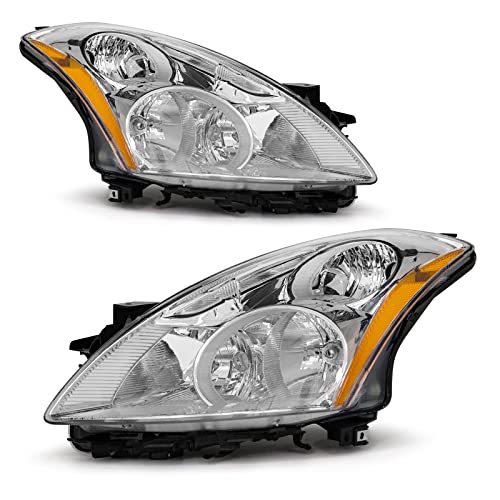

Seeing the “Key System Error” message illuminate on your Nissan Altima’s dashboard can be an incredibly frustrating experience, often leaving you stranded or unable to start your vehicle. This error typically signifies a communication breakdown between the Intelligent Key fob and the car’s Body Control Module (BCM). While it can sometimes indicate a hardware failure, more often than not, it is caused by a low battery, signal interference, or a temporary software glitch. Following this comprehensive guide will help you systematically troubleshoot the issue, reset the system, and potentially save you hundreds of dollars in unnecessary dealership diagnostic fees and towing costs.
Step 1: Replace the Key Fob Battery
What you need: A new CR2032 3V lithium coin battery and a small flathead screwdriver wrapped in a thin cloth.
Instructions: The most common cause of the “Key System Error” is a weak signal due to a dying battery in the key fob. Even if your buttons still lock and unlock the doors, the RFID chip used for ignition requires a stronger, more consistent voltage. To replace it, slide the release switch on the back of the fob to remove the mechanical emergency key. Insert your cloth-covered screwdriver into the small notch where the key was and gently twist to pop the two halves of the fob apart. Note the orientation of the old battery (positive side down), remove it, and snap the new CR2032 into place. Press the casing back together firmly until you hear a click, then reinsert the emergency key.
Pro Tip: Avoid touching the flat surfaces of the new battery with your bare fingers. The oils from your skin can cause corrosion or create a high-resistance film that shortens the battery’s lifespan and weakens the signal.
Step 2: Perform a Hard Power Cycle of the Vehicle
What you need: A 10mm wrench or socket set.
Instructions: Modern Nissans are essentially computers on wheels, and like any computer, the BCM can get “stuck” in an error state. A hard reset clears the temporary memory and forces the system to re-authenticate all sensors. Open the hood and locate the vehicle’s 12V battery. Use your 10mm wrench to loosen the nut on the negative (black) terminal connector. Remove the cable entirely and set it aside so it cannot touch any metal parts. Leave the battery disconnected for at least 15 to 30 minutes. This allows the capacitors in the ECU and BCM to fully discharge. After the wait, reconnect the terminal and tighten the nut securely. Attempt to start the car normally.
Pro Tip: After reconnecting the battery, your window “auto-up” feature may need to be reset by holding the window switch in the up position for five seconds after the window is fully closed.
Step 3: Utilize the Proximity Start Method
What you need: Your Intelligent Key fob and your foot on the brake pedal.
Instructions: If the BCM is struggling to detect the fob’s wireless signal, you can use the physical “fail-safe” method designed by Nissan. Sit in the driver’s seat and ensure the transmission is in Park. Depress the brake pedal firmly. Instead of using your finger to press the “Start/Stop” button, take the key fob itself and touch the back of the fob (the side with the Nissan logo) directly against the Start button. You should hear a chime or see the dash lights initialize. Within five seconds of making physical contact, press the Start button using the fob. This method uses an induction coil behind the button to power the RFID chip in the fob, bypassing the need for a working fob battery or a strong wireless signal.
Pro Tip: If the car starts using this method but shows the error again once you move the fob away, the issue is almost certainly the fob’s internal transmitter or the car’s interior antenna.
Step 4: Clear Electronic and Signal Interference
What you need: A clean cabin environment free of high-powered electronics.
Instructions: The Altima’s key system operates on a specific radio frequency that is susceptible to electromagnetic interference (EMI). Check your center console and cup holders for items that might be “jamming” the signal. Common culprits include high-output USB phone chargers, magnetic phone mounts, aftermarket LED lighting controllers, and even other RFID-enabled cards like building badges or other car fobs. Remove these items from the vehicle or move them to the back seat. Additionally, ensure your Altima isn’t parked directly under high-voltage power lines or near a powerful microwave tower, as these environmental factors can trigger a temporary “Key System Error” that prevents the handshake between the fob and the car.
Pro Tip: Many drivers find that simply removing a thick metal keychain or a “signal blocking” leather pouch from the fob resolves the error immediately.
Step 5: Inspect the Brake Light Switch and Fuses
What you need: A flashlight and a spare 10A or 15A automotive fuse (if needed).
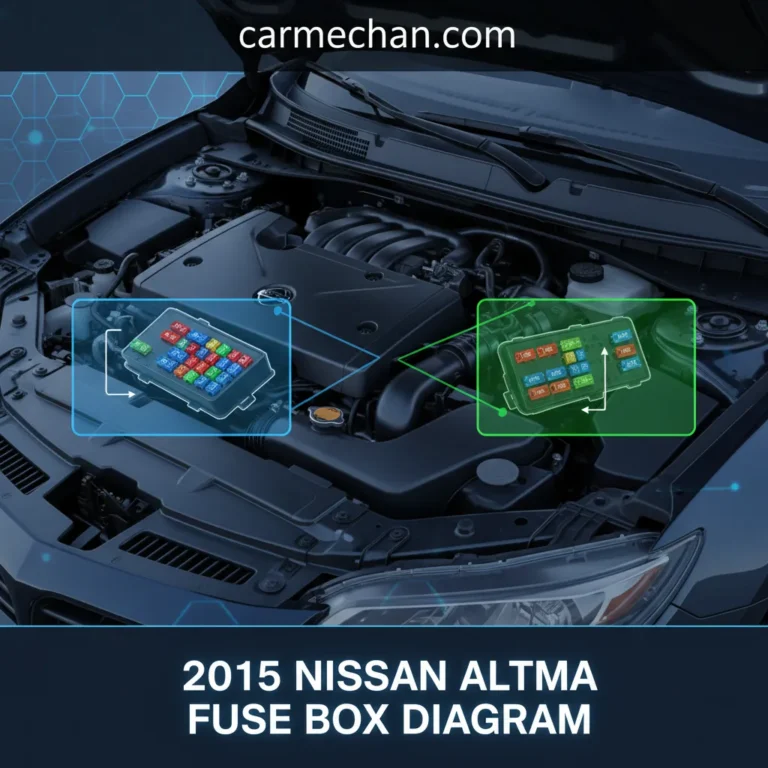
Instructions: The Nissan ignition system will not initialize unless it receives a signal that the brake pedal is depressed. If the brake light switch (located above the brake pedal arm) is failing, the car may throw a “Key System Error” because it doesn’t “see” the prerequisite for starting. While the car is off, have someone check if your brake lights illuminate when you press the pedal. If they don’t, the switch or its fuse is likely the problem. Open the fuse panel cover (usually located near the driver’s left knee or under the hood) and look for fuses labeled “ST SIGN” or “ELEC PARTS.” Inspect the metal filament inside; if it is broken, replace the fuse with one of the exact same amperage.
Pro Tip: A failing brake switch often feels “sticky.” You can sometimes temporarily fix this by manually pulling the brake pedal upward and then pushing it down hard several times to reseat the switch plunger.
Step 6: Resynchronize the Steering Lock and BCM
What you need: Your key fob and a bit of patience for the cycling process.
Instructions: Sometimes the electronic steering column lock (ESCL) gets out of sync with the BCM, triggering the security error. To resync, enter the vehicle and close all doors. Without pressing the brake pedal, press the “Start/Stop” button once to put the car in “ACC” mode, then again to put it in “ON” mode. Wait for the dash to cycle through its lights. Turn the car back “OFF.” Repeat this cycle—On to Off—five times in rapid succession. On the sixth attempt, hold the brake pedal and try to start the engine. This sequence often forces the BCM to re-query all security modules and can clear “ghost” errors that have been saved in the temporary cache.
Pro Tip: If you hear a clicking sound from the steering column during this process, it is a sign that the electronic lock is functioning but might be physically binding. Try wiggling the steering wheel back and forth while pressing the button.
✅ Final Checklist
- Confirm the “Key System Error” message has disappeared from the Advanced Drive-Assist Display.
- Ensure the vehicle starts consistently without having to hold the fob against the Start button.
- Verify that all key fob buttons (Lock, Unlock, Trunk, Remote Start) are functioning from at least 20 feet away.
- Check that the steering wheel lock engages and disengages smoothly when entering and exiting the vehicle.
- Test both the primary and spare key fobs to ensure the error isn’t specific to just one programmed unit.
Important Notes:
- Safety First: Always ensure the vehicle is in “Park” with the emergency brake engaged before performing battery disconnects or fuse inspections.
- When to Call a Professional: If these steps do not clear the error, you likely have a faulty BCM, a failed Electronic Steering Column Lock (ESCL), or a corrupted transponder chip. These require specialized Nissan Consult-III diagnostic tools to reprogram.
- Estimated Time: 30–60 minutes.
- Cost Range: $5 (for a battery) to $20 (for basic tools). If a dealership visit is required, expect to pay $150–$300 for diagnostics and programming.
Comparing Key Fob Failures vs. Vehicle Module Issues
When the “Key System Error” appears, you must determine if the problem lies in your pocket or deep inside the car’s dashboard. Distinguishing between a faulty key fob and a vehicle-side module issue can save you hours of troubleshooting. Key fob issues are usually localized and physical, while vehicle module problems tend to affect multiple systems at once.
Signs Your Key Fob is the Culprit
If you have a second key fob, testing it is the fastest way to narrow down the problem. If the spare works perfectly, your primary fob is likely the source of the error. Over time, the internal buttons on a remote can wear down, or the small circuit board inside can become damaged from being dropped. Moisture is another silent killer; even a small amount of humidity inside the fob casing can cause the security chip to desynchronize from the car. In these cases, the car is healthy, but the “messenger” is broken.
The Role of the Body Control Module (BCM)
The Body Control Module, or BCM, acts as the brain for your Altima’s electronics. It manages the lights, windows, and most importantly, the security system. If the BCM suffers from a software bug or a blown fuse, it will fail to recognize any key, even a brand-new one. Vehicle-side issues often come with other symptoms, such as flickering interior lights or power locks that act strangely. While a key fob failure is a hardware issue you hold in your hand, a BCM issue is a communication breakdown within the car’s internal computer network.
- Fob Physical Damage: Rattling sounds or visible cracks in the remote casing.
- Internal Desync: The fob sends a signal, but the rolling security code no longer matches the car.
- BCM Glitches: Occur when the car’s computer needs a hard reset to clear its memory.
- Antenna Failure: The car has multiple antennas (usually in the center console and trunk) that can occasionally unplug or fail.
Understanding these differences helps you speak the same language as a technician if you eventually need professional help. It also empowers you to look for the right signs before spending money on parts you might not actually need. Most of the time, the solution is simpler than it seems once you know which part of the system is struggling to communicate.
Estimated Costs for Professional System Diagnostics
When DIY methods fail to clear the “Key System Error” on your Nissan Altima, seeking professional help is the next logical step. Diagnostic costs can vary significantly depending on whether you visit a local locksmith or a certified Nissan dealership. Most shops charge a flat diagnostic fee to hook the car up to a specialized OBD-II scanner that can read Nissan-specific BCM (Body Control Module) codes.
Dealership vs. Independent Mechanic Rates
Expect to pay between $100 and $180 just for the initial diagnostic test at a dealership. While this is higher than independent shops, dealers have access to CONSULT-III Plus, the proprietary software designed specifically for Nissan electronic systems. Independent mechanics or specialized automotive locksmiths may charge between $75 and $120, but ensure they have the tools necessary to program Nissan Intelligent Keys before booking.
Hidden Costs: Part Replacement and Programming Fees
The diagnostic fee is often just the beginning. If the error is tied to hardware failure, your budget needs to account for parts and labor. Here are some common price ranges for components often linked to system errors:
- New OEM Key Fob: $150 – $300 (including programming)
- Keyless Entry Receiver: $200 – $450
- Body Control Module (BCM) Replacement: $500 – $900
- Emergency Mobile Locksmith Service: $150 – $250 (flat rate for onsite visits)
Pro tip: Always ask if the diagnostic fee will be “rolled into” the repair cost. Many service centers will waive the initial fee if you choose to have the necessary repairs performed at their facility.
Long-term Maintenance for Nissan Intelligent Key Systems
Preventing a key system error is far more cost-effective than fixing one. The Nissan Intelligent Key system is a sophisticated network of radio frequency (RF) sensors and modules that requires a stable environment to function correctly. By following a few maintenance habits, you can extend the life of your keyless entry components and avoid unexpected dash warnings.
Shielding Your Key Fob from Electronic Interference
Electronic “noise” is a silent killer for Altima key systems. Storing your key fob directly next to a smartphone, a tablet, or even a wireless charging pad can degrade the internal antenna over time. This interference often leads to the system failing to recognize the key, triggering a “ghost” error message.
- Keep fobs at least three feet away from large electronics when at home.
- Avoid using cheap, aftermarket USB chargers in your Altima’s 12V port, as they can leak RF interference.
- If you live in a high-tech area, consider using a Faraday pouch to protect the fob’s signal from external relay attacks and interference.
Proactive Battery and Software Management
Most Nissan Altima owners wait until the key dies to change the battery, but low voltage is a primary cause of system-wide communication errors. A CR2032 battery costs less than five dollars, making it the cheapest insurance policy you can buy. Experts recommend replacing the battery every 12 to 18 months, regardless of whether the fob feels “weak.” Additionally, during your regular oil changes, ask your service advisor to check for any Technical Service Bulletins (TSBs) related to the keyless entry software. Occasionally, Nissan releases software patches that stabilize the communication between the fob and the BCM, preventing errors before they occur.
Conclusion: Keeping Your Altima Error-Free
Dealing with a Nissan Altima key system error can be frustrating, but understanding the underlying causes—from simple battery drain to complex electronic interference—is the first step toward a resolution. While many errors can be managed with basic maintenance and environmental awareness, knowing when to call in a professional can save you hours of troubleshooting. By staying proactive with battery replacements and minimizing signal interference, you can ensure your Intelligent Key system remains reliable for years to come.
Next Steps: Start by replacing your key fob battery with a high-quality name brand. If the error persists, check your car’s main 12V battery health. If you’re still seeing that warning light, it’s time to schedule a professional diagnostic to protect your vehicle’s sophisticated electronics!
💬 Quick Questions & Answers
Why does my Nissan say ‘Key System Error’?
It usually indicates a communication failure between the fob and the car’s security module.
Can a weak battery cause this error?
Yes, a low voltage in either the fob or the car battery is a primary cause.
Is it expensive to fix this error?
Basic battery swaps are cheap, but module replacements can cost several hundred dollars.
Do I need a locksmith for a reset?
Often, a dealership or a locksmith with Nissan software is required for deep resets.
Will a jump start help clear the error?
If the error is caused by low vehicle voltage, a jump start might temporarily clear it.
❓ Frequently Asked Questions
What is the most common reason for a Nissan Altima key system error?
The most frequent culprit is a dying CR2032 battery inside the key fob, which weakens the signal sent to the car’s receiver. If the battery is fresh, the issue often stems from the electronic steering column lock (ESCL) which is a known point of failure in specific Altima generations.
Can I drive my car while the key system error light is on?
It depends on whether the car starts; if it’s already running, you can usually reach your destination, but you may be unable to restart the engine once turned off. It is highly recommended to address the error immediately to avoid being stranded by the immobilizer system.
How does the Body Control Module (BCM) affect the key system?
The BCM acts as the ‘brain’ that authenticates the signal from your Intelligent Key before allowing the ignition to engage. If the BCM develops a software glitch or hardware fault, it will fail to recognize valid keys, necessitating a professional system reset or module replacement.
Will resetting the car’s main battery clear the key system error?
Disconnecting the negative terminal for 15 minutes can sometimes clear temporary electronic ‘hiccups’ or residual memory errors in the computer. However, if there is a hardware failure in the fob or the steering lock, the error code will likely return as soon as the system re-energizes.
Are there specific fault codes associated with this error?
Yes, using an OBD-II scanner will often reveal codes like P1610 (Lock Mode) or P1614 (Chain of Immobilizer), which point to specific communication failures. Identifying these codes helps differentiate between a simple dead battery and a more serious security system malfunction.
Does the Nissan steering lock warranty extension cover this reset?
Nissan previously extended warranties for steering lock malfunctions on certain 2009-2012 Altima models due to high failure rates. Check your VIN with a local dealer to see if your specific vehicle qualifies for a free repair or reimbursement for previous key system services.