Do You Need to Reset TPMS After New Tires? Expert 2026 Guide
Last Updated on September 1, 2026 by Ryan
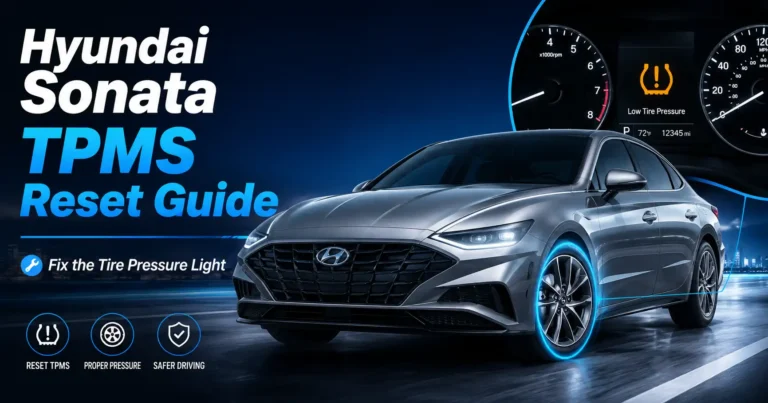
Whether you need to reset your TPMS depends entirely on your vehicle’s specific make and model. Some cars utilize self-learning sensors that calibrate automatically, while others require a manual reset procedure initiated through the dashboard settings or a hidden button.

Prime for Young Adults — 6 Months Free
Students and 18–24s get six months of Prime free, then half price.
Start 6 Months FreeThe short answer is yes, you often need to reset your Tire Pressure Monitoring System (TPMS) after getting new tires, but whether it happens automatically depends entirely on your vehicle’s specific technology. In 2026, most modern vehicles use either direct or indirect systems, and both handle tire changes differently. Simply installing new rubber does not guarantee that your car’s computer will instantly recognize the change in sensor ID or tire diameter.
Ignoring this light is more than just a nuisance; it prevents the system from alerting you to actual dangerous pressure drops. If you have just had new tires mounted, check your dashboard immediately. If the amber TPMS icon remains illuminated or begins to flash after your first few miles of driving, your vehicle has failed to complete the “handshake” between the tires and the onboard computer, requiring your manual intervention.
Key Takeaways
- Takeaway 1:Check your owner’s manual to confirm if your vehicle uses direct or indirect TPMS.
- Takeaway 2:Direct TPMS systems often require a manual reset after tire replacement or rotation.
- Takeaway 3:Indirect systems monitor wheel speed and typically need a reset via the dashboard menu.
- Takeaway 4:Always confirm your tire pressure with a physical gauge before attempting a system reset.
- Takeaway 5:Driving for 10-20 minutes at moderate speeds can trigger automatic calibration in some modern vehicles.
Why Your TPMS Light Stays On After New Tire Installation
Recommended Best Deal Products



Direct TPMS and Sensor ID Synchronization
Direct TPMS uses physical pressure sensors mounted inside each tire, usually attached to the valve stem. When you replace tires, you may be using the old sensors or installing brand-new ones. If you installed new sensors, the vehicle’s Engine Control Unit (ECU) does not automatically know the unique ID numbers for those sensors. It is still looking for the signal from your old, discarded tires. Until you perform a relearn procedure, the system will remain in a fault state because it cannot “see” the new transmitters.
- Old sensors, same wheels: The system may auto-detect the pressure if the sensors were not replaced, but driving patterns vary.
- New sensors: The vehicle must be put into a “learning mode” to register the new hardware IDs.
Indirect TPMS and Calibration Requirements
Indirect systems do not use physical sensors. Instead, they monitor wheel speed through your Anti-lock Braking System (ABS) sensors. Because new tires have deeper tread, their physical diameter is slightly larger than your old, worn-out tires. This change in circumference tricks the computer into thinking the tire pressure has changed because the wheel is spinning at a slightly different rate than before. Even if your pressure is perfect, the system will trigger a warning because the rotation data no longer matches the factory calibration baseline. In 2026 models, this is a common occurrence that requires a manual reset to “teach” the car the new tire diameter.
TPMS Resetting After New Tires: Your Essential Action Plan
Replacing your tires is a major maintenance milestone, but it often triggers the Tire Pressure Monitoring System (TPMS) warning light on your dashboard. Whether or not you need to reset the system depends on your specific vehicle make and model. Some modern cars feature “auto-learning” sensors that recalibrate as you drive, while others require manual intervention via the onboard menu or a specialized OBD-II tool. This guide will walk you through identifying your system type and performing the necessary steps to ensure your dashboard stays clear and your tires are accurately monitored for safety and fuel efficiency.
Step 1: Check Your Owner’s Manual for System Compatibility
What you need: Your vehicle’s owner’s manual or access to an online digital version of your car’s service documentation.
Instructions: Before touching any buttons, verify how your specific vehicle handles sensor identification. Most vehicles manufactured after 2008 use either a Direct TPMS (which uses internal sensors) or an Indirect TPMS (which uses ABS wheel speed sensors). If you have direct sensors, installing new tires may not require a reset if the original sensors were transferred. However, if new sensors were installed, they must be “taught” to the vehicle’s ECU. Open your manual to the “Tires” or “Warning Indicators” section. Look for terms like “TPMS Relearn,” “Calibration,” or “Auto-Learn.” Knowing if your system is passive or active will save you significant frustration during the reset process.
Pro Tip: Don’t guess based on a friend’s car; even different trim levels of the same model year can use different TPMS technologies.

Audible — Listen Free for 30 Days
One free credit a month and thousands of titles included.
Listen Free for 30 DaysStep 2: Verify Correct Tire Pressure
What you need: A high-quality tire pressure gauge and your vehicle’s recommended PSI specifications.
Instructions: Before triggering any reset sequence, you must ensure all four tires are inflated to the exact pressure listed on the driver-side door jamb placard. Do not use the pressure number stamped on the tire sidewall, as that is the maximum pressure for the tire, not the manufacturer’s recommended operating pressure. Use your gauge to check all four tires, including the spare if it is equipped with a sensor. If the pressure is uneven, the TPMS computer will constantly trigger error codes even after a successful reset. Ensure the tires are “cold,” meaning the car has been parked for at least three hours, to get an accurate reading.
Pro Tip: Check your tire valve stems; if they are metal, they likely house active sensors, whereas rubber valve stems may indicate indirect systems.
Step 3: Perform the “Driving Calibration” (Auto-Learn Systems)
What you need: An open road where you can safely maintain a consistent speed.
Instructions: Many newer vehicles, particularly those from manufacturers like Honda, Toyota, and Ford, utilize an auto-learning function. Once your pressures are set, drive the vehicle for at least 15 to 20 minutes at speeds consistently above 25-30 mph. This allows the vehicle’s computer to recognize the signal from the sensors and map their positions. For many systems, you may need to clear the warning via the dashboard settings menu first, then begin this drive. If the light blinks for one minute and then stays solid, it indicates a fault, which usually means the system failed to “handshake” with the sensors during the drive.
Pro Tip: Avoid stop-and-go city traffic during this phase, as constant speed changes can interrupt the calibration process.
Step 4: Use the Onboard Infotainment or Dash Menu
What you need: Your vehicle’s steering wheel controls or touchscreen interface.
Instructions: If your car requires a manual reset, access the settings menu through your digital instrument cluster or center console display. Navigate to “Vehicle Settings,” “TPMS,” or “Service.” You will likely see an option labeled “Calibrate” or “Reset.” Select this option and confirm. The system may ask if you have adjusted the tires; select “Yes.” On some vehicles, you will see a message saying “Calibration Started.” At this point, the TPMS light may flash several times before turning off, signaling that the system is now monitoring the new tires against your current pressure settings as the baseline.
Pro Tip: Keep the vehicle in “Park” while navigating these menus to ensure all options are selectable and to prevent accidental driving inputs.
Audible Premium Plus — Annual Membership
12 audiobook credits up front, plus the full Audible catalogue.
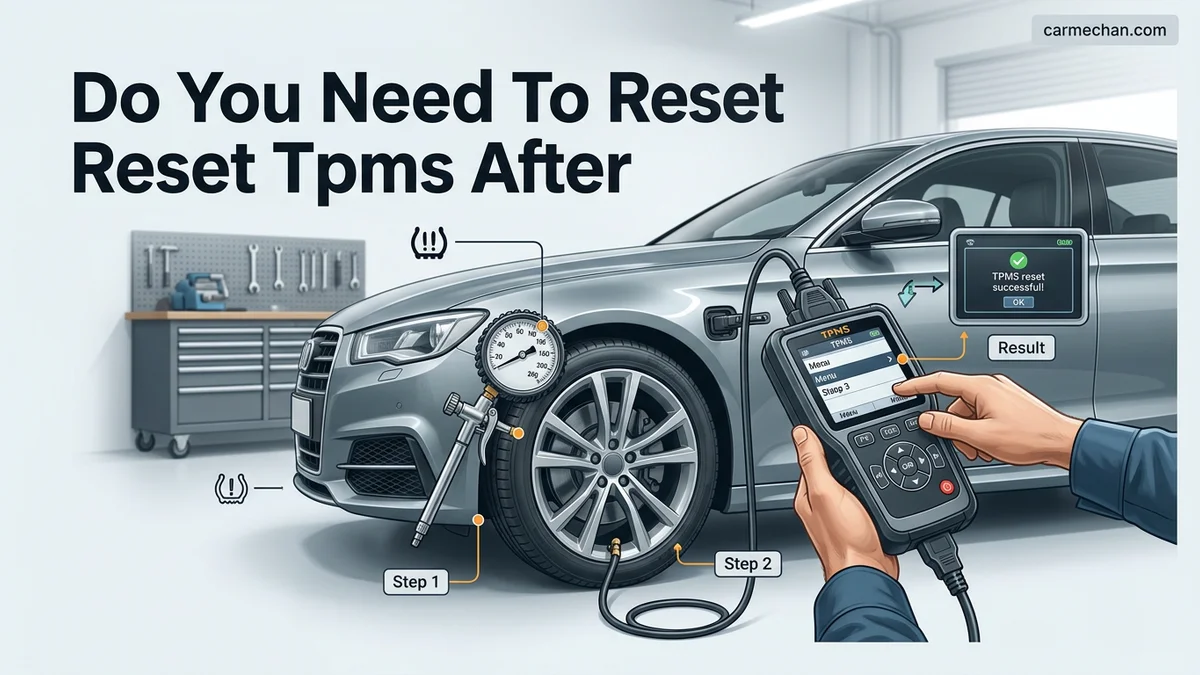
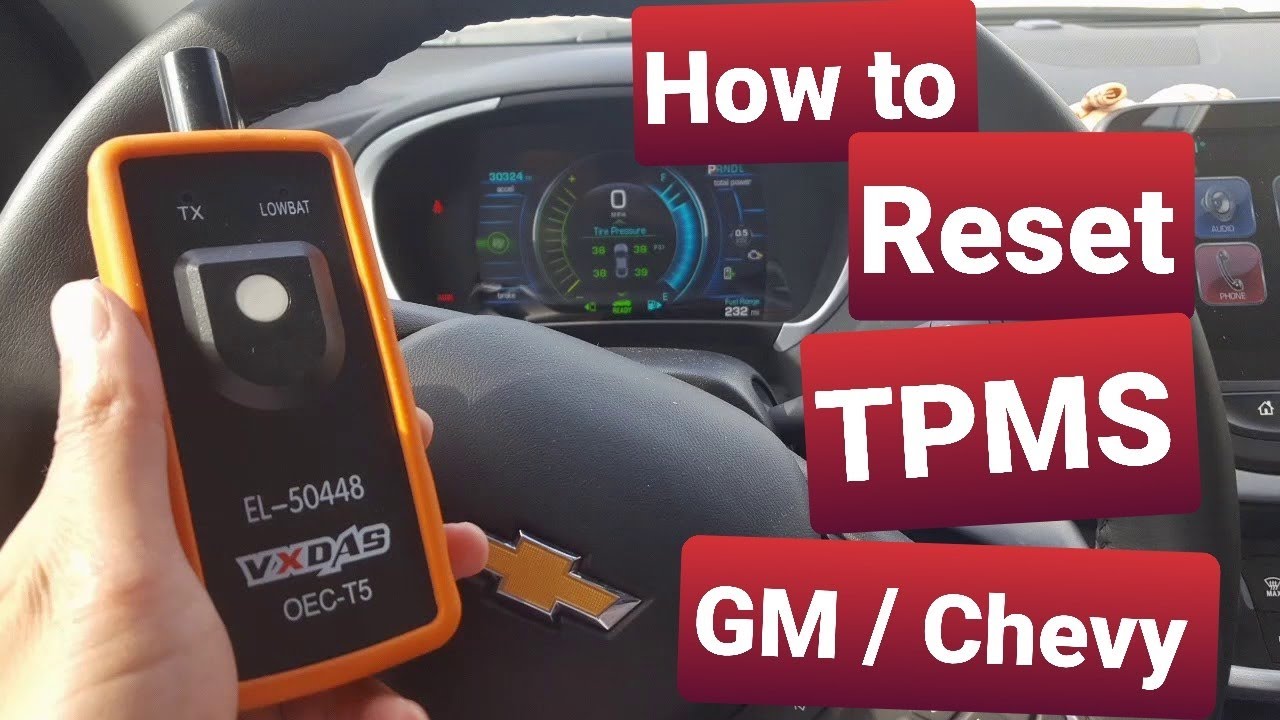
See Annual PlansStep 5: Utilize a TPMS Reset Tool (For Direct Sensors)
What you need: An OBD-II TPMS activation tool (often available at auto parts stores or online).
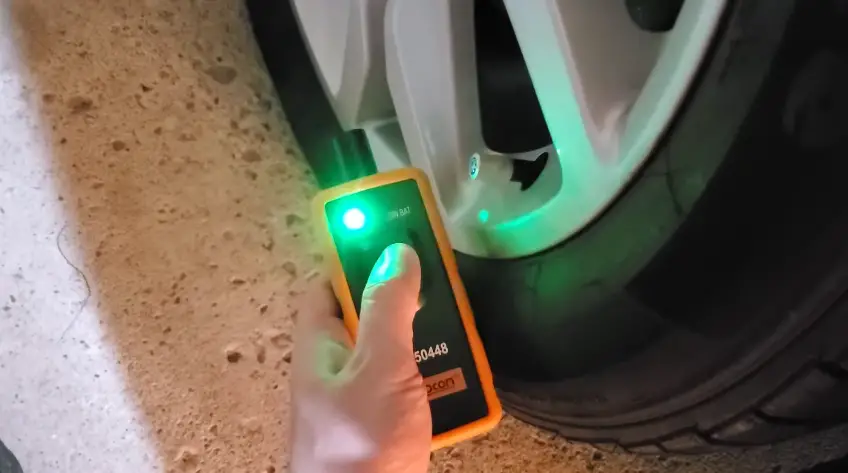
Instructions: If your vehicle requires a specific “Relearn” procedure because you installed new, aftermarket sensors, you will need a dedicated scan tool. Set the vehicle into “Relearn Mode” (often done by cycling the ignition key three times or holding the lock/unlock buttons on the key fob). Once the horn chirps, move to the driver-side front tire. Point your TPMS tool at the valve stem and trigger it. Listen for the vehicle to honk, confirming it has read the sensor ID. Repeat this process for the passenger front, passenger rear, and driver rear in the specific order dictated by your owner’s manual.
Pro Tip: Always follow the specific sequence listed in your manual, as the ECU expects the signals in a clockwise or specific corner order.
Step 6: Confirm the System Clear
What you need: A clear, unobstructed view of your dashboard indicator lights.
Instructions: After completing the reset process, take the vehicle for a final test drive. Monitor the instrument cluster for at least 5-10 minutes. If the TPMS light remains off, you have successfully performed the reset. If the light returns, re-check the pressure in all four tires. If the light flashes upon startup but eventually remains solid, it usually points to a dead battery in one of the tire sensors or a sensor that was damaged during the tire mounting process. If you encounter a persistent light, you may need to visit a tire shop to have them scan each individual sensor for signal strength using professional-grade diagnostic equipment.
Pro Tip: If the warning light stays on but doesn’t flash, check your spare tire pressure, as some systems include the spare in their monitoring loop.
✅ Final Checklist
- All tires are inflated to the door-jamb PSI specification.
- The vehicle successfully exited “Relearn” or “Calibration” mode.
- The dashboard TPMS warning light has been extinguished.
- A test drive of at least 15 minutes was completed to confirm system stability.
- No “TPMS Fault” messages remain on the infotainment screen.
Important Notes:
- Safety: Never ignore a flashing TPMS light, as it indicates a hardware malfunction that prevents the system from warning you of a dangerous low-pressure event.
- Professional Help: If you have tried the manual reset and the light persists, visit a professional tire technician; they can use a frequency scanner to determine if a sensor is physically broken or out of battery.
- Time/Cost: Manual resets take 5-10 minutes. Professional sensor relearning at a shop usually costs between $20 and $50.
How to Fix TPMS Alerts: Step-by-Step Reset Procedures
Recommended Best Deal Products


The Dashboard Menu Method
Many 2026 vehicles have moved away from hidden buttons under the steering column, opting instead for digital menu resets. If your vehicle features a central infotainment screen or a digital gauge cluster, follow these steps to trigger a recalibration:
- Park the vehicle on level ground and ensure all tires are inflated to the specific PSI listed on your driver-side door jamb sticker.
- Navigate to the Settings or Vehicle Information menu on your touchscreen.
- Select the Tire Pressure or TPMS menu.
- Choose the “Reset” or “Calibrate” option and confirm.
- Drive the vehicle at speeds above 20 mph for 10 to 20 minutes to allow the computer to finalize the new pressure baseline.
Manual “Relearn” Modes
Some vehicles require a manual sequence to initiate the learning process. This often involves specific interactions with the ignition or the hazard light switch. For example, on many domestic trucks manufactured through 2026, you may need to cycle the ignition key or hold the hazard button until the horn chirps, signaling that the system is ready to map the sensor positions. Always consult your owner’s manual for the specific button-press sequence, as failing to follow the manufacturer’s exact order will result in the light staying on despite the reset attempt.
- Check your manual: Every manufacturer has a proprietary reset sequence.
- Post-reset driving: Most systems require 10+ miles of continuous driving after the reset to clear the alert.
Identifying Your System: Manual vs. Automatic Calibration
By 2026, automotive manufacturers have largely standardized into two TPMS categories. Understanding your specific vehicle’s configuration determines whether your post-tire installation reset happens instantly or requires driver intervention.
Automatic Relearning Systems
Most modern vehicles produced from 2024 through 2026 utilize Auto-Relearn technology. These systems leverage wheel-speed sensors and sophisticated onboard logic to detect the new tire’s pressure signature. If your vehicle features this, you generally do not need a scan tool. Simply follow these steps to trigger the recognition process:
- Inflate all tires to the cold tire pressure specifications listed on the driver-side door jamb placard.
- Drive the vehicle at speeds consistently above 20 mph for at least 10 to 20 minutes.
- Allow the ECU to continuously ping the sensors until the warning light extinguishes automatically.
Manual Reset Procedures
Some domestic and older-model vehicles still require a manual “handshake” between the sensor and the vehicle’s computer. You will identify this system if your dashboard features a dedicated “TPMS” or “Set” button, typically located under the steering column or within the infotainment menu. To reset these systems:
- Park the vehicle on a level surface and ensure the engine is off with the ignition in the “On” position.
- Navigate to the “Vehicle Settings” or “Tire Monitor” menu on your dashboard display.
- Select the “Calibrate” or “Reset” option and confirm the selection.
- Drive the vehicle for the distance specified by your owner’s manual, usually between 5 and 15 miles, to complete the calibration.
What If It Still Doesn’t Work?
If you have completed the driving cycle and the TPMS indicator remains illuminated or flashes, you are likely dealing with a sensor malfunction rather than a calibration error. According to 2026 automotive diagnostic standards, a flashing light often indicates a system fault rather than low pressure.
- Check for “dead” sensors: Tire sensors use lithium batteries with a typical lifespan of 5 to 10 years; if you recently installed new tires, the shop may have damaged an aging sensor during the mounting process.
- Verify sensor compatibility: Ensure the shop installed the correct frequency sensors (315 MHz or 433 MHz), as mismatching these will prevent the ECU from recognizing the signal.
- Attempt a hard system reset: Disconnect the negative battery terminal for 15 minutes to clear the vehicle’s volatile memory, though this should be a last resort.
- Consult a professional: If the light persists, visit a qualified tire center to use an OBD-II scan tool to ping each individual sensor ID.
Professional diagnostics typically cost between $50 and $150 depending on the shop labor rate. If a sensor replacement is required, expect to pay between $80 and $200 per sensor, including the labor for tire dismounting and rebalancing.
Conclusion
Properly resetting your TPMS ensures your safety and maintains optimal fuel efficiency. While most 2026 vehicles utilize automatic calibration, some require manual intervention via the dashboard menu. According to verified research from the National Highway Traffic Safety Administration, maintaining correct tire pressure is the single most effective way to prevent blowouts and improve vehicle handling. If the warning light remains, prioritize professional diagnostic testing immediately to avoid potential system failure. Ensure your next service appointment includes a comprehensive TPMS sensor sweep.
❓ Frequently Asked Questions
Why did my TPMS light come on immediately after I got new tires?
The shop may have adjusted the pressure to the tire manufacturer’s specs rather than the vehicle manufacturer’s door-jamb specs, or the sensors simply need a reset to recognize the tire change.
Can I use an aftermarket OBDII tool to reset the TPMS?
Yes, many modern diagnostic tools can reset or relearn TPMS sensors, though a simple dash-menu reset is often sufficient for most vehicles.
What is the difference between direct and indirect TPMS?
Direct TPMS uses actual pressure sensors inside the tire valves, while indirect TPMS calculates pressure changes based on wheel rotation speed measured by ABS sensors.
Is it dangerous to drive with a flashing TPMS light?
A flashing light usually indicates a system malfunction rather than low pressure; you should have the sensors inspected by a technician as soon as possible.
Do I need to visit a dealer to reset my TPMS sensors?
Not usually, as most manufacturers provide a simple reset procedure in the owner’s manual that any driver can perform in minutes.
Will the light turn off on its own if I inflate my tires properly?
If you have a self-learning system, the light should turn off automatically after you reach the correct pressure and drive the vehicle for a few miles.