2010 Mazda 3 TPMS Reset Button Location: Solved
Seeing a tire pressure warning light on your dashboard is stressful, but on the 2010 Mazda 3, it is often just a notification that your system needs a fresh start. Drivers often struggle to locate the elusive reset button or fail to perform the calibration correctly, leading to unnecessary trips to the mechanic. In this guide, we will pinpoint the exact 2010 Mazda 3 TPMS reset button location and show you the exact sequence to clear the light and get back on the road with peace of mind.

Decoding the Tire Pressure Warning Light System
Recommended Best Deal Products


Understanding how your vehicle communicates is the first step toward effective maintenance. The Tire Pressure Monitoring System (TPMS) in the 2010 Mazda 3 relies on sensors inside the wheel assembly to transmit data to the instrument cluster. Recognizing the difference between a simple low-pressure warning and a genuine system fault is crucial for preventing unnecessary repairs.
📤 Share Image

Solid Light vs. Flashing Light: Knowing the Difference
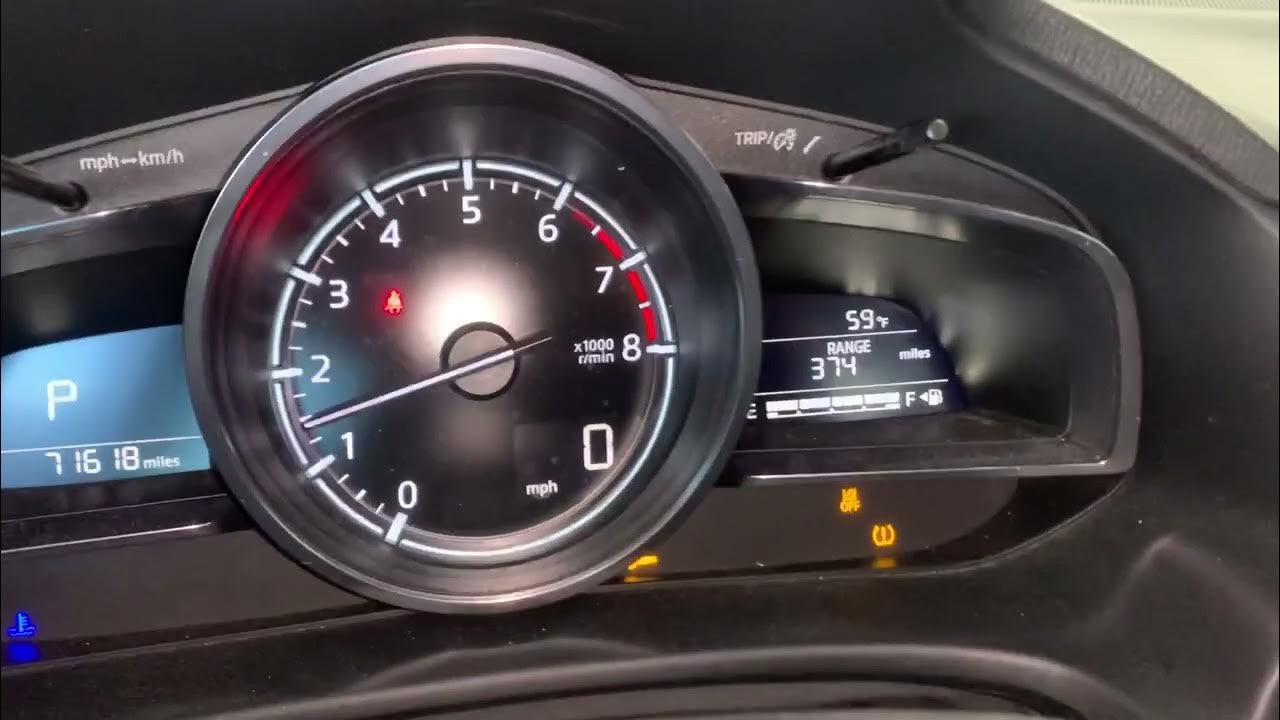
A solid TPMS warning light almost always indicates that one or more of your tires have fallen below the recommended factory PSI. Conversely, a flashing light—typically flashing for about 60 to 90 seconds before turning into a solid light—is a red flag that the system itself has encountered a malfunction. This indicates that the computer cannot communicate with one or more of the tire pressure sensors, likely due to a dead internal sensor battery or a signal obstruction.
Why External Temperature Affects Tire Pressure
Physics plays a significant role in your dashboard alerts. For every 10-degree Fahrenheit drop in outside ambient temperature, tire pressure typically drops by approximately 1 PSI. If your tires were already near the lower limit, a cold snap can trigger the warning light even if your tires are not punctured. This is a common occurrence that often confuses drivers who assume their tires are failing when, in reality, they simply need a minor pressure adjustment to restore the default operating range.
By The Numbers
Loss per 10°F drop
Flashing indicates fault
Finding the 2010 Mazda 3 TPMS Reset Button Location
Locating the reset switch can be the most frustrating part of the maintenance process. Manufacturers occasionally tucked these controls away, and the 2010 Mazda 3 is no exception to this design choice.
Glove Box: The Most Common Location
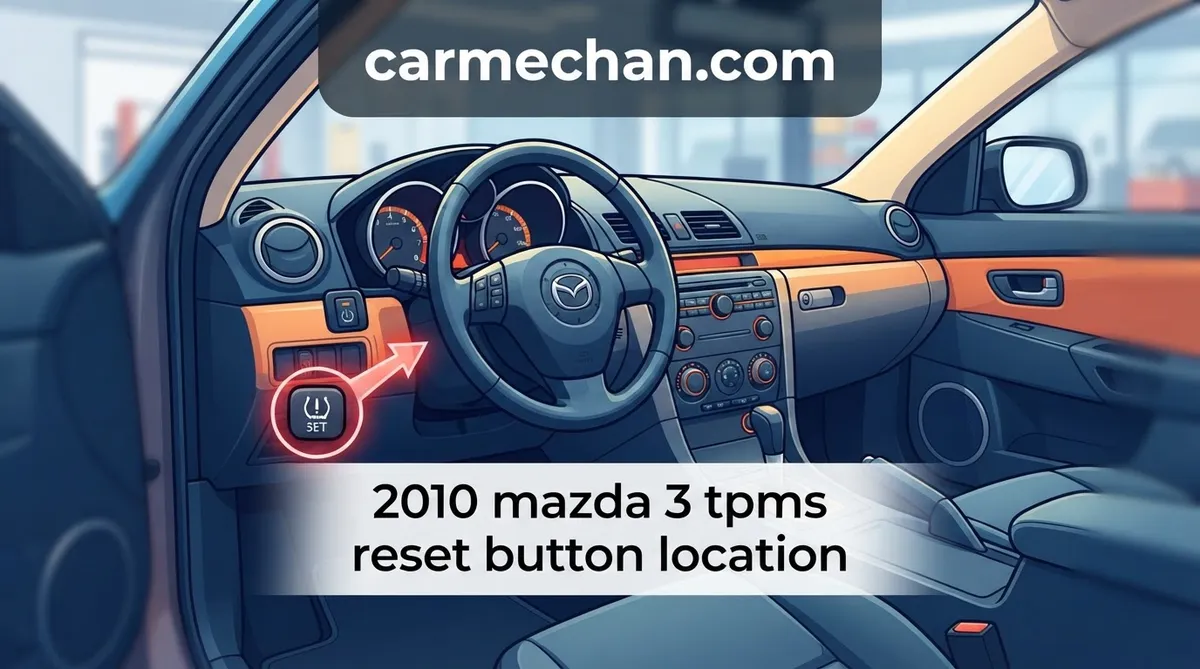
For the vast majority of 2010 Mazda 3 units, the reset button is located inside the glove box. When you open the glove box door, look along the upper portion of the interior housing or near the hinge area on the left side. The button is often small and black, blending into the surrounding plastic, which makes it easy to overlook. Using a flashlight is highly recommended to spot the label clearly.
Checking the Driver Side Kick Panel
In specific production regions or depending on the trim package, the switch may be relocated to the driver-side lower dash kick panel. If you cannot find the button in the glove box, crouch down near the pedals and look at the plastic trim panel to the left of the steering column. Some models may have a small cover plate, but the button will be marked with the standard TPMS “horseshoe” icon.
When Your Model Does Not Have a Physical Button
It is important to note that some variants of the 2010 Mazda 3 do not feature a manual reset button at all. In these specific configurations, the system is designed to auto-initialize. If you have verified that your tire pressures are correct and the light does not extinguish after a period of driving, your vehicle likely uses this self-calibrating logic, or it may have a persistent system fault that requires a specialized OBDII scan tool to diagnose.
How to Initialize the TPMS System Step by Step
Recommended Best Deal Products


Once you have located the button, you must follow the correct calibration sequence to ensure the system recognizes the current tire pressures as the new factory standard.

Audible — Listen Free for 30 Days
One free credit a month and thousands of titles included.
Listen Free for 30 Days
📋
Step-by-Step Calibration
Use a high-quality digital tire pressure gauge to set all four tires to the exact PSI listed on the driver-side door jamb placard. Do not rely on the dashboard light to determine the correct pressure.
Turn the ignition key to the “ON” position (or push the start button twice without pressing the brake). The dashboard lights should illuminate, but the engine should remain off.
Press and hold the TPMS reset button until the warning light on the instrument cluster blinks several times. This blinking sequence indicates the system has accepted the new calibration data.
Completing the Post-Reset Drive Cycle
The calibration process is not complete the moment you press the button. You must drive the vehicle at speeds above 15–20 mph for approximately 10 to 20 minutes. This allows the wheel sensors to wake up and transmit real-time data to the TPMS control module, officially completing the “fresh start” for your monitoring system.
Troubleshooting 2010 Mazda 3 TPMS Issues
Recommended Best Deal Products



Even with the correct procedure, some systems may fail to reset. Being aware of common pitfalls will save you time and help you distinguish between a simple user error and a mechanical failure.
- Failed Valve Stem Sensors: If the light returns to a flashing state shortly after a reset, one or more sensors have likely reached the end of their battery life (typically 7–10 years). These require physical replacement by a tire shop.
- Inaccurate PSI Reading: Resetting the system while the tires are still underinflated will store incorrect data. Always use a manual gauge rather than relying on automated gas station pumps.
- Interference Issues: Aftermarket electronic devices plugged into cigarette lighters or heavy window tinting on the rear glass can occasionally interfere with the low-frequency signals transmitted by the sensors.
- Direct TPMS Limitation: Remember that “Direct” TPMS systems are sensitive. A minor leak from a nail or a faulty valve stem core will continue to trigger the light regardless of how many times you perform the reset.
Do not ignore a flashing TPMS light. While a solid light indicates a potential tire pressure issue, a flashing light is an active indicator of a system component failure that prevents the car from warning you of future flats.
Final Considerations for Your TPMS Maintenance
Performing a successful reset on your 2010 Mazda 3 is a straightforward task when you know where to look and how to follow the manufacturer’s logic. Always verify your tire pressure with a reliable manual gauge before attempting to calibrate the system, and be patient during the post-reset drive cycle. By understanding these nuances, you ensure that your vehicle remains safe and that the TPMS system functions as a helpful tool rather than a source of frustration.
If your warning light persists after performing these steps—especially if it remains in a flashing state—consult a professional tire technician to scan for faulty wheel sensors. Ensuring your sensors are in good condition is critical for your safety on the road and helps maintain optimal fuel economy.
2010 Mazda 3 Tpms Reset Button Location: Frequently Asked Questions
Where exactly is the 2010 Mazda 3 TPMS reset button location?
There is no physical reset button for the Tire Pressure Monitoring System on the 2010 Mazda 3. Unlike some other vehicle manufacturers that utilize a button located inside the glove box or under the steering column, Mazda designed this system to self-calibrate once the tires have been inflated to the correct pressure levels and the vehicle has been driven for a specified period.
Audible Premium Plus — Annual Membership
12 audiobook credits up front, plus the full Audible catalogue.
See Annual PlansDo I need a special scan tool to reset the TPMS?
In most cases, you do not need a special scan tool to reset the TPMS light after inflating your tires. The system is designed to recognize the correct pressure automatically through the vehicle’s onboard computer as you drive. However, if a sensor is faulty or the battery inside the sensor is dead, you will need a professional-grade scan tool to diagnose the specific hardware failure.
Why does my TPMS light keep coming back on after I reset it?
If the TPMS light reappears shortly after you have manually inflated the tires, it suggests either a slow leak in one of your tires, a failing TPMS sensor battery, or a damaged sensor valve. It is also possible that one of the tires is not holding the correct pressure, causing the system to alert you that the reading has fallen below the safety threshold.
How long should the drive cycle take to turn off the light?
Generally, the TPMS light should extinguish after driving for approximately 10 to 20 minutes at speeds consistently above 20 mph. This provides the system with enough rotation data and sensor signal connectivity to confirm that all tires are at the required pressure. If the light remains on after 30 minutes of driving, there is likely a component failure that requires professional inspection.
Can I ignore the TPMS light if my tires look fine?
You should never ignore a persistent TPMS light, even if your tires appear visually normal. Modern tires can look adequately inflated while actually being significantly under-inflated, which increases the risk of a blowout, reduces fuel efficiency, and causes uneven tread wear. Always verify the pressure with a reliable tire pressure gauge rather than relying on a visual inspection of the tire sidewall.