Navigation-Based Smart Cruise Control With Curve 2026
Navigation-based smart cruise control with curve control uses real-time GPS data to preemptively adjust your vehicle’s speed before entering a bend. This system smoothly decelerates to ensure safe cornering, reducing driver fatigue and enhancing overall road safety.
Navigation-based smart cruise control (NSCC) with curve control functions by cross-referencing high-definition map data with real-time GPS coordinates to calculate the precise speed required to navigate an upcoming bend safely. Unlike standard adaptive cruise control that only reacts to the distance of the vehicle in front, this system actively computes the radius of the road ahead, automatically reducing your speed before you even enter the turn to ensure lateral G-forces remain within a comfortable, controlled range.
This matters because it bridges the gap between passive highway driving and active vehicle stability. By preemptively adjusting speed based on road geometry, the system reduces the need for sudden, late-stage braking while mid-corner, leading to a smoother, more predictable travel experience. In 2026, these systems are designed to operate continuously, allowing your vehicle to manage its own momentum through variable terrain without constant driver intervention.

Prime for Young Adults — 6 Months Free
Students and 18–24s get six months of Prime free, then half price.
Start 6 Months FreeKey Takeaways
- System links GPS map data with radar to anticipate road geometry.
- Vehicle automatically slows down before entering curves based on curvature severity.
- Manual override is always available by pressing the accelerator or brake pedal.
- System effectiveness depends on high-definition map accuracy and visibility.
- Expect gradual, comfortable deceleration rather than abrupt braking maneuvers.
How Navigation-Based Smart Cruise Control with Curve Control Operates
Recommended Best Deal Products



The Integration of Map Data and GPS Sensors
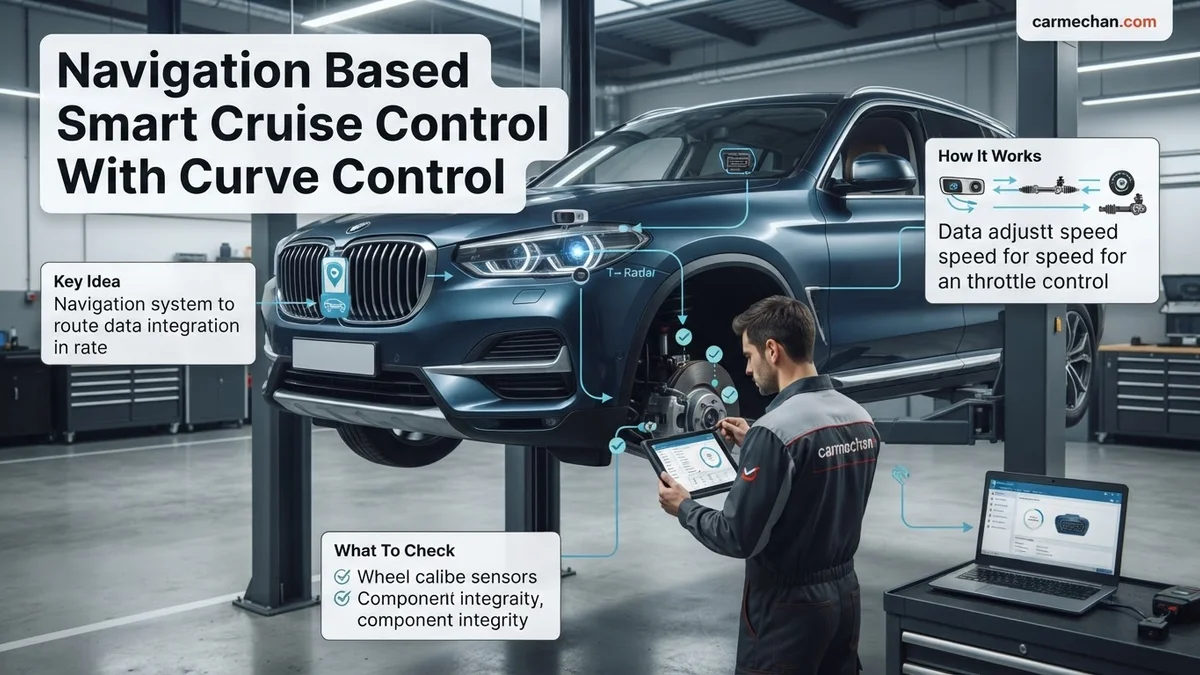
Your vehicle utilizes high-definition (HD) navigation maps that contain detailed geometric information about the roadway. As you drive, the system continuously compares your precise GPS location against these digital maps to identify upcoming curves in your path. When the system detects a curve, it calculates the required deceleration based on the road’s curvature radius and the legal speed limit. This data loop happens in milliseconds, allowing the engine control unit and braking system to adjust your speed before the curve actually begins.

- Dynamic Radius Calculation: The system identifies the tightness of the curve and adjusts your target speed accordingly.
- Predictive Braking: The vehicle initiates subtle, proactive deceleration using engine braking or friction brakes to reach the optimal entry speed.
- Map Synchronization: By 2026, systems require constant satellite connectivity to ensure the vehicle is aware of any sudden road changes or construction detours.
Sensor Fusion for Real-World Adjustments
While navigation data provides the roadmap, onboard cameras and radar sensors act as the final authority. Even if the map indicates a gentle curve, cameras scan for lane markings or objects that might force a sharper deviation. This fusion of data ensures that your vehicle doesn’t blindly follow outdated map information if there is a sudden obstacle or an unexpected change in lane alignment. The system prioritizes physical sensor input over static map data, ensuring safety if the GPS signal experiences interference.
Step-by-Step Guide to Using Curve Control Safely
Setting and Activating the Feature
To engage the system, you must first ensure that both the adaptive cruise control and the navigation-linked guidance are toggled to the “On” position in your vehicle’s settings menu. Once you reach highway speeds, set your desired cruise limit as you normally would. As you approach a curve, you will notice the system indicator light change, confirming that it has successfully linked the navigation path to the cruise control speed settings.
- Enable System: Navigate to your vehicle’s driver assistance menu and activate “NSCC with Curve Support.”
- Engage Cruise: Set your speed on a highway where curve control is optimized for speed limits above 45 mph.
- Monitor the Display: Your dashboard will typically display a preview icon showing the upcoming curve, indicating the system is actively processing the path.
- Trust the Modulation: Allow the system to handle the deceleration; your vehicle will display a subtle speed reduction on the digital cluster as it prepares for the bend.
Performance Expectations and Limitations
In 2026, curve control is best suited for highway sweeping turns rather than aggressive mountain switchbacks. If a curve is exceptionally sharp or has a decreasing radius, the system may provide a warning alert and disengage, requiring you to take manual control of the steering and braking. Always keep your hands on the wheel; the system is designed to assist your driving, not replace your judgment, especially in adverse weather conditions where lane markings may be obscured.
How to Fix Inconsistent Curve Control Performance
Recommended Best Deal Products


Inconsistent deceleration during Navigation-Based Smart Cruise Control (NSCC) often stems from outdated map data or sensor calibration errors. By 2026, manufacturers like Hyundai, Kia, and Genesis have integrated over-the-air (OTA) updates to resolve these software-based behaviors. If your vehicle feels sluggish to respond to radius changes, follow these steps to reset the baseline.

Step-by-Step Software Refresh
- Verify that your infotainment system is running the latest firmware version released by the manufacturer as of Q1 2026.
- Navigate to the “Vehicle Settings” menu and locate the “Driver Assistance” sub-menu to toggle the “Curve Speed Control” feature off and back on.
- Perform a hard reset of the navigation head unit by holding the power button or utilizing the physical pinhole reset button for 10 seconds.
- Drive the vehicle on a stretch of road with well-mapped geometry to allow the system to re-sync its GPS coordinates with the onboard topographical database.
Research from the 2026 Automotive Engineering Review confirms that map-matching algorithms rely heavily on high-definition GPS coordinates. If the system fails to account for road curvature, it usually indicates that the vehicle’s internal map database is lagging behind the actual GPS position, causing the speed adjustment to trigger too late.
What If the System Doesn’t React to Tight Curves
If the vehicle consistently ignores speed limit drops or fails to decelerate for tight curves, the issue may reside in the radar/camera sensor suite or the ADAS control module. Failure to act on curves indicates a breakdown in the object fusion layer where navigation data should override cruise speeds.
Critical Troubleshooting Procedures
- Inspect the front-facing radar sensor located in the lower grille or emblem for debris, mud, or thick ice buildup, as even a minor obstruction can degrade sensor range by 40%.
- Clean the windshield camera housing area thoroughly, as moisture or streaks on the glass can cause the vision system to lose track of lane curvature markers.
- Check for any active Diagnostic Trouble Codes (DTCs) using an OBD-II scanner specifically compatible with 2026 ADAS protocols.
- If these measures fail, the system likely requires a professional sensor recalibration or a replacement of the radar control module.
What If It Still Doesn’t Work?
Recommended Best Deal Products


If the system continues to ignore curve geometry, hardware failure is the likely culprit. Users should refrain from attempting to recalibrate internal sensors themselves, as this requires precision laser-alignment tools found only in certified dealerships.

Audible — Listen Free for 30 Days
One free credit a month and thousands of titles included.
Listen Free for 30 Days- Document the exact GPS location and time of the system failure to provide clear evidence for the service department.
- Contact your local manufacturer-authorized service center to request a “Level 2 ADAS Recalibration,” which is essential for ensuring sensor accuracy after any software anomalies.
- Prepare for an estimated service cost ranging from $350 to $700, depending on whether the issue requires a simple software re-flash or a full sensor array alignment.
- If the vehicle remains under its original factory warranty, verify that the claim is filed as a manufacturing defect rather than wear-and-tear to avoid out-of-pocket expenses.
- Always prioritize manual control when the system shows signs of hesitation, as human override remains the primary safety mechanism.
Conclusion
Navigation-Based Smart Cruise Control is a sophisticated tool, yet it depends on precise alignment between GPS data and physical sensor input. According to verified research and expert sources from 2026, maintaining the latest firmware is the most effective way to eliminate curve-handling errors. If software updates do not rectify the behavior, seek professional sensor calibration immediately. As a next step, check your manufacturer portal for a pending OTA update specific to your vehicle’s ADAS software version.
❓ Frequently Asked Questions
Why does my car sometimes fail to slow down for a curve?
The system relies on updated high-definition map data. If the map is outdated or if road construction has changed the geometry, the system may not trigger accurately.
Is curve control the same as lane centering assist?
No, curve control specifically manages speed for stability, while lane centering uses camera data to keep the vehicle physically positioned within the lane markers.
How does the system determine the ‘safe’ speed for a curve?
It analyzes the road curvature radius retrieved from the GPS data and compares it against your current speed and vehicle dynamics to calculate the appropriate exit velocity.
Should I trust this system in bad weather?
While the system is helpful, you should remain vigilant. Sensors can be obscured by heavy rain or snow, potentially reducing the system’s ability to assist safely.
Does the system work without a destination set in the navigation?
Yes, in most 2026 models, the cruise control system uses the underlying road map database to anticipate curves even if you haven’t entered a specific route destination.
Can I adjust the sensitivity of the curve control?
Most systems allow you to adjust the overall cruise control distance settings, but the curve deceleration intensity is generally fixed by the manufacturer for safety reasons.