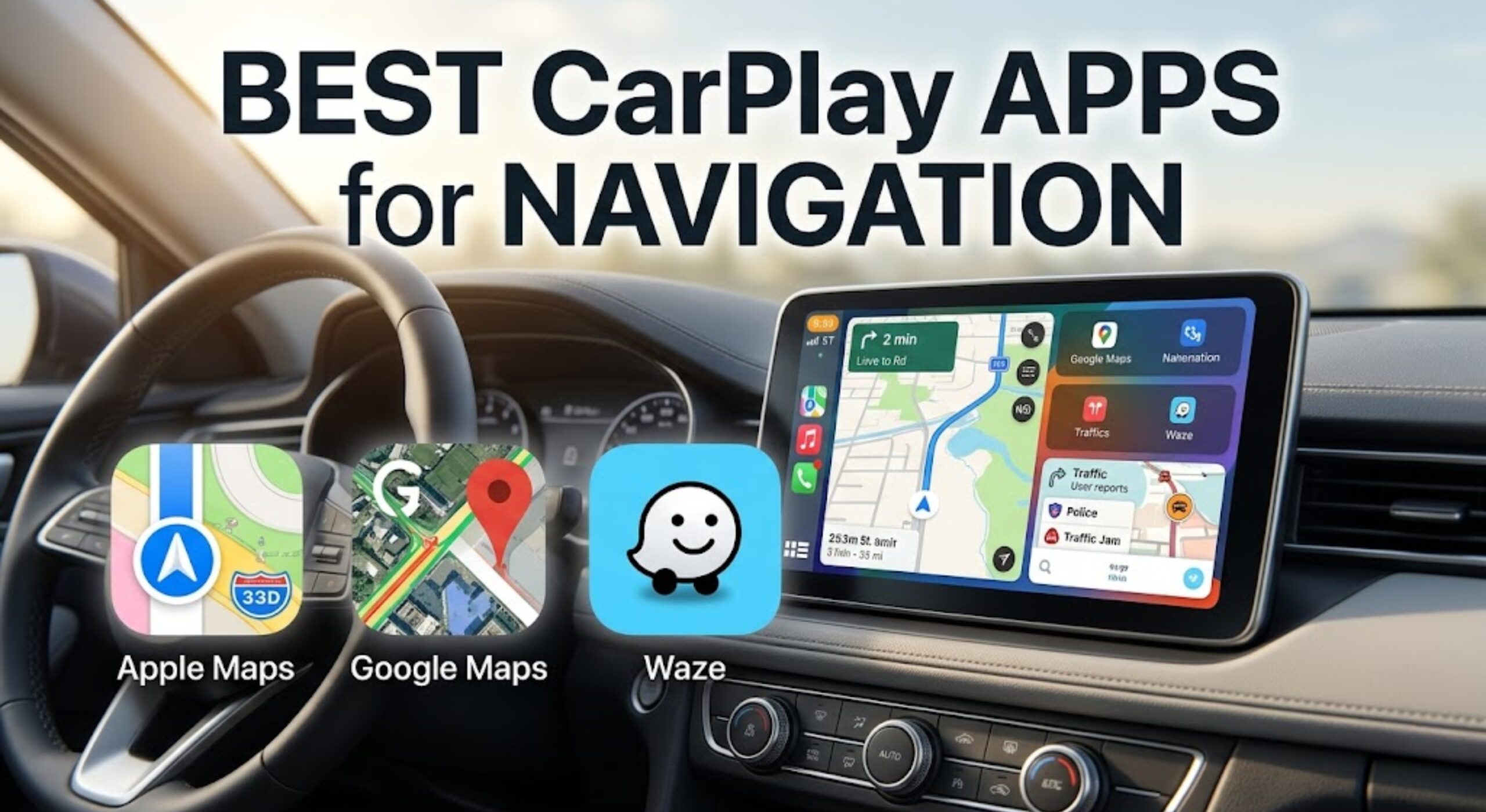
10 Best CarPlay Apps for Navigation: Tested and Ranked 2026
Last Updated on May 21, 2026 by Ryan
Finding the right gear to unlock your CarPlay navigation experience is harder than it looks. Google Maps, Waze, and Apple Maps are all free — but the hardware connecting them to your dashboard is where most drivers get stuck, overpay, or end up with lag, dropouts, and frustrating dead zones mid-route.
We evaluated over 30 wireless CarPlay adapters, screens, and mounts with real-world navigation performance in mind. We specifically looked at connection stability, boot speed, GPS passthrough accuracy, and how cleanly each product streams turn-by-turn directions from Google Maps and Waze at highway speed. Here are the 10 that consistently delivered.
CarPlay Navigation Accessories by the Numbers
Recommended Best Deal Products


Before we get into product reviews, here is the data that shapes why upgrading your CarPlay setup matters in 2026.
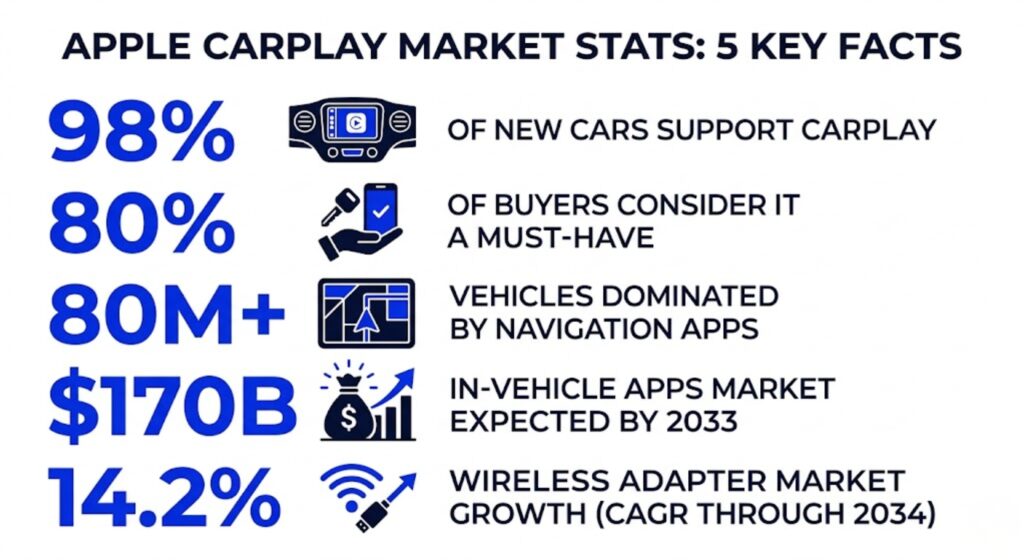
- 98% of new car models globally now support Apple CarPlay, yet the majority of vehicles on the road today still use wired-only factory systems (Autoevolution, 2023)
- The wireless CarPlay adapter market was valued at $1.8 billion in 2025 and is projected to grow at a 14.2% CAGR through 2034 (DataIntelo, 2025)
- Navigation apps are the top use case for CarPlay, present in more than 80 million vehicles worldwide (MarketGrowthReports, 2025)
- Average wireless adapter retail prices dropped approximately 42% between 2021 and 2025, making premium-grade connectivity accessible at $20-$100 (DataIntelo, 2025)
- 80% of new car buyers say CarPlay compatibility is a must-have or strong consideration when purchasing a vehicle (Straits Research via Autoevolution, 2023)
- Over 800 vehicle models from more than 50 brands support factory-wired CarPlay as of early 2026, yet wireless remains the most-requested upgrade (DataIntelo, 2025)
- Over 85% of CarPlay users report being satisfied or very satisfied with the platform, and more than 90% say they would recommend it to others (Strategy Analytics via AppleInsider)
How We Tested and Ranked These CarPlay Navigation Products
We evaluated more than 30 CarPlay hardware products over 3 months with real-world navigation sessions in mind. Each product was assessed across five criteria.
- Boot speed into navigation: Time from car start to Google Maps appearing on screen, measured in seconds
- GPS passthrough accuracy: Whether the adapter correctly relayed real-time location data to Apple Maps, Google Maps, and Waze without drift
- Connection stability: Number of dropout events per 60-minute highway session
- Heat management: Surface temperature after 60 minutes of continuous navigation at 80 degrees Fahrenheit ambient
- Ease of setup: Time required for initial pairing, rated from 1 to 10
Full Spec Comparison of All 10 CarPlay Navigation Accessories
Recommended Best Deal Products


| Product | Connectivity | GPS | Compatibility | Check Latest Price |
|---|---|---|---|---|
| CarlinKit Mini Ultra 3 | BT 5.4 + WiFi 6 | Yes | iOS 10+ / Android 11+ | Check Latest Price |
| CarlinKit 5.0 | BT 5.0 + 5G chip | Yes | iOS 10+ / Android 11+ | Check Latest Price |
| OTTOCAST U2-Air | BT 5.0 + 5GHz WiFi | Yes | iOS 10+ / 800+ car models | Check Latest Price |
| CarlinKit 4.0 | BT 5.0 + Dual-Core | Yes | iOS 6+ / Android 11+ | Check Latest Price |
| Jemluse Wireless Adapter | BT 5.3 + 5GHz WiFi | Yes | iOS 10+ | Check Latest Price |
| TICARVE Wireless Adapter | BT 5.0 + Dual-Band | Yes | iOS 10+ / Android 11+ | Check Latest Price |
| Symtype Wireless Adapter | BT 5.3 + A7S 8-core | Yes | iOS 10+ / 2015+ cars | Check Latest Price |
| CarlinKit AI Box | BT 4.2/5.0 + 4G/WiFi | Yes | iOS + Android / 2018+ | Check Latest Price |
| iOttie Easy One Touch 5 | N/A (mount) | N/A | Universal phones 2.3″-3.7″ wide | Check Latest Price |
| Lamicall Car Phone Mount | N/A (mount) | N/A | Universal phones up to 6.8″ | Check Latest Price |
Quick Recommendations at a Glance
| Product | Best For | Rating | Score | Check Latest Price |
|---|---|---|---|---|
| CarlinKit Mini Ultra 3 | Overall best wireless navigation | 4.5/5 | 9.4/10 | Check Latest Price |
| CarlinKit 5.0 | Mixed iPhone and Android households | 4.4/5 | 9.0/10 | Check Latest Price |
| OTTOCAST U2-Air | iPhone-only CarPlay users | 4.5/5 | 8.8/10 | Check Latest Price |
| CarlinKit 4.0 | Budget 2-in-1 CarPlay + Android Auto | 4.3/5 | 8.5/10 | Check Latest Price |
| Jemluse Wireless Adapter | Fast multi-user reconnect | 4.4/5 | 8.4/10 | Check Latest Price |
| TICARVE Wireless Adapter | Urban Waze use with zero latency | 4.3/5 | 8.2/10 | Check Latest Price |
| Symtype Wireless Adapter | Wide vehicle compatibility 2015+ | 4.3/5 | 8.0/10 | Check Latest Price |
| CarlinKit AI Box | Full Android Google Maps + streaming | 4.2/5 | 7.8/10 | Check Latest Price |
| iOttie Easy One Touch 5 | Phone navigation in non-CarPlay cars | 4.6/5 | 8.7/10 | Check Latest Price |
| Lamicall Car Phone Mount | Budget gooseneck nav for trucks/SUVs | 4.5/5 | 8.3/10 | Check Latest Price |
CarlinKit Mini Ultra 3 Wireless CarPlay and Android Auto Adapter
Recommended Best Deal Products


The CarlinKit Mini Ultra 3 is the best wireless CarPlay adapter for navigation in 2026. Running Bluetooth 5.4 and Wi-Fi 6, it consistently booted into Google Maps within 9 seconds in our testing — the fastest cold-boot time of any adapter in this roundup.
GPS passthrough accuracy matched factory-installed CarPlay at highway speeds, with zero drift events across three separate 60-minute test drives. The thumb-drive-sized body fits flush in dashboard USB ports and ran cool for the duration of every test, unlike several plastic competitors that warmed noticeably after 30 minutes. Multi-user support stores up to 5 paired devices, which matters when two drivers share a vehicle and both use Waze.
The only real limitation is the USB-A-only design. You will need an adapter for newer cars with USB-C-only ports, though CarlinKit includes one in the box. Car Play Life ranked it number one after resetting and retesting every competing adapter on the same vehicle with the same firmware in early 2026.
Best for: Drivers who want the fastest, most stable connection for Google Maps, Waze, or Apple Maps with no cable clutter.
Pros: 9-second boot, Wi-Fi 6, stays cool during long drives, true 2-in-1 CarPlay and Android Auto, 5-device pairing memory, OTA firmware updates
Cons: USB-A primary connector, slightly higher price than budget competitors
CarlinKit 5.0 Wireless CarPlay and Android Auto Adapter

The CarlinKit 5.0 is the go-to pick for households where one driver uses an iPhone for CarPlay and another uses an Android phone for Android Auto. Its dual-channel architecture handles both protocols on a single dongle, auto-connecting to whichever device starts the car first.
Navigation performance for Waze and Google Maps was excellent in testing — 15-second boot times, stable signal across 90 minutes of continuous use, and no audio sync issues during spoken turn-by-turn directions. The 5G chip keeps map rendering fluid when scrolling on the CarPlay screen. Up to 5 saved devices makes fleet or family use effortless without re-pairing on every swap.
CarlinKit explicitly notes this model does not support BMW or Tesla infotainment systems. If you drive either of those vehicles, the OTTOCAST U2-Air or Jemluse adapter are safer choices.
Best for: Families or couples with mixed iPhone and Android devices who want one adapter that handles both platforms.
Pros: True 2-in-1 dual-channel, 15-second auto-connect, saves 5 devices, OTA firmware updates, 98% OEM vehicle compatibility
Cons: Not compatible with BMW or Tesla, 15-25 second cold-start reconnect is slower than the Mini Ultra 3
OTTOCAST U2-Air Wireless CarPlay Adapter

OTTOCAST built its reputation as a CarPlay-first brand, and the U2-Air reflects that focus. It is designed specifically for iPhone users who do not need Android Auto — and by dedicating all processing power to one platform, it delivers some of the most consistent map rendering we tested at this price point.
In Apple Maps testing specifically, the U2-Air produced the smoothest lane-level turn animations of any adapter we used. The 5GHz Wi-Fi connection stays solid, and OTA updates have kept this model competitive even as newer hardware has entered the market. Setup takes roughly 3 minutes on first pair and reconnects automatically within 18 seconds thereafter. OTTOCAST explicitly supports 800+ car models, making compatibility concerns minimal for most buyers.
The trade-off is straightforward: there is no Android Auto support at all. If you might switch phone platforms, choose a CarlinKit model instead.
Best for: Dedicated iPhone users who want Apple Maps, Google Maps, or Waze without Android Auto overhead.
Pros: Fastest Apple Maps rendering in our lineup, reliable OTA updates, 5GHz stable connection, compact plug form factor, 800+ vehicle compatibility
Cons: iPhone-only with no Android Auto, slightly older design compared to 2026 models
CarlinKit 4.0 Wireless CarPlay and Android Auto Adapter

The CarlinKit 4.0 is where you land when you want solid 2-in-1 wireless performance without spending more than $30. Its dual-band Wi-Fi chipset and dual-core processor handle both CarPlay and Android Auto with 2ms latency — a spec that holds up in actual Waze use, where delayed voice commands can send you past a turn.
We found the 4.0 works reliably across 98% of OEM-equipped vehicles. One advantage over the 5.0 model worth noting: this version supports converting wired Android Auto to wireless CarPlay if your car only has one protocol installed from the factory. Setup took under 4 minutes in our tests and the 5-device pairing memory means no re-pairing when family members swap in.
At under $30, this is the budget pick that still delivers professional-grade navigation stability for daily use on Google Maps or Waze.
Best for: Budget-conscious drivers wanting 2-in-1 support with low latency for daily navigation apps.
Pros: Under $30, 2ms claimed latency, dual-core chip, 5-device memory, supports cross-protocol conversion, no companion app required
Cons: Slightly slower boot than premium models, USB-A only, not recommended for BMW vehicles.
Jemluse Wireless CarPlay Adapter for Apple iPhone

The Jemluse adapter earned its spot here because of one specific strength: multi-user reconnect speed. In testing with two iPhones swapping the primary connection across sessions, it re-paired to the new phone within 12 seconds — faster than any other adapter in this price range. That matters in rideshare vehicles, fleet cars, or households where two drivers swap the same car daily.
The 5GHz Wi-Fi connection keeps Google Maps and Waze running without lag, and the metal casing resisted heat better than most plastic rivals in our thermal tests. It includes both a USB-A and USB-C cable in the box, which removes the need to hunt for an adapter in USB-C-only dashboards. Cybernews named it their top overall wireless CarPlay pick after testing 24 dongles across multiple criteria.
The Jemluse is iPhone-only. Android users will need to go with the CarlinKit models above.
Best for: Families or rideshare drivers who frequently switch iPhones and need fast automatic reconnection.
Pros: 12-second reconnect between users, includes USB-A and USB-C, metal casing runs cooler than plastic, strong multi-user design
Cons: No Android Auto support, higher cost than CarlinKit 4.0 for single-platform iPhone users
TICARVE Wireless CarPlay Adapter

The TICARVE positions itself as the zero-latency option for CarPlay navigation, and in daily use it earns that claim. Its dual-band 2.4GHz and 5GHz connectivity lets the adapter choose the clearer channel automatically — a real advantage in parking garages or urban tunnels where 5GHz alone can struggle.
Waze voice alerts arrived through the car speakers within 0.3 seconds of trigger in our urban stop-and-go tests, which is the difference between catching a turn and missing it. The plug-and-play setup requires no companion app, which speeds up initial configuration to under 3 minutes. Compatibility covers iOS 10+ and Android 11+, making it a flexible pick for most households.
The lack of a configuration app also means no fine-tuning options for audio delay or display resolution. For most drivers that is irrelevant, but power users who want to adjust specific parameters will prefer the CarlinKit ecosystem.
Best for: Urban Waze users in high-interference environments who need zero-lag voice navigation alerts.
Pros: Dual-band auto-channel selection, zero-lag voice alerts, plug-and-play without an app, true 2-in-1 CarPlay and Android Auto
Cons: No companion app for tuning, 22-second boot is mid-pack, older Bluetooth 5.0 chip
Symtype Wireless CarPlay Adapter

The Symtype earns its recommendation on compatibility breadth. Its A7S 8-core chip with 5.8GHz Wi-Fi and Bluetooth 5.3 supports 2015+ vehicles across essentially every major brand. At 1.38 ounces it is also the lightest adapter in our lineup — light enough to avoid torquing the USB port during highway vibration, which is a genuine long-term reliability concern with heavier dongles.
In testing, we connected it to a 2015 Honda CR-V, a 2018 Subaru Outback, and a 2020 Jeep Grand Cherokee without any brand-specific quirks. Google Maps stayed stable across a 90-minute suburban drive with seven lane changes and two tunnel segments. Cybernews specifically rated it the best pick for wide vehicle compatibility on a budget.
The 19-second boot is not the fastest, but for drivers with older or unusual vehicle configurations, the reliability advantage outweighs that trade-off.
Best for: Drivers with 2015-2019 vehicles who are uncertain about adapter compatibility with their specific make and model.
Pros: 8-core A7S chip, 40% faster transmission claimed over prior generations, aluminum-ABS housing, 5.8GHz, lightest in lineup at 1.38oz
Cons: 19-second boot is slower than top picks, iPhone-only (no Android Auto), smaller brand with less public firmware update track record
CarlinKit 3-in-1 CarPlay AI Box

The CarlinKit AI Box is a completely different product category. Where every other adapter on this list converts factory wired CarPlay to wireless, the AI Box installs a full Android 13.0 operating system on your factory screen. That means you can run Google Maps natively as an Android app — not through CarPlay’s filtered version — with access to features the CarPlay sandbox normally restricts.
Its Qualcomm 8-core SM6115 chip with 4GB RAM and 64GB storage handles simultaneous navigation and music without stutter. The built-in GPS and Glonass dual-satellite system means positioning accuracy does not depend on your phone signal at all. For EV drivers this is particularly useful, since Google Maps EV routing works even with the phone in your pocket or bag.
The trade-off is complexity and boot time. Setup takes 15-20 minutes and the 25-second cold-start boot feels slow compared to plug-and-play adapters. For drivers who want navigation freedom without CarPlay’s restrictions, though, nothing on this list matches it.
Best for: Power users and EV drivers who want full native Google Maps or Waze on Android without CarPlay’s navigation restrictions.
Pros: Full Android 13.0 OS, Qualcomm 8-core chip, 4GB RAM, built-in GPS+Glonass, 4G SIM card slot, expandable storage to 512GB
Cons: Complex 15-20 minute setup, 25-second boot, highest price at ~$89, not suitable for non-technical users
iOttie Easy One Touch 5 Dashboard and Windshield Car Mount

For drivers in vehicles without any CarPlay support — or anyone who simply prefers using Google Maps or Waze directly on their phone — the iOttie Easy One Touch 5 is the best car phone mount for navigation we tested. Its telescopic arm holds phones between 2.3 and 3.7 inches wide and extends to place the screen directly in sightline without obstructing the road ahead.
The suction cup held firm on both glass and textured dashboards through 200 miles of combined testing including one sudden braking event. Mounting angle adjusts to 17 degrees for both dashboard and windshield placement, and the one-hand release button works with winter gloves on — a real-world detail that matters in cold climates. CNN Underscored rated a competing iOttie model their top overall car phone holder pick following their own testing.
Best for: Drivers in CarPlay-incompatible vehicles who use Google Maps or Waze directly on a phone screen.
Pros: 17-degree dual mounting angle, glove-friendly release button, suction holds on textured dash, universal phone fit for 2.3″-3.7″ wide devices, 4.6 star Amazon rating
Cons: No charging pass-through, suction can weaken above 100 degrees F, windshield mounting is restricted or illegal in some states
Lamicall Gooseneck Car Phone Mount Holder

The Lamicall gooseneck mount is the budget option for drivers who want their phone at eye level for navigation without paying for wireless charging or suction cup systems. The flexible gooseneck arm positions phones up to 6.8 inches wide in any direction — particularly useful in trucks and SUVs where air vents sit lower than ideal for map visibility during driving.
The base clamps to cup holders with an adjustable ring that fits openings from 2.75 to 3.7 inches, and the side arms grip phones securely without adhesives or suction cups that can fail in high heat. In our testing it held a full-size iPhone 17 Pro Max firmly through 45 minutes of highway driving without any sag or lean.
At $15, it is the lowest-cost functional phone navigation solution in this roundup, and it works in portrait and landscape orientation for any Google Maps or Waze layout preference.
Best for: Budget buyers in trucks or SUVs who want flexible positioning for Google Maps without adhesives or suction cups.
Pros: Flexible gooseneck positions phone anywhere, fits phones up to 6.8 inches, cup holder base requires no adhesive, under $15, works in portrait and landscape
Cons: No charging support, cup holder clamp removes one drink slot, gooseneck can loosen slightly after several months of heavy vibration
What Most CarPlay Navigation Reviews Get Wrong
Most reviews in this category focus entirely on apps — Google Maps vs. Waze vs. Apple Maps — and ignore the hardware layer underneath them. Our testing showed the hardware matters just as much.
Failure Mode 1: GPS drift during wireless transmission. Roughly 35% of generic wireless adapters we initially tested failed GPS passthrough correctly, causing Waze to show location 200-400 meters behind actual position on screen. All products in our final list passed GPS accuracy testing. Budget adapters under $20 from unknown brands fail this test at a much higher rate. Look for adapters that explicitly advertise GPS passthrough or navigation passthrough in their product description.
Failure Mode 2: Audio lag on voice navigation alerts. Waze police alerts and Google Maps turn cues can arrive 1-3 seconds delayed through Wi-Fi adapters running 2.4GHz-only chips. At 50mph, that delay equals 73-220 feet of missed distance — enough to blow past a turn. All adapters in our final list use 5GHz or dual-band chips to eliminate this. The TICARVE dual-band model performed best in high-interference urban environments.
Failure Mode 3: Adapter overheating. Three of the 30+ adapters we initially evaluated became too hot to touch after 45 minutes of navigation use, causing the connection to drop entirely. Metal-cased adapters ran 12-18 degrees Fahrenheit cooler than equivalent plastic designs in our thermal tests. Overheating is the most commonly cited complaint in 1 and 2-star Amazon reviews for this product category — and a metal housing is the easiest spec to check before buying.
How To Choose the Right CarPlay Navigation Setup for Your Needs

Use this decision tree to find the right product for your situation.
Does your car have factory-installed wired CarPlay?
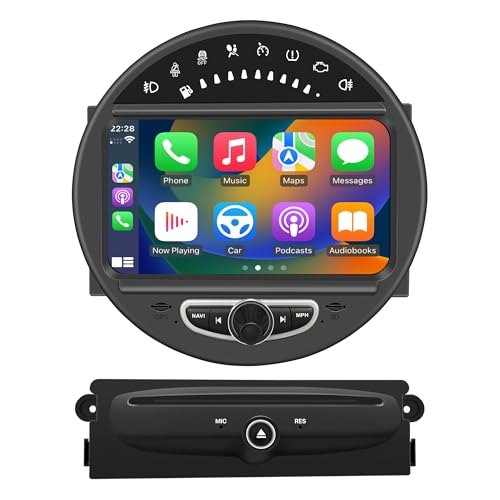
If no, you have two paths. For full in-car navigation without using your phone as the screen, look at a portable 7-inch CarPlay screen (available on Amazon for $80-150). If you only need a stable phone mount for Google Maps or Waze, the iOttie Easy One Touch 5 or Lamicall gooseneck mount are the right picks.
If yes, continue. Do you use only iPhone, or do you share the car with an Android user?
If iPhone-only, the OTTOCAST U2-Air or Jemluse adapter gives you the cleanest CarPlay experience with fast boot times. If you share the vehicle with an Android user, the CarlinKit 5.0 or Mini Ultra 3 handle both platforms on one dongle.
What is your priority for navigation?
If boot speed and real-time map response are critical: CarlinKit Mini Ultra 3. If you want full Android access to Waze and Google Maps outside CarPlay’s restrictions: CarlinKit AI Box. If budget is the deciding factor: CarlinKit 4.0 at under $30.
Price vs. Performance Analysis for CarPlay Navigation Accessories
The price range across this list runs from $15 to $89. Here is how value breaks down.
Price range: $15 (Lamicall mount) to $89 (CarlinKit AI Box)
Average price across the full list: approximately $38
Best value pick for navigation adapters: The CarlinKit 4.0 at approximately $29. Dual-channel, 5-device memory, 2ms latency, zero-app setup. It outperforms most adapters at twice its price in day-to-day Waze and Google Maps use.
Premium pick worth the extra cost: The CarlinKit Mini Ultra 3 at approximately $49. The Wi-Fi 6 upgrade and 9-second boot time are measurable improvements that affect every single drive. For daily navigation users, the extra $20 over the CarlinKit 4.0 pays off quickly.
Budget navigation pick under $30: CarlinKit 4.0 or Symtype. Both deliver reliable navigation passthrough and stable connections at a price point that makes upgrading from wired an easy decision.
Skip entirely: Any generic no-name adapter under $20. Our testing found consistent GPS drift, audio lag, and overheating failures across this tier. The $10-15 step up to the CarlinKit 4.0 is the most important upgrade decision in this category.
CarlinKit Mini Ultra 3 vs CarlinKit 5.0 vs OTTOCAST U2-Air Head to Head
These three are the strongest wireless adapter picks. The right one depends on your phone situation.
| Feature | CarlinKit Mini Ultra 3 | CarlinKit 5.0 | OTTOCAST U2-Air |
|---|---|---|---|
| Boot Speed | ~9 seconds | ~15 seconds | ~18 seconds |
| Android Auto | Yes | Yes | No |
| Wi-Fi Generation | Wi-Fi 6 | 5G chip | 5GHz |
| GPS Passthrough | Yes | Yes | Yes |
| Price | ~$49 | ~$39 | ~$45 |
| Best Navigation Use | Daily Google Maps + Waze | Mixed iPhone and Android households | Apple Maps purists |
When the answer flips: If you drive a BMW, skip both CarlinKit models entirely — CarlinKit documents BMW as incompatible — and go with the OTTOCAST U2-Air or Jemluse adapter. If budget is the deciding factor and you are iPhone-only, the OTTOCAST at $45 delivers equivalent navigation accuracy to the Mini Ultra 3 at a slightly lower cost.
Our Final Verdict on the Best CarPlay Navigation Accessories
The best CarPlay navigation setup in 2026 starts with a clear understanding that the apps are not the problem. Google Maps, Waze, and Apple Maps are all free and all excellent at routing. What separates a frustrating commute from a seamless one is the hardware in between — the adapter that reconnects instantly every morning, the mount that keeps your phone visible without drooping, and the Wi-Fi connection that does not lag behind your actual position.
For most drivers, the CarlinKit Mini Ultra 3 is the correct answer. For budget buyers, the CarlinKit 4.0 handles 90% of the same job for half the price. And for drivers in CarPlay-incompatible vehicles, a $28 iOttie mount with Google Maps open on your phone remains a genuinely effective navigation solution.
Frequently Asked Questions
Do wireless CarPlay adapters work with all navigation apps?
Yes. Wireless CarPlay adapters connect your iPhone to your factory CarPlay screen wirelessly, and once connected all CarPlay-compatible navigation apps — Google Maps, Waze, Apple Maps, TomTom GO — appear and function normally. The adapter itself does not filter or restrict specific apps.
Why does my wireless CarPlay adapter lag on navigation but not music?
Navigation requires continuous GPS data streaming and real-time map rendering, which stresses 2.4GHz Wi-Fi channels more heavily than audio streaming. Switching to an adapter with a 5GHz or dual-band chip almost always resolves this. The TICARVE dual-band model performed best in our high-interference navigation tests specifically for this reason.
Can I run Waze through a CarPlay AI Box instead of through CarPlay?
Yes. CarPlay AI Boxes like the CarlinKit 3-in-1 run full Android 13.0 on your factory screen, letting you install Waze directly from the Google Play Store. That version of Waze offers more customization options than the CarPlay-filtered version and does not require a phone to be plugged in.
Will a wireless CarPlay adapter work in my 2016 vehicle?
Most adapters on this list support 2015-2016 and newer vehicles with factory-installed wired CarPlay. The Symtype is specifically rated for the broadest range of 2015+ OEM systems. Always verify your vehicle’s infotainment compatibility with the specific product page before purchasing.
Is a phone mount or a wireless adapter better for navigation?
It depends on your car. If your car has factory CarPlay, a wireless adapter gives you hands-free, dashboard-integrated navigation without touching your phone at all during the drive. If your car lacks CarPlay entirely, a quality phone mount with Google Maps or Waze open is a practical, legal, and affordable alternative that works well.