How to Use Cruise Control: A Beginner’s Guide to Safe Driving
Last Updated on September 1, 2026 by Ryan


Learning to safely operate cruise control simplifies long-distance driving by maintaining a steady speed. This guide details the step-by-step process for activation, setting, adjusting, and deactivating the system, ensuring a smoother journey. Always prioritize road conditions and traffic for optimal safety.
🎯 Key Takeaways
- Activate cruise control only on open, dry highways.
- Use the “SET” button to lock in your desired speed.
- Adjust speed with +/- buttons, or “RESUME” previous speed.
- Cancel cruise control by tapping brake or “CANCEL” button.
- Avoid using in heavy traffic or adverse weather.
Learning to effectively use your car’s standard cruise control can transform your highway driving experience, making long journeys more relaxed and fuel-efficient. This guide focuses on the practical steps to safely activate, set, and adjust your vehicle’s speed, ensuring you stay in control while enjoying the benefits of this convenient feature. Mastering these mechanics allows you to maintain a consistent speed without constant pedal input, reducing driving fatigue on appropriate roads.

Understanding how and when to use cruise control is crucial for both convenience and safety. Misusing it in unsuitable conditions can lead to dangerous situations, compromising your ability to react quickly to changing road or traffic circumstances. By following these clear instructions and safety guidelines, you’ll confidently integrate cruise control into your driving routine, enhancing your focus on the road ahead.
Understanding Standard Cruise Control Systems
Locating Your Cruise Control Buttons
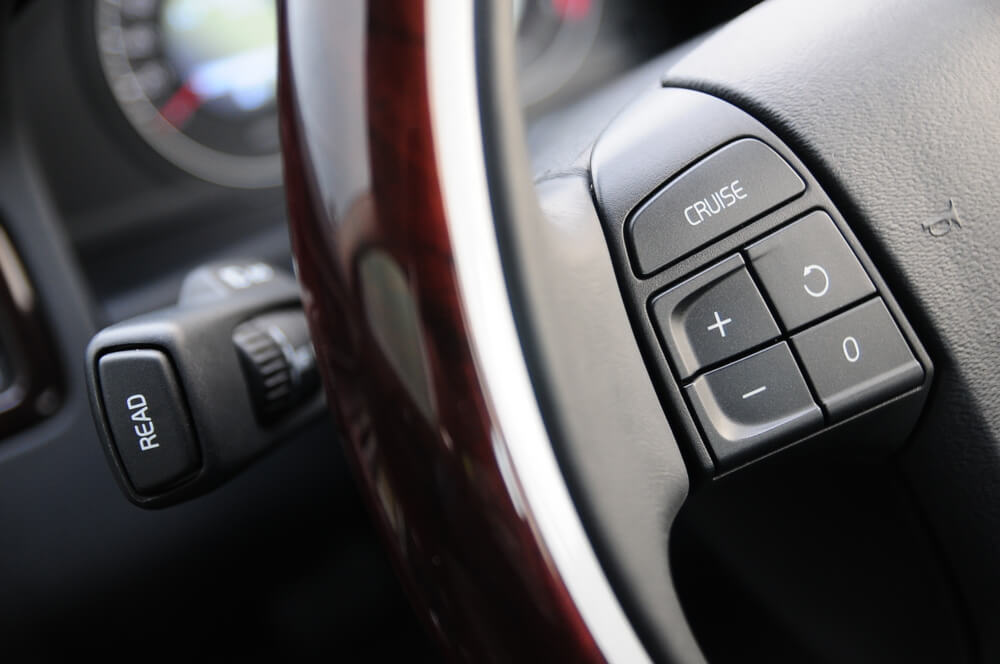
Most vehicles place cruise control buttons conveniently on your steering wheel or on a stalk extending from the steering column. While exact labels might vary slightly, you’ll generally look for buttons with these common functions:
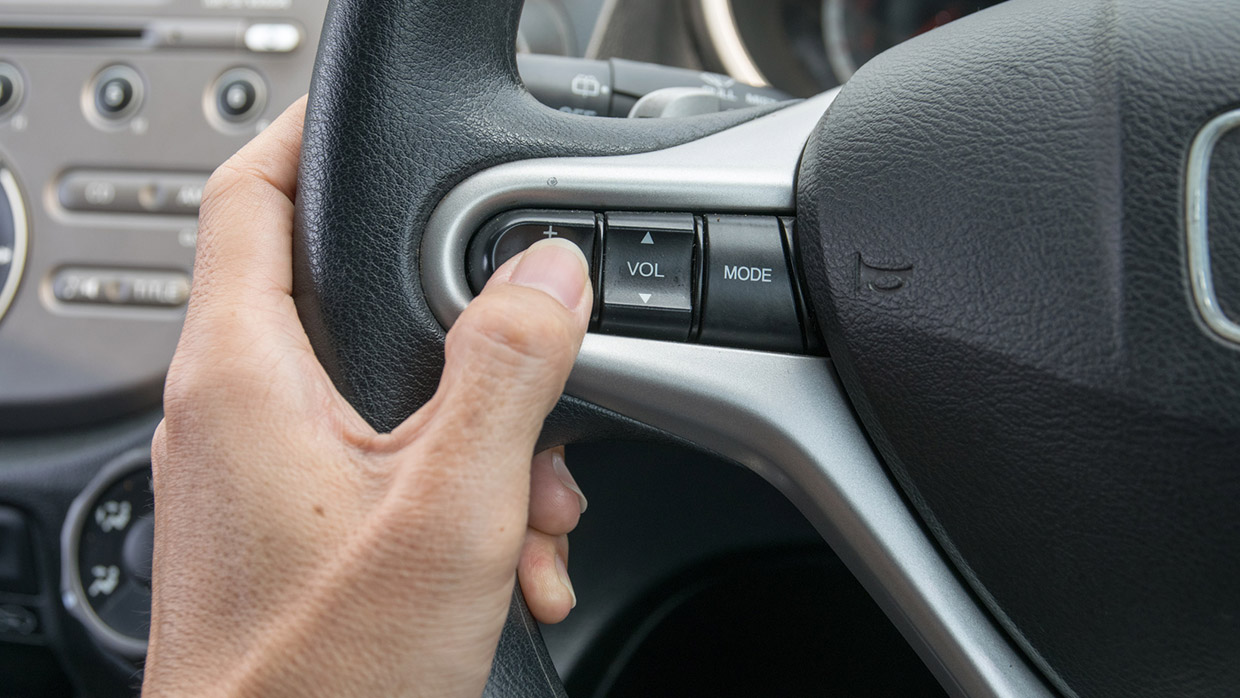
- ON/OFF: Activates or deactivates the entire cruise control system.
- SET/-: Sets your current speed or decreases the set speed.
- RES/+: Resumes a previously set speed or increases the set speed.
- CANCEL: Temporarily disengages cruise control without turning off the system.
Always consult your vehicle’s owner’s manual for precise button locations and specific instructions unique to your car model. Familiarizing yourself with these controls before driving will ensure smoother operation.
Step-by-Step: Activating and Setting Your Speed
Engaging cruise control is a straightforward process designed for simplicity. Follow these steps to set your desired cruising speed:
- Turn On the System: Locate the ON/OFF button (sometimes labeled “CRUISE” or an icon). Press it once to activate the cruise control system. A dashboard indicator light, often green, will illuminate, confirming the system is ready.
- Accelerate to Desired Speed: Drive your vehicle to the speed you wish to maintain, for example, 65 mph on the highway. Ensure you are maintaining a steady speed for a few seconds before proceeding.
- Set the Speed: Once at your desired speed, press the SET/- button. This locks in your current speed. You can now gently lift your foot from the accelerator pedal. Your vehicle will automatically maintain the set speed.
- Confirm Engagement: Your dashboard indicator light may change or an additional icon will appear to confirm cruise control is actively maintaining your speed.
Always remain attentive to the road, even with cruise control active. Your foot should hover near the brake pedal, ready to take manual control at any moment.
Adjusting Your Set Speed: Increase and Decrease
Once cruise control is active, you can easily modify your set speed without disengaging the system:
- To Increase Speed: Press the RES/+ button. Each quick tap typically increases your speed by 1-2 mph, depending on your vehicle. Holding the button down will continuously increase your speed until released.
- To Decrease Speed: Press the SET/- button. Each quick tap usually decreases your speed by 1-2 mph. Holding the button down will continuously decrease your speed until released.
You can also use the accelerator pedal to temporarily speed up (e.g., for passing), then release it. The vehicle will return to the previously set cruise control speed. Pressing the brake pedal will immediately cancel cruise control, allowing you to manually slow down.
How to Use Cruise Control Like a Pro: A Practical Walkthrough
Welcome to your essential guide to mastering cruise control! This comprehensive, step-by-step walkthrough will equip you with all the knowledge and practical tips you need to confidently and safely operate your vehicle’s cruise control system. Understanding how to use this feature effectively can significantly enhance comfort on long drives, help maintain consistent speeds, and even improve fuel efficiency. Follow these detailed instructions closely to ensure a smooth and safe experience every time you engage this convenient technology.
Step 1: Familiarize Yourself with the Controls
What you need: Your vehicle’s owner’s manual (optional, but highly recommended), and a basic understanding of your dashboard layout. Most cruise control buttons are located on the steering wheel or a stalk protruding from the steering column, often labeled with symbols or text like “ON/OFF,” “SET,” “RESUME,” “CANCEL,” “ACCEL,” and “COAST.”
Instructions: Before you even start driving, take a moment to locate all the relevant cruise control buttons in your specific vehicle. Consult your owner’s manual if you’re unsure, as button placement and exact labels can vary between manufacturers and models. Identify the main “ON/OFF” switch (sometimes labeled “CRUISE”), the “SET” button to lock in your speed, buttons to increase (“ACCEL” or “+”) or decrease (“COAST” or “-“) the set speed, a “CANCEL” button to temporarily pause the system, and a “RESUME” button to return to your last set speed. Knowing where these are by touch is crucial for safe operation.
Pro Tip: Practice locating these buttons with your eyes closed (while stationary, of course!) so you can operate them instinctively without taking your eyes off the road once you’re driving.
Step 2: Ensure Safe Driving Conditions
What you need: A clear, dry road with consistent speed limits, minimal traffic, and no sharp curves. Ideal settings include highways or freeways with long, straight stretches.
Instructions: Cruise control is best utilized in specific driving conditions to ensure safety and effectiveness. Only consider engaging cruise control when you are on a relatively flat, dry road with good visibility and consistent traffic flow. Avoid using it in heavy traffic, on winding roads, in construction zones, or during adverse weather conditions such as rain, snow, or ice, as these situations require constant driver input for speed adjustments and braking. Maintain a safe following distance of at least 3-4 seconds behind the vehicle in front of you. Never use cruise control if you feel drowsy or are not fully attentive to the road.
Pro Tip: Always be prepared to take manual control of the accelerator and brake pedals at a moment’s notice. Cruise control is an aid, not a replacement for active driving.
Step 3: Activate the Cruise Control System
What you need: Your vehicle moving at a speed typically above 25-30 mph (check your manual for the minimum speed requirement) but below the maximum speed for cruise control (usually around 90-100 mph).
Instructions: Once you are on a suitable road and have reached your desired cruising speed (e.g., 65 mph on a highway), press the main “ON/OFF” button for your cruise control system. This button typically illuminates a light on your dashboard, often green, indicating that the system is now active and ready to be set. At this point, cruise control is “armed” but not yet controlling your speed. You are still in full control of the accelerator pedal. Ensure you maintain a steady speed before proceeding to the next step, as erratic acceleration will lead to an inaccurate set point.
Pro Tip: Some vehicles have a momentary ON switch, while others have a toggle. If the dashboard light doesn’t appear immediately, try pressing it again or holding it for a second. Never attempt to set cruise control below the minimum speed specified by your vehicle manufacturer, as it simply won’t engage.
Step 4: Set Your Desired Speed
What you need: Your foot on the accelerator, maintaining the specific speed you wish to set (e.g., 65 mph).
Instructions: With the cruise control system activated (Step 3) and your vehicle traveling at your desired constant speed, press the “SET” button. As soon as you press “SET,” you can remove your foot from the accelerator pedal, and the vehicle will automatically maintain that speed. You will often feel a slight nudge as the system takes over. The dashboard indicator light might change or brighten to confirm that a speed has been set. Observe your speedometer to ensure the vehicle is holding the speed accurately. This is the core function of cruise control, allowing your foot to rest.
Pro Tip: To avoid jerky engagement, try to press “SET” when your vehicle’s speed is perfectly stable. If you accidentally set it at the wrong speed, simply tap the brake to disengage and then re-accelerate to the correct speed before pressing “SET” again.
Step 5: Adjust Your Set Speed
What you need: The cruise control actively maintaining your speed.
Instructions: After setting your initial speed, you can easily adjust it without disengaging the system. To increase your speed, press the “ACCEL” or “+” button. Each short press typically increases the speed by 1 mph (or 1 km/h in metric systems), while holding the button down will continuously increase the speed until you release it. To decrease your speed, press the “COAST” or “-” button, which functions in the same incremental or continuous manner. Always make small, gradual adjustments and keep an eye on your speedometer and the surrounding traffic. Use these buttons for minor adjustments, such as matching a slightly changing speed limit or gently closing a gap to a slower vehicle in front.


Pro Tip: If you need to make a significant speed change (e.g., from 60 mph to 80 mph), it’s often safer to briefly tap the brake to cancel cruise control, manually accelerate to the new desired speed, and then press “SET” again.
Step 6: Temporarily Disengage Cruise Control
What you need: Situations requiring temporary speed reduction or increased driver input, such as approaching slower traffic, a sharp curve, or a toll booth.
Instructions: There are two primary ways to temporarily disengage cruise control without turning the entire system off. The most common method is to gently tap the brake pedal. Even a light touch will instantly cancel cruise control, allowing you to manually slow down. Alternatively, many vehicles have a dedicated “CANCEL” button. Pressing this button will also disengage the system, returning control of the accelerator to you. In both cases, the set speed is stored in memory, and the dashboard indicator typically changes to show the system is still armed but not active. This is ideal for short interruptions in your cruising journey.
Pro Tip: Always be ready to use the brake pedal. While the “CANCEL” button is convenient, braking is often a more natural and immediate reaction to changing road conditions and provides a quicker response time.
Step 7: Resume Your Previous Set Speed
What you need: The cruise control system temporarily disengaged (e.g., after tapping the brake), and a return to appropriate driving conditions for cruising.
Instructions: If you’ve temporarily disengaged cruise control (e.g., to pass a vehicle or navigate a temporary slowdown) and wish to return to your previously set speed, simply press the “RESUME” button. Your vehicle will then accelerate back to the last speed you had set. Be mindful of your surroundings when doing this, as the acceleration might be brisk. Only use “RESUME” when the road ahead is clear and it is safe to return to that speed. If you are significantly below the previously set speed, the vehicle will accelerate quite rapidly, which may not always be ideal in certain traffic situations. If traffic conditions have changed considerably, it’s safer to manually accelerate and then press “SET” again.
Pro Tip: When using “RESUME,” always scan your mirrors and check your blind spots to ensure there isn’t a vehicle directly behind you that might be surprised by your acceleration, especially if you’re resuming from a very low speed.
Step 8: Deactivate the Entire System
What you need: Finishing your highway journey, exiting the freeway, or encountering continuously changing driving conditions where cruise control is no longer appropriate.
Instructions: When you no longer need cruise control for an extended period, or if you are leaving the highway, it’s best to completely turn off the system. Press the main “ON/OFF” button again. This action typically extinguishes the cruise control indicator light on your dashboard, signifying that the entire system is powered down and the previously set speed is erased from memory. Turning off the system ensures that it won’t accidentally engage or resume at an unexpected time. Always manually accelerate and brake to safely exit the highway or navigate complex urban environments. It’s a good habit to turn it off completely once you’ve completed your sustained cruising segment.
Pro Tip: Make a habit of turning off the main cruise control system button whenever you’re done with a cruising segment, similar to how you’d turn off your headlights in daylight. This prevents any accidental re-engagement or confusion in varied driving conditions.
✅ Final Checklist
- Did you locate all cruise control buttons before starting your drive?
- Was the road clear, dry, and free of heavy traffic when cruise control was engaged?
- Did you maintain a safe following distance while cruise control was active?
- Are you able to disengage the system quickly using either the brake or ‘CANCEL’ button?
- Did you completely turn off the main cruise control system when you finished cruising?
Important Notes:
- Safety considerations or warnings: Never use cruise control if you are tired or distracted. Always remain attentive and ready to take full manual control of your vehicle. Avoid using it in slippery conditions (rain, snow, ice), heavy traffic, on winding roads, or descending steep hills where engine braking might be required.
- When to seek professional help: If your cruise control system is not engaging, disengaging improperly, or behaving erratically, do not attempt to fix it yourself. Consult your vehicle’s owner’s manual for troubleshooting or schedule an appointment with a certified mechanic immediately. A malfunctioning cruise control system can be a serious safety hazard.
- Estimated time and cost range: Learning to use cruise control effectively typically takes about 1-2 hours of practice on suitable roads. There is no direct cost associated with using the feature, as it’s standard on most modern vehicles. However, proper maintenance of your vehicle (e.g., functional brake lights, which are crucial for disengaging the system) is an ongoing cost.
Optimal Scenarios for Engaging Cruise Control
When Cruise Control is Your Driving Ally
Using cruise control effectively means understanding the best conditions for its application. It significantly enhances comfort and efficiency in specific environments:
- Long, Straight Highways: Ideal for maintaining a consistent speed for extended periods without constant accelerator input. This helps reduce driver fatigue.
- Open Roads with Minimal Traffic: Allows the system to operate smoothly without requiring frequent manual adjustments or braking.
- Consistent Speed Limits: Perfect for roads where the speed limit remains constant for miles, helping you avoid unintentional speeding.
- Dry Weather Conditions: Optimal traction ensures the system can maintain speed safely and consistently.
- Reducing Driver Fatigue (Responsibly): On long trips, less physical effort on the pedals can make driving less tiring, but it’s never a substitute for taking breaks.
Consider a three-hour drive on a sunny, clear interstate. Engaging cruise control at a steady 70 mph can provide a more relaxed and focused driving experience, reducing the strain on your right leg and foot.
Critical Times to Disengage or Avoid Cruise Control
While beneficial, cruise control is not suitable for all driving conditions. Knowing when to disengage it is paramount for your safety and the safety of others:
- Heavy Traffic or Stop-and-Go Conditions: Constant braking and accelerating manually are necessary. Cruise control here creates dangerous situations.
- Winding or Curvy Roads: Precise throttle control is essential for safely navigating turns. Cruise control can cause unintended acceleration or deceleration.
- Rain, Snow, Ice, or Fog: Any adverse weather reducing tire traction or visibility demands full manual control. Losing grip with cruise control active can lead to skidding.
- Steep Hills (Uphill or Downhill): Vehicles may struggle to maintain a set speed, potentially accelerating too much downhill or decelerating too much uphill.
- Low Visibility: Fog, heavy rain, or dust storms require heightened alertness and immediate manual control for unexpected hazards.
- Fatigue or Drowsiness: Never use cruise control as a crutch for fatigue. If you’re tired, pull over and rest. Cruise control can lull you into less attention.
For instance, driving through a mountain pass with tight curves or encountering a sudden heavy rain shower are clear signals to immediately disengage cruise control and take full manual command of your vehicle.
Critical Safety Considerations and Best Practices
While cruise control offers undeniable benefits, its safe and effective use hinges on understanding its limitations and adhering to crucial safety practices. It’s a tool designed for specific driving conditions, not a universal assistant for every mile.
When to AVOID Cruise Control
Knowing when not to engage cruise control is just as important as knowing how to use it. Certain conditions demand your full, unassisted control over the vehicle, where rapid reactions and precise adjustments are paramount. Using cruise control in these situations can dangerously compromise your ability to respond quickly.
- Heavy Traffic: Constantly changing speeds and sudden braking make cruise control impractical and unsafe. Even adaptive systems require driver vigilance.
- Inclement Weather: Rain, snow, ice, or even dense fog drastically reduce traction and visibility. Cruise control can prevent you from feeling potential slips or reacting to sudden changes in road conditions.
- Winding or Hilly Roads: On roads with sharp curves or significant elevation changes, cruise control might struggle to maintain a consistent speed, potentially leading to instability or inappropriate acceleration.
- Slippery Surfaces: Any surface that reduces tire grip, such as gravel or wet leaves, is a no-go for cruise control. You need to be able to manually adjust speed and apply delicate brake pressure.
Always prioritize your immediate control over the vehicle when road conditions are anything less than ideal. Your safety, and the safety of others, depends on it.
Staying Alert and Engaged
Engaging cruise control doesn’t mean disengaging your brain. It’s a convenience feature, not a replacement for attentive driving. Maintaining focus is absolutely critical, even when your feet aren’t constantly working the pedals.
- Keep Your Feet Ready: Even with cruise control active, it’s a good habit to keep your right foot hovering near the brake pedal. This significantly shaves off reaction time if you need to disengage quickly.
- Situational Awareness: Continuously scan the road ahead, behind, and to your sides. Anticipate potential hazards like merging traffic, sudden lane changes, or animals entering the roadway.
- Avoid Complacency: The relaxed feeling cruise control provides can sometimes lead to reduced alertness. Resist the urge to become overly comfortable; your focus should remain sharp, just as if you were manually controlling your speed.
Think of cruise control as your co-pilot for speed, not your chauffeur. Your attention to the road must remain unwavering.
Common Troubleshooting and Advanced System Awareness
Even the most intuitive features can sometimes present minor quirks. Understanding common issues and knowing about more advanced systems can enhance your cruise control experience and keep you driving confidently.
Why Isn’t My Cruise Control Working?
If you’re trying to engage cruise control and it just won’t activate, there are a few common culprits to check before assuming a major malfunction. Often, it’s a simple oversight or a built-in safety measure preventing activation.
- Speed Too Low: Most cruise control systems have a minimum speed requirement, usually around 25-30 mph. If you’re below this threshold, it won’t engage.
- Brake Pedal Engagement: Even a light, unintentional tap or a foot resting on the brake pedal can prevent cruise control from activating or will disengage it immediately. Ensure your foot is completely off the brake.
- Clutch Pedal (Manual Transmission): For manual cars, depressing the clutch pedal will disengage cruise control. Make sure the clutch is fully released.
- System Malfunction: In rare cases, there might be an issue with the system itself. If none of the above apply and a dashboard warning light appears, it might be time for a professional check-up.
A quick check of your speed and pedal positions usually resolves most engagement issues. Your car’s owner’s manual will also have specific troubleshooting tips for your model.
Understanding Adaptive Cruise Control (ACC)
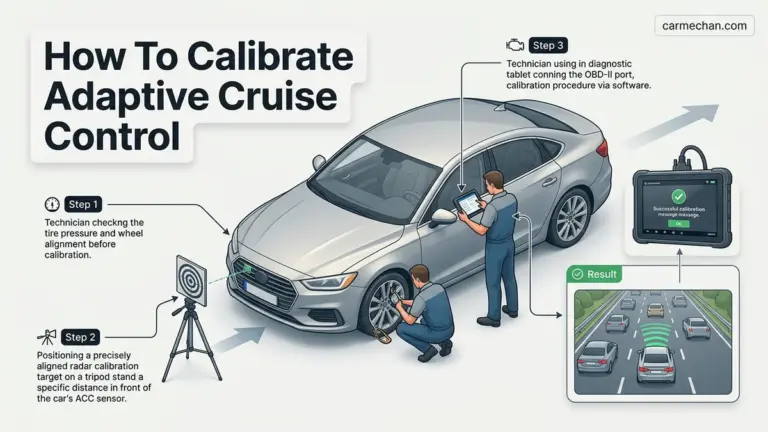
Modern vehicles often feature an advanced version called Adaptive Cruise Control (ACC). This sophisticated system takes the convenience of conventional cruise control a step further by actively managing your speed and following distance.
- Distance Keeping: ACC uses radar or camera sensors to detect vehicles ahead. It doesn’t just maintain your set speed; it automatically adjusts to keep a pre-set following distance from the car in front.
- Automatic Braking/Acceleration: If the vehicle ahead slows down, ACC will automatically reduce your speed, and in some systems, even apply light braking. Once the path is clear or the vehicle ahead speeds up, it will accelerate back to your set speed.
- Enhanced Comfort and Safety: ACC can significantly reduce driver fatigue in varying traffic conditions and provide an extra layer of safety by helping maintain proper following distances.


While ACC is incredibly intelligent, remember it’s still an aid, not a fully autonomous system. You must remain vigilant, especially in complex traffic scenarios or adverse weather. Always be ready to intervene.
Conclusion
Cruise control is a fantastic innovation that blends convenience with efficiency, transforming highway driving into a more relaxed experience. From maintaining consistent speeds to potentially improving fuel economy, its benefits are clear. However, the true mastery of cruise control lies not just in knowing how to activate it, but in understanding when and where to use it safely and responsibly.
Take the time to practice using it in ideal conditions, read your vehicle’s specific instructions, and always prioritize your situational awareness. By doing so, you’ll unlock a smarter, more enjoyable way to navigate the open road. Embrace this smart driving tool, and enjoy your journey!
❓ Frequently Asked Questions
What exactly is cruise control and how does it work to maintain speed?
Cruise control is a system that automatically controls your vehicle’s speed, allowing you to take your foot off the accelerator. Once activated and a speed is set, it electronically adjusts the throttle to maintain that speed, significantly reducing driver fatigue on long, consistent drives.
When is the best time and place to use cruise control for maximum benefit and safety?
Cruise control is best utilized on long, straight, relatively flat sections of highway with light to moderate traffic. These conditions allow for consistent speed maintenance without frequent adjustments, enhancing driver comfort and potentially improving fuel efficiency. Avoid winding roads or areas with heavy traffic.
What are the key differences between standard and adaptive cruise control?
Standard cruise control simply maintains a user-set speed. Adaptive cruise control (ACC), a more advanced system, uses sensors to detect vehicles ahead and automatically adjusts your speed to maintain a preset following distance, offering enhanced safety and convenience in varying traffic.
What should I do if I need to quickly disengage cruise control in an emergency or sudden traffic change?
To quickly disengage cruise control, simply tap your brake pedal or press the “CANCEL” button, if available. Both actions will immediately release control of the throttle, allowing you to manually control your vehicle’s speed.
Can using cruise control make me less attentive while driving?
While cruise control reduces the need for constant pedal input, it’s crucial to remain fully attentive and engaged with your surroundings. Over-reliance can lead to complacency; always keep your hands on the wheel, eyes on the road, and be prepared to take manual control at any moment.
Are there any specific road conditions or situations where I should absolutely avoid using cruise control?
Yes, never use cruise control in heavy or unpredictable traffic, on winding or slippery roads (wet, icy, snowy), when driving uphill or downhill significantly, or if you feel drowsy. These situations require your full, active control over the vehicle’s speed and braking to ensure safety.