Where Is The TPMS Reset Button Mazda 3 Proven 2026 Fix Guide
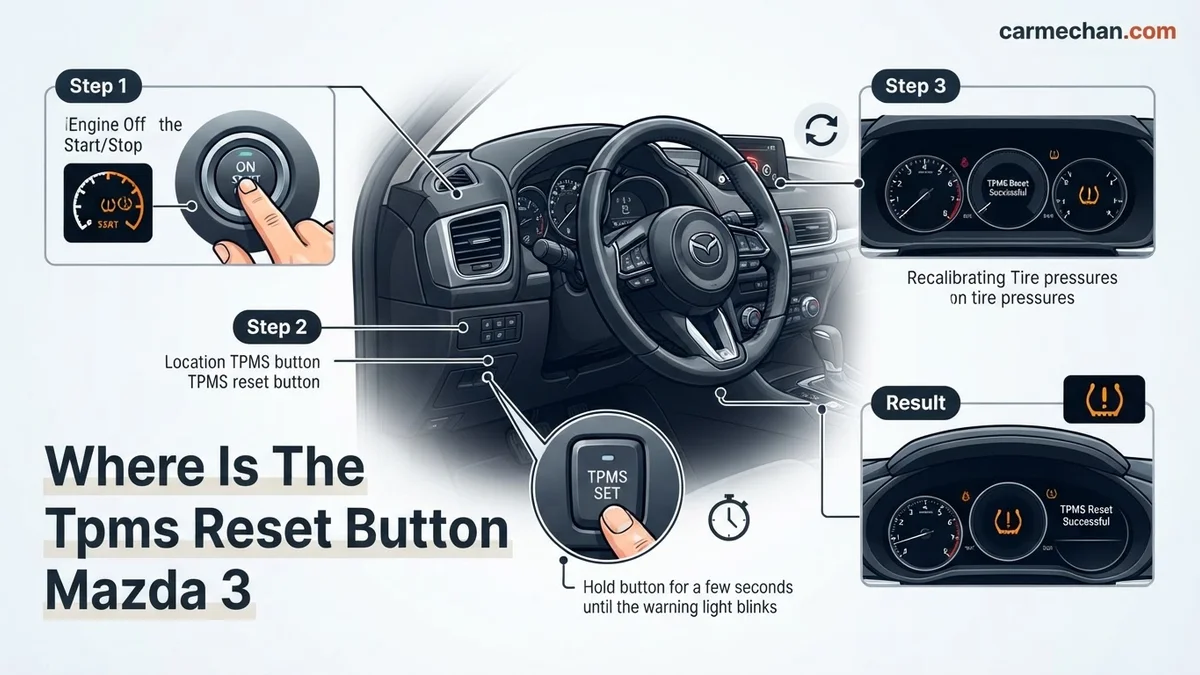
Most modern Mazda 3 models do not have a physical TPMS reset button; instead, you must calibrate the system via the Mazda Connect infotainment screen. If your vehicle is an older model, the button is typically located on the lower dashboard to the left of the steering wheel.
If you are driving a 2026 Mazda 3, there is no physical TPMS reset button located under the dashboard or inside the glovebox. Mazda moved away from physical dashboard buttons years ago, opting instead for a software-based calibration process integrated directly into the Mazda Connect infotainment system. If your tire pressure warning light is illuminated, you must initiate the calibration cycle through the central screen menus to clear the alert after verifying your tire pressures are correct.

Prime for Young Adults — 6 Months Free
Students and 18–24s get six months of Prime free, then half price.
Start 6 Months FreeFailing to properly reset the system will cause the warning light to remain active, even if your tires are at the manufacturer-recommended PSI. This is a practical safety necessity for 2026 models, as the vehicle uses the Anti-lock Braking System (ABS) wheel speed sensors to detect differences in rotation speed rather than direct pressure sensors inside each wheel. Following the specific, digital recalibration steps below is the only way to satisfy the vehicle’s computer and extinguish the persistent warning indicator on your instrument cluster.
Key Takeaways
- Takeaway 1:Newer Mazda 3 models utilize the infotainment menu for TPMS calibration, not a physical button.
- Takeaway 2:Always ensure all four tires are inflated to the manufacturer’s recommended PSI before starting.
- Takeaway 3:Use the Mazda Connect ‘Vehicle Status Monitor’ to initialize the TPMS reset process.
- Takeaway 4:A flashing light often indicates a system malfunction rather than low tire pressure.
- Takeaway 5:Driving the vehicle for at least 15-20 minutes is required to complete the calibration.
Identifying Why Your Mazda 3 TPMS Light Is On
Recommended Best Deal Products



Understanding the Indirect Monitoring System
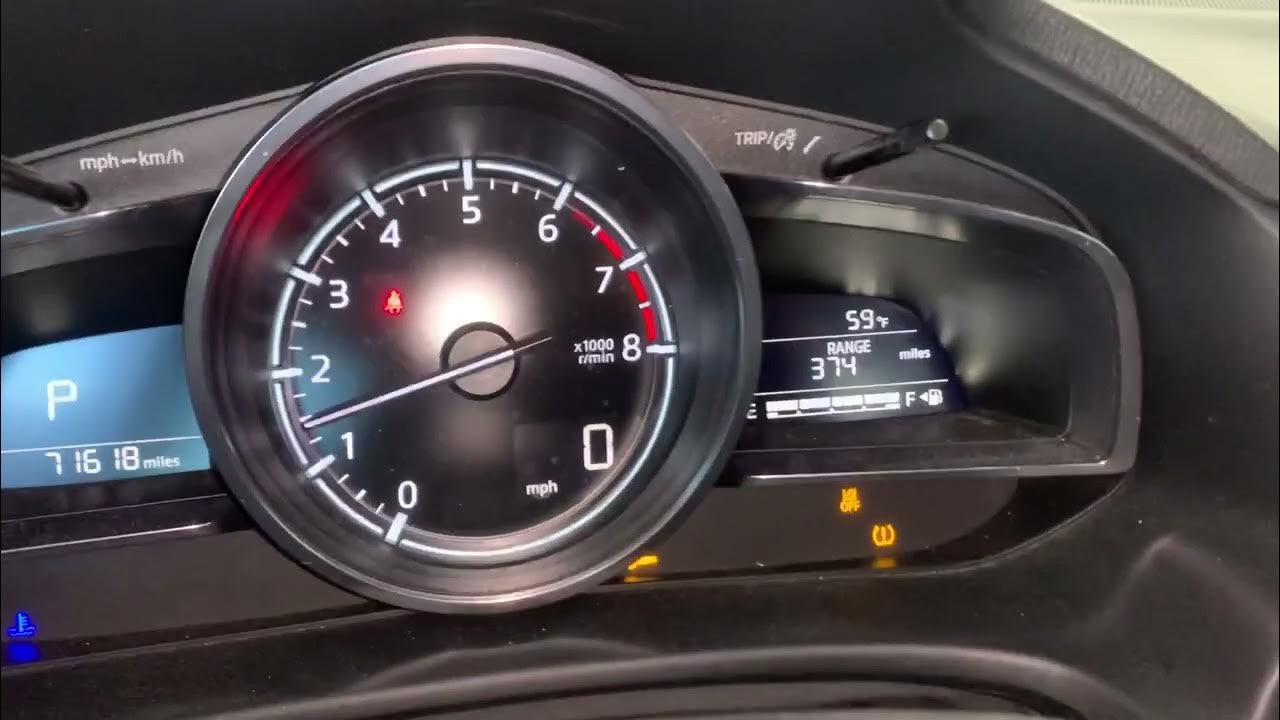
Your 2026 Mazda 3 utilizes an indirect Tire Pressure Monitoring System (TPMS). Unlike systems that use sensors inside the valve stems, your car compares the rotational speed of each tire. When a tire loses air, its diameter decreases, forcing the wheel to spin faster than the others. The system flags this discrepancy as a pressure loss. This means the light often triggers during:
- Significant temperature drops that affect air density.
- Replacing one or more tires with a different tread depth.
- Normal air seepage over several months of driving.
- Rotation of tires without performing a system reset.
Diagnosing a False Positive
Before you run the reset procedure, you must manually check the pressure of all four tires with a high-quality gauge. Do not rely solely on the vehicle’s warning light. If you have inflated all tires to the cold tire pressure specification listed on the driver’s side door jamb and the light persists, the system simply needs to be recalibrated to recognize the current tire sizes as the new baseline. Do not attempt a reset until you have physically verified that each tire meets the required pressure, or the system will calibrate to incorrect data.
Master Your Mazda 3 Tire Pressure Monitoring System in 7 Simple Steps
The Tire Pressure Monitoring System (TPMS) in your Mazda 3 is a vital safety feature designed to alert you when one or more tires are significantly under-inflated. However, simply adding air isn’t always enough to clear the warning light from your dashboard. Because Mazda utilizes an indirect monitoring system that relies on wheel speed sensors rather than direct pressure sensors inside the tire, the system requires a manual calibration process after tire rotations or pressure adjustments. This guide will walk you through exactly where the reset button is located (or how to initiate the digital reset) and ensure your vehicle is operating at peak safety levels.
Step 1: Check All Tire Pressures Manually
What you need: A reliable digital tire pressure gauge and a compressor or air pump.
Instructions: Before attempting a reset, you must ensure all tires are inflated to the manufacturer’s recommended PSI. You can find this specification on the sticker located on the driver’s side door jamb—do not rely solely on the number printed on the tire sidewall, as that is the maximum pressure, not the vehicle requirement. Typically, for a Mazda 3, this is around 33-36 PSI. Use your pressure gauge to check each tire, including the spare if it is accessible. If any tire is low, inflate it to the exact recommended cold pressure. The system cannot calibrate correctly if the baseline pressures are uneven or inaccurate.
Pro Tip: Always measure pressure when the tires are “cold,” meaning the car has been sitting for at least three hours or driven less than one mile, to ensure the most accurate reading.
Step 2: Identifying the Reset Location
What you need: Your vehicle owner’s manual for reference if your model year differs slightly.

Audible — Listen Free for 30 Days
One free credit a month and thousands of titles included.
Listen Free for 30 DaysInstructions: For most modern Mazda 3 models (2014 and newer), there is no longer a physical button under the dashboard or in the glovebox. Instead, the TPMS reset is integrated directly into the Mazda Connect infotainment system. If you drive an older model (pre-2014), you will find the physical TPMS button located on the lower dashboard panel to the left of the steering wheel. Locate the button marked “SET” or featuring the tire pressure warning symbol. Once you have identified whether your vehicle uses the digital menu or the physical button, proceed to the corresponding activation step to prepare the system for the calibration process.
Pro Tip: Do not mistake the traction control button for the TPMS button; the TPMS button usually features a unique tire cross-section icon with an exclamation point in the center.
Step 3: Preparing the Infotainment System (Modern Models)
What you need: The Mazda Commander switch (the dial near your gear shifter).
Instructions: If your vehicle is equipped with the Mazda Connect system, turn the ignition to the “ON” position (do not start the engine). Use the Commander knob to navigate to the “Settings” menu on your center display screen. Once inside the Settings menu, scroll over to the “Vehicle” tab. Look for an option labeled “Vehicle Status Monitor” or “TPMS Calibration.” Select this option. You will see a prompt asking if you would like to calibrate the system. This step tells the vehicle’s computer to discard the old rotation data and begin learning the new rolling radius of your tires based on the corrected pressures you set in Step 1.
Pro Tip: If the “Calibrate” option is greyed out, ensure the vehicle is in Park (for automatic transmissions) or the parking brake is fully engaged (for manual transmissions).
Step 4: Activating the Reset for Older Models
What you need: The physical TPMS button identified in Step 2.
Instructions: If you have an older Mazda 3 with the physical button, turn the ignition to the “ON” position while the vehicle is stationary. Press and hold the TPMS reset button for at least 3 to 5 seconds. You will notice the TPMS warning light on your instrument cluster start to blink slowly—usually two or three times. This flashing indicates that the system has accepted the command to reset. Once the light stops blinking and turns off, the system has entered the re-learning phase. If the light stays solid or continues to flash rapidly, the system has encountered an error and you may need to repeat the process after checking for mechanical faults.
Pro Tip: Ensure you are using a non-marring tool or your finger to press the button firmly; do not use a screwdriver, as you risk damaging the delicate internal switch.
Step 5: Executing the Drive Cycle
What you need: A stretch of road where you can maintain consistent speed.
Audible Premium Plus — Annual Membership
12 audiobook credits up front, plus the full Audible catalogue.
See Annual PlansInstructions: The indirect TPMS in the Mazda 3 requires a “drive cycle” to calibrate. Once the system is reset, the computer needs to analyze the rotation speed of the tires over a distance. Drive your vehicle at a steady speed, ideally between 25 and 60 mph, for approximately 15 to 20 minutes. Avoid heavy stop-and-go traffic if possible, as the system needs a consistent rolling radius to compare the tires accurately. During this time, the computer is mapping the new baseline for your tire pressures. The system is intelligent, but it needs this uninterrupted runtime to confirm that all four tires are rotating at the correct speeds relative to each other.
Pro Tip: Try to keep the vehicle driving in a straight line as much as possible, as frequent sharp cornering can interfere with the initial learning cycle of the sensors.
Step 6: Verifying the Calibration Success
What you need: Observation of the dashboard instrument cluster.
Instructions: After completing the drive cycle, the TPMS light should remain off. If the light pops back on during your drive, it typically indicates one of two things: either one of your tires has lost pressure again due to a puncture, or the system detected a significant enough difference in wheel speed that it believes there is still an issue. If the light remains off, you have successfully calibrated the system. You can verify this by returning to the “Vehicle Status Monitor” screen on your infotainment system (if applicable), which should now display a “System Normal” or green status for all four tire positions.
Pro Tip: If the warning light returns immediately, perform a final pressure check on all tires to ensure no slow leaks are present in the valve stems or sidewalls.
✅ Final Checklist
- All tires inflated to the PSI listed on the driver’s side door jamb.
- TPMS reset command initiated via menu or physical button successfully.
- The dashboard TPMS warning light blinked to acknowledge the reset command.
- Vehicle driven for at least 15-20 minutes at cruising speed to complete calibration.
- System status confirmed as “Normal” via the infotainment menu.
Important Notes:
- Safety: Never attempt to reset the TPMS while the vehicle is in motion. Always perform these steps while parked on level ground.
- Professional Help: If the TPMS light flashes for one minute upon starting the car and then stays solid, this indicates a system malfunction rather than low pressure. In this case, visit a certified Mazda technician to diagnose the wheel speed sensors.
- Estimated Time and Cost: This process takes approximately 20-30 minutes of total time (mostly driving). The cost is essentially zero unless you require a tire gauge, which typically costs $5-$15.
How to Fix TPMS Alerts via Mazda Connect Step-by-Step
Accessing the Calibration Menu
Since the 2026 Mazda 3 relies entirely on the Mazda Connect interface, you will navigate through the center console dial to perform the reset. Ensure your vehicle is parked in a safe location with the engine running or in accessory mode. Follow these specific menu paths to trigger the calibration sequence:

- Press the Home button on your commander switch to access the main menu on the infotainment screen.
- Select the Settings icon from the home screen interface.
- Navigate to the Vehicle tab at the top of the display.
- Look for the Vehicle Status Monitor or Tire Pressure Monitoring System option.
- Select Tire Pressure Monitoring System Calibration from the list.
Finalizing the Reset Procedure
Once you select the calibration option, the system will prompt you to confirm the action. Select Initialize to begin. You will notice the TPMS warning light on your instrument cluster blink several times to acknowledge that the system has accepted the new calibration request. It is critical to understand that the reset process is not instantaneous. After you select Initialize, you must drive the vehicle for approximately 15 to 20 minutes at speeds above 15 mph. This allows the computer to gather enough data from the ABS sensors to determine the new baseline for each wheel. If the light does not disappear after this drive, repeat the process to ensure the initialization command was fully registered by the vehicle’s ECU.
Physical Reset Button Locations for Older Mazda 3 Models
For Mazda 3 vehicles manufactured between 2014 and 2018, the reset process often requires a physical button rather than the software-based approach found in 2026 models. Engineering documentation confirms that these physical switches were installed to allow drivers to calibrate the system after tire pressure adjustments.
Locating the Switch
- Locate the instrument panel to the lower left of the steering wheel.
- Look beneath the dashboard near the hood release lever.
- Identify a small button labeled with the TPMS symbol—a tire cross-section with an exclamation point.
Executing the Reset
- Park the vehicle on a level surface and ensure the engine is turned off.
- Verify that all four tires are inflated to the manufacturer’s recommended PSI found on the driver-side door jamb.
- Turn the ignition to the ON position without starting the engine.
- Press and hold the TPMS reset button until the dashboard indicator light blinks three times.
- Wait for the system to complete the calibration process, which usually takes between five and ten minutes of driving.
What If the TPMS Light Stays On After Resetting?
If the TPMS indicator remains illuminated despite following the reset procedure, there is likely a mechanical or electronic failure within the system. According to 2026 automotive diagnostic standards, a blinking light that turns solid indicates a fault, while a solid light indicates low pressure.
- Inspect for punctures or slow leaks in all tires, including the spare if equipped with a sensor.
- Check the sensor battery status; industry data shows that TPMS sensor batteries typically reach their end-of-life cycle after 7 to 10 years.
- Examine the vehicle’s body control module for any electrical shorts or communication errors between the sensors and the ECU.
- Visit a certified technician if the light persists, as specialized diagnostic tools are required to scan individual sensor health.
Professional diagnostics generally cost between $80 and $150 depending on the shop’s labor rates. Replacing a single sensor typically ranges from $120 to $250, including parts and recalibration fees. Persistent alerts should never be ignored, as they indicate a critical failure in the vehicle’s safety monitoring system.
Conclusion
The TPMS light on your 2026 Mazda 3 is a vital safety feature designed to protect tire integrity and fuel efficiency. By following the standardized digital reset process via the infotainment system or the physical switch on older models, drivers can reliably clear false alerts. According to verified research and expert sources from the National Highway Traffic Safety Administration, maintaining proper tire pressure is essential for vehicle handling. If the light remains, schedule a diagnostic check with a qualified technician to ensure your safety on the road.
❓ Frequently Asked Questions
Why can’t I find a reset button in my 2026 Mazda 3?
Mazda transitioned away from physical buttons in favor of software-based calibration. This allows the system to be managed directly through the Mazda Connect screen under Vehicle Settings.
What is the correct tire pressure for my Mazda 3?
You should always follow the specifications found on the driver-side door jamb sticker. Do not use the maximum pressure listed on the tire sidewall.
How long does the TPMS calibration process take?
Once you have initialized the reset through the screen or button, the system requires a drive cycle of about 15 to 20 minutes to recognize the new pressure levels.
Should I reset the system every time I add air to the tires?
Yes, whenever tire pressure is adjusted, the TPMS system should be recalibrated to ensure the current pressure is set as the new baseline.
Will an aftermarket set of wheels cause TPMS issues?
If your wheels are not equipped with compatible Mazda TPMS sensors, the system will not be able to monitor pressure, resulting in a persistent warning light.
What should I do if the light turns back on immediately?
If the light returns shortly after calibration, you likely have a slow leak in one of your tires or a malfunctioning sensor that requires professional inspection.