How to set cruise control 2019 Nissan Altima: Mastered Quickly
Ever felt like highway driving in your 2019 Nissan Altima could be more relaxing? Many owners find the intelligent cruise control interface confusing or are unsure how to properly engage features like ProPILOT Assist. This guide simplifies the technology, helping you confidently set your speed, manage gaps, and drive safer on the open road.
Understanding the 2019 Nissan Altima Intelligent Cruise Control System


📤 Share Image
The 2019 Nissan Altima features an advanced Intelligent Cruise Control (ICC) system. Unlike conventional cruise control, which only maintains a static speed, the ICC system uses a front-facing radar sensor to monitor the distance between you and the vehicle ahead. It automatically adjusts your speed to maintain a driver-selected gap. It is critical to understand that the driver remains the primary operator; this is a driver-assist feature, not an autonomous driving system.
How ICC Radar Sensors Track Distance
The system utilizes a radar sensor mounted in the front grille. This sensor communicates constantly with the Engine Control Module (ECM) to modulate your speed. If you approach a slower vehicle, the system reduces your throttle or applies braking. Once the road is clear, the vehicle accelerates back to your set target. Observing the instrument cluster is essential, as it provides visual confirmation that the radar has locked onto a target vehicle.
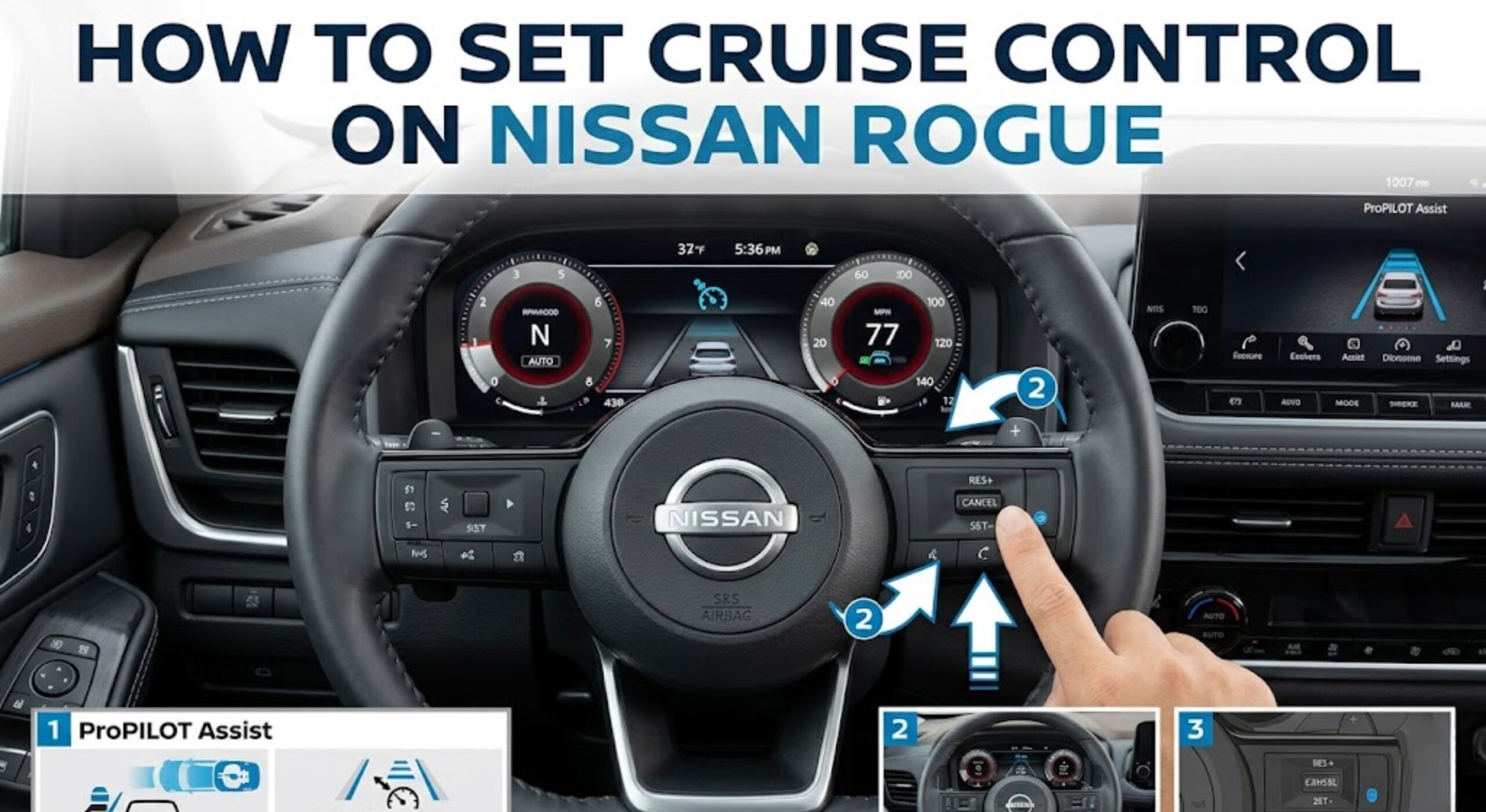
Difference Between ProPILOT Assist and Standard Cruise Control
While ICC handles speed and distance, ProPILOT Assist (available on select trims) adds steering support to help keep the vehicle centered in the lane. Standard cruise control maintains speed regardless of traffic. ICC and ProPILOT Assist are designed to reduce driver fatigue on long highway stretches, but they do not replace attentive driving. Always monitor the road ahead, especially in changing traffic patterns.

📋
How to Set Cruise Control 2019 Nissan Altima Step by Step


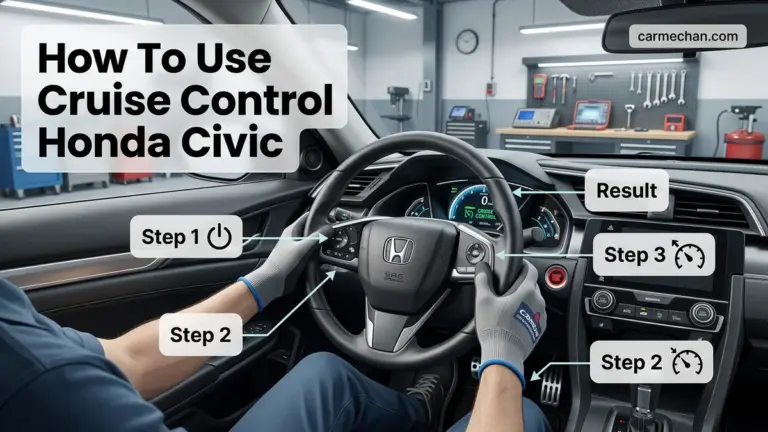
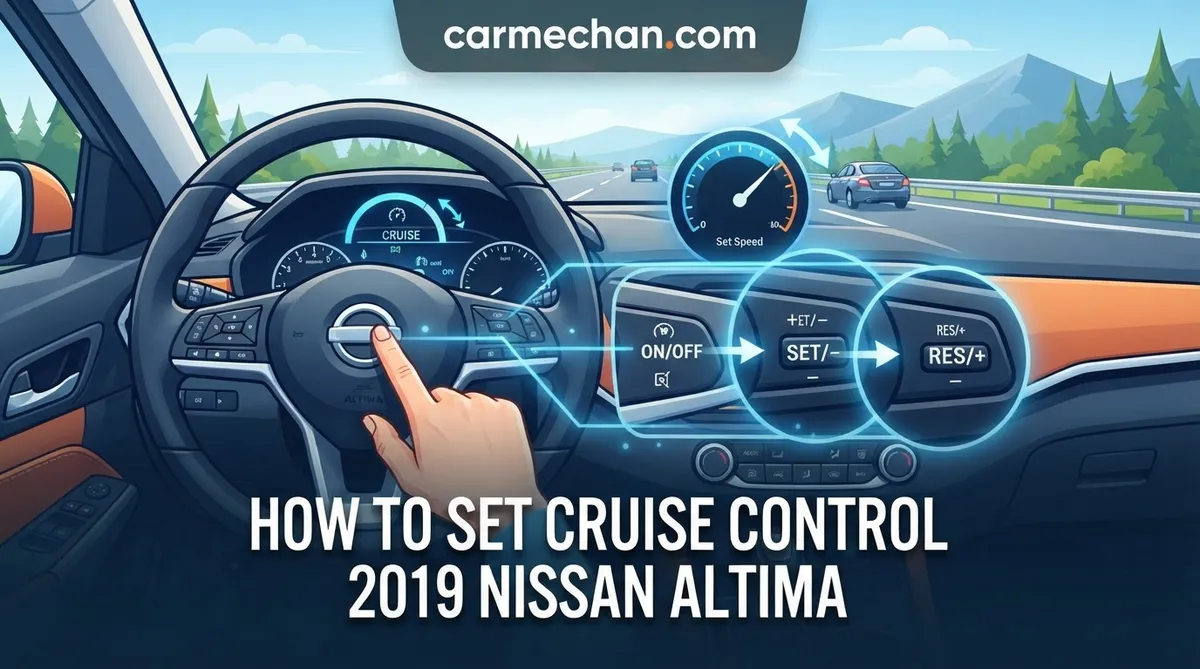
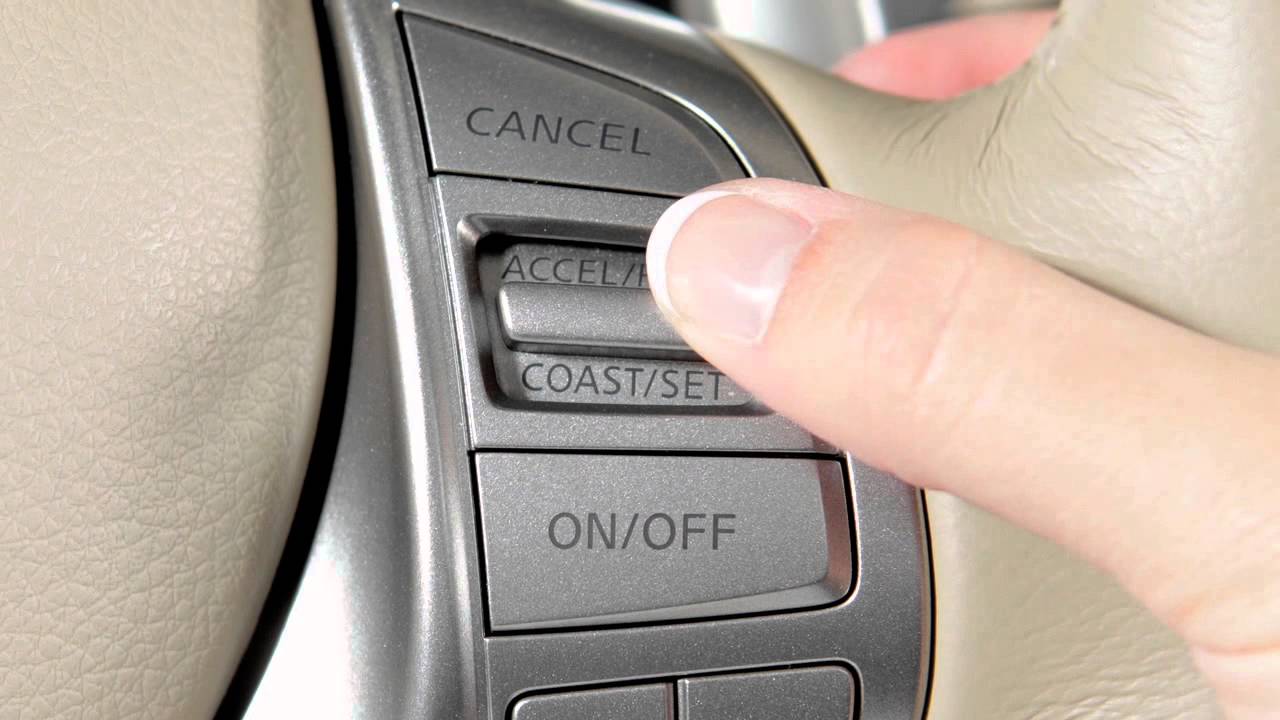
Press the Cruise button (usually located on the right side of the steering wheel). A white cruise icon will illuminate in the instrument cluster, indicating the system is in standby mode.
Accelerate to your desired speed (minimum 20-25 mph). Toggle the “SET-” switch downward. Your target speed is now set, and the icon will change color (usually green) to confirm activation.
Use RES+ or SET- to fine-tune your speed. To disengage, tap the “CANCEL” button, hit the brake pedal, or press the main Cruise switch again. The system remembers your previous speed until the engine is turned off.
Mastering Gap Distance and ICC Performance in Traffic


Customizing how your Altima follows traffic is essential for a smooth drive. The Intelligent Cruise Control system allows you to select between three distinct distance gap settings, which are conveniently displayed on your dashboard.
- How to Adjust Vehicle Distance Settings: Use the dedicated “Distance” button (icon showing a car with horizontal lines) on the steering wheel. Each press toggles between Long, Medium, and Short distance presets.
- Interpreting Distance Icons: The instrument cluster will show the number of bars lit up next to the vehicle icon. More bars indicate a longer following distance—ideal for highway speeds in heavy rain or low visibility.
- Stop-and-Go Traffic Management: In dense city traffic, you may prefer a shorter gap to discourage other drivers from cutting in, but always remain ready to intervene if the car in front stops suddenly.
Essential Safety Warnings for 2019 Nissan Altima Cruise Control
Never use cruise control in inclement weather, including heavy rain, snow, or icy conditions. The radar sensor may become obscured or fail to detect obstacles accurately in these environments.
Drivers must avoid over-reliance on technology. In construction zones where lanes shift, the system might struggle to track the correct lead vehicle. Additionally, the system might trigger aggressive braking if it suddenly detects a slower vehicle ahead. Always keep your feet positioned near the pedals, and remember that you are the final authority on vehicle safety.
Troubleshooting: Why Does My Cruise Control Not Engage?
If your system fails to activate, don’t panic. Most issues are related to environmental factors or minor operational oversights.
- Checking for Sensor Obstructions: Inspect the front grille emblem area. Dirt, mud, ice, or excessive debris can block the radar sensor, causing a “Sensor Blocked” message on the dash. Clean it gently with a soft cloth.
- System Minimum Speed Requirements: The system will not engage if you are driving below the activation threshold, typically 20-25 mph.
- Verify Operational Status: Ensure the driver’s door is fully closed and the seatbelt is fastened. The system will disable itself if it senses the driver is not properly seated for operation.
- Memory Persistence: Pressing “Cancel” or tapping the brake terminates the control but keeps your speed in the memory. You can hit the “Resume” switch to return to that speed instantly.
By The Numbers
Distance Gap Presets
Min MPH Required
Mastering these controls allows you to enjoy the full benefits of your 2019 Nissan Altima’s technology. Always verify the instrument cluster for system status, use the steering wheel switches for all adjustments, and keep the radar sensor clear of debris. Most importantly, never rely on the system in bad weather or high-traffic uncertainty. Master these controls today to make your commute more effortless—and remember, you are always the primary driver.
How to Set Cruise Control 2019 Nissan Altima: Frequently Asked Questions
How do I cancel the cruise control?
You can cancel the cruise control in three ways: press the ‘CANCEL’ button on the steering wheel, lightly tap the brake pedal, or press the main ‘Cruise’ button to turn the system off entirely. Pressing the brake is the most immediate and instinctive method to regain full manual control over the vehicle’s deceleration during unexpected traffic situations or hazards.
Does the cruise control work in stop-and-go traffic?
The 2019 Nissan Altima’s Intelligent Cruise Control is designed to manage speeds down to a full stop. If the vehicle ahead comes to a complete halt, the system will bring your Altima to a stop as well. To resume movement, you must either tap the accelerator or press the ‘RES+’ button on the steering wheel once the traffic ahead begins to move forward.
Why does the car brake aggressively sometimes?
The car may brake aggressively if the radar sensor detects a vehicle cutting into your lane at a close distance or if the car ahead brakes suddenly. The ICC system prioritizes safety by maintaining the chosen distance gap. If you find the braking too harsh, try increasing your distance setting to ‘long’ to allow the system more time to react.
What should I do if the cruise control won’t activate?
If the cruise control refuses to engage, first check the instrument cluster for any warning lights, such as a ‘Sensor Blocked’ message, which often indicates dirt or snow on the front grille sensor. Ensure your speed is above 25 mph and that the brake pedal is not being depressed. If these conditions are met and it still fails, have a technician check the brake switch sensor.
Can I switch back to regular cruise control?
In most 2019 Nissan Altima models, the Intelligent Cruise Control is the default setting. However, you can typically toggle to ‘Conventional’ (non-distance) cruise control by pressing and holding the ‘Cruise’ button for several seconds while in standby mode. Check your owner’s manual to verify if your specific trim level supports this transition, as it removes the automatic distance-tracking features.