Hyundai Smart Cruise Control With Stop And Go Hyundai 2026
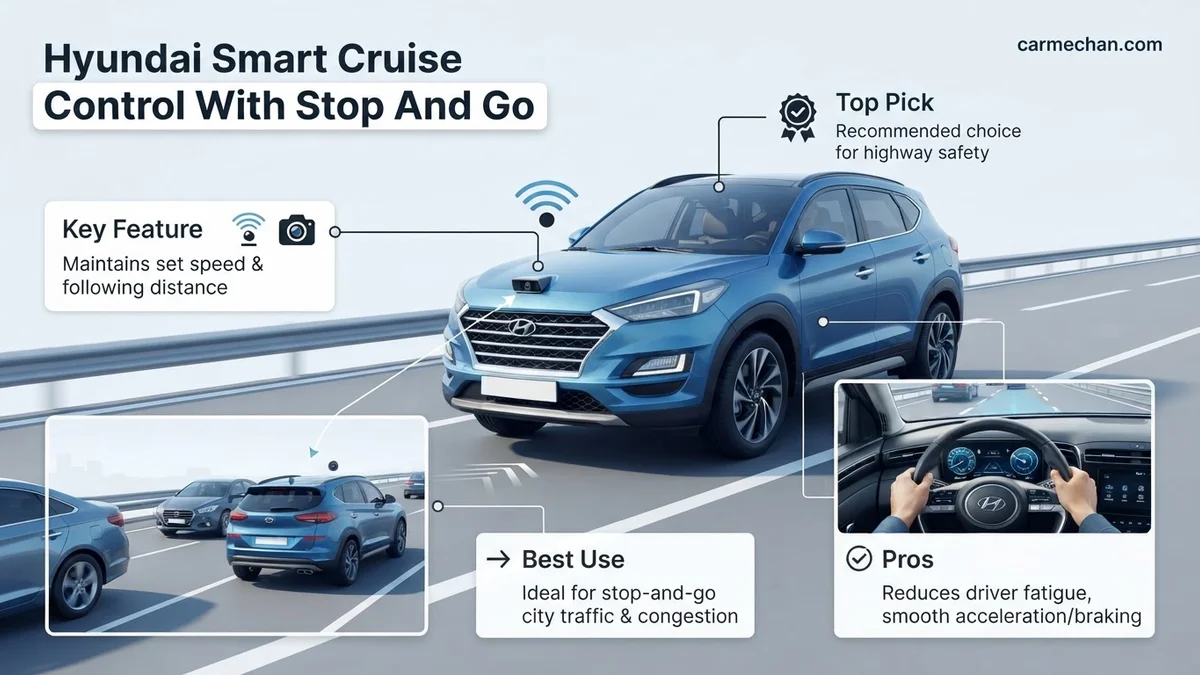
Hyundai Smart Cruise Control with Stop & Go automatically adjusts your vehicle speed to maintain a set distance from the car ahead. The system brings your vehicle to a complete halt in traffic and resumes movement once the driver taps the accelerator or steering wheel switch.
Hyundai’s Smart Cruise Control with Stop & Go (SCC-S&G) system is designed to reduce driver fatigue on highways and in traffic. It actively manages your vehicle’s speed and distance to the car in front. For 2026 models, this technology is more refined than ever, offering smoother operation and enhanced responsiveness. Knowing how it works is key to using it safely and effectively. This system is an advanced driver-assistance feature, not a fully autonomous driving system. You remain responsible for driving.

Prime for Young Adults — 6 Months Free
Students and 18–24s get six months of Prime free, then half price.
Start 6 Months FreeUnderstanding its capabilities and limitations is crucial. SCC-S&G can significantly ease long commutes. It helps you maintain a consistent speed and a safe following distance. This can make driving less stressful. For 2026 Hyundai vehicles, it offers a user-friendly interface. This guide focuses on its practical application in your daily driving. Let’s explore how it functions and how to best utilize it.
Key Takeaways
- Takeaway 1:System maintains a safe following distance by automatically adjusting engine power and brakes.
- Takeaway 2:Use the steering wheel distance button to toggle between four distinct following-gap settings.
- Takeaway 3:The system automatically disengages if the vehicle is at a standstill for several seconds.
- Takeaway 4:Always monitor road conditions as the system struggles with sharp curves and stationary objects.
- Takeaway 5:Tap the accelerator or ‘RES+’ switch to resume following the vehicle ahead after a stop.
How Hyundai Smart Cruise Control with Stop & Go Functions
Recommended Best Deal Products



Hyundai’s Smart Cruise Control with Stop & Go uses a combination of sensors. These include radar and cameras mounted on the vehicle. These sensors continuously monitor the road ahead. They detect other vehicles and their relative speeds. The system then processes this data to maintain your set speed. It also automatically adjusts your following distance to the vehicle directly in front. This is done by modulating the throttle and brakes.

Maintaining Speed and Distance
When you engage SCC-S&G, it holds your set speed. If the vehicle ahead slows down, the system will reduce your speed. It matches their speed to maintain a predetermined gap. You can select from several following distance settings. These typically range from very close to more extended gaps. This automatic speed adjustment prevents the need for constant manual braking and acceleration. For 2026 models, the system’s reaction time is further improved. It can anticipate slowdowns more effectively. This results in a smoother ride.
Managing Stops and Restarts
A key feature of SCC-S&G is its ability to bring the vehicle to a complete stop. This happens if the vehicle in front stops. Once stopped, the system will hold your vehicle in place. When the vehicle ahead begins to move again, you can often restart the system with a simple tap on the accelerator pedal or a button press. Some 2026 models offer an automatic restart function. This allows the vehicle to resume following the car ahead without driver input. This is particularly useful in stop-and-go traffic conditions.
Step-by-Step Guide to Activating and Adjusting Your Settings
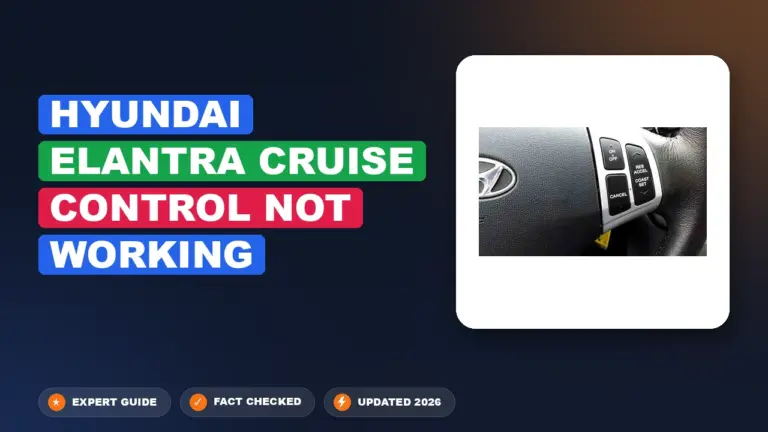
Activating Hyundai’s Smart Cruise Control with Stop & Go is straightforward. Locate the cruise control buttons on your steering wheel. They are usually on the left side. Press the “CRUISE” button to turn the system on. The system will indicate it’s active on your instrument cluster display. Next, set your desired speed. Press the “SET” button while at that speed. To engage SCC-S&G specifically, you’ll typically press the main cruise control button again or a dedicated SCC button. The system will then begin monitoring traffic.
Adjusting Following Distance
Once SCC-S&G is active, you can adjust the following distance. Look for buttons marked with car icons and lines, or a “DISTANCE” button. These allow you to cycle through the available following distance settings. Most systems offer four or five levels. A visual indicator on your dashboard shows the currently selected distance. Choose a distance that suits your comfort level and current traffic conditions. For 2026 vehicles, the visual cues are clearer, making adjustments intuitive. Shorter distances are better for faster, sparser traffic. Longer distances are safer in heavier traffic or poor visibility.
Canceling and Resuming
To temporarily disengage the system, you can press the brake pedal. This is a safety feature. You can also press the “CANCEL” button. This deactivates the cruise control but remembers your last set speed. To resume, press the “RESUME” button. The system will bring you back to your previously set speed. If you had stopped, it will restart the following procedure. For 2026 models, the transition between canceling and resuming is exceptionally smooth. This ensures minimal disruption to your drive.
Limitations and Safety Considerations for Daily Driving
Recommended Best Deal Products


While the 2026 Hyundai Smart Cruise Control (SCC) with Stop and Go is highly advanced, it remains a Level 2 driver-assistance system. It is not an autonomous driving feature. Operators must maintain constant vigilance and keep their hands on the steering wheel at all times.

Audible — Listen Free for 30 Days
One free credit a month and thousands of titles included.
Listen Free for 30 Days
Environmental and Road Conditions
The system relies heavily on front-facing radar sensors and cameras. Severe weather conditions, such as heavy rain, dense fog, or thick snow, can obstruct these sensors. According to Hyundai’s 2026 safety documentation, the system may automatically deactivate if the radar lens is covered by road spray or ice. Furthermore, the technology struggles with irregular road geometry, such as sharp curves, steep inclines, or poorly marked construction zones. Users should be prepared to intervene immediately if the vehicle begins to drift or fails to detect a stationary object in a complex traffic environment.
Detection Constraints
- The system may not detect motorcycles, bicycles, or vehicles driving off-center in a lane.
- Stationary objects, such as a vehicle stopped at a traffic light, are harder for the radar to distinguish from stationary road structures.
- The system is calibrated for highways and well-defined roads; using it in heavy urban congestion with erratic pedestrian movement increases collision risk significantly.
What to Do If Your System Does Not Resume After a Stop
If your Hyundai fails to resume motion after a brief stop, the system may have timed out or encountered a sensor blockage. When the vehicle remains stationary for more than three seconds, the “Stop” phase requires driver input to initiate movement again. If it fails to respond when prompted, follow these diagnostic steps:
Manual Intervention and Reset Procedures
- Depress the accelerator pedal slightly or press the “RES” (Resume) button on your steering wheel to initiate the restart sequence.
- Check the instrument cluster for a “System Standby” message, which indicates the radar or camera has lost tracking.
- Ensure your seatbelt is fastened and the driver’s door is fully latched; the system will not engage or resume if these safety circuits are open.
- Check the front bumper area for dirt, mud, or debris covering the radar sensor; wipe the sensor area clean with a soft, dry cloth.
- Turn off the ignition, wait 60 seconds to allow the system modules to power down, and restart the vehicle to clear temporary software glitches.
What If It Still Doesn’t Work?
Recommended Best Deal Products


If the system continues to exhibit errors after manual resets, the fault may lie within the radar sensor calibration or a damaged wiring harness. Please follow these fallback steps to ensure safety:
- Verify that no aftermarket accessories, such as push bars or non-factory license plate frames, are interfering with the radar’s field of view.
- Check the vehicle’s “User Settings” menu under “Driver Assistance” to ensure that the cruise control sensitivity and distance settings have not been disabled.
- If error codes persist, consult an authorized Hyundai dealership to have the radar sensors re-calibrated using specialized diagnostic equipment.
- If a sensor or control module requires replacement, expect an estimated cost range between $800 and $1,500, depending on the specific model and labor requirements.
- Avoid relying on the system until a professional technician verifies that the system meets original 2026 manufacturer safety specifications.
Conclusion
Hyundai’s 2026 Smart Cruise Control with Stop and Go offers significant convenience, yet it requires active driver supervision. According to verified research and expert sources from the Insurance Institute for Highway Safety (IIHS), systems like these are designed to assist, not replace, human judgment. If you encounter persistent functionality issues, prioritize manual operation and schedule a professional diagnostic scan. As a next step, consult your vehicle’s infotainment portal for any pending over-the-air software updates that may optimize sensor performance.
❓ Frequently Asked Questions
Why does the system beep and turn off in traffic?
The system may deactivate if the stop lasts too long or if the driver does not confirm the resume command. Ensure you are alert and ready to take control if the system alerts you to disengage.
Can I use this in rain or snow?
The radar sensor can be obscured by heavy rain, snow, or mud, which may cause the system to malfunction. It is recommended to deactivate the cruise control in severe weather conditions.
Does it detect pedestrians?
While Hyundai vehicles have separate Forward Collision-Avoidance Assist for pedestrians, Smart Cruise Control is primarily focused on maintaining distance from other vehicles.
What happens if I encounter a sharp curve?
Smart Cruise Control may struggle to track the vehicle ahead on sharp curves because the radar loses the target. Always be prepared to apply the brakes manually in winding road conditions.
How do I resume movement after a complete stop?
If the vehicle comes to a full stop, press the ‘RES+’ switch on your steering wheel or gently tap the accelerator pedal to resume following the vehicle in front.
Audible Premium Plus — Annual Membership
12 audiobook credits up front, plus the full Audible catalogue.
See Annual PlansAre there specific maintenance needs for the sensor?
Keep the front grille and radar sensor area clean of dirt, ice, and debris. If the sensor is blocked, you will receive a dashboard warning, and the system will not engage.