2024 Honda CR-V TPMS Reset: Tips & Troubleshooting Guide
Last Updated on September 1, 2026 by Ryan
📋 Table of Contents
- 🎯 Key Takeaways
- Understanding the 2024 Honda CR-V Indirect TPMS System
- The Ultimate 2024 Honda CR-V TPMS Walkthrough
- Common Factors That Trigger Tire Pressure Warnings
- Comparing Direct vs. Indirect TPMS in Modern Hondas
- Expert Maintenance Tips for Long-Term Tire Performance
- Conclusion
- 💬 Quick Questions & Answers
- ❓ Frequently Asked Questions
The 2024 Honda CR-V uses an indirect TPMS system that relies on wheel speed sensors rather than physical sensors in the tires. Maintaining correct cold tire pressure is essential for the system to function accurately and avoid false warnings. Understanding calibration triggers will help you keep your vehicle safe and fuel-efficient.
🎯 Key Takeaways


- Takeaway 1:Check tire pressure only when tires are cold for accuracy.
- Takeaway 2:Recalibrate after every tire rotation or pressure adjustment.
- Takeaway 3:The 2024 model uses an indirect, sensor-less monitoring system.
- Takeaway 4:False alerts often occur after sudden ambient temperature changes.
- Takeaway 5:Always match pressures to the driver-side door placard specifications.
Have you ever glanced at your dashboard and seen that glowing orange horseshoe icon with an exclamation point? For many 2024 Honda CR-V owners, the Tire Pressure Monitoring System (TPMS) light can be a source of sudden stress. It often seems to appear at the most inconvenient times, such as during a busy morning school run or in the middle of a long-awaited road trip. While it might look like just another annoying warning, it is actually a vital tool designed to keep you and your passengers safe.
This light serves as your car’s way of communicating a potential safety issue before it becomes a dangerous blowout. Understanding why the light stays on is the first step toward maintaining your vehicle’s health and your own peace of mind. Your CR-V is a sophisticated machine, and its tire monitoring system works differently than many other vehicles on the road today. In this guide, we will explore the technology behind the system and the common reasons why your dashboard might be calling for your attention.
Understanding the 2024 Honda CR-V Indirect TPMS System


The 2024 Honda CR-V utilizes what is known as an “Indirect TPMS.” This is a smart and cost-effective way to monitor tire health without using physical sensors inside the wheels. Most older vehicles used battery-powered sensors attached to the tire valve stems. However, Honda has shifted toward a software-based approach that relies on the car’s existing hardware to detect issues.
How the Indirect System Tracks Your Tires
Instead of measuring air pressure directly, your CR-V uses the Anti-lock Braking System (ABS) wheel speed sensors. The computer monitors how fast each wheel is spinning while you drive. A tire with low air pressure has a smaller diameter than a fully inflated one. Because it is smaller, it must spin faster to keep up with the other three tires. The onboard computer detects this slight difference in rotational speed and triggers the warning light on your dash.
The Benefits of a Sensor-Free Design
Because there are no physical sensors inside the tires, you enjoy several practical advantages as an owner. You do not have to worry about expensive sensor batteries dying after a few years. You also avoid the risk of a technician breaking a fragile sensor during a routine tire change. This system makes the 2024 CR-V more resilient and cheaper to maintain over the long term. Here are a few key things to remember about this system:
- No Battery Replacement: There are no internal sensors that require periodic battery swaps.
- Lower Repair Costs: You will not face high costs for “rebuild kits” when you get new tires.
- Durability: The system is less prone to damage from road salt or moisture since the parts are tucked away.
- Versatility: It is much easier to swap between summer and winter tires without reprogramming sensor IDs.
The Ultimate 2024 Honda CR-V TPMS Walkthrough


The 2024 Honda CR-V utilizes an “indirect” Tire Pressure Monitoring System (TPMS). Unlike systems that use internal sensors mounted inside the wheel, this modern Honda system uses the Anti-lock Braking System (ABS) wheel speed sensors to calculate the rotational speed of each tire. If a tire loses air, its diameter decreases, causing it to spin at a different speed than the others. Because this system relies on mathematical calculations rather than direct pressure readings, it must be manually “re-calibrated” or reset every time you adjust your tire pressure, rotate your tires, or replace them. Following this guide ensures your safety, maximizes fuel efficiency, and prevents that annoying dashboard warning light from staying illuminated when it shouldn’t.
Step 1: Ensuring “Cold” Tire Conditions
What you need: A reliable digital or analog tire pressure gauge and a vehicle that has been stationary for at least three hours.
Instructions: Before you even touch the dashboard controls, you must ensure your tires are at their “cold” pressure. Driving generates heat through friction, which causes the air inside your tires to expand and the pressure to rise. If you calibrate your TPMS while the tires are hot, the system will set an inaccurate baseline. Park your 2024 Honda CR-V on a level surface and wait until the tires are cool to the touch. Use your pressure gauge to check each tire. If you have driven more than a mile or two, wait at least 30 minutes for the temperatures to stabilize. This foundational step is critical because the indirect system in the CR-V is extremely sensitive to these initial baseline measurements.
Pro Tip: Always keep a high-quality digital gauge in your glovebox; the gauges attached to gas station air hoses are notorious for being inaccurate by up to 5 PSI due to heavy use and lack of maintenance.
Step 2: Locating the Manufacturer’s Pressure Specifications
What you need: Access to the driver’s side door jamb (B-pillar).
Instructions: Open the driver’s side door and look for a white and red sticker located on the door frame. This is the Tire and Loading Information placard. For the 2024 Honda CR-V, these specs are usually 33 PSI for the front tires and 30 PSI for the rear tires (though this may vary slightly by trim level, such as the Sport Touring Hybrid). Do not use the “Max Pressure” printed on the tire sidewall; that number indicates the maximum pressure the tire can hold under maximum load, not the optimal pressure for your specific vehicle’s handling and safety. Note the specific numbers for both the front and rear axles, as they are often different to account for engine weight.
Pro Tip: Take a quick photo of this sticker with your smartphone so you don’t have to keep opening and closing the door while you are filling the tires at the air pump.
Step 3: Adjusting the Pressure to Precise Levels
What you need: An air compressor or a portable tire inflator.
Instructions: Based on the specifications you found in Step 2, inflate or deflate each tire until they match the placard exactly. For the 2024 CR-V, precision is key. Because the system calculates the difference in wheel rotation, having one tire off by even 2 PSI compared to the others on the same axle can cause the calibration to fail or the light to trigger prematurely later on. Remove the valve stem cap, firmly press the air chuck onto the valve, and add air in short bursts. Check the pressure frequently during the process. Ensure all four tires are set correctly. If your CR-V is a non-hybrid model with a spare tire, check its pressure as well, although it is not part of the active TPMS loop.
Pro Tip: If you accidentally over-inflate, use the small nipple on the back of your tire gauge or a fingernail to depress the center pin of the valve stem to release air slowly until you hit the target number.
Step 4: Powering the Vehicle and Entering Settings
What you need: The vehicle’s key fob and the driver’s seat position.
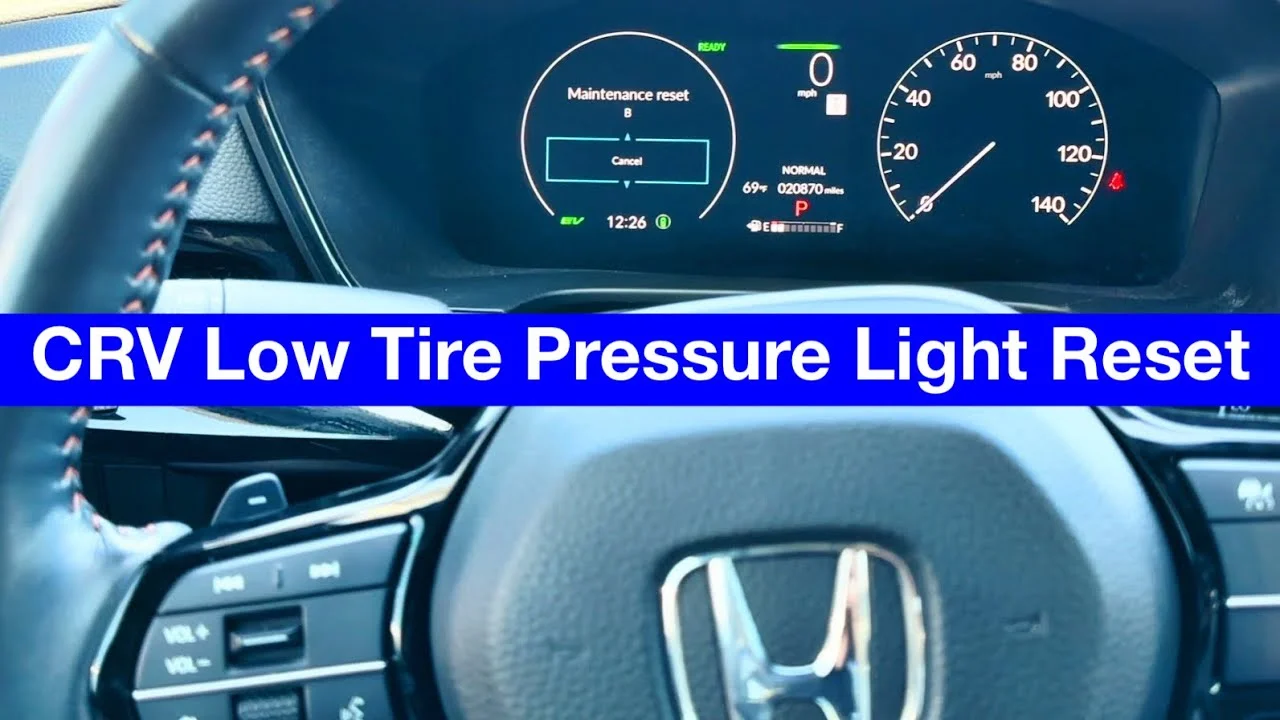
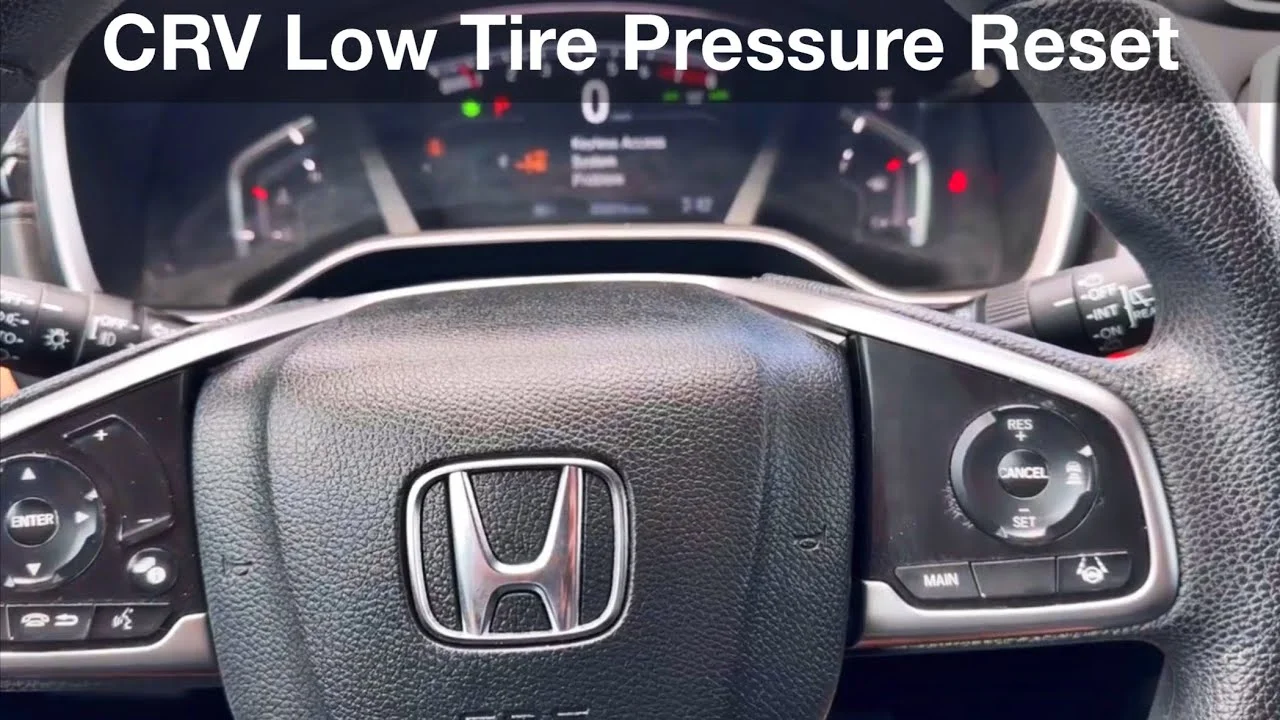
Instructions: Sit in the driver’s seat and ensure the vehicle is in “Park” (P). For the 2024 Honda CR-V, you can perform the reset with the engine running or in the “On” mode (press the Start button twice without holding the brake). It is generally recommended to have the engine running to ensure the battery voltage is stable during the software interaction. Locate the “Home” button on the left side of your steering wheel. Using the selector wheel (the thumbwheel) on the left spoke of the steering wheel, scroll through the Driver Information Interface (DII) menu until you see the gear icon or the “Settings” menu displayed on your instrument cluster.
Pro Tip: If your CR-V is equipped with the 9-inch touchscreen (found in EX-L and Sport Touring trims), you can also perform this reset through the “Vehicle Settings” menu on the center infotainment screen, which some find more intuitive.
Step 5: Navigating to the TPMS Calibration Menu
What you need: The steering wheel scroll wheel or the center touchscreen interface.
Instructions: Once you are in the “Settings” or “Vehicle Settings” menu, scroll down until you find the option labeled “TPMS Calibration.” On the instrument cluster, you will highlight this option and press the scroll wheel inward to select it. If you are using the center touchscreen, tap “Vehicle Settings,” then “TPMS Calibration.” You will see a screen that explains the purpose of the calibration. It will likely show two options: “Cancel” and “Calibrate.” Ensure you have completed all physical tire adjustments before proceeding, as the vehicle is about to “learn” the current rotation speeds as the new “correct” standard for your tires.
Pro Tip: If you cannot find the menu while driving, it is because Honda locks these safety settings while the vehicle is in motion. You must be completely stopped and in Park to access the calibration sub-menus.
Step 6: Initiating the Calibration Process
What you need: Selection of the “Calibrate” button.
Instructions: Select “Calibrate” and confirm your choice. The screen will display a message such as “Calibration Started” or “Calibration Initialized.” Unlike older cars, a light won’t necessarily blink to tell you it’s done; the message on the screen is your confirmation. Once you see this message, the “learning phase” has begun. The system has now cleared the old data and is ready to record the new rotational patterns of your four wheels. You can now exit the menu and return to your normal driving display. Note that the low tire pressure warning light should disappear almost immediately after you hit “Calibrate” if it was previously illuminated.
Pro Tip: If the message “Calibration Failed” or “Unable to Initialize” appears, it usually means your tires are significantly uneven in pressure or there is a temporary sensor communication error. Re-check your PSI and try again.
Step 7: The Final Learning Drive
What you need: A clear road and approximately 20 minutes of driving time.
Instructions: This is the most misunderstood part of the 2024 Honda CR-V TPMS reset. The software has been reset, but the system still needs to collect data. To complete the calibration, you must drive the vehicle for approximately 20 minutes. During this drive, you should maintain a speed between 30 mph and 65 mph (48–105 km/h) as much as possible. The system collects data more efficiently at steady speeds on straight roads. If you are stuck in heavy stop-and-go city traffic, the “learning” process will take much longer because the ABS sensors cannot get a consistent reading of the wheel’s circumference when the speed is constantly fluctuating.
Pro Tip: You don’t have to do this drive all at once, but the system won’t fully “set” until it has accumulated about 20 minutes of cumulative drive time at those specified speeds.
Step 8: Verifying System Success
What you need: Observation of the dashboard instrument cluster.
Instructions: After your 20-minute drive, observe the dashboard. If the TPMS light (the yellow horseshoe icon with an exclamation mark) remains off, the calibration was successful. If the light comes back on and stays solid, it means the system detected a genuine pressure drop in one of the tires during your drive, or you didn’t inflate them accurately enough in Step 3. If the light flashes for 60 to 90 seconds and then stays on, this indicates a malfunction with the system itself rather than a pressure issue. In most cases, a successful reset results in a clean dashboard with no warnings, signifying that the ABS sensors and the computer are now in perfect sync with your tire pressures.
Pro Tip: Extreme temperature drops (like the first cold morning of autumn) can cause the air to compress and trigger the light again. If this happens, repeat the process starting from Step 1.
✅ Final Checklist
- Verified all four tires are set to the PSI listed on the driver-side door jamb placard.
- Ensured tires were “cold” (driven less than 1 mile) before measurement.
- Navigated through the DII or Infotainment screen to “TPMS Calibration.”
- Received the “Calibration Started” confirmation message on the screen.
- Completed a drive of at least 20 minutes at speeds between 30 and 65 mph.
Important Notes:
- Safety Warning: Never attempt to navigate the touchscreen or steering wheel menus while actively navigating heavy traffic. Set your parameters while parked.
- When to see a pro: If the TPMS light flashes and then stays on, or if the light returns immediately after a perfect calibration and drive, you may have a nail in a tire or a faulty ABS sensor.
- Estimated Time: 5-10 minutes for adjustment and menu setup; 20 minutes for the calibration drive.
- Estimated Cost: $0 (DIY) or $5-$10 if using a paid air machine at a service station.
Common Factors That Trigger Tire Pressure Warnings
It is important to realize that a TPMS light does not always mean you have a nail in your tire. While a puncture is a common culprit, several other factors can cause the system to alert you. Understanding these triggers can help you determine if you need a quick top-off of air or a trip to the local tire shop for a professional repair.
Environmental and Temperature Changes
One of the most frequent reasons for a TPMS alert is a simple change in the weather. Air is a gas that expands when it is hot and contracts when it is cold. For every 10-degree drop in outside temperature, your tires can lose about one pound per square inch (PSI) of pressure. This is why you often see the warning light on the first truly cold morning of autumn. The air inside hasn’t leaked out; it has simply shrunk enough to drop below the safety threshold.
Recent Maintenance and Service Tasks
Your CR-V is very sensitive to changes in wheel rotation patterns. If you have recently performed maintenance, the system may get confused because the wheels are no longer where they used to be. The computer needs to be “told” that these changes are intentional so it can recalibrate its math. Common service triggers include:
- Tire Rotations: Moving front tires to the back changes how they grip and spin during turns.
- New Tire Installation: Fresh rubber has a larger diameter than worn-out tread, which alters the rotation speed.
- Suspension Alignments: Changing the angle of the wheels can slightly impact how the ABS sensors read data.
- Uneven Cargo Loads: Carrying a very heavy load in the trunk can compress the rear tires, making them spin differently.
- Driving on Unpaved Roads: Mud or snow buildup on the wheels can temporarily trick the sensors into thinking a tire is low.
By keeping these factors in mind, you can stay ahead of dashboard warnings. Knowing that a cold snap or a recent tire rotation might be the cause allows you to react calmly. In many cases, your tires are perfectly healthy and just need a simple adjustment to match the current conditions.
Comparing Direct vs. Indirect TPMS in Modern Hondas
The 2024 Honda CR-V utilizes an indirect TPMS, a design choice that differentiates it from many other SUVs in its class. Unlike direct systems that use battery-powered pressure sensors mounted inside each wheel, Honda’s indirect system leverages the existing Anti-lock Braking System (ABS). It monitors the rotational speed of each wheel; if one tire loses air, its diameter changes, causing it to spin at a different rate than the others.
Why the Distinction Matters for CR-V Owners
Understanding that your CR-V doesn’t have physical sensors inside the tires can save you a lot of money and headache during routine maintenance. Since there are no internal sensors, you don’t have to worry about expensive sensor replacements or battery failures as the vehicle ages. However, this also means the system is “software-reliant.” It doesn’t actually “know” the exact PSI in your tires; it only knows when something feels different compared to the last time the system was calibrated.
- Lower Maintenance Costs: No need to buy new sensors when switching to winter tires or replacing old wheels.
- Software Calibration: Because the system calculates pressure through movement, you must manually initiate a recalibration every time you adjust air pressure or rotate your tires.
- Tread Sensitivity: Significant differences in tread wear between the front and rear tires can occasionally trigger a false alert because of the variation in wheel speed.
Factors That Can Trick Your Sensors
Because the indirect system relies on wheel speed, certain driving conditions can lead to “ghost” warnings. For example, driving on extremely icy or snowy roads where tires slip frequently can confuse the ABS sensors. Similarly, if you are carrying an exceptionally heavy load in the cargo area, the rear tires may compress enough to change their rotational speed, potentially triggering the TPMS light even if the pressure is technically correct.
Expert Maintenance Tips for Long-Term Tire Performance
While the 2024 Honda CR-V is equipped with advanced monitoring technology, the TPMS is a safety backup, not a replacement for manual maintenance. Keeping your tires in peak condition ensures better fuel economy and a smoother ride.
The “Cold Tire” Pressure Standard
One of the most common mistakes drivers make is checking their tire pressure after a long drive. Driving generates heat, which causes the air inside your tires to expand and increases the PSI reading. To get an accurate measurement, always check your tires in the morning before the vehicle has been driven more than a mile. Always refer to the Tire and Loading Information label located on the driver’s side door jamb rather than the “Max PSI” listed on the tire sidewall itself.
Navigating Seasonal Pressure Drops
Physics plays a major role in your TPMS alerts, especially during seasonal transitions. For every 10-degree drop in outside temperature, your tires will lose approximately one pound of pressure. This is why many CR-V owners see their TPMS light turn on during the first cold snap of autumn.
- Monthly Checks: Use a high-quality digital gauge once a month to verify your PSI levels manually.
- Check the Spare: While the TPMS monitors your four main tires, don’t forget to check the pressure in your spare tire twice a year.
- Visual Inspections: Regularly look for “cupping” or uneven wear patterns. If the inner or outer edges are wearing faster than the center, you may have an alignment issue that no amount of air will fix.
Conclusion
Navigating the 2024 Honda CR-V TPMS doesn’t have to be a source of frustration. By understanding that your vehicle uses an indirect, speed-based system, you can better interpret those dashboard alerts and ensure your SUV is always performing at its best. Remember that the system is only as accurate as your last calibration, so making it a habit to reset the system after every air adjustment is vital.
Your next steps should be to invest in a reliable tire pressure gauge and perform a manual check today. Taking five minutes to verify your levels can prevent uneven tire wear and improve your overall safety on the road. Stay proactive with your maintenance, and enjoy the peace of mind that comes with a perfectly balanced ride!
💬 Quick Questions & Answers
Why does my TPMS light stay on after filling tires?
The system requires a driving period at specific speeds to complete the internal calibration process.
Does the 2024 CR-V have sensors in the wheels?
No, it uses an indirect system that monitors wheel rotation speed via the ABS sensors.
What is the recommended PSI for a 2024 CR-V?
Check the sticker on the driver’s side door jamb for the exact manufacturer specifications.
Can cold weather trigger the TPMS light?
Yes, dropping temperatures cause air density to decrease, which lowers tire pressure significantly.
How long should I drive to finish calibration?
You typically need to drive for about 20 minutes between 30 and 65 mph.
❓ Frequently Asked Questions
What is the difference between the 2024 CR-V TPMS and older models?
Newer models like the 2024 CR-V utilize software-based indirect monitoring, whereas older versions often used physical pressure sensors mounted inside the tire valves. This change reduces maintenance costs as there are no sensor batteries to replace over time.
Why is my TPMS light flashing instead of staying solid?
A flashing TPMS light usually indicates a system malfunction rather than just low tire pressure. If it flashes for 60 seconds and then stays on, you should have the vehicle inspected by a Honda technician.
Do I need to reset the TPMS after every tire rotation?
Yes, because rotating tires changes their positions and wear patterns, the system must be recalibrated to recognize the new rotation speeds. Failing to do so can result in inaccurate low-pressure warnings.
Will the TPMS light turn off automatically?
In the 2024 Honda CR-V, the light generally stays on until the calibration process is manually initiated through the infotainment system or steering wheel controls. It does not reset instantly upon filling the tires.
Can an aftermarket tire affect the TPMS system?
While most tires are compatible, using a tire with a significantly different size or tread pattern can confuse the indirect system. Always ensure all four tires are of the same size and type for accurate monitoring.
Is there a way to see the actual PSI on the dashboard?
Because the 2024 CR-V uses an indirect system, it does not display real-time PSI numbers for each tire on the instrument cluster. It only alerts you when a significant deviation in wheel speed is detected.