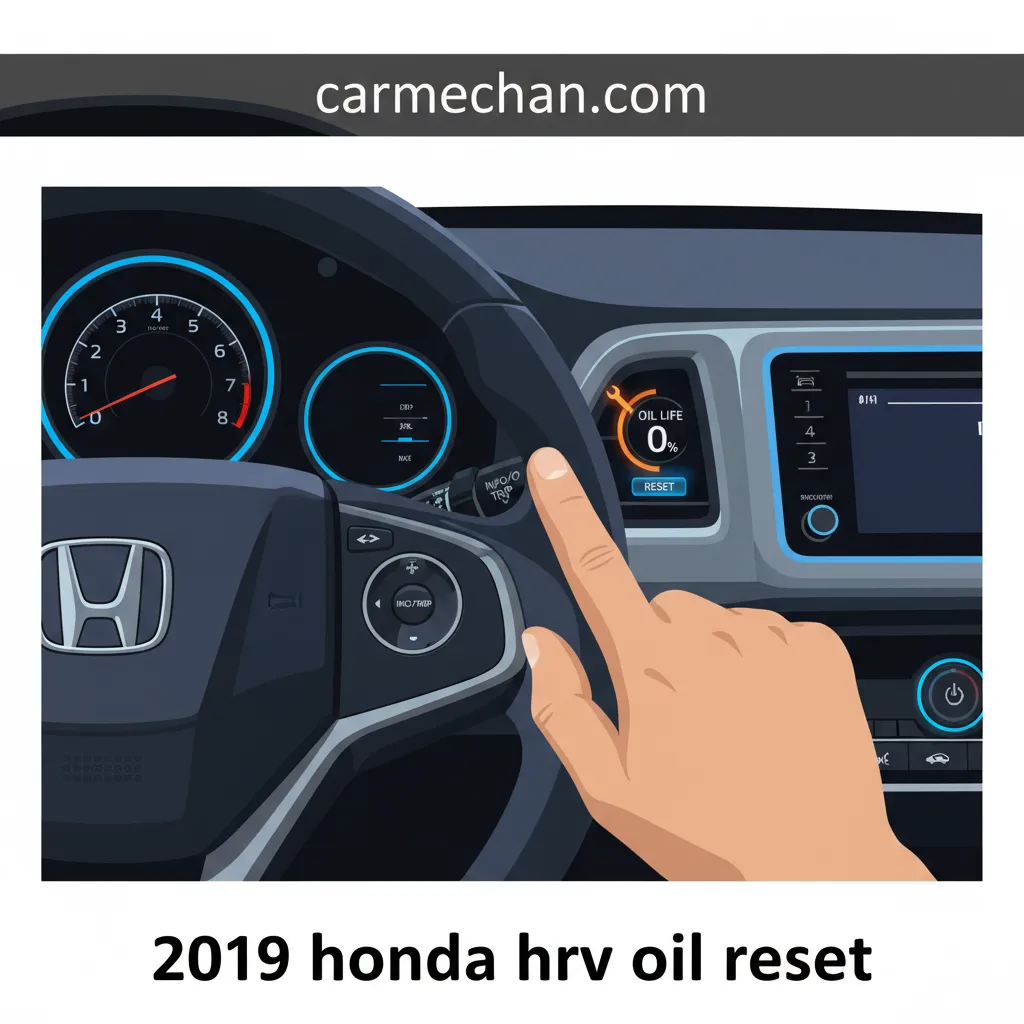
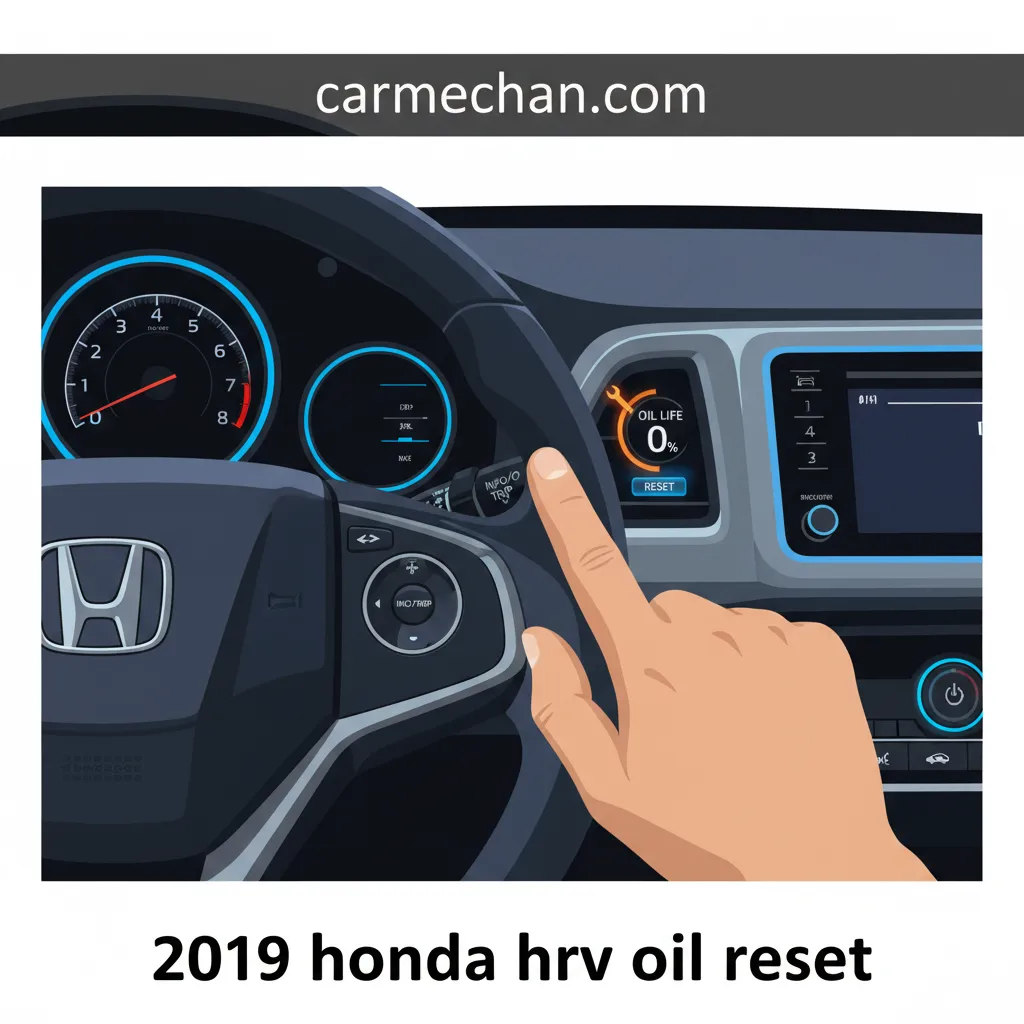
2019 Honda Hr-V Oil Life Reset Procedure
Ensuring the longevity and peak performance of your 2019 Honda HR-V begins with diligent maintenance, particularly concerning its engine oil. After a routine oil change, many HR-V owners observe the ‘Maintenance Due’ light persists, prompting questions on how to effectively reset this critical indicator to its factory default state. This comprehensive guide will meticulously walk you through the precise procedures for resetting the oil life monitor on your 2019 Honda HR-V, ensuring your vehicle’s intelligent system accurately tracks its next service interval and provides a fresh start for its maintenance cycle.
Understanding the 2019 Honda HR-V Maintenance Minder System


📤 Share Image
The 2019 Honda HR-V, like all modern Honda vehicles, incorporates a sophisticated Maintenance Minder System. This isn’t merely a fixed-interval reminder; it’s an intelligent, proprietary algorithm designed to accurately track critical service intervals based on dynamic driving conditions. Unlike older systems that relied solely on mileage (e.g., 5,000 miles), the Maintenance Minder leverages real-time data to provide a far more precise assessment of your vehicle’s service needs.
The system continuously calculates your engine oil life, considering a multitude of factors. these include engine temperature variations, average engine RPM, cumulative driving duration, vehicle speed, and even ambient environmental conditions. This dynamic calculation ensures that your HR-V receives service only when genuinely necessary, optimizing maintenance costs and preventing premature wear.
When the oil life depletes, the system displays various alerts on your dashboard, typically beginning when oil life reaches 15%. You might see messages such as ‘Service Due Soon’ or, as the percentage drops further, ‘Service Due Now’. Alongside these warnings, the system presents service codes, primarily the ‘A’ or ‘B’ service codes, often paired with numerical sub-codes. For instance:
- A1: Indicates an oil change is required, along with a tire rotation.
- B2: Signifies the need for an oil change, replacement of air and cabin filters, and a comprehensive brake inspection.
An oil life reset is not merely silencing a light; it is crucial for the Maintenance Minder system to accurately initialize tracking of the subsequent service interval following an oil change. Failing to reset the system leaves it operating on outdated data, potentially leading to delayed or unneeded service alerts and compromising the system’s ability to protect your engine effectively. A proper reset returns the system to its default monitoring state, ready for the next cycle.

Step-by-Step Guide: Resetting Oil Life on 2019 Honda HR-V (Standard Display Models)


This procedure applies specifically to 2019 Honda HR-V models equipped with a standard instrument panel display, typically found in LX and some Sport trims that do not feature the full color i-MID display or integrated navigation system. Executing this reset correctly ensures the system initiates a fresh start for its oil life calculations.

📋
Oil Life Reset for Standard Display


Before you begin, ensure your vehicle’s ignition is in the ‘ON’ (II) position. This means pressing the engine start button twice without your foot on the brake pedal, or turning the key to the second detent. The engine should not be running.
Locate the ‘SELECT/RESET’ button on your instrument panel, typically positioned near the speedometer or odometer. Press this button repeatedly until the engine oil life display is visible. You’ll likely see a low percentage, such as 5% or 15%, alongside the remaining oil life indicator.
Once the oil life percentage is displayed, press and hold the ‘SELECT/RESET’ button continuously. Maintain this hold for approximately 10 seconds. You will observe the oil life percentage begin to blink, signifying that the reset process is underway.
After approximately 10 seconds, release the button. The oil life display should immediately change to ‘100%’. This change confirms a successful reset, indicating that the system has been restored to its initial monitoring state for your new oil. If it doesn’t reset, repeat the procedure carefully.
The 10-second hold duration is a critical timing element. Releasing too early will not trigger the reset. Be patient and hold the button steadily until the display blinks and then resets.
Advanced Reset Procedure: 2019 Honda HR-V Models with i-MID Display
Higher trim levels of the 2019 Honda HR-V, such as the EX, EX-L, and Touring models, typically feature the advanced multi-information display (i-MID). This system provides a more interactive user experience and requires navigation through steering wheel controls for tasks like resetting the oil life monitor. The i-MID system often provides more granular maintenance alerts beyond just oil life, integrating other service items like tire rotation or filter changes.
📋
i-MID Oil Life Reset Steps
Ensure your ignition is in the ‘ON’ (II) position (engine off). Locate the ‘MENU’ button or the scroll wheel/buttons on your steering wheel. Press the ‘MENU’ button to bring up the main menu on the i-MID display.
Using the scroll wheel or arrow buttons on the steering wheel, navigate through the i-MID menu options. Look for entries like ‘Vehicle Settings’, ‘Settings’, or a similar option. Select it by pressing the ‘SELECT’ or ‘ENTER’ button (usually the center of the scroll wheel).
Within ‘Vehicle Settings’, search for ‘Maintenance Info’, ‘Maintenance’, or ‘Information’. Select this option to access the specific maintenance details, including the current oil life percentage and any associated service codes.
On the ‘Maintenance Info’ screen, you should see the option to ‘Reset’ or ‘Oil Life Reset’. Select this option. The system may prompt you to confirm the reset. Confirm your selection. This action will effectively reboot the oil life calculation, giving it a clean slate.
After confirming, the oil life percentage on the i-MID screen should immediately change to 100%. This verifies the reset was successful. You can then use the ‘BACK’ or ‘MENU’ buttons to exit the settings and return to normal operation. Your Maintenance Minder is now initialized for the next interval.
Troubleshooting Common Issues and Persistence of the Oil Life Light
Even with precise instructions, users occasionally encounter challenges when attempting to reset their HR-V’s oil life monitor. Understanding common pitfalls and knowing when to seek expert help is critical for effective maintenance.
Common User Errors and Solutions:
- Incorrect Ignition Mode: A frequent error is attempting the reset with the ignition in accessory mode (ACC) instead of the ‘ON’ (II) position. The engine must be off, but the electrical system fully powered.
- Insufficient Hold Duration: For standard display models, not holding the ‘SELECT/RESET’ button for the full 10 seconds is a primary cause of failure. Patience is key here.
- Navigation Mistakes (i-MID): In i-MID equipped vehicles, incorrect menu selections or failing to confirm the reset action can prevent the system from registering the command. Review the steps and ensure each selection is correct.
If the oil light does not reset after multiple careful attempts, or if you encounter situations like “My oil light keeps coming back on after I reset it,” consider these possibilities:
- Re-attempt with Precision: Double-check each step of the procedure relevant to your HR-V’s display type. A minor deviation can prevent a successful reset.
- Check Actual Oil Level: While the oil life monitor tracks oil degradation, a separate issue could be an actual low oil level. This would trigger a different warning, typically an oil pressure light, but it’s always prudent to confirm your engine oil is at the correct fill level using the dipstick.
A persistent oil life light after a confirmed, correct reset procedure is a serious indicator. It suggests a deeper mechanical or sensor issue rather than a mere service reminder. This could range from a faulty oil pressure switch, a malfunctioning oil level sensor, or even internal engine issues. Statistics suggest that approximately 5-10% of DIY resets may encounter minor user error or specific vehicle quirks, but if the light remains on despite correct procedure, immediate professional attention is warranted.
In such cases, promptly seek professional diagnostic assistance from a certified Honda dealership or a reputable independent mechanic. They possess the specialized diagnostic tools necessary to pinpoint the exact cause and perform the required repairs, ensuring your HR-V’s safety and longevity. Documenting your maintenance history, including reset attempts, can serve as a valuable backup for diagnostics.
Maintaining Optimal Performance Beyond the Oil Life Reset for Your HR-V
The oil life reset, while crucial, is just one component of a holistic preventative maintenance strategy for your 2019 Honda HR-V. To truly ensure engine longevity and optimal performance, a broader perspective on vehicle care is essential.
Key Elements of Comprehensive HR-V Maintenance:
- Utilize Honda-Recommended Oil: Always use oil that meets Honda’s specifications, typically SAE 0W-20 full synthetic. The use of genuine Honda oil filters is equally critical. These components are engineered to work synergistically with your HR-V’s engine design, providing superior lubrication and filtration. Honda strongly recommends using genuine parts for optimal performance and longevity.
- Adhere to the Full Maintenance Minder Schedule: The system alerts you to more than just oil changes. Pay close attention to all ‘A’ and ‘B’ service codes and their sub-codes, which include essential services like tire rotations, air filter replacement, fluid level checks (transmission, brake, coolant), and comprehensive brake inspections.
- Timely and Accurate Resets: The oil life reset is the electronic acknowledgment of a completed oil service. It functions to restore the Maintenance Minder system to its default monitoring state, providing a clean slate or a fresh start for the next maintenance cycle. This electronic reboot is distinct from the physical oil change but equally vital.
- Maintain Precise Service Records: Keeping a detailed record of all maintenance performed, including dates, mileage, and parts used, is invaluable. This not only aids in future troubleshooting but is also crucial for preserving your vehicle’s warranty coverage and significantly enhances its resale value.
By The Numbers
Oil Life Alert Threshold
Potential Lifespan Increase with Adherence
Regular adherence to the Maintenance Minder’s comprehensive schedule can significantly extend the vehicle’s operational lifespan, potentially by 20% or more compared to vehicles with neglected maintenance. This proactive approach ensures your 2019 Honda HR-V continues to deliver the reliable, efficient performance you expect, effectively providing a long-term fresh start with every correctly performed service and reset, maintaining it close to its factory specifications.
Conclusion
Successfully resetting the 2019 Honda HR-V oil life monitor is a straightforward process, achievable via either the instrument panel button for standard models or the i-MID display for higher trims. Proper execution of the reset is not merely about turning off a light; it critically restores the Maintenance Minder to its default state, ensuring accurate tracking of future service intervals and preventing erroneous alerts.
Beyond the reset, adhering to Honda’s full maintenance schedule, utilizing quality, Honda-recommended parts, and performing timely resets are paramount for the longevity, optimal performance, and overall health of your HR-V. Implement these detailed steps to restore your HR-V’s oil life monitor, and consider a thorough review of your vehicle’s overall maintenance plan for a true fresh start in proactive vehicle care.
Frequently Asked Questions
Why is it important to reset the oil life after an oil change?
Resetting the oil life monitor is crucial because the system dynamically calculates service intervals. Failing to reset means the car’s computer will continue tracking from the old oil life percentage, potentially leading to inaccurate ‘Service Due’ warnings and misleading you about actual maintenance needs. It restores the system to a clean, fresh start for accurate monitoring.
Can I perform the oil life reset myself, or do I need a dealership?
Yes, you can absolutely perform the oil life reset yourself. Honda designed this procedure to be user-friendly, allowing owners to easily restore the system after an oil change. The methods described, whether by instrument panel button or i-MID, do not require specialized tools or diagnostic equipment.
What if my oil life light doesn’t reset after following the steps?
If the oil light persists after multiple attempts, first re-verify each step meticulously, especially the ignition position and hold duration. If the issue continues, it might indicate a deeper system malfunction, a faulty sensor, or an underlying mechanical problem. In such cases, consulting a Honda service technician is advisable for professional diagnosis.
Does resetting the oil life also clear other maintenance reminders?
No, resetting the oil life primarily addresses the engine oil service reminder (A/B service). While the Maintenance Minder system includes other service sub-items (e.g., tire rotation, filter changes), resetting the oil life specifically targets the oil life percentage. If other service codes are displayed, they might require separate attention or reset procedures if applicable.
Is it safe to drive my 2019 HR-V if the oil light is on but I just changed the oil?
If you’ve just performed an oil change and know the oil level is correct and fresh, and the light is solely due to the reset not being performed, it’s generally safe for a short period. However, it’s always best to perform the reset promptly. A persistent light for unknown reasons, or accompanied by other warnings, should be addressed immediately to avoid potential damage.