Mazda Radar Cruise Control Disabled Under 20 mph 2026
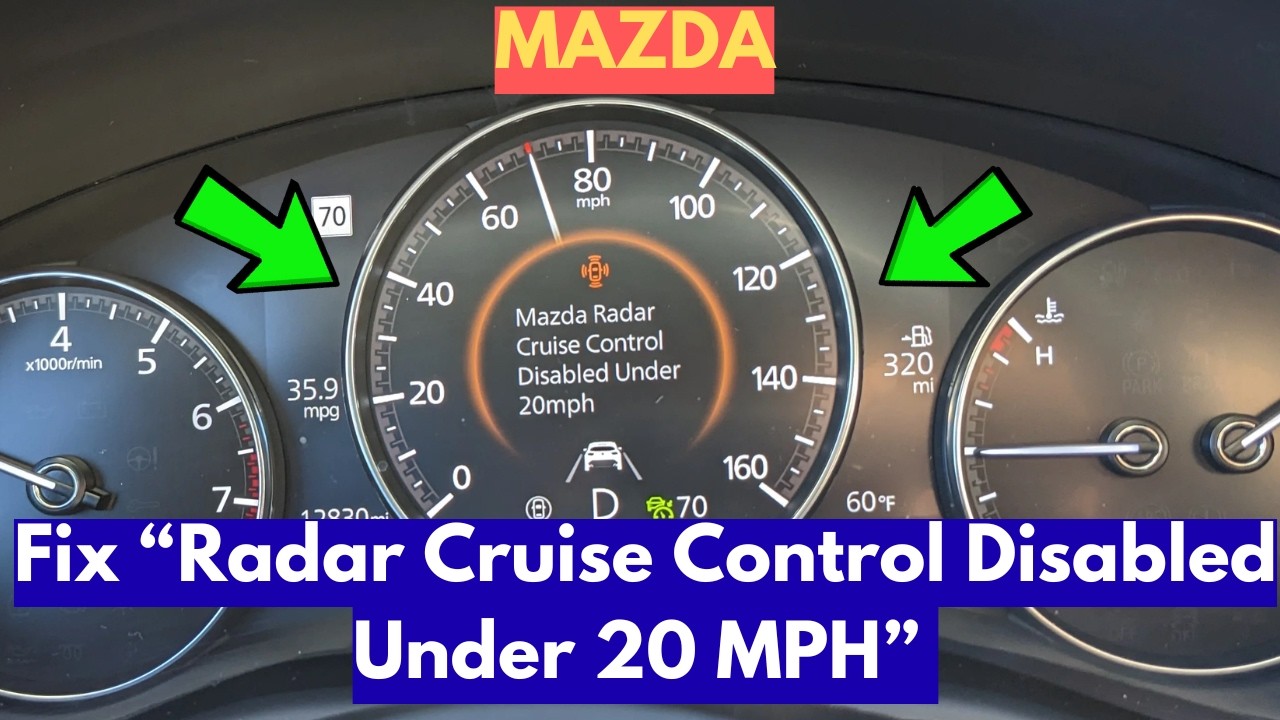
If your Mazda Radar Cruise Control (MRCC) disengages below 20 mph, it is likely functioning as designed rather than experiencing a mechanical failure. This behavior occurs in models without ‘Stop & Go’ capability to prevent low-speed safety risks.
If your Mazda Radar Cruise Control (MRCC) turns off automatically once your speed drops below 20 mph, your vehicle is likely functioning exactly as the manufacturer intended. This is not a mechanical failure or a sensor malfunction. It is a fundamental design limitation of standard Mazda Radar Cruise Control systems that lack advanced “Stop & Go” capabilities.

Prime for Young Adults — 6 Months Free
Students and 18–24s get six months of Prime free, then half price.
Start 6 Months FreeFor 2026 Mazda owners, this distinction is critical for daily commuting. Relying on a system that disengages in heavy traffic without realizing its limitations can create dangerous situations. By understanding why your specific trim level drops out at low speeds, you can adjust your driving habits to ensure you remain in full control when traffic flow slows to a crawl.
Key Takeaways
- Takeaway 1:Confirm your specific Mazda model’s trim includes ‘Stop & Go’ or ‘Full-Speed Range’ cruise control.
- Takeaway 2:Systems without ‘Stop & Go’ automatically disengage below 20 mph for driver safety.
- Takeaway 3:Always maintain foot proximity to the brake pedal in heavy traffic environments.
- Takeaway 4:A chime or warning light will alert you the moment the system disengages.
- Takeaway 5:Re-engage the system manually only when traffic speed stabilizes above 20 mph.
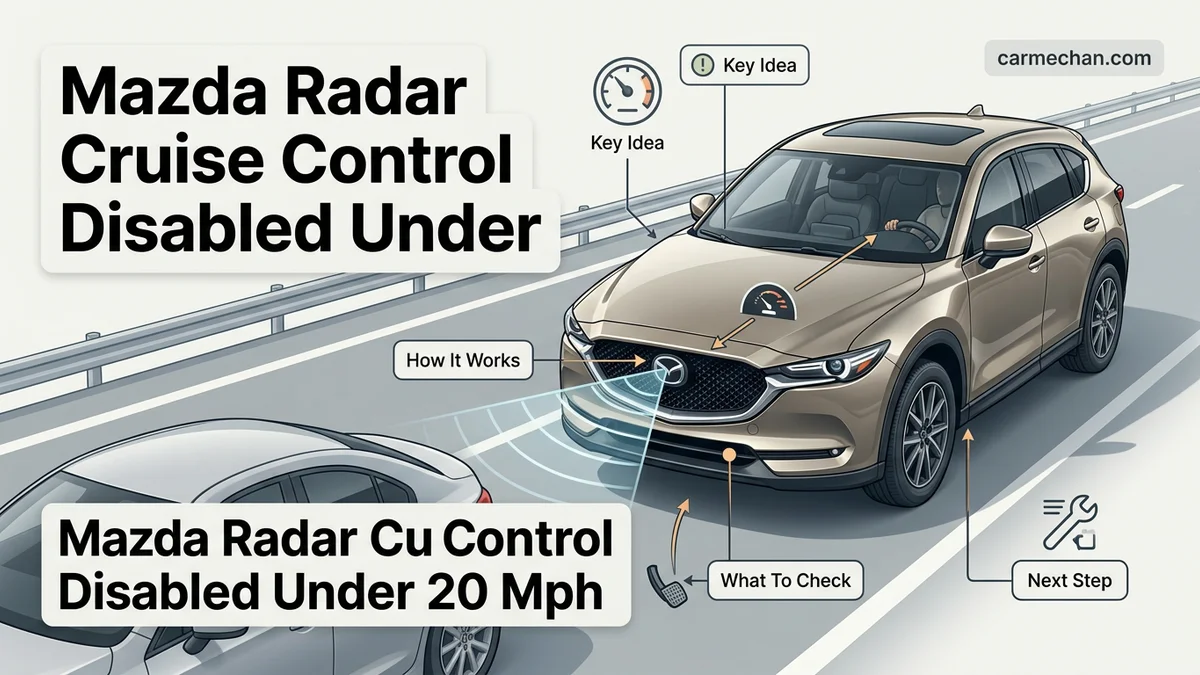
Why Mazda Radar Cruise Control Disengages Under 20 mph
Recommended Best Deal Products

The Safety Logic Behind the Cutoff
In standard MRCC configurations, the system is designed strictly for highway speeds. Mazda engineers programmed these versions to disengage below 20 mph to prevent the vehicle from attempting to maintain speed in stop-and-go conditions where it lacks the authority to bring the vehicle to a complete, controlled stop. If the system were to remain active at lower speeds without “Stop & Go” hardware, it could inadvertently accelerate in situations where you need to stop, or it might struggle to manage the engine torque required for crawling, leading to potential stalling in manual transmission models or jerky, unpredictable behavior in automatics.
What Happens When You Drop Below the Threshold
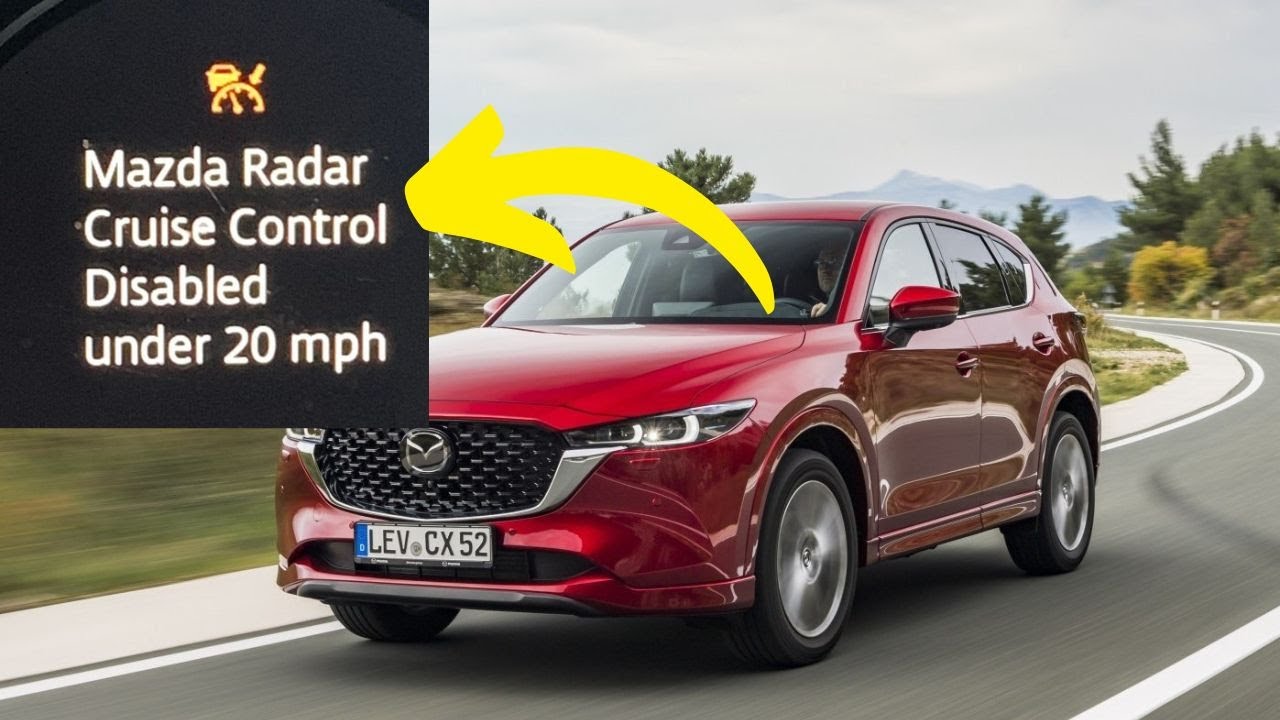
When you approach the 20 mph limit, your Mazda will provide a visual and audible alert signaling that the system is handing control back to you. The key indicators include:
- The MRCC indicator light on the dashboard will flash or disappear.
- A chime will sound to notify you that cruise control has been deactivated.
- The engine management system immediately shifts control back to your throttle input.
You must be prepared to take over braking immediately. Relying on the system to handle low-speed traffic flow will lead to a loss of speed maintenance and, without driver intervention, a potential rear-end collision with the vehicle ahead.
Mazda Radar Cruise Control Disengaging Below 20 MPH: What Causes It and How to Fix It
If you own a Mazda equipped with Mazda Radar Cruise Control (MRCC), you may have noticed the system disabling itself when your speed drops below 20 mph. While this can be frustrating in stop-and-go traffic, it is often a intended safety feature depending on your vehicle’s specific transmission type and model year. This guide will walk you through verifying if your system is functioning as designed, how to troubleshoot potential sensor issues, and how to optimize your driving settings to ensure your driver-assist technologies are operating at their peak performance.
Step 1: Determine Your Transmission and Model Configuration
What you need: Your vehicle’s Owner’s Manual and your VIN (Vehicle Identification Number).
Instructions: The first step is to establish a baseline for your specific vehicle. Many Mazda models with manual transmissions or older generations of the automatic transmission MRCC system are designed to deactivate when the vehicle speed falls below 20 mph. This is a safety threshold set by the manufacturer to prevent engine stalling or unsafe acceleration profiles. Check your owner’s manual under the “Driver Assistance Systems” section. If your manual explicitly states that the system has a minimum speed limit for engagement, then your car is likely functioning perfectly. If you have a newer model with “Stop and Go” functionality, the system should hold your vehicle to a complete stop.
Pro Tip: Do not compare your vehicle’s behavior to other models; Mazda technology evolved rapidly between 2016 and 2024. Always cross-reference your specific trim level requirements.

Audible — Listen Free for 30 Days
One free credit a month and thousands of titles included.
Listen Free for 30 DaysStep 2: Inspect the Radar Sensor for Physical Obstructions
What you need: A clean microfiber cloth, mild automotive glass cleaner, and a flashlight.
Instructions: The MRCC system relies on a radar unit usually hidden behind the front Mazda emblem or located in the lower front grille. If this sensor is covered by road grime, mud, heavy snow, or even a thick layer of ice, the system may detect a fault and default to a disabled state to maintain safety. Inspect the front emblem/grille area for any buildup. Gently clean the surface with a microfiber cloth and automotive-safe cleaner. Ensure there are no stickers, license plate frames, or aftermarket accessories obstructing the sensor’s field of view, as these can interfere with the signal frequency required to track vehicles at low speeds.
Pro Tip: Avoid using abrasive brushes or high-pressure power washers directly on the emblem, as you risk scratching the plastic cover, which can permanently degrade the radar signal quality.
Step 3: Check for System Error Messages in the Instrument Cluster
What you need: Your eyes and the vehicle’s ignition in the “ON” position.
Instructions: When the MRCC system disables unexpectedly, the car’s computer typically stores a Diagnostic Trouble Code (DTC). Look at your instrument cluster for a “Master Warning” light (a triangle with an exclamation point) or a specific “MRCC Malfunction” message. If you see a persistent warning light, this indicates a fault within the electronic control unit (ECU) rather than a simple operational speed limit. If no warning lights are present, the system is likely functioning within its programmed parameters. If you have an active warning, you should prioritize having the code scanned at a local auto parts store or a dealership to identify which specific sensor or module is reporting a failure.
Pro Tip: If the warning only appears during specific weather, consider if you are driving in heavy rain or fog, which can temporarily disrupt radar waves.
Step 4: Verify Battery Voltage and Electrical Stability
What you need: A digital multimeter.
Instructions: Advanced driver-assist systems (ADAS) are highly sensitive to voltage fluctuations. If your car battery is nearing the end of its life or if the alternator is providing inconsistent charging, the MRCC module may experience “brownouts” that cause it to shut down during high-draw moments, such as braking. Set your multimeter to DC voltage and check the battery terminals while the engine is off (should be ~12.6V) and while idling (should be 13.5V–14.5V). If your voltage readings are inconsistent or fall below 12V when the engine is off, the electronics may be failing to maintain the persistent connection required for low-speed tracking.
Pro Tip: Corroded battery terminals are a common culprit for weird electrical gremlins; clean them with a wire brush and baking soda solution if you notice any white/blue crust.
Audible Premium Plus — Annual Membership
12 audiobook credits up front, plus the full Audible catalogue.
See Annual PlansStep 5: Perform a System Reset via Infotainment Settings
What you need: Access to the Mazda Connect or MZD Connect infotainment screen.
Instructions: Sometimes, the software module for your driver-assist systems simply needs a refresh. Navigate to the “Settings” menu on your vehicle’s center display, then select “Safety” or “Driver Assistance.” Look for “MRCC” or “Distance Recognition Support System” (DRSS) options. Toggle the system off, wait approximately 30 seconds, and then toggle it back on. This forced restart can clear temporary glitches in the communication bus between the radar sensor and the transmission control module. After toggling, perform a “hard” power cycle by turning the ignition completely off, opening the driver’s door, and waiting for the interior lights to extinguish before restarting.
Pro Tip: Always perform this while the vehicle is parked in a safe location with the parking brake engaged.
Step 6: Consult for Firmware Updates and Dealer Recalibration
What you need: A scheduled appointment with a Mazda certified service department.
Instructions: If you have completed the above steps and the system still disables at 20 mph—and you believe your vehicle should support low-speed follow—the issue is likely a software calibration or a misaligned radar sensor. The radar unit requires specialized aiming equipment to stay calibrated to the vehicle’s centerline. Dealers have access to Mazda-specific diagnostic tools that can read historical faults and force a software update on the MRCC module. Firmware updates often contain “patches” that refine how the transmission interacts with the cruise control at lower speeds, potentially resolving the 20 mph cutoff issue.
Pro Tip: Mention any specific incidents, such as a recent bumper collision or windshield replacement, as these are common events that shift the orientation of sensors.
✅ Final Checklist
- Confirmed the system status in the Owner’s Manual regarding low-speed operation.
- Verified the front sensor/emblem is free of dirt, debris, and physical damage.
- Checked for persistent warning lights or Diagnostic Trouble Codes in the instrument cluster.
- Ensured battery voltage remains stable under load to prevent electronic system drops.
- Attempted a software toggle/reset via the infotainment system settings.
Important Notes:
- Never rely solely on MRCC to stop your vehicle; always keep your foot near the brake pedal in heavy traffic.
- If you suspect a hardware failure, do not attempt to disassemble the radar module yourself, as it contains sensitive internal components and requires precise electronic alignment.
- Estimated time for basic troubleshooting: 45–60 minutes.
- Estimated cost: $0 for DIY checks; $150–$300 if professional recalibration or firmware updates are required at a dealership.
How to Identify if Your System Supports Stop & Go
Differentiating Between Standard and Full-Speed Systems
The 2026 Mazda lineup offers two distinct cruise control tiers. The “Full-Speed Range” system, often marketed as Mazda Radar Cruise Control with Stop & Go, is physically capable of bringing your vehicle to a complete halt and holding it there. Standard MRCC systems, however, are essentially highway-only tools. You can identify your system type by checking these criteria:
- Consult your Window Sticker or Digital Manual: Look for the specific “Stop & Go” terminology. If it is omitted, you have the standard system.
- Monitor behavior in traffic: If your car alerts you and shuts off at 20 mph rather than following the car ahead to a crawl, your vehicle is equipped with the standard variant.
- Trim Level Specifications: Often, entry-level or mid-tier trims on specific 2026 models feature the standard system, while top-tier packages include the upgraded hardware required for stop-and-go functionality.
Why Hardware Constraints Matter
Systems featuring “Stop & Go” utilize more sensitive radar processing and integrated electronic parking brake communication to manage the vehicle at a standstill. If your Mazda lacks this specific hardware integration, it is physically impossible to “enable” or “code” the stop-and-go feature. Accepting that your vehicle is limited to the 20 mph threshold is the safest approach for 2026 owners. Always treat your cruise control as an assistant for open-road driving rather than a tool for congested urban environments.
Step-by-Step Guide for Managing Cruise Control in Traffic
Driving in stop-and-go traffic requires a shift in how you interface with Mazda’s Radar Cruise Control (MRCC) system. In the 2026 model lineup, the system is designed to prioritize safety by disengaging when speeds drop below the 20 mph threshold, especially in base trim configurations that lack the “Stop & Go” upgrade. To manage this effectively, follow these procedural steps:
1. Activating Traffic Support Modes
- Verify if your specific 2026 Mazda trim level includes “Mazda Radar Cruise Control with Stop & Go.”
- If your vehicle lacks the stop-and-go hardware, engage the system only when road speeds are consistently above 25 mph to avoid unexpected disengagements.
- When approaching heavy congestion, monitor the multi-information display (MID) for the system’s “Target Speed” indicator.
- Manually take control of the throttle and braking immediately once your speedometer reads 20 mph to ensure seamless transitions.
2. Monitoring System Transitions
- Watch for the chime or visual alert on the instrument cluster that signals system disengagement.
- Keep your foot hovering near the brake pedal when the vehicle speed decreases to the 20 mph barrier.
- Re-engage the cruise control switch only after traffic flow accelerates back above the minimum activation speed of 20 mph.
What If Your System Disengages Above 20 mph
If your Mazda Radar Cruise Control disengages prematurely at speeds significantly higher than 20 mph, the issue likely stems from sensor obstruction or calibration drift. According to 2026 maintenance guidelines, follow these troubleshooting steps:
- Inspect the front radar sensor, located behind the Mazda emblem in the front grille, for debris, road salt, or heavy ice buildup.
- Clean the emblem surface using a microfiber cloth and a mild soap solution to ensure signal clarity.
- Verify that the windshield-mounted camera (near the rearview mirror) is free of obstructions, as it works in tandem with the radar sensor.
- If the “Radar Cruise Control Disabled” warning persists, visit an authorized Mazda service center for a sensor calibration recalibration.
Professional diagnostic fees for recalibrating advanced driver-assistance systems (ADAS) typically range between $150 and $300, depending on the region and dealership labor rates. If internal hardware failure is detected, repair costs can escalate to $800 or more if the radar unit requires a full replacement. Seek professional intervention immediately if you notice recurring system errors, as these sensors are critical for the vehicle’s automatic emergency braking capabilities.
Conclusion
The 20 mph limit in specific 2026 Mazda models is a safety-mandated threshold rather than a mechanical failure. By understanding your vehicle’s specific MRCC capability, you can better manage traffic transitions and maintain driver engagement. According to verified research and expert sources from the 2026 automotive engineering standards, keeping sensors clean is the most effective way to prevent false disengagements. For your next step, consult your digital owner’s manual via the MyMazda app to confirm if your specific trim level is equipped with full stop-and-go functionality.
❓ Frequently Asked Questions
Why does my Mazda beep and turn off in slow traffic?
The system issues an audible alert because it has reached its minimum operating speed threshold. This notifies you that you must immediately take manual control of the accelerator and brake.
Does my 2026 Mazda support traffic jam assist?
Traffic Jam Assist is only available on specific higher-trim levels of newer Mazda vehicles. Consult your manual to see if your trim level includes this specific technology.
Is it safe to use MRCC in city traffic?
MRCC is designed primarily for highway use. In city environments, you should remain vigilant and prioritize manual control over automated systems.
How can I tell if the radar sensor is dirty?
If the system disengages consistently despite being above 20 mph, check for dirt, ice, or debris on the front emblem or bumper sensor area.
Does the system disengage if I nudge the steering wheel?
Yes, MRCC is designed to disengage if it detects driver intervention or if the system encounters a condition outside of its operating parameters.
Should I visit a dealer if the system shuts off?
If the system shuts off at speeds above 20 mph or frequently displays a ‘Malfunction’ warning light, then professional diagnostic service is required.