2010 Honda Pilot TPMS Reset Button Location & Solutions
Last Updated on September 1, 2026 by Ryan
📋 Table of Contents
- 🎯 Key Takeaways
- Understanding the 2010 Honda Pilot TPMS Architecture
- How to Reset Your 2010 Honda Pilot TPMS Like a Pro: A Practical Walkthrough
- Why Honda Omitted a Physical TPMS Reset Button
- Factors Influencing TPMS Sensor Accuracy and Lifespan
- Comparing Direct vs. Indirect TPMS in Honda Models
- Conclusion
- 💬 Quick Questions & Answers
- ❓ Frequently Asked Questions


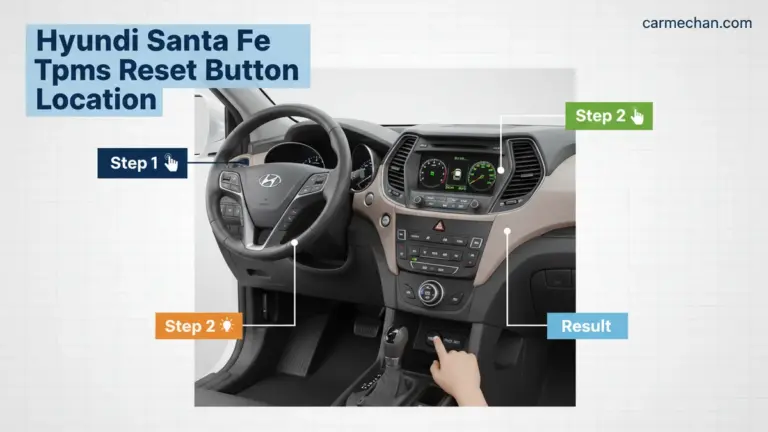
The 2010 Honda Pilot does not feature a physical TPMS reset button inside the cabin or under the dash. Instead, the system relies on an automatic drive-relearn process to recalibrate sensors after tire pressure is adjusted. Understanding this sensor-based architecture is key to managing dashboard alerts effectively.
🎯 Key Takeaways
- Takeaway 1:No physical reset button exists on this model year.
- Takeaway 2:Sensors recalibrate automatically during steady driving cycles.
- Takeaway 3:A ‘TPMS’ light indicates system error, not low pressure.
- Takeaway 4:Check spare tire pressure as it may trigger alerts.
- Takeaway 5:Battery life for 2010 sensors is often reaching expiration.
Have you ever spent twenty minutes crawling around your floorboards searching for a button that simply does not exist? If you own a 2010 Honda Pilot, you probably know the frustration of seeing that glowing horseshoe light on your dashboard. It is a common struggle for many drivers who expect a quick fix to a common problem. This light is your Tire Pressure Monitoring System (TPMS) telling you that something is not quite right with your air levels.
Understanding your vehicle’s alerts is vital for your safety on the road. Properly inflated tires help you stop faster, save money on fuel, and prevent dangerous blowouts. However, the 2010 Honda Pilot handles things a bit differently than newer models or different brands. Finding out how this specific system works will save you time, stress, and unnecessary trips to the local mechanic. Let’s dive into why your Pilot behaves the way it does.
Understanding the 2010 Honda Pilot TPMS Architecture
To solve the mystery of the missing button, you first need to understand the brain of your car. The 2010 Honda Pilot uses what is known as a Direct TPMS. This is a sophisticated network of hardware and software designed to keep you safe. Unlike some systems that guess your tire pressure based on how fast the wheels spin, this system knows the exact pressure inside each tire at all times.

The Role of Physical Sensors
In this specific model, your car relies on physical sensors located inside the wheel assembly. These sensors are actually part of the tire valve stem. They act like tiny radio stations inside your tires. Every few seconds, they broadcast data about the air pressure and temperature to a central receiver in your car. This provides a very high level of accuracy for the driver.
- Battery Powered: Each sensor has a small internal battery designed to last about seven to ten years.
- Radio Frequency: The sensors use specific frequencies to “talk” to the Pilot’s onboard computer.
- Unique IDs: Each sensor has a unique code so the car knows exactly which tire is low.
Because the 2010 Pilot uses these physical parts, the system is very sensitive. It can detect a drop of just a few pounds of pressure. This is great for safety, but it means the system requires a specific set of conditions to turn the warning light off once you have added air.
The TPMS Control Unit
Your Pilot has a dedicated control unit that manages all this incoming data. This “brain” is constantly comparing the live pressure readings against the factory settings programmed into the car. If the numbers don’t match up, the computer triggers the warning light. It is a digital conversation happening beneath you while you drive. Because this process is digital, it doesn’t always need a human to push a physical button to start a reset.
How to Reset Your 2010 Honda Pilot TPMS Like a Pro: A Practical Walkthrough
The Tire Pressure Monitoring System (TPMS) in your 2010 Honda Pilot is a critical safety feature designed to alert you when one or more tires are significantly under-inflated. However, many owners find themselves frustrated when the warning light persists even after they have added air. Unlike some vehicles that feature a physical “reset button” hidden under the dashboard, the 2010 Honda Pilot utilizes a direct TPMS system that relies on a specific set of conditions to recalibrate. This guide will walk you through the precise steps to locate your “virtual” reset process, ensure your sensors are functioning correctly, and clear that annoying dashboard light once and for all, saving you an unnecessary trip to the dealership.
Step 1: Locate the Tire Pressure Specification
What you need: Access to the driver’s side door jamb and a clean cloth.
Instructions: Before you can reset the system, you must know the exact pressure your vehicle requires. Open the driver’s side door and look at the “Tire and Loading Information” placard located on the B-pillar (the frame the door latches onto). For the 2010 Honda Pilot, the recommended cold tire pressure is typically 32 PSI (pounds per square inch) for all four tires, though this can vary slightly based on your specific trim or wheel size. Do not use the “Maximum Pressure” listed on the tire sidewall itself, as this is not the optimal pressure for your vehicle’s handling and safety. Wipe the placard clean to ensure you are reading the numbers correctly for both front and rear tires.
Pro Tip: Always check your tire pressure when the tires are “cold,” meaning the car has been parked for at least three hours or has been driven less than a mile. Driving generates heat, which expands the air inside and gives a false high reading.
Step 2: Check and Adjust All Four Tires
What you need: A high-quality digital tire pressure gauge and an air compressor or gas station air pump.
Instructions: Remove the valve stem caps from all four tires. Use your gauge to check the current pressure. If any tire is below the 32 PSI mark indicated on your door jamb, add air in short bursts. If you over-inflate, use the small nipple on the back of the pressure gauge to let air out. It is vital to be precise; the 2010 Honda Pilot TPMS is sensitive, and even a 2-3 PSI difference between tires can sometimes prevent the system from resetting. Ensure all four tires are matched exactly to the recommended specification. Once finished, securely replace the valve stem caps to prevent dirt and moisture from entering the sensor mechanism.
Pro Tip: Don’t forget to check your spare tire! While the 2010 Pilot’s TPMS system usually only monitors the four active tires, some aftermarket sensors or specific software updates can cause the system to “look” for the spare, leading to a persistent light if the spare is flat.
Step 3: Inspect for the Physical “Button” Myth
What you need: A flashlight and a moment of patience.
Instructions: Many online forums suggest looking for a physical TPMS reset button under the steering column or inside the glove box. On a 2010 Honda Pilot, you will likely find that this button does not exist. Honda transitioned to an automated “relearn” process for this model year. Owners often waste time tearing apart their lower dash panels looking for a button that was only introduced in later “indirect” TPMS models (2016 and newer). By confirming your vehicle does not have this button, you can stop searching and focus on the driving recalibration method. If you do see a button with the TPMS icon, it is likely an aftermarket addition or a different trim variation, but for 99% of 2010 Pilots, the “button” is actually the ignition and the road.
Pro Tip: If your dashboard displays the letters “TPMS” instead of the “Low Pressure” horseshoe icon, this indicates a system malfunction (like a dead sensor battery) rather than just low pressure. No amount of button-pressing or air will fix a “TPMS” text light without a scan tool.
Step 4: Initiate the Automated Relearn Drive
What you need: A clear stretch of road where you can maintain steady speeds.
Instructions: Once your tires are perfectly inflated, the 2010 Honda Pilot requires a “calibration drive” to sync the sensors with the onboard computer. Start the engine and begin driving. You need to maintain a speed of at least 15 mph (24 km/h) to 28 mph (45 km/h) for approximately 20 minutes. The system needs to see consistent rotation data from the sensors to verify that the pressure has stabilized. Try to avoid stop-and-go traffic during this period if possible. Usually, the light will blink a few times and then disappear mid-drive once the computer calculates that all four sensors are reporting pressures within the acceptable range.
Pro Tip: If the light does not go off after 20 minutes of driving, try pulling over, turning the car off for 60 seconds, and restarting the drive. This “power cycle” can sometimes force the TPMS module to refresh its data polling.
Step 5: Identify and Address Sensor Battery Failure
What you need: Knowledge of your vehicle’s age (the 2010 model is now well over a decade old).
Instructions: If you have inflated the tires and completed the drive, but the “TPMS” light stays on (or the horseshoe icon blinks for 60 seconds and then stays solid), you likely have a dead sensor battery. The lithium-ion batteries inside the tire sensors typically last 7 to 10 years. Since your Pilot is a 2010 model, it is highly probable that one or more sensors have stopped transmitting. In this scenario, no manual reset is possible. You will need to take the vehicle to a tire shop where they can use a handheld TPMS tool to “ping” each wheel. They can identify exactly which sensor is dead without dismounting the tire.


Pro Tip: When one sensor battery dies, the others are usually close behind. To save on labor costs and multiple trips to the shop, it is often more cost-effective to replace all four sensors at the same time when you are getting a new set of tires.
Step 6: Using an OBDII Scan Tool for a Hard Reset
What you need: An OBDII scan tool with TPMS capabilities (or a visit to an auto parts store).
Instructions: If the light refuses to clear and you’ve confirmed the sensors are functional, a “Hard Reset” via the OBDII port may be required. Plug your scan tool into the port located under the driver’s side dashboard. Navigate to the “TPMS” or “Chassis” menu and select “Read Codes.” If there are stored “Historical Codes” regarding low pressure, the system may be “hung up.” Use the tool to clear these codes. This forces the TPMS control unit to start a fresh detection cycle. Many local auto parts stores will perform this scan for free, which can save you the $100+ diagnostic fee at a dealership.
Pro Tip: Be wary of “Universal” sensors. If you recently had a sensor replaced and the light won’t go out, the shop may have used a sensor that wasn’t properly programmed to the Honda 315MHz frequency. Always verify sensor compatibility with the 2010 Pilot’s specific software.
✅ Final Checklist
- Verified that all four tires (and the spare) are at exactly 32 PSI using a digital gauge.
- Cleaned the valve stems and ensured no debris is causing a slow “micro-leak.”
- Drove the vehicle at a steady speed above 15 mph for at least 20 continuous minutes.
- Confirmed whether the dashboard light is the “Horseshoe Icon” (Low Pressure) or the “TPMS Text” (System Error).
- Verified that no electronic interference (like cheap USB car chargers) is blocking the sensor signals.
Important Notes:
- Safety Warning: Never ignore a TPMS light. Low tire pressure can lead to tire overheating, sidewall failure, and catastrophic blowouts at high speeds.
- When to Seek Help: If the light blinks every time you start the car, the system has detected an internal fault. You will need a professional with a TPMS activation tool to reprogram the IDs into the ECU.
- Estimated Time: 30–45 minutes (including the drive).
- Estimated Cost: $0 (DIY air and drive) to $50–$100 (if a professional sensor replacement is needed).
Why Honda Omitted a Physical TPMS Reset Button
If you are looking for a physical “Reset” or “Set” button under the steering wheel or in the glove box, you can stop now. Honda did not include one on the 2010 Pilot. This often surprises owners who have driven other vehicles where a simple button press clears the dashboard. Honda’s engineering philosophy for this era was focused on automated calibration rather than manual intervention.
The Logic of Automatic Synchronization
The main reason there is no button is that the system is designed to be “self-healing.” Honda engineers wanted to make the process easier for the driver, even if it feels more confusing at first. In a Direct TPMS system, the car is smart enough to recognize when the pressure has returned to the correct levels. It is programmed to look for stability in the sensor readings over a period of time.
- User Simplicity: By removing the button, Honda aimed to prevent “false resets” where a driver clears a light without actually fixing the air pressure.
- Safety Standards: A physical button can sometimes allow a driver to ignore a slow leak. An automated system ensures the problem is truly solved.
- Direct Communication: Since the sensors tell the car the exact pressure, the car knows when the job is done without you telling it.
This design choice reflects the technology of 2010. During this time, manufacturers were moving away from mechanical switches and toward software-based logic. They wanted the vehicle to handle the “thinking” so you could focus on the road. If the sensors detect the correct PSI (pounds per square inch), the light is designed to turn itself off through logic rather than a physical trigger.
Comparison to Indirect Systems
It helps to know that buttons are usually found on “Indirect” systems. Those systems use the anti-lock brake (ABS) sensors to track wheel speed. When a tire is low, it gets smaller and spins faster. Because that system is “guessing,” it needs a button to tell it, “Hey, I just fixed the tires, start learning again.” Since your 2010 Pilot knows the actual pressure through its direct sensors, it doesn’t need that manual “start over” command from a button.
Essentially, your Pilot is always watching. It doesn’t need a reminder to check the tires; it is already doing it every second you are behind the wheel. While the lack of a button can be annoying when the light stays on, it is actually a sign of a more advanced monitoring system working in the background.
Factors Influencing TPMS Sensor Accuracy and Lifespan
The Tire Pressure Monitoring System in your 2010 Honda Pilot is a robust piece of technology, but it isn’t invincible. Since these sensors live inside your tires, they are constantly exposed to extreme heat, centrifugal force, and moisture. Understanding what affects their performance can help you anticipate when a “TPMS” light is a real pressure issue versus a sensor failure.
Battery Depletion and Environmental Stress
Each TPMS sensor is powered by a small lithium-ion battery. These batteries are sealed inside the sensor unit and are not replaceable; once the battery dies, the entire sensor must be replaced. For a 2010 model, many original sensors are reaching the end of their functional life. Several factors can accelerate this decline:
- Extreme Temperatures: Bitterly cold winters can cause battery voltage to dip, often triggering a false low-pressure warning in the morning that disappears once the tires warm up.
- High Mileage: The more the wheels spin, the more frequently the sensor transmits data, which slowly drains the battery.
- Road Salt and Corrosion: In “snow belt” states, salt can corrode the aluminum valve stems, potentially leading to air leaks or sensor damage during tire service.
The Impact of Tire Sealants and Maintenance
Many drivers reach for a can of chemical tire sealant when they get a flat, but this can be a costly mistake for your TPMS. The thick, sticky foam used in many emergency repair kits can gum up the sensor’s pressure port, rendering it inaccurate or completely non-functional. If you must use a sealant, ensure it is labeled as “TPMS Safe,” though even these can sometimes cause issues. Additionally, always ensure your mechanic uses a specialized TPMS service kit (new seals and nuts) whenever you get new tires to prevent slow leaks at the valve stem.
Comparing Direct vs. Indirect TPMS in Honda Models
Honda has utilized two very different types of monitoring systems over the years. The 2010 Honda Pilot utilizes a Direct TPMS, which is the primary reason why finding a “reset button” on the dashboard is a fruitless search. Understanding the difference helps clarify why your Pilot behaves the way it does compared to a newer Honda Accord or Civic.
How the 2010 Pilot’s Direct System Works
In a Direct TPMS, there is a physical pressure transducer attached to the back of each valve stem. This sensor measures the actual air pressure (PSI) and temperature inside the tire and broadcasts that data via a radio signal to the Pilot’s onboard computer. This system is highly accurate and can detect a pressure drop of even 1-2 PSI instantly. However, because it relies on hardware inside the wheel, the system “knows” exactly what the pressure is, which is why Honda didn’t include a manual reset button—the light should theoretically turn off on its own once the hardware detects the correct pressure has been restored.
The Shift to Indirect TPMS
Newer Honda models often use an Indirect TPMS. These systems do not have sensors in the tires at all. Instead, they use the ABS (Anti-lock Braking System) wheel speed sensors to measure how fast each tire is spinning. A low tire has a smaller diameter and spins faster than a fully inflated one. These systems do require a reset button or a menu calibration because the computer needs to be told what “normal” looks like after you adjust the air. Key differences include:
- Maintenance Costs: Direct systems (like the 2010 Pilot) are more expensive because sensors eventually need replacement. Indirect systems are virtually maintenance-free.
- Accuracy: Direct systems are far more precise and can monitor the spare tire (if equipped with a sensor), whereas Indirect systems can sometimes be fooled by uneven tire wear.
- User Interface: Indirect systems almost always feature a physical “Set” button or a calibration screen, whereas the 2010 Pilot relies on automated hardware recognition.
Conclusion
Navigating the TPMS on a 2010 Honda Pilot can be a bit confusing simply because the vehicle lacks the traditional reset button found in newer cars. By understanding that your Pilot uses a Direct TPMS system, you can better appreciate the accuracy it provides while acknowledging that the age of the vehicle may mean your sensors are due for a check-up. Remember that environmental factors like cold weather and the natural lifespan of sensor batteries play a huge role in why that dashboard light might be stubborn.
Moving forward, make it a habit to check your tire pressure manually with a high-quality gauge at least once a month. This ensures your tires are safe regardless of what the electronics say. If your light remains on despite perfect pressure, it’s likely time to have a professional technician scan the sensors for battery health. Stay proactive with your maintenance, and your Pilot will keep you rolling safely for many miles to come!
💬 Quick Questions & Answers
Where is the TPMS reset button on a 2010 Honda Pilot?
There is no physical button; the system resets itself automatically through driving.
How long do I need to drive to reset the TPMS light?
Driving above 15 mph for approximately 20 minutes usually allows the sensors to sync.
Can a scan tool reset the TPMS light?
Yes, an OBD-II scan tool can clear system codes and program new sensor IDs.
Does the 2010 Pilot have TPMS sensors in the wheels?



Yes, it uses direct sensors mounted to the valve stems inside each wheel.
Will the light go off immediately after adding air?
Usually, it requires a short drive-cycle to update the dashboard display and turn off the icon.
❓ Frequently Asked Questions
Why is my TPMS light still on after filling my tires to the correct PSI?
The 2010 Pilot requires a drive cycle at steady speeds to register new pressure levels. If the light persists, you may have a faulty sensor, a dying battery, or a slow puncture that hasn’t been addressed.
How do I distinguish between low pressure and a system malfunction?
A ‘horseshoe’ icon with an exclamation point indicates low tire pressure, while the letters ‘TPMS’ on the dash indicate a system error. System errors are usually caused by dead sensor batteries or interference.
Does cold weather trigger the 2010 Honda Pilot TPMS light?
Yes, air contracts in cold temperatures, which can drop the internal pressure enough to trigger the sensor. It is common to see these alerts during seasonal transitions when temperatures drop overnight.
Are there common hardware failures in the 2010 Honda Pilot TPMS system?
Corrosion on the aluminum valve stems and aging internal batteries are the most frequent issues reported by owners. Since the car is over a decade old, most original sensors are reaching the end of their functional life.
Is it possible to disable the TPMS system entirely on a 2010 Pilot?
Legally and technically, disabling TPMS is not recommended as it is a safety feature mandated by federal law. Most professional shops will refuse to bypass the system and will instead recommend sensor replacement.
Can I use aftermarket TPMS sensors for my 2010 Honda Pilot?
Yes, but they must operate at the 315MHz frequency to be compatible with the Honda receiver. Ensure the sensors are programmed with the correct IDs to communicate with the vehicle’s ECU.