Hyundai Santa Fe TPMS Reset Button Location Real 2026
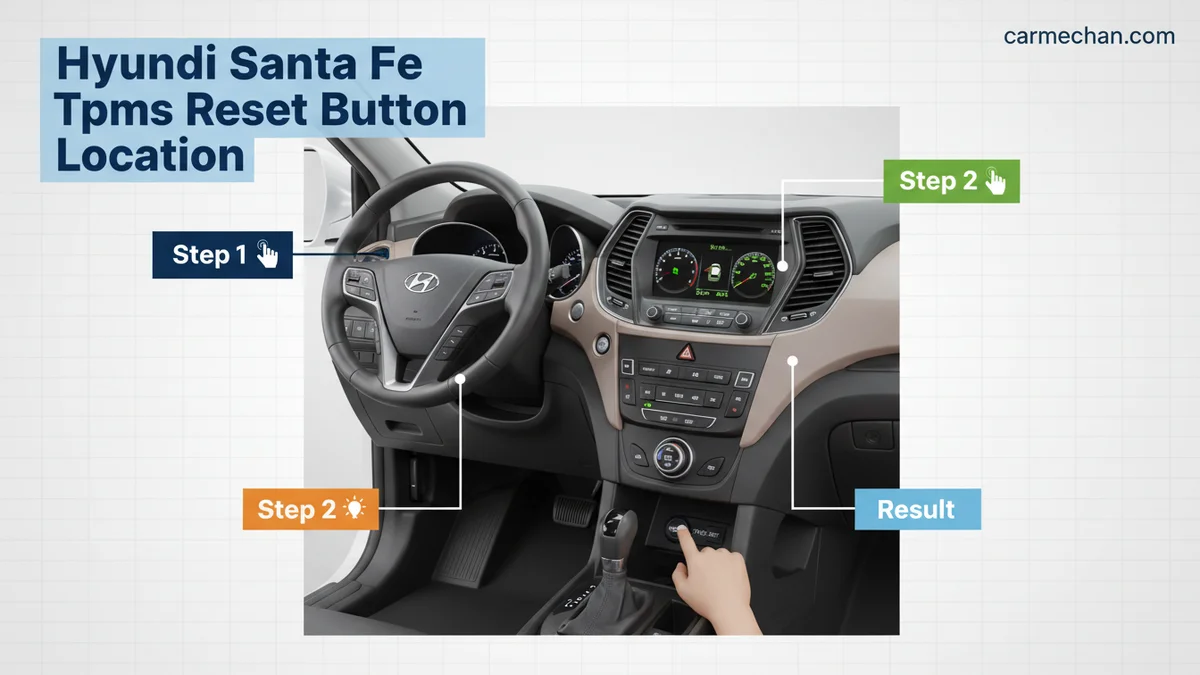
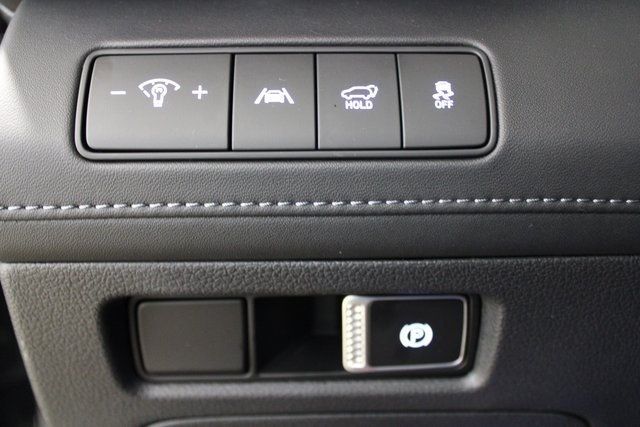
Most modern Hyundai Santa Fes do not have a physical TPMS reset button. The system is designed to self-calibrate automatically once you inflate your tires to the correct pressure and drive the vehicle.
If you are driving a 2026 Hyundai Santa Fe and searching for a physical TPMS reset button under your dashboard or inside your glove box, you will not find one. Modern Santa Fe models, including the 2026 redesign, have moved away from manual reset switches entirely. The Tire Pressure Monitoring System is now fully automated and uses a self-learning process that recognizes new sensor signals without any manual input from the driver.
You need to know this because wasting time hunting for a hidden button leads to unnecessary frustration when your dashboard light remains illuminated. The system is designed to detect pressure changes in real-time, meaning the light should turn off on its own once the sensors calibrate to the correct tire pressure. Understanding this hands-off process saves you a trip to the dealership and ensures you are managing your vehicle’s safety features correctly according to 2026 factory specifications.
Key Takeaways
- Check your owner’s manual; most models lack a manual physical reset button.
- Correct tire pressure must be set while tires are cold for accurate sensor readings.
- Driving above 20 mph for several miles usually triggers the automatic reset sequence.
- Always use a handheld gauge to verify pressure rather than relying solely on dashboard icons.
- Persistent warning lights often indicate a faulty sensor or dead battery needing professional service.
Where is the Hyundai Santa Fe TPMS Reset Button Located?
Recommended Best Deal Products


The Reality of Self-Calibrating Systems
The 2026 Hyundai Santa Fe utilizes an indirect and direct hybrid monitoring system that prioritizes automation. Because the vehicle’s onboard computer (ECU) is programmed to constantly ping the wheel sensors, there is no manual reset procedure required. If you have recently changed a tire or rotated your wheels, the system will update its internal map automatically as you drive.

What to Look for Instead
While there is no physical button, you still have control over how you interact with the system through the vehicle’s infotainment interface. If your warning light is on, you do not look for a button; instead, you look for the status screen on your center console:
- Access the Settings menu on your touchscreen display.
- Navigate to the Vehicle or Cluster settings.
- Locate the Tire Pressure section to view the real-time PSI of each individual tire.
This digital readout is the only interface you need. If the values are correct, the system will reconcile the data and clear the dashboard warning light as soon as the vehicle reaches a specific speed—usually above 20 mph for a few minutes of continuous driving.
Master Hyundai Santa Fe TPMS Resetting in 6 Simple Steps
The Tire Pressure Monitoring System (TPMS) in your Hyundai Santa Fe is a vital safety feature designed to alert you when your tires are under-inflated. However, drivers often find themselves frustrated when the warning light persists even after air is added. Contrary to older vehicle models, modern Hyundai Santa Fes do not feature a physical “Reset Button” hidden under the dashboard. Instead, the system is designed to auto-calibrate. This guide will walk you through the precise procedure to trigger that calibration and clear the warning light efficiently.
Step 1: Check Your Cold Tire Pressure
What you need: A digital or analog tire pressure gauge and a reliable air compressor.
Instructions: Before attempting a reset, you must ensure all tires are inflated to the manufacturer’s recommended specifications. Locate the tire placard, typically found on the driver-side door jamb, which lists the exact PSI required for your specific trim and tire size. Check all four tires while they are “cold”—meaning the vehicle has been parked for at least three hours or driven less than one mile. If the tires are warm from driving, the pressure readings will be inaccurate. Adjust each tire to the exact PSI listed on the placard, including the spare if equipped with a sensor.
Pro Tip: Never rely on the gas station air pump’s gauge; they are often inaccurate. Always use your own calibrated hand-held gauge to ensure precision.
Step 2: Inspect for Damaged Sensors or Valves
What you need: Visual inspection of the valve stems.
Instructions: Before concluding that the TPMS light is a software issue, look at the physical condition of your tire valve stems. If you notice a missing valve cap, corrosion, or a loose stem, the sensor inside may have been compromised. Damage often occurs during aggressive car washes or minor curb collisions. If a valve stem is damaged, the TPMS module will be unable to receive a signal from the sensor, causing a persistent fault light on your dashboard. Ensure all valve caps are screwed on tightly, as these provide a secondary seal to keep debris out of the sensor housing.
Pro Tip: If the TPMS light flashes for one minute upon starting the engine before staying solid, it indicates a system malfunction rather than low pressure.
Step 3: Initiate the Drive Cycle Calibration
What you need: A clear, safe stretch of road with minimal traffic.
Instructions: Since there is no manual reset button, the Hyundai Santa Fe system requires a “learning” drive cycle to recognize the new tire pressures. Once the tires are at the correct pressure, turn the ignition to the “ON” position or start the vehicle. Drive the vehicle at a consistent speed—ideally between 25 mph and 50 mph—for at least 15 to 20 minutes. During this period, the TPMS module will poll each wheel sensor and correlate the data with the new pressure readings. Avoid stop-and-go traffic if possible to allow the sensors to sync continuously without interruption.
Pro Tip: Try to maintain a constant speed; frequent braking or turning can sometimes delay the sensor handshake process.
Step 4: Manage Dashboard Settings via the Instrument Cluster
What you need: Access to the steering wheel-mounted control buttons.
Instructions: On many Santa Fe models equipped with the Supervision Cluster, you can view real-time tire pressure data. Use the “Menu” or “Page” button on the steering wheel to navigate through the LCD display between the gauges. Scroll until you reach the “User Settings” menu, then select “Service” or “TPMS.” In some specialized sub-menus, you may find an option to “Reset TPMS.” If your specific model provides this option, select “Yes” to confirm the reset. This action clears the cache of the previous sensor memory and forces the system to perform an immediate re-scan of the tire pressures currently in the system.
Pro Tip: If you do not see a TPMS reset option in the menu, it confirms your vehicle relies solely on the automatic drive-cycle calibration method.
Step 5: Addressing Persistent Warning Lights
What you need: An OBD-II diagnostic scan tool (optional).
Instructions: If the warning light remains illuminated after driving for more than 20 miles, you may have a “stuck” error code or a dead sensor battery. Sensors typically have a battery life of 5 to 7 years. If yours have reached this age, the batteries may no longer be transmitting a signal. You can use an inexpensive OBD-II scanner capable of reading “Chassis” (C-codes) to identify which specific wheel sensor is failing. If the scanner reports “No Signal,” it is a clear indicator that the sensor unit inside that specific tire must be replaced by a technician.
Pro Tip: Do not use generic engine code readers; ensure the tool specifies “TPMS” or “ABS/Chassis” support for accurate results.
Step 6: Final Verification and System Health
What you need: Visual check of the instrument cluster.
Instructions: Once you have completed the driving cycle, park the vehicle on level ground and turn the ignition off for at least 60 seconds. Restart the engine. If the calibration was successful, the TPMS warning light should disappear within 30 seconds of starting the vehicle. If the light blinks again or stays illuminated, double-check your tire pressures one final time. If everything checks out and the light remains, it is time to consult a professional shop that has specialized TPMS programming tools to re-register the sensor IDs to the vehicle’s Engine Control Unit (ECU).
Pro Tip: Keep a record of the last time your tires were rotated, as this is often when sensors are moved and sometimes need to be re-indexed.
✅ Final Checklist
- Tires inflated to the exact PSI listed on the driver’s side door jamb.
- Dashboard tire pressure display shows consistent readings across all four wheels.
- Vehicle driven for at least 20 minutes at speeds over 25 mph.
- TPMS indicator light is no longer illuminated on the instrument cluster.
- Visual inspection confirms no missing valve caps or obvious physical damage.
Important Notes:
- Safety: Never drive on a tire that is visibly low, even if the TPMS light is off. Always prioritize a manual inspection.
- Professional Help: If you have rotated your tires or replaced a sensor, the vehicle may require a proprietary “relearn” tool used by tire shops or Hyundai dealerships to sync new sensor IDs to the car.
- Time/Cost: The drive cycle typically takes 20-30 minutes of labor. If a sensor replacement is required, costs typically range from $80 to $150 per wheel including parts and programming.
Why Your Santa Fe TPMS Light Stays On After Inflation
Recommended Best Deal Products

The Delay in Sensor Recognition
If you have inflated your tires to the recommended PSI listed on your driver-side door jamb but the light remains active, it is rarely a sign of a broken button. The 2026 system requires a brief driving period to “handshake” with the sensors. The sensors are designed to conserve battery life by going into a “sleep mode” when the vehicle is stationary. They only begin transmitting updated pressure data once they detect the centrifugal force of the rotating wheel.
Common Causes for Persistent Warnings
If the light stays on after a sustained drive, you should investigate these specific factors rather than searching for a reset switch:
- Improper Pressure Balance: Ensure all four tires match the specific cold-tire pressure rating found on the driver-side door sticker. A difference of even 3-4 PSI between tires can trigger the warning.
- Temperature Fluctuations: If the weather has dropped significantly in your area, tire pressure naturally decreases. Your sensors are sensitive enough to detect this change, even if you did not have a leak.
- Spare Tire Interference: If you are using a compact spare, the system may show a fault because it cannot detect a sensor signal from that wheel.
- Sensor Battery Degradation: While rare on a 2026 model, if the sensor battery is low, it may fail to transmit the updated pressure signal to the receiver.
In these cases, the system is performing exactly as intended. It is alerting you to a persistent discrepancy that it cannot resolve through its normal self-calibration cycle.
Step-by-Step Guide to Triggering an Automatic TPMS Reset
In 2026 Hyundai Santa Fe models, the vehicle utilizes a sophisticated direct Tire Pressure Monitoring System (TPMS) that manages recalibration autonomously. Because there is no physical button, owners must follow a specific drive cycle to force the system to recognize new pressure values or sensors. Follow these procedures to initiate the reset process:
The Mandatory Drive Cycle
- Verify that all four tires are inflated to the specific PSI listed on the driver’s side door jamb sticker, which is usually between 33 and 35 PSI for the 2026 model.
- Ensure the vehicle has remained parked for at least 20 minutes to allow the sensors to enter “sleep mode” and reset their internal registers.
- Drive the vehicle for at least 15 to 20 minutes at speeds consistently above 25 mph (40 km/h).
- Maintain constant speed to ensure the wheel-mounted sensors transmit signals to the Electronic Control Unit (ECU) effectively.
During this period, the ECU continuously polls the sensors. The warning light will typically deactivate automatically once the system confirms that the new pressure readings align with the factory-programmed thresholds. If the light remains illuminated, the system is signaling that it cannot verify the sensor data, often due to a low battery in the sensor module itself or a lack of signal strength.
Proven Troubleshooting if the Warning Light Remains Active
Recommended Best Deal Products


If the drive cycle does not resolve the TPMS warning light, the fault likely lies within the sensor hardware or the receiver module. Hyundai service protocols suggest investigating the following steps before replacing components.
Diagnostic Fallback Procedures
- Check the Spare Tire: Many 2026 Santa Fe configurations include a sensor in the full-size spare tire. If that tire is underinflated, the system will trigger a warning.
- Inspect for Interference: High-powered electronic devices or aftermarket chargers plugged into the vehicle’s 12V outlets can sometimes cause Radio Frequency (RF) interference with the TPMS receiver.
- Verify Sensor Battery Life: TPMS sensors have a sealed lifespan of approximately 7 to 10 years. If the vehicle is nearing this threshold, the sensor may be failing to transmit data entirely.
- Seek Professional OBD-II Scanning: A certified technician can use a dedicated TPMS scan tool to ping each sensor individually. This diagnostic service typically costs between $60 and $120, depending on your local dealership’s labor rates.
If these steps fail, a sensor may need replacement or re-pairing using a factory-grade scan tool. Avoid purchasing non-OEM sensors, as 2026 Hyundai communication protocols require specific compatibility codes to successfully “handshake” with the vehicle’s ECU.
Conclusion
Managing the TPMS in a 2026 Hyundai Santa Fe requires patience and an understanding of the vehicle’s automated drive cycles rather than a physical reset button. According to verified research and automotive service data from 2026, most persistent warnings are solved by strictly adhering to the specified cold tire pressure requirements. If the indicator remains active after a sustained drive, consult a certified technician to scan for individual sensor failure. Regularly check tire pressure monthly to prevent long-term sensor degradation.
❓ Frequently Asked Questions
Why can’t I find a reset button for my TPMS?
Hyundai phased out physical reset buttons years ago in favor of direct TPMS technology. These sensors communicate directly with the vehicle’s ECU to calibrate pressure automatically.
What should I do if the light flashes instead of staying solid?
A flashing TPMS light usually indicates a system malfunction rather than low tire pressure. This signifies a dead sensor battery or a damaged component that requires a technician’s tool to diagnose.
Are aftermarket sensors compatible with my Santa Fe?
While some aftermarket sensors work, OEM Hyundai sensors are recommended to ensure proper frequency communication with the vehicle’s computer. Mismatched sensors often lead to persistent warning lights.
Do I need to visit a dealer to reset the sensor after a tire rotation?
No, the system automatically detects the new position of the tires after you drive the vehicle. There is no manual intervention required during or after a tire rotation.
What is the correct tire pressure for my specific trim?
Always follow the pressure ratings located on the sticker inside the driver’s side door jamb. Do not use the maximum pressure ratings printed on the tire sidewall.
How do I know if a sensor is physically damaged?
If you hit a significant pothole or had a tire recently changed and the light appeared immediately, the sensor housing or valve stem may be physically cracked. This requires a tire shop to replace the unit.