How to Reset Honda Pilot Oil Life by Model Year
Last Updated on October 24, 2026 by Albert Duke
Reset the Honda Pilot Maintenance Minder only after the oil change and every maintenance item you select has been completed. It is a service reminder, not an oil-level sensor; resetting it early can make the next maintenance interval inaccurate.
Match the steps to your Pilot model year and dashboard controls. Labels and control layouts can vary by trim, meter type, and market. If your display does not match the procedure below, use the owner’s manual for your exact model year rather than forcing a reset.
Which Honda Pilot Years Use Each Reset Method


Use this table as a starting point, then follow the matching section below.
| Honda Pilot Year Range | Main Control Type | Where To Start |
|---|---|---|
| 2023 to 2026 | Driver information interface | Maintenance Minder screen; identify A-type or B-type meter first |
| 2019 to 2022 | Driver display controls | Maintenance or oil-life screen; confirm the labels for your trim |
| 2016 to 2018 | Steering-wheel or display controls | Vehicle settings or maintenance information |
| 2006 to 2015 | Select/Reset control or steering-wheel controls | Oil-life or maintenance screen in the exact model-year manual |
| 2003 to 2005 | Select/Reset style control | Maintenance reminder display |
Honda Pilot Oil Life Reset Method by Year
Match your Pilot year range first, then use the reset section that matches your dashboard controls.
Driver Information Interface
Open Maintenance Minder, hold the selector wheel, choose the oil item or all due items, then confirm.
Maintenance Menu
Use ENTER to open Maintenance, select Oil Life, hold ENTER, then confirm the reset.
Steering Wheel Controls
Find the oil life screen through the driver display, hold the selector, then confirm reset.
Select Reset Button
Show oil life, hold Select/Reset until it blinks, then hold again until it clears.
Early Reset Control
Use the instrument panel Select/Reset control with ignition ON to clear the reminder.
Note: Trim level can change the exact screen labels. Always reset oil life only after the oil and filter service is complete.
Trim level can change the exact button layout. Touring, Elite, and newer digital-display trims may show different labels than base trims.
If your display does not match these instructions, use the same logic: find the oil life screen, hold the main selector or reset control, then confirm the maintenance reset. Once you know your year range, the reset steps become much easier to follow.
How To Reset Honda Pilot Oil Life From 2023 To 2026


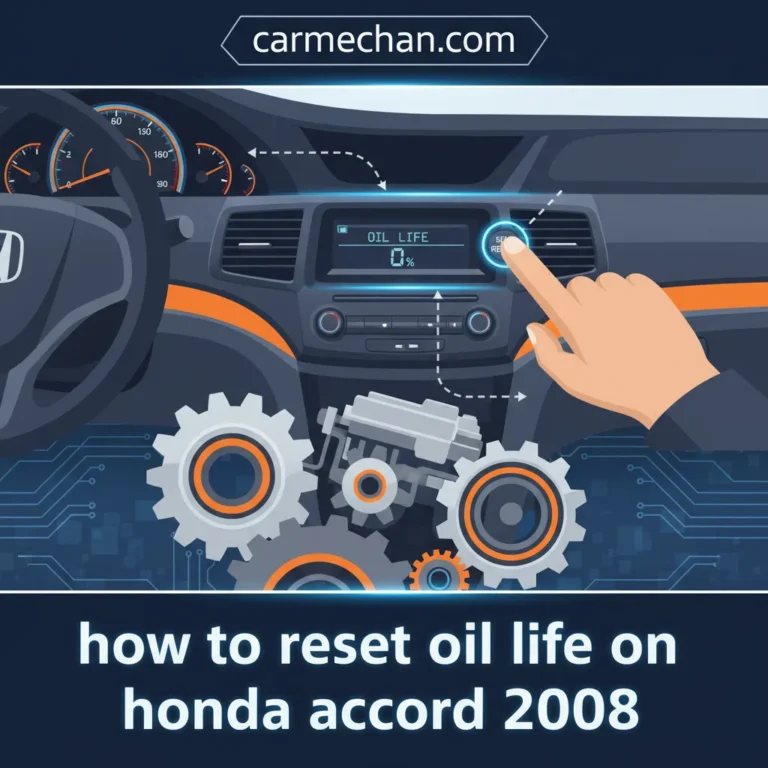
Complete the oil service first. Honda’s 2025 Pilot manual lists two reset paths depending on the driver information interface. Select All Due Items only when every displayed maintenance item has been completed.
A-type meter
- Set the power mode to ON.
- Press the Home button, then roll the left selector wheel to the Maintenance Minder screen.
- Press the left selector wheel to open the screen.
- Press and hold the left selector wheel for about 10 seconds.
- Roll the wheel to choose the completed maintenance item or All Due Items.
- Press the wheel to confirm the reset.
B-type meter
- Set the power mode to ON.
- Roll the right selector wheel until the Maintenance Minder screen appears.
- Press and hold the right selector wheel for about 10 seconds.
- Roll the wheel to choose the completed item or All Due Items.
- Press the wheel to confirm.
After an oil-service reset, the oil-life display should show 100%. If it does not, return to the Maintenance Minder screen and confirm that you reset the correct item. Honda’s 2025 Pilot Maintenance Minder instructions are the reference for these paths.
How To Reset Honda Pilot Oil Life From 2019 To 2022

The 2019 to 2022 Honda Pilot uses the Maintenance Minder screen inside the driver display menu. Honda’s 2019 Pilot Maintenance Minder guide shows the oil life screen under Maintenance, then Oil Life.
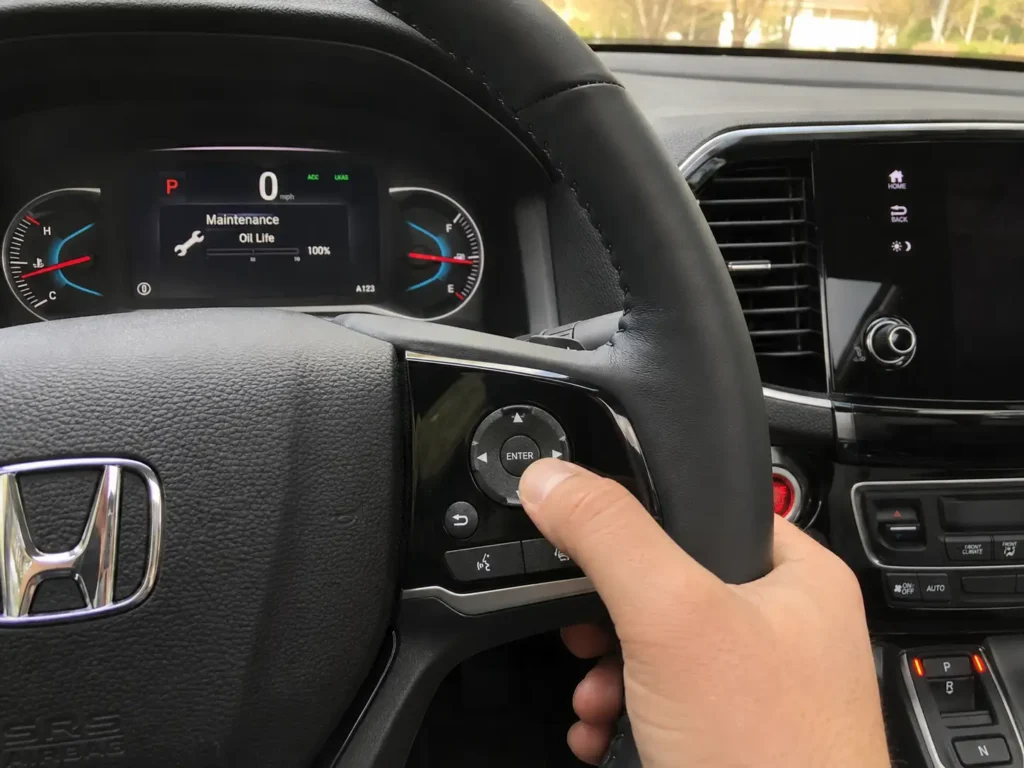
Use this method on most 2019, 2020, 2021, and 2022 Pilot models:
- Set the power mode to ON.
- Press ENTER repeatedly until the home screen appears.
- Use the up or down arrow to select Maintenance.
- Press ENTER.
- Select Oil Life using the up or down arrow.
- Press ENTER to show the engine oil life.
- Press and hold ENTER for about 10 seconds to enter reset mode.
- Select the oil life or maintenance item to reset.
- Press ENTER again to confirm.
The official 2019 Pilot Maintenance Minder PDF confirms the Maintenance and Oil Life menu path for viewing engine oil life. Honda’s 2019 Pilot Maintenance Minder guide also states that maintenance messages appear every time you turn the vehicle on when service is due.
What you should see: the oil life percentage should change back to 100%, and the oil maintenance reminder should no longer appear after the next start cycle.
If your Pilot is a 2016 to 2018 model, the controls may feel similar but the screen flow can differ by trim.
How To Reset Honda Pilot Oil Life From 2016 To 2018
The 2016 to 2018 Honda Pilot usually resets through the steering wheel controls and driver information display. These model years sit between the older button-based Pilots and the newer menu-heavy Pilots, so the exact labels can vary.
Start with this process:
- Turn the ignition or power mode to ON without starting the engine.
- Use the steering wheel controls to bring up the vehicle information or maintenance screen.
- Find the oil life percentage or maintenance information screen.
- Press and hold the reset, enter, or selector control until the reset mode appears.
- Use the arrows or selector to choose Reset.
- Confirm the reset.
If you cannot find oil life, back out to the main display screen and look for Vehicle Settings, Maintenance Info, or a wrench-style maintenance icon.
A secondary JD Power guide separates the 2016 to 2018 Pilot reset flow from later 2019 to 2022 models, which supports treating these years as their own procedure group. JD Power’s Honda Pilot reset guide lists model-year-specific reset paths for older and newer Pilot dashboards.
If the display wording does not match your trim, do not force the reset. Find the screen that shows the oil life percentage first, then hold the main confirmation control.
The older 2006 to 2015 Pilot uses a more physical button-based reset process.
How To Reset Honda Pilot Oil Life From 2006 To 2015
The 2006 to 2015 Honda Pilot oil life reset is usually done with the Select/Reset control near the gauge cluster. These models commonly show an oil life percentage or a maintenance symbol on the instrument display.
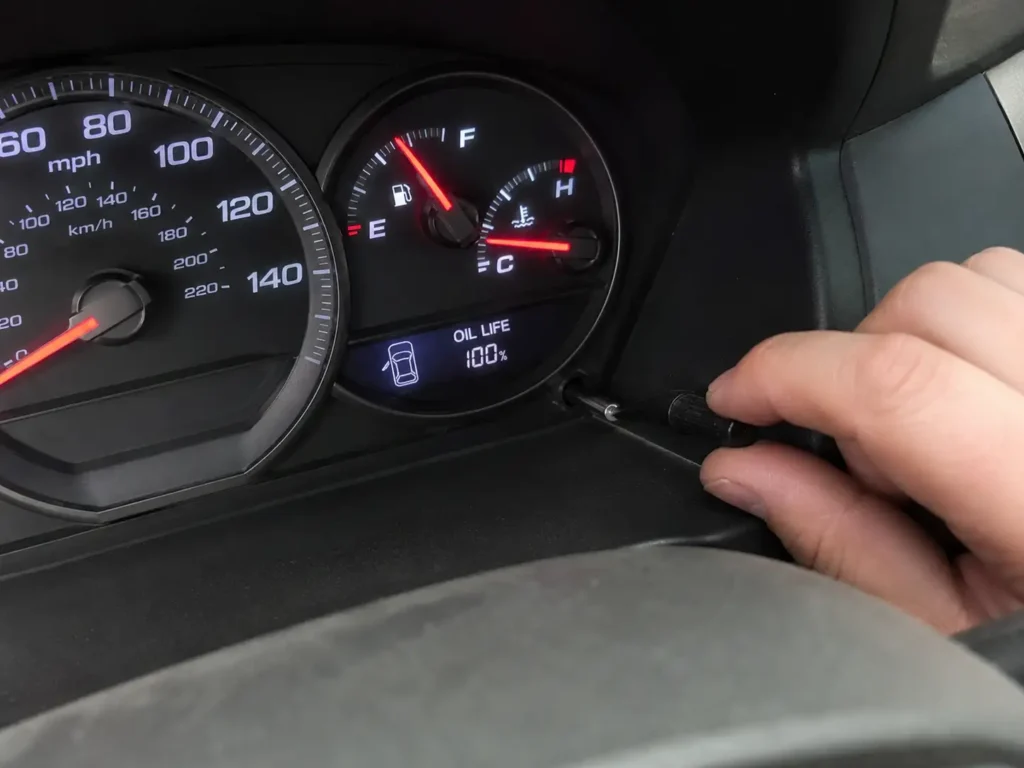
Follow these steps:
- Turn the ignition to ON without starting the engine.
- Press the Select/Reset button until the oil life percentage appears.
- Press and hold Select/Reset for about 10 seconds.
- Wait for the oil life display or maintenance item to blink.
- Release the button.
- Press and hold Select/Reset again until the oil life resets to 100% or the maintenance reminder clears.
Some 2006 to 2015 models use a stem-style button near the instrument cluster. Others place the control on or near the steering wheel area.
If the display starts blinking but does not reset, you probably released too early or skipped the second hold. Repeat the sequence slowly with the ignition in ON mode.
The earliest Pilot models need a separate note because their maintenance display is less menu-driven.
How To Reset Honda Pilot Oil Life From 2003 To 2005
The 2003 to 2005 Honda Pilot does not use the same modern menu layout as newer models. These early models use a simpler maintenance reminder display, so the reset depends more on the physical Select/Reset control.
Use this general process:
- Turn the ignition switch to OFF.
- Locate the Select/Reset button on the instrument panel.
- Press and hold Select/Reset.
- Turn the ignition to ON while still holding the button.
- Keep holding for about 10 seconds.
- Watch for the maintenance reminder to reset or clear.
JD Power documents this early Pilot reset style for 2003 to 2005 models, but we recommend checking the original owner manual if your dashboard display differs. Some early vehicles may show a maintenance light rather than a modern oil life percentage.
After the reset, the next concern is making sure the reminder actually changed.
What To Check After The Oil Life Reset
A successful Honda Pilot oil life reset should leave the display showing 100% oil life. If it still shows the old percentage, the reset did not save.
Check these items before closing the hood and calling the job done:
- The oil life display shows 100%.
- The maintenance reminder does not return after restarting.
- The oil and filter were actually changed.
- The oil level is correct on the dipstick after the engine has been off for a few minutes.
- There are no fresh oil leaks around the drain plug or filter area.
- The correct maintenance item was reset, not an unrelated service item.
Do not reset oil life just to remove a warning message. If the oil service has not been done, the reminder is still doing its job.
If the display still refuses to reset, the issue is usually a missed step, not a failed part.
Why Honda Pilot Oil Life Will Not Reset
If the oil life does not reset, start with the control sequence before assuming there is an electrical problem. Most failed resets happen because the wrong screen is selected or the reset confirmation is skipped.
Wrong Power Mode
The Pilot usually needs ignition ON or power mode ON. You do not normally need the engine running.
If the display is off or the steering wheel controls do not respond, check the power mode first. Then return to the oil life screen and try again.
Wrong Display Screen
The reset only works from the Maintenance Minder, Maintenance Info, or Oil Life screen. Holding the button on a trip meter or fuel economy screen may do nothing.
Use the Home, Info, arrow, or selector controls until the oil life percentage appears. Then start the reset sequence.
Reset Not Confirmed
Many Pilot models require two actions. You enter reset mode first, then confirm the item you want to reset.
If the oil life blinks but does not change to 100%, you may have stopped before confirmation. Repeat the process and wait for the final reset prompt.
Wrong Maintenance Item
Newer Pilots may let you reset one maintenance item or all due items. If you reset the wrong item, the oil life message may remain.
Select the engine oil item if only the oil and filter were changed. Choose All Due Items only when all listed maintenance services were completed.
Low Battery Or Display Issue
If buttons lag, the display resets, or menus disappear, check the battery condition before repeating the process. A weak 12-volt battery can cause strange dashboard behavior.
For Honda electrical diagnosis beyond a basic reset, a scan tool can help. CarMechan’s guide to the best OBD2 scanner for Honda is useful if warning lights or system messages appear with the oil reminder.
Once the reset works, the final step is understanding what the percentage actually means.
What Honda Pilot Oil Life Percentage Means
Honda Pilot oil life percentage is an oil service reminder, not a dipstick reading. It does not tell you how much oil is physically inside the engine.
Honda says the remaining engine oil life is calculated and displayed as a percentage based on engine operating conditions. On the 2025 Pilot, the displayed oil life moves in percentage bands such as 100, 90, 80, and lower as the system calculates remaining service life.
Honda’s newer Pilot documentation also shows Maintenance Due Soon at 15% to 6% oil life, Maintenance Due Now at 5% to 1%, and Maintenance Past Due at 0%. The same official page states that if a Maintenance Minder message does not appear more than 12 months after reset, the engine oil should be changed every year.
For owner context, Honda Pilot drivers often compare fixed 5,000-mile oil changes against Maintenance Minder timing. One r/HondaPilot discussion shows owners reporting different intervals depending on driving habits, with some comments mentioning Maintenance Minder oil changes around 6,000 to 8,000 miles.
Treat that as owner discussion, not official Honda service policy. Honda Pilot owner discussion about oil life and mileage shows why many owners ask about the system.
Resetting without changing oil makes the next reminder inaccurate. With that clear, the reset process becomes a maintenance record step rather than a repair.
Best Next Step After Resetting Honda Pilot Oil Life
The best Honda Pilot oil life reset method is the one that matches your model year and display. Newer Pilots use the Maintenance Minder screen, while older models usually rely on the Select/Reset button and oil life percentage display.
After the reset, confirm the oil life shows 100%, record the mileage and date, and check for leaks after the oil change. If another dashboard warning appears, treat it separately rather than assuming the oil reset caused it.
For related Honda maintenance, CarMechan’s Honda Odyssey oil life reset process and Honda CR-V oil life reset guide can help if you own more than one Honda model.
Honda Pilot Oil Life Reset FAQ
How Do I Reset Oil Life On A Honda Pilot
You reset Honda Pilot oil life from the oil life or Maintenance Minder screen. Newer models use the driver information interface, while older models use the Select/Reset control. After the reset saves, the display should return to 100%.
Why Does My Honda Pilot Still Show Low Oil Life After Reset
Your Honda Pilot may still show low oil life if the reset was not confirmed. Many models require holding the selector to enter reset mode, then selecting the item again to confirm. Repeat the process from the oil life screen.
Should I Reset Honda Pilot Oil Life Before Changing Oil
No, you should not reset Honda Pilot oil life before changing the oil. The reset tells the Maintenance Minder that the service was completed. Resetting early can make the next oil change reminder inaccurate.
What Does 15 Percent Oil Life Mean On A Honda Pilot
On newer Honda Pilot models, 15% oil life means the engine oil is approaching the end of its service life. Honda’s 2025 Pilot manual shows Maintenance Due Soon at 15% to 6%. Plan the oil service soon when this message appears.
Does Honda Pilot Oil Life Reset Automatically
No, the Honda Pilot oil life does not reset automatically after an oil change. Honda says the Maintenance Minder display should be reset after the maintenance service is performed. If a dealer performs the service, they usually reset it for you.
Is Honda Pilot Maintenance Minder The Same As Oil Level
No, Maintenance Minder is not the same as oil level. It estimates oil service life based on operating conditions. You still need to check the dipstick to confirm the engine has the correct amount of oil.