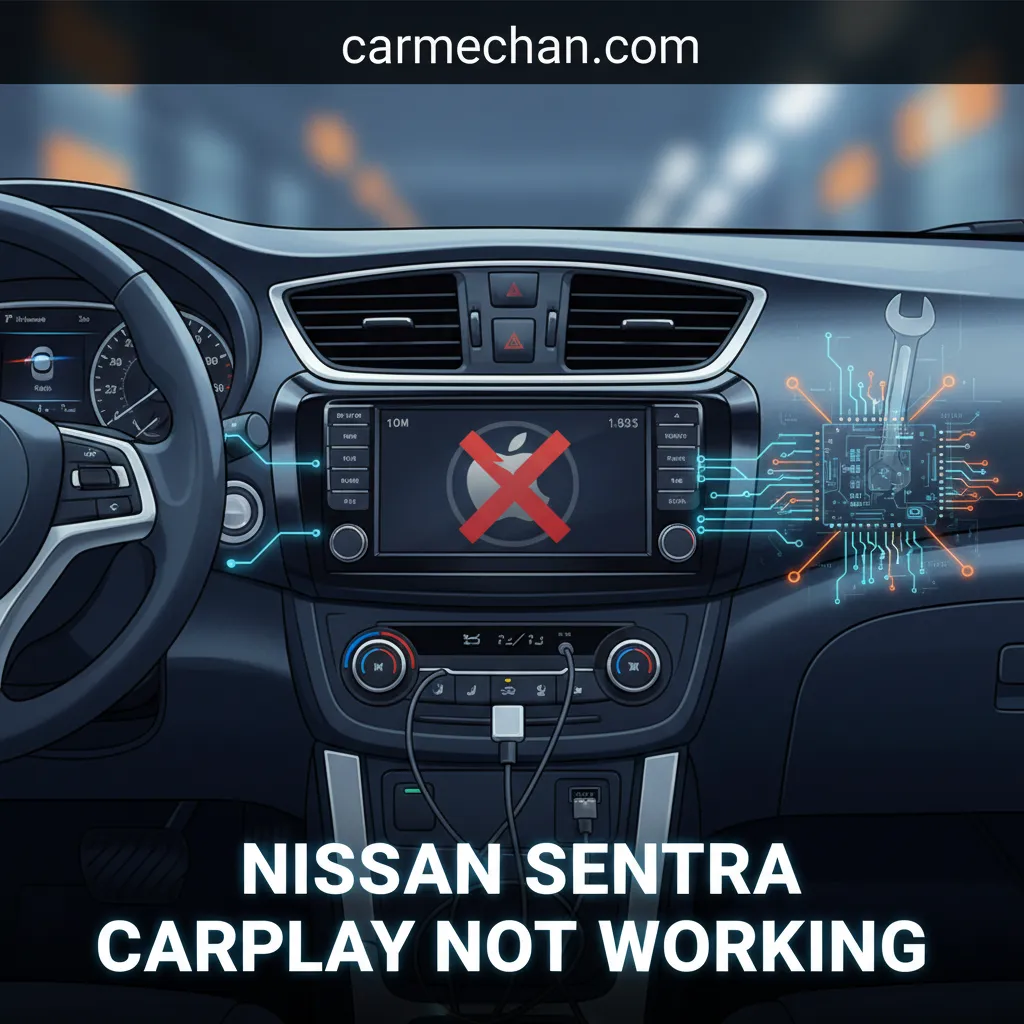
Nissan Sentra Carplay Not Working: Advanced Troubleshooting And Resolution Guide
Nissan Sentra Carplay Not Working: Advanced Troubleshooting And Resolution Guide
📤 Share Image
Experiencing a sudden interruption in your Nissan Sentra’s CarPlay functionality? The seamless integration of navigation, communication, and entertainment features provided by Apple CarPlay is a cornerstone of modern driving convenience. When your Nissan Sentra’s CarPlay ceases to function, it disrupts not only your commute but also your overall driving experience, leaving you without crucial smartphone capabilities. This comprehensive guide is meticulously designed to equip Nissan Sentra owners with professional, step-by-step diagnostic and resolution strategies. From identifying common user errors to debugging complex software and hardware issues, you will gain the authoritative knowledge required to troubleshoot and restore full CarPlay functionality in your vehicle.
![Au-TOMOTIVE GOLD Compatible Keychain and Keyring for Nissan Sentra [KC1540.SEN] - Premium…](https://m.media-amazon.com/images/I/314MOPT0yxL._SS500_.jpg)


Section 1: Initial Diagnostics: Addressing Common Nissan Sentra CarPlay User Errors
Before diving into complex solutions, it’s crucial to address fundamental checks and common oversights that frequently resolve CarPlay connectivity issues in your Nissan Sentra. These initial diagnostic steps can save significant time and effort, often fixing the problem without requiring advanced technical knowledge. Understanding these basic elements is the first step in any effective troubleshooting process.
Verify iPhone Compatibility and iOS Version
CarPlay functionality requires a compatible iPhone model. Ensure your iPhone is an iPhone 5 or newer. More critically, the device must be running a stable and up-to-date iOS version. Outdated software can introduce bugs and compatibility issues that prevent CarPlay from launching or functioning correctly. Always check for and install the latest iOS updates via Settings > General > Software Update on your iPhone.
Inspect USB Cable Integrity and Authentication
A faulty USB cable is one of the most frequent culprits behind non-working CarPlay. It’s imperative to confirm the use of an Apple MFi (Made for iPhone) certified USB cable. Non-certified, damaged, or charge-only cables often lack the necessary data transfer capabilities or authentication chipsets required for CarPlay to establish a connection. Visually inspect your cable for signs of damage such as fraying near the connectors, bent pins, or exposed wires. The most effective workaround is to test with another known good, original, or MFi-certified cable. Studies indicate that up to 40% of reported CarPlay issues are resolved by simply replacing a faulty USB cable or updating iOS. Nissan recommends using only original equipment manufacturer (OEM) or MFi-certified cables for optimal performance.
Check iPhone CarPlay Settings
Your iPhone’s internal settings can inadvertently block CarPlay. Navigate to Settings > Screen Time > Content & Privacy Restrictions > Allowed Apps and ensure that ‘CarPlay‘ is enabled. If this restriction is active, CarPlay will not appear or function. Additionally, go to Settings > General > CarPlay > My Car. Here, verify that your Sentra’s profile is not listed as ‘Forgotten’ or ‘Blocked’. If it is, tap on it and select ‘Forget This Car’, then re-establish the connection.
Confirm Nissan Sentra Infotainment CarPlay Settings
The Nissan Sentra’s infotainment system itself may have specific settings that interfere with CarPlay. Access the vehicle’s infotainment system settings (typically via the ‘Settings’ icon on the touchscreen). Look for an ‘Apple CarPlay‘ toggle or preference that needs to be active. Some systems might have ‘do not disturb’ or ‘sleep’ modes that, if engaged, could prevent CarPlay from displaying or functioning. Ensure these are disabled.
Basic Restart Procedures
A simple reboot can resolve many temporary software glitches. Perform a soft reset of both your iPhone (turn it off completely and then back on). For the Nissan Sentra’s infotainment system, a basic restart often involves turning the vehicle off, opening and closing the driver’s door to cycle the electrical system, and then restarting the vehicle. On some Sentra models, holding down the infotainment system’s power button for approximately 10 seconds can force a system reboot without needing to turn off the engine.
Always test CarPlay with the simplest possible setup: disconnect all other USB devices, ensure Bluetooth is enabled on the iPhone (even for wired CarPlay, as it often assists the initial handshake), and use a single, high-quality MFi-certified cable.
Section 2: Deep Dive into Connectivity: Debugging Nissan Sentra CarPlay Hardware and Software
When initial checks fail to resolve your CarPlay issues, it’s time to systematically diagnose and fix more intricate problems related to the physical connection points, vehicle infotainment software, and advanced iPhone settings. These steps aim to debug deeper connectivity problems that prevent CarPlay from functioning correctly in your Nissan Sentra.
USB Port Inspection and Cleaning
A physically obstructed or damaged USB port in your Nissan Sentra can be a silent cause of connectivity failures. Physically inspect the port for any debris, lint, dust, or visible damage to the internal pins. Use a non-conductive tool, such as a toothpick or a burst of compressed air, to gently clean out any foreign material. Avoid using metal objects that could short-circuit the port. A damaged port, indicated by loose or bent pins, will likely require professional service at a Nissan dealership, as this is a hardware fault beyond typical user resolution.
Resetting iPhone Network Settings
Corrupted network settings on your iPhone can sometimes interfere with CarPlay’s ability to establish a stable connection, even for wired setups. Resetting these settings can often provide a solution without affecting your personal data. This process clears Wi-Fi passwords and cellular settings, but it can resolve underlying connectivity glitches. To perform this, navigate on your iPhone to Settings > General > Transfer or Reset iPhone > Reset > Reset Network Settings. You will need to re-enter Wi-Fi passwords afterward.
Forget and Re-pair Nissan Sentra CarPlay Profile
A corrupted or conflicting CarPlay profile can prevent a proper connection. Removing the existing profile and starting fresh is a crucial step in debugging these issues. Follow these steps:
📋
Step-by-Step Guide: Re-pairing CarPlay
Go to Settings > General > CarPlay > My Car. Locate your Nissan Sentra’s profile and tap ‘Forget This Car‘. Confirm your selection.
Access your Sentra’s infotainment system settings. Navigate to the Bluetooth or device connection menu and delete any previously paired iPhones or CarPlay profiles. Consult your owner’s manual for specific menu paths.
With both devices cleared, connect your iPhone to the Sentra via a high-quality USB cable. Follow the prompts on both your iPhone and the Sentra’s display to authorize and enable CarPlay.
Bluetooth Interference and Configuration
While wired CarPlay uses a USB connection for primary data transfer, Bluetooth often plays a critical role in the initial handshake and supplementary services. Ensure Bluetooth is enabled on your iPhone and that it’s correctly paired with your Sentra. However, to rule out Bluetooth as a source of interference, temporarily toggle Bluetooth off on your iPhone and then attempt a wired CarPlay connection. If CarPlay starts working, then your Bluetooth pairing might be the cause, and a re-pairing of Bluetooth alone might be the solution.
Infotainment System Hard Reset or Factory Data Reset
For persistent software glitches within the Sentra’s infotainment system, a hard reset or factory data reset can be an effective, albeit more drastic, measure. This process can clear deeper software issues that a simple reboot cannot. Consult your Sentra’s owner’s manual for precise instructions on how to perform a comprehensive reset for your specific model year and infotainment system. Be aware that a factory data reset will erase all saved preferences, paired devices, navigation history, and custom settings. Only proceed with this if other troubleshooting steps have failed. Approximately 25% of persistent CarPlay connectivity issues are linked to corrupted profile data or minor software glitches that a hard reset or re-pairing can resolve. Nissan’s infotainment systems, like NissanConnect, often have diagnostic modes that can be accessed by service technicians, indicating the complexity of these systems.
By The Numbers
Issues fixed by reset/re-pairing
Issues fixed by cable/iOS update
Section 3: Advanced Troubleshooting for Persistent Nissan Sentra CarPlay Malfunctions
When basic and intermediate troubleshooting steps have been exhausted and your Nissan Sentra’s CarPlay continues to malfunction, it’s time to consider more advanced solutions. These often involve digging deeper into software conflicts, system updates, or even underlying vehicle electrical issues that can cause recurring or unique problems.
Identify and Isolate Conflicting iPhone Applications


Certain applications installed on your iPhone can inadvertently interfere with CarPlay’s operation, causing crashes, disconnections, or preventing it from launching. Applications known to cause conflicts often involve:
- VPNs (Virtual Private Networks): These re-route network traffic, which can disrupt CarPlay’s local communication.
- Network Monitors or Firewalls: Apps that control data flow can mistakenly block CarPlay services.
- Older Navigation or Streaming Apps: Sometimes outdated versions of apps can cause resource conflicts.
- Car-specific utility apps: Some apps designed for other car brands might conflict.
As a diagnostic step, temporarily disable or uninstall recently installed or suspected problematic applications and retest CarPlay. If functionality is restored, you have identified the cause and can seek an alternative or update the conflicting app.
Check for NissanConnect Firmware Updates
Your Sentra’s infotainment system, powered by NissanConnect, runs on its own firmware. Just like iOS, this firmware can have bugs that affect CarPlay. These issues are often addressed in periodic updates. Visit your local Nissan dealership or the official Nissan owner’s portal (if available for your region and model year) to ascertain if there are any pending firmware updates for your Sentra’s infotainment system. These updates frequently include crucial bug fixes for CarPlay stability and compatibility. Major infotainment firmware updates, such as those released by Nissan, often address a cumulative list of user-reported issues, with CarPlay stability being a common focus.
Address iOS Software Glitches: Full iPhone Restore
If all iPhone-side troubleshooting has failed, and you suspect a deeper issue with the iOS installation itself, performing a full restore of your iPhone via iTunes (for older Macs/Windows) or Finder (for newer Macs) is the ultimate software reset. This process reinstalls the iOS operating system cleanly, eliminating any corrupted files or persistent software glitches.
A full iPhone restore will erase all data on your device. ALWAYS perform a full backup of your iPhone to iCloud or your computer BEFORE attempting this step. You can then restore your data from the backup after the iOS reinstallation.
Examine Vehicle Battery Health and Power Delivery
An often overlooked cause of intermittent infotainment issues, including CarPlay disconnections, is an aging or weak 12V car battery. Fluctuating power delivery to sensitive electronic components can lead to system instability, random reboots, or failure of USB ports to supply adequate power or data. If you experience other electrical oddities, such as dimming lights or slow engine crank, have your Sentra’s battery health professionally checked. A vehicle battery with less than 12.4 volts can potentially cause electrical anomalies that manifest as system errors or CarPlay malfunctions.
Ground Loop Isolators (for Audio Issues)
If CarPlay connects and functions but you consistently experience audio problems like buzzing, static, or whining noises that correlate with engine RPM, it might be a ground loop interference issue. This is an electrical problem where multiple ground points in the vehicle create unwanted noise. A ground loop isolator, an inexpensive aftermarket device that plugs inline with your audio connection, can often resolve this specific type of electrical interference, particularly if you are using a unique charging setup or accessories. This is typically a workaround for audio quality rather than a connectivity fix.
Section 4: Model-Specific Considerations: Nissan Sentra CarPlay Known Issues by Year
CarPlay integration is not uniform across all Nissan Sentra model years. Understanding these variations and known issues specific to certain generations can significantly narrow down the potential causes of your problem and guide you toward a more targeted solution.
Variations in NissanConnect System Generations
The Nissan Sentra has seen several iterations of its infotainment system. For instance, a 2017 Sentra with an older head unit and smaller display may have different quirks and be more sensitive to USB cable quality or iOS updates compared to a 2020 Sentra (B18 generation) with the newer 8-inch NissanConnect display, which boasts improved processing power and more robust software. Older systems may struggle more with the demands of newer iOS versions, while newer systems might have their own unique software bugs to iron out.
Known Bugs and Technical Service Bulletins (TSBs)
Automotive manufacturers occasionally identify widespread issues and release Technical Service Bulletins (TSBs) to dealerships. These documents outline known problems and official fixes, often without being a full safety recall. It is prudent to research whether Nissan has issued any official TSBs or recalls specifically related to CarPlay functionality for your Sentra’s model year. While exact TSB details are usually dealer-level, owner forums and communities often share information about common model-year specific problems and their respective solutions. This information can confirm if your issue is a known design flaw or software bug.
Wireless CarPlay vs. Wired CarPlay Differences
The troubleshooting approach differs significantly based on whether your Sentra supports wired-only CarPlay or wireless CarPlay. Wireless CarPlay, typically found in newer Sentra models (e.g., some trims of 2020+ models), introduces additional complexity. It relies on both Wi-Fi and Bluetooth connections, meaning interference from other Wi-Fi networks, Bluetooth devices, or even a congested 2.4GHz frequency band can cause connectivity problems not present in wired setups. For wireless issues, debugging often involves checking Wi-Fi settings, ensuring proper Bluetooth pairing, and temporarily disabling other Wi-Fi devices in the vehicle.
Infotainment Software Version Dependency
Some CarPlay issues can be directly tied to specific versions of the NissanConnect software running on your Sentra’s head unit. Certain software builds might have known bugs that were resolved in subsequent updates. It’s helpful to note your current infotainment software version (usually found in the system information or ‘About’ section within the Sentra’s settings menu) when seeking advanced support or comparing your situation to known issues reported by other users or Nissan. Nissan typically releases infotainment updates quarterly or bi-annually.
Third-Party Head Unit Integration
If your Nissan Sentra has an aftermarket head unit (e.g., from Pioneer, Kenwood, Alpine, etc.) installed, the troubleshooting process introduces a whole new set of variables. In this scenario, the issue could stem from the specific head unit’s manufacturer, its firmware, the quality of the installation, or the adapter harness used to integrate it with the Sentra’s electrical system. You would need to consult the aftermarket head unit’s manual and support resources, as well as consider the installer’s expertise, rather than focusing solely on Nissan or Apple-specific solutions.
Section 5: Escalation Pathways: When to Contact Nissan Dealership Service for CarPlay Issues
After diligently working through all self-troubleshooting steps, there comes a point where professional assistance is warranted. Recognizing when your self-diagnostics have reached their limits and when to contact an authorized Nissan service center can prevent further frustration and potentially save time and money in the long run.
Symptoms Indicating Hardware Failure
If your Nissan Sentra exhibits any of the following symptoms, it’s highly indicative of a hardware failure within the infotainment system or related components, necessitating a dealership visit:
- The USB port shows no power delivery (e.g., it fails to charge any phone or device).
- The infotainment screen consistently freezes, reboots unexpectedly, or displays generic error messages unrelated to phone connectivity.
- The entire infotainment system is unresponsive or completely blank.
- Other functions of the head unit (e.g., radio, backup camera) are also malfunctioning.
These issues suggest a deeper problem with the head unit, USB module, or associated wiring, which typically requires specialized diagnostic tools and replacement parts.
Warranty Coverage Considerations
Before visiting the dealership, understand your Nissan Sentra’s warranty coverage for infotainment components. Most new vehicles come with a basic limited warranty (e.g., 3 years/36,000 miles) that covers manufacturing defects in the infotainment system. Hardware repairs can be costly, so a dealership visit might be fully covered if your vehicle is still under warranty. Check your warranty documentation or contact your Nissan dealer with your VIN.
Accessing Dealer-Specific Diagnostic Tools
Authorized Nissan service centers possess proprietary diagnostic equipment, such as the Nissan Consult-III Plus, capable of performing deeper system scans. These tools can access error codes specific to the vehicle’s infotainment system, USB module, and related electrical components. These detailed diagnostics are not available to consumers and can pinpoint exact hardware or software failures within the vehicle’s network that your iPhone cannot. This level of diagnosis is crucial for complex or intermittent issues.
Pre-Visit Preparation
To ensure an efficient and accurate diagnosis, come prepared for your dealership visit. Document the following:
- A detailed list of all troubleshooting steps you have already attempted.
- The specific symptoms observed, including when the issue occurs (e.g., immediately upon connection, intermittently, after a period of use).
- Any error messages displayed on your iPhone or the Sentra’s screen.
- Your iPhone model and iOS version.
- The type of USB cable used (OEM/MFi-certified).
This comprehensive information will significantly aid the technician in diagnosing the problem more efficiently, potentially reducing diagnostic time and costs.
Cost Estimates and Repair Options


If your Sentra is out of warranty, always request a detailed diagnostic fee upfront and a comprehensive estimate for any necessary repairs or part replacements. Infotainment head unit replacements can be substantial. Explore options for factory-remanufactured parts if available, as these can sometimes offer a cost-effective alternative to new OEM components. The average cost for a full infotainment head unit replacement out of warranty can range from $800 to $2000+, depending on the Sentra model and system complexity. Diagnostic fees at dealerships typically range from $100-$200, often waived if the repair is performed by them.
Conclusion
Resolving “Nissan Sentra CarPlay not working” issues requires a systematic and patient approach. We’ve traversed from the fundamental checks to advanced diagnostic techniques and specific model considerations. Start with basic checks like cable integrity, iPhone compatibility, and software updates. Progress to deeper diagnostics including infotainment resets and re-pairing CarPlay profiles. Consider advanced solutions such as app conflict resolution and checking for NissanConnect firmware updates. Be aware of model-year specific issues and when to seek professional dealership assistance for potential hardware failures. By following these structured troubleshooting steps, you can effectively diagnose and resolve most Nissan Sentra CarPlay issues. Should persistent problems arise, do not hesitate to contact your authorized Nissan dealership, armed with your detailed troubleshooting efforts, for expert diagnostic and repair services.
Frequently Asked Questions
Why did my Nissan Sentra’s CarPlay suddenly stop working without warning?
CarPlay can stop working due to various reasons, even without an obvious trigger. Common culprits include a recently updated iOS version introducing a bug, a corrupted CarPlay profile, a faulty USB cable developing an internal break, or a temporary software glitch in your Sentra’s infotainment system. Often, a simple restart of both devices can resolve these transient issues. Always check the physical connection first.
Can a bad USB cable really cause CarPlay to fail completely in my Sentra?
Absolutely. A damaged, low-quality, or non-MFi certified USB cable is one of the most frequent causes of CarPlay failure. Data transfer requires robust connections; even minor internal fraying or a loose connection can interrupt the digital handshake between your iPhone and the Sentra’s infotainment system, leading to no connection or intermittent disconnections. Always use an Apple MFi certified cable.
How do I perform a hard reset on my Nissan Sentra’s infotainment system to fix CarPlay?
The exact hard reset procedure can vary by Sentra model year. Generally, you can try turning off the vehicle, opening and closing the driver’s door, and then restarting the car. For some NissanConnect systems, holding down the power button on the infotainment unit for approximately 10-15 seconds will initiate a reboot. Consult your owner’s manual for model-specific instructions to avoid data loss.
Is there a specific iPhone setting that often causes CarPlay connectivity issues?
Yes, ‘Screen Time’ restrictions on your iPhone can inadvertently block CarPlay. Navigate to Settings > Screen Time > Content & Privacy Restrictions > Allowed Apps and ensure ‘CarPlay’ is toggled on. Additionally, ensure ‘Allow CarPlay While Locked’ is enabled in Settings > General > CarPlay > My Car, as this can prevent connection when your phone is locked.
When should I suspect a hardware issue in my Nissan Sentra’s CarPlay system?
You should suspect a hardware issue if you’ve exhausted all software troubleshooting steps for both your iPhone and the Sentra, and symptoms persist. Red flags include the USB port failing to charge any device, the infotainment screen consistently freezing or showing error codes not related to your phone, or if the system completely fails to recognize any USB input. These often point to a faulty head unit or USB module requiring professional attention.