Hyundai Palisade TPMS Reset Button: Location and Facts
Last Updated on September 1, 2026 by Ryan
📋 Table of Contents
- 🎯 Key Takeaways
- Understanding the Hyundai Palisade Direct TPMS
- Hyundai Palisade TPMS Reset Made Easy: Your Essential Action Plan
- Why Modern Palisades Lack a Physical Reset Button
- Common Causes for Persistent TPMS Warning Lights
- Benefits of the Self-Learning Tire Monitoring System
- Conclusion
- 💬 Quick Questions & Answers
- ❓ Frequently Asked Questions
The Hyundai Palisade utilizes a direct TPMS, which often eliminates the need for a physical reset button found in older vehicles. Most modern Palisade models recalibrate automatically once tires are inflated and driven at speeds above 15 mph. Understanding these sensor-based systems ensures your tire pressure alerts remain accurate and your vehicle stays safe.
🎯 Key Takeaways



- The Hyundai Palisade typically lacks a physical TPMS reset button.
- Automatic recalibration occurs after driving for several minutes.
- Maintain tire pressure at the PSI listed on the door jamb.
- Faulty sensors often cause persistent TPMS warnings despite proper inflation.
- Cold weather significantly affects tire pressure and sensor readings.
Have you ever started your Hyundai Palisade on a chilly morning, only to be greeted by that glowing orange horseshoe icon? That little symbol is your Tire Pressure Monitoring System (TPMS) alert, and it is more than just a nuisance on your dashboard. It is a vital safety feature designed to keep you and your family safe during every road trip and grocery run. When your tires are correctly inflated, your vehicle handles better, brakes more effectively, and stays stable at high speeds. Ignoring this light could lead to uneven tire wear or even a dangerous blowout on the highway.
When that light flickers on, your first instinct might be to hunt for a physical reset button like the ones found in older vehicles. However, finding the “magic button” in a modern, tech-forward SUV like the Palisade is a bit more complicated than you might expect. Hyundai has moved away from manual buttons in favor of more advanced, automated systems. Understanding how this system works is the first step toward getting that light to turn off. By learning the logic behind your Palisade’s computer, you can ensure your tires stay in peak condition without the frustration of searching for a button that simply isn’t there.
Understanding the Hyundai Palisade Direct TPMS


The Hyundai Palisade uses what is known as a Direct TPMS. This is a sophisticated setup that provides you with highly accurate, real-time data about the air inside your tires. Unlike older systems that guessed the pressure based on how fast the wheels were spinning, the Palisade has actual hardware living inside each wheel. These sensors are constantly working in the background to monitor the health of your tires while you focus on the road ahead.
The Technology Behind Your Wheels
In a direct system, a small, battery-powered sensor is attached to the inner side of each tire’s valve stem. These sensors act like mini-weather stations. They measure the internal air pressure and the temperature of the air. This information is then beamed wirelessly to your Palisade’s central computer. Because each wheel has its own dedicated sensor, your dashboard can tell you exactly which tire is low, rather than just giving you a generic warning. This level of detail is a huge advantage for busy drivers who want to know exactly where the problem is.
- Precision: Provides the exact PSI (pounds per square inch) for each individual tire.
- Temperature Monitoring: The system accounts for how air expands when it gets hot and shrinks when it gets cold.
- Battery Life: These sensors are designed to last for several years before needing replacement.
- Instant Feedback: Changes in pressure are detected almost immediately as you drive.
The Advantage of Real-Time Monitoring
One of the biggest benefits of the Palisade’s direct system is its ability to help you maximize your fuel economy. Even a small drop in pressure can make your engine work harder, which burns more gas. By providing a digital readout in your instrument cluster, the Palisade encourages you to maintain the perfect pressure. You can see the numbers fluctuate as you drive, giving you peace of mind that your tires are performing at their best. It transforms tire maintenance from a guessing game into a clear, data-driven process that saves you money at the pump.
Hyundai Palisade TPMS Reset Made Easy: Your Essential Action Plan



The Tire Pressure Monitoring System (TPMS) in your Hyundai Palisade is a critical safety feature designed to alert you when one or more tires are significantly under-inflated. Whether you have just topped off your air, rotated your tires, or the weather has shifted from warm to cold, seeing that horseshoe-shaped warning light can be stressful. Unlike older vehicles that featured a physical “Set” button under the dashboard, the Palisade utilizes a sophisticated auto-learn system managed through the digital instrument cluster and specific driving parameters. This guide will walk you through the precise sequence of actions required to clear the warning light and ensure your sensors are communicating correctly with the vehicle’s computer.
Step 1: Verify and Adjust Cold Tire Pressure
What you need: A high-quality digital tire pressure gauge and an air compressor (either at home or a gas station).
Instructions: Before attempting any reset procedure, you must ensure the tires are actually at the correct specification. Open the driver’s side door and locate the “Tire and Loading Information” sticker on the B-pillar. For most Hyundai Palisade models, the recommended pressure is 35 PSI (pounds per square inch) for all four tires, though this can vary based on wheel size (18-inch vs. 20-inch). It is vital to check the pressure when the tires are “cold,” meaning the vehicle has been parked for at least three hours or driven less than a mile. Use your gauge to measure each tire; if they are low, add air until they reach exactly the number on the sticker. Do not use the maximum pressure listed on the tire sidewall, as that is the limit for the tire itself, not the optimized pressure for the Palisade’s suspension and safety systems.
Pro Tip: Even if your tires look full, a drop of just 5 PSI can trigger the TPMS light. Always use a digital gauge rather than the analog “stick” style for the most accurate reading, as the Palisade’s sensors are sensitive to within 0.5 PSI.
Step 2: Access the Digital Instrument Cluster
What you need: Your key fob (inside the vehicle) and familiarity with the steering wheel controls.
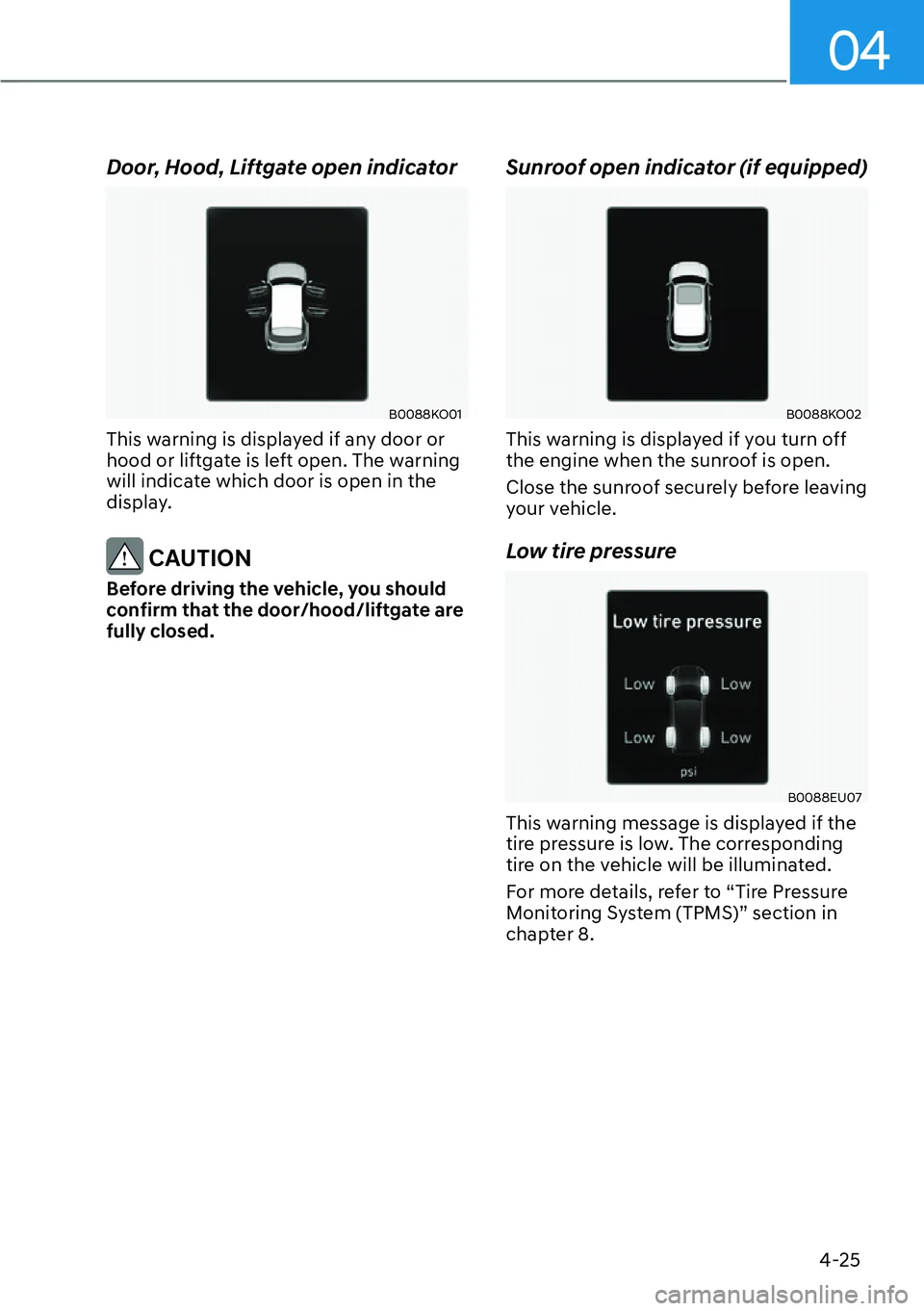
Instructions: Sit in the driver’s seat and start the engine. On the right side of your steering wheel, you will find a set of controls including a “Mode” button (which looks like a stack of papers) and a toggle switch or “OK” button. Press the “Mode” button repeatedly to cycle through the different menus on your digital dashboard display. You are looking for the “Information” or “User Settings” tab, which is often represented by a small gear icon or a car icon. Once you reach this menu, use the toggle switch to scroll down until you see the “Tire Pressure” display. On many Palisade trims, this display shows a top-down view of the vehicle with four individual pressure readings.
Pro Tip: If the screen says “Drive to display,” this is normal. The Palisade uses “Direct TPMS,” which means the sensors inside the wheels only broadcast data frequently when the wheels are spinning to conserve sensor battery life.
Step 3: Interpret the TPMS Warning Symbols
What you need: Visual observation of the dashboard icons.
Instructions: Pay close attention to how the TPMS light is behaving. If the light is solid, it indicates one or more tires are low on air. If the light flashes for approximately 60 seconds and then stays solid, there is a malfunction in the system itself—usually a dead sensor battery or a communication error. On the Palisade’s central display, the specific tire that is low will often be highlighted in amber or red. If you have already filled the tires to 35 PSI as per Step 1, but the display still shows a lower number (like 29 PSI), the system simply hasn’t updated its cache yet. This step is about confirming that the vehicle recognizes the change in status, even if it hasn’t cleared the “low” flag yet.
Pro Tip: Check your spare tire if your Palisade is an older model or if the light persists. While most Palisade spares do not have a sensor, some regional variations or aftermarket additions might include one that can trigger a system-wide alert.
Step 4: Execute the Auto-Learn Driving Cycle
What you need: A clear stretch of road where you can maintain steady speeds.
Instructions: Since the Hyundai Palisade does not have a “Reset Button,” the “button” is essentially your driving behavior. To trigger the auto-learn process, you must drive the vehicle at a steady speed. Aim for a speed above 15.5 MPH (25 km/h) but below 60 MPH for approximately 10 to 20 minutes. During this time, the centrifugal force of the rotating wheels wakes up the TPMS sensors in the valve stems, and they begin transmitting the new, corrected pressure data to the TPMS receiver. It is best to avoid stop-and-go traffic during this cycle; a local highway or a long suburban road is ideal. The system requires continuous data packets to verify that the pressure is stable before it will extinguish the warning light.
Pro Tip: If you are driving in extremely cold temperatures, it may take slightly longer for the sensors to “wake up” and for the air inside the tires to expand and stabilize at the correct pressure.
Step 5: Verify the Digital Readout Reset
What you need: Access to the steering wheel “Tire Pressure” menu (as accessed in Step 2).
Instructions: While you are performing the driving cycle from Step 4, keep the “Tire Pressure” screen visible on your instrument cluster. You will notice that after a few minutes of driving, the “Drive to display” message will disappear, and the real-time PSI for each tire will populate the screen. Watch for the numbers to update to the 35 PSI (or your specific target) that you set in Step 1. Once the computer sees that all four tires are within the acceptable range (usually within 2-3 PSI of the target), it will send a command to the ECU to turn off the amber horseshoe icon. If the numbers appear but the light stays on, continue driving for another 5 minutes to allow the system to finalize its self-check.
Pro Tip: If three tires show 35 PSI and one shows 34 PSI, the light may stay on if that specific tire was the one that triggered the initial warning. Ensure all four are identical to avoid “nuisance” alerts.
Step 6: Perform a Hard System Reset (If Necessary)
What you need: No tools required, just the ignition button.
Instructions: If you have driven for over 20 minutes at the correct PSI and the light remains stubbornly illuminated, you may need to perform a “soft” electronic reset. Pull over to a safe location and turn the engine off completely. Open the driver’s door to kill the accessory power, then close it. Wait about 60 seconds. Start the engine again, but do not drive immediately. Navigate back to the Tire Pressure menu. Sometimes, the power cycle forces the BCM (Body Control Module) to refresh its sensor polling. If the light is still there, drive for another 5 miles. This “reboot” often clears glitches where the system is “stuck” on an old low-pressure reading despite receiving new data.
Pro Tip: If this fails, check for nearby electronic interference. Occasionally, powerful aftermarket dashcams or cheap USB chargers plugged into the 12V socket can emit RF interference that blocks the 433MHz signal from the TPMS sensors.
Step 7: Address Persistent Malfunctions
What you need: An OBD-II scanner with TPMS capabilities (optional) or a visit to a service center.
Instructions: If you have completed the driving cycle and the hard reset, yet the light flashes or refuses to clear, you are likely dealing with a hardware issue rather than a pressure issue. In the Hyundai Palisade, TPMS sensors typically have a battery life of 5 to 7 years. If your vehicle is approaching this age, a sensor may have simply died. Additionally, if you recently had tires changed, a technician might have physically damaged a sensor. Use an OBD-II scanner to check for “C” (Chassis) codes, such as C1312 or C1313, which indicate a sensor signal failure. At this stage, professional intervention is required to identify which specific sensor is failing and to replace it using a specialized TPMS programming tool.
Pro Tip: When replacing a sensor, always insist on OEM Hyundai sensors. Many Palisade owners find that “universal” aftermarket sensors have trouble syncing with the vehicle’s specific auto-learn protocol.
✅ Final Checklist
- Tires were checked “cold” and inflated to exactly 35 PSI (or door jamb spec).
- The digital cluster “Tire Pressure” screen shows active readings for all four tires.
- The vehicle was driven at a steady speed above 16 MPH for at least 15 minutes.
- The amber TPMS warning icon is no longer visible on the dashboard.
- The valve stem caps are tightly replaced to prevent moisture from entering the sensor.
Important Notes:
- Safety First: Never ignore a TPMS light; under-inflated tires significantly increase braking distances and the risk of a high-speed blowout.
- When to Seek Help: If the TPMS light flashes for a minute before staying solid, this indicates a system error that cannot be fixed by adding air. Seek a professional technician.
- Estimated Time and Cost: The DIY reset process takes approximately 20-30 minutes and costs $0. If a sensor replacement is required, expect to pay between $100 and $200 per wheel for parts and labor.
Why Modern Palisades Lack a Physical Reset Button
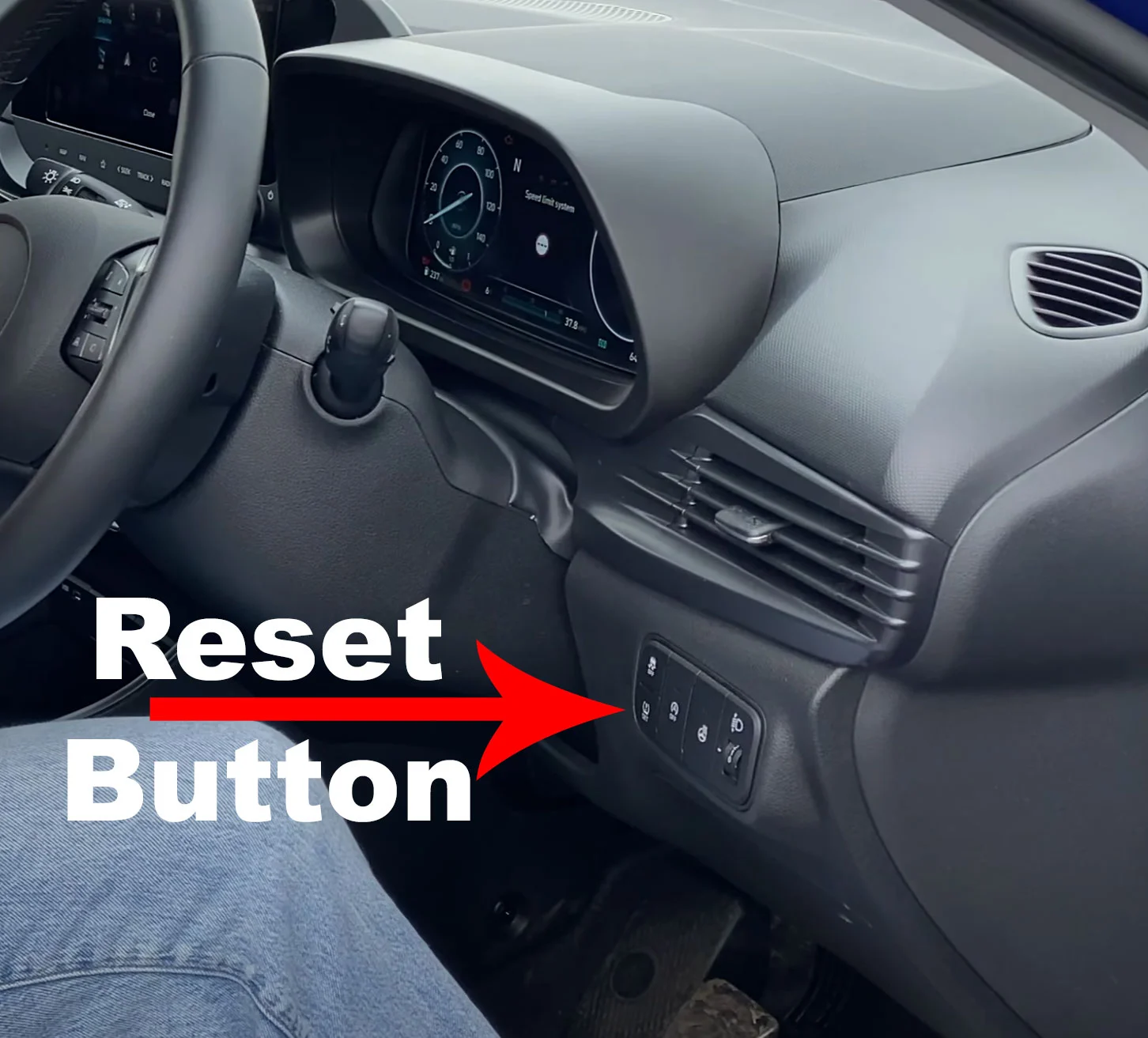
If you have spent twenty minutes searching under your steering wheel or inside your glove box for a TPMS reset button, you can stop now. Most modern Hyundai Palisade models, specifically those from the 2020 model year to the present, do not have a physical button to reset the tire light. This design choice was intentional. Hyundai transitioned to a “smart” system that is designed to be user-friendly by removing the need for manual intervention. The car is smart enough to know when you have fixed the problem.
The Shift to Automatic Calibration
In the past, drivers had to press a button to “tell” the car that the tire pressure was now correct. This was often unreliable because people would sometimes reset the light without actually adding air. Hyundai’s modern Auto-Learn technology eliminates this risk. The system is programmed to constantly scan for changes. When you add air to your tires, the sensors detect the increase in pressure automatically. Once the car moves and the wheels begin to rotate, the computer recognizes the new, correct levels and clears the warning light on its own. It simplifies your life by handling the technical side of things for you.
- Reduced Error: No more accidentally resetting the system with the wrong pressure.
- Convenience: The system updates while you drive, requiring no extra steps.
- Safety First: The light only goes off when the sensors truly detect the correct PSI.
- Streamlined Interior: Fewer physical buttons lead to a cleaner, more modern dashboard design.
Dealing with Environmental Factors
Many drivers wonder why their light comes on in the first place if the tires look fine. It is important to remember that air is sensitive to the environment. For every 10-degree drop in temperature, your tires can lose about one pound of pressure. Because the Palisade lacks a reset button, you cannot simply “force” the light off when the weather gets cold. Instead, the system demands that you actually address the physical air pressure. This ensures that the vehicle is always operating within safe parameters, regardless of whether you are driving through a summer heatwave or a winter blizzard. The lack of a button is actually a safety feature, ensuring that you never ignore a genuine pressure issue.
Common Causes for Persistent TPMS Warning Lights
It can be frustrating when you have filled your tires to the correct pressure, yet that glowing amber icon remains on your dashboard. In the Hyundai Palisade, a persistent light usually indicates that the system hasn’t finished its recalibration cycle or that an external factor is interfering with the sensors.
Environmental Impacts and Pressure Drops
One of the most frequent reasons for a stubborn TPMS light is a “cold snap.” Air is a gas that expands when hot and contracts when cold. If you park your Palisade overnight during a freeze, the pressure may drop just enough to trigger the sensor. Even if the light turns off once the tires warm up during your commute, it is a sign that your baseline pressure is likely too low.
- Slow Leaks: A small nail or a faulty valve stem can cause a tire to lose 1-2 PSI per week, keeping the light active even after a top-off.
- Altitude Changes: Driving from sea level into high-altitude mountain passes can affect the internal pressure readings relative to the outside air.
- The Spare Tire Myth: While some older SUVs had sensors in the spare, the Palisade typically does not. However, a significant pressure difference in the four active wheels will keep the system on high alert.
Sensor Hardware Issues
If the light flashes for about a minute before staying solid, this usually points to a hardware failure rather than a pressure issue. TPMS sensors are powered by small internal batteries designed to last between five and ten years. If a battery dies, the sensor stops transmitting to the Palisade’s central computer. Additionally, physical damage from hitting a deep pothole or using low-quality “fix-a-flat” sealants can gunk up the sensor and prevent accurate readings.
Benefits of the Self-Learning Tire Monitoring System
The Hyundai Palisade utilizes a sophisticated “High-Line” TPMS. Unlike older vehicles that required a physical button or a specialized “relearn tool” from a mechanic, the Palisade is designed to do the heavy lifting for you through self-learning technology.
The Convenience of Automatic Re-Learning
The biggest advantage of this system is that it eliminates human error. When you rotate your tires or replace a sensor, the Palisade’s computer recognizes the change in sensor IDs and their new positions relative to the vehicle’s axles automatically. This saves you a costly and time-consuming trip to the dealership just to “handshake” the new equipment to the car.
- Individual Wheel Monitoring: The system identifies exactly which tire is low, rather than just giving a generic warning.
- Real-Time Adjustments: As you drive, the system constantly updates the display in the instrument cluster, giving you peace of mind on long road trips.
- Maintenance Reminders: By providing actual PSI numbers, it encourages owners to maintain optimal inflation, which improves fuel economy and extends tire life.
Enhanced Safety and Performance
Because the self-learning system is always active, it provides a much faster response time during a “rapid deflation” event. If you experience a blowout or a major puncture, the system will alert you almost instantly, allowing you to pull over before the rim is damaged or control is lost. It is a proactive safety feature that works silently in the background, ensuring your Palisade handles exactly how the engineers intended.
Conclusion
Understanding the Hyundai Palisade TPMS is all about realizing that “no button” is actually a feature, not a missing part. By moving away from manual reset buttons, Hyundai has provided a more accurate and user-friendly way to keep your family safe on the road. The system is designed to be smart enough to handle its own calibration as long as you provide the correct air pressure.
If your light is currently on, your next steps are simple: check the recommended PSI on your driver’s side door jamb, fill the tires while they are cold, and take a brief 10-minute drive. If the light persists, it may be time to have a technician check for a failing sensor battery. Keep your tires properly inflated, and enjoy the smooth, worry-free ride your Palisade was built to deliver!
💬 Quick Questions & Answers
Does the Hyundai Palisade have a TPMS reset button?
Most modern Hyundai Palisade models do not have a physical button and use an automatic reset system.
Where is the TPMS information located?
You can view real-time tire pressure data on the digital instrument cluster display.
At what speed does the TPMS reset?
The system typically updates and resets after driving at 15-20 mph for several minutes.
Can cold weather trigger the TPMS light?
Yes, cold temperatures cause air to contract, dropping pressure and triggering the sensor.
Is the Palisade TPMS direct or indirect?
It uses a direct system with sensors located inside each wheel assembly to provide specific PSI readings.
❓ Frequently Asked Questions
Why won’t my Hyundai Palisade TPMS light turn off after adding air?
The system requires a short drive, usually about 10 minutes at consistent speeds, to register new pressure levels. If it stays on, you may have a slow leak or a failing sensor battery.
What is the recommended tire pressure for a Hyundai Palisade?
The specific PSI requirements are listed on the sticker located on the driver’s side door jamb. Most Palisade models require approximately 33 to 35 PSI depending on the wheel size and load.
Can I reset the TPMS through the infotainment screen?
No, the Palisade’s software does not feature a manual reset option in the menus. The system is designed to be fully autonomous to ensure maximum safety and accuracy without user intervention.
What should I do if the TPMS light is flashing?
A flashing TPMS light usually indicates a malfunction in the system hardware, such as a dead sensor battery or communication error. This is different from a solid light, which simply indicates low air pressure.
Do I need to reset the TPMS after a tire rotation?
The Palisade’s self-learning system should automatically detect the new positions of the sensors after driving for a short distance. No manual calibration is typically required for the vehicle to update the display positions.
Are aftermarket sensors compatible with the Palisade TPMS?
Yes, but they must operate on the correct frequency and be compatible with Hyundai’s receiver protocols. Using OEM sensors is generally recommended to ensure seamless communication with the vehicle computer.