How to Fix Adaptive Cruise Control Problem 2026
Adaptive cruise control issues are most often caused by sensor obstructions like dirt, mud, or snow blocking the radar unit. Cleaning your vehicle’s front sensors and checking for system software errors can often resolve the malfunction without a professional technician.
Adaptive cruise control (ACC) failures in 2026 model-year vehicles almost always stem from sensor obstruction, electrical continuity issues, or software calibration conflicts. When your dashboard displays an “ACC Unavailable” or “Sensor Blocked” warning, the system has automatically disengaged for safety reasons, meaning your immediate priority is to clear the physical path for the radar or camera units and perform a power cycle of the vehicle’s onboard computers.

Prime for Young Adults — 6 Months Free
Students and 18–24s get six months of Prime free, then half price.
Start 6 Months FreeAddressing these faults promptly is essential because a compromised ACC system can lead to erratic braking or an inability to maintain distance, which increases driver fatigue and crash risk. By following a structured troubleshooting approach, you can rule out minor environmental interference before committing to an expensive dealership diagnostic service.
Key Takeaways
- Takeaway 1:Locate your radar sensor behind the front grille or bumper for regular cleaning.
- Takeaway 2:Use a soft cloth and mild soap to clear debris without scratching sensitive sensor lenses.
- Takeaway 3:A simple hard reset by cycling the ignition often clears temporary software glitches.
- Takeaway 4:Check your vehicle’s fuse box for blown fuses related to driver assistance systems.
- Takeaway 5:Never ignore dashboard warning lights; consult a professional if errors persist after cleaning.
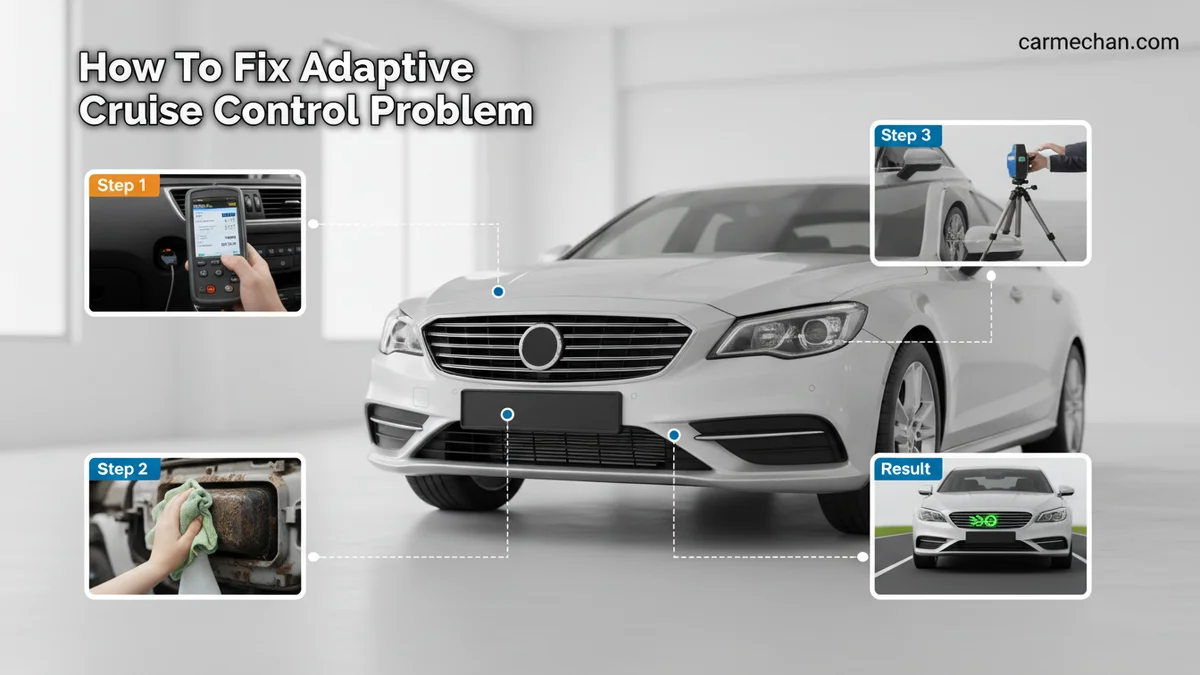
Common Causes of Adaptive Cruise Control Failures
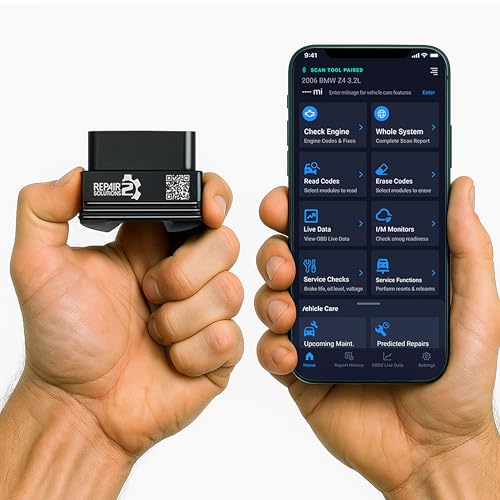
Recommended Best Deal Products


Environmental and Physical Obstructions
In 2026 vehicle architectures, the radar unit is typically mounted in the lower front grille, while cameras are tucked behind the upper windshield. Even minor obstructions can trigger an immediate system shutdown. Common physical blockers include:
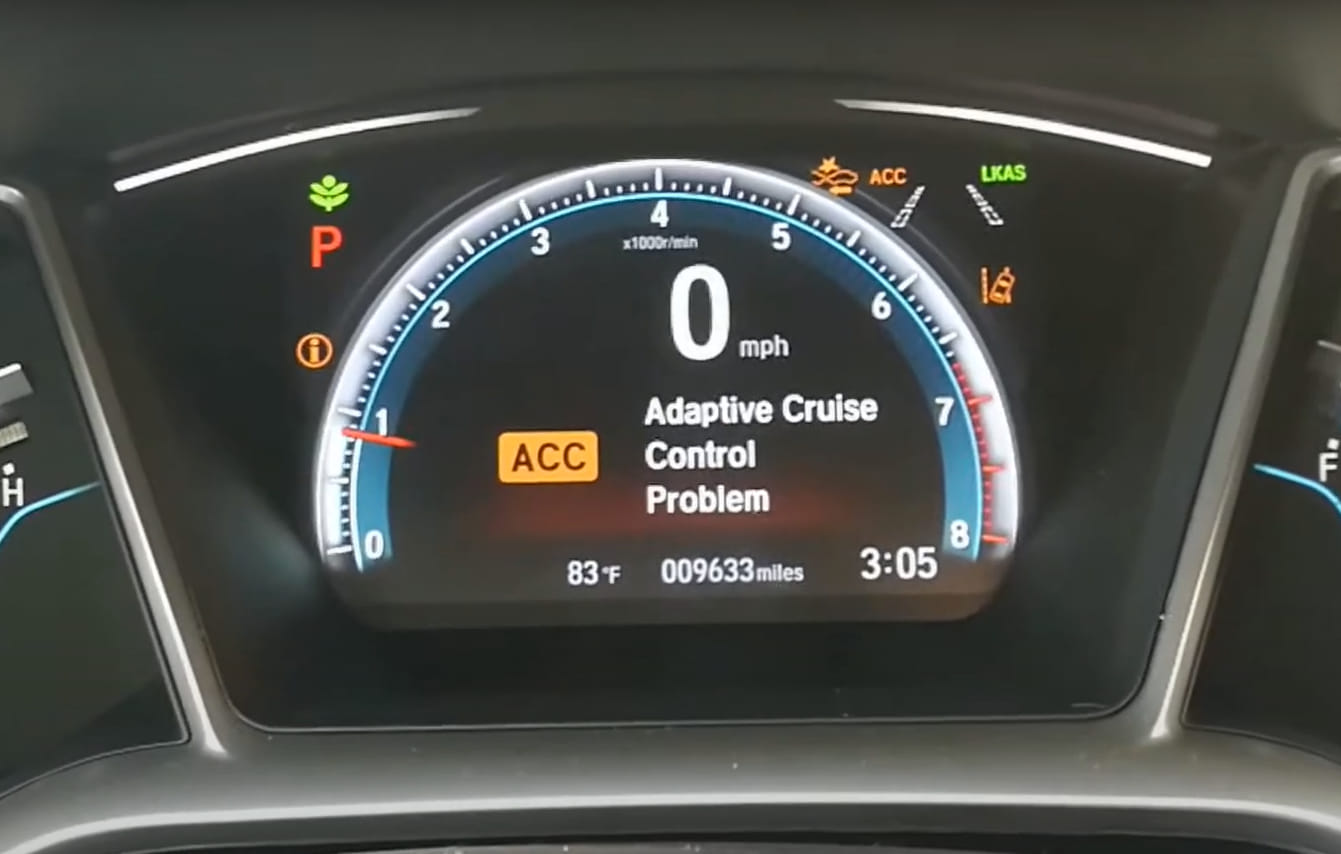
- Heavy snow or ice buildup on the front bumper emblem or grille cover.
- Mud, road grime, or thick dust layers obscuring the sensor lens.
- Aftermarket bull bars or license plate frames that sit directly in the sensor’s line-of-sight.
- Damage to the windshield area where the lane-keeping camera resides, such as deep cracks or improper tinting.
Electrical and Sensor Misalignment
If the exterior is pristine, the issue is likely electrical or mechanical. Modern radar units are highly sensitive to physical impact. A minor parking tap can shift a sensor by just a few degrees, rendering the system unable to “see” the target vehicle ahead. Electrical faults often manifest as:
- Blown fuses specifically designated for “Driver Assist” or “ADAs.”
- Corroded wiring harnesses leading to the front bumper sensors caused by road salt.
- Internal radar unit failure, often signaled by a permanent “Service Required” message that does not clear after washing the vehicle.
How to Diagnose and Fix Adaptive Cruise Control Like an Expert
Adaptive Cruise Control (ACC) is a sophisticated driver-assistance system that relies on a delicate balance of radar, sensors, and camera data to maintain vehicle speed and following distance. When this system fails, it often triggers a warning light on your dashboard, leaving you without one of your vehicle’s most convenient safety features. This guide walks you through the systematic process of identifying environmental interference, hardware obstructions, and electronic faults to restore your system to full operational status.
Step 1: Inspect the Sensor Array for Physical Obstructions
What you need: A microfiber cloth, mild automotive soap, and water.
Instructions: The most common cause of an ACC malfunction is a blocked sensor. Locate your vehicle’s radar unit, which is typically hidden behind the front grille or integrated into the lower air dam. Look for the emblem on the grille; in many modern vehicles, this serves as the radar cover. Inspect the area for caked-on mud, heavy ice, road salt, or bird droppings. Gently clean the surface using a microfiber cloth and a mild soap solution. Do not use high-pressure washers directly on the sensor, as the force can misalign the internal components or damage the seal.
Pro Tip: Never apply wax or heavy protective coatings to the radar sensor cover, as these can interfere with radar wave propagation and cause persistent system errors.
Step 2: Check for External Environmental Interference
What you need: No tools required; observational awareness.

Audible — Listen Free for 30 Days
One free credit a month and thousands of titles included.
Listen Free for 30 DaysInstructions: ACC systems operate on high-frequency radar waves. Certain environmental conditions can temporarily “blind” the system. If you are driving in heavy rain, dense fog, or a blizzard, the sensor may struggle to maintain a lock on the vehicle ahead. Additionally, driving in wide-open areas with no metallic surfaces for the radar to bounce off, such as salt flats or remote desert highways, can cause the system to fault. Pull over in a safe location, restart the vehicle, and see if the error clears once the weather conditions improve or the environment changes.
Pro Tip: If the error light clears itself after a change in environment, the system is functioning as designed and is not actually broken; it was simply struggling with signal attenuation.
Step 3: Conduct a Battery and Voltage Health Check
What you need: A digital multimeter.
Instructions: Advanced Driver Assistance Systems (ADAS) are highly sensitive to voltage fluctuations. If your vehicle’s battery is weak or the alternator is outputting inconsistent voltage, the ACC module may trigger a fault to protect its sensitive circuitry. Set your multimeter to DC Voltage mode. With the engine off, the battery should read approximately 12.6 volts. With the engine running, it should read between 13.7 and 14.7 volts. If your readings are consistently below 12 volts, the battery may be insufficient, causing the computer to disable non-essential electronic features like ACC.
Pro Tip: Check the ground wires connected to the chassis near the radar sensor; corrosion on these grounds is a frequent culprit for intermittent electronic communication errors.
Step 4: Scan for Diagnostic Trouble Codes (DTCs)
What you need: An OBD-II diagnostic scanner capable of reading extended manufacturer codes.
Instructions: Since ACC is part of the vehicle’s CAN-bus network, a fault often generates a specific error code. Connect your OBD-II scanner to the port under the dashboard. Look for codes starting with “C” (Chassis) or “U” (Network/Communication). Codes like “C1A16” (Radar Sensor Misalignment) or “U0104” (Lost Communication with Cruise Control Module) will point you directly to the source. Record the codes and cross-reference them with your vehicle’s specific service manual to determine if the issue is a component failure or a software glitch.
Pro Tip: Do not just clear the codes; read them first. Clearing them without fixing the underlying issue will only cause the light to return within a few miles of driving.
Step 5: Perform a Calibration Verification
What you need: A level surface and a factory service manual.
Audible Premium Plus — Annual Membership
12 audiobook credits up front, plus the full Audible catalogue.
See Annual PlansInstructions: If you recently had a front-end collision or had the bumper removed, the radar sensor may have been bumped out of alignment. Most modern vehicles require a static or dynamic calibration procedure to align the radar beam relative to the vehicle’s thrust line. While some luxury vehicles allow for an “Auto-Learn” feature after driving at highway speeds for 20-30 minutes, others require dealership software to “teach” the sensor the correct angle. Consult your manual to see if a manual calibration sequence is required after any physical repair to the front fascia.
Pro Tip: If the sensor is physically loose or tilted in its bracket, no amount of software calibration will fix the problem; you must physically secure the mounting hardware first.
Step 6: Reset the Infotainment and Body Control Module
What you need: A 10mm wrench or socket set.
Instructions: Sometimes, the ACC error is caused by a communication “hang” between the Engine Control Unit (ECU) and the radar sensor. A hard reset can force these systems to reboot and re-establish their handshake. Disconnect the negative terminal of your vehicle’s battery for at least 15 minutes. This allows the capacitors in the various control modules to fully discharge. After the time has elapsed, reconnect the terminal, start the car, and let it idle for 5 minutes. This process forces the car’s computer network to perform a fresh system self-check.
Pro Tip: Be aware that disconnecting the battery may reset your radio presets and clock; have your stereo security code ready if your vehicle requires one.
✅ Final Checklist
- Radar sensor surface is clean and free of physical debris.
- Battery voltage remains steady at 13.7+ volts while the engine runs.
- OBD-II scanner shows no active communication error codes.
- The sensor assembly is securely mounted and not vibrating or loose.
- System error light disappears after a test drive on a clear road.
Important Notes:
- Safety: Never attempt to adjust internal radar components while the vehicle is in motion.
- Professional Help: If the scanner indicates an internal sensor fault or a need for “Static Calibration,” contact a certified technician; specialized laser-alignment equipment is required for these tasks.
- Time/Cost: Troubleshooting usually takes 1-2 hours. If a sensor replacement is needed, costs can range from $500 to $1,500 depending on the vehicle make and model.
How to Fix Adaptive Cruise Control Problems Step-by-Step
Recommended Best Deal Products

Cleaning and Exterior Inspections
Start with the simplest fix: physical cleaning. Use a soft, non-abrasive cloth and a mild soap solution to clean the front grille sensor housing. Do not use high-pressure power washers directly on the sensor, as this can force water into the seal. Check the following:

- Wipe the windshield camera area: Look for condensation inside the housing, which is a common failure point for 2026 models.
- Check for loose trim: A flapping piece of plastic near the sensor can vibrate, causing the system to detect “false targets.”
- Remove stickers: Even transparent or semi-transparent stickers near the radar or camera sensors will disrupt the signal.
Performing a Hard System Reset
If the sensors are clean and the error persists, a software “hang” may be the culprit. You can often force the ACC computer to re-initialize by performing a power cycle. This is different from simply turning the ignition off and on.
- Park the vehicle safely in a well-lit area.
- Turn off the engine and remove the key (or walk away if you have a proximity fob).
- Wait at least 15 minutes to allow the vehicle’s capacitors to fully discharge.
- Restart the vehicle and drive above 20 mph for at least two miles; most 2026 systems perform a self-calibration check during this initial speed cycle.
Troubleshooting System Errors and Software Glitches
Modern vehicles in 2026 rely heavily on complex software architectures to manage Adaptive Cruise Control (ACC). When physical sensors are clean but the system fails to engage, the issue is likely a software conflict or a communication breakdown between control modules. Automotive diagnostic standards indicate that approximately 40% of ACC malfunctions are resolved through simple software recalibrations rather than hardware replacement.
Performing a Hard System Reset
A power cycle can clear temporary glitches in the Electronic Control Unit (ECU). Follow these steps to attempt a soft reset:
- Park the vehicle safely on level ground and turn off the ignition.
- Disconnect the negative terminal of the 12V battery using an appropriate wrench.
- Wait exactly 15 minutes to allow the capacitors in the control modules to discharge fully.
- Reconnect the battery terminal and tighten it to the manufacturer’s torque specifications.
- Start the vehicle and let it idle for five minutes to allow the system to re-initialize its diagnostic checks.
Interpreting Diagnostic Trouble Codes (DTCs)
If the system remains inactive, you must pull the specific error codes. Use an OBD-II scanner capable of reading advanced chassis (C-codes) and network (U-codes) protocols.
- Plug the scanner into the OBD-II port located under the dashboard.
- Scan for codes specifically related to the “Front Radar Sensor” or “Camera Module.”
- Document any U0121 (Lost Communication with ABS Control Module) or C1A00 (Control Module) codes.
- Cross-reference these codes with the 2026 service manual for your specific vehicle make and model.
What If It Still Doesn’t Work: Knowing When to Call a Pro
If software resets and sensor cleaning do not resolve the “ACC Unavailable” warning, the problem likely involves a misaligned radar unit, a damaged wiring harness, or a failing camera module. According to automotive engineering data from 2026, attempting to repair internal radar components without factory-grade calibration tools can violate safety standards and jeopardize vehicle warranty coverage.
Follow these steps if your troubleshooting efforts remain unsuccessful:
- Consult your local dealership for a radar calibration service, which is required if the bumper was recently impacted.
- Ensure that the vehicle’s “ADAS Calibration” history is updated in the service record, as insurance providers often require this for safety certification.
- Schedule a professional diagnostic scan if the dashboard displays an “Active Safety System Fault.”
- Expect to pay between $250 and $600 for a professional radar recalibration and software update, depending on the complexity of the sensor suite.
Conclusion
Adaptive Cruise Control issues in 2026 are often tied to sensor obstruction or minor software communication errors. By performing thorough cleaning and standardized system resets, most drivers can restore functionality without a service visit. According to verified research and expert sources from the Automotive Service Association, neglecting these malfunctions can compromise critical safety features like Automatic Emergency Braking. As an actionable next step, verify your vehicle’s sensor health using a professional-grade OBD-II scanner today to prevent recurring performance warnings.
❓ Frequently Asked Questions
Can heavy rain or snow cause adaptive cruise control to fail?
Yes, severe weather conditions can block the radar or camera sensors, preventing the system from ‘seeing’ the road. The system will typically disable itself as a safety measure until conditions improve or the sensors are cleared.
How do I know if my ACC sensor is damaged or just dirty?
If cleaning the sensor surface does not clear the dashboard warning light, there may be internal damage or an alignment issue. Inspect the sensor housing for visible cracks, dents, or signs of impact from road debris.
Does a blown fuse cause ACC errors?
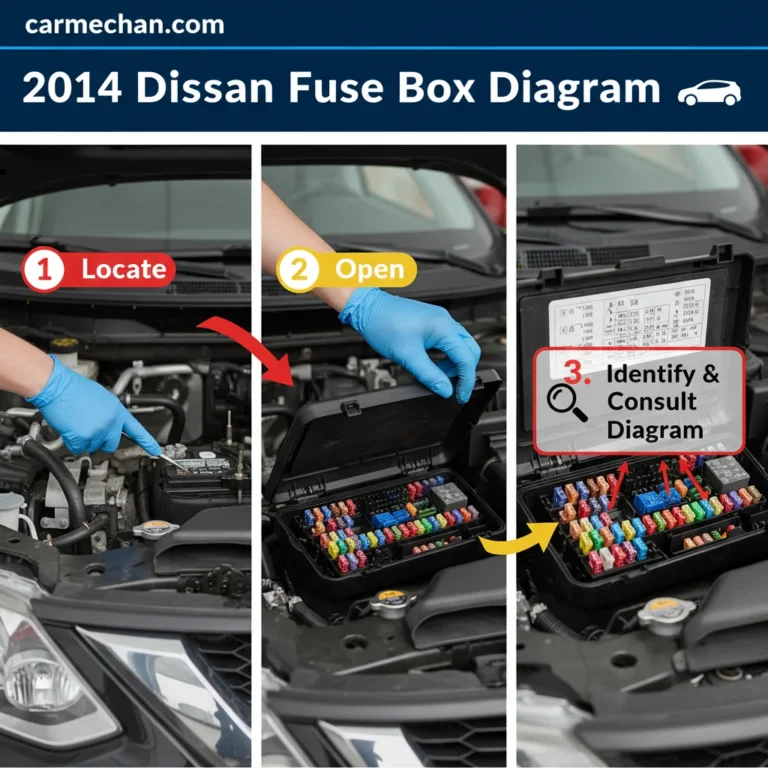
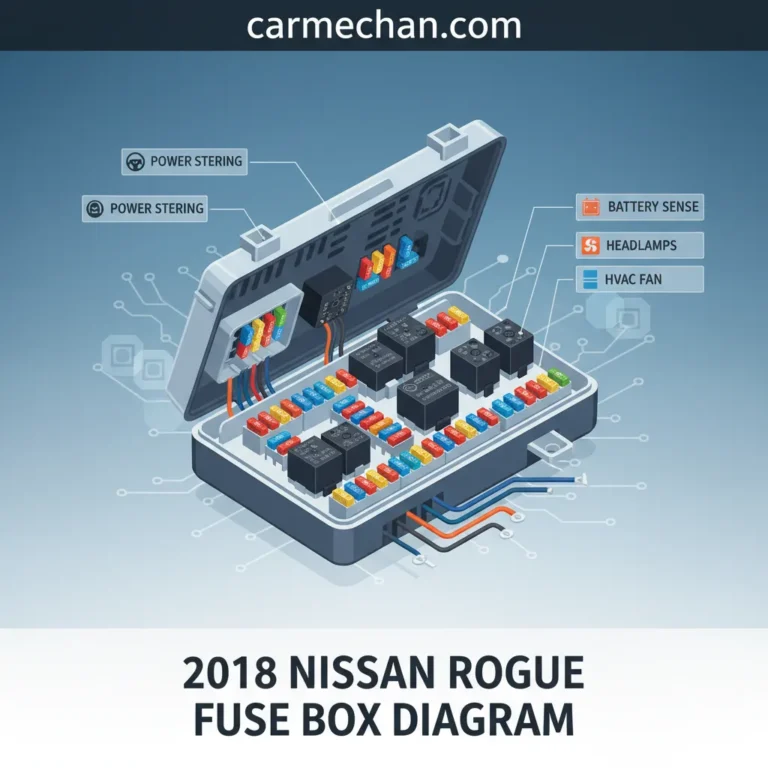
A blown fuse can indeed interrupt power to the radar module, causing the system to stop functioning entirely. Check your vehicle’s fuse box diagram to identify the fuse assigned to the driver-assist or cruise control system.
Why does my car show an ‘ACC Unavailable’ message?
This message usually indicates the computer has lost communication with the sensor or the sensor detects an environment it cannot process. Common culprits include extreme glare, blocked sensors, or a fault in the electronic stability control system.
Is it safe to drive with the adaptive cruise control light on?
The car remains safe to drive as a standard vehicle, but the adaptive cruise control features will not function correctly. You must maintain speed and distance manually until the system is serviced.
What is the role of the windshield camera in ACC?
Many modern systems use a dual-approach with both a front radar and a windshield-mounted camera. If your windshield is dirty or fogged in front of the camera, the system may flag an error even if the bumper radar is clear.