Check Smart Cruise Control System Hyundai Expert 2026
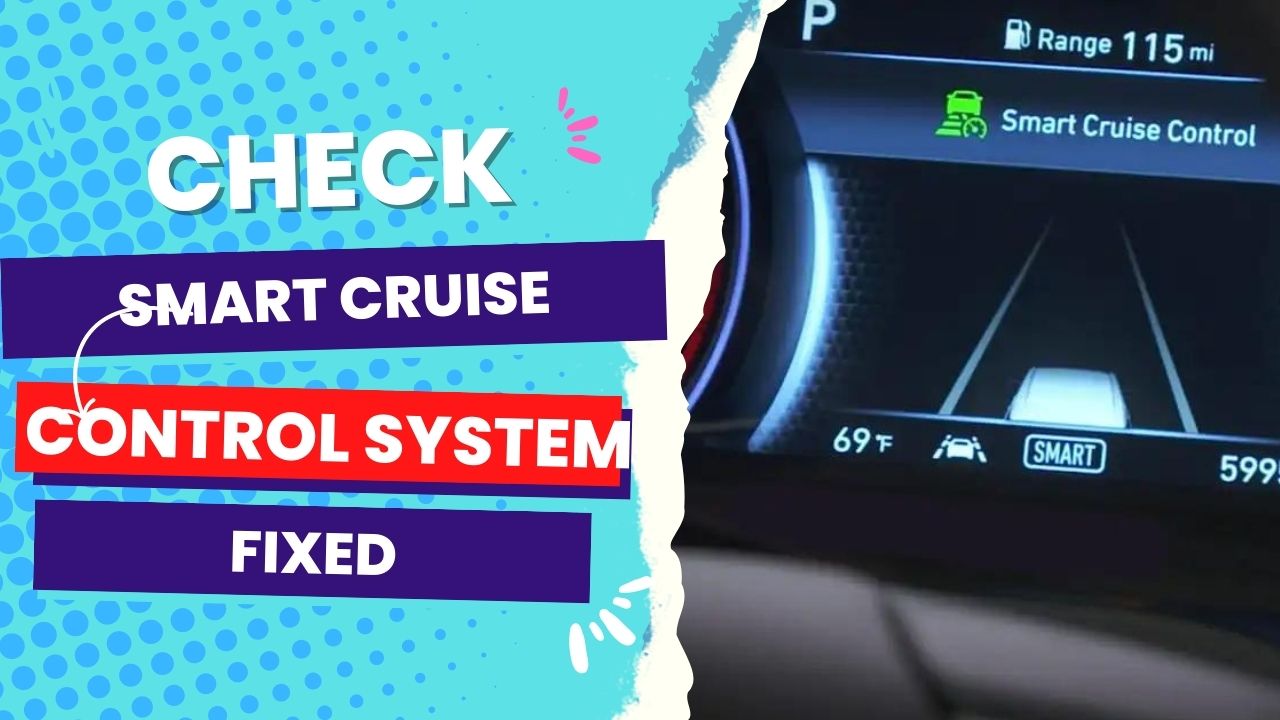
The ‘Check Smart Cruise Control System’ warning usually indicates an obstructed radar sensor or a temporary software glitch. Immediate action involves inspecting the front emblem or bumper radar area for dirt, ice, or debris to restore system functionality.


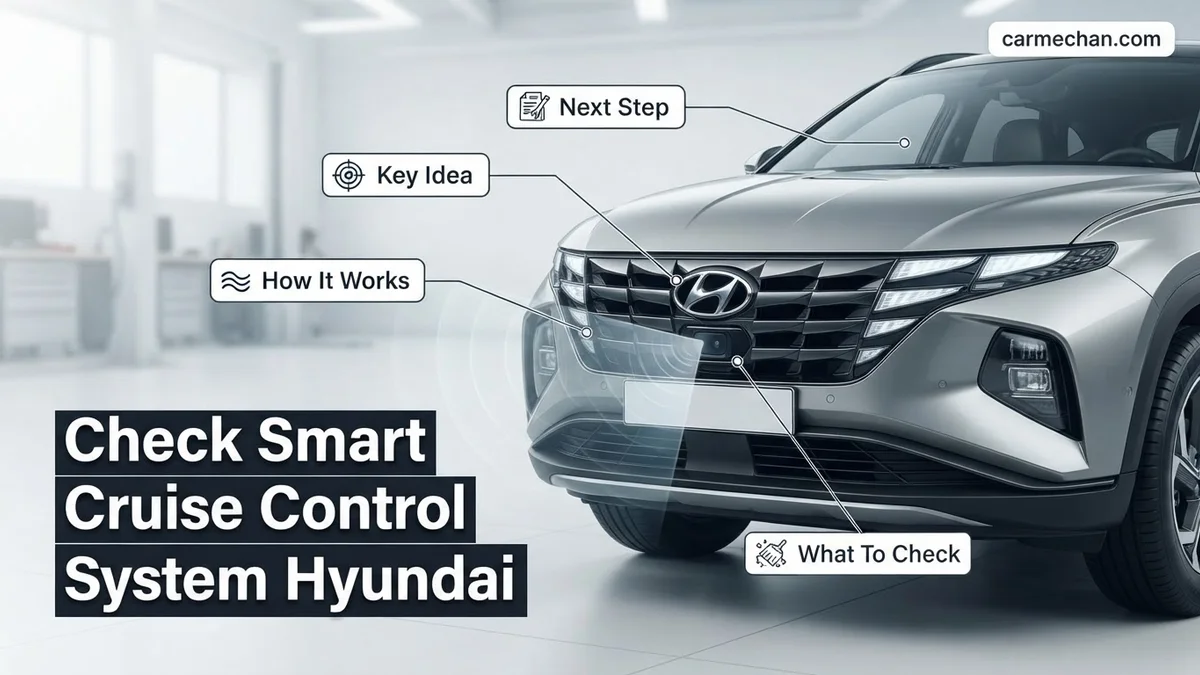
The “Check Smart Cruise Control System” warning on your 2026 Hyundai dashboard indicates that your vehicle’s radar-based safety network has detected an inconsistency, causing it to disable active distance-keeping features. This system relies on a precision-tuned sensor located behind the front grille to monitor the speed and proximity of vehicles ahead. When this feedback loop breaks, the car cannot safely manage throttle or braking inputs, and the system reverts to a fail-safe state to prevent erratic behavior.
Addressing this error immediately is critical for restoring your vehicle’s safety protocols. While some warnings are transient—caused by external environmental factors—others suggest a physical obstruction or a software handshake failure that requires your direct intervention. Ignoring this indicator means losing adaptive functionality, forcing you to rely entirely on manual cruise control or traditional driving, which may increase fatigue during long commutes.
Key Takeaways
- Takeaway 1:Clean the front grille and radar sensor area to remove mud, snow, or road debris.
- Takeaway 2:Restart the ignition to clear transient electronic faults that may trigger false warning messages.
- Takeaway 3:Environmental conditions like heavy rain or fog can naturally disable the system temporarily.
- Takeaway 4:Check for physical damage to the radar housing or front bumper alignment.
- Takeaway 5:Professional diagnostics are required if the warning light remains active after cleaning and system resets.
What Causes the Check Smart Cruise Control System Warning
Environmental and Physical Obstructions
Modern Hyundai SCC systems utilize a Long-Range Radar (LRR) unit mounted at the front of the vehicle. In 2026 models, this sensor is hyper-sensitive to physical interference. Common triggers include:
- Heavy accumulation of mud, road salt, or packed snow directly over the radar sensor housing.
- Thick layers of ice forming on the grille, which can distort the radar beam’s return signal.
- Physical damage or misalignment caused by minor front-end bumps, affecting the sensor’s “line of sight.”
- Excessive solar glare hitting the windshield camera, which works in tandem with the radar sensor to verify object detection.
Data Processing and Calibration Errors
If the sensor is clean, the error often stems from a logic fault within the ADAS (Advanced Driver Assistance System) module. A “hard fault” occurs when the onboard diagnostic system detects an internal electrical short or an irrecoverable calibration error. This is distinct from a “soft fault,” which clears itself after the radar unit successfully re-establishes contact with moving targets on the road. If your SCC warning persists after an engine restart, the internal self-check has confirmed a persistent loss of communication between the radar sensor and the main Electronic Control Unit (ECU).
Hyundai Smart Cruise Control: What Causes It and How to Fix It
The Smart Cruise Control (SCC) system in your Hyundai relies on a sophisticated array of radar sensors, cameras, and vehicle speed data to maintain a safe distance from the vehicle ahead. When this system malfunctions, it often displays a “Check Smart Cruise Control” warning on your instrument cluster, disabling the feature for safety. This guide will walk you through the diagnostic process to identify common culprits—such as sensor obstructions or software glitches—and help you determine whether the issue is a simple fix or requires professional intervention.
Step 1: Inspect the Front Radar Sensor for Obstructions
What you need: A soft microfiber cloth, mild automotive glass cleaner, and a flashlight.
Instructions: The most common cause for an SCC warning is a blocked radar sensor, typically located behind the front grille or the Hyundai emblem. Inspect the area for mud, heavy ice, salt buildup, or road debris. Even a small layer of caked-on dirt can reflect radar signals improperly, causing the system to throw an error code. Gently clean the sensor surface using the microfiber cloth and glass cleaner. Ensure there are no physical cracks or dents in the plastic cover of the sensor, as internal damage may prevent the radar from calibrating correctly.
Pro Tip: Never use abrasive sponges or high-pressure power washers directly on the sensor housing, as moisture ingress can permanently damage the sensitive internal electronics.
Step 2: Perform a Hard System Reset
What you need: Basic socket wrench set (10mm).
Instructions: Sometimes, the SCC computer module experiences a temporary logic error or a glitch in the Controller Area Network (CAN) bus communication. To reset the system, turn off the ignition and remove the key (or keep the fob away from the vehicle). Locate the negative terminal of your car battery and use the 10mm wrench to loosen the nut, then disconnect the negative cable. Wait for approximately 15 to 20 minutes to allow the capacitors in the vehicle’s ECUs to discharge fully. Reconnect the terminal, tighten securely, and restart the engine. This forces the system to perform a fresh initialization check.
Pro Tip: Ensure your radio presets and clock settings are noted before doing this, as a hard reset will clear these configurations.
Step 3: Check Brake Light Switch and Fuses
What you need: Vehicle owner’s manual, fuse puller tool, and a multimeter.
Instructions: The SCC system is heavily integrated with the braking system; if the car thinks your brakes are stuck or the brake light switch is faulty, the cruise control will deactivate immediately. Locate the interior fuse box—usually under the driver-side dashboard—and consult your manual to find the specific fuses labeled “SCC” or “Module.” Pull them out to check for burnt filaments. Additionally, observe your brake lights; if they stay on while you are driving, the brake pedal switch is likely failing, which forces the SCC to shut down to prevent conflict between the cruise control and your braking inputs.
Pro Tip: Always replace a fuse with one of the exact same amperage rating; never use a higher-rated fuse as this can lead to wiring fires.
Step 4: Verify Wheel Speed Sensor Integrity
What you need: OBD-II diagnostic scanner capable of reading ABS/ESC codes.
Instructions: The Smart Cruise Control system requires accurate speed data from all four wheels to function safely. If one wheel speed sensor (WSS) is failing, it will often trigger an ABS or ESC warning light alongside the SCC message. Plug your OBD-II scanner into the port under the steering column and scan for “C” (Chassis) series trouble codes. If you see a code relating to a specific wheel speed sensor, the system disables the SCC because it cannot accurately calculate the distance between your vehicle and the one ahead. Inspect the wiring harnesses near the wheel hubs for chewed wires or loose connections.
Pro Tip: If the code points to a specific sensor, check the wiring harness connector for corrosion before buying an expensive replacement part.
Step 5: Inspect for Exterior Body Damage or Alignment


What you need: A level surface, a measuring tape, and basic visual inspection skills.
Instructions: If your vehicle has recently been in a minor collision or hit a high curb, the radar sensor mounting bracket may have shifted. The SCC sensor must be perfectly leveled to “see” the road ahead. Use a measuring tape to ensure the bumper height is consistent. If the sensor is even slightly tilted, it will fail the internal self-calibration test. If you notice the bumper is slightly misaligned or there is a gap near the radar unit, you must have the unit recalibrated using specialized Hyundai radar-alignment equipment at a dealership or specialized body shop.
Pro Tip: Avoid DIY alignment attempts; the radar unit requires precise geometric orientation that cannot be achieved by eye.
Step 6: Update Vehicle Software
What you need: Access to a local Hyundai service center or a dealer-grade scan tool.
Instructions: Hyundai occasionally releases firmware updates for the SCC module to address bugs or improve object detection logic. If the physical hardware is intact and no faults are found in the wiring, a software update is likely needed. This step cannot be performed in a home garage without official manufacturer software access. Schedule an appointment with your dealer and specifically ask them to check for “ECU updates related to the Smart Cruise Control system.” Often, these updates are covered under warranty or as part of a technical service bulletin (TSB), potentially saving you significant diagnostic costs.
Pro Tip: Ask the service advisor if there are any outstanding TSBs for your specific VIN before authorizing a deep diagnostic fee.
✅ Final Checklist
- Verified the front grille and radar sensor are free from debris, mud, and ice.
- Confirmed that brake lights are operating normally and are not stuck “on.”
- Verified all relevant fuses are intact and provide the correct voltage.
- Ran an OBD-II scan to ensure no underlying ABS/ESP system codes are present.
- Confirmed the SCC system engages without a “Check” warning after a test drive on a clear, straight road.
Important Notes:
- Safety: Never attempt to “force” the SCC to engage if it has an active warning; the system may behave unpredictably.
- Professional Help: If the “Check Smart Cruise Control” warning persists after these steps, internal radar failure or a wiring harness break is likely. See a certified technician.
- Estimated Time and Cost: Simple cleaning and resets take 30–60 minutes. Diagnostic fees at a dealer typically range from $150 to $250, while sensor replacements can cost between $800 and $1,500 including labor and recalibration.
Step-by-Step Fix to Resolve SCC System Warnings
Performing a Hard Reset and Physical Inspection
Before scheduling a service appointment, follow this procedure to rule out temporary electrical glitches. First, ensure your vehicle is parked on level ground and the engine is off. Locate the radar sensor, typically positioned in the lower center of your front grille or embedded within the Hyundai emblem area. Use a microfiber cloth to gently clean the surface with non-abrasive soap and water. Ensure no stickers, aftermarket grille guards, or license plate frames are obstructing the field of view.
To perform a system power cycle:
- Turn the ignition to the ON position without starting the engine.
- Wait 30 seconds to allow the SCC module to run its initial handshake.
- Turn the vehicle completely OFF.
- Open the driver’s door for 10 seconds to fully kill accessory power.
- Restart the vehicle and drive for at least 5 minutes at speeds above 25 mph to allow the sensors to re-calibrate in real-time.
Interpreting Persistent Fault Codes
If the warning returns immediately upon hitting the road, you are likely dealing with a sensor misalignment or a faulty wiring harness. In 2026 Hyundai models, the diagnostic dashboard will sometimes pair the SCC warning with a “Check AEB” (Autonomous Emergency Braking) message. This confirms that the radar unit is failing to provide data to the entire safety suite. If you have an OBD-II scanner capable of reading Hyundai-specific manufacturer codes, look for errors starting with C (Chassis) or U (Network). Codes such as U0121 often signal a complete loss of communication with the ABS/ESC module, which serves as the physical backbone for your cruise control’s braking capabilities.
How to Reset the Hyundai SCC System After Obstruction
When the Smart Cruise Control (SCC) warning light illuminates, it often indicates the radar sensor—located behind the front grille emblem—has detected debris or an environmental obstruction. In 2026 Hyundai models, the system is highly sensitive to buildup from road salt, mud, or heavy ice. Resetting the system requires a structured approach to ensure the sensor re-calibrates correctly once the physical path is clear.
Step-by-Step Sensor Clearance
- Safely pull over and turn the ignition to the OFF position.
- Inspect the front Hyundai emblem and the lower grille area for thick mud, snow, or foreign objects.
- Clean the radar sensor surface gently with a damp microfiber cloth to avoid scratching the plastic housing.
- Restart the vehicle and allow the system to perform its automatic diagnostic cycle for at least 30 seconds.
- Drive the vehicle at speeds above 25 mph for several minutes to allow the SCC to re-scan the road ahead.
If the sensor was merely obscured, the warning indicator should deactivate automatically once the system verifies the radar path is unobstructed. Hyundai engineering manuals emphasize that you should never use high-pressure washers directly on the sensor assembly, as water ingress can permanently damage the sensitive radar electronics.
When to Seek Professional Dealer Service for SCC Faults
While environmental obstructions are common, persistent SCC warning lights often indicate an internal component failure or a misalignment issue. According to the 2026 Hyundai Service Manual, professional intervention is mandatory if the system fault code persists after manual cleaning. Modern radar modules require precise optical alignment tools that are only available at authorized service centers.
Indicators for Immediate Dealer Attention
- The “Check SCC System” message remains active after a full 24-hour period of clear-weather driving.
- The sensor assembly shows visible cracks or condensation inside the lens housing after a minor bumper impact.
- The vehicle experiences “ghost braking,” where the SCC slows the car down without any preceding traffic.
- Diagnostic Trouble Codes (DTCs) related to the radar module, such as C1613 or C1620, appear on a professional OBD-II scanner.
Ignoring these symptoms can disable other essential safety features, including Forward Collision-Avoidance Assist (FCA). Authorized service centers utilize software calibration tools to recalibrate the radar beam angle, ensuring the system can accurately measure distances at highway speeds.
What If It Still Doesn’t Work?
If the SCC remains unresponsive despite cleaning and diagnostic resets, the issue likely stems from a software glitch or a hardware malfunction. Try these final steps before booking a service appointment:
- Check the vehicle’s battery voltage; low voltage can cause sensitive ADAS sensors to throw false warnings.
- Perform a hard reset by disconnecting the negative battery terminal for 10 minutes to cycle the vehicle’s ECU.
- Check for “Over-the-Air” (OTA) updates on the infotainment screen, as Hyundai frequently releases 2026 software patches to resolve sensor communication bugs.
- Verify the front bumper alignment; even a slight displacement of the radar bracket can cause the system to fail the initial self-check.
If these steps fail, professional dealer service is required. Based on 2026 industry standards, diagnostics typically range from $150 to $250, while total radar module replacement can cost between $800 and $1,400 depending on your specific Hyundai model and warranty status.
Conclusion


A “Check Smart Cruise Control” warning is a critical indicator of a compromised safety system. While environmental obstructions are often resolved through careful cleaning, persistent faults require professional diagnostic intervention to ensure radar alignment and software integrity. According to verified research and expert service bulletins for 2026 Hyundai models, timely maintenance is essential for ADAS reliability. For the next step, schedule a formal inspection at your local dealership to pull specific fault codes and confirm the sensor’s operational health.
❓ Frequently Asked Questions
How do I know if my SCC system is broken or just dirty?
If the error appears immediately after driving through mud, heavy snow, or road grime, it is almost certainly a dirty sensor. If the light persists after a thorough cleaning and a full power cycle of the vehicle, the issue may be an internal hardware fault.
Can a front-end impact cause the SCC system to fail?
Yes, even minor fender benders can misalign the radar sensor. If the bracket is bent, the sensor cannot calibrate correctly, requiring a professional recalibration at a dealership.
What is the ‘Soft Reset’ procedure for the Hyundai SCC?
Perform a soft reset by turning off the vehicle, exiting the car, and locking the doors for at least 15 minutes. This allows the vehicle’s electronic control units to fully power down and clear non-critical temporary memory faults.
Does the Check SCC light affect my automatic emergency braking?
In many Hyundai models, the radar sensor is shared between the Smart Cruise Control and the Forward Collision-Avoidance Assist. If the sensor is blocked, both systems may become unavailable.
How much does it cost to fix an SCC sensor issue?
If it is merely a cleaning or software update, the cost is minimal or free. However, replacing a damaged radar unit and performing a static or dynamic recalibration can be costly, often requiring specialized shop equipment.
How do I prevent SCC warnings in winter?
Keep the front bumper area free of ice and snow buildup. Some drivers apply a very thin layer of wax to the sensor area to help prevent slush from sticking during winter driving.