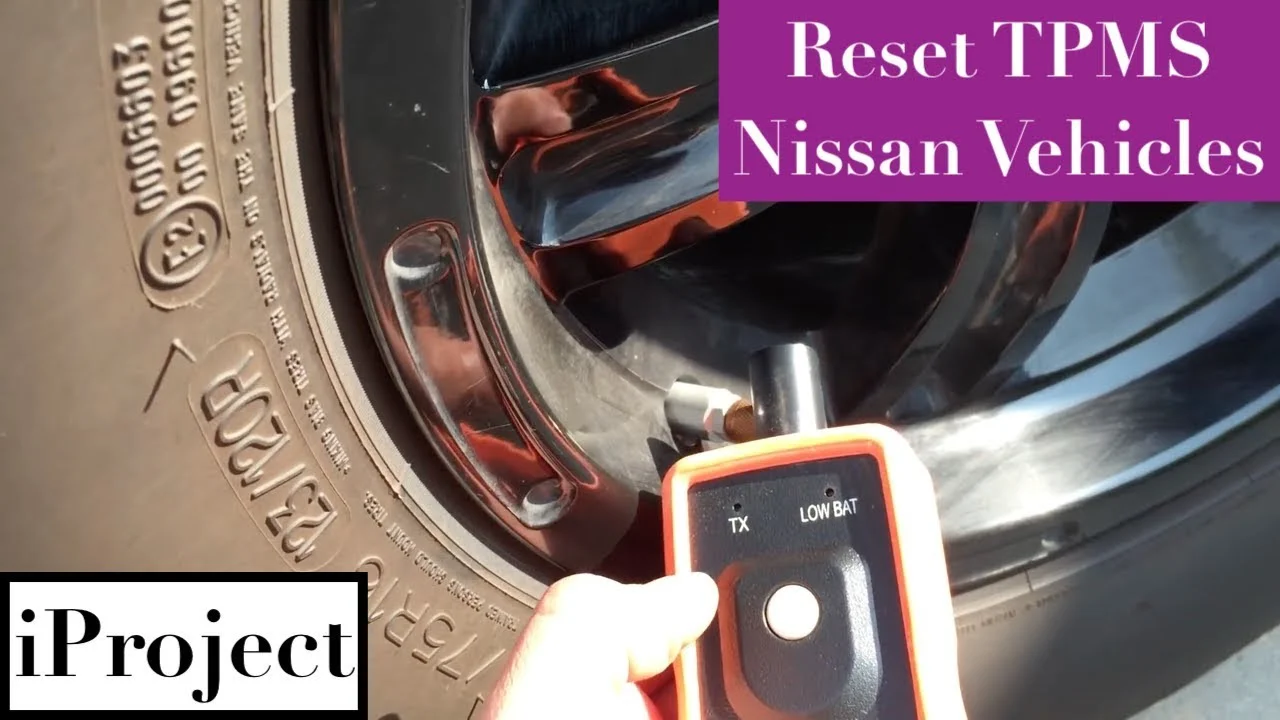
Nissan Versa TPMS Reset Button Location & Fixes
Last Updated on September 1, 2026 by Ryan
📋 Table of Contents
- 🎯 Key Takeaways
- Understanding Nissan Versa TPMS System Functionality
- How to Reset Your Nissan Versa TPMS Like a Pro: A Practical Walkthrough
- Factors That Trigger the TPMS Warning Light
- Automatic vs. Manual Reset Systems
- Benefits of Maintaining Optimal Tire Pressure Levels
- Conclusion
- 💬 Quick Questions & Answers
- ❓ Frequently Asked Questions


Most modern Nissan Versa models do not feature a physical TPMS reset button, as the system is designed to recalibrate automatically once tires reach the correct PSI. Understanding the dashboard alert patterns and sensor triggers is essential for maintaining vehicle safety and optimal fuel efficiency.
🎯 Key Takeaways
- Takeaway 1:Most Nissan Versa models utilize an automatic TPMS relearn process.
- Takeaway 2:Driving above 25 mph for 10 minutes usually clears the light.
- Takeaway 3:Always check the driver-side door placard for the correct tire PSI.
- Takeaway 4:Cold weather causes air density changes that trigger TPMS alerts.
- Takeaway 5:A blinking light often indicates a sensor malfunction rather than low pressure.
Have you ever started your Nissan Versa only to see that glowing, horseshoe-shaped light staring back at you from the dashboard? It is a common sight for many drivers, yet it still causes a moment of stress every time it appears. That little icon is your Tire Pressure Monitoring System (TPMS) alert, and it is your car’s way of telling you that something is not quite right with your wheels.
Understanding this system is about much more than just making an annoying light go away. It is a vital part of your vehicle’s safety kit that helps you maintain control on the road. When your tires are at the right pressure, your Versa handles better, stops faster, and even saves you money on gas. Let’s dive into how this system works and why it is so important for your daily commute.
Understanding Nissan Versa TPMS System Functionality
The TPMS in your Nissan Versa is a smart network of sensors designed to keep you safe. Unlike older cars where you had to check every tire manually with a gauge, your Versa does the heavy lifting for you. It constantly monitors the air pressure inside each tire while you drive. If the pressure drops below a certain level, the system sends an immediate alert to your dashboard display.
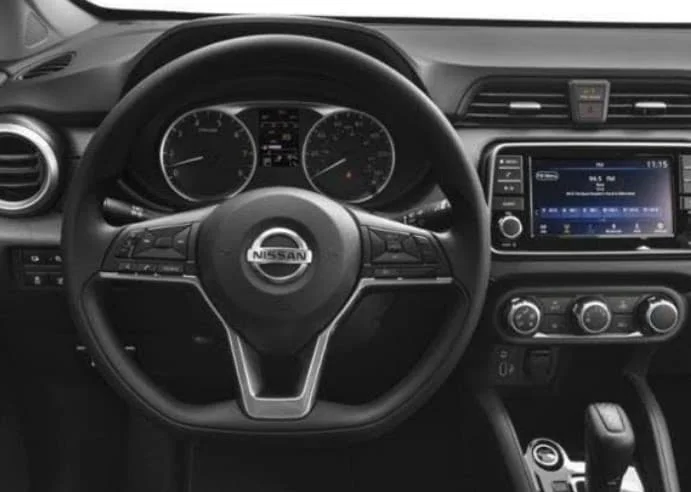
Direct TPMS Sensors
Most Nissan Versa models utilize a Direct TPMS. This means there is a physical pressure sensor attached to the inside of each wheel, usually integrated into the tire valve stem. These sensors are small, battery-powered devices that measure the actual air pressure in pounds per square inch (PSI). They transmit this data wirelessly to your car’s central computer. This setup is highly accurate and can detect even small changes in pressure before you notice them visually.
The Role of the Central ECU
Your car’s Electronic Control Unit (ECU) acts as the brain for the TPMS. It receives signals from all four wheels simultaneously. When the ECU sees a reading that is roughly 25% below the recommended manufacturer settings, it triggers the warning light. It is important to remember that these sensors are sensitive electronics. They help you avoid “blowouts” by catching slow leaks early, which protects both your rims and your safety.
- Constant Monitoring: The system checks your tires every few seconds while the vehicle is in motion.
- Battery Life: TPMS sensors have internal batteries that typically last between 5 to 10 years.
- Real-Time Data: Direct systems provide the most reliable data compared to older, indirect systems.
- Safety First: The system is designed to prevent hydroplaning and poor braking performance caused by low air.
How to Reset Your Nissan Versa TPMS Like a Pro: A Practical Walkthrough
The Tire Pressure Monitoring System (TPMS) in your Nissan Versa is a critical safety feature designed to alert you when your tire pressure drops to a dangerous level. However, once you have corrected the air pressure, that stubborn amber horseshoe-shaped light often refuses to disappear on its own. Whether you are driving an older model with a physical button or a modern Versa with a digital interface, this guide provides the exact location and procedure to clear that warning light. Understanding how to perform this reset yourself not only saves you a costly trip to the dealership but also ensures your vehicle’s safety systems are correctly calibrated for optimal fuel economy and tire longevity.
Step 1: Check and Adjust Initial Tire Pressure
What you need: A high-quality digital or analog tire pressure gauge and access to an air compressor (at home or a gas station).
Instructions: Before you even look for a reset button, you must ensure that all four tires are inflated to the exact specifications required by Nissan. Open the driver-side door and look at the “Tire and Loading Information” placard located on the door pillar (B-pillar). This sticker will tell you the exact PSI (pounds per square inch) needed for your specific Versa model, typically ranging between 32 and 35 PSI. Check the pressure while the tires are “cold,” meaning the car hasn’t been driven for at least three hours. If you just finished a long highway drive, wait for the tires to cool, as heat increases the internal pressure and will give you a false reading. Don’t forget to check the spare tire if your model is equipped with a full-sized spare with a sensor.
Pro Tip: Over-inflating the tires to “turn off the light” is a common mistake. If the placard says 33 PSI, do not go to 40 PSI. This causes uneven tire wear and reduces traction. Aim for exactly what the manufacturer recommends for the best results during the recalibration phase.
Step 2: Locate the Physical Reset Button (Older Models)
What you need: A flashlight and a bit of flexibility to look under the dashboard area.
Instructions: For Nissan Versa models manufactured between 2007 and 2011, and some specific trims up to 2015, there is often a physical TPMS reset button. This button is notoriously difficult to find because it is hidden from the driver’s direct line of sight. Sit in the driver’s seat and reach down toward the lower-left side of the steering column, near the kick panel or the OBD-II diagnostic port. It is a small, black, square button, often located just above the hood release or the gas pedal assembly. In some regional variants, this button may be located inside the glove box on the left-hand side. Look for an icon that matches the TPMS warning light (the horseshoe with an exclamation mark).
Pro Tip: If you cannot feel the button by hand, use your smartphone’s front-facing camera or a small mirror to look upward from the floorboard. It is frequently tucked behind a plastic trim piece to prevent accidental presses during normal driving.
Step 3: Navigate the Digital Instrument Cluster (Newer Models)
What you need: Familiarity with the steering wheel control buttons (the “OK” button and arrow keys).
Instructions: Most Nissan Versa models from 2016 to the present day have replaced the physical button with a software-based reset within the Advanced Drive-Assist Display. To find this, sit in the driver’s seat and turn the ignition to the “ON” position without starting the engine (press the Start button twice without touching the brake). Use the left and right arrow buttons on the left side of your steering wheel to scroll through the menus until you reach the “Settings” gear icon. From there, scroll down using the up/down arrows to “Maintenance” or “Tire Pressure” and press the “OK” button. Inside this sub-menu, you will find the “TPMS Reset” or “Calibrate” option.
Pro Tip: If you don’t see “Settings,” you might be stuck in a specific warning screen. Press the “Back” button (curved arrow) on the steering wheel several times to clear any active alerts before trying to navigate the main menu system again.
Step 4: Prepare the Vehicle for the Reset Sequence
What you need: Your ignition key or the Intelligent Key fob.
Instructions: Regardless of whether you have a button or a menu, the vehicle’s electronic control unit (ECU) must be in the correct state to accept a reset command. Ensure the vehicle is parked on a level surface and the gear selector is in “Park” (for automatics) or “Neutral” with the parking brake engaged (for manuals). Turn the ignition to the “ON” position. If you have a traditional key, turn it two clicks until the dashboard lights up but the engine is not running. If you have a push-button start, press the button twice without your foot on the brake. Ensure all doors are closed, as an open-door warning can sometimes interrupt the communication between the TPMS module and the display.
Pro Tip: Make sure your headlights and radio are off during this process. While it seems minor, a low battery voltage condition during a reset can cause the ECU to reject the new calibration data, leading to a failed reset attempt.
Step 5: Execute the Reset Command
What you need: A steady hand and about 10 seconds of patience.
Instructions: Now that you are in the correct menu or have your finger on the physical button, it is time to trigger the reset. If you have the physical button: Press and hold it down for approximately 3 to 5 seconds. You should see the TPMS warning light on the dashboard flash slowly three times. This indicates the system has entered “learning mode.” If you are using the digital menu: Scroll to “TPMS Reset,” press and hold the “OK” button on the steering wheel until the screen displays a message saying “Resetting…” or “Calibration Started.” Once the message disappears or the light stops flashing, the initial software trigger is complete.
Pro Tip: If the light flashes rapidly instead of slowly, or if it doesn’t flash at all, the system did not register the command. Turn the car off completely, wait 30 seconds, and restart the process from Step 4.
Step 6: Perform the Calibration Drive
What you need: A stretch of road where you can maintain a steady speed of 25-50 MPH for several minutes.
Instructions: The reset button or menu command only tells the computer to start looking for new data; it doesn’t actually finish the reset. To finalize the process, you must drive the vehicle. Start the engine and drive at a speed of at least 16 MPH (25 km/h). The TPMS sensors in the wheels are centrifugal, meaning they only “wake up” and transmit data when the wheels are spinning. Drive for approximately 10 to 20 minutes. Ideally, find a road with minimal stop-and-go traffic so the sensors can maintain a consistent connection with the receiver. During this drive, the computer is comparing the rotational speed of the wheels and the internal pressure readings to ensure everything is within the programmed safety margins.
Pro Tip: Do not use cruise control during this calibration drive. Subtle changes in speed and light steering movements actually help the system distinguish between the different sensor IDs located at each corner of the car.
Step 7: Verify the Warning Light Status
What you need: Visual confirmation of the dashboard cluster.
Instructions: After your calibration drive, the TPMS light should turn off. If the light was previously flashing before you started this process, and now it stays solid after the drive, it indicates a system malfunction (like a dead sensor battery). However, if the light disappears entirely, your reset was successful. Pull over safely and turn the vehicle off. Wait one minute, then restart the engine. If the light remains off during the initial “bulb check” (where all dash lights briefly illuminate), you have successfully recalibrated the system. If the light comes back on immediately, it means one of the tires has a slow leak or the pressure dropped during your drive, and you must re-check the PSI.
Pro Tip: If you are driving in extremely cold weather, the light may come back on the next morning. This is due to the “Cold Tire” physics where air contracts. Simply add 1-2 PSI over the recommendation if you live in a sub-zero climate to prevent “nuisance” lights.
✅ Final Checklist
- All four tires (and spare, if applicable) are inflated to the PSI listed on the driver-side door jamb.
- The ignition was in the “ON” position (engine off) when the reset command was initiated.
- The TPMS light flashed three times (button method) or the “Resetting” prompt was confirmed (menu method).
- A calibration drive was performed for at least 10 minutes at speeds above 16 MPH.
- The TPMS warning light is no longer visible on the instrument cluster after restarting the vehicle.
Important Notes:
- Safety Warning: Never ignore a TPMS light. If the light begins to flash while you are driving, it indicates a critical system failure or a rapid loss of pressure. Pull over immediately to inspect your tires.
- When to Seek Help: If the reset process fails after three attempts, one of your TPMS sensors likely has a dead battery (average lifespan is 7-10 years) or a faulty transmitter. A professional tire shop will need to use a TPMS scan tool to identify the failed sensor.
- Estimated Time: 20-30 minutes (including the drive).
- Estimated Cost: $0 (DIY) vs. $50-$150 (Dealership diagnostic fee).
Factors That Trigger the TPMS Warning Light
It is easy to assume that a TPMS light always means you have a flat tire. While that is a primary reason, several other factors can cause your Nissan Versa to signal an alert. Understanding these triggers can help you stay calm and figure out exactly what your car needs. Sometimes the fix is as simple as waiting for the sun to come up, while other times it requires a closer look at the rubber.
Seasonal Temperature Fluctuations
One of the most common reasons for a TPMS light is simply a change in the weather. Air is a gas that expands when it is hot and contracts when it is cold. When the temperature drops overnight, the air inside your tires becomes denser and takes up less space. This causes the internal pressure to drop. If you wake up on a cold morning and see the light, it might just be because the chilly air “shrank” your tire pressure. Usually, as you drive and the tires warm up, the light might even turn off on its own.
Physical Damage and Slow Leaks
Of course, physical damage is a major culprit. A small nail or a screw picked up from a construction site can cause a “slow leak.” You might not see the tire go flat immediately, but the TPMS will catch the gradual loss of air. It is also worth checking for bead leaks, where the tire does not seal perfectly against the metal rim. These small leaks are hard to spot with the naked eye but are easily detected by your Versa’s sensors.
Sensor and Battery Issues
Since the sensors in your wheels are electronic, they can eventually fail. If a sensor battery dies or the sensor itself gets damaged during a tire change, the TPMS light may flash. A flashing light that later stays solid often indicates a system malfunction rather than a low-pressure issue. In these cases, the computer has lost contact with one of the sensors and needs professional attention to resync or replace the hardware.
- Cold Snaps: A 10-degree drop in temperature can result in a 1 PSI loss.
- Road Debris: Nails and glass are the leading causes of sudden pressure drops.
- Aging Sensors: If your Versa is over six years old, sensor batteries may be reaching their end.
- Altitude Changes: Driving into higher elevations can sometimes trigger a pressure alert.
Automatic vs. Manual Reset Systems
The Nissan Versa has evolved significantly over the years, and with that evolution comes a shift in how the onboard computer handles tire pressure data. Depending on your specific model year, your car might use a Direct TPMS (using sensors inside the wheels) or an Indirect TPMS (using the ABS system to calculate wheel speed). Understanding which system your Versa utilizes helps clarify why the reset process varies so much between a 2012 model and a 2023 model.
How Nissan Systems Differ Across Model Years
In older Nissan Versa models, the system was often more “static.” It required a specific manual trigger to tell the computer that the tires had been serviced. In contrast, newer Versas often feature an Auto-Relearn capability. This means the vehicle is constantly scanning for signal updates from the sensors while you drive. Some key differences include:
- Automatic Detection: Newer models often clear the light themselves after 15–20 minutes of steady driving at speeds over 25 mph.
- Software-Driven Resets: Many modern Versas move the “reset” function into the Advanced Drive-Assist Display (the screen between your gauges) rather than using a physical button under the dash.
- Sensor Sensitivity: Manual systems often have a higher “tolerance” for pressure changes, whereas automatic systems might trigger the light the moment a single tire drops 2-3 PSI below the door placard recommendation.
The Transition from Physical Buttons to Digital Menus
There is often a bit of confusion for Versa owners who expect a physical “Set” button. While some early Nissan models featured a button near the steering column, most modern iterations have moved this to the Vehicle Settings menu. This digital shift reduces the “clutter” of physical buttons but requires a bit more navigation through the dashboard interface. It is a more precise way to manage the system, as the digital interface can often tell you exactly which tire is low, rather than just flashing a generic warning light.
Benefits of Maintaining Optimal Tire Pressure Levels
Keeping your Nissan Versa’s tires at the recommended PSI is about much more than just making a nagging dashboard light disappear. Tire pressure is a fundamental component of your vehicle’s overall health and operating costs. When you ignore that TPMS light, you are likely spending more money at the pump and putting unnecessary strain on your suspension components.
Fuel Efficiency and Long-Term Savings
Low tire pressure increases rolling resistance. Think of it like trying to ride a bicycle with flat tires; you have to work much harder to move forward. Your Versa’s engine experiences the same struggle when tires are under-inflated. Maintaining the correct pressure ensures that the contact patch—the part of the tire touching the road—is optimized for efficiency. This leads to:
- Better Gas Mileage: Under-inflated tires can lower gas mileage by about 0.2% for every 1 PSI drop in the average pressure of all tires.
- Tire Longevity: Properly inflated tires wear evenly across the tread. Under-inflation causes the “shoulders” of the tire to wear out prematurely, forcing you to buy new tires much sooner than expected.
- Reduced Heat Buildup: Correct pressure prevents the tire from flexing excessively, which generates heat and leads to rubber degradation.
Vehicle Stability and Safety
Safety is the primary reason the TPMS exists in the first place. A Nissan Versa with properly inflated tires handles significantly better during emergency maneuvers. If your tires are too soft, the sidewalls can flex during a sharp turn, leading to a “mushy” steering feel or even a loss of control. Furthermore, optimal pressure ensures your braking distance remains as short as possible. In wet or icy conditions, the right pressure helps the tread patterns effectively channel water away, reducing the risk of hydroplaning and keeping you and your passengers safe.
Conclusion
Finding the Nissan Versa TPMS reset button—or navigating the digital menu that replaced it—is a small task that pays huge dividends in safety and efficiency. Whether your car uses an automatic relearn system or requires a manual prompt, the goal remains the same: ensuring your tires are prepared for the road ahead. Remember that the TPMS light is a helpful teammate, not just an annoyance.
Next Steps: Check your driver-side door jamb for the exact PSI requirements for your Versa, and make it a habit to manually check your pressure with a gauge at least once a month. Staying proactive will keep your ride smooth and your wallet full. Stay safe and enjoy the drive!
💬 Quick Questions & Answers
Where is the reset button on a 2020 Nissan Versa?
The 2020 model typically resets automatically after you inflate the tires and drive for several minutes.
Can I reset the TPMS through the steering wheel menu?
On certain higher trims, you can navigate to ‘Settings’ and then ‘Maintenance’ to find tire pressure options.
Why is my TPMS light still on after filling tires?
The system usually requires driving at speeds over 25 mph to register the new pressure levels.
Does the spare tire have a TPMS sensor?
No, standard Nissan Versa spare tires do not include a TPMS sensor to monitor pressure.
What PSI should Nissan Versa tires be?
Check the sticker on the driver-side door jamb for the specific recommended PSI for your vehicle.
❓ Frequently Asked Questions
Why doesn’t my Nissan Versa have a physical TPMS reset button?
Nissan transitioned most newer models to an automatic relearn system to simplify the user experience. Instead of a button, the vehicle uses direct pressure sensors that update the central computer as the wheels rotate during driving.
How long does it take for the light to turn off after inflation?
After inflating your tires to the correct pressure, the light usually stays on for a few minutes. Driving the vehicle at speeds over 25 mph for approximately 5 to 10 minutes should trigger the system to update and clear the warning.
Will cold weather affect my Nissan Versa’s TPMS light?
Yes, air density changes with the temperature, often causing a drop in tire pressure during cold mornings. If the light comes on in the cold, check your levels immediately, as they may have dropped just below the alert threshold.
What is the difference between a blinking and solid TPMS light?
A solid light usually indicates low tire pressure that needs immediate attention. In contrast, a blinking light that eventually stays solid often signifies a malfunction in the TPMS system itself, such as a dead sensor battery or a communication error.
Is it safe to drive with the TPMS warning light on?
While the car is driveable, it is not recommended because low pressure affects handling, braking distances, and tire longevity. You should inspect your tires for leaks or damage at the nearest service station as soon as the light appears.
Can aftermarket sensors work with the Nissan Versa system?
Yes, aftermarket sensors are compatible, but they must be programmed to match the vehicle’s specific frequency. It is often recommended to use OEM Nissan sensors to ensure the most reliable communication with the vehicle’s computer.