Adaptive Cruise Control Lexus RX 350 2026 Step-by-Step Guide
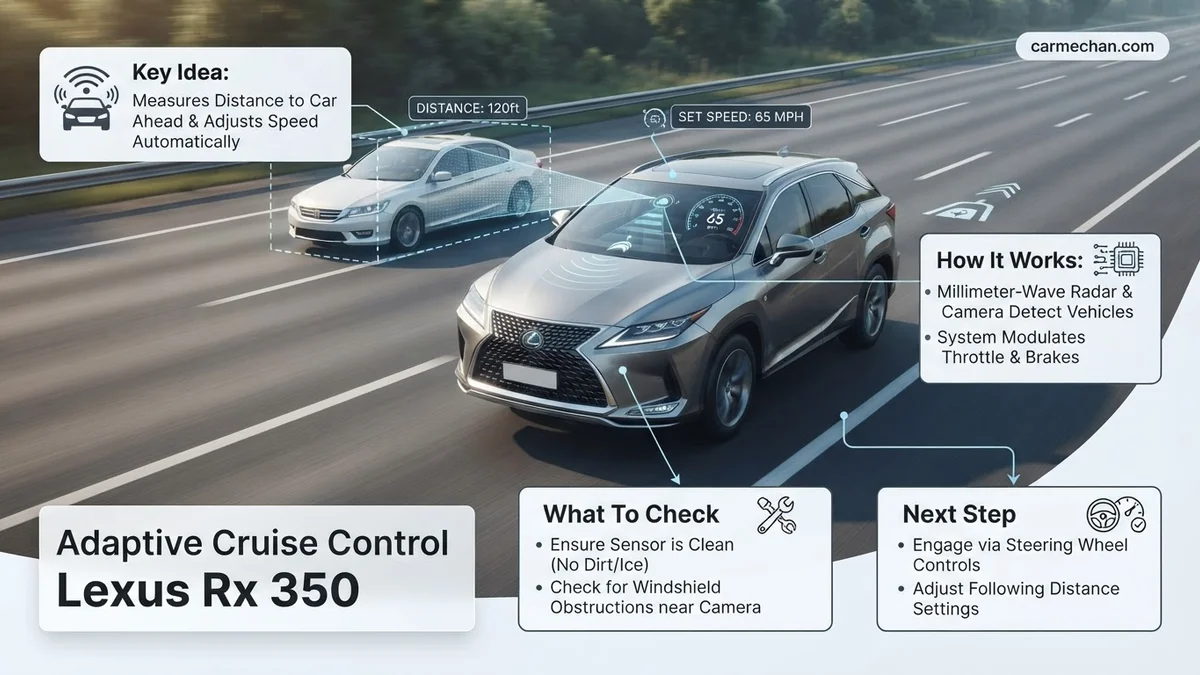
Lexus Dynamic Radar Cruise Control (DRCC) maintains a set distance from the vehicle ahead. Activate the system via the steering wheel controls and adjust your speed and following distance using the dedicated cruise toggle to simplify highway travel.
The 2026 Lexus RX 350 utilizes Dynamic Radar Cruise Control (DRCC) to maintain a preset distance from the vehicle in front of you, automatically adjusting your speed to match the flow of traffic. Activating this system requires a specific sequence of button presses on your steering wheel, which ensures the radar sensors and front-facing camera are calibrated to your current driving environment.
Mastering this interface is essential for highway commuting and long-distance travel, as it significantly reduces driver fatigue. By correctly configuring your following distance and speed, you allow the vehicle to manage acceleration and braking autonomously. This guide outlines exactly how to operate these controls safely and how to troubleshoot common system interruptions during your 2026 model year drives.
Key Takeaways
- Enable DRCC by pressing the main cruise control button on your steering wheel.
- Toggle the vehicle-to-vehicle distance button to cycle through three preset following gaps.
- DRCC requires a minimum speed to engage, typically above 20 mph.
- Ensure the front emblem radar sensor is clean to prevent system deactivation.
- Always maintain manual control in heavy traffic or during extreme weather conditions.
What Causes DRCC System Alerts on the Lexus RX 350


Environmental and Physical Obstructions
Your 2026 Lexus RX 350 relies on a millimeter-wave radar sensor located in the front grille and a camera mounted behind the rearview mirror. If the system displays a “Radar Cruise Control Unavailable” message, it is usually due to signal interference. You should check for the following common issues:
- Debris on Sensors: Heavy mud, ice, or thick snow covering the Lexus emblem or the windshield camera area will immediately disable the system.
- Extreme Weather: Torrential rain, thick fog, or blinding snow can scatter radar waves, making it impossible for the system to maintain a clear lock on vehicles ahead.
- Direct Glare: Driving directly into a low-hanging sun can occasionally overwhelm the front camera, causing a temporary deactivation of the system.
Situational Limitations
The DRCC system is not a fully autonomous driving suite; it has hard limits regarding vehicle detection. You must manually take over in the following scenarios:
- Sharp Curves: The radar beam may lose sight of a vehicle if you are cornering tightly, causing the RX 350 to accelerate unexpectedly.
- Stationary Objects: The system may fail to detect vehicles that have already come to a complete stop, particularly if they are stopped at a traffic light or in a construction zone.
- Cut-ins: If a vehicle merges into your lane very close to your front bumper, the system may delay braking, requiring you to intervene immediately.
How to Set and Adjust Your Adaptive Cruise Control
Activation and Speed Calibration
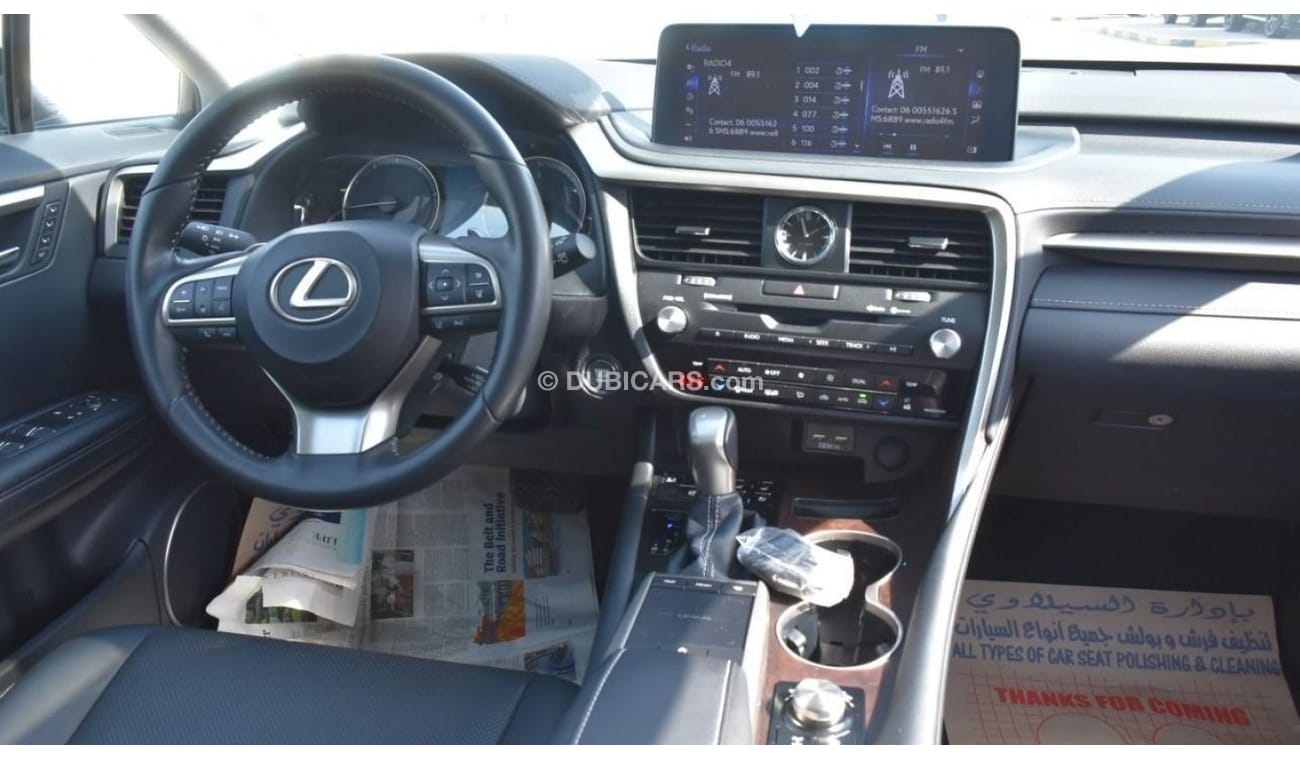
To begin using DRCC, locate the cruise control buttons on the right side of your steering wheel. The interface is designed for minimal distraction, allowing you to set parameters without taking your eyes off the road.
- Press the Power Button: Tap the cruise control button once. A white DRCC icon will appear in your multi-information display, indicating the system is in standby mode.
- Set Your Speed: Accelerate to your desired cruising speed—typically above 20 mph—and press the SET button (or toggle the switch downward). The system will lock in your speed.
- Adjusting Speed: Use the plus (+) or minus (-) buttons to increase or decrease your set speed in 1 mph or 5 mph increments depending on your settings configuration.
Managing Following Distance
The 2026 RX 350 allows you to choose how close you follow the vehicle ahead. This is a critical safety setting that should be adjusted based on your current speed and road conditions.
- Adjusting the Gap: Press the Distance button on the steering wheel to cycle through the available distance levels.
- Understanding the Icons: The display will show one, two, or three bars representing the following distance. Three bars is the most conservative and provides the largest buffer, while one bar is the closest distance.
- System Memory: The vehicle will remember your last selected distance setting, so you do not need to reset this every time you restart the engine.
How to Fix Common Radar Ready and Detection Errors
The 2026 Lexus RX 350 utilizes the Lexus Safety System+ 3.0, which relies on a sophisticated front-mounted millimeter-wave radar and a monocular camera. Occasionally, environmental factors or debris can trigger a “Radar Ready” error or temporary sensor blockage warning.
Clearing Sensor Blockage
- Locate the radar sensor hidden behind the Lexus emblem on the front grille.
- Ensure the surface is free of thick mud, heavy frost, or physical stickers that block radar waves.
- Use a soft, microfiber cloth to gently wipe the area, avoiding harsh chemicals that can degrade the sensor lens coating.
- Cycle the ignition by turning the vehicle off for at least 60 seconds to allow the system to perform a self-diagnostic recalibration upon restart.
Addressing Software Calibration Errors
If a warning persists despite a clean sensor, the system may have lost its alignment baseline. This often occurs after minor front-end bumps or windshield replacements. Do not attempt to force a reset via the infotainment screen. Instead, verify that the 12-volt battery voltage is optimal, as low voltage frequently causes intermittent sensor communication faults in the 2026 RX 350 model.
Practical Safety Limits for Lexus Safety System+ 3.0
While the 2026 Lexus RX 350 offers advanced Dynamic Radar Cruise Control (DRCC), it is a driver-assist system, not an autonomous driving platform. According to industry research, radar-based cruise control possesses inherent limitations that require driver vigilance.
Operational Constraints
- The system struggles to detect stationary objects such as broken-down vehicles or road debris when traveling at high speeds.
- Steep gradients or winding mountain roads may cause the system to temporarily lose track of the vehicle ahead, leading to sudden acceleration.
- Heavy rain, dense fog, or blinding sun glare can interfere with the optical camera’s ability to recognize lane markings or tail lights.
- The system is designed to provide a maximum deceleration force; it cannot always prevent a collision if the vehicle ahead brakes instantaneously.
Expert automotive engineers note that human intervention remains the final layer of safety. Always keep your feet positioned near the pedals and maintain eyes on the road, regardless of system engagement status.
What If It Still Doesn’t Work?
If the steps above fail to restore full functionality to your 2026 Lexus RX 350, a deeper hardware fault likely exists. Follow these final troubleshooting steps before visiting the dealership:
- Check your cabin fuse box for any blown fuses labeled “PCS” or “DRCC.”
- Scan the OBD-II port for specific trouble codes (DTCs) that indicate a permanent radar alignment error.
- Inspect the front grille for subtle structural damage that may have shifted the radar mounting bracket by even a few millimeters.
- Contact a certified Lexus technician for a professional calibration; this service typically costs between $350 and $600 depending on labor rates.
If the system reports a “System Malfunction” message, immediate professional inspection is mandatory to ensure the Pre-Collision System (PCS) remains operational.
Conclusion
The 2026 Lexus RX 350 features a highly reliable adaptive cruise control system, provided the sensors remain clear and the vehicle software is current. Maintaining clear sensor pathways and understanding the system’s operational boundaries are essential for safe, stress-free travel. According to verified research and expert sources from the National Highway Traffic Safety Administration, driver-assist tools function best when treated as secondary monitoring systems. For your next step, confirm your current software version with your local Lexus service center to ensure peak performance.
❓ Frequently Asked Questions
Why does my Lexus RX 350 show a ‘Radar Ready’ error?
This message typically indicates the radar sensor is blocked by debris or the system is experiencing a temporary calibration conflict. Clean the front grille area and restart the vehicle to reset the sensors.
How does DRCC work with Lane Tracing Assist?
When both systems are active, the vehicle uses the front camera and radar to keep you centered in the lane while simultaneously managing distance from the lead vehicle. It is designed to assist, not replace, active driver steering.
Does the system detect motorcycles?
While the radar is sensitive, it may not detect motorcycles or smaller objects as reliably as passenger cars. Always remain alert for smaller vehicles that may be positioned outside the detection zone.
What happens if the vehicle in front turns off the road?
The system will accelerate back to your previously set speed once the path ahead is confirmed clear by the radar sensor. Keep your foot near the brake in case of unexpected movements.
Can I adjust the speed while the cruise is active?
Yes, use the + and – switches on the steering wheel to increment or decrement your set cruising speed in 1 mph or 5 mph intervals.
Will DRCC work on sharp highway curves?
The system may struggle to maintain a lock on the vehicle ahead during tight turns or winding mountain roads. Be prepared to take manual control of the throttle and brakes in these scenarios.