2018 Honda Civic Oil Reset Procedure: A Comprehensive Guide
Ensuring the longevity and peak performance of your 2018 Honda Civic hinges significantly on diligent adherence to its prescribed maintenance schedule. The illuminated oil life indicator or ‘Maintenance Due’ message on your dashboard, post-oil change, often signals the need for a system reset, a crucial step many owners overlook, leading to confusion and delayed service reminders. This comprehensive guide will meticulously walk you through the precise steps to perform an effective oil life reset on your 2018 Honda Civic, address common troubleshooting scenarios, and underscore the broader importance of proactive vehicle maintenance.

Understanding the 2018 Honda Civic Maintenance Minder System
Recommended Best Deal Products


📤 Share Image
Honda’s Maintenance Minder system represents a significant advancement over traditional fixed-interval service schedules. Instead of relying solely on mileage or time, this intelligent onboard diagnostic system continuously monitors various engine parameters and driving conditions to determine the optimal timing for essential maintenance services, including oil changes. This dynamic approach ensures that your 2018 Honda Civic receives service precisely when it’s needed, preventing both premature and delayed maintenance, thereby optimizing operational costs and maximizing component lifespan.
The system displays critical information through a series of codes, comprising a main code (e.g., A or B) and sub-codes (e.g., 1, 2, 3, 4, 5). The most common indicator you’ll encounter is the oil life indicator, presented as a percentage countdown on your instrument cluster. When the oil life reaches 15%, a service reminder will illuminate, often accompanied by the specific service code, such as ‘B1’. As the oil life approaches 0%, the reminder becomes more persistent, signaling an immediate need for an oil change.
For instance, if your display shows ‘B1’ with ‘Oil Life 15%’, it indicates that the engine oil and filter require replacement (B), and a tire rotation is due (1). The system calculates this interval based on real-world factors such as engine RPM, temperature, vehicle speed, and trip duration. A Civic primarily used for frequent short trips in city traffic will experience a faster oil life degradation compared to one consistently driven on long highway stretches, as short trips prevent the engine from reaching optimal operating temperatures, leading to increased condensation and fuel dilution in the oil. This intelligent monitoring can adjust service intervals by up to several thousand miles compared to fixed schedules, often recommending oil changes between 7,500 and 10,000 miles under normal conditions.
Accurately resetting the oil life indicator immediately after an oil change is not merely a formality; it is critical for the system’s continued efficacy. Failing to restore the oil life to 100% after service will lead the system to believe the old, depleted oil is still in use, causing inaccurate future service reminders. This oversight can lead to the system prompting for another oil change prematurely or, worse, delaying the next critical service by thousands of miles, potentially compromising engine health. Resetting it essentially provides the system with a fresh start, allowing it to accurately initialize its monitoring cycle based on the new, clean oil.

Step-by-Step Guide: Performing the 2018 Honda Civic Oil Life Reset
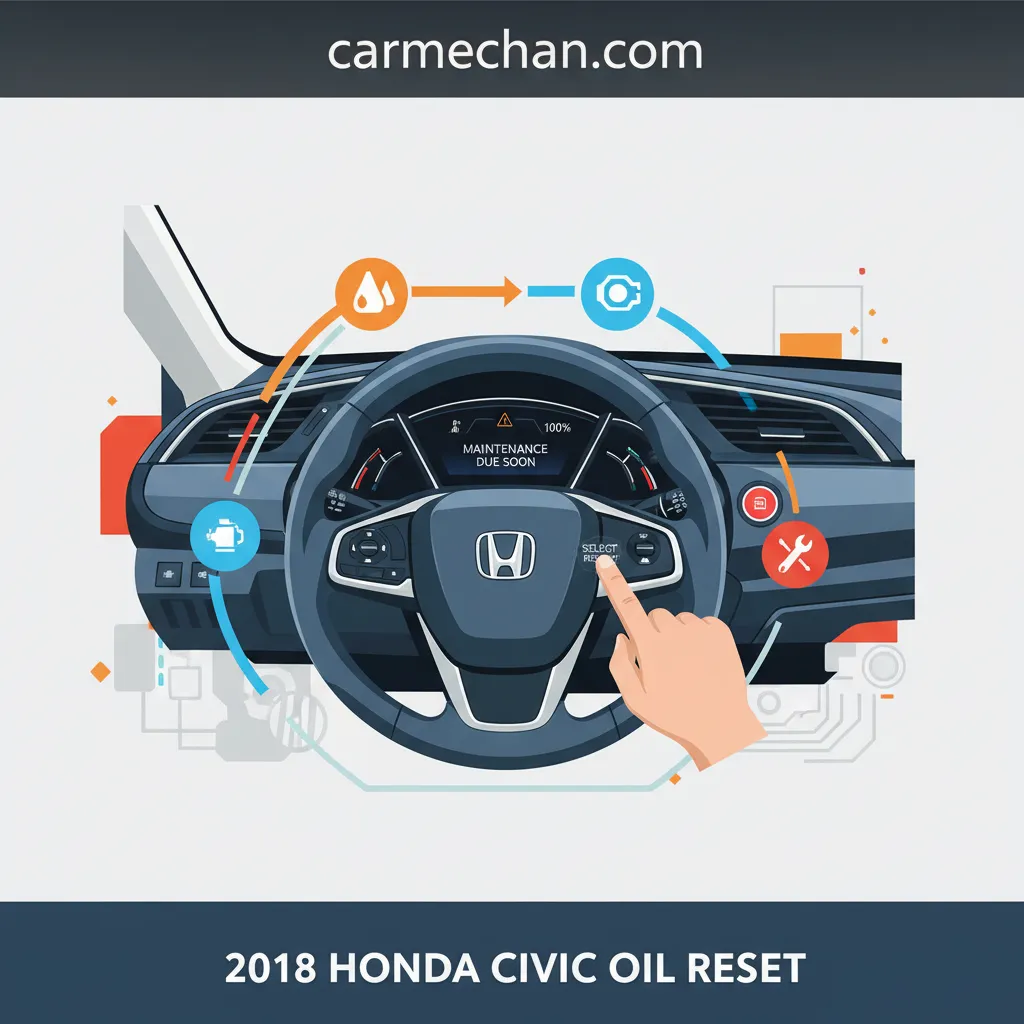
Successfully resetting the oil life indicator on your 2018 Honda Civic is a straightforward procedure, though the exact steps may vary slightly depending on your vehicle’s trim level and display type. The primary distinction lies between models equipped with the more advanced Driver Information Interface (DII) navigable via steering wheel controls, and those with a simpler Multi-Information Display (MID) operated by a dashboard button. Regardless of your specific configuration, the goal is to restore the oil life percentage to 100%.

📋
Step-by-Step Guide
Recommended Best Deal Products


Ensure the vehicle’s ignition is in the ON (II) position, but do not start the engine. All warning lights should be illuminated on the dashboard. This is a critical first step for the system to respond to input.

Audible — Listen Free for 30 Days
One free credit a month and thousands of titles included.
Listen Free for 30 DaysFor models with the Driver Information Interface (e.g., EX, Touring), use the MENU button on the left side of the steering wheel. Utilize the Up/Down arrows to scroll through the display options until you locate ‘Maintenance’ or ‘Vehicle Information’. Once highlighted, press the SEL/RESET button to select it. This will display the current oil life percentage and any associated service codes like ‘B1’.
With the oil life displayed, press and hold the SEL/RESET button for approximately 10 seconds. The display will change, prompting you to ‘Select item to reset’. You might see options like ‘Engine Oil’, ‘All Due Items’, or a prompt to confirm. Use the Up/Down arrows to select ‘Engine Oil’ or ‘All Due Items’ if you’ve performed all indicated services (e.g., B1). Press the SEL/RESET button again to confirm the reset. The system will typically flash ‘100%’ before stabilizing, confirming the reset.
For models with a simpler multi-information display, typically found in LX trims, navigate to the oil life display using the INFO/RESET button located on the dashboard or instrument cluster. Cycle through the displays until ‘Oil Life XX%’ is shown. Once displayed, press and hold the INFO/RESET button for approximately 10 seconds. The oil life percentage will flash, then prompt you to reset. Release and press the button again for about 5 seconds to confirm the reset. The display should return to ‘100%’.
After successfully following the steps, the oil life percentage should read ‘100%’. This is your visual cue for a successful reset. If other service codes were present (e.g., for tire rotation or air filter), and you selected ‘All Due Items’ (and completed those services), those indicators should also clear. If you only reset the ‘Engine Oil’, other codes will persist, accurately reminding you of pending maintenance tasks. This ensures the system maintains its default effectiveness.
If you accidentally reset an incorrect item, or only partially complete a service (e.g., only oil, but not tire rotation from a B1 code), simply re-navigate to the Maintenance Minder screen and carefully select only the specific item(s) you need to reset. The system allows granular control, enabling you to tailor the fresh start to only the completed services.
Troubleshooting Common Issues During the 2018 Honda Civic Oil Reset
Even with precise instructions, issues can sometimes arise during the oil life reset procedure. As an experienced technician, I’ve encountered several common scenarios where the reset doesn’t go as planned. Understanding these pitfalls and their solutions is crucial for a successful outcome and ensuring the Maintenance Minder system functions as intended.
-
Oil Life Indicator Does Not Reset to 100%: The most frequent issue is the display failing to show ‘100%’ after the procedure.
- Insufficient Hold Time: Many users release the SEL/RESET button too early. You must hold it for the full 10 seconds (or as specified for your model) until the display changes or flashes. A common mistake is releasing upon initial flashing, rather than waiting for the reset prompt.
- Incorrect Ignition Status: The reset must be performed with the ignition in the ON (II) position (all dash lights on), not just ACC (Accessory) or with the engine running. Confirming this step is often the key to resolving unresponsive systems.
- Wrong Menu Selection: On DII models, ensure you’ve specifically selected ‘Engine Oil’ or ‘All Due Items’ (if applicable) before confirming. Accidentally selecting a different service item or canceling the action will prevent the oil life from resetting.
-
Other Maintenance Codes Persist: You’ve changed the oil and reset the oil life, but other codes like ‘1’ (tire rotation) or ‘2’ (air filter) remain.
- Oil Life Reset is Specific: The oil life reset procedure only applies to the engine oil life monitor. If your Maintenance Minder displayed a ‘B1’ code, resetting only the ‘Engine Oil’ component will clear the ‘B’ but leave the ‘1’ for tire rotation. You must perform the actual tire rotation service and then reset the corresponding ‘1’ item within the Maintenance Minder menu, typically by selecting ‘All Due Items’ or specifically selecting each sub-item.
- Unaddressed Service Items: The system is designed to provide comprehensive maintenance reminders. A user might report the ‘Maintenance Due’ light remaining on after an oil reset, not realizing it’s because other pending service items, like a tire rotation or air filter replacement, have not yet been physically performed or reset in the system. Each item requires attention for the system to fully restore to a clear state.
-
Electrical System Glitches or Sensor Malfunctions: In rare cases, the system might genuinely be unresponsive due to an underlying electrical issue or a faulty sensor.
- Basic Diagnostic Checks: Before escalating, ensure your vehicle’s battery voltage is healthy. A weak battery can sometimes cause intermittent electrical issues. You can also try a full vehicle reboot by disconnecting the negative battery terminal for 15 minutes, which sometimes clears minor electronic gremlins, although this is a more drastic step and may require radio code entry.
- Professional Intervention: If the oil life indicator simply refuses to reset despite meticulous adherence to the procedure, or if other unusual dashboard lights are present, it’s time for professional diagnosis. Honda’s proprietary HDS (Honda Diagnostic System) can interface directly with the Maintenance Minder system to identify sensor malfunctions or communication errors that might be impeding a successful reset. The system’s integrity relies on accurate sensor input, and any disruption can prevent a proper initialize of its new cycle. This becomes a necessary backup measure to diagnose complex issues.
Never ignore persistent maintenance reminders, even if you believe you’ve performed the service. If the oil life indicator refuses to reset, or other service codes remain after attempting the reset, it warrants further investigation. Neglecting these warnings can lead to serious engine damage and potentially void your warranty.
The Importance of Timely Oil Changes and Proper 2018 Civic Maintenance
Beyond the procedural aspect of resetting the oil life indicator, lies the fundamental truth: clean, correctly specified engine oil is the lifeblood of your 2018 Honda Civic’s engine. Engine oil performs multiple critical functions: it lubricates moving parts, reducing friction and wear; it dissipates heat, preventing overheating; and it cleans the engine by suspending contaminants, preventing sludge buildup. Over time, oil degrades, losing its viscosity and additive effectiveness, becoming less capable of protecting your engine.
Adhering to the Maintenance Minder’s recommendations for oil changes, particularly using the OEM-recommended 0W-20 synthetic blend or full synthetic oil, provides a myriad of benefits:
Extended Engine Life
Regular changes with clean oil dramatically reduce wear on critical components like camshafts, bearings, and piston rings, potentially adding tens of thousands of miles to your engine’s lifespan.
Optimal Engine Efficiency
Fresh oil maintains proper lubrication, minimizing internal drag and ensuring the engine operates at its peak efficiency, which translates directly to better fuel economy.
Warranty Preservation
Honda’s warranty terms typically require adherence to scheduled maintenance. Documented, timely oil changes are essential; a dealership might deny a warranty claim for a major engine component if there’s evidence of neglected service.
Maintained Resale Value
A well-maintained service history, easily verifiable through your Maintenance Minder and service records, significantly enhances your vehicle’s resale value, signaling reliability to future buyers.
Conversely, neglecting oil changes has severe implications. Old, sludgy oil cannot adequately lubricate, leading to accelerated wear on components like pistons, crankshafts, and valve train. This increased friction generates excessive heat, which can warp parts, cause gasket failures, and ultimately lead to catastrophic engine failure. Imagine the contrast between an engine diligently serviced with a fresh start every 7,500-10,000 miles, where components show minimal wear even at high mileage, versus one with neglected maintenance, exhibiting premature wear, increased oil consumption, and diminished performance at a fraction of that mileage. The long-term financial consequences of engine damage far outweigh the modest cost of regular oil changes.
A common scenario where a dealership might deny a warranty claim is when documented skipped oil services are found. The burden of proof for proper maintenance often falls on the owner, making accurate record-keeping and timely service imperative for protecting your investment.
Beyond the Oil Reset: Complementary Maintenance for Your 2018 Honda Civic
While the oil change and its subsequent reset are paramount, a holistic approach to vehicle care extends far beyond this single task. Your 2018 Honda Civic is an intricate system, and maintaining its various components ensures overall reliability, safety, and performance. The Maintenance Minder system is designed to prompt for these additional services, providing a comprehensive maintenance schedule based on your driving conditions and exceeding typical default schedules.
- Air and Cabin Filters: Often overlooked, these filters are crucial. A clogged engine air filter restricts airflow, leading to reduced engine performance and fuel economy (potentially a 5-10% reduction). A dirty cabin air filter compromises interior air quality, introducing allergens and odors. Honda generally recommends replacing the engine air filter every 15,000-30,000 miles and the cabin air filter every 15,000 miles, depending on environmental conditions. Ensuring these are clean is vital for efficiency and comfort.
- Tire Rotation and Pressure Checks: Regular tire rotation (typically every 5,000-7,500 miles, as often prompted by a ‘1’ sub-code) ensures even wear across all four tires, maximizing their lifespan, improving handling, and maintaining optimal fuel efficiency. Consistent tire pressure checks are equally important, as underinflated tires can decrease fuel economy and increase wear. Visual examples of neglected rotation often show excessive wear on the inner or outer edges of specific tires, indicating uneven load distribution.
- Fluid Level Checks and Brake System Inspections: Regularly checking coolant, brake fluid, and transmission fluid levels against factory specifications is vital. Low brake fluid, for example, can indicate worn brake pads or a leak, directly impacting stopping power and safety. Brake system inspections should include pad wear, rotor condition, and caliper function to ensure safe and reliable operation. Maintaining these fluids at their proper levels helps restore the vehicle to its optimal operating state.
- Spark Plugs and Belt Inspections: As the Maintenance Minder progresses, it will eventually recommend spark plug replacement (e.g., code ‘4’) and drive belt inspections. Adhering to these ensures consistent engine ignition and reliable operation of accessories driven by the belt system.
By actively engaging with all aspects of your 2018 Honda Civic’s maintenance, not just the oil reset, you ensure its overall health, maximize its operational lifespan, and protect your investment. The Maintenance Minder system is an invaluable tool for this, effectively acting as your vehicle’s personal service advisor, guiding you to a comprehensive fresh start after each service interval.
Conclusion
Properly resetting your 2018 Honda Civic’s oil life indicator is essential after every oil change to maintain the accuracy of the Maintenance Minder system. Following the step-by-step procedure, which varies slightly by display type, ensures the system correctly monitors your vehicle’s service needs. Consistent adherence to scheduled maintenance, including timely oil changes and other inspections, is paramount for the vehicle’s longevity, performance, and warranty preservation. Implement these steps immediately after your next oil service, and consult your owner’s manual or a certified Honda technician for any persistent issues or complex service requirements.
Frequently Asked Questions
Can I reset the oil life light on my 2018 Civic without actually changing the oil?
While technically possible to perform the reset procedure, it is strongly advised against. Resetting the oil life indicator without an actual oil change defeats the purpose of the Maintenance Minder system and can lead to severe engine damage due to degraded oil. Always perform an oil change before resetting to ensure a fresh start and proper lubrication.
What do the ‘A’ and ‘B’ service codes mean on my 2018 Honda Civic’s Maintenance Minder?
The ‘A’ service code indicates an oil and filter change is required. The ‘B’ service code means an oil and filter change, plus an inspection of various components like brakes, tie-rod ends, steering gearbox, driveshaft boots, fluid levels, and exhaust system. Additional numbers (e.g., ‘1’ for tire rotation) specify further maintenance items.
How often should the oil be changed in a 2018 Honda Civic?
The 2018 Honda Civic’s Maintenance Minder system intelligently determines oil change intervals based on driving conditions and engine performance. Typically, it will recommend an oil change between 7,500 and 10,000 miles, or approximately once a year, using the recommended 0W-20 synthetic blend oil.
My maintenance light is still on after I reset the oil life. What could be wrong?
If the maintenance light persists, it likely indicates other pending service items detected by the Maintenance Minder, not just the oil. The system generates specific alphanumeric codes (e.g., B1, A3) for different services like tire rotation, air filter replacement, or brake inspection. You may need to address these additional codes separately.
What type of oil is recommended for a 2018 Honda Civic?
For optimal performance and engine longevity, Honda recommends using a 0W-20 weight synthetic blend or full synthetic motor oil that meets Honda’s specifications. Always consult your owner’s manual for the precise oil type and capacity for your specific 2018 Honda Civic model and engine variant.