2012 Honda Odyssey TPMS Reset Button Location: Fact Check
Last Updated on September 1, 2026 by Ryan
📋 Table of Contents
- 🎯 Key Takeaways
- Understanding the 2012 Honda Odyssey TPMS Architecture
- 2012 Honda Odyssey TPMS Reset Made Easy: Your Essential Action Plan
- Factors That Trigger the Low Tire Pressure Indicator
- Comparing Direct vs. Indirect TPMS in Honda Vehicles
- Troubleshooting Persistent Tire Pressure Light Issues
- Conclusion
- 💬 Quick Questions & Answers
- ❓ Frequently Asked Questions
The 2012 Honda Odyssey does not have a physical TPMS reset button because the system is designed to calibrate itself automatically. To clear the light, you must inflate all tires to the correct PSI and drive the vehicle at consistent speeds.
🎯 Key Takeaways


- No physical TPMS reset button exists on 2012 models.
- System recalibrates automatically after reaching correct tire pressure.
- Drive above 28 mph to trigger sensor communication.
- Check the door jamb placard for exact PSI requirements.
- A flashing light indicates a sensor or system malfunction.
Have you ever spent a frustrating afternoon scouring your dashboard for a button that simply does not exist? If you are looking for a physical 2012 Honda Odyssey TPMS reset button, you are on a wild goose chase. Many car owners assume that every vehicle with a Tire Pressure Monitoring System has a dedicated button to clear alerts, but Honda took a different path with this specific model year. Knowing where to look—and where not to look—will save you a lot of time and unnecessary stress.
Understanding how your Odyssey tracks air pressure is the first step toward a stress-free drive. When that glowing orange icon appears on your instrument cluster, it is not just a nuisance; it is a vital safety warning designed to protect your tires and your fuel economy. This topic matters because the 2012 model sits in a unique transition period for Honda technology. Knowing why the system behaves the way it does can save you hours of searching through your glovebox or scrolling through endless online forum threads.
Understanding the 2012 Honda Odyssey TPMS Architecture


The 2012 Odyssey utilizes what engineers call a Direct TPMS. This means your van relies on physical hardware located inside each wheel rather than software calculations based on wheel speed. In many newer vehicles, the computer looks at rotation data via the ABS sensors to “guess” if a tire is low. However, your 2012 model uses actual pressure sensors mounted directly to the valve stems. This provides a more accurate reading but changes how you interact with the car.

The Myth of the Dashboard Button
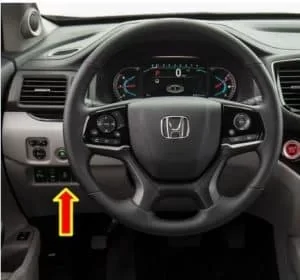
One of the biggest points of confusion for Odyssey owners is the lack of a “Set” or “Reset” button. If you have previously owned a 2014 or newer Honda, you might remember a physical button located to the left of the steering wheel. In the 2012 model, the architecture is designed to be automatic and self-correcting. The vehicle is constantly listening for radio frequency signals from the wheels. Because the system is designed to detect changes in real-time, Honda did not include a manual override button in the cabin for the user to press.
Key Components of the Internal System
To understand why there is no button, you have to look at the main parts working behind the scenes. These components communicate wirelessly to ensure your safety without requiring manual input from the driver. Every time you drive, these parts are talking to each other:
- Sensor Transmitters: These are the “brains” in your wheels that measure pressure and temperature constantly.
- Initiators: These are located near the wheel wells to help the car know exactly which tire is sending the data.
- TPMS Control Unit: This is the central hub that processes data and decides when to trigger the warning light on your dash.
- Radio Frequency (RF) Signals: The sensors use a specific frequency to beam data to the control unit while the wheels are spinning.
2012 Honda Odyssey TPMS Reset Made Easy: Your Essential Action Plan



If you are looking for a physical button to reset the Tire Pressure Monitoring System (TPMS) on your 2012 Honda Odyssey, you might find yourself searching the dashboard and glove box for hours to no avail. Unlike newer Honda models that use an indirect system with a dedicated “SET” button, the 2012 Odyssey utilizes a direct TPMS system with sensors inside each wheel. This guide covers the exact process to extinguish that annoying dashboard light, clarifies the common misconceptions about button locations, and provides a professional-grade troubleshooting workflow to ensure your family van remains safe and fuel-efficient on the road.
Step 1: Identify the Specific Dashboard Warning Light
What you need: A clear view of your instrument cluster and the vehicle owner’s manual (optional).
Instructions: Before attempting a reset, you must identify which light is illuminated. The 2012 Honda Odyssey has two distinct TPMS indicators. The first is the “Low Tire Pressure” indicator, which looks like a yellow horseshoe with an exclamation point. This signifies that one or more tires have dropped below the recommended PSI. The second is the “TPMS” text indicator. If the letters “TPMS” are glowing, this indicates a system malfunction, such as a dead sensor battery or a communication error, rather than just low air. Understanding this distinction is vital because a simple inflation won’t fix a system error light. Observe if the light flashes for 60 seconds upon startup before staying solid, as this is the classic sign of a sensor failure.
Pro Tip: If the “TPMS” text light is on, your sensors are likely reaching the end of their 10-year lifespan, which is common for a 2012 model. Inflation will not clear this specific light.
Step 2: Locate the Manufacturer’s Recommended Cold PSI
What you need: Access to the driver’s side door jamb.
Instructions: Never use the “Max Pressure” number printed on the tire sidewall as your guide for daily driving. Instead, open the driver’s door and look for the Tire and Loading Information placard located on the B-pillar. For a 2012 Honda Odyssey, the recommended pressure is typically 33 PSI or 35 PSI for all four tires, depending on your specific trim level (LX, EX, or Touring). Ensure you are checking the “Cold” pressure, meaning the vehicle has been parked for at least three hours or has been driven less than a mile. Heat causes air to expand, which can give you a false high reading and prevent the TPMS light from successfully resetting after your drive.
Pro Tip: Always keep a small notepad in your glove box to record these numbers so you don’t have to keep checking the door jamb in the cold or rain.
Step 3: Measure and Adjust All Four Main Tires
What you need: A high-quality digital tire pressure gauge and an air compressor or gas station air pump.
Instructions: Remove the valve stem caps from all four tires and use your digital gauge to get an accurate reading. Even if only one tire looks low, the 2012 Odyssey’s system is sensitive to discrepancies between all four wheels. Add air to any tire that is below the door placard’s specification. If a tire is over-inflated, use the small nipple on the back of your gauge to bleed out excess air. It is important to be precise; try to get every tire within +/- 0.5 PSI of the target. Once finished, securely replace all valve caps to prevent moisture and debris from entering the TPMS sensor mechanism, which can lead to corrosion and premature sensor failure.
Pro Tip: Avoid using the built-in gauges on gas station air hoses, as they are notoriously inaccurate due to heavy use and weather exposure.
Step 4: Perform the “Automatic Reset” Drive Cycle
What you need: A clear stretch of road where you can maintain steady speeds.
Instructions: Here is the secret to the 2012 Honda Odyssey: there is no physical reset button because the system is designed to “self-learn.” Once you have corrected the tire pressures to the exact specification, you must drive the vehicle to trigger the sensors to send new data to the TPMS ECU. Drive the vehicle at a speed of at least 28 mph (45 km/h) for approximately 2 to 10 minutes. The system needs to see consistent rotation and pressure data to verify the issue has been resolved. You do not need to perform any special maneuvers; simply driving to the grocery store or a short stint on a local highway is usually enough to make the horseshoe icon disappear from your dash.
Pro Tip: If the light stays on after 15 minutes of driving, pull over, turn the car off, and restart it to “refresh” the dashboard display.
Step 5: Inspect the Spare Tire (The Hidden Culprit)
What you need: Access to the spare tire storage area (located under the floor between the front and second-row seats).
Instructions: While the 2012 Honda Odyssey’s TPMS system primarily monitors the four main tires on the ground, some users report that a significantly low “donut” spare can occasionally interfere with the system’s logic or trigger alerts in certain trim configurations. More importantly, if you are checking your tires, it is the perfect time to ensure your spare is ready for an emergency. The compact spare tire requires a much higher pressure than your standard tires—usually 60 PSI. Using your gauge, check the spare’s pressure and inflate it if necessary. This ensures that if you do have a blowout, your backup tire isn’t also flat, and it eliminates one more variable in your TPMS troubleshooting process.
Pro Tip: The spare tire is often neglected for years. If you see cracks in the rubber (dry rot), replace it immediately regardless of the air pressure.
Step 6: Troubleshooting the “TPMS” Malfunction Light
What you need: An OBD-II scan tool with TPMS capabilities or a visit to a tire professional.
Instructions: If you followed the inflation and driving steps and the “TPMS” text light (not the horseshoe icon) is still on, your 2012 Odyssey has detected a hardware fault. Because these sensors are powered by non-replaceable internal batteries, they typically fail after 7 to 10 years of service. Given that a 2012 model is now well over a decade old, it is highly likely that one or more sensor batteries have died. To fix this, you will need a specialized TPMS scan tool to “ping” each sensor and see which one is unresponsive. Once the dead sensor is identified, the tire must be partially dismounted to replace the sensor unit, and the new sensor ID must be programmed into the car’s computer.
Pro Tip: If one sensor battery has died, the others are likely close behind. Consider replacing all four at once to save on labor costs in the long run.
✅ Final Checklist
- Verified the difference between the Low Pressure icon and the TPMS system light.
- Inflated all four tires to the exact PSI listed on the driver’s side B-pillar placard.
- Ensured all valve stem caps are tightly replaced to protect the internal sensors.
- Drove the Odyssey above 28 mph for at least 10 continuous minutes to initiate the self-reset.
- Checked the spare tire pressure to ensure it is at the required 60 PSI for safety.
Important Notes:
- Safety Warning: Never ignore a TPMS light. Low tire pressure significantly increases braking distances and the risk of a high-speed blowout.
- Professional Help: If the “TPMS” text light remains on after proper inflation, seek help from a tire shop. They have the “trigger tools” required to wake up or program new sensors.
- Estimated Time: 15–20 minutes for inflation and the reset drive.
- Estimated Cost: $0 for a simple air top-off; $50–$100 per wheel if a sensor needs replacement.
Factors That Trigger the Low Tire Pressure Indicator
The 2012 Odyssey is quite sensitive to changes in the environment and the health of its electronic components. Understanding what causes the light to pop up can help you determine if you have a genuine flat tire or just a technical glitch. In many cases, the light is doing its job perfectly, even if your tires look full to the naked eye.
The Impact of Seasonal Temperature Shifts
The most common reason for a TPMS alert is simply the weather. Air is a gas that expands when hot and contracts when cold. For every 10-degree drop in outside temperature, your tires can lose about one pound per square inch (PSI) of pressure. On a crisp autumn morning, you might find your light is on, only for it to disappear once you have driven a few miles and the tires have warmed up. This “ghost” light is a classic sign of the air density changing inside the tire casing.
TPMS Warning vs. Low Pressure Icon
It is important to distinguish between the two different lights your Odyssey might show you. They mean very different things for your repair budget. You should always check your display carefully to see which message is being sent:
- The Horseshoe Icon: This symbol (an exclamation point inside a horseshoe) specifically means one or more of your tires is below the recommended pressure threshold.
- The “TPMS” Text Light: If the letters “TPMS” stay illuminated, this indicates a system malfunction rather than low air. Since the 2012 Odyssey is now over a decade old, the internal batteries in your wheel sensors are likely reaching the end of their 7-to-10-year life span.
- The Spare Tire Variable: Most people forget that the “donut” spare tire in the 2012 Odyssey does not have a sensor. If you are driving on a spare, the system will detect a “missing” sensor and keep the light on.
- Altitude Changes: Driving from sea level into high mountains can change the pressure differential enough to trigger a sensitive sensor.
Comparing Direct vs. Indirect TPMS in Honda Vehicles
Understanding why your 2012 Honda Odyssey lacks a physical reset button requires a quick look at how Honda’s technology has evolved. Most vehicles today use one of two systems: Direct or Indirect TPMS. Your 2012 Odyssey utilizes a Direct TPMS, which relies on physical hardware to provide data. This is fundamentally different from the software-based systems found in newer Honda models.
The Direct TPMS Advantage (and the Hardware Headache)
In a Direct system, each wheel is equipped with a battery-powered sensor attached to the valve stem. These sensors measure the actual air pressure inside the tire and transmit that data to the car’s computer. Because the system is designed to be “always-on” and self-correcting, Honda engineers didn’t see the need for a manual reset button. If the pressure is correct, the system should recognize it automatically.
- Precision: Direct systems are highly accurate because they measure PSI, not just wheel rotation.
- Hardware Dependent: Since each sensor has a battery, they eventually wear out, usually after 7 to 10 years.
- No Manual Calibration: Unlike software systems, there is no “learning mode” that a driver needs to initiate via a dashboard button.
Why Newer Hondas Have the “Reset” Button
If you’ve seen a friend’s 2018 Odyssey or a newer Civic with a “TPMS Calibration” option in the settings, they are likely using an Indirect TPMS. These systems don’t use sensors in the tires at all. Instead, they use the Anti-lock Braking System (ABS) wheel speed sensors to “guess” if a tire is low based on how fast the wheel is spinning. Because these are based on calculations rather than direct measurements, they require a manual reset button to tell the computer, “I’ve fixed the air, start calculating from zero.”
Troubleshooting Persistent Tire Pressure Light Issues
It can be incredibly frustrating when you’ve filled your tires to the recommended PSI (usually 33-35 PSI for an Odyssey) and that pesky yellow horseshoe light remains illuminated. Since there is no button to force it off, you have to look at secondary factors that might be tricking the system.
External Factors: Temperature and Altitude
The 2012 Honda Odyssey’s sensors are sensitive to environmental shifts. A sudden cold snap can cause the air inside your tires to contract, dropping the pressure just enough to trigger the light overnight. Even if the tires warm up while driving, the light might stay on until the pressure is topped off to the “cold” specifications listed on your driver-side door jamb.
- The 10-Degree Rule: For every 10-degree drop in temperature, your tires can lose about 1 PSI.
- High Altitude: Driving into mountainous regions can change the pressure differential, occasionally causing the TPMS to act up.
- The Spare Tire: While most 2012 Odyssey spare tires are “donuts” without sensors, it is always worth a quick check if you have an aftermarket full-size spare in the cargo area.
Sensor Battery Life and System Faults
Given the age of a 2012 model, many owners are now reaching the end of their original sensor life. TPMS sensors are powered by non-replaceable lithium-ion batteries. Once a battery dies, the sensor stops transmitting, and the car’s computer assumes there is a system failure. You can usually tell the difference by how the light behaves: a solid light typically means low pressure, while a flashing TPMS light usually indicates a sensor failure or a system fault that requires a scan tool to diagnose.
- Sensor Age: Most sensors last about a decade; if you are still on your original set, they are likely failing.
- Electronic Interference: Occasionally, cheap USB chargers or aftermarket electronics plugged into the 12V outlets can interfere with the radio frequency (RF) signals sent by the sensors.
- TPMS Tool Requirement: If a sensor is replaced, a professional shop must use a “relearn tool” to sync the new sensor ID to the van’s computer.
Conclusion
To wrap things up, the “missing” 2012 Honda Odyssey TPMS reset button isn’t a mistake—it’s a design choice. Because your vehicle uses a Direct TPMS system with physical sensors, it is designed to manage itself without driver intervention. If your light is on, it is a signal to check your actual tire pressure rather than searching for a shortcut button. By ensuring your tires are at the correct PSI and acknowledging the 10-year lifespan of the sensors, you can keep your dashboard clear of unwanted warning lights.
Next Steps: First, double-check your tire pressure with a high-quality manual gauge. If the light remains on after a short drive at highway speeds, head to a local tire shop to have them “ping” your sensors for battery life. Staying proactive with your tire maintenance ensures a smoother ride and better fuel economy for your family hauler!
💬 Quick Questions & Answers
Where is the TPMS reset button located?
There is no physical TPMS reset button on the 2012 Honda Odyssey; it uses an automatic reset system.
How do I get the TPMS light to turn off?
Inflate your tires to the recommended PSI and drive for several minutes above 28 mph.
Does the 2012 Odyssey spare tire have a sensor?
No, the compact spare tire on the 2012 Odyssey does not have a TPMS sensor.
What is the correct tire pressure for this model?
The recommended pressure is typically 33-35 PSI, as listed on the driver-side door jamb.
Why is my TPMS light flashing?
A flashing light usually indicates a dead sensor battery or a system malfunction rather than low pressure.
❓ Frequently Asked Questions
Why can’t I find a reset button in my 2012 Odyssey?
Unlike some newer Honda models that use software-based indirect TPMS, the 2012 model uses direct sensors in the wheels. These sensors automatically send updated pressure data to the computer, which clears the light without needing a button.
What is the recommended tire pressure for a 2012 Honda Odyssey?
The standard recommendation is 33 or 35 PSI depending on your specific trim and tire size. Always check the tire information placard located on the driver’s side door frame for the most accurate specifications.
Can cold weather cause the TPMS light to come on?
Yes, air contracts in cold temperatures, which can drop your tire pressure enough to trigger the sensor. Adding air to reach the specified PSI will allow the system to reset itself once you start driving.
How long should I drive to clear the TPMS warning?
Generally, you need to drive for about 10 to 20 minutes at speeds exceeding 28 mph. This provides the sensors enough time to transmit stable pressure readings to the vehicle’s ECU.
Will a standard OBD-II scanner reset the TPMS light?
A basic OBD-II scanner can read engine codes but often cannot reset TPMS sensors. If the light won’t clear after driving, a specialized TPMS tool or professional diagnostic may be required.
What should I do if the light flashes and then stays on?
This behavior indicates a hardware fault within the TPMS system, such as a damaged sensor or a depleted sensor battery. You will likely need to have the sensors tested and replaced by a technician.