Where Is the TPMS Reset Button on Acura RDX 2026
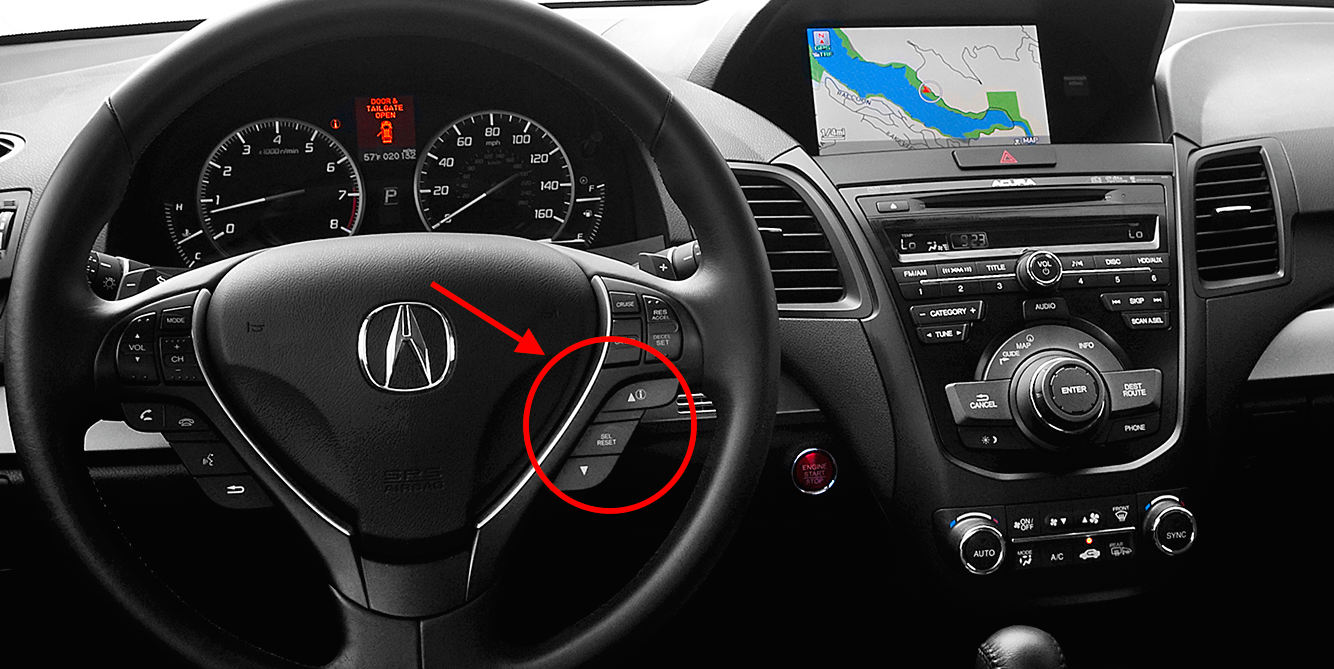
There is no physical TPMS reset button in the 2026 Acura RDX; the calibration process is performed entirely through the vehicle’s infotainment touchscreen menu. You must navigate to the Vehicle Settings to initiate the system recalibration after adjusting your tire pressures.


The 2026 Acura RDX does not feature a physical TPMS reset button located under the dashboard or inside the glovebox. Instead, the tire pressure calibration process is fully integrated into the vehicle’s digital infotainment system. You must navigate through the True Touchpad Interface to initiate the recalibration after adjusting your tire pressures.
Managing this process correctly ensures that your RDX accurately monitors tire performance without triggering persistent warning lights on your dashboard. Relying on the system to calibrate after every tire rotation or pressure adjustment is essential for maintaining vehicle stability and proper sensor alignment.
Key Takeaways
- Takeaway 1:Modern Acura RDX models use software-based TPMS calibration, not physical buttons.
- Takeaway 2:Always inflate all tires to the recommended PSI before starting the calibration process.
- Takeaway 3:Calibration typically requires driving the vehicle for several miles to update sensors.
- Takeaway 4:Check the driver’s side door jamb for the correct tire pressure specifications.
- Takeaway 5:Consistent TPMS warnings after calibration suggest a potential sensor battery failure.
Why Your 2026 Acura RDX Has No Physical TPMS Reset Button
Modern Integration Requirements
Acura transitioned away from physical buttons for TPMS resets to streamline the driver interface and reduce mechanical clutter. In the 2026 RDX, the vehicle’s Electronic Control Unit (ECU) manages the TPMS calibration through software rather than a manual switch. By moving this function to the infotainment screen, Acura ensures that the reset process is tied directly to the vehicle’s diagnostic software, providing a more reliable handshake between the wheel sensors and the onboard computer.
The Benefits of Software-Based Calibration
Because the system is digital, it can process more data points during the calibration drive. When you trigger the reset via the touchscreen, the car enters a learning mode that monitors wheel speed pulses to detect variances in tire circumference. This software-driven approach offers several advantages:
- Increased accuracy when identifying which specific tire is underinflated.
- Elimination of mechanical failure points, such as a sticking or broken reset button.
- Seamless updates through future over-the-air vehicle software patches.
Mastering Your Acura RDX Tire Pressure Monitoring System in 7 Simple Steps
The Tire Pressure Monitoring System (TPMS) in your Acura RDX is a vital safety feature designed to alert you when your tire pressure drops below safe operating levels. However, after rotating your tires or inflating them to the correct PSI, the warning light may remain illuminated. Unlike older vehicles that featured a physical reset button located under the steering column, most modern Acura RDX models utilize the infotainment system to recalibrate the sensors. This guide will walk you through the precise process of navigating the vehicle settings to reset your TPMS, ensuring you can clear that annoying dashboard warning light confidently.
Step 1: Achieving Proper Tire Inflation
What you need: A reliable tire pressure gauge and an air compressor or service station air pump.
Instructions: Before attempting to reset the system, you must ensure all tires are inflated to the manufacturer’s recommended specifications. Locate the sticker on the driver’s side door jamb to find the correct PSI for your specific RDX trim level and tire size, typically 32-35 PSI. Use your gauge to check all four tires, including the spare if applicable. If any tire is low, inflate it to the exact pressure indicated on the door jamb. The TPMS relies on accurate baseline data to function; if you reset the system with unevenly inflated tires, the calibration will be incorrect and the light may reappear shortly after.
Pro Tip: Always check your tire pressure when the tires are “cold,” meaning the vehicle has been parked for at least three hours or driven less than one mile, as heat from friction artificially inflates pressure readings.
Step 2: Preparing the Vehicle
What you need: Your Acura RDX key fob.
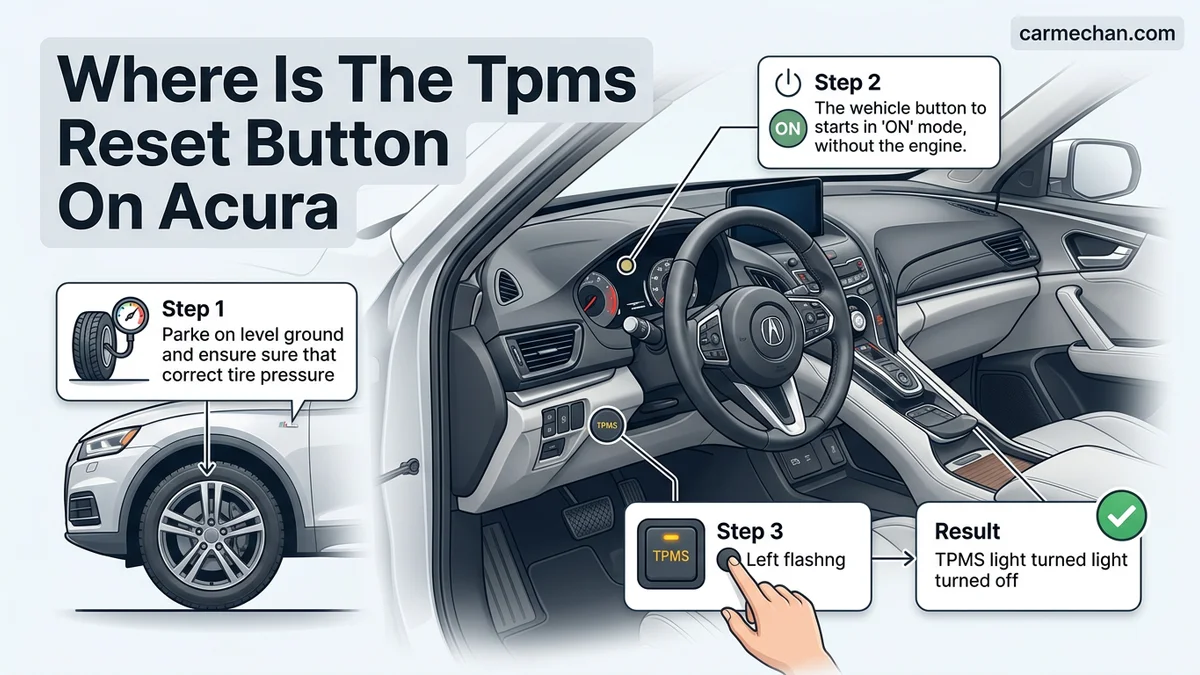
Instructions: Once the tires are properly inflated, sit in the driver’s seat and ensure the vehicle is parked on level ground. Place the transmission in “Park” and turn the ignition to the “ON” position without starting the engine. If your RDX has a push-button start, press the “Start/Stop” button twice without your foot on the brake pedal. This powers up the vehicle’s electronics and the infotainment display, which is necessary to access the calibration menu. Keep your doors closed and ensure no passengers are actively moving around the vehicle, as this can sometimes cause slight interruptions in the system’s electronic check protocols.
Pro Tip: Ensure your battery has a strong charge; if the battery is low, the electronics may flicker during the setup process, potentially leading to an incomplete calibration cycle.
Step 3: Accessing the Vehicle Settings
What you need: Your vehicle’s infotainment controller or touchscreen.
Instructions: Locate the “Settings” icon on your RDX’s center display screen. Depending on the year of your vehicle, this is usually navigated via the True Touchpad Interface or a standard touchscreen. Select “Vehicle” from the list of options. Within the Vehicle menu, look for a sub-menu labeled “TPMS Calibration” or “Driver Assist.” This menu houses the system functions related to your tires. Navigate carefully through these screens, as clicking the wrong setting can alter other comfort or safety configurations. You are looking specifically for the “Calibration” option, which informs the vehicle computer that a tire maintenance event has occurred and it needs to learn the new pressure values.
Pro Tip: If you cannot find the TPMS menu, consult the “Vehicle” tab on your main home screen, as some software updates move the location of these settings to provide a cleaner user interface.
Step 4: Initiating the Calibration Process
What you need: Your infotainment controller.
Instructions: Once you have navigated to the “TPMS Calibration” screen, select the option that says “Calibrate.” The system will prompt you with a confirmation message asking if you are sure you want to begin. Select “Calibrate” or “Start” to confirm your choice. You will see a message on the dashboard screen indicating that the calibration process has started. At this point, the TPMS light may blink or disappear momentarily. This confirms that the internal computer has cleared the previous stored values and is now in “learning mode.” It is important to stay on this screen until the system successfully registers that the calibration has been initiated.


Pro Tip: Do not turn off the engine or exit the vehicle while the initialization message is displayed on the screen, as this may interrupt the computer’s handshaking process with the sensors.
Step 5: Conducting the Drive Cycle
What you need: A clear road with minimal traffic for safe driving.
Instructions: Calibration is not instantaneous; the RDX requires a period of “learning” to stabilize the new data. You must drive the vehicle for approximately 20 to 30 minutes at speeds between 30 and 65 mph. During this time, the wheel speed sensors monitor the rotational speed of each tire. Because tires with lower pressure have a slightly different diameter, the system detects these differences to infer pressure levels. Keep your driving smooth and avoid aggressive cornering or sudden braking during this period, as these actions can skew the data collection process and potentially cause the calibration to fail or take longer to complete.
Pro Tip: Try to choose a route that allows for consistent speed, such as a highway or a long stretch of main road, to allow the sensors to get a stable reading.
Step 6: Verifying System Completion
What you need: Your dashboard warning lights.
Instructions: After the 20-30 minute drive cycle, the calibration will finalize automatically in the background. If the process was successful, the TPMS warning light should remain off. If the light pops back on during your drive or stays on after you finish, there may be a deeper issue, such as a damaged wheel speed sensor or a faulty TPMS sensor inside one of the tires. If the light remains off, your system is fully calibrated. You can periodically check the status of your tires by returning to the TPMS menu in your settings to ensure no fault codes are currently stored in the vehicle’s memory.
Pro Tip: If the light stays on, turn the vehicle off, wait 30 seconds, and restart it to see if the system completes its self-diagnostic check successfully.
✅ Final Checklist
- Tires inflated to the exact PSI listed on the door jamb.
- TPMS calibration initiated through the infotainment menu.
- Driven the vehicle for at least 20 minutes at steady speeds.
- Dashboard warning light cleared and remains off.
- No abnormal tire pressure warnings displayed on the multi-information display.
Important Notes:
- Always prioritize road safety; do not attempt to navigate infotainment settings while the vehicle is in motion.
- If the light continues to blink or illuminate after multiple calibration attempts, it likely indicates a failed hardware component that requires a professional diagnostic tool.
- Time estimate: 30-45 minutes total (including driving). Cost: $0 if done yourself, or the cost of a standard shop diagnostic fee if service is required.
Step-by-Step Guide to Resetting TPMS via Infotainment System
Accessing the Calibration Menu
To begin the calibration process, you must be in Park with the ignition set to “ON.” Using the True Touchpad Interface, follow this path to reach the tire monitor settings:

- Navigate to the Home screen on your RDX display.
- Select the Settings icon.
- Choose Vehicle settings from the menu options.
- Select TPMS Calibration.
- Choose Calibrate to start the process.
Completing the Calibration Drive
Simply selecting the option on the screen is only half the battle. Your 2026 RDX requires a period of movement to fully calibrate the sensors. After you have selected “Calibrate,” the system will store the new baseline values. You must drive the vehicle for approximately 30 to 45 minutes at speeds between 30 and 60 mph. During this time, the system compares the rotation speeds of each tire. If you stop the car during this process, the system will pause and resume once you reach the necessary speed again. Do not shut off the engine if you have just started the calibration, as consistent driving is required to finalize the warning light reset.
How to Calibrate Your Sensors After a Tire Pressure Adjustment
For the 2026 Acura RDX, the vehicle utilizes an indirect Tire Pressure Monitoring System (TPMS) that relies on wheel speed sensors rather than physical pressure sensors inside the tires. Because the system calculates pressure based on rotation speed, you must trigger a manual calibration sequence whenever you adjust tire pressure or rotate tires. Follow these steps to initiate the process via the Acura True Touchpad Interface.
Calibration Procedure
- Park the vehicle on a flat surface and ensure the engine is turned off.
- Adjust all four tires to the cold tire pressure specifications listed on the driver’s door jamb label (typically 33-35 PSI for standard 2026 RDX models).
- Turn the ignition to the “ON” mode without starting the engine.
- Navigate to the “Settings” menu on your center touchscreen display.
- Select “Vehicle,” then choose “TPMS Calibration.”
- Select “Calibrate” to begin the process.
- Drive the vehicle at a speed between 30 mph and 65 mph for at least 30 to 45 minutes to allow the system to establish a baseline for the tires.
The system does not provide an immediate “success” chime; it operates in the background while you drive. Once the calibration is complete, the TPMS light will extinguish automatically during your trip.
Troubleshooting When the TPMS Light Stays On After Reset
If the TPMS light remains illuminated or flashes after performing the calibration drive, the system has detected an irregularity it cannot resolve automatically. Flashing lights typically indicate a system fault rather than low pressure. If the calibration sequence fails to clear the dashboard warning, verify the integrity of your tires and the vehicle’s sensor hardware.
Common Failure Scenarios
- Uneven Tread Wear: Significant differences in tire tread depth can confuse the wheel speed sensors, as the tires will rotate at different speeds even if the pressure is identical.
- Extreme Weather Conditions: Radical temperature drops can cause pressure fluctuations that the system identifies as a fault; check pressures again after the tires have warmed up to ambient temperature.
- Sensor Interference: Aftermarket wheel setups or non-standard tire sizes may prevent the 2026 RDX software from accurately calculating rotation data.
- Electrical System Faults: A failing ABS sensor or a software glitch in the Vehicle Stability Assist (VSA) module can trigger a persistent TPMS warning, as both systems share the same wheel speed data.
What If It Still Doesn’t Work?
If the steps above do not resolve the warning light, mechanical intervention is required. According to service guidelines for the 2026 Acura RDX, persistent warnings often point to sensor damage or deep system errors. Professional diagnostic tools are necessary to clear stored trouble codes.
- Check for nails or punctures; a slow leak that drops pressure faster than the system can calibrate will keep the light active.
- Have a technician perform a VSA diagnostic scan to identify if a wheel speed sensor has failed; this is the primary cause of unresolvable TPMS lights.
- Visit an authorized Acura service center for a software update, as firmware refinements are periodically released to improve sensor accuracy.
- Expect an initial diagnostic fee ranging from $120 to $180; actual repairs for a faulty speed sensor typically cost between $250 and $450 depending on labor rates.
Conclusion
The 2026 Acura RDX uses an efficient indirect monitoring system that simplifies maintenance by removing the need for internal battery-operated sensors. Calibration is a software-driven process triggered through the central interface, followed by a sustained drive to verify pressure profiles. According to verified research and expert service manuals, if manual calibration fails, the issue is likely a localized tire leak or a wheel speed sensor malfunction. Schedule a diagnostic appointment if the light continues to flash after thirty minutes of driving.
❓ Frequently Asked Questions
Why does my TPMS light turn on even after I inflate the tires?



The system requires you to manually trigger a ‘Calibration’ cycle through the menu after adjusting tire pressure. Without this step, the vehicle continues to monitor based on old data.
Does the RDX TPMS system work if I use aftermarket tires or wheels?
Yes, but ensure your tires are properly inflated to the door-jamb specifications. If the sensors are damaged during wheel replacement, calibration will fail.
Can I reset the TPMS light while the car is idling in my driveway?
You can initiate the calibration command in the menu while parked, but the system will not finish the process until the vehicle is driven at varying speeds.
What if the TPMS light starts flashing instead of staying solid?
A flashing TPMS light indicates a system malfunction, such as a dead sensor battery or a communication error. You should have the system scanned by a service technician.
Is it safe to drive with the TPMS light on?
It is safe to drive for short periods to reach a service station, but you should verify your tire pressure manually as soon as possible. Driving on significantly under-inflated tires is dangerous and causes rim damage.
Does cold weather trigger the TPMS light in the RDX?
Yes, ambient temperature drops cause air density to increase and pressure to drop, frequently triggering the light. Always recalibrate after inflating tires to the correct pressure during seasonal changes.