Honda Accord TPMS Reset Button Location by Year 2026
Last Updated on June 24, 2026 by Albert Duke
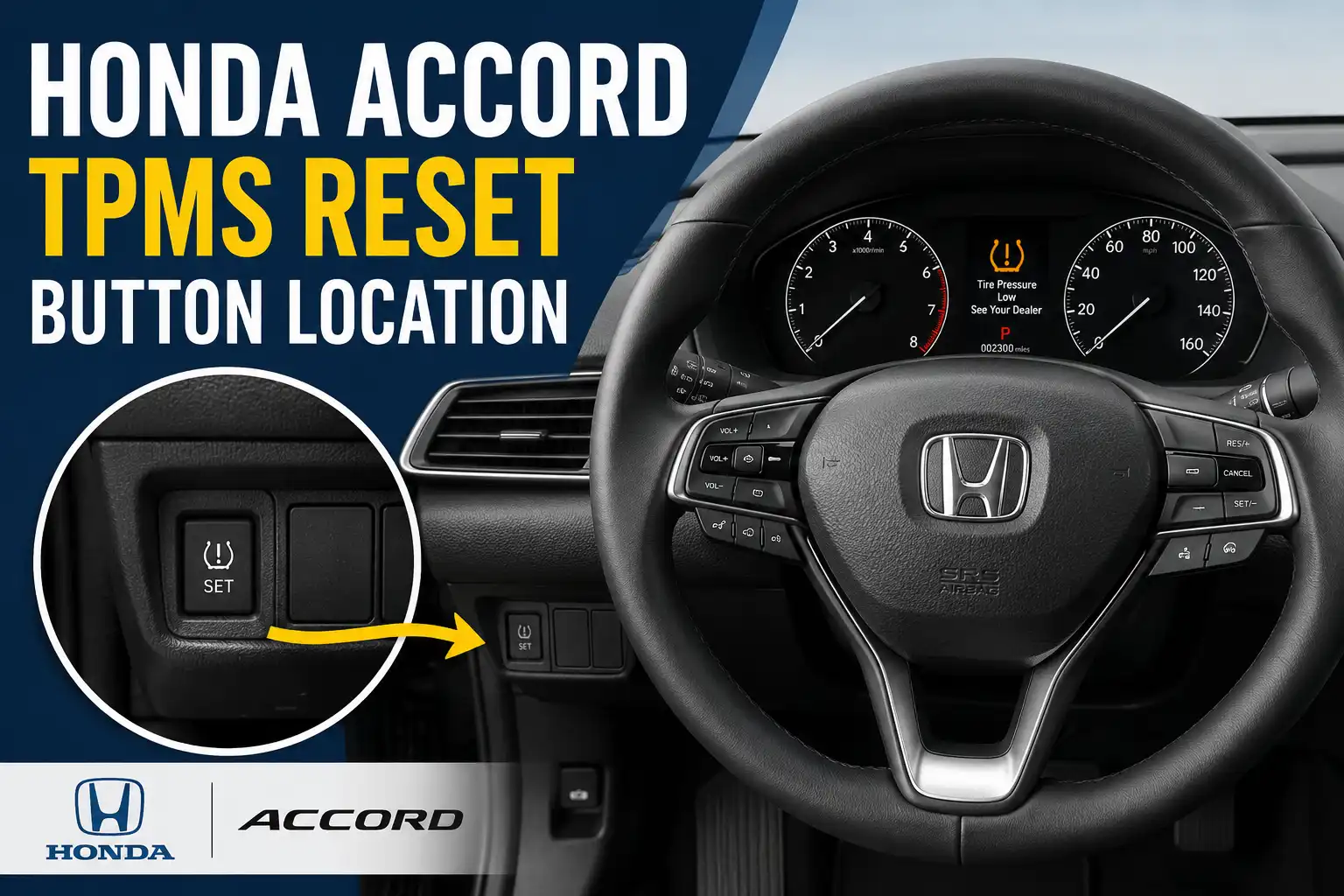
The Honda Accord TPMS reset button location depends on your model year and dashboard layout. Some Accord models have a physical TPMS button near the lower dash to the left of the steering wheel, but many newer Accords reset through the vehicle settings menu instead.

Prime for Young Adults — 6 Months Free
Students and 18–24s get six months of Prime free, then half price.
Start 6 Months FreeTPMS means Tire Pressure Monitoring System. On many Honda Accord models, the system must be calibrated after you inflate tires, rotate tires, replace tires, or change wheel and tire combinations.
Start by checking your cold tire pressure first. Then match your Accord year and display type below so you do not waste time searching for a button that your car may not have.
What Determines Your Honda Accord TPMS Reset Method
Recommended Best Deal Products


Your Accord’s TPMS reset method is not chosen by the warning light itself. It depends on the year, trim, display system, and whether Honda fitted that dashboard with a physical TPMS switch.
The main variables are:
- Model year: Older and newer Accord models use different TPMS setups.
- Dashboard type: Some use a button, some use the MID, and others use the touchscreen.
- Display system: Color Audio, Display Audio, and newer driver information screens use different menu paths.
- Tire pressure status: Calibration should begin only after all tires are set to the cold pressure on the driver door placard.
- Warning behavior: A light that keeps returning may mean a tire or TPMS fault, not just a reset issue.
Honda’s 2022 Accord documentation explains that its TPMS does not directly measure pressure in each tire. Instead, it compares tire rolling radius and rotational behavior, which is why calibration matters after tire pressure or tire position changes Honda’s 2022 Accord TPMS explanation.
A good tire pressure gauge helps you avoid chasing a reset problem that is really a pressure problem. If you need one, see our guide to the best tire pressure gauge before calibrating the system.
Once you know these variables, the button location question becomes much easier to answer.
Where Is the Honda Accord TPMS Reset Button
On Accord models that have a physical TPMS reset button, look to the left of the steering wheel first. The button is usually low on the dash, near the driver knee panel, and may show the same tire pressure warning icon you see on the instrument cluster.

Audible — Listen Free for 30 Days
One free credit a month and thousands of titles included.
Listen Free for 30 Days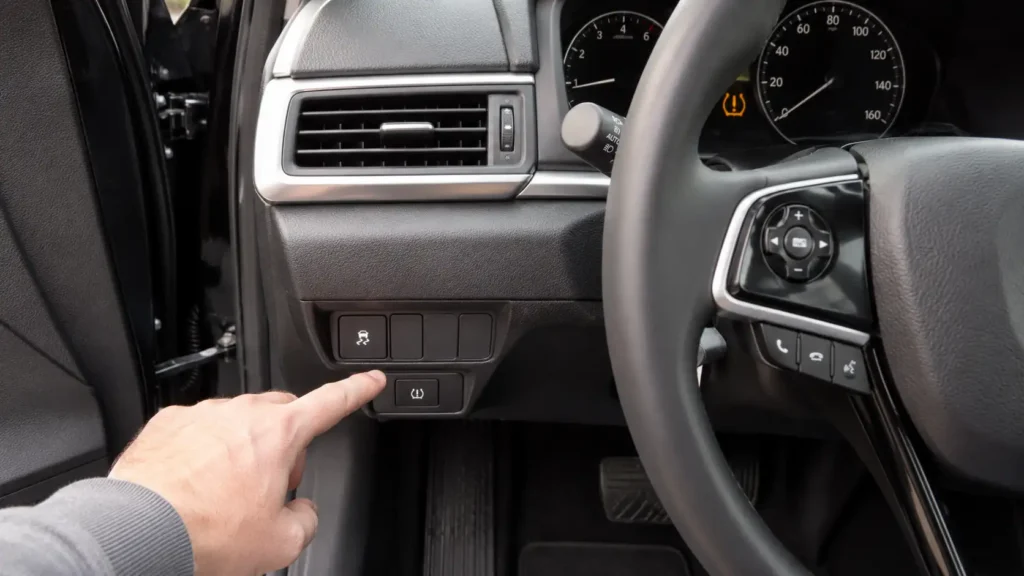
If you see that button, you can usually start calibration by pressing and holding it after setting the correct tire pressure. Do not press it before inflating the tires, because the system may learn the wrong baseline.
If you do not see a TPMS button, stop searching under the dash. Many Accord models use the MID, center display, Color Audio screen, Display Audio touchscreen, or right selector wheel instead.
Mitchell1’s 2013 to 2019 Honda Accord TPMS service tip says calibration can begin through the TPMS switch, the MID, or the center display, depending on the dashboard equipment Mitchell1’s Accord TPMS calibration procedure.
The next step is matching that location to your Accord’s year range.
Honda Accord TPMS Button Location by Year
Recommended Best Deal Products


Use this year chart before you start pressing buttons. The exact reset method can change by trim, but this table gives the practical path most Accord owners need.
Honda Accord TPMS Reset Method by Year
Use this quick visual before searching under the dashboard. Some Accord models have a physical TPMS button, while many newer models use menu-based calibration.
No Simple Button Path
These models may need pressure correction, driving, sensor checks, or scan tool support depending on the warning.
Button or Menu
Audible Premium Plus — Annual Membership
12 audiobook credits up front, plus the full Audible catalogue.
See Annual PlansSome trims use a TPMS button near the lower left dash. Others use the MID or center display.
Menu Calibration
Most owners should use Color Audio or Display Audio settings instead of looking for a button.
Driver Display Settings
Newer Accord models usually use vehicle settings through the driver display or infotainment screen.
| Honda Accord Year Range | Likely Reset Location | Reset Method | What To Check First |
|---|---|---|---|
| 2008 to 2012 Accord | Usually no simple owner TPMS reset button | May need driving, sensor diagnosis, or scan tool support depending on warning type | Confirm whether the light is low tire pressure or TPMS system warning |
| 2013 to 2017 Accord | Left dash TPMS button on some trims, MID or center display on others | Button hold, MID calibration, or display menu calibration | Look left of steering wheel, then check menus |
| 2018 to 2022 Accord | Usually menu based | Color Audio or Display Audio vehicle settings | Use audio screen or touchscreen settings |
| 2023 to 2026 Accord | Menu based | Driver display or infotainment vehicle settings | Use right selector wheel or touchscreen path |
For 2013 to 2017 Accord models, the key issue is dashboard equipment. Some owners will find a physical TPMS button, while others must use the MID or center display.
For 2018 to 2022 Accord models, expect a menu path rather than a dash button. Honda’s 2018 Accord Color Audio guide lists MENU/CLOCK, Settings, Vehicle Settings, TPMS Calibration, and Calibrate as the reset path Honda’s 2018 Accord Color Audio TPMS path.
For 2023 to 2026 Accord models, the reset is usually inside vehicle settings. Honda’s 2025 Accord manual shows TPMS calibration through Vehicle Settings using the right selector wheel, then selecting Calibrate Honda’s 2025 Accord TPMS calibration steps.
After you identify your year range, follow the reset path that matches your dashboard.
How To Reset Accord TPMS With the Button
If your Accord has the TPMS button, the reset takes less than a minute to start. The calibration itself still needs driving time afterward.
- Park the Accord on a level surface.
- Set all four tires to the cold tire pressure listed on the driver door placard.
- Turn the ignition to ON or set the power mode to ON.
- Find the TPMS button low on the dash to the left of the steering wheel.
- Press and hold the TPMS button for about 3 seconds.
- Release the button when the TPMS indicator blinks.
- Drive normally so the system can complete calibration.
Mitchell1 states that, on 2013 to 2019 Accord models using the TPMS switch, calibration starts when the switch is pressed and the vehicle is then driven steadily. It lists completion after driving at 31 to 62 mph for about 18 minutes.
Do not start this process before checking tire pressure. If one tire is low, the system may continue warning you after the reset attempt.
If you cannot find that button, your Accord probably uses one of the menu paths below.
How To Reset Accord TPMS Without a Button
Recommended Best Deal Products


If your Accord has no TPMS button, do not keep searching under the dashboard. Use the display system instead.
Display Audio Touchscreen
Use this path on Accord trims with the larger touchscreen interface:
- Set all tires to the correct cold pressure.
- Set the power mode to ON.
- Select Home.
- Select Vehicle Settings.
- Select TPMS Calibration.
- Select Calibrate.
If the calibration failed message appears, select Calibrate again after confirming the car is stopped, in Park, and powered ON.
Color Audio Display
Use this path on Accord models with the smaller Color Audio display:
- Press MENU/CLOCK.
- Select Settings.
- Select Vehicle Settings.
- Select TPMS Calibration.
- Select Calibrate.
This is the path Honda lists for 2018 Accord models with Color Audio. The menu wording may vary slightly by year, but the logic is the same.
Driver Information Display
Some Accord trims use the steering wheel controls and the driver information display instead of the center audio screen. Look for a vehicle settings menu, then find TPMS Calibration.
Use this path when your Accord has no touchscreen option for TPMS and no physical button near the lower dash. The MID or driver display is the next place to check.
Right Selector Wheel
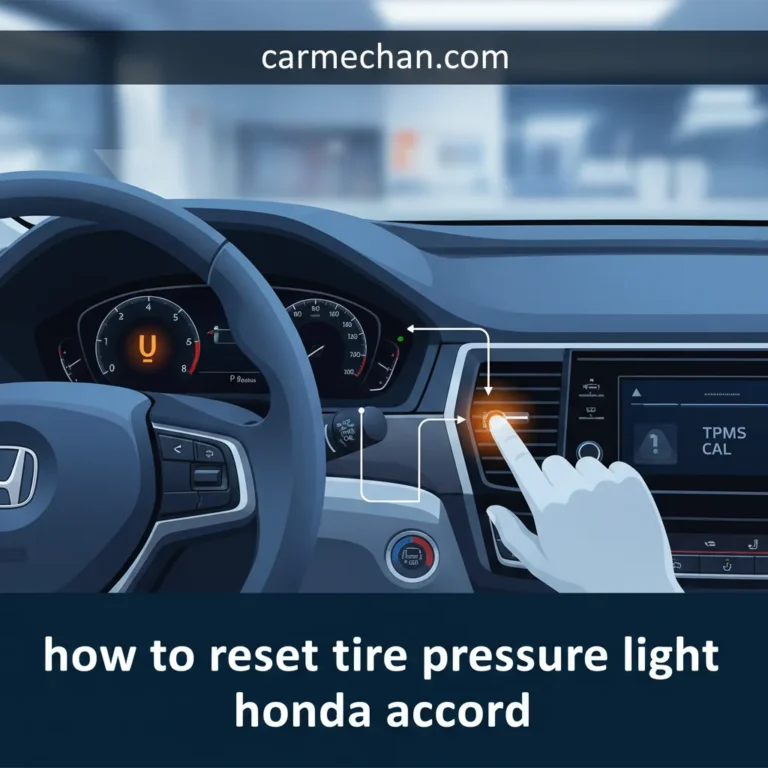
Newer Accord models can use the right selector wheel on the steering wheel. Roll the wheel to Vehicle Settings, press it, choose TPMS Calibration, and select Calibrate.
Honda’s newer Accord layout makes this feel less like a button reset and more like a settings reset. That is normal for later models.
Honda Civic owners may notice a similar menu-based calibration pattern. For another Honda example, see our guide on resetting the Honda Civic tire pressure light and TPMS calibration.
Starting calibration is only half the job, because the system still needs driving data.
How Long Accord TPMS Calibration Takes
The TPMS light may not disappear the moment you start calibration. On indirect Honda systems, the car needs driving time to compare tire rotation behavior and learn the new baseline.
| Source | Driving Guidance | Practical Meaning |
|---|---|---|
| Honda owner guidance | About 30 minutes of cumulative driving at 30 to 60 mph | Normal driving may finish calibration over one or more trips |
| Mitchell1 service tip | About 18 minutes at 31 to 62 mph | Steady driving helps the system complete faster |
Avoid aggressive acceleration, hard braking, slippery roads, and mixed tire sizes during calibration. These conditions can interfere with how the system learns tire behavior.
If the tire pressure light stays on briefly after starting calibration, that does not always mean failure. But if it returns after a proper drive cycle, start checking for tire or system problems.
If the light still comes back after a complete calibration drive, treat it as a diagnostic issue.
When the Accord TPMS Light Means a Problem
A TPMS reset should not be used to ignore a real tire problem. If the light returns, the Accord may be warning you about pressure loss, a tire mismatch, or a TPMS system issue.
Use this quick diagnostic logic:
- If one tire is low, then inflate it before calibration.
- If one tire keeps losing air, then check for a nail, valve stem leak, or bead leak.
- If the light flashes, then treat it as a possible TPMS malfunction.
- If the light returns after tire rotation, then recalibrate again after confirming pressure.
- If you installed a compact spare, then wait until the normal tire is back on before calibration.
Honda states that TPMS is not a substitute for normal tire maintenance. You are still responsible for checking tire pressure and tire condition, especially before long trips or heavy-load driving.
A basic tire pressure issue does not require an OBD2 scanner. But if the warning acts like a system fault, a Honda-capable scan tool may help confirm whether another module or sensor issue is involved. Our best OBD2 scanner for Honda guide can help if you want a tool for broader Honda diagnostics.
That leads to a quick decision guide you can use before going to a shop.
Quick Decision Guide for Accord Owners
Use this quick guide if you are standing beside the car now.
| If This Matches Your Accord | Then Do This |
|---|---|
| You see a TPMS button left of the steering wheel | Set tire pressure, turn power ON, then press and hold the button |
| You have a 2013 to 2017 Accord without the button | Check the MID or center display for TPMS Calibration |
| You have a 2018 to 2022 Accord with Color Audio | Use MENU/CLOCK, Settings, Vehicle Settings, TPMS Calibration |
| You have a 2018 to 2022 Accord with touchscreen | Use Home, Vehicle Settings, TPMS Calibration |
| You have a 2023 to 2026 Accord | Use Vehicle Settings through the driver display or infotainment system |
| The light flashes or returns after reset | Check tire pressure again, inspect tires, then diagnose the TPMS system |
The most common mistake is searching only for a physical button. On many Honda Accord models, the reset button location is not a button at all. It is inside the vehicle settings menu.
Once you have the right path, the final step is checking the most common owner questions.
Best Next Step for Your Accord TPMS Light
The right Honda Accord TPMS reset button location depends on whether your car actually has a button. If it does, check low on the dash to the left of the steering wheel. If it does not, use the MID, audio screen, touchscreen, or right selector wheel.
Always set cold tire pressure before calibration. Then drive long enough for the system to finish learning.
If the TPMS light flashes, returns after a proper drive, or appears with tire pressure already correct, stop treating it as only a reset issue. Inspect the tires first, then diagnose the TPMS system if the warning continues.
5 Common Honda Accord TPMS Reset Questions
Where Is the TPMS Reset Button on a Honda Accord
On Accord models that have one, the TPMS reset button is usually low on the dash to the left of the steering wheel. If you do not see it there, your Accord may use menu-based TPMS calibration instead.
Why Does My Honda Accord Not Have a TPMS Reset Button
Your Honda Accord may not have a TPMS reset button because many newer models use the display menu instead. Look for TPMS Calibration under Vehicle Settings on the MID, audio screen, touchscreen, or right selector wheel menu.
How Do I Reset the TPMS Light on a 2018 Honda Accord
On many 2018 Accord models, use the audio screen or touchscreen menu. For Color Audio models, press MENU/CLOCK, then choose Settings, Vehicle Settings, TPMS Calibration, and Calibrate.
How Long Does Honda Accord TPMS Calibration Take
Honda guidance commonly points to about 30 minutes of cumulative driving at 30 to 60 mph. Mitchell1 service guidance for 2013 to 2019 Accord models lists about 18 minutes of steady driving at 31 to 62 mph.
Why Is My Accord TPMS Light Still On After Reset
Your Accord TPMS light may still be on because tire pressure is still low, calibration has not finished, or the system has a fault. Recheck cold tire pressure first, drive through a proper calibration cycle, then inspect for leaks or TPMS problems if the light returns.