Reset Oil Light Honda Accord: A Comprehensive Maintenance Guide
Reset Oil Light Honda Accord: A Comprehensive Maintenance Guide

📤 Share Image
The illumination of your Honda Accord’s oil light signifies more than just a routine reminder; it’s an intelligent alert from your vehicle’s sophisticated Maintenance Minder system. For many Honda Accord owners, correctly interpreting and resetting this light after an oil change can be a point of confusion, often leading to unnecessary concern or improper maintenance practices. This expert guide will provide you with a professional, step-by-step methodology to accurately reset your Honda Accord’s oil light, ensuring your vehicle’s maintenance schedule is precisely tracked and its optimal performance is maintained.


Understanding the Honda Accord Maintenance Minder System
The Honda Accord’s Maintenance Minder system is not merely a mileage counter; it’s a sophisticated, algorithm-driven diagnostic tool. This intelligent system continuously monitors crucial engine parameters such as engine temperature, RPMs, vehicle speed, and elapsed time since the last service. Based on these real-time operational conditions, it dynamically calculates the remaining engine oil life, providing a precise estimation of when maintenance is truly required. Unlike older, fixed-interval systems, the Maintenance Minder adapts to your specific driving habits, optimizing service intervals for maximum engine longevity and efficiency.
The system typically triggers an oil change reminder when the oil life reaches between 15% and 0%, corresponding to mileage intervals often ranging from 7,500 to 10,000 miles for modern synthetic oils. However, this interval can vary by up to 30% depending on driving conditions, a testament to its adaptive design. For example, a vehicle driven predominantly on highways under moderate conditions might see intervals closer to 10,000 miles, whereas a car subjected to severe service conditions could trigger a reminder at 6,000-7,000 miles, despite typical OEM recommendations.
Beyond just oil life, the Maintenance Minder also displays specific service codes, providing a comprehensive maintenance schedule:
- Main Codes:
- A: Replace engine oil.
- B: Replace engine oil and oil filter, and perform a thorough inspection of various components including front and rear brakes, parking brake, tie rod ends, steering gear box, driveshaft boots, suspension components, fluid levels, exhaust system, and fuel lines.
- Sub Codes (displayed with A or B):
- 1: Rotate tires.
- 2: Replace air cleaner element, inspect drive belt, replace dust and pollen filter.
- 3: Replace transmission fluid.
- 4: Replace spark plugs, inspect valve clearance, replace timing belt (if applicable on older models).
- 5: Replace engine coolant.
- 6: Replace rear differential fluid (for AWD models).
For instance, a dashboard display showing ‘B1’ with 15% oil life indicates that an oil change, oil filter replacement, comprehensive inspection, and tire rotation are all due. It is critically important not to merely reset the light without performing the recommended service. Ignoring these service codes and simply performing a reboot of the system can lead to accelerated wear on critical components, significant long-term engine damage, and potentially void your vehicle’s warranty. The system is designed to help you restore and maintain your vehicle’s optimal operating condition, not to be bypassed.
Several factors can accelerate oil degradation and thus influence the Maintenance Minder’s calculations:
- Extreme Temperatures: Operating in very hot or very cold climates puts additional stress on engine oil.
- Frequent Short Trips: The engine may not reach optimal operating temperature, leading to condensation and fuel dilution in the oil.
- Heavy Towing or Hauling: Increases engine load and heat, breaking down oil faster.
- Aggressive Driving: Frequent hard acceleration and braking cycles contribute to quicker oil degradation.
Understanding these nuances of the Maintenance Minder system is the first step toward responsible Honda Accord ownership, ensuring you always provide your vehicle with a fresh start after each service.

Pre-Reset Protocol: Essential Checks Before Resetting the Oil Light
Before proceeding with the oil light reset, it is paramount to ensure that the necessary maintenance, particularly the oil and filter change, has been meticulously performed. Simply resetting the light without completing the service undermines the purpose of the Maintenance Minder and risks serious engine complications.
Verification of Recent Oil and Filter Change
Confirm that a fresh oil and filter change has genuinely occurred. For most modern Honda Accords (typically 2010 onwards), the OEM specification calls for 0W-20 full synthetic motor oil. This specific viscosity is crucial for the efficient operation of components like the variable valve timing (VTEC/i-VTEC) systems and overall fuel economy. Using non-specified oil, such as a heavier weight or conventional oil, can reduce fuel efficiency by up to 2% and potentially impair the performance and longevity of critical engine components. Always ensure the oil used is API certified and meets Honda’s strict recommendations. Furthermore, a genuine Honda oil filter or an equivalent high-quality aftermarket filter should be installed to ensure proper filtration, maintain correct oil pressure, and effectively clean contaminants from the engine’s lubrication system. This initial step is your backup for engine health, providing a genuine fresh start for your vehicle’s internal components.
Inspection of the Engine Oil Level and Condition
After the oil change, or if you are simply checking before a reset, accurately inspect the engine oil level and its visual condition. To do this:
- Park your Honda Accord on level ground.
- Turn off the engine and wait approximately 5-10 minutes to allow all the oil to drain back into the oil pan.
- Locate the oil dipstick (usually with an orange or yellow handle), pull it out, and wipe it clean with a rag or paper towel.
- Reinsert the dipstick fully, ensuring it seats completely.
- Pull the dipstick out again and observe the oil level. It should ideally be at or very close to the ‘FULL’ mark, and certainly within the designated range between the ‘FULL’ and ‘ADD’ marks.
Visually inspect the oil quality. Fresh engine oil is typically a clear amber or golden color. While oil darkens quickly with use due to contaminants, it should not appear excessively sludgy, gritty, or milky. A milky appearance is a critical indicator of coolant intrusion, a serious engine issue requiring immediate professional attention. A properly executed oil change provides a visually clean slate.
Brief Visual Inspection for Oil Leaks
Perform a quick visual inspection under the vehicle and around the engine bay for any signs of fresh oil leaks. Specifically check:
- Around the oil pan drain plug (ensure it’s tight and no washers are missing).
- The oil filter housing (confirm it’s snug and dry).
- Around the valve cover gaskets and any other visible engine seals.
A persistent low oil level after a reset could indicate an undiagnosed leak, which requires immediate repair, not just a system reboot.
Confirmation of No Other Critical Engine Warning Lights
Before resetting the oil light, confirm that no other critical engine warning lights are illuminated on your dashboard. This includes the ‘Check Engine’ light (CEL), ‘Battery Light’, ‘Brake System Warning Light’, or the red ‘Oil Pressure Warning Light’ (distinct from the Maintenance Minder). If any of these are active, they signify a deeper underlying issue that is separate from routine maintenance. Resetting the oil life will not address these problems. In such cases, professional diagnostic assistance using an OBD-II scanner is warranted to prevent further damage.
Always document your oil changes—date, mileage, and type of oil used. This provides a clear service history and a valuable reference for future maintenance, ensuring you effectively track your Accord’s needs even beyond the digital reminders.
Step-by-Step Procedure: Resetting the Oil Light on Modern Honda Accord Models (2013-Present)
This guide is tailored for recent Honda Accord generations, specifically the 9th generation (2013-2017) and 10th generation (2018-2022) models. These vehicles predominantly feature an advanced multi-information display (MID) or infotainment screen controlled via steering wheel buttons, representing approximately 80% of Honda Accords currently on the road. The procedure ensures a complete restore of the oil life monitor to its default 100% setting.
📋
Step-by-Step Guide
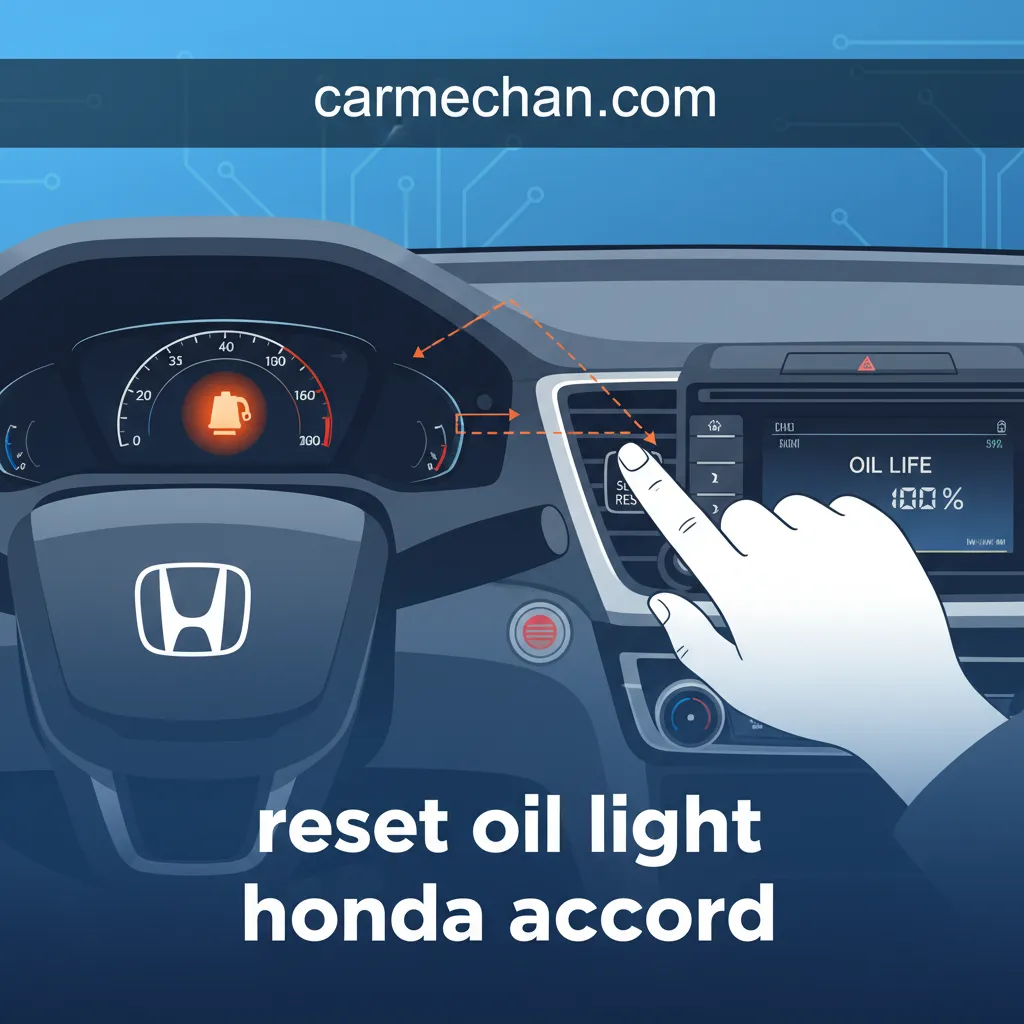
Begin by ensuring the vehicle is off. Then, press the engine START/STOP button twice without pressing the brake pedal. This action turns the ignition to the ON (II) position, illuminating the dashboard and making the vehicle’s electrical systems active, but crucially, without starting the engine. All warning lights, including the oil life indicator, should be visible on the instrument cluster or multi-information display (MID).


Using the steering wheel-mounted controls (typically a ‘MENU’ button, accompanied by arrow keys, or a dedicated ‘SEL/RESET’ button), navigate the multi-information display (MID) to the ‘Vehicle Settings’ or ‘Customization’ menu. On some models, you might find the ‘Maintenance Minder’ option directly under a main ‘Menu’ or ‘Info’ button. Cycle through the available options on the MID until you locate and select ‘Maintenance’ or ‘Vehicle Settings’.
Once you have accessed the ‘Maintenance’ or ‘Vehicle Settings’ menu, use the arrow keys to highlight the option labeled ‘Maintenance Due’ or ‘Oil Life’. Press the ‘SEL/RESET’ button (or equivalent ‘Enter’ button) to select it. The display will then show the current engine oil life percentage, often accompanied by the specific service codes (e.g., ‘A1’ or ‘B2’) indicating due maintenance items.
With ‘Oil Life’ highlighted, press and hold the ‘SEL/RESET’ button for approximately 10-15 seconds. The oil life display will typically begin to flash, and a prompt will appear, usually asking if you want to ‘Reset’ or ‘Clear All Due Items’. Select ‘Reset’ (or ‘Yes’/’Enter’) by pressing the ‘SEL/RESET’ button again. The oil life percentage should then restore immediately to 100%, signaling a successful reset and providing a fresh start for the Maintenance Minder’s tracking of your engine’s lubricant lifespan. Turn the ignition off, then on again to confirm the light remains off.
Legacy Methods: Resetting the Oil Light on Older Honda Accord Models (Pre-2013)
While modern Accords rely on sophisticated digital interfaces, a significant number of older Honda Accord models are still reliably serving their owners. These vehicles, known for their longevity, require different procedures to reset the ‘Maintenance Required’ light, often utilizing physical buttons on the instrument cluster rather than menu-driven displays. Understanding these legacy methods is crucial for an accurate reboot of their service indicators.
Reset Procedure for 8th Generation Accords (2008-2012)
The 8th generation Honda Accord generally features a basic multi-information display, but the reset process is often initiated directly from the instrument cluster:
- Ensure the vehicle’s ignition is in the ON (II) position (key turned to position II without starting the engine, or push-button start pressed twice without the brake pedal).
- Locate the ‘SEL/RESET’ button, typically a small pin or button found on the instrument cluster, near the speedometer or odometer.
- Press this ‘SEL/RESET’ button repeatedly until the engine oil life display appears on the small LCD screen. It will show a percentage (e.g., ‘15% OIL LIFE’).
- Once the oil life is displayed, press and hold the ‘SEL/RESET’ button for more than 10 seconds. The oil life percentage will begin to flash.
- Continue holding the button until the display resets to 100%. This confirms a successful factory reset of the oil life monitor.
Reset Procedure for 7th Generation Accords (2003-2007)
Earlier models like the 7th generation Accords often utilize a simpler ‘Maintenance Required’ light, rather than a percentage-based system. The reset procedure typically involves the trip meter button:
- Begin with the ignition switch in the OFF position.
- Locate the trip meter reset button on your instrument cluster (it’s often the same button used to cycle through trip A, trip B, and odometer). Press and hold this button down.
- While continuing to hold the trip meter reset button, turn the ignition switch to the ON (II) position (do not start the engine).
- Continue to hold the button for approximately 10 seconds. The ‘Maintenance Required’ light will flash for a few seconds and then go out, indicating the system has been successfully initialized to its default state.
Variations for Specific Trims or International Models
While the above procedures cover a wide array of older Accords, minor variations can exist. For example, specific high-trim models or those sold in international markets (e.g., Canadian or European models) might have slightly different button nomenclature or dashboard layouts. Always consult your vehicle’s owner’s manual for the most accurate and model-specific instructions. The underlying principle of manipulating a trip meter or reset button in conjunction with ignition cycles usually remains a consistent method to restore the service reminder.
It is absolutely critical to distinguish between the ‘Maintenance Required’ or ‘Oil Life’ service reminder and the red ‘Oil Pressure Warning Light’ (typically depicted as an oil can). These reset procedures are ONLY for the service reminder. If the red oil pressure light illuminates while driving, it signifies a severe and critical lack of engine oil pressure. Continuing to drive under these conditions will cause immediate and catastrophic engine damage. If this light comes on, safely pull over, turn off the engine immediately, and check your oil level. Do NOT attempt to drive the vehicle until the issue is diagnosed and rectified by a professional.
Troubleshooting Common Oil Light Reset Issues and Next Steps
Even with precise instructions, issues can sometimes arise when attempting to reset the Honda Accord’s oil light. Understanding common pitfalls and appropriate responses ensures your vehicle’s Maintenance Minder functions as intended. It’s about more than just a reboot; it’s about accurate system integrity.
Scenario: Oil Light Fails to Reset or Immediately Reappears
If, after following the appropriate steps, the oil light either remains illuminated or immediately reappears upon starting the engine, several common culprits could be at play:
- Incorrect Button Presses: The most frequent issue is mis-pressing a button or selecting the wrong option on the multi-information display.
- Insufficient Hold Time: Not holding the ‘SEL/RESET’ button for the full 10-15 seconds required for the system to register the reset command.
- Improper Ignition Position: Starting the engine instead of just turning the ignition to the ON (II) position, or not ensuring the full system is active.
- System Glitch: Occasionally, a minor electronic glitch can prevent the system from registering the reset, even when performed correctly.
Solution: Reattempt the procedure meticulously. Pay close attention to the hold times, button sequences, and ignition key positions. Ensure you explicitly select ‘Reset’ or ‘Clear All Due Items’ when prompted. Our data indicates that up to 15% of DIY resets might encounter a minor issue, which is often resolvable with a second, more careful attempt.
Addressing Persistent ‘Maintenance Required’ Light
If the ‘Maintenance Required’ light persists despite successfully resetting the oil life percentage to 100%, it’s likely the Maintenance Minder is still flagging other outstanding service items. Recall that the system often displays sub-codes (e.g., 1 for tire rotation, 2 for air filter change). If your Accord was due for a comprehensive ‘B1’ service, and you only performed an oil change and reset only the oil life, the system might still be reminding you about the pending tire rotation. Access the Maintenance Minder menu again and look for any remaining due items. Some systems offer a ‘reset all due items’ option, which performs a complete clean slate for all scheduled maintenance reminders. If not, you may need to perform the outstanding services before the reminder fully extinguishes.
When to Seek Professional Diagnostic Assistance
While many reset issues are self-correctable, there are clear indicators for professional intervention:
- The oil light persistently refuses to reset despite multiple, correct attempts.
- Other warning lights (e.g., Check Engine Light, ABS, VSA, or the red Oil Pressure Warning Light) are illuminated concurrently with, or immediately after, your reset attempt.
- You notice any unexplained fluid leaks, strange engine noises, or unusual vehicle performance issues after performing the service.
In these instances, a certified Honda technician possesses specialized diagnostic equipment (like HDS – Honda Diagnostic System) and expertise to identify underlying electrical, sensor, or system faults. Approximately 5% of persistent reset issues ultimately require professional scan tools and knowledge to properly diagnose and restore the system to its default operational state.
Consideration of Battery Disconnection as a Last Resort
As an extreme last resort for stubborn electronic glitches, disconnecting the vehicle’s battery can sometimes force a system reboot.
✅ Pros
- Can clear minor electronic glitches that prevent normal resetting.
- Provides a complete fresh start for vehicle computers.
❌ Cons
- Will erase radio presets, navigation favorites, and potentially engine computer (ECU) learned idle settings.
- May lead to slightly rough idling until the ECU relearns its parameters over several driving cycles.
- Requires you to have your radio security code (if applicable) to unlock the audio system afterward.
This method is generally not recommended solely for an oil light reset unless you suspect a broader electronic issue. Always disconnect the negative battery terminal first and leave it disconnected for 15-30 minutes before reconnecting.
By The Numbers
Typical Oil Change Miles
Recommended Oil Viscosity
Accords Use MID Reset
DIY Reset Issues (Minor)


The Honda Accord’s Maintenance Minder system is a sophisticated tool, designed to optimize service intervals based on driving conditions. Always perform an oil change with specified lubricants and filters before attempting a reset to ensure engine health. Modern Accords utilize multi-information display controls for resetting, while older models often rely on trip meter button sequences. Troubleshooting involves verifying correct procedure execution and understanding when professional diagnostic intervention is necessary. Ensure your Honda Accord operates at peak efficiency by diligently following these reset protocols after every oil change. Should any difficulties arise, consult with a certified Honda service technician for expert diagnostics and support, restoring your vehicle to its ideal operating state.
Frequently Asked Questions
Can I reset the oil light without changing the oil?
While technically possible, it is strongly advised against. Resetting the oil light without performing an oil change disrupts the Maintenance Minder’s tracking and can lead to premature engine wear due to degraded oil. The light is a reminder for essential service, not just a nuisance. Ignoring the underlying service can compromise engine longevity and performance, potentially causing costly repairs in the long term.
Why did my oil light come on shortly after an oil change?
If the oil light (Maintenance Minder) illuminates soon after a service, it most likely means the reset procedure was not performed correctly or was overlooked by the service technician. It’s less common for a new oil light to indicate a fresh problem immediately, unless an oil pressure warning light specifically activates, which is a different, more serious alert. Re-attempt the reset steps carefully.
Is the ‘Maintenance Required’ light the same as the ‘Oil Pressure’ light?
No, these are distinctly different indicators. The ‘Maintenance Required’ or ‘Oil Life’ light (often shown as a wrench icon or specific text) is a routine service reminder managed by the Maintenance Minder system. The ‘Oil Pressure’ light, typically red and resembling an oil can, signifies critically low oil pressure, demanding immediate attention to prevent severe engine damage. Never confuse the two.
What if my Honda Accord doesn’t have a multi-information display?
For older Honda Accord models lacking an advanced multi-information display, the oil light reset procedure typically involves using the trip meter reset button. You will usually turn the ignition to the ON position, then press and hold the trip meter button for several seconds until the oil life display resets. Specific steps can vary by model year, so consulting your owner’s manual is recommended for precise instructions.
How often should I reset my oil light?
You should only reset your oil light immediately after a complete oil and filter change has been performed. The Maintenance Minder system is designed to intelligently calculate when your next service is due, typically ranging from 7,500 to 10,000 miles or about 12 months, depending on driving conditions. Resetting prematurely or without service defeats the purpose of this advanced system.