Mazda Cx 50 Adaptive Cruise Control Mazda CX-50 2026
The 2026 Mazda CX-50 features Mazda Radar Cruise Control (MRCC) with Traffic Jam Assist to manage highway speed and following distance. Engaging the system via steering wheel controls allows for smooth, automated acceleration and braking in heavy traffic.
The 2026 Mazda CX-50 utilizes Mazda Radar Cruise Control (MRCC) with Stop & Go to maintain a set speed and distance from the vehicle ahead, specifically tailored for highway flow and stop-and-go traffic. By relying on a front-mounted radar sensor tucked behind the grille emblem, the system constantly monitors the gap between you and the car in front, automatically modulating the throttle and braking to keep you at a safe, preset interval without requiring pedal input.

Prime for Young Adults — 6 Months Free
Students and 18–24s get six months of Prime free, then half price.
Start 6 Months FreeMastering this system is essential because it directly impacts your commute efficiency and fatigue levels during long road trips. In the 2026 model, the integration is tuned to be smoother than previous iterations, preventing the “jerky” deceleration common in older radar systems. Knowing exactly how to engage, customize, and manage its limitations allows you to use it as a reliable tool rather than a source of frustration in dense traffic or flowing highway environments.
Key Takeaways
- Enable MRCC by pressing the ‘ON’ button on the right side of the steering wheel.
- Adjust follow distance using the distance toggle switch to suit current traffic density.
- Stop & Go functionality allows the vehicle to come to a complete halt and resume automatically.
- The system works best in clear weather; sensors may become blocked by heavy rain or snow.
- Always keep eyes on the road, as the system is a driver-assist, not autonomous, feature.
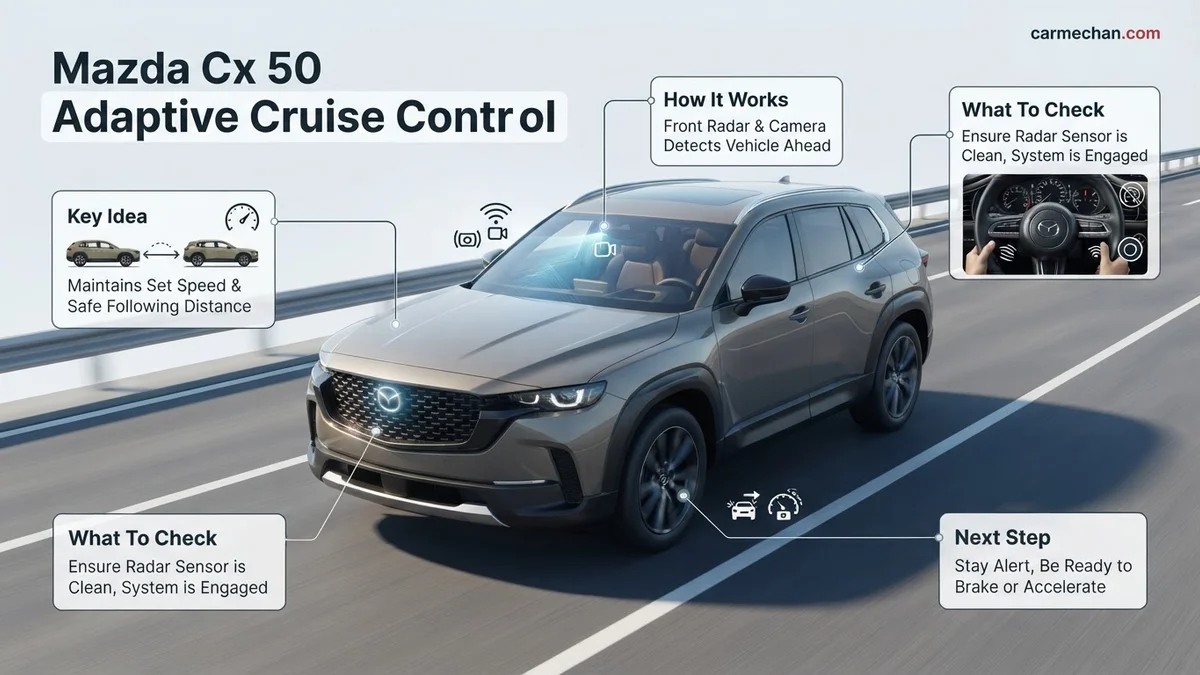
How Mazda CX-50 Adaptive Cruise Control Functions
Recommended Best Deal Products


Sensor Logic and Operational Range
The 2026 CX-50 system relies on a millimeter-wave radar sensor designed to detect the presence and relative speed of vehicles ahead. It functions across a full speed range, meaning the system can bring your vehicle to a complete halt if the car in front stops, and then resume movement once traffic clears or you nudge the accelerator. Key performance factors include:

- Follow Distance Modes: You can toggle between four preset distances (short, medium, long, extra-long), allowing you to adjust for your preferred comfort level based on current highway speeds.
- Acceleration Profiles: The 2026 tuning prioritizes a linear acceleration curve, which prevents the vehicle from aggressively downshifting when the lane ahead clears.
- Stop & Go Behavior: If the vehicle ahead stops for more than three seconds, the system prompts you to tap the accelerator or the RES button to initiate movement again.
Interaction with Lane-Keeping Systems
While the radar handles speed, it works in tandem with the Lane Keep Assist (LKA) system. In the 2026 CX-50, these systems create a semi-autonomous feel, but they remain distinct. You will notice the radar is proactive, while the lane-centering functionality provides gentle steering torque to keep you centered. On winding roads, the system is designed to favor center-lane position, though it requires you to maintain constant contact with the steering wheel.
Step-by-Step Guide to Activating and Adjusting MRCC
Engaging the System on the Steering Wheel
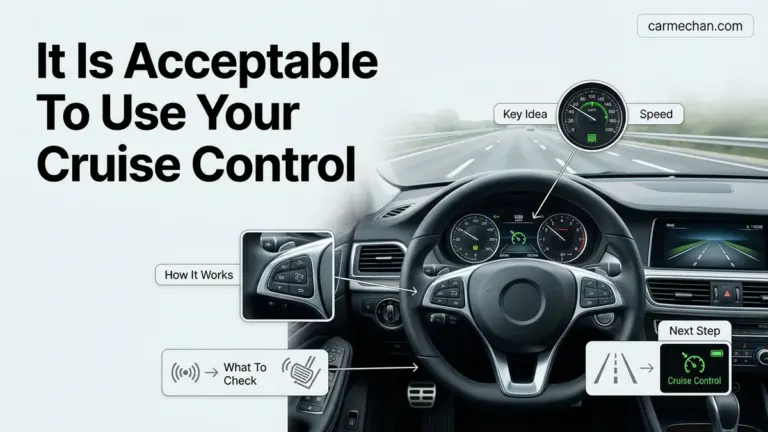
Everything you need to control the cruise settings is located on the right side of your steering wheel. Follow these steps to engage the MRCC:
- Activate: Press the large main Cruise button located on the steering wheel interface. You will see a white MRCC icon appear in the digital instrument cluster.
- Set Speed: Once you reach your desired cruising speed, push the toggle switch downward (SET/-). The system will lock into your current speed and the icon will turn green.
- Adjusting Speed: You can increment your set speed by pushing the toggle up (+) or down (-) to fine-tune your pace in 1-mph or 5-mph intervals.
Managing Distance and Deactivation
Once active, your priority is managing your following distance to ensure a stress-free experience. If you find the car is reacting too late to merging traffic, you should adjust the following distance settings immediately:
- Distance Button: Locate the button on the steering wheel that features the vehicle icon with lines. Each press cycles through the four available gap settings.
- Monitoring the Display: Your Active Driving Display (Head-Up Display) will show the distance bars. A “short” setting is best for moderate city traffic, while “long” is safer for higher-speed highway cruising.
- Canceling: You can cancel the system by tapping the CANCEL button, pressing the brake pedal, or pushing the main Cruise button again. Always use the brake pedal for immediate manual control during emergency maneuvers.
Managing Stop & Go and Traffic Jam Assist Settings
Recommended Best Deal Products


The 2026 Mazda CX-50 features an upgraded Radar Cruise Control system with refined Stop & Go functionality. This system is designed to handle repetitive braking and acceleration in dense urban traffic environments. When the vehicle in front comes to a complete halt, the system will bring your CX-50 to a full stop and hold the brakes automatically for up to three seconds.
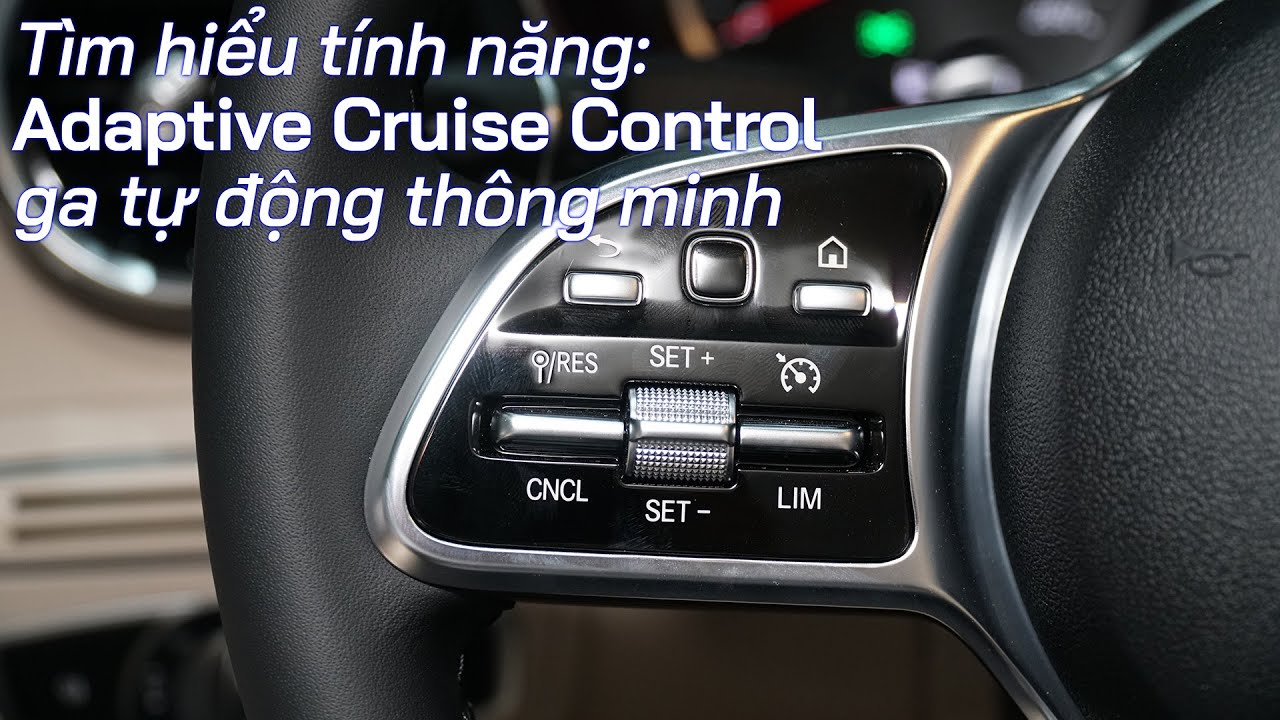
Operating Traffic Jam Assist
- Ensure the Mazda Radar Cruise Control (MRCC) is active by pressing the steering wheel-mounted button.
- Set your desired speed using the toggle switch once you reach your target velocity.
- Maintain the gap distance setting, which the system allows you to customize based on current traffic flow.
- If the vehicle stops for longer than three seconds, the system enters standby mode to ensure safety.
- To resume movement after a prolonged stop, lightly depress the accelerator pedal or toggle the “RES” button on the steering wheel.
According to Mazda engineering specifications for the 2026 model year, the Traffic Jam Assist component provides steering assistance at low speeds, keeping the vehicle centered within its lane. If the system detects a loss of driver attention or if the road markings become unclear, it will issue audible and visual alerts. Always keep your hands on the steering wheel, as the CX-50 utilizes capacitive sensors to monitor driver engagement.
What to Do If the System Displays an Error or Deactivates
The 2026 Mazda CX-50 uses a combination of radar sensors mounted in the front grille and a high-resolution camera near the rearview mirror. Environmental factors or obstructions can trigger a temporary system deactivation. Common error messages typically correlate with sensor blockage, extreme weather, or misalignment issues.

Audible — Listen Free for 30 Days
One free credit a month and thousands of titles included.
Listen Free for 30 DaysTroubleshooting Common System Alerts
- Check the front grille emblem for mud, snow, ice, or road debris, as these can blind the radar sensor.
- Ensure the windshield area in front of the forward-sensing camera is clear and free of fog or internal condensation.
- Verify that the vehicle’s electrical system is operating within normal parameters, as low battery voltage can cause auxiliary safety systems to shut down.
- Cycle the ignition by turning the vehicle off for at least 60 seconds, which allows the CX-50’s control modules to perform a self-diagnostic reset upon restart.
If the system reports a “Radar Cruise Control Malfunction” warning on the multi-information display, the sensor array may require digital recalibration. Professional diagnostics at a certified Mazda service center are mandatory for safety-critical component adjustments.
What If It Still Doesn’t Work?
Recommended Best Deal Products


If the aforementioned troubleshooting steps fail to restore functionality, there may be a hardware defect or a persistent software conflict. Follow these steps to resolve the issue professionally:
- Document the exact warning message or error code displayed on the instrument cluster for the service technician.
- Visit an authorized Mazda dealership to perform an Electronic Control Unit (ECU) update, which is often required for 2026 systems to resolve software glitches.
- Inspect the front radar sensor for physical damage or impact cracks, which can occur from minor road debris and necessitate full unit replacement.
- Seek a professional inspection if the system remains inactive for more than three consecutive drive cycles.
According to verified research and expert service bulletins, radar sensor replacement for the CX-50 platform typically ranges between $800 and $1,400, depending on the severity of the alignment required. Professional labor costs generally fall between $150 and $200 per hour. Most sensor recalibrations are covered under the standard Mazda limited vehicle warranty if no external impact is detected.
Conclusion
Mastering the 2026 Mazda CX-50 adaptive cruise control requires an understanding of its sensor-based logic and environmental limitations. Whether managing stop-and-go congestion or resolving minor error codes, prompt attention ensures continued safety and system performance. According to verified research and expert manufacturer sources, maintaining clean sensors and applying the latest software updates are the most effective ways to preserve reliability. Schedule a diagnostic scan at your local dealer if warning lights persist beyond simple resets.
❓ Frequently Asked Questions
How does the Stop & Go feature interact with highway traffic?
When active, the system detects the vehicle ahead and brakes to a stop if necessary. If the vehicle is stopped for a short time, it resumes automatically; otherwise, a gentle tap on the accelerator or pressing the ‘RES’ button resumes the set speed.
Why does the adaptive cruise control system deactivate in bad weather?
The radar sensor located in the front grille can become obstructed by heavy snow, ice, or thick mud. If the sensor is blocked, the system will disengage for safety and display a warning message on the instrument cluster.
Can I use adaptive cruise control on city streets?
While the system works at various speeds, it is designed primarily for highway use. Mazda recommends avoiding use in complex city environments where pedestrians, cyclists, or sharp turns may confuse the radar sensors.
What happens if I steer out of my lane while cruise control is on?
The cruise control speed will remain set, but you should always monitor your surroundings. The Lane Keep Assist feature may provide alerts or steering correction if it detects unintentional lane departure.
How can I tell if my following distance is set too close?
The instrument cluster displays bars indicating the set distance. Mazda suggests using the maximum distance setting in rain or heavy traffic to allow for increased reaction time.
Audible Premium Plus — Annual Membership
12 audiobook credits up front, plus the full Audible catalogue.
See Annual PlansIs it possible to switch to standard cruise control without the radar?
No, the MRCC system is integrated into the vehicle’s safety suite and cannot be switched to a traditional ‘dumb’ cruise control mode on the 2026 CX-50.