Kia Sorento TPMS Reset Button Location and Warning Light Fix 202
Last Updated on June 24, 2026 by Albert Duke
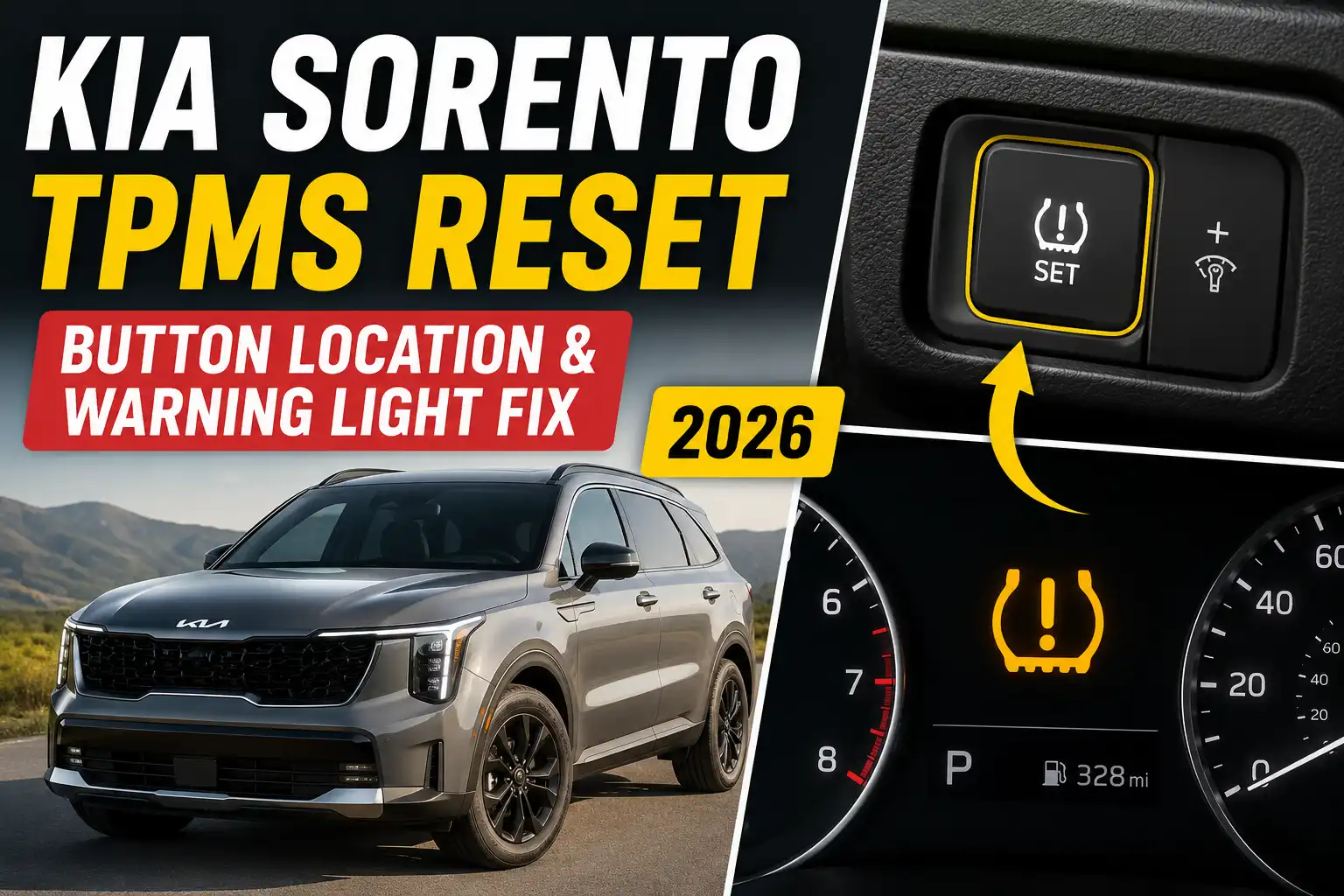
The Kia Sorento TPMS reset button location depends on the model year and tire pressure monitoring setup. Many Sorento models do not have an obvious standalone TPMS reset button, so the correct fix is usually to set the tire pressure to the door placard value and drive until the system relearns.
TPMS means Tire Pressure Monitoring System. It watches tire pressure and turns on the dashboard warning light when pressure drops too low or when the system cannot read one or more sensors.
If your Sorento has a blinking TPMS light, treat it as a possible system fault, not just a low tire. The first step is knowing whether your Sorento is a button reset model or an automatic relearn model.
Where Is the Kia Sorento TPMS Reset Button


Start by checking the lower driver side dash, but do not assume every Sorento has a button. Generic Kia reset advice often says the TPMS button is under the steering wheel, but that advice does not apply cleanly to every Sorento year and trim.
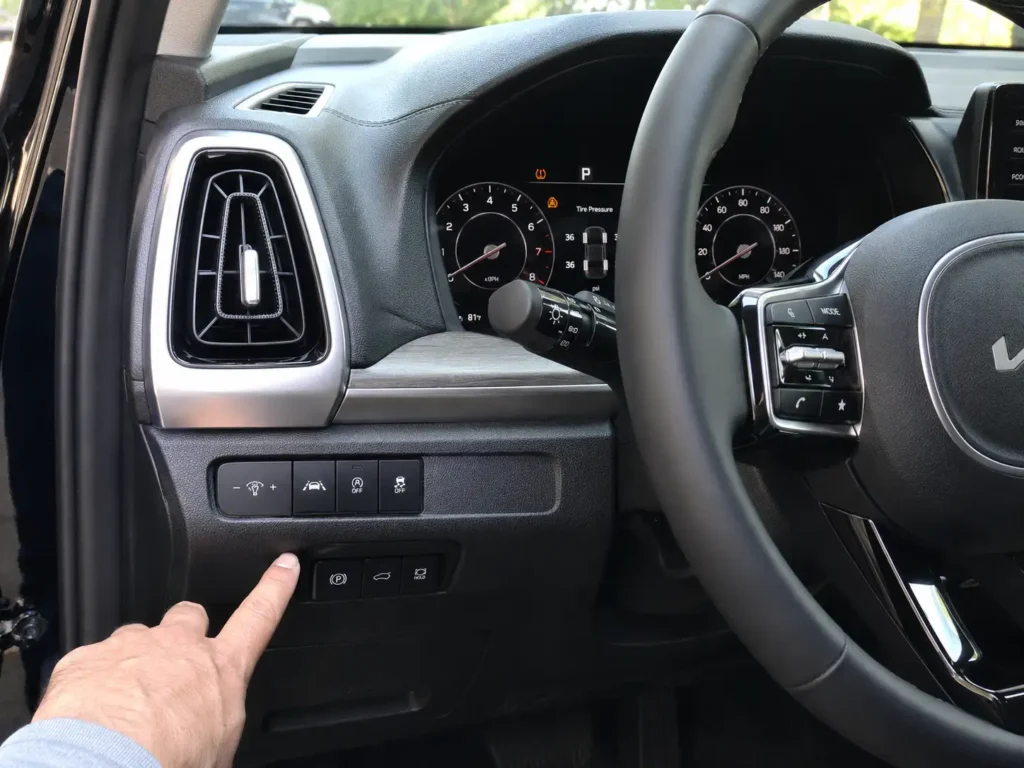
Check these areas first:
- Lower dash below the steering wheel
- Left side driver knee panel
- Button row near the traction control switch
- Glove box area
- Owner manual index under “TPMS” or “Tire Pressure Monitoring System”
If you cannot find a button after checking those areas, stop searching behind trim panels. Do not remove dash panels, unplug switches, or assume Kia hid the reset button somewhere difficult to reach.
Some Kia owner manual procedures say to press and hold a TPMS SET button for about 3 seconds, then drive so the system can store the new tire pressure values. That procedure exists on some Kia systems, but it does not prove every Sorento has that physical button. Kia’s own manual language shows the TPMS SET button procedure and drive cycle on applicable systems through its TPMS SET button reset instructions.
Once you know there may not be a physical button, the next step is choosing the correct reset path.
Which Kia Sorento Years May Not Have a Button


Kia Sorento owners run into confusion because TPMS reset advice is often copied from other Kia models. A driver may search for a button, but the Sorento may use wheel sensors, a receiver, and automatic relearn behavior instead.
For 2011 to 2017 Sorento models, service data describes a system that monitors the four road tires with wheel mounted pressure sensors, a TPMS receiver, warning indicators, and a data circuit. Modern Tire Dealer’s Sorento TPMS service overview confirms this layout for 2011 to 2017 Kia Sorento TPMS components.
Use this table as a practical publishing guide, but verify the exact year and trim before adding hard button availability claims.
| Sorento Year Range | Likely Reset Behavior | What You Should Check | Verification Status |
|---|---|---|---|
| 2011 to 2017 | Wheel sensor based TPMS with receiver | Tire pressure, sensor scan, relearn procedure | Supported for system layout |
| 2018 to 2020 | Often no easy to find standalone button | Owner manual, door placard, drive cycle | Needs manual verification |
| 2021 to 2026 | Cluster tire pressure display and drive to update behavior | Tire pressure screen after driving | Supported by newer Kia display behavior |
Newer Kia systems often show tire pressure through the instrument cluster instead of relying on a visible reset button. That is why a Sorento owner may fix the pressure correctly but still need to drive before the display updates.
The safest reset method starts with tire pressure, not the button.
How To Reset the Kia Sorento TPMS Light



The correct reset starts with matching the tire pressure placard, not guessing a PSI number. The placard is usually on the driver side door jamb and shows the recommended cold tire pressure for your exact Sorento.
Follow this process:
- Park the Sorento and let the tires cool.
Cold pressure means the tires have not been warmed by recent driving. - Check all four road tires with a reliable tire pressure gauge.
Do not rely only on visual inspection because a tire can look normal while still being underinflated. - Inflate each tire to the PSI shown on the driver door placard.
Do not use the maximum PSI printed on the tire sidewall as your normal setting. - Start the Sorento and check the cluster tire pressure screen if equipped.
Some models may show a message such as “Drive to display” before showing tire pressure. - Drive at normal road speed until the system updates.
For systems that use a TPMS SET button, Kia manual guidance says to hold the button until the indicator blinks, then drive so the system can store the current pressure values.
The National Highway Traffic Safety Administration says that when the TPMS symbol lights up, at least one tire is already significantly underinflated and you should take immediate action. That makes pressure correction the first repair step, not a dashboard reset trick. See NHTSA’s TPMS warning light safety guidance for the underlying safety reason.
If the warning light stays on after the reset attempt, the light pattern tells you what to check next.
Kia Sorento TPMS Reset Decision Flow
Use this flow after the tire pressure warning light appears. The correct path depends on pressure, button availability, light behavior, and sensor response.
TPMS Light Comes On
Start with a cold tire pressure check on all four road tires. Do not search for a reset button before confirming pressure.
If Tire Pressure Is Low
Inflate each tire to the driver door placard value. Use the placard, not the maximum PSI on the tire sidewall.
If a TPMS Button Exists
Press and hold the TPMS SET button only if your owner manual confirms your Sorento has that reset procedure.
If No Button Is Visible
Use the automatic relearn path. Correct the pressure, drive normally, and let the tire pressure display update.
If the Light Clears
The system accepted the corrected pressure. Recheck tire pressure monthly and after major temperature changes.
If the Light Blinks or Stays On
Scan the TPMS sensors. A bad sensor, missing sensor signal, leak, or programming issue may need tire shop service.
What the Kia Sorento TPMS Light Pattern Means
The way the TPMS light behaves matters more than the button location. A solid light usually points to tire pressure. A blinking light usually points to a communication or sensor problem.
| TPMS Light Behavior | Most Likely Meaning | Best Next Step |
|---|---|---|
| Solid light after startup | One or more tires may be low | Check cold tire pressure on all four tires |
| Light turns off after driving | System updated after pressure correction | Recheck pressure monthly |
| Blinks first, then stays solid | Possible TPMS malfunction | Scan TPMS sensors at a tire shop |
| Stays on after correct pressure | Sensor, relearn, or leak issue | Check for leaks and sensor communication |
| Pressure screen shows missing tire data | One sensor may not be reporting | Ask for a TPMS sensor scan |
A spare tire can also confuse some owners. Many spare wheels do not use the same active sensor setup as the four road tires, so installing a spare may not make the TPMS behave like normal.
Recent tire work can create another issue. If a sensor was replaced, moved, damaged, or not programmed correctly, the warning may stay on even after the tires are inflated correctly.
The dashboard display can also help you confirm whether the Sorento is still reading each sensor.
How To Check Kia Sorento Tire Pressure Display
On newer Sorento models, the tire pressure screen may need a short drive before it shows readings. That means the system may not show all tire pressures immediately while parked.
A 2023 Sorento owner manual extract says the TPMS detects tire pressure and displays it on the LCD display. It also notes that if tire pressure is not displayed while stopped, a “Drive to display” message may appear and the driver should check pressure after driving.
Kia manual content for newer systems also says the tire pressure indicator appears 1 to 2 minutes after you start driving. See the official Kia manual page explaining that the tire pressure indicator appears after driving.
Use this checklist before assuming the reset failed:
- Drive for at least a few minutes before checking the tire pressure screen.
- Confirm the display unit is set to psi, kPa, or bar as preferred.
- Compare the displayed readings to a manual tire gauge.
If the display still does not update, the issue may be a sensor or relearn problem.
When the Kia Sorento TPMS Light Will Not Reset
If the Sorento TPMS light will not reset, treat it as a diagnosis problem rather than a button problem. The button cannot fix a tire leak, a dead sensor battery, or a sensor that was never programmed.
If one tire keeps dropping, check that tire for a nail, bead leak, valve stem leak, or cracked wheel. Refill the tire only after you know why it lost pressure.
If the light blinks before staying solid, have a tire shop scan the TPMS sensors. A TPMS scan tool can read each sensor ID, battery status on supported sensors, pressure reading, and signal response.
If the light appeared after new tires or new wheels, ask whether the sensors were transferred, replaced, or programmed. Aftermarket wheels may need compatible TPMS sensors that match the Sorento system.
If the warning appeared after a dead battery or electrical work, drive first and let the system update. If the same warning returns, scan the TPMS module or sensors rather than disconnecting the battery again.
A simple scan can separate a tire pressure issue from a sensor fault.
What Tools Help Reset Kia Sorento TPMS
The right tool depends on whether you have low pressure or a sensor problem. Most owners should start with a tire pressure gauge before buying a scan tool.
| Tool | Best For | What It Cannot Do |
|---|---|---|
| Tire pressure gauge | Checking cold tire pressure at home | Program TPMS sensors |
| Portable inflator | Correcting low pressure quickly | Diagnose a bad sensor |
| TPMS scan tool | Reading sensor IDs and signal status | Fix a leaking tire |
| Basic OBD2 scanner | Reading engine codes on many cars | Many basic units do not read TPMS modules |
For regular tire checks, a good gauge is the tool most Sorento owners need first. Car Mechan’s guide to the best tire pressure gauge can help if your current gauge is old or inconsistent.
If you are also diagnosing check engine lights or electrical issues, a scanner can still be useful. Just know that many basic OBD2 scanners do not access TPMS data, so read the tool description carefully. For general diagnostic shopping, see our guide to the best OBD2 scanner for the money.
Kia owners comparing reset behavior across SUVs may also find our related guide on the Kia Telluride TPMS reset button location useful because it shows why model specific reset advice matters.
With the right path chosen, the final answer becomes simple.
Best Next Step for Kia Sorento Owners
The best next step depends on what your Sorento is showing right now. If the light is solid, check cold tire pressure on all four tires and inflate them to the driver door placard value.
If you cannot find the Kia Sorento TPMS reset button location, do not keep searching behind panels. Your Sorento may use automatic relearn behavior, so correct the pressure and drive until the system updates.
If the light blinks, stays on after proper pressure correction, or shows missing tire readings, have the TPMS sensors scanned. That is the fastest way to separate a low tire from a bad sensor, programming issue, or receiver problem.
FAQ
Where Is the Kia Sorento TPMS Reset Button
The Kia Sorento TPMS reset button may be on the lower driver side dash on systems that have one, but many Sorento owners will not find a standalone button. Check the owner manual for your exact year before assuming the button exists.
Does Every Kia Sorento Have a TPMS Reset Button
No, every Kia Sorento does not clearly have a physical TPMS reset button. Many models rely on proper tire pressure, a short drive cycle, and sensor relearn behavior instead of a separate dashboard button.
How Do I Reset the Kia Sorento Tire Pressure Light Without a Button
Set all four tires to the cold pressure shown on the driver door placard, then drive until the tire pressure display updates or the light clears. If the light stays on after the pressure is correct, scan the TPMS sensors.
Why Is My Kia Sorento TPMS Light Still On After Filling Tires
Your Kia Sorento TPMS light may stay on if one tire is still low, a tire has a slow leak, or a sensor is not reporting. A blinking light before it turns solid usually points more toward a TPMS system fault.
Can I Reset Kia Sorento TPMS With an OBD2 Scanner
A basic OBD2 scanner usually cannot reset TPMS sensors unless it specifically supports TPMS functions. You may need a dedicated TPMS scan tool or a tire shop scan if the sensor ID, battery, or programming is the problem.