Chevy Adaptive Cruise Control Temporarily Unavailable 2026
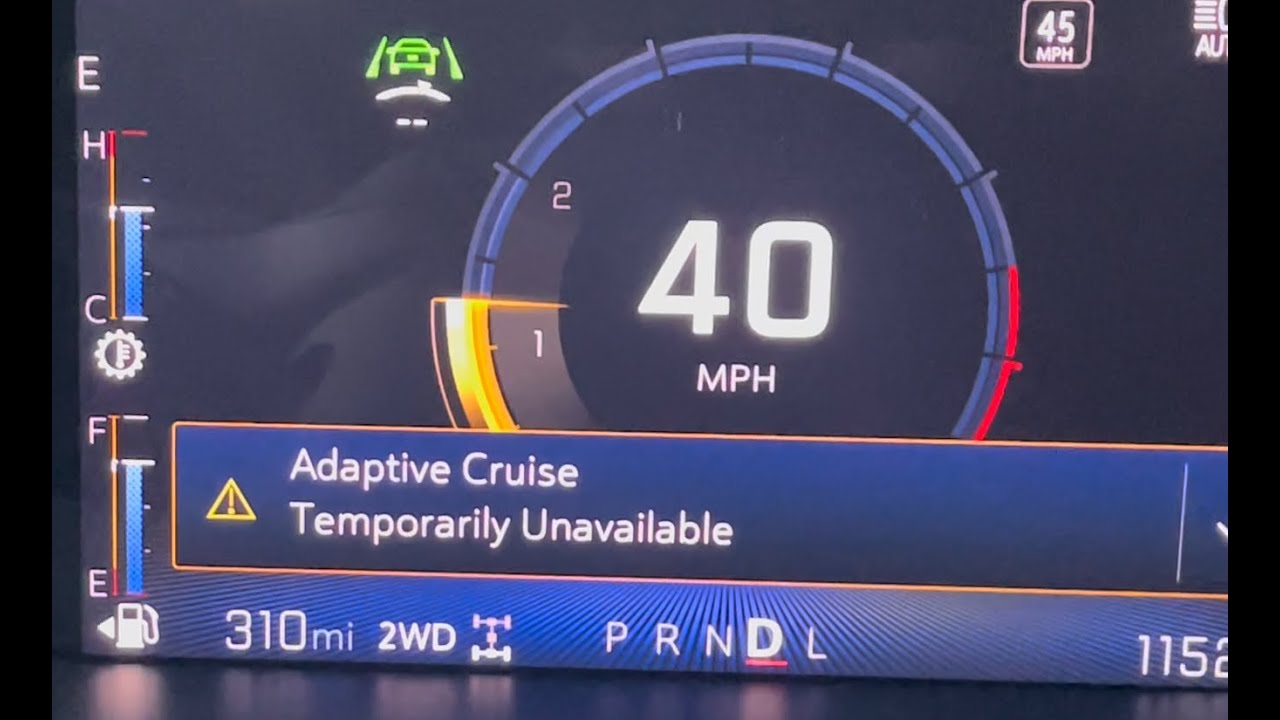
The Adaptive Cruise Control temporarily unavailable message is usually caused by sensor obstructions from debris or severe weather. Cleaning your front grille sensors and camera areas is the most effective way to clear this error and restore functionality.
If your 2026 Chevy dashboard is displaying “Adaptive Cruise Control Temporarily Unavailable,” the system has lost its ability to “see” the road ahead. This isn’t a permanent hardware failure; it is a safety failsafe triggered by a loss of sensor data. You can usually clear this message yourself without visiting a dealership by addressing environmental or physical obstructions blocking the front-facing radar or camera suite.
Resolving this quickly is essential for your commute, as this error disables not only Adaptive Cruise Control but often your Forward Collision Alert and Automatic Emergency Braking. By following these specific steps, you can restore your safety features and get back on the road with full functionality.
Key Takeaways
- Inspect the front emblem and bumper for dirt, snow, or mud buildup.
- Perform a full ignition power cycle to reset the vehicle’s electronic control modules.
- Check that your windshield camera area is free from ice, frost, or condensation.
- Avoid using high-pressure car washes directly on delicate radar sensor housings.
- Professional service is necessary if the error persists after thorough cleaning and system resets.
Why Your Chevy Adaptive Cruise Control Displays Unavailable
Environmental Obstructions
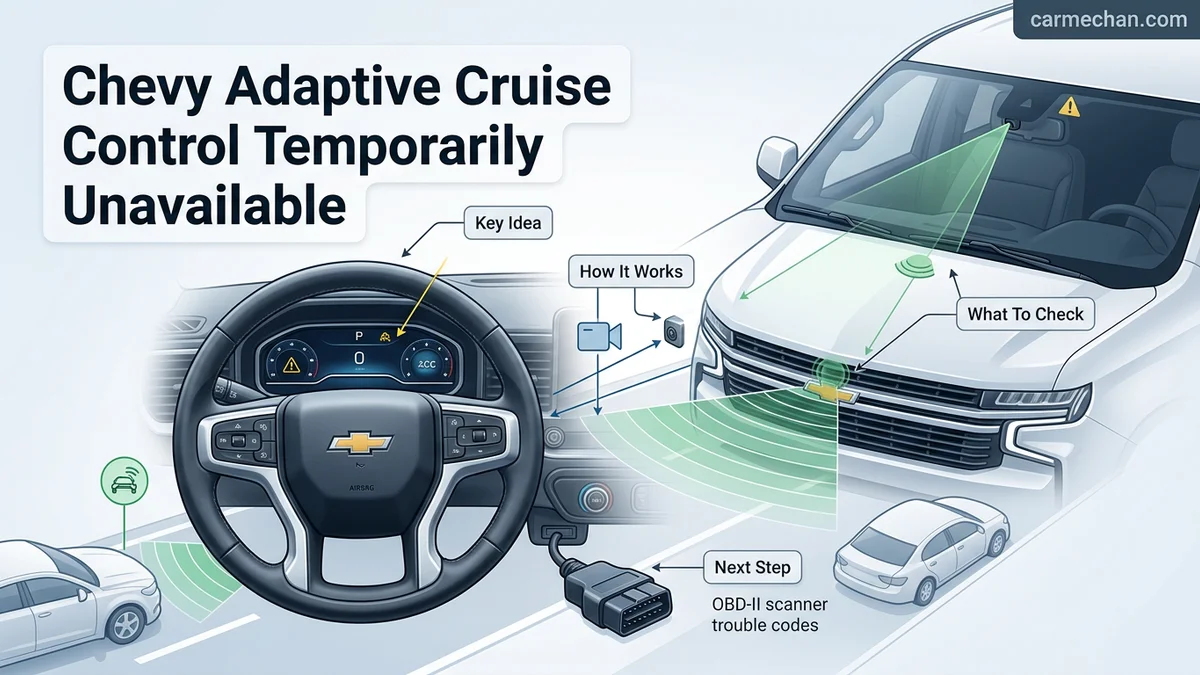
The primary reason for a 2026 Chevy to throw this error is physical blockage of the sensors. Your vehicle uses a combination of a front grille-mounted radar sensor and a windshield-mounted camera located behind the rearview mirror. Even minor debris can interrupt the signal.
- Mud and Road Grime: Accumulated slush or mud on the front emblem or lower grille will block the radar signal instantly.
- Extreme Weather: Heavy rain, thick snowfall, or road spray creates a “blind spot” that the sensor cannot see through.
- Direct Sunlight Glare: If the sun is at a low angle and shining directly into the camera lens, the system will temporarily shut down until the visibility improves.
Sensor Alignment and Physical Damage
If your vehicle has recently sustained a minor bump to the front bumper, even if there is no visible damage, the radar sensor may be slightly misaligned. The system performs a self-check every time you start the car. If the sensor angle is off by even a few degrees, it flags an error because it cannot accurately calculate the distance to the vehicle in front of you. Additionally, ensure your windshield is clear of stickers, dash cams, or mounting brackets that might obstruct the camera’s field of vision.
Step-by-Step Troubleshooting to Fix the Error
Immediate Cleaning and Visual Inspection
Start by performing a manual inspection of the sensory hardware. You do not need professional tools for this, but you must be thorough.
- Clean the Front Grille: Locate the Chevy emblem or the radar panel usually found in the center of the lower front grille. Wipe it down with a damp microfiber cloth to remove all salt, mud, or frost.
- Inspect the Windshield: Clean the area of the windshield directly in front of the rearview mirror. Ensure there is no ice buildup, bird droppings, or heavy residue.
- Remove External Accessories: If you have an aftermarket license plate frame or a bug deflector that covers the sensor area, remove it to see if the error clears.
The Power Cycle and System Reset
Sometimes the system just needs a reboot. The 2026 Chevy electronics rely on a specific sequence to recalibrate upon startup.
- Full Ignition Cycle: Park the vehicle safely, turn off the engine, and open the driver’s side door to cut power to the accessory circuit. Wait at least 60 seconds before restarting.
- Drive to Recalibrate: Once the system is powered back on, you may need to drive at speeds above 25 mph for a few minutes. This allows the sensors to re-establish their baseline and verify that their field of view is clear.
- Check for Persistent Warning Lights: If the error clears but returns immediately, there may be a deeper communication fault within the vehicle’s electrical bus that requires a dealership scan.
Identifying Environmental Factors and Obstructions
The 2026 Chevy suite of sensors, including the Long Range Radar (LRR) module located behind the front grille and the windshield-mounted forward-facing cameras, relies on clear lines of sight. When environmental conditions degrade, the adaptive cruise control system will disable itself as a safety precaution to prevent erratic behavior or phantom braking.
Assessing Sensor Interference
In 2026 vehicle models, the system is calibrated to detect even minor obstructions. You should conduct a physical inspection of these key areas:
- Inspect the front bowtie emblem and the immediate grille area for heavy mud, thick road grime, or packed snow/ice.
- Check the windshield directly behind the rearview mirror, as condensation, dirt, or ice buildup on the glass will blind the primary forward camera.
- Ensure no aftermarket accessories, such as license plate frames, bug deflectors, or metallic wraps, are obscuring the radar’s field of view.
Navigating Extreme Weather
Severe weather conditions remain the leading cause of temporary outages. According to GM technical documentation, the system may deactivate during heavy rain, thick fog, or whiteout snow conditions. Furthermore, driving directly into a low-hanging sun can cause “camera glare,” which blinds the vision system. If you encounter these conditions, the system is performing exactly as intended. Once you reach clearer atmospheric conditions or clean the exterior sensors with a non-abrasive cloth, the system should resume functionality after a brief ignition cycle.
When to Seek Professional Dealership Repair
If the “Unavailable” warning persists even after cleaning and driving in clear conditions, the issue may involve a hardware failure or a calibration misalignment. Modern Chevy sensors are precision-engineered components that can be disrupted by minor front-end impacts or deep software glitches.
The Diagnostic Necessity
If the error light remains illuminated for more than two consecutive days, the vehicle has likely logged a Diagnostic Trouble Code (DTC) in the Engine Control Module (ECM). Dealers use the Global Diagnostic System 2 (GDS2) to pinpoint the failure. Common professional repair triggers include internal radar module failure, frayed wiring harnesses, or a need for a software update to the Vehicle Control Module (VCM). Attempting to bypass these electronic warnings can lead to a complete loss of cruise control functionality or compromised emergency braking.
What If It Still Doesn’t Work?
If you have exhausted all self-service cleaning and reset options, follow these fallback steps to resolve the issue:
- Perform a hard reset by disconnecting the negative battery terminal for 10 minutes to flush the temporary memory cache.
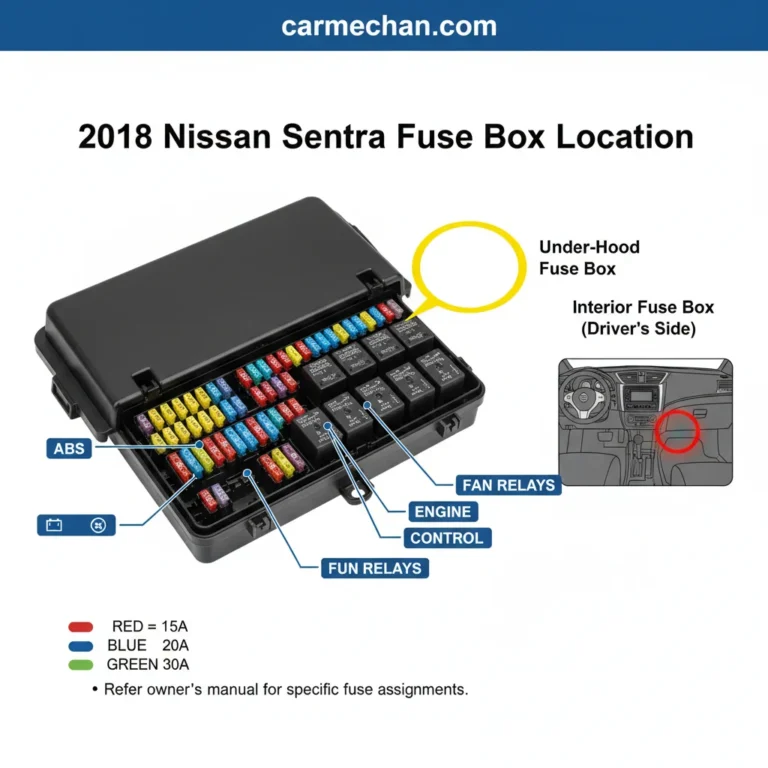
- Check the fuse box diagram in your owner’s manual for the “Adaptive Cruise” or “Driver Assist” fuse to ensure no circuitry has tripped.
- Consult an authorized GM service center to perform an Electronic Control Unit (ECU) software flash, which often addresses known 2026 connectivity bugs.
- Expect professional diagnostic fees ranging from $150 to $250 for a full system scan, while actual sensor replacement can cost between $800 and $1,500 depending on your specific trim level.
Conclusion
The “Adaptive Cruise Control Temporarily Unavailable” message is a standard safety protocol designed to protect 2026 Chevy drivers from sensor errors caused by debris or extreme weather. According to verified research and expert service bulletins, most occurrences are resolved through simple sensor maintenance or ignition cycles. If the dashboard warning light remains persistent, schedule a diagnostic scan at an authorized dealership to prevent potential braking system degradation. Your next step should be verifying your vehicle’s current software version via the MyChevy app.
❓ Frequently Asked Questions
Why does the error appear even when the weather is clear?
Sometimes a small patch of dried mud or an insect impact on the radar sensor behind the front grille can trick the system. Carefully inspect the front of your vehicle for any physical obstructions, even if they appear minor.
How do I locate the sensors on my Chevy?
The primary radar sensor is usually located behind the front grille or the Chevy bowtie emblem. The forward-facing camera is located at the top center of your windshield, behind the rearview mirror housing.
Does a low battery cause cruise control errors?
Yes, electronic modules in newer Chevy models are sensitive to voltage drops. If your battery is aging or has a loose connection, it may cause various driver-assist systems to report errors.
Should I use a scanner tool to clear the code?
If the message is purely due to sensor blockage, it will clear itself once the obstruction is removed. If you have an OBDII scanner, you can check for permanent fault codes, but do not clear them if you intend to have a dealer diagnose a persistent defect.
Is this error covered under my Chevy warranty?
If the error is caused by a hardware failure of the sensor or a wiring issue, it is typically covered under the bumper-to-bumper warranty. However, clearing debris or cleaning the sensor is considered routine maintenance and is not warrantable.
How long should I wait after cleaning the sensors?
After cleaning, allow the system to recalibrate by driving at speeds above 20 mph for a short distance. If the message does not disappear within a few minutes of driving, a deeper electronic fault may be present.