2017 Nissan Altima TPMS Reset Button Location & Tips
Last Updated on September 1, 2026 by Ryan
📋 Table of Contents
- 🎯 Key Takeaways
- Understanding the 2017 Nissan Altima TPMS Architecture
- 2017 Nissan Altima TPMS Reset Made Easy: Your Essential Action Plan
- Common Factors That Trigger Tire Pressure Alerts
- Benefits of the Nissan Easy-Fill Tire Alert System
- Professional Diagnostic Tips for Persistent TPMS Lights
- Conclusion
- 💬 Quick Questions & Answers
- ❓ Frequently Asked Questions
The 2017 Nissan Altima does not have a physical TPMS reset button; instead, the system is managed through the Advanced Drive-Assist Display menu. Most resets occur automatically after driving at consistent speeds once the tires are properly inflated.
🎯 Key Takeaways


- No physical button exists; use the steering wheel menu controls.
- Ensure all tires meet the PSI listed on the door jamb.
- The system usually resets automatically after driving above 16 MPH.
- Cold weather frequently causes temporary TPMS alerts in this model.
- A flashing light indicates a sensor malfunction rather than low pressure.
Have you ever been cruising down the highway when a bright orange horseshoe symbol suddenly glows on your dashboard? It is a moment of instant stress for any 2017 Nissan Altima owner. This warning light means your car has detected an issue with the air pressure in your tires. While it might seem like a nuisance, this system is one of your vehicle’s most important safety features. It acts as a silent guardian for your commute.
Understanding your Tire Pressure Monitoring System (TPMS) is about more than just making a light go away. Maintaining the right pressure keeps you safe, saves you money at the gas pump, and prevents expensive tire blowouts. Many drivers spend hours hunting for a physical reset button that might not even exist. In this guide, we will explore how your Altima tracks pressure and why that pesky light keeps appearing on your dash.
Understanding the 2017 Nissan Altima TPMS Architecture


The 2017 Nissan Altima uses a sophisticated “Direct TPMS” setup. Unlike older cars that guessed pressure based on wheel speed, your Altima has a brain in every wheel. Each tire contains a small battery-powered sensor attached to the inner side of the valve stem. These sensors constantly measure the exact air pressure and temperature inside the rubber. They broadcast this data wirelessly to your car’s central computer system every few minutes while you drive.

The Role of Direct Sensors and the BCM
Your sensors talk directly to the Body Control Module (BCM). This module acts as the “translator” for your car. When the BCM receives a signal that a tire is below the recommended threshold, it triggers the warning light. This direct system is incredibly accurate. It can detect even a tiny change in pressure. This precision helps you catch a slow leak before you end up stranded on the side of the road with a flat.
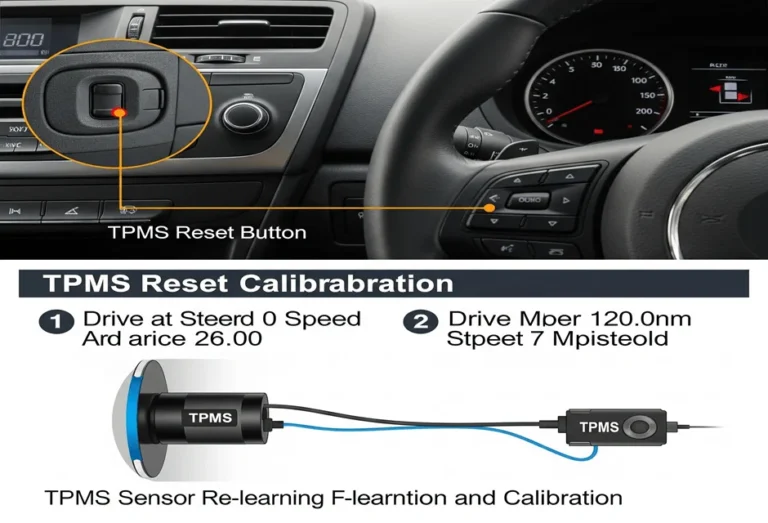
Why You Won’t Find a Physical Button
Many drivers look for a physical reset button under the steering wheel or in the glove box. On the 2017 Nissan Altima, you will not find a dedicated “Reset” button. Nissan designed this model to be smarter than previous generations. Instead of a manual button, the car uses an automated system. It relies on specific driving conditions and menu settings to recalibrate. This modern approach reduces the chance of a driver accidentally “resetting” the light while a tire is still dangerously low.
- Direct Monitoring: Provides real-time PSI readings for each individual tire.
- Digital Interface: All TPMS information is displayed through the Advanced Drive-Assist Display.
- Easy-Fill Tire Alert: Your Altima actually chirps the horn when you reach the correct pressure while filling.
- Wireless Communication: Sensors use radio frequencies to talk to the car.
2017 Nissan Altima TPMS Reset Made Easy: Your Essential Action Plan



The Tire Pressure Monitoring System (TPMS) in your 2017 Nissan Altima is a critical safety feature designed to alert you when one or more tires are significantly under-inflated. Whether you have just rotated your tires, replaced a sensor, or adjusted your air pressure due to changing seasonal temperatures, knowing how to properly reset this system is vital. Many drivers search for a physical “reset button,” but the 2017 Altima utilizes a sophisticated combination of software settings and “Drive-to-Reset” technology. This guide will walk you through the precise sequence of actions required to clear that persistent dashboard warning light and ensure your vehicle’s sensors are accurately calibrated for the road ahead.
Step 1: Conduct a Cold Tire Pressure Audit
What you need: A high-quality digital or analog tire pressure gauge and access to an air compressor.
Instructions: Before attempting any electronic reset, you must ensure the physical state of your tires is correct. TPMS resets often fail because the internal sensors still detect a pressure discrepancy. Park your Altima on a level surface and allow the tires to cool for at least three hours; “cold” pressure is the most accurate metric. Remove the valve stem caps and use your gauge to check all four tires, including the spare if it is equipped with a sensor. If the pressure does not match the manufacturer’s specifications, the system will continue to trigger the warning light regardless of your reset attempts. Aim for precision here, as even a 1-2 PSI difference across an axle can sometimes prevent the system from finalizing its calibration.
Pro Tip: Never rely on a visual inspection to determine if a tire is properly inflated. Low-profile tires, common on the 2017 Altima trims, can look perfectly normal even when they are 10 PSI below the recommended limit.
Step 2: Reference the Tire and Loading Information Placard
What you need: Access to the driver-side door jamb.
Instructions: Open the driver’s door and look at the “B-pillar” (the frame where the door latches). You will find a white and red sticker labeled “Tire and Loading Information.” This placard lists the exact PSI (pounds per square inch) required for your specific vehicle configuration. For most 2017 Nissan Altimas, the recommended cold tire pressure is typically 32 PSI for both front and rear tires, but this can vary depending on whether you have the 2.5L or 3.5L engine and the specific wheel size (16, 17, or 18 inches). Adjust your tires to match these numbers exactly. If you are currently at a gas station and the tires are “hot” from driving, add an additional 3-4 PSI above the placard value to account for heat expansion, then re-check them once they have cooled down.
Pro Tip: If your Altima has been modified with aftermarket wheels or different tire sizes, consult the sidewall of the tire for the maximum PSI, but try to stay close to the factory recommended pressure for ride comfort and safety.
Step 3: Utilize the Easy-Fill Tire Alert System
What you need: An active air source and the vehicle’s ignition set to the “ON” position.
Instructions: The 2017 Altima features Nissan’s “Easy-Fill Tire Alert,” which makes the reset process much more intuitive. With the vehicle parked, set the parking brake and turn the ignition to the “ON” position (engine off). As you add air to a tire, the hazard lights will flash to indicate that the TPMS is actively monitoring the change. Continue filling until the vehicle’s horn chirps once. This chirp is the vehicle’s way of telling you it has reached the ideal pressure. If you over-inflate the tire, the hazard lights will flash more rapidly and the horn will chirp three times. If this happens, simply release some air until the horn chirps again, indicating the correct level has been restored. Repeat this for all four tires.
Pro Tip: If the horn doesn’t chirp, ensure your ignition is truly in the “ON” mode (press the start button twice without touching the brake) and check that your hazard lights are functioning.
Step 4: Navigate the Driver Information Display Menu
What you need: The steering wheel-mounted controls (the square “Menu” button and the arrow keys).
Instructions: Sit in the driver’s seat and look at the Advanced Drive-Assist Display located between the tachometer and speedometer. Use the square button on the left side of the steering wheel to scroll through the main menu tabs until you reach the “Settings” gear icon. From there, use the down arrow to find the “Maintenance” sub-menu and press the “OK” (inner circle) button. Inside Maintenance, look for “Tire Pressure” or “TPMS.” While the 2017 model does not have a “Reset” button here like older cars, this menu allows you to view the live pressure readings. If the screen shows dashes (—) instead of numbers, it means the vehicle needs to be driven to re-establish a connection with the sensors. Ensure the display is set to the tire pressure screen so you can monitor the progress in real-time during the next step.
Pro Tip: If you find a “Unit” setting within this menu, ensure it is set to “PSI” rather than “kPa” or “Bar” to avoid confusion when comparing the dash readings to your hand-held gauge.
Step 5: Perform the “Drive-to-Learn” Calibration Sequence
What you need: A clear stretch of road where you can maintain a steady speed for several minutes.
Instructions: Unlike some vehicles that reset while stationary, the 2017 Nissan Altima requires a specific driving cycle to recalibrate the TPMS sensors. Once you have confirmed all tires are at the correct PSI, drive the vehicle at a speed of at least 16 mph (25 km/h). The system needs a consistent signal from the sensors’ internal centrifuges to register their position and pressure. For the most effective reset, try to maintain a steady speed between 25 mph and 45 mph for approximately 10 to 15 minutes. Avoid stop-and-go traffic if possible, as frequent braking can interrupt the data transmission. During this drive, the TPMS warning light should change from solid to off. If the light was previously flashing, it may take slightly longer to stabilize.
Pro Tip: If the light persists after 20 minutes of driving, find a safe place to pull over, turn the engine off, wait one minute, and restart the vehicle before continuing the drive. This “power cycle” often forces the BCM (Body Control Module) to refresh its sensor polling.
Step 6: Confirm Sensor Synchronicity
What you need: Observation of the dashboard display.
Instructions: As you conclude your drive, check the Advanced Drive-Assist Display. The dashes (—) should now be replaced by numerical values for all four tires. These numbers should closely match the readings you took with your manual gauge in Step 1. Note that it is normal for the dash display to be 1-2 PSI different from a handheld gauge due to sensor tolerances and air temperature changes during the drive. If three tires show pressure but one remains as dashes, that specific sensor may have a dead battery or may be faulty. If all numbers are present and the yellow horseshoe-shaped warning light has vanished, your 2017 Nissan Altima TPMS has been successfully reset and is now actively protecting your vehicle’s performance and safety.
Pro Tip: Keep in mind that TPMS sensors have an average lifespan of 5 to 10 years. Since the 2017 Altima is aging, a stubborn light often indicates a failing sensor battery rather than a calibration error.
✅ Final Checklist
- All four tires (and the spare, if applicable) are inflated to the PSI listed on the driver-side door jamb.
- The vehicle was driven for at least 10 minutes at speeds exceeding 16 mph without significant stops.
- The “Low Tire Pressure” warning light on the instrument cluster has extinguished.
- The Driver Information Display shows active numerical PSI readings for all four wheels.
- The valve stem caps have been replaced to prevent dirt and moisture from damaging the TPMS sensors.
Important Notes:
- Safety First: Never attempt to adjust tire pressure or navigate deep dashboard menus while the vehicle is in motion. Always pull over to a safe location.
- When to Seek Help: If the TPMS light flashes for 60 seconds before staying solid, there is a malfunction in the system (such as a dead sensor) that cannot be fixed by a simple reset. A professional technician with a TPMS scan tool will be required.
- Estimated Time: 15–30 minutes.
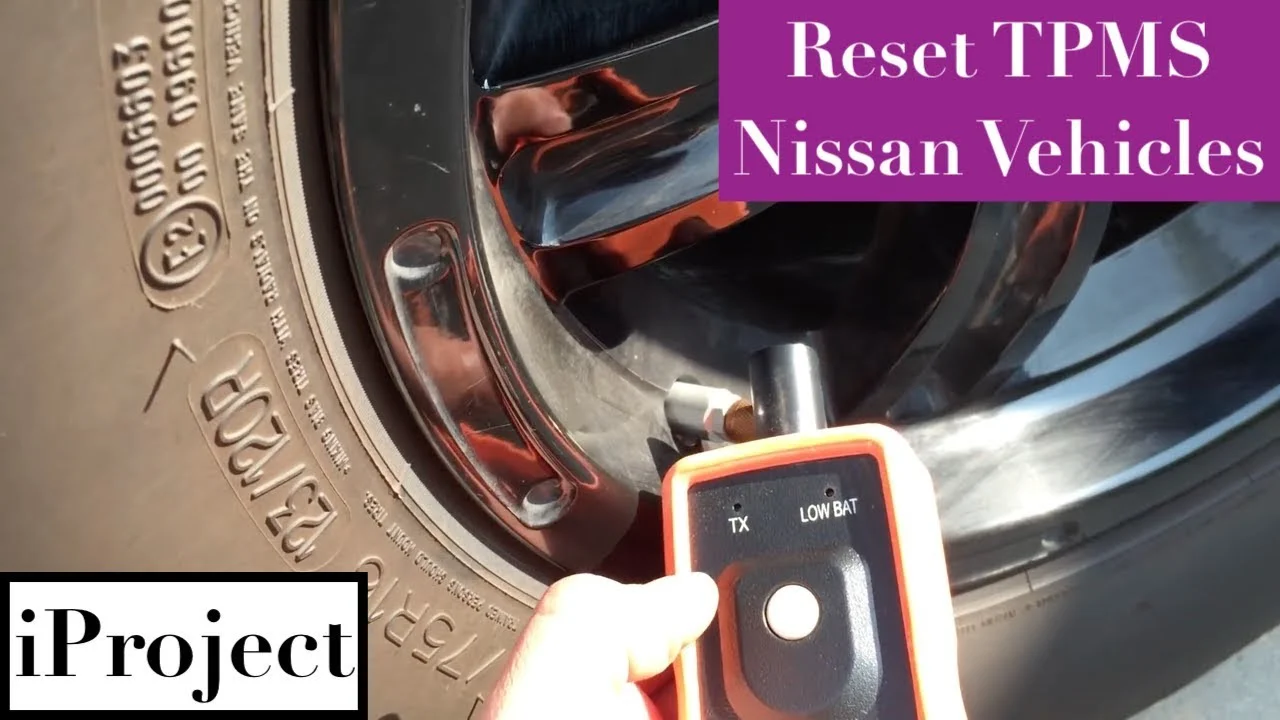
- Estimated Cost: $0 (DIY) or $20–$50 if a tire shop needs to use a handheld “relearn” tool to trigger the sensors.
Common Factors That Trigger Tire Pressure Alerts
It is frustrating when your TPMS light turns on, especially if your tires look perfectly fine to the naked eye. Most of the time, the light is doing its job correctly. Small changes that you cannot see can have a big impact on the air inside your tires. Knowing what causes these alerts can help you react calmly instead of panicking. It is usually a simple fix rather than a major mechanical failure.
Seasonal Temperature Fluctuations
The most common reason for a TPMS light in the 2017 Altima is a change in the weather. Physics tells us that air contracts when it gets cold. For every 10-degree drop in temperature, your tires can lose about one pound per square inch (PSI). If a cold front moves in overnight, you might wake up to a warning light. This is often called a “seasonal alert.” In many cases, the light will turn off once the tires warm up from driving, but you should still check the levels.
Sensor Battery Life and Age
The sensors inside your wheels are powered by small internal batteries. These batteries are designed to last between five and ten years. Since the 2017 Altima is now reaching that age, sensor failure is becoming a more common culprit. When a battery dies, the sensor stops sending data to the car. This causes the TPMS light to blink for a minute before staying solid. If your pressure is perfect but the light stays on, a dead sensor battery is likely the cause.
- Slow Leaks: A small nail or screw can cause a drop of 1-2 PSI per week.
- Altitude Changes: Driving into high mountains can change the pressure balance.
- Spare Tire Usage: Most spare tires do not have sensors, which will keep the light on while in use.
- New Tire Installation: If sensors were bumped or damaged during a tire change, the system will alert you.
Tip: Always check your tire pressure manually with a high-quality gauge before assuming the sensor is broken. Digital sensors are great, but a manual check is the only way to be 100% sure of your safety.
Benefits of the Nissan Easy-Fill Tire Alert System
The 2017 Nissan Altima stands out because it removes the traditional guesswork associated with tire maintenance. Instead of hunting for a hidden button or constantly checking a handheld gauge, Nissan’s Easy-Fill Tire Alert system transforms the vehicle into a smart assistant. This technology is particularly beneficial during the winter months when “cold tire” pressure drops often trigger the dashboard light, saving you from unnecessary trips to the mechanic just to check your air levels.
Real-Time Feedback Without a Pressure Gauge
One of the biggest advantages of this system is the immediate feedback it provides. Most drivers find the process of checking pressure manually to be tedious and dirty. With the Easy-Fill system, the car monitors the internal pressure as you add air, providing a seamless experience. This is especially helpful in low-light conditions or when you are in a rush at a gas station air pump.
The “Horn Honk” Advantage
The primary benefit of this system is the audible confirmation it provides once the correct pressure is reached. This feature ensures that even a novice driver can maintain their vehicle with professional-level precision. Key benefits of this integrated technology include:
- Precision Inflation: It eliminates the risk of over-inflation, which can lead to a harsh ride and increased tire wear.
- Safety Assurance: Properly inflated tires provide better traction, shorter braking distances, and improved stability in emergency maneuvers.
- Convenience: You don’t need to keep a high-end digital gauge in your glovebox; the car acts as the gauge itself.
- Fuel Efficiency: Maintaining the exact recommended PSI (Pounds per Square Inch) ensures your Altima achieves the best possible gas mileage.
Professional Diagnostic Tips for Persistent TPMS Lights
Even with the most advanced systems, the TPMS light may sometimes refuse to turn off, or it might behave erratically. If you have verified that all four tires (and sometimes the spare) are at the correct pressure but the light remains, it is time to look at the hardware. For a 2017 model, it is common for the electronics within the system to begin showing their age after several years on the road.
Interpreting Flashing vs. Solid Warning Lights
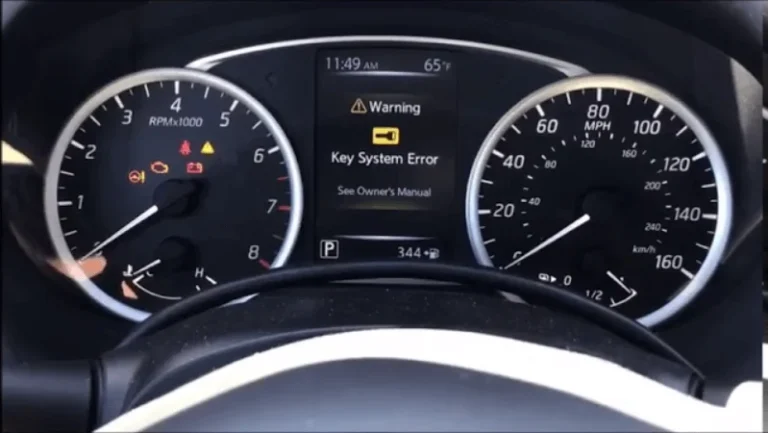
Understanding the language of your dashboard is the first step in diagnosing a problem. A solid light usually indicates a simple pressure issue, such as a tire being just a few pounds under the limit. However, a flashing light is a different story. If your TPMS light flashes for about a minute before staying solid when you start the car, the system is reporting a malfunction. This usually means a sensor has stopped communicating with the vehicle’s central computer.
The 5-to-10 Year Sensor Lifespan
The TPMS sensors inside your wheels are powered by small, non-replaceable lithium batteries. On a 2017 Nissan Altima, these batteries are approaching the end of their typical lifespan. When these batteries fail, the sensor can no longer transmit data. Common reasons for persistent system errors include:
- Dead Sensor Batteries: The most frequent cause of system failure in vehicles over five years old.
- Corroded Valve Stems: Road salt and moisture can damage the sensor housing, leading to air leaks or electronic failure.
- Signal Interference: High-powered electronic devices or aftermarket chargers plugged into your car’s 12V outlets can occasionally interfere with the sensor’s radio frequency.
- Broken Sensors: Sensors can be physically damaged during a tire change if the technician is not careful with the mounting equipment.
Conclusion
Managing the TPMS on your 2017 Nissan Altima is simpler than on many other vehicles, thanks to the absence of a manual reset button and the inclusion of the Easy-Fill Tire Alert system. By understanding that the car handles the “reset” automatically through driving and proper inflation, you can save yourself time and frustration. However, if the light persists despite your best efforts, it is likely a sign of a failing sensor battery or a hardware malfunction that requires a professional scan tool to identify.
Stay proactive by checking your tire pressure at least once a month, especially when the seasons change. If you notice a flashing light on your dash, schedule an appointment with your local technician to test your sensors. Drive safe, keep those tires filled, and enjoy the smooth ride your Altima was designed to provide!
💬 Quick Questions & Answers
Where is the physical TPMS reset button on a 2017 Altima?
There is no physical button; the system is controlled via the dashboard settings menu.
How do I access the TPMS settings?
Use the arrow buttons on the steering wheel to scroll to the ‘Settings’ tab on the instrument cluster.
Does the 2017 Altima TPMS reset automatically?
Yes, once tires are correctly inflated, driving for a few minutes usually clears the light.
What speed is needed to reset the sensor?
You generally need to drive at speeds over 16 MPH (25 km/h) for the sensors to update.
What does a blinking TPMS light mean?
A blinking light typically signifies a fault in the TPMS system or a dead sensor battery.
❓ Frequently Asked Questions
Why can’t I find a TPMS reset button in my 2017 Nissan Altima?
Nissan replaced the traditional physical reset button with an integrated digital system in the 2017 Altima. You must manage tire alerts through the Advanced Drive-Assist Display using the controls located on your steering wheel.
What is the recommended tire pressure for a 2017 Nissan Altima?
The recommended cold tire pressure is typically 32 PSI for most 2017 Altima trims, but you should always check the sticker on the driver’s side door pillar for your specific vehicle. Proper inflation is required before the system can successfully recalibrate.
How does the Easy-Fill Tire Alert assist with resetting the light?
This feature monitors the pressure as you add air and sounds the horn once the correct PSI is reached. By ensuring perfectly accurate pressure, it helps the TPMS computer recognize the change and clear the dashboard warning light more quickly.
Will a significant temperature drop cause the TPMS light to come on?
Yes, cold air causes tire pressure to drop, which often triggers the TPMS sensor during winter months. Simply inflating the tires back to the recommended level and driving for a short distance will turn the light off.
Can I reset the TPMS light without driving the car?
In the 2017 Altima, the sensors typically require wheel rotation to transmit new data to the ECU. While you can navigate the menu while parked, the light usually won’t disappear until the vehicle has been driven for several minutes at steady speeds.
How long do the batteries in 2017 Altima TPMS sensors last?
TPMS sensor batteries generally last between 5 to 10 years depending on mileage and climate. If your 2017 Altima has high mileage, a persistent light despite proper inflation may indicate that one or more sensor batteries are failing.