Toyota RAV4 oil life reset shown on dashboard screen

Toyota RAV4 Oil Life Reset Guide by Year and Screen

Last Updated on June 24, 2026 by Albert Duke

The Toyota RAV4 oil life reset depends on your model year and screen setup. Older RAV4 models usually reset through the trip button, while newer RAV4 models use the steering wheel controls and the multi-information display.

Do this reset only after the oil change or scheduled maintenance is complete. If the message says “Engine Maintenance Required,” do not treat it as the same warning as a normal “Maintenance Required” reminder.

This guide covers the common RAV4 reset paths, what to do when the light will not clear, and when you should scan the SUV instead of resetting the reminder. Start by identifying which RAV4 reset method matches your dashboard.

Which Toyota RAV4 Reset Method Fits Your Year

Do not guess the reset method before looking at your dashboard. Toyota has used different reset layouts across RAV4 generations, so the correct procedure depends on whether your SUV has a physical trip button or a screen-based settings menu.

Use this quick table first.

Toyota RAV4 SetupCommon Model RangeReset Method To Try First
Physical trip or odometer buttonMany 2006 to 2018 modelsTrip Button Reset
Push-button start with Trip A displayMany 2013 to 2018 modelsTrip Button Reset With Start Button
Steering wheel menu controlsMany 2019 to 2025 modelsScreen Menu Reset
“Engine Maintenance Required” messageMostly newer display modelsDiagnose Before Resetting

Toyota’s official owner manuals and warranty guides are the final authority for your exact model year, trim, and market. Use the manual if your menu labels do not match the steps below.

If your RAV4 has a separate tire pressure warning, do not confuse that with the oil reminder. The Toyota RAV4 TPMS reset button location is a different procedure from the maintenance reminder reset.

Once you know your dashboard type, the reset steps become much easier.

How To Reset Toyota RAV4 Oil Life With Trip Button

Use this method if your RAV4 has a physical trip reset or odometer button. This is the common reset path for many older RAV4 models and some push-button start versions that still use the Trip A screen.

Toyota RAV4 oil life reset using Trip A button
  1. Turn the ignition to ON, but do not start the engine.
  2. Press the trip button until the display shows Trip A.
  3. Turn the ignition off.
  4. Press and hold the trip reset button.
  5. While holding the button, turn the ignition back to ON.
  6. Keep holding the button until the display shows zeros or the maintenance light blinks and turns off.
See also  Reset Oil Life on Toyota Camry: Step-by-Step Guide for Every Year (2007–2025)

AutoZone’s RAV4 maintenance reset guide gives the same basic sequence: set the display to Trip A, turn the vehicle off, hold the trip reset button, turn ignition back to ON, then wait until the reset completes. It notes that the display may show zeros or the maintenance light may blink and disappear.

For push-button start RAV4 models, do not press the brake pedal while turning the ignition mode on. Press the Start button twice while holding the trip reset button, then wait for the reset to finish.

CarMechan already has a focused guide on resetting the Toyota RAV4 maintenance light with push-button start if your RAV4 does not use a traditional key.

Newer RAV4 models often move the same reset function into the instrument screen.

How To Reset Toyota RAV4 Oil Life From the Screen Menu

Use the screen-menu method if your RAV4 has steering-wheel menu controls. This applies to many 2019 to 2025 RAV4 models, including gas and hybrid trims with a multi-information display.

  1. Turn the ignition to ON.

For hybrid models, you may see READY mode if the vehicle is fully on. You only need enough power to use the instrument screen.

  1. Use the steering wheel arrows to open the settings screen.

Look for the gear icon or settings tab on the instrument display.

  1. Scroll to Vehicle Settings.

Some models require you to press and hold OK before deeper vehicle settings open.

  1. Select Scheduled Maintenance or Maintenance Reset.

Toyota menu wording can vary by year and trim, so use the closest maintenance-related option.

  1. Select Yes when the screen asks for confirmation.

The reminder should clear after the reset is accepted.

Toyota’s owner manual portal is the best place to confirm the exact menu wording for your RAV4. For example, Toyota’s interactive manual system provides digital manual access for model-specific features and settings through the official owners area.

If you own a 2020 model, the dedicated 2020 Toyota RAV4 oil light reset guide may be more useful than a general year-range article.

If the message does not clear, the wording on the screen matters.

Why Toyota RAV4 Maintenance Required May Come Back

A failed reset usually means the sequence, screen, or message type was wrong. Before repeating the same steps, check these common causes.

Wrong Display Screen

Many trip-button procedures require Trip A before the reset starts. If the display is on Trip B or total odometer, the reset may not work on some RAV4 years.

Switch to Trip A, turn the ignition off, and repeat the full sequence from the beginning.

Wrong Ignition Mode

Push-button start models can confuse owners because the vehicle has accessory and ignition-on modes. For most reset attempts, you need ignition-on mode without starting the engine.

That usually means pressing the Start button twice without pressing the brake pedal.

See also  Toyota Highlander Oil Life Reset Guide by Model Year 2026

Wrong Warning Message

“Maintenance Required” is normally a scheduled service reminder. “Engine Maintenance Required” is not the same message and may not clear with an oil reset.

If the screen says engine maintenance, stop and diagnose before trying more resets.

Missed Maintenance Work

Resetting the message does not change the oil, inspect the brakes, rotate the tires, or check fluids. It only clears the reminder counter.

If the maintenance was not done, the reset can hide a useful reminder and make your service history harder to follow.

The most important split is between a service reminder and a real engine-related warning.

When Toyota RAV4 Engine Maintenance Required Is Different

Do not treat every Toyota maintenance message as an oil reset reminder. “Maintenance Required” and “Engine Maintenance Required” can mean different things.

A normal maintenance reminder usually appears because the service interval has been reached. An engine maintenance message may point to a fault or system issue that needs diagnosis.

RAV4 owner reports on RAV4Club describe cases where 2019 to 2021 RAV4 owners saw “Engine Maintenance Required” and later discussed coolant bypass valve diagnosis. These are owner reports, not an official Toyota recall statement, so they should be treated as field context only.

Stop trying to reset the message if any of these apply:

  • The message says “Engine Maintenance Required”
  • The message returns immediately after reset
  • The check engine light is also on
  • The RAV4 overheats, runs rough, or loses coolant
  • The warning appears when the A C or heater is turned on

At that point, use a scan tool or have the SUV checked. The best OBD2 scanner for Toyota guide can help if you want a code reader for home diagnostics.

After the right reset, the final step is checking that the reminder actually stayed off.

How To Confirm the Toyota RAV4 Oil Reset Worked

A reset only counts if the reminder stays off after restarting the RAV4. Do not assume it worked just because the screen changed once.

Use this quick verification checklist:

  1. Turn the RAV4 fully off.
  2. Wait a few seconds.
  3. Restart the SUV.
  4. Check that “Maintenance Required” does not return.
  5. On newer models, reopen the maintenance settings screen if available.
  6. Record the oil change date and mileage.

Toyota maintenance guides show that maintenance timing depends on model year, driving conditions, mileage, and time. Some newer RAV4 maintenance guides list regular maintenance at 5,000 mile or 6 month intervals, while oil and filter replacement can depend on the specific schedule and operating conditions.

Do not use the reset as your maintenance record. Keep a note in your phone, glovebox notebook, or service file so the next oil change is not based only on the dashboard reminder.

With the reset confirmed, the last question is when you should reset it again.

When To Reset Toyota RAV4 Oil Life Again

Reset the reminder only after the related maintenance is complete. The maintenance counter is there to keep your RAV4 on schedule, not to remove an annoying message without service.

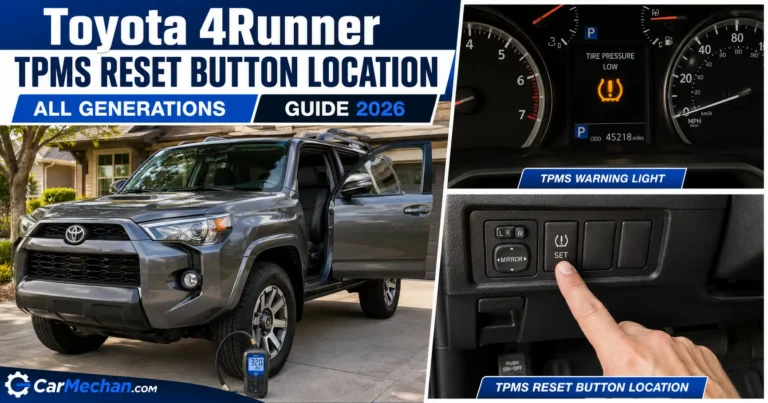
See also  Toyota 4Runner TPMS Reset Button Location by All Generation Guide 2026

Toyota’s 2025 RAV4 Hybrid warranty and maintenance guide says motor oil and filter should be replaced at 5,000 miles or six months under listed special operating conditions, regardless of oil used. Older Toyota maintenance guides also use 5,000-mile service intervals for many maintenance items, while oil change requirements vary by model and schedule.

Use these simple rules:

  • Reset after an oil change.
  • Reset after scheduled maintenance if the reminder is tied to that service.
  • Do not reset only to hide a message.
  • Do not reset an engine warning without diagnosis.
  • Check your Toyota manual before changing the maintenance interval.

The safest approach is simple: reset the reminder, record the service, and investigate any message that comes back.

Best Next Step After Toyota RAV4 Oil Life Reset

The Toyota RAV4 oil life reset is simple once you match the method to your dashboard. Older models usually use the trip-button method, while newer models usually reset through Vehicle Settings or Scheduled Maintenance on the instrument screen.

The important part is knowing when not to reset. If the message says “Engine Maintenance Required,” comes back immediately, or appears with drivability symptoms, scan the RAV4 before clearing anything. A reset should confirm completed maintenance, not hide a problem that still needs attention.

Toyota RAV4 Oil Life Reset Questions Answered

How Do You Reset the Oil Life on a Toyota RAV4

Reset Toyota RAV4 oil life through the trip button or the screen menu, depending on the model year. Older models usually use Trip A and the reset button. Newer models usually use steering wheel controls, Vehicle Settings, and Scheduled Maintenance.

Why Will My Toyota RAV4 Maintenance Light Not Reset

The maintenance light may not reset because the display is on the wrong trip screen, the ignition mode is wrong, or the button was released too early. If the message says “Engine Maintenance Required,” it may not be a normal oil reminder.

Is Maintenance Required the Same as Check Engine Light on a RAV4

No, “Maintenance Required” is usually a scheduled service reminder, while the check engine light points to a fault stored by the vehicle’s diagnostic system. If the check engine light is on, use an OBD2 scanner before clearing codes.

Can I Reset Toyota RAV4 Oil Life Without Changing Oil

You can physically reset the reminder without changing oil, but you should not do it unless the related service is complete. Resetting early can hide needed maintenance and make your service history less accurate.

How Often Should Toyota RAV4 Oil Life Be Reset

Reset the oil life or maintenance reminder after the oil change or scheduled maintenance listed for your model year. Check the Toyota owner’s manual or warranty and maintenance guide because intervals can change by year, engine, oil type, and driving conditions.

Author

Similar Posts

Leave a Reply

Your email address will not be published. Required fields are marked *