What Is Nissan Intelligent Cruise Control A 2026
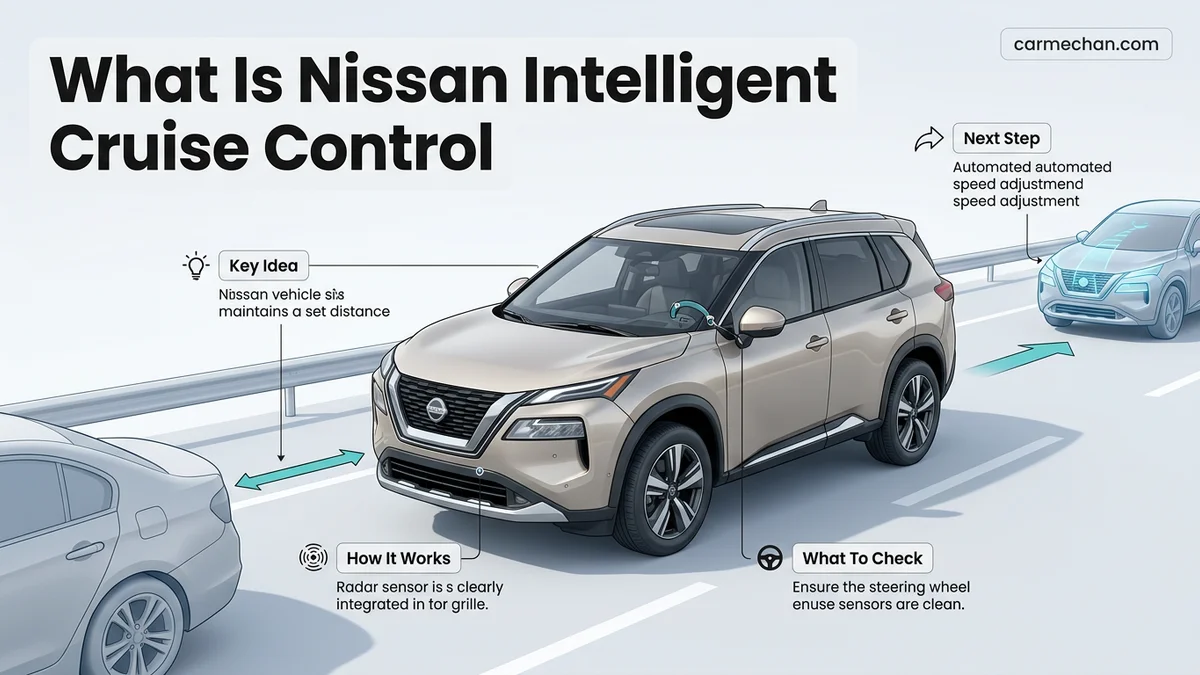
Nissan Intelligent Cruise Control is an advanced driver-assist feature that uses radar sensors to automatically adjust your speed. It maintains a preset following distance from the vehicle ahead, allowing for smoother highway driving without constantly tapping the brakes.
Nissan Intelligent Cruise Control (ICC) is an advanced driver-assistance system that goes beyond maintaining a fixed speedometer reading. Unlike standard cruise control, which locks your vehicle at a single speed regardless of traffic, ICC actively monitors the flow of vehicles ahead of you. By using radar-based technology, the system automatically slows your car down or accelerates it to match the speed of the traffic in front, ensuring you never have to manually cancel your cruise setting every time you encounter a slower driver.


For 2026 Nissan drivers, this technology serves as a vital safety and convenience tool. It minimizes the fatigue associated with highway driving by handling the constant speed adjustments required in moderate to heavy traffic. By maintaining a consistent, safer buffer zone automatically, the system helps you avoid the frequent pedal work—braking and accelerating—that makes long-distance travel exhausting. Knowing exactly how to calibrate this system ensures you can rely on it for a smoother, less stressful commute on modern roadways.
Key Takeaways
- ICC uses radar sensors to monitor traffic speed and adjust your vehicle’s pace automatically.
- Set your preferred following distance using the steering wheel controls.
- Always keep your eyes on the road, as ICC is a convenience feature, not autonomy.
- The system may disengage at low speeds depending on your specific Nissan model year.
- Maintain control at all times; the driver remains responsible for braking in emergencies.
What Causes Nissan Intelligent Cruise Control to Adjust Speed
The Role of Radar Sensors
The core of the 2026 ICC system is a radar sensor integrated into the front grille of your Nissan. This sensor continuously emits radio waves to detect the position and relative speed of the vehicle directly ahead. When the system identifies a slower vehicle in your lane, it calculates the gap between your bumper and their rear end. If your current speed would close that gap too quickly, the system commands the engine and brakes to reduce your speed to match the leader.

- Target Detection: The radar identifies moving vehicles ahead in your specific lane of travel.
- Automatic Braking: The system applies light braking pressure to maintain your selected gap.
- Acceleration: Once the slower vehicle moves out of your path or speeds up, ICC returns your car to your originally set speed.
Real-Time Speed Modulation
You might wonder if the system is constantly fighting your input. In practice, the 2026 ICC system works by constantly comparing your target speed against the speed of the vehicle you are following. It is not just about keeping a distance; it is about keeping a proportional distance. If the car ahead brakes suddenly, the ICC senses the rate of deceleration and responds by adjusting your speed faster than a human reaction time typically allows, keeping you within the pre-set safety parameters.
How to Fix Your Following Distance: A Step-by-Step Guide
Customizing Your Gap Settings
In your 2026 Nissan, the “following distance” is not a one-size-fits-all setting. You can choose how much space you want to keep between your front bumper and the vehicle ahead. This is controlled via the steering wheel-mounted switch labeled with an icon depicting a car and distance bars. Pressing this button cycles through three distinct distance presets—Short, Medium, and Long. The system displays these changes on your dashboard’s multi-information display so you know exactly which mode is active.
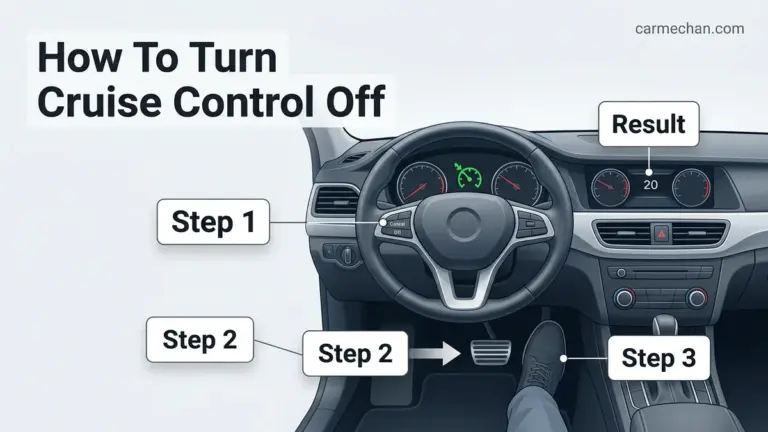
- Activate the System: Press the Cruise Control ON/OFF button on your steering wheel.
- Set Your Speed: Accelerate to your desired speed and tap the SET minus button.
- Adjust the Gap: Tap the Distance button repeatedly to toggle between the three distance levels.
Understanding the Visual Feedback
It is important to remember that your following distance is dynamic. At higher highway speeds, each of the three settings will automatically increase the physical gap in meters to account for increased stopping distances. Conversely, at lower speeds in city traffic, the gap shortens. Always monitor the dashboard icons; if the system loses track of the vehicle ahead—such as during a sharp turn or heavy rain—it will alert you to regain manual control. Keeping your eyes on the road while the system manages the throttle and brake allows you to stay proactive in changing traffic conditions.
What If Your System Doesn’t Engage Properly
Even with 2026 advancements, Nissan Intelligent Cruise Control (ICC) may occasionally refuse to engage. This behavior is typically a safety protocol triggered by environmental or hardware interference. If the system fails to activate, follow these systematic troubleshooting steps:

Environmental and Physical Checks
- Verify that your vehicle speed is within the operational range, which generally requires a minimum of 20 mph for initial activation.
- Inspect the front grille area for debris. Mud, heavy snow, or road grime covering the radar sensor located near the Nissan emblem will cause a system lockout.
- Confirm that your windshield is clean near the top-center sensor housing. If the interior camera cannot detect lane markings or leading vehicles, the ICC will remain in standby mode.
System Reset Procedures
- Toggle the ICC switch on your steering wheel to the “Off” position. Wait ten seconds to allow the control module to power down its temporary buffer.
- Cycle the vehicle ignition off and back on. This resets the electronic control unit (ECU) and clears temporary logic faults.
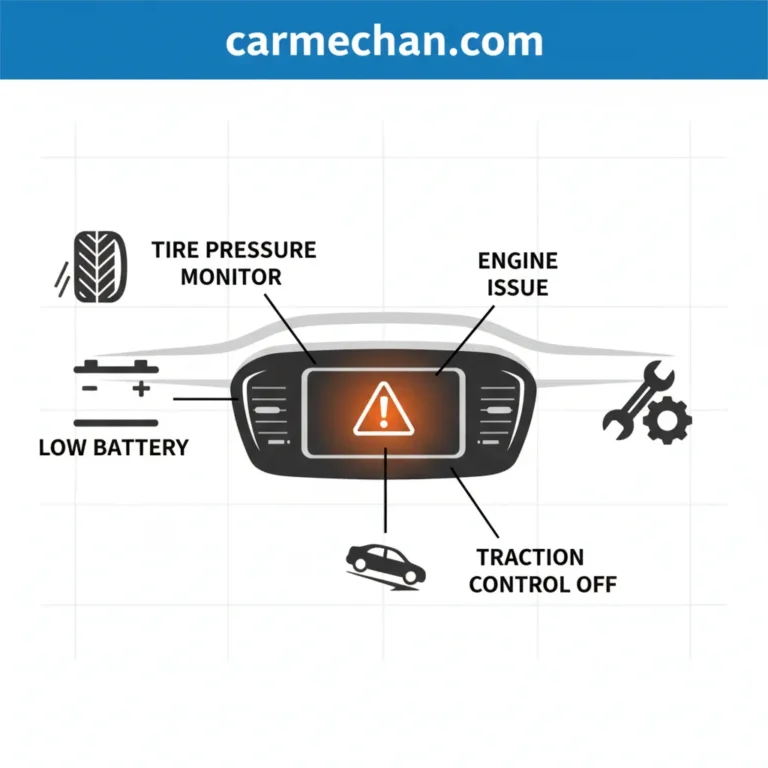
- Check the driver information display for specific warning messages. If the system indicates “Radar Obstructed,” the issue is external; if it displays “Service Required,” an internal sensor fault is likely.
Maintaining Safety While Using Nissan Driver-Assist Tech


Nissan Intelligent Cruise Control is a convenience feature, not an autonomous driving system. According to 2026 safety guidelines from the National Highway Traffic Safety Administration (NHTSA), drivers must maintain constant vigilance despite active steering or braking assistance.
Best Practices for 2026 Systems
- Always keep your eyes on the road. The system can lose track of vehicles in heavy rain, thick fog, or when approaching sharp, winding curves.
- Adjust the distance settings based on road conditions. During wet or icy weather, increase the following distance to the maximum setting (three bars) to compensate for longer braking distances.
- Be prepared to intervene immediately. The ICC system may not detect stationary objects, such as vehicles stopped at a red light or construction barriers, with the same reliability as moving targets.
What If It Still Doesn’t Work?
If the system remains inoperable after performing the basic resets, the radar sensor or the camera module may require recalibration or mechanical replacement. Follow these steps to resolve persistent failures:
- Verify that no recent body repairs or windshield replacements have misaligned the sensor sensors.
- Consult an authorized Nissan service center to perform a diagnostic scan. Professional recalibration typically costs between $250 and $600, depending on whether the hardware needs software synchronization.
- If the radar sensor unit itself is faulty, expect total repair costs to range from $1,200 to $2,500 including labor and certified OEM parts.
- Schedule an appointment immediately if the “Service Required” light stays illuminated, as this may also affect your Emergency Braking functionality.
Conclusion
Nissan Intelligent Cruise Control is a sophisticated driver-assist tool designed to reduce fatigue, provided it is used within its technical parameters. According to verified research and expert sources, the system functions best when sensors remain clean and drivers remain engaged. If your ICC continues to malfunction despite troubleshooting, contact a certified technician to ensure your safety features operate at peak efficiency. Your next step should be reviewing your vehicle’s owner manual section on “Driver Assistance Systems” for model-specific calibrations.
❓ Frequently Asked Questions
What is the primary function of Nissan Intelligent Cruise Control?
The primary function is to maintain a set distance from the vehicle directly ahead by using radar sensors. It automatically slows down when traffic creates a bottleneck and accelerates back to your set speed once the path is clear.
Does ICC work in all weather conditions?
ICC may struggle in heavy rain, snow, or fog because the radar sensor can be obscured. Always monitor the system closely and be prepared to take over manual control in poor weather.
Will my Nissan come to a complete stop with ICC?
This depends on the specific trim and year of your vehicle. While some newer models support full stop-and-hold functionality, many systems will alert you to take over braking as the vehicle slows to a very low speed.
How do I activate the system while driving?


Press the ‘Cruise’ button on your steering wheel to turn the system on, then reach your desired speed and press ‘Set.’ You can then adjust your preferred distance using the steering wheel toggle.
Can ICC detect stationary objects?
Most Nissan ICC systems are designed to detect moving vehicles. They may not reliably detect stationary objects, so you should never rely on the system to stop for traffic lights or stopped vehicles at high speeds.
Why does the ICC system sometimes disengage unexpectedly?
The system may disengage if the radar sensor is blocked by dirt or ice, if the driver hits the brake pedal, or if the vehicle’s speed drops below the system’s operational threshold.