Nissan Key System Error: Why Your Car Won’t Start & Fixes
Last Updated on September 1, 2026 by Ryan
📋 Table of Contents
- 🎯 Key Takeaways
- Common Triggers of the Nissan Key System Error
- The Ultimate Nissan Key System Error Walkthrough
- Comparing Key Fob Issues vs. Vehicle Electrical Failures
- The Role of the BCM and Electronic Steering Column Lock
- Cost Analysis of Professional Key System Repairs
- Conclusion
- 💬 Quick Questions & Answers
- ❓ Frequently Asked Questions
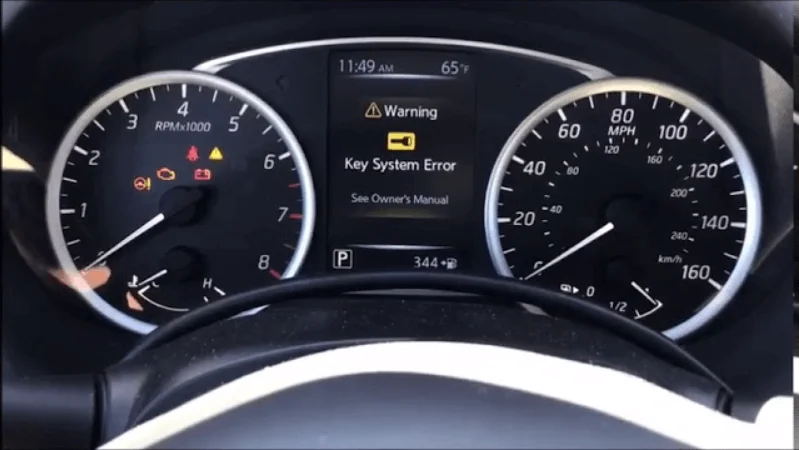
A Nissan Key System Error typically indicates a communication failure between the Intelligent Key and the vehicle’s ignition system. This issue is often triggered by a low key fob battery or signal interference, effectively preventing the engine from starting for security reasons.
Nissan won’t start due to key system error? Try these before calling a dealer:


As an Amazon Associate we earn from qualifying purchases.
🎯 Key Takeaways


- Replace your key fob battery first to rule out simple power issues.
- Keep key fobs away from smartphones to prevent signal interference.
- A weak vehicle battery can trigger false key system error messages.
- Use the physical key bypass method if the electronic start fails.
- Check for blown fuses in the security or ignition circuits.
Imagine you are running late for work. You hop into your Nissan, press the start button, and nothing happens. Instead of the engine roaring to life, a bright warning message flashes on your dashboard: Key System Error. It is a frustrating moment that turns a smooth morning into a stressful ordeal. This error is more common than you might think, affecting thousands of Nissan owners who rely on push-to-start technology every single day.
Understanding this error is the first step to getting back on the road. This message basically means your car and your key are no longer speaking the same language. Whether you drive an Altima, a Rogue, or a Sentra, this electronic hiccup can leave you stranded. By learning why this happens, you can save yourself a lot of time and a potentially expensive trip to the dealership. This guide explains what is happening behind the scenes when your Nissan refuses to recognize its own key.
Common Triggers of the Nissan Key System Error

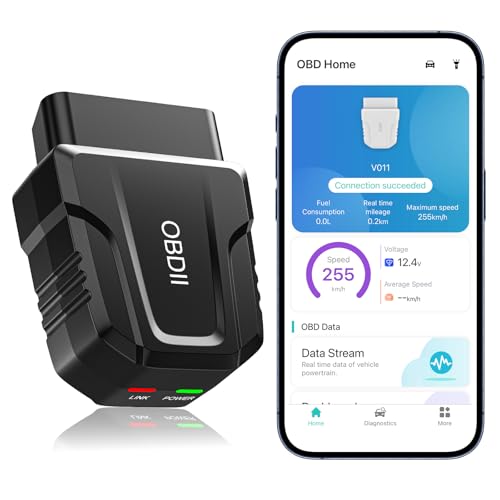
The Key System Error does not just appear out of nowhere. It is usually the result of a specific communication breakdown between your key fob and the vehicle’s onboard computer. Your Nissan uses a complex network of sensors and antennas to detect your presence. When one of these parts fails to check in, the system shuts down for security reasons to prevent theft.
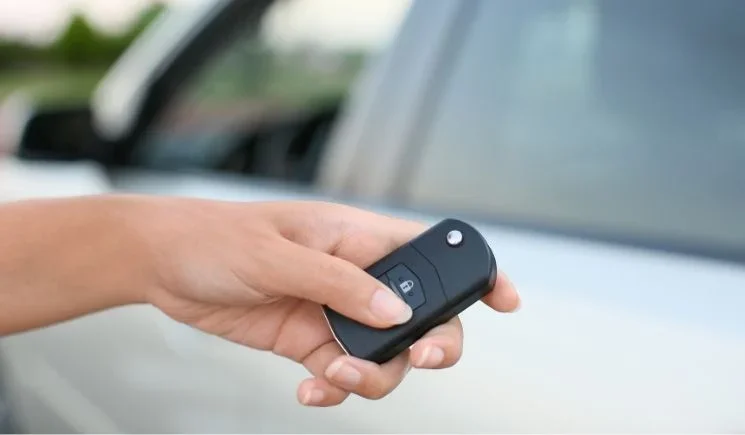
Internal Battery Depletion and Interference
The most frequent culprit is often the simplest one: a dying battery inside your key fob. Even if your buttons still lock and unlock the doors, the signal might be too weak to satisfy the ignition system. The car requires a very strong, consistent signal to allow the engine to start. Think of it like a whisper in a crowded room; your car might hear something, but it cannot confirm it is the right key. This lack of “handshake” between the fob and the car triggers the error message instantly.
- Low Voltage: A battery nearing the end of its life sends inconsistent or weak signals.
- Signal Interference: Heavy electronic devices, like cell phones or tablets, kept near the fob can block the signal.
- Physical Damage: Dropping your keys can loosen internal components or crack the delicate circuit board inside.
The Electronic Steering Column Lock (ESCL)
Another major trigger, especially in older Nissan models, involves the electronic steering column lock. This is a safety feature that prevents the steering wheel from moving when the car is off. If this mechanical lock gets stuck or the motor fails, the computer will trigger the Key System Error. The car refuses to start because it thinks the steering is still locked, making it unsafe to drive. This is why you might notice the steering wheel feels “frozen” when the error appears.
- Mechanical Jams: Sometimes the steering wheel is turned at a sharp angle, putting physical pressure on the lock pin.
- Motor Failure: The small internal motor that moves the lock pin can burn out over years of use.
- Software Glitches: Occasionally, the computer simply loses track of whether the lock is open or closed.
The Ultimate Nissan Key System Error Walkthrough


Experiencing a “Key System Error” in your Nissan can be an incredibly frustrating experience, often leaving you stranded with a vehicle that refuses to recognize its own ignition source. This guide is designed to walk you through the diagnostic and repair process for Nissan models like the Altima, Rogue, Maxima, and Sentra. By following these technical steps, you can identify whether the issue is a simple battery failure, a signal interference problem, or a more complex mechanical failure within the steering lock system, potentially saving you hundreds of dollars in unnecessary towing and dealership diagnostic fees.
Step 1: Execute the Emergency Proximity Start
What you need: Your Nissan key fob and a firm foot on the brake pedal.
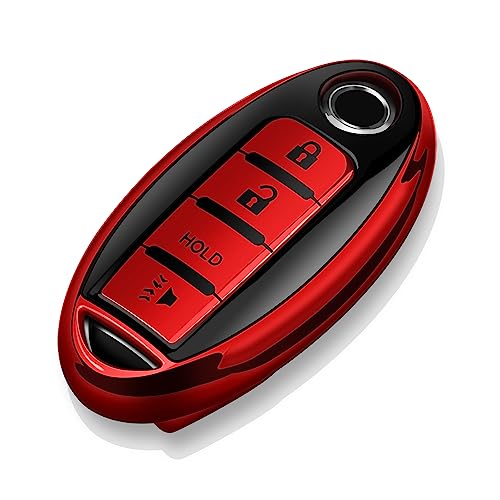
Instructions: When the “Key System Error” or “No Key Detected” message appears, it often means the active signal from the fob is too weak for the car’s interior antennas. To bypass this, Nissan vehicles are equipped with a passive RFID chip inside the fob that does not require battery power. Depress the brake pedal firmly. Take the key fob and physically touch the Nissan emblem side of the fob directly against the Start/Stop button. Wait for a chime or for the button light to flash. While the fob is still touching the button, press the Start/Stop button firmly. This direct contact allows the vehicle’s immobilizer to read the chip at a very close range, often overriding the error message and allowing the engine to turn over.
Pro Tip: Ensure your foot is pressing the brake pedal harder than usual; if the brake switch doesn’t register the “depressed” state, the proximity start will fail regardless of the key’s position.
Step 2: Replace the Key Fob Battery (CR2032)
What you need: A new CR2032 lithium battery, a small flathead screwdriver, and a microfiber cloth.
Instructions: The most common cause for this error is a depleted 3V coin cell battery within the fob. Even if your buttons still lock and unlock the doors, the battery may lack the voltage required to communicate with the ignition system’s complex handshake protocol. Slide the release tab on the back of the fob to remove the mechanical “hidden” key. Insert the tip of your flathead screwdriver (wrapped in the cloth to prevent scratching) into the small notch at the top of the fob housing. Gently twist to pop the two halves apart. Remove the old CR2032 battery and insert the new one with the “plus” (+) side facing down. Snap the housing back together and reinsert the mechanical key.
Pro Tip: Avoid touching the flat surfaces of the new battery with your bare fingers, as skin oils can cause corrosion and reduce the lifespan of the battery; use the cloth or gloves instead.
Step 3: Verify and Clean the Vehicle’s 12V Battery Terminals
What you need: A 10mm wrench, a wire terminal brush, and a multimeter (optional).
Instructions: Nissan key systems are highly sensitive to voltage fluctuations. If your car battery is outputting less than 12.2 volts, the Key System module may malfunction. Open the hood and locate the 12V battery. Inspect the terminals for white or blue powdery corrosion. Use a 10mm wrench to loosen the negative (black) cable first, followed by the positive (red) cable. Clean the battery posts and the inside of the clamps with a wire brush until the metal is shiny. Reconnect the positive terminal first, then the negative. Ensure the connections are tight enough that they cannot be moved by hand. If you have a multimeter, check that the resting voltage is at least 12.6V; if it is below 12.0V, the battery likely needs a professional charge or replacement.
Pro Tip: A weak car battery might have enough power to turn on the dashboard lights but not enough to engage the security handshake required to start the engine.
Step 4: Troubleshoot the Electronic Steering Column Lock (ESCL)
What you need: A rubber mallet or the palm of your hand and a bit of physical force.
Instructions: Many Nissan models (specifically 2009–2014) suffer from a faulty Electronic Steering Column Lock. If this unit fails to retract, the “Key System Error” is triggered as a safety lockout. While sitting in the driver’s seat, try to wiggle the steering wheel back and forth vigorously while simultaneously pressing the Start/Stop button. If the wheel feels completely frozen and won’t budge, the lock pin may be jammed. Some owners have found success by gently tapping the underside of the steering column plastic shroud with a rubber mallet while pressing the start button. This vibration can sometimes jar a stuck solenoid into the “unlocked” position, allowing the car to start so you can drive it to a repair facility.
Pro Tip: This is often a known issue that resulted in extended warranties for certain models; check with a dealer to see if your VIN is covered under a service campaign for the ESCL.
Step 5: Inspect the Brake Light Switch Functionality
What you need: An observer or a reflective surface (like a garage door).
Instructions: The Nissan ignition system requires a signal from the brake pedal switch before it will allow the key system to initiate the starting sequence. If this switch is faulty, the car assumes you aren’t pressing the brake and will display a key error or simply refuse to crank. Have someone stand behind the car while you press the brake pedal. If the brake lights do not illuminate, the switch located at the top of the brake pedal arm is likely dead or misaligned. You can try “pumping” the brake pedal several times rapidly to see if the switch makes contact. If the lights stay dark, the key system will remain locked out because the “Safety Start” criteria haven’t been met.
Pro Tip: Look on the floorboard under the dash; if you see small broken pieces of plastic (the brake switch stopper), the switch isn’t being pressed, and a $5 plastic replacement part will fix your “Key Error.”
Step 6: Perform a Hard “Capacitive” System Reset
What you need: A 10mm wrench and 30 minutes of time.
Instructions: Modern Nissans run on complex software that can occasionally enter a “logic freeze.” A hard reset clears the temporary memory in the Body Control Module (BCM). Use your 10mm wrench to disconnect the negative battery cable. Then, disconnect the positive battery cable. Ensure the cables are not touching the battery posts. Use a zip tie or a piece of wire to hold the two cable ends (the metal rings) together so they are touching each other for about 30 seconds (do NOT let them touch the battery itself). This drains the capacitors in the ECUs. Leave the battery disconnected for at least 20 minutes. Reconnect the positive cable, then the negative. Attempt to start the vehicle as normal. This often clears “ghost” errors in the key registration system.
Pro Tip: You may need to reset your clock and power window “auto-up” features after performing this procedure, but it is a highly effective way to clear stubborn software errors.
Step 7: Check for Signal Interference Sources
What you need: A scan of your interior and immediate surroundings.
Instructions: The Nissan Intelligent Key operates on a specific radio frequency that can be easily blocked. Check your keychain for other “Smart” keys, RFID building badges, or large metal objects that might be shielding the fob. Furthermore, ensure there are no high-powered electronic devices plugged into the car’s 12V accessory outlets (USB chargers, dash cams, or GPS units). Low-quality USB chargers can emit Electromagnetic Interference (EMI) that “blinds” the car’s internal key antennas. Remove all aftermarket electronics from the cabin, take the key fob off your ring so it is isolated, and try starting the car again. If you are parked near a cell tower or a high-voltage power line, this may also be the cause.
Pro Tip: Even a cell phone held in the same hand as the key fob can generate enough interference to trigger a temporary “Key System Error.”
✅ Final Checklist
- Confirm the key fob battery is a fresh CR2032 with a voltage of 3.0V or higher.
- Verify the 12V vehicle battery terminals are tight, clean, and free of oxidation.
- Ensure the brake lights illuminate when the pedal is depressed.
- Check that the steering wheel is not physically locked or jammed against a curb.
- Remove any aftermarket USB chargers or electronic accessories that could cause EMI interference.
Important Notes:
- Safety Warning: When working with the car battery, always wear eye protection and avoid touching both terminals simultaneously with metal tools.
- When to call a professional: If none of these steps work, your BCM (Body Control Module) or the key fob’s internal transponder may have failed, requiring a professional automotive locksmith or a Nissan dealership to perform a “re-learn” procedure using a Consult-III diagnostic tool.
- Estimated Time: 15 to 45 minutes.
- Estimated Cost: $5 (battery) to $150 (professional diagnostic).
Comparing Key Fob Issues vs. Vehicle Electrical Failures
When your car won’t start, it is easy to blame the key fob immediately. However, the problem could actually be hidden deep within the car’s own electrical system. Distinguishing between a “key problem” and a “car problem” is essential for a quick fix. If you focus on the wrong area, you might spend money on new fob batteries when the real issue is a failing car battery or a blown fuse under the hood.
Identifying Fob-Related Glitches
A fob-related issue is usually localized to the remote itself. If you have a spare key and the car starts perfectly with it, you know the issue lies with the original fob. Nissan’s Intelligent Key system relies on a specific radio frequency. Environmental factors can play a huge role here. For example, parking near a large radio tower or using a low-quality aftermarket phone charger can create electromagnetic “noise” that drowns out your key. If the error only happens in one specific parking spot, interference is the likely cause.
- Consistency: Does the error happen every time, or only in certain locations?
- Range: Do you have to hold the fob right against the start button to get a reaction?
- Spare Key Success: Using a secondary key is the ultimate diagnostic test for fob health.
Dealing with Deeper Electrical Faults
Sometimes the key is perfectly fine, but the car lacks the energy to process the request. The Body Control Module (BCM) is the “brain” that manages your keys. If the BCM receives low voltage from the main car battery, it might glitch out and report a Key System Error. This is a common trick the car plays when the 12-volt battery is dying. The electronics have enough power to light up the dashboard, but not enough to run the security handshake required to start the engine. In this case, the key is a victim of the car’s poor health.
- Main Battery Health: A weak or old car battery is a primary cause of ghost errors in the dashboard.
- Blown Fuses: Specific fuses control the keyless entry system; if one pops, the whole system goes dark.
- Wiring Issues: Rodent damage or corrosion on wiring harnesses can break the link between the dash and the sensors.
The Role of the BCM and Electronic Steering Column Lock
When you press the start button, your Nissan performs a high-speed digital “handshake” to verify your identity. This process is managed largely by the Body Control Module (BCM). Think of the BCM as the central nervous system of your vehicle’s electronics. It validates the encrypted signal from your key fob and tells the engine it is safe to fire up.
The Body Control Module (BCM) as the Gatekeeper
If the BCM experiences a software glitch or internal hardware failure, it may lose its “memory” of your specific key. This is why the Key System Error message often appears even if your key battery is brand new. Common signs of a BCM issue include intermittent starting, flickering interior lights, or the car failing to recognize any fobs at all. Since the BCM controls everything from door locks to wipers, a total failure can lead to multiple electrical gremlins appearing simultaneously.
The Electronic Steering Column Lock (ESCL) Vulnerability
In many Nissan models, particularly the Altima and Maxima produced between 2009 and 2012, the Electronic Steering Column Lock (ESCL) is a frequent culprit. This small motorized unit ensures the steering wheel stays locked when the car is off for security purposes.
- The Jamming Issue: If the motor inside the ESCL fails or gets stuck, it cannot send a “ready” signal to the BCM.
- Safety Lockout: If the BCM doesn’t receive this specific signal, it prevents the engine from starting as a safety precaution.
- The “No Click” Symptom: If you don’t hear the familiar mechanical click when you push the ignition, the ESCL is likely the component causing your error.
Cost Analysis of Professional Key System Repairs
Facing a Nissan key system error can be stressful, especially when it comes to the potential bill. Costs can vary wildly depending on whether the issue is a simple software reflash or a full hardware replacement. Understanding these numbers helps you budget for the repair and avoid “sticker shock” when visiting the mechanic.
Dealership vs. Independent Locksmiths
The choice between a dealership and a mobile automotive locksmith can significantly impact your wallet. Dealerships typically charge a premium for OEM parts and specialized diagnostic labor.
- Dealership Pricing: Labor rates often range from $150 to $250 per hour. Expect to pay top dollar for official Nissan-branded components and programming fees.
- Locksmith Pricing: Many specialized automotive locksmiths can program Nissan keys and modules for 30% to 50% less than a dealer. The best part is that many offer mobile services, saving you a tow.
- Towing Costs: If your car won’t start, remember to factor in the cost of towing to the shop if you don’t have a roadside assistance plan like AAA.
Typical Component Replacement Costs
While prices fluctuate based on your location and vehicle model, here are some general estimates for common Nissan key system fixes:
- New Key Fob & Programming: $150 – $400. This includes the physical hardware and the labor to sync it to your vehicle’s computer.
- Electronic Steering Column Lock (ESCL): $500 – $900. This is a labor-intensive job that involves removing steering components and installing specific modules.
- Body Control Module (BCM) Replacement: $800 – $1,200+. This usually involves significant labor and complex programming to ensure all vehicle functions work correctly.
Conclusion
Dealing with a Nissan Key System Error is frustrating, but it doesn’t always mean a massive repair bill. Often, the issue stems from a simple communication breakdown between your key fob and the Body Control Module or a mechanical hang-up in the steering lock. By identifying the symptoms early—such as intermittent recognition or a silent ignition—you can address the problem before you’re left stranded on the side of the road.
Your next steps should be checking for any active Nissan recalls related to steering locks and testing your car battery’s voltage. If the error persists, consult a qualified automotive locksmith or your local dealer for a diagnostic scan. Don’t let a digital error keep you off the road—take action today to get your Nissan back in peak condition!
💬 Quick Questions & Answers
Can a dead car battery cause a key system error?
Yes, low voltage often disrupts the communication between the key and the vehicle’s computer.
Will my Nissan start if the key fob battery is dead?
Usually, yes; you can start the car by touching the fob directly to the start button.
Does window tint affect the Nissan key system?
Certain metallic window tints can occasionally interfere with the signal of the Intelligent Key system.
How much does a Nissan key system diagnostic cost?
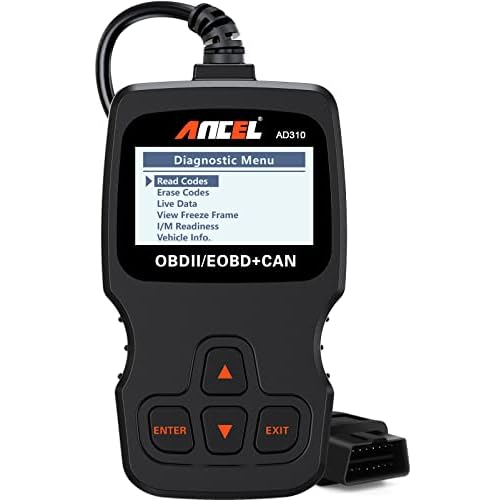
Most dealerships charge between $100 and $150 for a full electronic diagnostic scan.
Is the key system error covered under warranty?
If your bumper-to-bumper warranty is active, most electronic sensor and module failures are covered.
❓ Frequently Asked Questions
Why does my dashboard say Key System Error even with a new battery?
This often indicates a synchronization issue or a fault in the car’s Body Control Module (BCM). It may also be caused by electronic interference from other devices inside the cabin or a failing vehicle battery.
Can I bypass the Nissan Key System Error to drive my car?
There is no permanent software bypass, but placing the fob against the start button uses passive RFID to start the engine. If this fails, the issue is likely a hardware fault in the car’s receiver or steering lock.
Is a failing alternator related to key system warnings?
While not directly related, a failing alternator causes low system voltage, which triggers various sensor errors, including the key system. Testing your charging system is a wise diagnostic step if errors persist.
How do I know if the error is the key fob or the car?
Try using your spare key fob; if the car starts, the original fob is faulty or has a dead battery. If both keys fail to work, the problem almost certainly lies within the vehicle’s internal security system.
What is the most common hardware failure causing this error?
The Electronic Steering Column Lock (ESCL) is a frequent culprit in many Nissan models, preventing the ignition from engaging. Nissan has issued several service bulletins regarding this specific hardware failure over the years.
Can external RF interference cause a temporary key system error?
Yes, being near cell towers, power lines, or using high-powered aftermarket electronics can block the key’s signal. Moving the vehicle a short distance or removing nearby devices usually resolves this specific type of error.