Nissan Armada Immobilizer Reset: Causes & Expert Solutions
Last Updated on September 1, 2026 by Ryan
📋 Table of Contents
- 🎯 Key Takeaways
- Understanding the Nissan Anti-Theft System (NATS) Architecture
- Nissan Armada Immobilizer Reset Made Easy: Your Essential Action Plan
- Common Symptoms of a Triggered Immobilizer in Armadas
- Comparing Professional Programming vs. Simple System Resets
- Maintenance Tips to Prevent Future Security Lockouts
- Conclusion
- 💬 Quick Questions & Answers
- ❓ Frequently Asked Questions
Resetting the Nissan Armada immobilizer is essential when the security system prevents the engine from starting due to key or signal errors. Understanding the Nissan Anti-Theft System (NATS) helps distinguish between simple electronic glitches and hardware failures. Most issues stem from low key fob batteries or synchronization errors that require specific re-initialization.
🎯 Key Takeaways


- Check key fob batteries before attempting any complex electronic system resets.
- Look for the red security light to confirm an active immobilizer lockout.
- Avoid cheap aftermarket keys that often fail to sync with NATS.
- Use a dedicated OBD-II scanner to clear persistent security fault codes.
- Contact a locksmith if your BCM or key chip is damaged.
Have you ever climbed into your Nissan Armada, ready for a big trip, only to find your engine refuses to start? It is a frustrating moment that many owners face at least once. Often, the culprit is not a dead battery or a broken starter. Instead, it is your vehicle’s own security system working a little too well to protect your investment.
Your Armada uses a sophisticated anti-theft system to prevent unauthorized use and theft. While this keeps your SUV safe from criminals, a simple electronic glitch can leave you stranded in your own driveway. Understanding how this system works is the first step toward solving the problem and getting back on the road with total confidence.
Understanding the Nissan Anti-Theft System (NATS) Architecture


The Nissan Anti-Theft System, commonly known as NATS, is a complex network of digital components designed for one purpose. It acts as a silent guardian that watches over your vehicle 24 hours a day. Unlike older alarms that just look for broken glass, NATS focuses on the digital identity of the driver. This system ensures that only a verified, programmed key can wake up the engine. It is a highly effective way to prevent traditional hot-wiring methods.

The Digital Handshake Process
Every time you insert your key or push the start button, a “digital handshake” occurs behind the scenes. Your key contains a tiny transponder chip that sends a unique, encrypted code to the car’s computer. If the car recognizes this code as a perfect match, it allows the engine to fire up. If the codes do not match, the system shuts everything down instantly. This entire process happens in a fraction of a second, but it is the backbone of your vehicle’s security.
Key Components of the System
Several specific parts must work together perfectly for your Armada to recognize you as the rightful owner. If any of these pieces fail or lose their connection, the immobilizer might trigger accidentally. Understanding these parts helps you pinpoint where the communication break is happening.
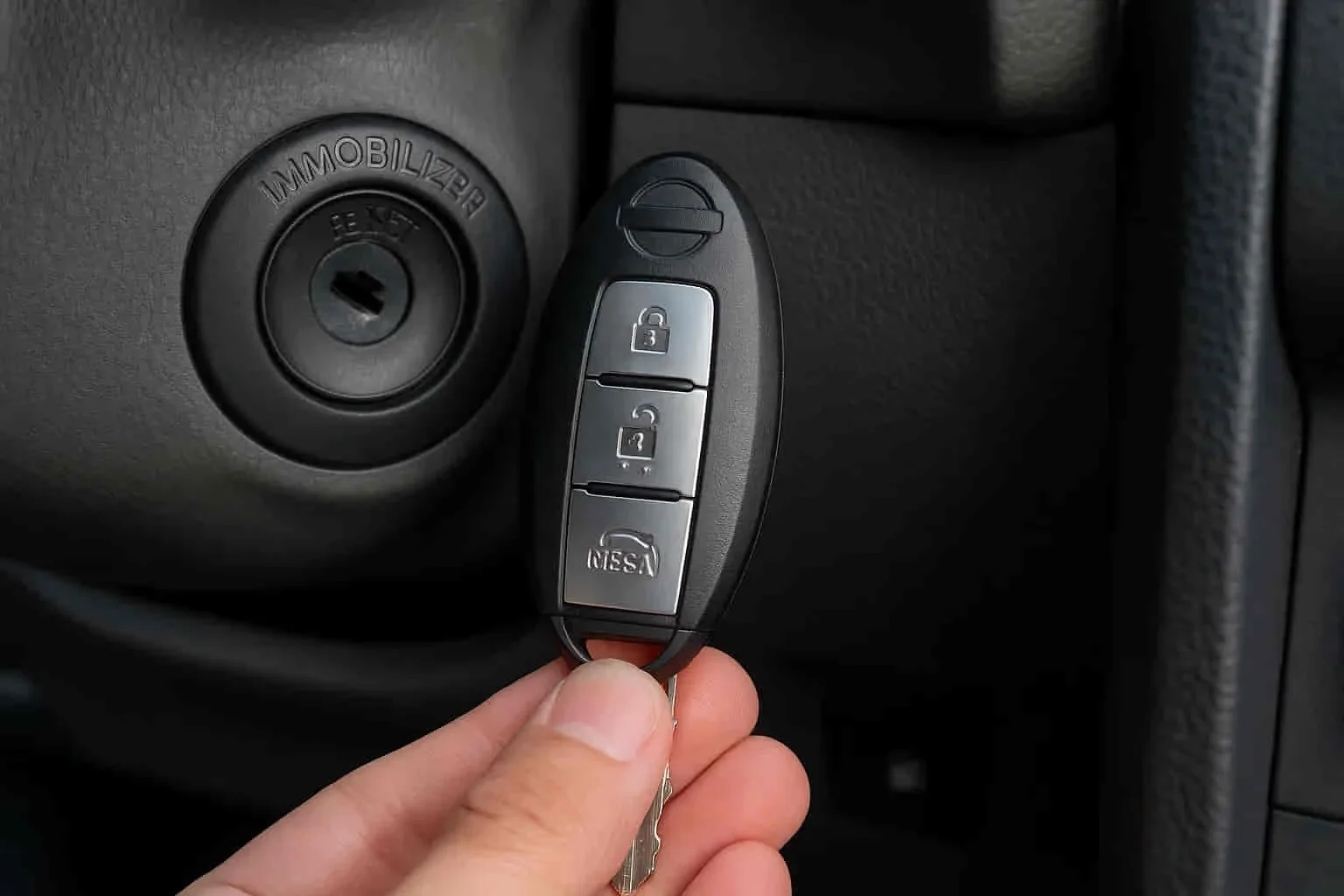
- The Transponder Key or Fob: This is the brain of your key that stores your specific security credentials.
- The Antenna Coil: Located near the ignition cylinder or start button, this part “listens” for the signal from your key.
- The Body Control Module (BCM): This is the central computer that manages the security authorization process and verifies the data.
- The Engine Control Module (ECM): If the BCM gives the green light, the ECM allows fuel and spark to reach the engine cylinders.
- The Security Indicator: This is the small light on your dash that communicates the system’s current status to you.
Nissan Armada Immobilizer Reset Made Easy: Your Essential Action Plan


The Nissan Armada is equipped with a sophisticated security feature known as the Nissan Anti-Theft System (NATS). While this system is excellent for preventing vehicle theft, it can occasionally malfunction due to a dead battery, a faulty key fob, or a glitch in the Body Control Module (BCM). When this happens, your Armada might crank but won’t start, or you may see a solid red security light on the dashboard. This guide provides a comprehensive, technical walkthrough to resetting your immobilizer system and getting your SUV back on the road without an expensive tow to the dealership.
Step 1: Verify Battery Voltage and Key Integrity
What you need: A digital multimeter and your original Nissan master key (not a copy or a valet key).
Instructions: Before attempting a software or sequence-based reset, you must ensure the hardware is functioning correctly. Use a multimeter to check your battery; it must read at least 12.6 volts. The Nissan Armada’s immobilizer system is extremely sensitive to voltage fluctuations; if the battery is even slightly weak, the BCM may fail to read the transponder chip in your key. Additionally, inspect your key for physical damage. If you are using an aftermarket key that wasn’t properly programmed, the reset will never succeed. If your battery is low, hook it up to a charger or a jump-start vehicle for at least 15 minutes before proceeding to Step 2.
Pro Tip: Many “immobilizer failures” are actually just “dead key fob batteries.” Replace the CR2032 battery in your remote first to ensure the proximity sensor is sending a strong signal to the ignition cylinder.
Step 2: The Triple-Cycle Ignition Reset
What you need: The vehicle’s ignition key and a stopwatch or a phone to track seconds.
Instructions: This is the most common “soft reset” for the NATS. Insert your key into the ignition. Turn the key to the “ON” position (the position right before the engine cranks, where all the dash lights come on). Observe the red security light on the dashboard. It will likely stay solid for several seconds. Leave the key in the “ON” position for exactly 5 minutes. After 5 minutes, turn the key to the “OFF” position and wait for 10 seconds. Repeat this entire cycle two more times. On the fourth attempt, try to start the engine. This sequence tells the BCM to re-authenticate the handshake between the key’s RFID chip and the ignition’s receiver ring.
Pro Tip: Do not open the doors or touch any electronics (like the radio or AC) during these 5-minute intervals, as drawing current can interrupt the BCM’s re-learning process.
Step 3: Performing a Hard System Discharge
What you need: A 10mm socket wrench or pliers.
Instructions: If the soft reset fails, you need to clear the temporary memory (RAM) in the engine control unit and the BCM. Open the hood and locate the battery. Use your 10mm wrench to loosen and remove the negative (black) terminal cable. Ensure the cable is moved away so it cannot accidentally touch the post. Go inside the vehicle and press the brake pedal down and hold it for 30 seconds, or turn on the headlight switch. This draws out any residual electricity stored in the vehicle’s capacitors. Leave the battery disconnected for at least 30 minutes. This “cold boot” forces the immobilizer system to restart its security protocols from scratch when power is restored.
Pro Tip: When reconnecting the terminal, ensure the connection is swift and tight. A “sparky” or loose connection can create a power surge that confuses the security module again.
Step 4: Mechanical Door Lock Synchronization
What you need: The physical metal key hidden inside your key fob (if you have a Push-to-Start model) or your standard ignition key.
Instructions: Sometimes the immobilizer is triggered because the vehicle thinks a break-in occurred via the door locks. Close all doors and ensure the hood and trunk are fully latched. Insert the mechanical key into the driver’s side door lock. Turn the key to the “Lock” position, then to the “Unlock” position, and then back to “Lock.” Perform this sequence twice. Finally, turn it to the “Unlock” position and hold it there for 5 seconds. This manual override sends a physical signal to the security gateway that a legitimate keyholder is present, which can often override a “lock-out” state in the immobilizer software.
Pro Tip: If your Armada has a power liftgate, ensure it is fully closed and cycled once manually, as a “half-latched” rear sensor can prevent the security system from resetting.
Step 5: The “Key-In-Cylinder” Recognition Sequence
What you need: Your ignition key.
Instructions: This step is specifically designed for Armadas that use a traditional twist-key ignition rather than a push-button. Insert the key into the ignition cylinder but do not turn it. Rapidly insert and remove the key from the cylinder 6 to 10 times within a 10-second window. You are looking for the hazard lights (turn signals) to flash twice. Once they flash, insert the key and turn it to the “ACC” (Accessory) position. This tells the BCM to enter a “Pairing Mode.” Even if you aren’t programming a new key, this forced entry into the programming state can often kick the immobilizer out of its “Armed/Error” state.
Pro Tip: Don’t be too aggressive; you don’t want to damage the internal pins of the ignition cylinder, but the motion must be rhythmic and fast to trigger the sensor.
Step 6: Security Light Pattern Observation
What you need: Patience and a clear view of the dashboard.
Instructions: After performing the previous steps, sit in the driver’s seat and close the door. Insert the key and turn it to “ON.” Look at the red security light (usually a small car icon with a key inside). If the light blinks once every few seconds, the system is in “Armed” mode but is functioning. If the light stays solid red while you are trying to crank the engine, the reset has not worked, and the BCM is still rejecting the key. However, if the light goes out entirely after a few seconds of being in the “ON” position, the immobilizer has successfully recognized the key, and you should be able to start the vehicle immediately.
Pro Tip: If the light blinks rapidly (multiple times per second), it indicates a “System Malfunction” rather than a “Lockout,” which usually points to a faulty antenna ring around the ignition cylinder.
✅ Final Checklist
- Confirm the battery voltage is holding steady above 12.5V during the attempt.
- Verify that the red security light on the dash turns OFF when the key is in the ON position.
- Ensure all doors, hood, and liftgate are fully closed to complete the security circuit.
- Check that you are using a genuine Nissan transponder key rather than a hardware-store copy.
- Test the vehicle by starting it and letting it idle for at least 60 seconds to ensure the system doesn’t “re-kill” the engine.
Important Notes:
- Safety Warning: Never attempt to bypass the immobilizer by cutting wires. Modern Nissan systems are encrypted, and cutting wires will likely result in a permanent BCM lockout or a deployed airbag if the wrong harness is touched.
- When to Seek Help: If the security light remains solid red after all steps, your BCM or the transponder chip in the key may be physically defective. At this point, a locksmith with an NATS-compatible OBDII programmer or a Nissan dealership is required.
- Estimated Time: 45 to 60 minutes (primarily waiting for battery discharge or cycle times).
- Cost Range: $0 (DIY) to $150 (if a mobile locksmith is needed for on-site programming).
Common Symptoms of a Triggered Immobilizer in Armadas
Identifying a triggered immobilizer can be tricky because it often mimics other mechanical issues. However, the Nissan Armada provides specific clues that point directly to a security lockout rather than a mechanical failure. Knowing these signs will save you hours of unnecessary troubleshooting under the hood. You want to look for patterns that suggest the car is intentionally blocking the ignition process to protect itself.
The Tell-Tale Security Light
The most obvious sign of an issue is the security indicator light on your dashboard. Usually, this light is a small red icon shaped like a car with a key inside or a simple red dot. In a healthy system, this light should blink when the car is off and turn off once you start the vehicle. If the light stays solid red while you try to crank the engine, the immobilizer is active. A solid light is your car’s way of saying it does not recognize the key you are using.
Engine Behavior and Electrical Red Flags
Sometimes, the car might behave in strange ways that feel like a fuel or spark failure. For example, the engine might crank over energetically but never actually “catch” or stay running. This happens because the immobilizer has cut off the fuel injectors. Here are some other common symptoms to watch for in your Armada:
- The Short Start: The engine starts for one or two seconds and then immediately dies as the computer cuts the power.
- No Crank Condition: In some Armada models, the starter will not engage at all, leaving you with total silence when you turn the key.
- Key Fob Failure: Your remote lock and unlock buttons stop working entirely, even after you have installed a fresh battery.
- Intermittent Starting: The car starts fine one day but refuses to recognize the key the next morning without any warning.
- Rapid Flashing: The dashboard security light flashes in a fast, erratic pattern when you attempt to turn the ignition to the “on” position.
If you notice these issues, your Armada is likely in a “lockout” mode. This state is designed to stop theft attempts, but it can be triggered by low battery voltage, radio interference, or even a weak key fob battery. Recognizing these symptoms early allows you to focus on the security system rather than wasting money on a new starter or fuel pump you do not actually need.
Comparing Professional Programming vs. Simple System Resets
Understanding the difference between a temporary system glitch and a total security failure is vital for Nissan Armada owners. While a simple system reset usually involves power cycling the vehicle or resetting the ECU to clear minor software bugs, professional programming is a more intensive process. A reset is often a DIY-friendly attempt to get the car to “recognize” its environment again, whereas programming involves rewriting the digital code that links your key to the vehicle’s Body Control Module (BCM).
When a Digital Handshake Fails
If your Armada’s security light remains solid even after trying basic reset techniques, you are likely dealing with a broken “digital handshake.” This happens when the encrypted code sent by the transponder chip no longer matches the expected value stored in the immobilizer’s memory. In these instances, a simple power cycle won’t help. You will need a technician to perform a re-learning procedure. This is common after replacing a dead car battery or if you have recently purchased a secondary “aftermarket” key that hasn’t been properly synced to the Nissan NATS system.
The Role of Specialized Diagnostic Tools
Professional locksmiths and Nissan dealerships use high-end diagnostic equipment, such as the Nissan Consult tool, to communicate directly with the immobilizer. Unlike standard OBD-II scanners, these tools can access the security layer of the vehicle’s software.
- Data Integrity: Professionals can verify if the antenna coil around the ignition cylinder is actually broadcasting a signal.
- Security Pin Access: Every Armada has a unique security PIN; experts can retrieve or bypass this to force the system to accept a new key.
- Error Log Analysis: They can see specific fault codes (like P1610 or P1614) that explain why the lockout occurred in the first place.
Maintenance Tips to Prevent Future Security Lockouts
Preventing an immobilizer lockout is far less expensive and stressful than fixing one while you’re stranded. Most Armada security issues are actually side effects of neglected electrical maintenance rather than actual theft attempts. By keeping your vehicle’s electrical “nervous system” healthy, you ensure the NATS module remains stable and responsive.
Prioritizing Your 12V Battery Health
The Nissan Armada’s security system is incredibly sensitive to voltage drops. If your car battery is more than three years old or struggles to hold a charge, the immobilizer module may experience a “brownout.” This causes the software to reset or lose its synchronization with your key.
- Terminal Cleaning: Ensure your battery terminals are free of corrosion. A loose or dirty connection can cause a momentary power loss that triggers the anti-theft system.
- Voltage Testing: Periodically test your battery’s resting voltage. Anything below 12.4 volts can lead to inconsistent communication between the ECU and the transponder.
- Avoid Jump-Starts: If possible, avoid frequent jump-starts, as the resulting power surge can occasionally scramble the sensitive memory within the immobilizer module.
Protecting Your Key Fob’s Internal Circuitry
Your key fob is more than just a piece of plastic; it contains a delicate transponder chip that requires protection. Physical damage is a leading cause of reset failures.
- Replace Fob Batteries Early: Don’t wait for the fob to die completely. A weak battery in the remote can lead to intermittent signal transmission, which the car might interpret as a security threat.
- Avoid RF Interference: Keeping multiple transponder keys (from different cars) on the same ring can sometimes cause signal “clashing,” confusing the Armada’s receiver.
- Shield from Heat: Leaving your keys on a hot dashboard can degrade the internal chip over time, leading to a permanent failure that no reset can fix.
Conclusion
Dealing with a Nissan Armada immobilizer reset can be frustrating, but understanding the underlying causes—from low battery voltage to corrupted digital handshakes—puts you back in control. While many minor glitches can be resolved by stabilizing your vehicle’s power supply, persistent security lights often require the specialized tools and expertise of a professional. By staying proactive with your battery maintenance and key fob care, you can significantly reduce the risk of a future lockout.
Next Steps: First, check your vehicle’s battery health and ensure your key fob has a fresh battery. If the security light persists, contact a certified automotive locksmith who specializes in Nissan NATS systems. Don’t let a software glitch keep you off the road—take action today to secure your Armada’s performance!
💬 Quick Questions & Answers
Why is my Nissan Armada security light blinking?
A blinking light usually indicates the immobilizer is active and doesn’t recognize the transponder key.
Can a dead battery cause immobilizer issues?
Yes, a low vehicle battery can corrupt the communication between the key and the BCM.
Do I need a pin code for a reset?
Some deep system resets require a specific 4-digit or 20-digit NATS pin code available from the dealer.
Will unplugging the battery reset the immobilizer?
No, modern Nissan systems store security data in non-volatile memory that survives power loss.
Is the immobilizer the same as the car alarm?
No, the immobilizer prevents engine starting, while the alarm handles unauthorized entry alerts.
❓ Frequently Asked Questions
What causes the Nissan Armada immobilizer to lock the ignition?
The system locks the ignition if it detects an invalid key signal, a damaged transponder chip, or communication errors between the Body Control Module and the ECM. Environmental interference or a dying 12V battery can also trigger this security state.
Can I use an unprogrammed key to start the car?
No, an unprogrammed key will turn the ignition but the NATS will prevent the fuel pump or injectors from firing. The security light will typically stay solid red to indicate a mismatch during the start attempt.
How do I know if the issue is the key or the vehicle’s computer?
Try using a spare programmed key; if the car starts, the original key’s transponder is likely faulty. If neither key works, the problem usually resides in the ignition antenna ring or the immobilizer module itself.
Is a locksmith cheaper than a Nissan dealership for security issues?
Generally, an automotive locksmith is more cost-effective and can perform on-site programming without towing fees. Dealerships have specialized equipment but often charge higher labor rates and diagnostic fees for NATS issues.
What role does the BCM play in the reset process?
The Body Control Module acts as the brain for the security system, verifying the key’s ID before allowing the engine to run. Resetting or reprogramming the BCM often requires clearing fault codes that prevent the security handshake.
Will a standard OBD-II scanner fix immobilizer problems?
Basic scanners can only read generic codes, but you will likely need a high-end bidirectional tool to perform NATS re-initialization. Professional tools are required to access the security partition of the ECU and register new keys.