Mazda Radar Cruise Control with Stop & Go 2026 Expert Guide
Mazda Radar Cruise Control with Stop & Go automatically maintains a set distance from the vehicle ahead, bringing your car to a complete halt in traffic. It requires driver input to resume movement after extended stops and relies on clear sensor visibility to function correctly.
Mazda Radar Cruise Control (MRCC) with Stop & Go is an automated speed and distance maintenance system designed to handle the heavy lifting of highway cruising and urban congestion. By utilizing a front-mounted radar sensor, the 2026 system monitors the vehicle directly ahead, automatically adjusting your throttle and braking to maintain a driver-selected following distance. When traffic slows to a complete halt, the system keeps your Mazda stationary until the driver initiates movement, effectively removing the need for constant pedal manipulation in bumper-to-bumper scenarios.
Practically speaking, this system transforms the stress of gridlock into a manageable routine. It serves as a secondary pair of eyes that reacts to speed fluctuations in the flow of traffic faster than human reflexes allow. Knowing how to trust this system—and more importantly, when to take back manual control—is essential for safe commuting in 2026. This guide breaks down the operational mechanics so you can use the feature confidently without over-relying on the technology.
Key Takeaways
- System maintains a gap by automatically adjusting throttle and braking based on the vehicle ahead.
- Stop & Go brings the vehicle to a full halt without driver pedal input.
- Longer stops require a gentle tap on the accelerator or resume button to restart movement.
- Extreme weather or dirty sensors will trigger a system disengagement for safety reasons.
- Always maintain active situational awareness as the system may not detect stationary objects accurately.
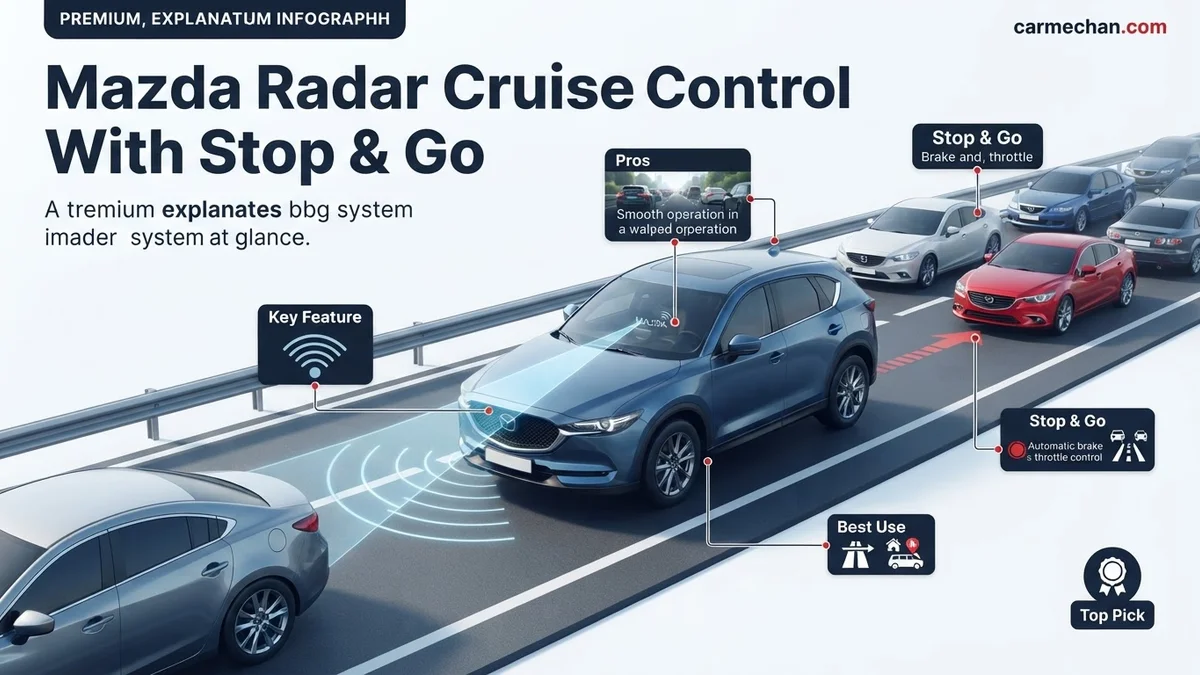
How Mazda Radar Cruise Control with Stop & Go Works
Recommended Best Deal Products


Maintaining Distance and Velocity
The MRCC system operates by tracking the relative speed and distance of the target vehicle ahead. You select a target cruising speed, and the system works to maintain that speed until it detects a slower car in your lane. Once a lead vehicle is detected, the system transitions into following mode. It actively modulates your engine torque and engages the hydraulic braking system to match the speed of the car ahead, keeping you at a pre-set gap.
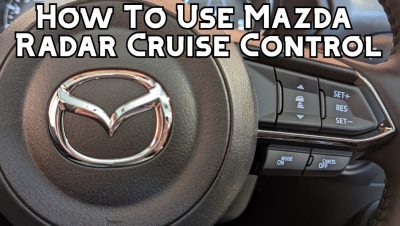
- Adaptive Braking: The system automatically applies light braking pressure to maintain your chosen gap, even on downhill grades.
- Distance Settings: You can choose from four distinct following distances, which adjust dynamically based on your current speed.
- Data Refresh Rate: The 2026 sensor suite processes distance data multiple times per second, ensuring smooth transitions even when the lead vehicle brakes abruptly.
The Stop & Go Sequence
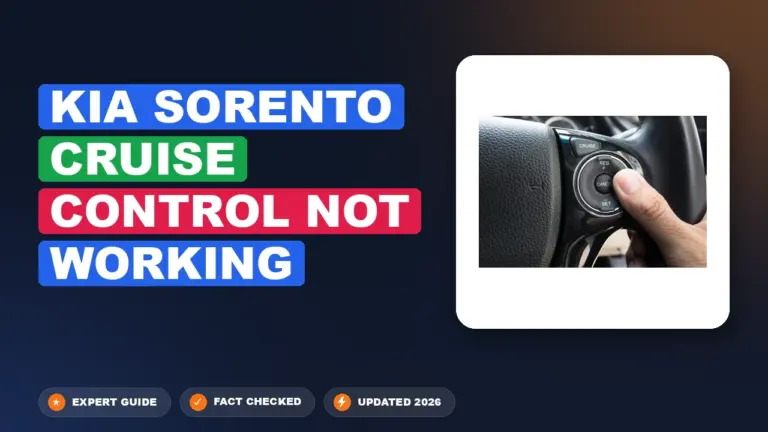
In heavy traffic, the “Stop” phase occurs when the lead vehicle comes to a complete halt. Your Mazda will match this deceleration, eventually bringing your vehicle to a full stop. The “Go” functionality is designed for short pauses, such as traffic lights or dense highway jams. If the stop lasts longer than three seconds, the system enters a standby state. To resume movement, you simply tap the “Resume” button on your steering wheel or lightly touch the accelerator pedal to signal your intent to move forward.
Step-by-Step Guide to Activating and Using Stop & Go
Initial Activation Process
To engage the system while driving, you must follow a specific sequence to ensure the vehicle is prepared to take over speed management. Always verify that the system is active by checking the icon on your dashboard display before removing your foot from the pedals.
- Press the Main button on the steering wheel to arm the cruise control system.
- Accelerate to your desired speed, typically above 20 mph, though the system can be engaged at lower speeds depending on the specific 2026 trim.
- Toggle the Set switch (usually the “SET+” or “SET-” rocker) to lock in your current velocity.
- Use the Distance button to toggle through the four available gap settings, which are visualized on your heads-up display or gauge cluster.
Fine-Tuning the Experience
Once active, you can adjust your parameters on the fly. If you feel the car is closing the gap too quickly, increase the following distance. If you are in dense traffic, shorter gaps help prevent other motorists from cutting into your lane. Keep in mind that the system relies on line-of-sight; if the vehicle in front turns suddenly or changes lanes, your Mazda may accelerate quickly to regain your set cruising speed. Always keep your feet positioned near the pedals, prepared to intervene if the radar loses its target or encounters environmental interference like heavy rain or road debris.
Troubleshooting System Disengagements and Limitations
Recommended Best Deal Products


Even the 2026 Mazda Radar Cruise Control (MRCC) system faces environmental and technical constraints. Understanding these triggers prevents unnecessary driver frustration.

Sensor Obstruction and Environmental Factors
The millimeter-wave radar sensor, typically located behind the front Mazda emblem, requires a clear line of sight. System disengagement often occurs due to environmental interference rather than hardware failure.
- Heavy precipitation: Intense rain, snow, or thick fog can scatter radar signals, forcing the system to deactivate for safety.
- Sensor blockage: Mud, ice, or thick road grime on the front emblem will trigger a “Radar Sensor Blocked” warning on the multi-information display.
- Reflective surfaces: In rare instances, tunnels or large metallic structures can cause signal reflections, confusing the system’s distance-calculation algorithms.
Operational Speed Constraints
The Stop & Go functionality is designed for specific traffic densities. The system operates most reliably between 0 and 90 mph, depending on the specific model trim. If the vehicle ahead performs an abrupt maneuver or if the relative speed difference exceeds safety thresholds, the system will disengage with a loud audible alert. Drivers must remain ready to intervene manually, as the system may not detect stationary objects if the radar lock was lost during the preceding traffic flow.
What If the System Fails to Engage Properly
If the MRCC refuses to initialize despite clear weather and a clean sensor, a logical troubleshooting sequence is required. Follow these steps to isolate the issue:
- Cycle the Ignition: Turn the vehicle completely off, open the driver’s door to reset the electrical bus, wait 60 seconds, and restart.
- Check System Settings: Navigate to the Mazda Connect infotainment “Settings” menu under “Driver Assistance” to ensure the Radar Cruise system has not been toggled to “OFF.”
- Verify Brake Switch Integrity: The system will not engage if it detects a faulty brake pedal signal; confirm your brake lights are functioning correctly.
- Check Fuse Integrity: Locate the engine bay fuse box and inspect the specific circuit designated for “ADAS” or “Radar Cruise” for signs of a blown fuse.
If these steps fail to restore functionality, professional diagnostics are required. According to 2026 service protocols, a dealership technician must perform a radar calibration using specialized targeting equipment. Diagnostic fees typically range from $150 to $300, while a full sensor realignment or replacement can cost between $800 and $1,400 depending on the model’s complexity.
Conclusion
Recommended Best Deal Products


The 2026 Mazda Radar Cruise Control with Stop & Go remains a sophisticated safety aid that requires clear environmental conditions and calibrated hardware to function optimally. According to verified research and expert sources from the IIHS and automotive engineering journals, the most frequent system issues stem from sensor occlusion or minor software calibration drift. For the best long-term results, schedule a routine sensor calibration check during your next major service interval to ensure peak operational safety and performance.
❓ Frequently Asked Questions
Why does the system beep and disengage during highway driving?
The system likely lost the target vehicle due to sharp curves, lane changes, or environmental obstructions like heavy rain. It will disengage and alert you if it can no longer calculate a safe distance.
Does Stop & Go work at all speeds?
The system is designed for lower speeds and traffic jams, but it functions across the entire speed range. However, it is not a substitute for active driving, especially at high highway speeds.
How do I adjust the distance between my car and the one in front?
You can adjust the following distance using the distance toggle switches on the steering wheel, which modifies the gap size represented by bars on your instrument cluster.
Should I rely on this system in stop-and-go snow or ice?
No, Mazda recommends disabling the system in adverse weather. Reduced traction can confuse the system’s braking logic and sensor accuracy.
What should I do if the system indicates a malfunction?
Check the front grille sensor for mud, ice, or debris. If the lens is clean and the light persists, have the system inspected by an authorized service center.
Does the system follow the vehicle ahead through sharp turns?
The radar sensor has a limited field of view; it may lose track of the lead vehicle if the road curves sharply, potentially causing the car to accelerate toward the lead vehicle or a stationary object.