Nissan I-Key System Error: Causes and Solutions Guide
Last Updated on September 1, 2026 by Ryan
📋 Table of Contents
- 🎯 Key Takeaways
- Understanding the Nissan Intelligent Key System Architecture
- Master Nissan I-Key System Errors in 7 Simple Steps
- Common Factors Behind the I-Key System Warning Light
- Diagnostic Costs and Component Repair Estimates
- Comparison of OEM vs. Aftermarket Key Fob Replacements
- Wrapping Up the Nissan I-Key Experience
- 💬 Quick Questions & Answers
- ❓ Frequently Asked Questions
The Nissan I-Key system error typically signals a communication failure between your key fob and the vehicle’s immobilizer system. This issue is often triggered by low fob batteries, electronic interference, or blown fuses, which can prevent the engine from starting.
Nissan i-Key system error? These are the two fixes that work for most owners:


As an Amazon Associate we earn from qualifying purchases.
🎯 Key Takeaways

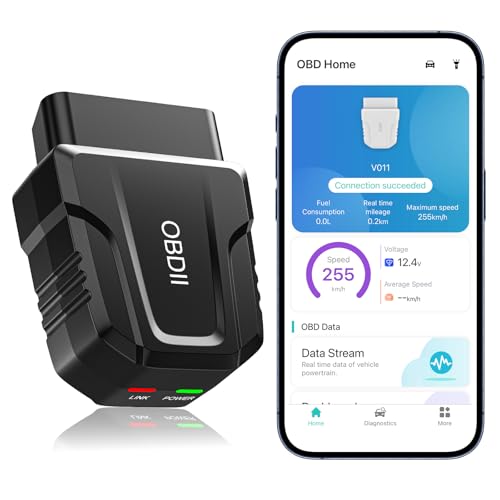
- Takeaway 1:Replace key fob batteries every two years to prevent signal failure.
- Takeaway 2:Keep key fobs away from smartphones to avoid signal interference.
- Takeaway 3:A weak 12V car battery frequently triggers false system errors.
- Takeaway 4:Inspect the steering lock actuator if the battery is healthy.
- Takeaway 5:Use high-quality CR2032 batteries for consistent key fob performance.
Have you ever stepped into your Nissan, pressed the start button, and seen a glowing I-Key System Error on your dashboard? It is a common yet frustrating sight that can stop your day in its tracks. This technology was designed to make your life easier by removing the need for physical keys. However, when the “invisible handshake” between your car and your fob fails, it leaves you feeling stranded and confused.
This error does more than just stop your engine from turning over. It represents a communication breakdown in one of the most complex systems in your modern vehicle. Understanding the mechanics behind this error is the best way to prevent future lockouts. Whether you drive an Altima, Rogue, or Sentra, knowing how your intelligent key functions will help you stay calm and find a solution quickly. This guide explores the architecture of the system and the common factors that trigger that dreaded warning light.
Understanding the Nissan Intelligent Key System Architecture


The Nissan Intelligent Key system is a marvel of wireless engineering. It relies on a constant flow of data between your key fob and your vehicle’s internal computer. Unlike old-fashioned keys that use physical teeth to turn a lock, your I-Key uses Radio Frequency (RF) signals to prove you are the rightful owner. When you get close to the car, it starts “looking” for your specific digital signature to allow entry and ignition.

The Invisible Digital Handshake
Every time you approach your Nissan, a digital conversation occurs in a fraction of a second. The car sends out a low-frequency signal through several antennas hidden in the door handles and the cabin. Your key fob receives this signal and “wakes up” to send back a high-frequency response. This response contains a unique, encrypted rolling code. This code changes every single time you use the car to prevent hackers from stealing your signal. If the car receives a code that doesn’t match its internal log, the I-Key system error pops up to protect the vehicle from unauthorized access.
The Brain of the Operation: The Body Control Module
The real star of the show is the Body Control Module (BCM). Think of the BCM as the central nervous system of your Nissan’s electronics. It manages everything from your interior lights to your security system. When you press the ignition button, the BCM checks with the I-Key antennas to confirm the fob is actually inside the car. This is why you cannot start the car if the key is sitting on the roof or in a nearby bag outside. The BCM uses specific “zones” to determine your exact location. If the BCM detects a glitch in its internal logic or loses contact with an antenna, it triggers the system error light to warn you that the security chain is broken.
- Internal Antennas: Usually located in the center console and trunk area to detect the fob inside the cabin.
- External Antennas: Found in the door handles and rear bumper for proximity unlocking.
- The Transponder Chip: A backup chip inside the fob that works even if the fob battery is dead, provided it is held very close to the start button.
Master Nissan I-Key System Errors in 7 Simple Steps
The “I-Key System Error” message on a Nissan dashboard can be incredibly frustrating, often appearing without warning and preventing your vehicle from starting or recognizing your presence. This guide covers the most effective troubleshooting techniques for Nissan models such as the Altima, Rogue, Sentra, and Maxima. By following these steps, you can distinguish between a simple dead battery and a more complex electronic failure, potentially saving you hundreds of dollars in unnecessary dealership diagnostic fees. Understanding how the Intelligent Key communicates with the Body Control Module (BCM) is essential for a quick and successful resolution.
Step 1: Replace the Key Fob Battery
What you need: A new CR2032 button cell battery and a small flathead screwdriver wrapped in a thin cloth.
Instructions: Roughly 90% of I-Key system errors are caused by a weak battery within the key fob itself. To begin, slide the release latch on the back of the fob to remove the mechanical emergency key. Insert your cloth-wrapped screwdriver into the small notch where the mechanical key was housed and gently twist to pop the two halves of the fob apart. Note the orientation of the existing battery (usually positive side down). Remove the old battery and insert the new CR2032, ensuring it is seated firmly. Snap the two halves back together and reinsert the mechanical key. Even if your fob still unlocks the doors, it may not have enough signal strength to communicate with the ignition system’s proximity sensors.
Pro Tip: Always use high-quality, name-brand lithium batteries. Cheap batteries from discount stores often have lower voltage outputs or shorter lifespans, which can cause the I-Key error to persist even after replacement.
Step 2: Utilize the Emergency Start Procedure
What you need: Your Nissan Intelligent Key fob.
Instructions: If the “I-Key System Error” prevents the car from recognizing the fob for a push-button start, you can use the built-in fail-safe method. Sit in the driver’s seat with your foot firmly on the brake. Take the key fob and touch the end of it (the side with the Nissan logo) directly against the Start/Stop button. You should hear a chime or see the dashboard light up. While holding the fob against the button, press the Start/Stop button once. This method uses Passive Radio Frequency Identification (RFID) which does not require the fob’s internal battery to function. If the car starts using this method, the issue is almost certainly a weak fob battery or a local signal interference problem rather than a system-wide hardware failure.
Pro Tip: Ensure that the “Nissan” logo on the fob is the part making contact with the button, as the RFID chip is strategically placed directly behind that plastic emblem for maximum connectivity.
Step 3: Clear Electronic Interference Sources
What you need: A quick scan of your vehicle’s interior and your personal pockets.
Instructions: The Nissan I-Key system operates on a specific radio frequency that is highly susceptible to electromagnetic interference. Check your center console, cup holders, and pockets for devices that could be “jamming” the signal. Common culprits include high-powered smartphone chargers, dash cams plugged into the 12V outlet, other key fobs, or even large metal objects like magnetic money clips. If you have an aftermarket LED light kit or a cheap USB adapter plugged in, unplug it immediately. Move your smartphone to a different location away from the key fob and the ignition button. Once these items are removed or distanced, try cycling the ignition again to see if the error message clears.
Pro Tip: Many modern smartphones with wireless charging enabled create a magnetic field that can temporarily “blind” the car’s I-Key sensors if the phone and key are in the same pocket.
Step 4: Inspect the Vehicle’s 12V Battery Health
What you need: A digital multimeter or a visit to a local auto parts store for a free battery load test.
Instructions: The Intelligent Key system relies on the vehicle’s main 12V battery to power the various antennas and the Body Control Module. If your car battery is weak—even if it has enough juice to turn the interior lights on—it may drop below the voltage threshold required for the I-Key handshake. Set your multimeter to DC voltage and touch the probes to the battery terminals while the engine is off. A healthy battery should read between 12.4V and 12.6V. If it reads below 12.2V, the low voltage is likely triggering a false “system error.” Additionally, check the battery terminals for white or green corrosion; if found, clean them with a mixture of baking soda and water to ensure a solid electrical connection.
Pro Tip: If your battery is more than three years old, it is highly susceptible to “surface charge” issues where it looks fine on a meter but fails under the load of the electronic modules booting up.
Step 5: Perform a Hard System Reset
What you need: A 10mm wrench or socket set.
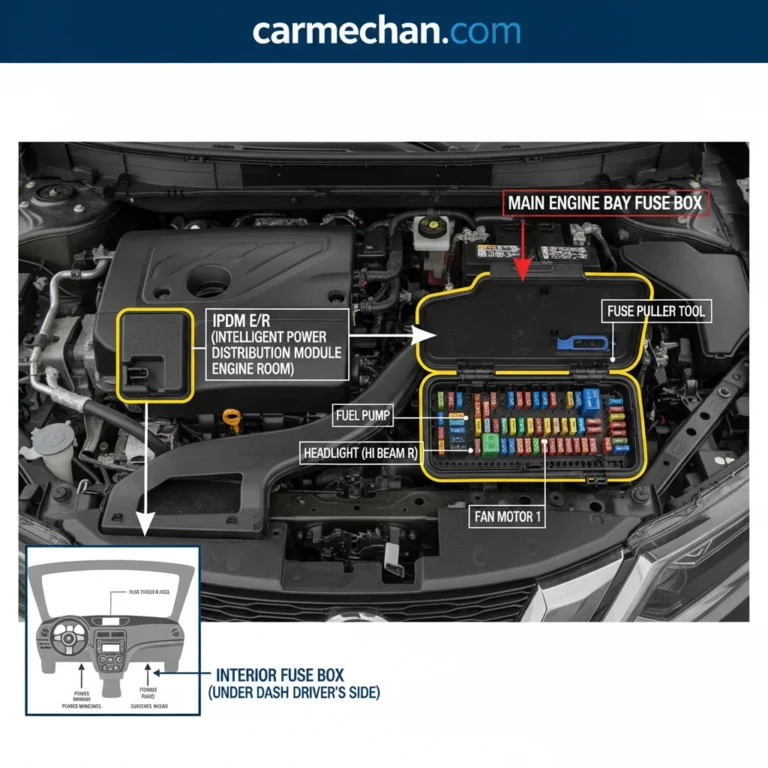
Instructions: Sometimes the I-Key error is simply a software “glitch” within the Body Control Module (BCM) or the Steering Column Lock Actuator. To reset these computers, open the hood and locate the negative (black) battery terminal. Use your 10mm wrench to loosen the nut and pull the cable off the terminal. Leave it disconnected for at least 15 to 30 minutes. While the battery is disconnected, step inside the car and press the brake pedal five times or hold the horn down for 10 seconds; this helps drain any residual electricity stored in the capacitors. Reconnect the terminal and tighten it securely. This “power cycle” forces all vehicle modules to reboot and re-establish communication, which frequently clears persistent I-Key error messages.
Pro Tip: After reconnecting the battery, you may need to reset your clock and your automatic window “one-touch” settings, but this is a small price to pay for a functioning ignition system.
Step 6: Verify the Brake Light Switch Function
What you need: An observer or a reflective surface (like a garage door or window).
Instructions: For the I-Key system to authorize an engine start, it must receive a signal from the brake light switch confirming that the pedal is depressed. If this switch is faulty, the car may display an I-Key error or a “Press Brake” prompt even when you are pushing the pedal. With the ignition in the “on” or “acc” position, have a friend stand behind the car while you press the brake pedal. If the brake lights do not illuminate, the switch (located near the top of the brake pedal arm) is likely broken or misaligned. Without this signal, the I-Key system cannot complete its security check. Try “pumping” the brake firmly a few times to see if the switch engages, allowing the car to recognize the start command.
Pro Tip: Sometimes the rubber stopper on the brake pedal that hits the switch becomes brittle and falls off. Check the floor mat for small pieces of broken plastic or rubber.
Step 7: Test the Secondary Key Fob
What you need: Your spare Nissan Intelligent Key.
Instructions: This step is critical for isolating the fault to either the car or the specific key. Bring your spare key to the vehicle, making sure the original key is at least 50 feet away so there is no signal overlap. If the spare key works perfectly, then the internal circuitry of your primary key fob is likely damaged (perhaps from being dropped or moisture exposure). If the spare key also produces the “I-Key System Error,” the problem lies within the vehicle’s hardware—specifically the internal antennas or the BCM. This diagnostic step tells you whether you need a new $200 key or a more expensive repair involving the vehicle’s computer systems.
Pro Tip: If you only have one key, many locksmiths can perform a “frequency test” to see if your fob is actually transmitting a signal before you commit to buying a new one.
✅ Final Checklist
- Verified the key fob battery is fresh and installed with the correct polarity.
- Attempted an emergency start by touching the fob directly to the Start button.
- Confirmed the car’s 12V battery is holding a charge above 12.4 volts.
- Removed all potential electronic interference sources from the cabin.
- Performed a 20-minute battery disconnect to reset the vehicle’s modules.
Important Notes:
- Safety Warning: Always ensure the vehicle is in “Park” and the emergency brake is engaged before performing any under-hood work or battery resets.
- Professional Help: If the error remains after a hard reset and a battery change, the Steering Column Lock Actuator may be failing—this is a common hardware issue on older Nissan models that requires professional replacement.
- Estimated Time: 15–45 minutes.
- Estimated Cost: $5–$15 (for a battery) or $150–$400 (if a new key or module is required).
Common Factors Behind the I-Key System Warning Light
When the I-Key error light appears, it is often a sign of a “noisy” environment rather than a broken car. Because the system relies on delicate radio waves, many outside forces can disrupt the signal. Your Nissan is constantly scanning its surroundings, and sometimes it gets “confused” by other electronic devices or physical barriers. Identifying these external factors can save you a trip to the dealership.
Electronic Noise and Signal Interference
We live in a world filled with wireless signals, and sometimes they clash with your Nissan. Devices that operate on similar frequencies can “drown out” your key fob. For example, a high-powered cell phone charger plugged into your 12V outlet can create electromagnetic interference that blocks the BCM from hearing the fob. Similarly, parking near large microwave towers, television transmitters, or even high-voltage power lines can create a “dead zone” for your Intelligent Key. Even having your smartphone in the same pocket as your key fob can sometimes create enough electronic noise to trigger a temporary system error.
Hardware Degradation and Power Fluctuations
The health of your I-Key system is tied directly to the health of your batteries—both in the fob and in the car itself. While a weak fob battery is a frequent culprit, the vehicle’s 12-volt battery is just as important. If your car battery is aging and the voltage drops slightly, the BCM may not have enough power to run its sophisticated security checks. This can lead to “ghost” errors where the system claims the key is missing simply because the computer is struggling to function. Additionally, physical wear and tear can play a role. If you have dropped your fob multiple times, the internal solder points may crack, leading to an intermittent connection that confuses the vehicle’s sensors.
- Aftermarket Accessories: Certain dashcams or LED light kits can emit radio frequency interference (RFI) that disrupts the I-Key.
- Metallic Window Tint: Some high-performance tints contain metal particles that act as a “Faraday cage,” making it hard for signals to enter or leave the cabin.
- Cold Weather: Extreme cold can lower the voltage of both the fob battery and the car battery, leading to more frequent errors in winter months.
- Key Fob Placement: Keeping your key in a metal tin or a wallet with RFID-blocking technology will prevent the car from seeing the fob entirely.
Understanding these underlying causes is the first step in demystifying the I-Key system. By recognizing how the architecture works and what external factors might be at play, you can better diagnose why your Nissan is acting up. In the next section, we will look at how the car communicates specific problems through different dashboard symbols and what these variations mean for your vehicle’s health.
Diagnostic Costs and Component Repair Estimates
When the “I-Key System Error” message won’t disappear after a simple battery swap, it is time to look at the financial side of professional repairs. Navigating these costs can be tricky because Nissan dealerships and independent mechanics often have vastly different labor rates. Typically, you should expect to pay a diagnostic fee just to hook the car up to a high-end scanner that can read specific Body Control Module (BCM) codes.
The Price of Professional Diagnosis
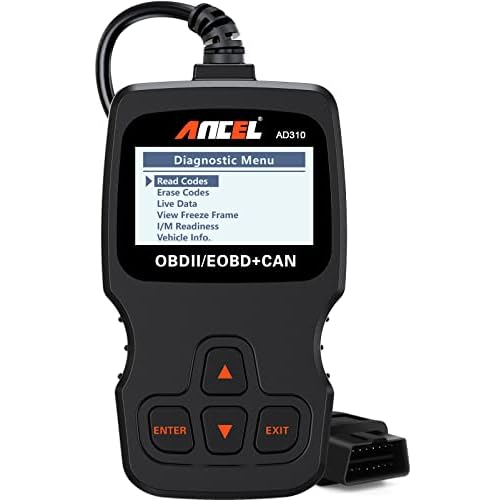
Most dealerships charge a flat “diagnostic hour” to pinpoint the exact failure within the Intelligent Key system. This usually ranges from $120 to $180 depending on your location. While this might seem steep, a generic OBD-II scanner often won’t show the deep-level communication errors between the key antennas and the BCM that a factory-grade tool will reveal.
Hardware and Labor Price Ranges
If the diagnostic reveals a hardware failure, the total bill can climb quickly. Here are some real-world estimates for common Nissan I-Key component repairs:
- BCM Replacement: This is the most expensive fix. A new module can cost between $400 and $700, plus 2-3 hours of labor for programming and installation.
- Keyless Entry Antennas: If an external door handle antenna fails, parts usually run $100 to $250. Labor is typically 1 hour.
- Electronic Steering Column Lock (ESCL): Common in older Altima and Maxima models, this repair can range from $500 to $900 including parts and labor.
- Programming Only: If the system just needs a software reset or a key re-sync, you might get away with a $100 to $150 service fee.
Comparison of OEM vs. Aftermarket Key Fob Replacements
When the I-Key system error is traced back to a faulty fob, you face a common dilemma: do you buy the expensive genuine Nissan part or save money with an aftermarket version? While the price difference is tempting, the “I-Key” system is notoriously sensitive to signal frequencies and encryption protocols.
Why OEM Is Usually Worth the Premium
Genuine Nissan (OEM) fobs are designed specifically for your vehicle’s VIN. They use high-quality circuitry that ensures the “proximity” feature works every time you approach the door. Many Nissan owners find that OEM fobs have a significantly longer range and a more durable casing. Most importantly, Nissan technicians can guarantee that an OEM fob will sync with the BCM without causing secondary “System Error” warnings due to mismatched encryption.
When to Consider Aftermarket Options
Aftermarket fobs can cost 50% to 70% less than the dealership price, making them attractive for older vehicles. However, there are specific risks to keep in mind:
- Inconsistent Signal: Cheaper fobs often have weaker transmitters, leading to “Key Not Detected” errors even when the fob is in your pocket.
- Programming Failures: Some locksmiths refuse to program “cheap” fobs because they often fail mid-process, potentially locking the BCM.
- Battery Drain: Poorly manufactured aftermarket boards may draw more power, requiring a battery replacement every few months instead of every few years.
- Short Life Span: Internal components are more susceptible to damage from moisture or being dropped.
Wrapping Up the Nissan I-Key Experience
Dealing with a Nissan I-Key system error can be frustrating, but understanding the underlying causes—ranging from a simple dead battery to a more complex BCM failure—is the first step to a resolution. While DIY battery swaps solve the majority of issues, don’t ignore the warning signs of a failing antenna or a glitchy steering lock. If a simple battery change doesn’t do the trick, your next best move is to consult a qualified locksmith or a Nissan service center to prevent getting stranded. Take action today by checking your fob’s signal strength and ensuring your car battery is in peak condition to keep your keyless system running smoothly!
💬 Quick Questions & Answers
Why is my Nissan saying I-Key system error?
It usually means the car cannot detect the key fob due to a dead battery or signal interference.
Can I start my Nissan with an I-Key error?
Yes, you can usually start it by pressing the key fob directly against the Start/Stop button.
Does a dead car battery cause I-Key errors?
Yes, a weak 12V car battery can disrupt the electronic modules responsible for key recognition.
How much does it cost to fix an I-Key error?
Costs range from $5 for a new battery to $500 for a new steering lock actuator.
Is the I-Key error covered under warranty?
It is typically covered under the 3-year/36,000-mile bumper-to-bumper warranty if not caused by user damage.
❓ Frequently Asked Questions
What are the most common symptoms of a failing I-Key system?
Aside from the dashboard warning, you may notice intermittent issues with the push-to-start button or doors failing to unlock. Often, the system will work fine one moment and fail the next depending on proximity.
Can electronic devices interfere with the Nissan I-Key signal?
Yes, devices like cell phones, laptops, and even magnetic credit cards can block the RFID signal. It is recommended to keep your key fob in a separate pocket from other electronics.
What happens if the steering lock actuator fails in a Nissan?
A failed steering lock actuator is a common culprit for the I-Key error, preventing the car from entering ON mode. This often requires a professional diagnostic tool to reset the Body Control Module.
Is there a difference between Key ID Incorrect and I-Key System Error?
Key ID Incorrect usually means the fob isn’t programmed to the car, while System Error indicates a hardware or communication fault. The latter is more complex and often involves the vehicle’s internal sensors.
Can I reprogram a Nissan I-Key fob myself?
While some older models allowed manual programming, most modern Nissans require a specialized OBD-II scanner used by locksmiths or dealers. This ensures the immobilizer system remains secure.
Does cold weather affect the performance of the Nissan I-Key?
Extreme cold can significantly reduce the voltage output of the CR2032 battery inside the fob. If you live in a cold climate, you may experience more frequent system errors during winter months.