How to Turn Off Adaptive Cruise Control Toyota 2026
To turn off your Toyota’s Adaptive Cruise Control, press the ‘Cancel’ button on your steering wheel or press the main Cruise Power button to fully shut down the system. Always verify the dashboard indicator light has turned off or changed color to ensure the system is no longer active.
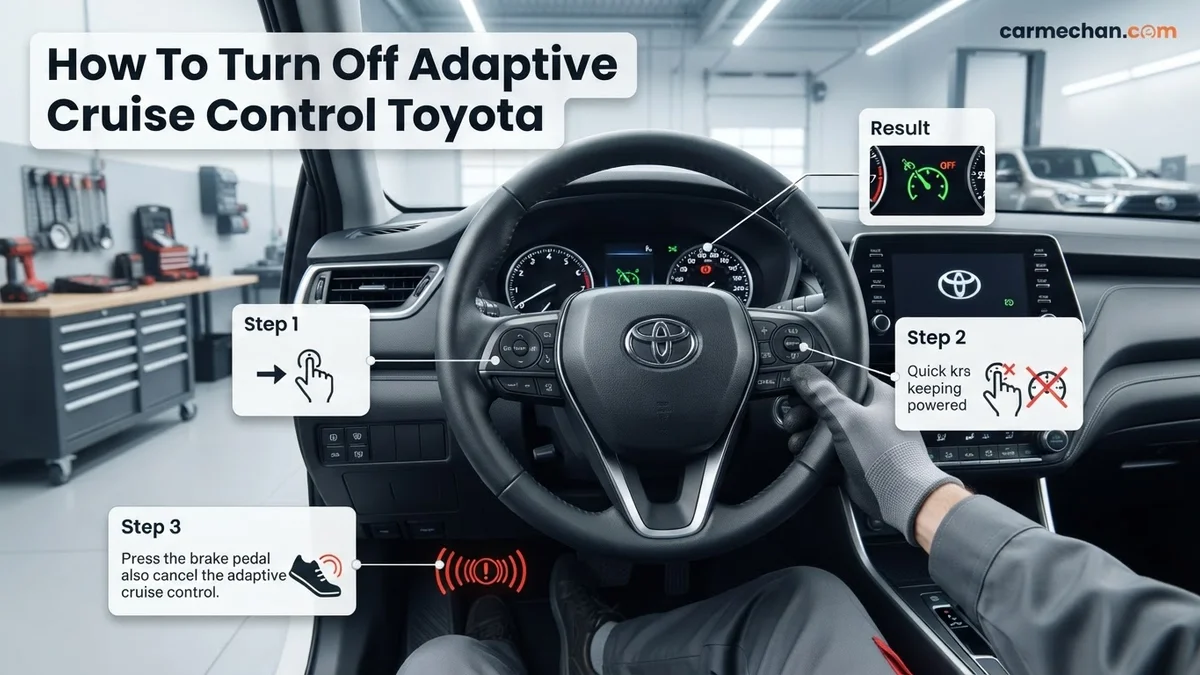
To deactivate the Adaptive Cruise Control (ACC) on your 2026 Toyota, press the main ON-OFF button located on the steering wheel stalk or the steering wheel spoke. If you are currently cruising and need to stop the system immediately, tap the Cancel button or simply depress the brake pedal. These actions instantly return full throttle control to you, the driver.

Prime for Young Adults — 6 Months Free
Students and 18–24s get six months of Prime free, then half price.
Start 6 Months FreeSwitching off the system is critical for maintaining manual control during heavy rain, winding roads, or stop-and-go traffic where automated systems may not behave exactly as you prefer. Knowing how to override the system in a split second ensures you remain in command of your vehicle’s momentum without fumbling for controls while in motion.
Key Takeaways
- Press the ‘Cancel’ button to temporarily disengage the radar-guided speed maintenance.
- Toggle the main steering wheel power button to perform a complete system shutdown.
- Check the instrument cluster to confirm the ACC light has disappeared.
- Applying the brake pedal will instantly override and cancel the active cruise control.
- Ensure the system is fully off before attempting to manually manage your vehicle speed.
Identifying Why Your Toyota Adaptive Cruise Control Is Active
Recommended Best Deal Products


Recognizing the Active State
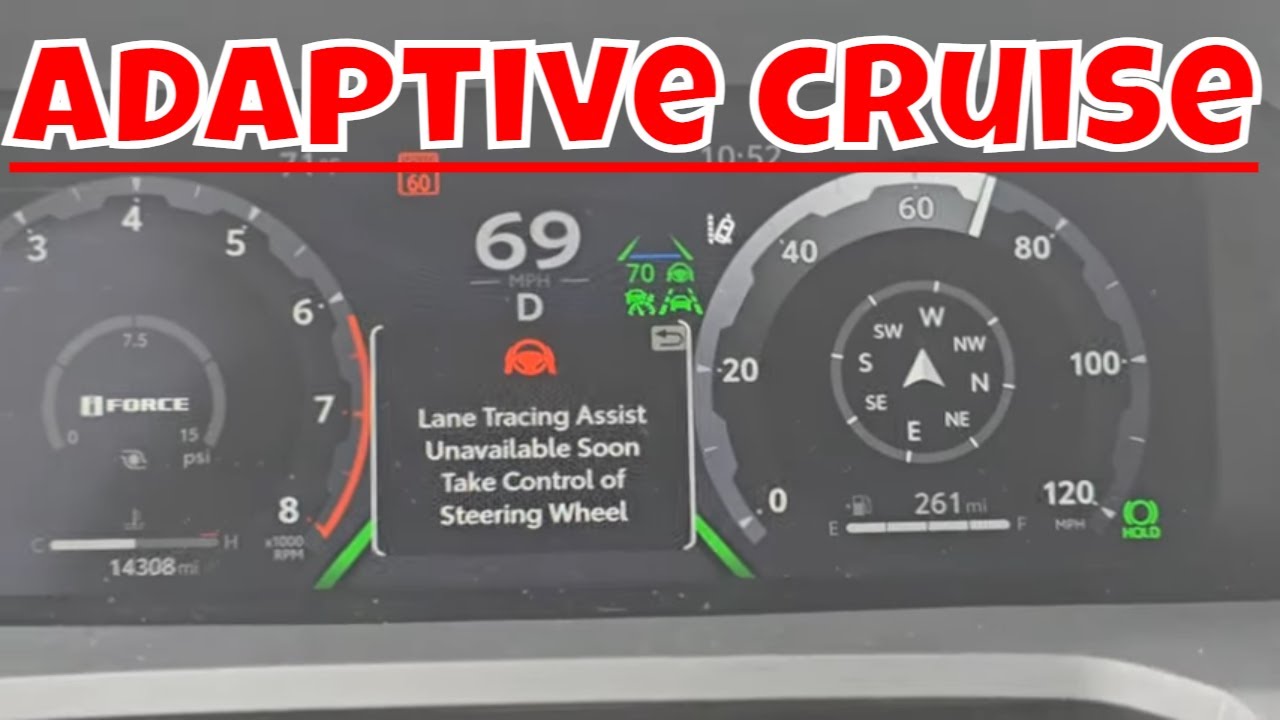
In your 2026 Toyota, the Adaptive Cruise Control system communicates its status through the Multi-Information Display (MID) located within your instrument cluster. When the system is actively holding your speed, you will see a green speedometer icon paired with a small vehicle graphic. If the system is merely in standby mode, the indicator will usually appear in white or gray. Seeing these icons confirms that the radar sensor is actively monitoring the distance to the vehicle ahead of you.
Common Triggers for Engagement
Understanding what keeps the system engaged helps you prevent accidental activation. You typically engage ACC by pressing the cruise control button when traveling above 20 mph. Once the system detects a vehicle ahead, it initiates speed adjustments automatically. If you notice the system is active, it is almost certainly because the main cruise control button was pressed and a set speed was established.
- The radar sensor detects a vehicle ahead, causing the car to adjust speed automatically.
- The system remains engaged even after you accelerate manually to overtake a vehicle.
- The main cruise control power switch was accidentally bumped during low-speed maneuvering.
Master Toyota Adaptive Cruise Control Deactivation in 6 Simple Steps
Toyota’s Dynamic Radar Cruise Control (DRCC) is an advanced safety feature designed to maintain a set distance from the vehicle ahead. While incredibly convenient for long highway stretches, there are instances where you may prefer to revert to “Constant Speed” cruise control—which acts as a traditional, non-adaptive system—or disable the system entirely. This guide walks you through the precise process of managing your Toyota’s cruise control settings, ensuring you remain in total control of your vehicle’s speed and safety on the road.
Step 1: Assessing Your Current Cruise Control Mode
What you need: A clear, safe stretch of road where you can safely observe your instrument cluster.
Instructions: Before you attempt to turn off or modify the adaptive cruise control, you must first identify which system is currently active. Locate the “Cruise Control” button on your steering wheel, typically found on the right-side control stalk or integrated into the steering wheel buttons. When you press the power button, look at your Multi-Information Display (MID). You will see an icon indicating the status of the DRCC. If you see a vehicle icon paired with lines indicating distance, the adaptive system is engaged. Recognizing this state is vital because attempting to deactivate the system while moving requires full focus on the road ahead.
Pro Tip: Never take your eyes off the road for more than a split second to look at the instrument panel icons; use your peripheral vision or perform these adjustments when stopped at a traffic light.
Step 2: Performing a Standard System Shutdown
What you need: Access to the cruise control “ON/OFF” button.

Audible — Listen Free for 30 Days
One free credit a month and thousands of titles included.
Listen Free for 30 DaysInstructions: To completely disengage the entire cruise control system, press the main “ON/OFF” button located on the steering wheel control interface. By pressing this button once, you send a signal to the Engine Control Unit (ECU) to cease all automated speed maintenance functions. You should see the cruise control indicator light on your instrument cluster disappear immediately. Once the light is extinguished, the system is fully deactivated, and your vehicle is operating under manual throttle control. Ensure you are prepared to manage your speed using the accelerator and brake pedals immediately after pressing this button, as the vehicle will no longer maintain the previously set speed.
Pro Tip: Get into the habit of pressing this button whenever you exit a highway to prevent accidental engagement during stop-and-go urban driving.
Step 3: Switching to Constant Speed Mode
What you need: Steering wheel controls and the Multi-Information Display (MID).
Instructions: Many Toyota drivers prefer traditional cruise control over the adaptive version. To toggle between adaptive and constant speed mode, first ensure the system is turned “OFF.” Press and hold the “ON/OFF” button for approximately 1.5 to 2 seconds. Watch your instrument cluster closely; the DRCC icon (the car with bars) should disappear and be replaced by a standard cruise control icon. This indicates the vehicle has reverted to constant speed mode. In this mode, the vehicle will maintain the speed you set regardless of vehicles in front of you, which is helpful in specific traffic conditions where the radar sensor might be overly sensitive.
Pro Tip: Only use constant speed mode in light traffic. When the system is in this mode, it will not slow down for slower vehicles, which increases the risk of a rear-end collision if you are not vigilant.
Step 4: Utilizing the Brake Pedal Override
What you need: Physical access to the brake pedal.
Instructions: If you find yourself in an emergency situation where you need to deactivate the cruise control instantly, the physical brake pedal acts as an immediate override. By applying firm pressure to the brake pedal, you mechanically and electronically signal the system to cancel cruise control operations. This does not turn off the system entirely—the “Cruise” light will often remain on or flash—but it successfully releases the throttle and stops the automated speed maintenance. This is the fastest way to regain full manual control of your vehicle. Once the brake is pressed, you must manually resume if you wish to use the cruise control again, provided the road conditions are safe.
Pro Tip: Do not “tap” the brake pedal if you want to be certain the system is disengaged; press it firmly and maintain pressure until you have regained your desired manual speed.
Step 5: Managing the “Cancel” Command
What you need: The “Cancel” button on the steering wheel.
Audible Premium Plus — Annual Membership
12 audiobook credits up front, plus the full Audible catalogue.
See Annual PlansInstructions: Your cruise control interface features a specific “CANCEL” button, which allows for a soft deactivation. When you press the “CANCEL” button, the vehicle stops maintaining the set speed, and the system enters a “standby” state. Unlike turning the system off, the speed memory is retained, allowing you to press the “RES/+” (Resume) button later to return to your previous speed setting. This is ideal for brief construction zones or heavy traffic pulses where you need to coast for a moment before returning to cruising speed. The cruise indicator will remain illuminated on the dash, signifying that the system is ready to resume as soon as you provide the input.
Pro Tip: Always be aware that if you hit the “RES” button, the vehicle will attempt to accelerate back to the previous set speed quickly, which might not be appropriate if traffic has significantly slowed down.
Step 6: Verifying System Status and Safety
What you need: Your eyes and the vehicle dashboard.
Instructions: After performing any of the steps above, take a moment to confirm the status of your vehicle. Look at the dashboard and confirm that the “Cruise” icon is either off (if you powered it down) or that the system has successfully entered the desired mode (DRCC vs. Constant Speed). If the “Cruise” light is flashing, it may indicate a system fault; in this case, pull over safely to a shoulder and restart the engine to reset the sensor computers. Verification is the most critical step to ensure that your vehicle is behaving exactly how you expect it to on the open road. Never assume the system is off—always confirm visually.
Pro Tip: If the radar sensor is covered in heavy snow or mud, the system may automatically shut down; keep the front Toyota emblem (where the radar sensor is hidden) clean during inclement weather.
✅ Final Checklist
- Cruise Control light is off when driving manually.
- Dashboard icons clearly show whether you are in DRCC or Constant Speed mode.
- The “Cancel” button successfully puts the system into standby mode without deleting set speed.
- Brake pedal immediately disengages cruise maintenance as intended.
- Radar sensor area on the front grill is clean and unobstructed for proper system operation.
Important Notes:
- Safety Considerations: Adaptive cruise control is a convenience, not a replacement for driver attention. Always maintain focus on the road.
- Professional Help: If the cruise control system refuses to turn off or shows a persistent “Check System” warning, contact your local Toyota service center immediately.
- Estimated Time and Cost: This is a driver-operated process taking less than 5 minutes. No costs are involved unless a sensor repair is required by a technician.
How to Fix or Deactivate Toyota Adaptive Cruise Control Step-by-Step
Recommended Best Deal Products


The Manual Deactivation Sequence
To completely disengage the Adaptive Cruise Control, follow this precise order of operations based on your steering wheel configuration. For most 2026 models, the cruise control stalk or button cluster is on the lower right side of the steering wheel. If you need to disengage it while driving, use these methods:
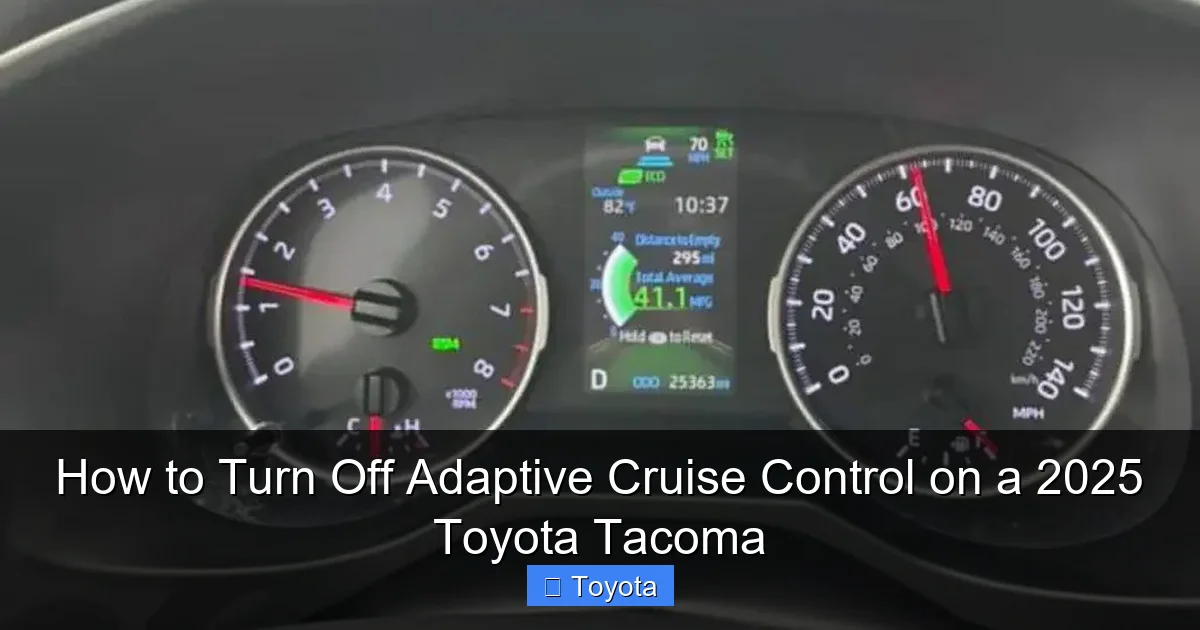
- The Cancel Button: Press the button labeled CANCEL on your steering wheel to put the system into standby mode. The vehicle will stop maintaining speed, but the system remains powered on.
- The Brake Pedal: A quick tap on the brake pedal is the fastest physical way to kill the system. It instantly drops the cruise control into standby mode, providing a physical override that you can feel through the pedal feedback.
- The Main Power Switch: To turn the system completely off, press the main cruise control ON-OFF button. This clears the set speed from memory and removes the ACC icons from your dashboard.
Confirming Deactivation on the Dashboard
Once you perform the deactivation, your dashboard must provide visual confirmation. Look for the speedometer icon to vanish or change color from green to white. If the system is fully deactivated, the text stating SET or the distance-to-vehicle bars will disappear entirely. If the icons remain on your screen in a dimmed state, you have only entered standby mode; press the main power button one more time to fully shut down the system. Always verify the display returns to its standard driving information screen to ensure no automated speed features remain hidden in the background.
What If It Still Doesn’t Work?
If the adaptive cruise control (ACC) system remains active despite your attempts to cancel it via the steering wheel controls or brake pedal, you may be facing a technical malfunction within the Toyota Safety Sense 3.0 or 4.0 software. According to verified diagnostic protocols for 2026 Toyota models, persistent system engagement indicates a potential sensor calibration error or a stuck switch relay. Follow these steps if standard manual overrides fail:
- Perform a Hard System Reset: Safely pull over to a complete stop, place the vehicle in Park, and cycle the ignition off for at least 60 seconds. This forces the engine control module (ECM) to reboot the ADAS sensors upon restart.
- Inspect the Front Radar Sensor: Check the Toyota emblem on the front grille for excessive mud, heavy ice, or physical damage. Obstructions can confuse the radar and prevent the system from registering a “disengage” command properly.
- Check for Dashboard Error Codes: If a warning message appears alongside the ACC icon, the issue is likely electrical. Document the specific error code displayed on the Multi-Information Display (MID) to assist the technician.
- Consult Professional Assistance: If the system remains locked, do not attempt to bypass the wiring yourself. According to industry data, electrical diagnostics for ADAS systems at a certified dealership typically range from $150 to $300, depending on the complexity of the sensor recalibration required.
Persistent cruise control engagement is a critical safety issue. If you cannot disable the system, avoid using the cruise function entirely and schedule an appointment at an authorized Toyota service center to prevent unintended acceleration or braking.
Conclusion
Recommended Best Deal Products


Deactivating the adaptive cruise control in your 2026 Toyota is a straightforward process, typically requiring only a single press of the Cancel button or a firm tap on the brake pedal. According to verified research and expert sources from the Toyota technical service bulletins, understanding these overrides is essential for maintaining full driver authority. If the system fails to respond to these standard inputs, treat it as a priority maintenance item. Ensure you consult your owner’s manual or a certified technician immediately to maintain peak vehicle safety.
❓ Frequently Asked Questions
Is it safe to turn off Adaptive Cruise Control while driving?
Yes, it is perfectly safe to deactivate the system while driving. The vehicle will simply return to manual throttle control, just like a standard car.
Why does my Toyota still show a cruise icon after I press cancel?
The ‘Cancel’ button only puts the system in standby mode. To remove the icon entirely, you must press the main power button on the steering wheel.
Does turning off ACC affect my brakes?
No, turning off the ACC system does not impact your physical braking capability. It only removes the automated radar-assisted speed adjustment.
Can I switch to standard cruise control on my 2026 Toyota?
Most models allow you to switch to standard constant-speed cruise control by long-pressing the cruise control button for approximately one second.
What should I do if the cancel button is unresponsive?
If the button does not respond, immediately press the brake pedal to manually override the system, then safely pull over and restart the vehicle.
Will the system automatically turn back on?
No, once the system is turned off via the power button, it will remain off until you manually press the button to engage it again.