Nissan Key System Error? Fix it Fast!
Last Updated on September 1, 2026 by Ryan
📋 Table of Contents
- 🎯 Key Takeaways
- Understanding Nissan Key System Error Messages
- Nissan’s Key System Illusions: Your Complete DIY Guide
- Common Causes of Nissan Key Fob Problems
- Diagnostic Approaches for Key System Issues
- When to Seek Professional Nissan Key Repair
- Conclusion
- 💬 Quick Questions & Answers
- ❓ Frequently Asked Questions
Nissan key system errors can be frustrating, but often have simple solutions. Understand the common culprits and explore troubleshooting steps to resolve these issues quickly.
Nissan key system error? Before heading to the dealer, try these proven fixes:


As an Amazon Associate we earn from qualifying purchases.
🎯 Key Takeaways


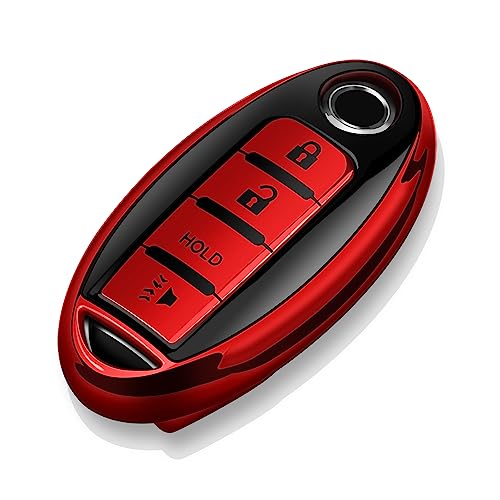
- Battery issues are a frequent cause of key fob malfunctions.
- Reprogramming the key fob might resolve communication errors.
- Consulting your Nissan owner’s manual is crucial for specific models.
- Interference from other electronics can affect keyless entry systems.
- Professional diagnosis is recommended if DIY steps fail.
Ever found yourself stranded, staring at your Nissan’s dashboard with a cryptic “Key System Error” message? It’s a frustrating moment. You just want to get going. This isn’t just a minor inconvenience. It can stop your entire day. Knowing what this error means is the first step. We’re here to help you understand and tackle it. Let’s get your Nissan running smoothly again.
This vital system ensures your car starts and locks properly. When it glitches, your vehicle becomes unusable. You might wonder if it’s a quick fix or a costly repair. The good news is often, it’s something you can resolve yourself. Or at least, understand enough to discuss with a mechanic. This guide will shed light on common issues. You’ll feel more confident about getting back on the road.
Understanding Nissan Key System Error Messages

Nissan key system errors are not always straightforward. They can manifest in various ways on your dashboard. Some messages are generic. Others are more specific. Knowing the exact wording can offer clues. It helps pinpoint the problem area. You might see things like “Key Not Detected.” This is a common one. It means your car can’t communicate with the key fob. Sometimes it’s a general “Key System Malfunction.” This indicates a broader issue within the system. Pay attention to any other warning lights that appear alongside it. These can provide additional context. Understanding these messages empowers you to take the right actions.

Common Error Message Variations
- “Key Not Detected”: The car cannot sense the presence of your smart key. This often happens when the key is too far away or its battery is dead.
- “Key System Malfunction”: This is a broader error. It suggests a problem with one of the components in the keyless entry or ignition system.
- “Immobilizer System Fault”: This indicates an issue with the anti-theft system. It prevents the car from starting without a recognized key.
Deciphering Dashboard Lights
Sometimes, a specific icon will flash. This could be a key symbol or a steering wheel icon. These lights are designed to alert you to immediate issues. A flashing key symbol often means the car isn’t recognizing your key fob. A steering wheel icon might suggest a steering lock issue. This can be tied to the key system. Always check your owner’s manual. It has a detailed explanation of all dashboard symbols and their meanings.
Nissan’s Key System Illusions: Your Complete DIY Guide


Experiencing a “key system error” in your Nissan can be frustrating, often leaving you stranded or unable to start your vehicle. This guide will walk you through diagnosing and potentially resolving common issues related to your Nissan’s keyless entry and ignition system. By following these detailed steps, you can save time and money on dealership visits by addressing the most frequent culprits yourself. Understanding the underlying principles will empower you to get back on the road with confidence.
Step 1: The Simple Battery Check – The Low-Hanging Fruit
What you need: A small Phillips head screwdriver, a new CR2032 (or equivalent) battery for your key fob, a clean cloth.
Instructions: Locate the small seam on your Nissan key fob. Gently insert the tip of the Phillips head screwdriver into this seam and twist to pry the fob open. Be careful not to force it, as some fobs have clips that can break. Once open, carefully remove the old battery, noting its orientation. Clean the battery terminals inside the fob with the cloth. Insert the new battery, ensuring it’s in the correct orientation (usually positive side up). Snap the fob back together. Test if the key system error disappears by trying to start your car or lock/unlock doors.
Pro Tip: If your fob has a small LED light, press one of the buttons after replacing the battery. If the light flashes, the battery is likely working. If it doesn’t light up at all, the battery might be dead or inserted incorrectly.
Step 2: Resynchronizing Your Key Fob – The Digital Handshake
What you need: Your Nissan key fob, your vehicle’s owner’s manual.
Instructions: Many Nissan key system errors stem from a desynchronization between the key fob and the car’s immobilizer system. The exact procedure varies by model, so consult your owner’s manual for specific instructions. Generally, it involves inserting the key into the ignition, turning it to the “ON” position (without starting the engine), and then performing a sequence of button presses on the fob, often with a specific timing. For example, you might need to press the lock button, then unlock, then lock again, while the key remains in the ignition. Repeat this cycle a few times. After the sequence, turn the ignition off and remove the key. Try starting the car again.
Pro Tip: Perform the resynchronization procedure in a quiet area, away from strong radio signals or other electronic devices that might interfere with the signal transmission.
Step 3: Inspecting the Ignition Cylinder – The Physical Connection
What you need: A flashlight, a soft brush or compressed air, a very small amount of graphite lubricant (optional).
Instructions: With the key removed from the ignition, use the flashlight to inspect the keyhole for any visible debris, dirt, or foreign objects. Sometimes, dust or small particles can impede the key’s ability to properly engage with the ignition cylinder’s tumblers. Gently use the soft brush or a burst of compressed air to clean out any obstructions. If the ignition feels stiff or sticky, a tiny amount of graphite lubricant (specifically designed for locks, not WD-40) can be applied sparingly directly into the keyhole. Insert and remove the key several times to distribute the lubricant. Ensure the key turns smoothly.
Pro Tip: Never use oil-based lubricants like WD-40 in an ignition cylinder, as they can attract more dust and gunk, leading to more severe problems down the line.
Step 4: Checking the Door Lock Actuators – The Remote Entry Pathway
What you need: Your key fob, another functional key fob (if available).
Instructions: A key system error can sometimes manifest as a failure in the communication between the fob and the car’s central locking system. If your remote locking/unlocking isn’t working correctly, even when the key fob battery is fresh, the issue might lie with the door lock actuators. Try using your key fob to lock and unlock all doors. Listen for the distinct “thunk” sound of the actuators engaging. If some doors don’t respond or make unusual noises, an actuator might be failing. If you have a second key fob, test it to rule out a problem with the primary fob itself.
Pro Tip: If only one door is malfunctioning, it strongly suggests a problem with that specific door lock actuator rather than a general key system error.
Step 5: Examining the Steering Wheel Lock Mechanism – The Anti-Theft Guardian
What you need: Your key fob, a bit of gentle force.
Instructions: Nissan vehicles have a steering wheel lock that engages when the car is turned off and the key is removed. Sometimes, if the steering wheel is turned with significant force when the ignition is shut off, it can put pressure on the steering wheel lock mechanism, preventing the key from turning or the ignition from engaging. With the key in the ignition, try gently jiggling the steering wheel left and right while simultaneously attempting to turn the key. You might need to apply a bit of pressure, but avoid excessive force that could damage the steering column.
Pro Tip: If you feel a strong resistance, don’t force the steering wheel or the key. This indicates the lock is engaged and might need careful release.
Step 6: Checking the Immobilizer Antenna Ring – The Transponder’s Best Friend
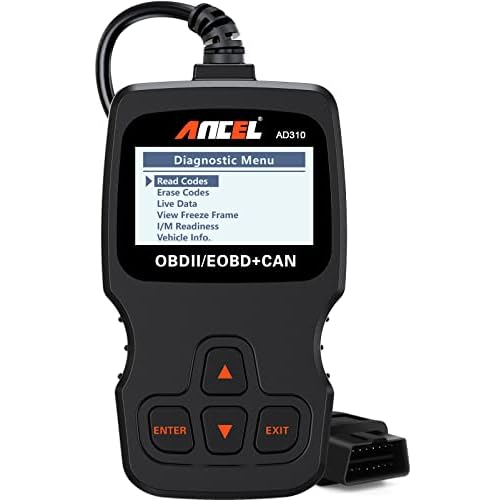
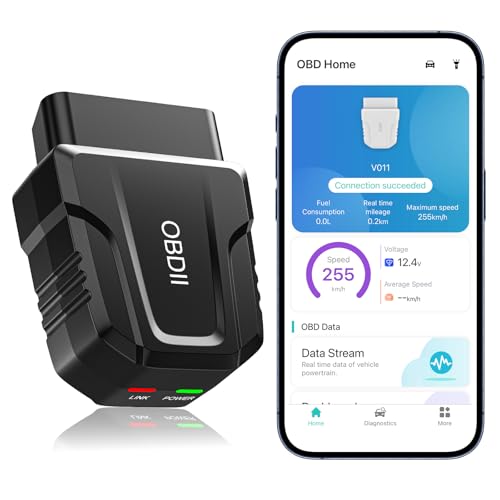
What you need: Your vehicle’s owner’s manual, a diagnostic scanner (optional, for advanced users).
Instructions: Located around the ignition cylinder, the immobilizer antenna ring reads the transponder chip inside your key. If this ring is damaged or has loose connections, it can prevent the car from recognizing the key. Visually inspect the area around the ignition for any obvious signs of damage to the plastic housing of the antenna. While difficult to access without dismantling parts of the dashboard, a loose connection is a possibility. If you have a diagnostic scanner, it might provide error codes related to the immobilizer system, which can point to issues with the antenna ring or its wiring harness.
Pro Tip: This component is critical for starting your car and often requires professional attention if suspected to be faulty due to its complex integration into the vehicle’s security system.
✅ Final Checklist
- Key fob battery replaced and correctly oriented.
- Key fob resynchronization procedure completed successfully (if applicable).
- Ignition cylinder is free of debris and the key turns smoothly.
- All doors lock and unlock remotely using the key fob.
- Steering wheel lock mechanism releases when jiggling the wheel and turning the key.
- No new error messages displayed after attempting fixes.
Important Notes:
- Safety Considerations: Always ensure your vehicle is in park and the parking brake is engaged before attempting any work. Disconnect the negative terminal of the car battery if you are working on electrical components, especially if you are unsure about your steps.
- When to Seek Professional Help: If you have followed all these steps and the “key system error” persists, or if you encounter any components that seem damaged or are beyond your comfort level to repair, it is advisable to contact a qualified Nissan dealership or an automotive locksmith specializing in vehicle security systems. Faulty immobilizer components, antenna rings, or complex electrical issues often require specialized tools and expertise.
- Estimated Time and Cost Range: Basic troubleshooting like battery replacement and resynchronization can take anywhere from 15 minutes to an hour and costs around $5-$15 for a battery. Diagnosing and repairing faulty door lock actuators or the immobilizer antenna ring can range from $150 to $600+ depending on the part and labor involved.
Common Causes of Nissan Key Fob Problems
Many things can cause your Nissan’s key system to falter. The most frequent culprits are surprisingly simple. Often, the issue is with the key fob itself. Its internal battery can drain over time. This prevents it from transmitting a strong enough signal. Think of it like your phone needing a recharge. Without enough power, it just won’t work reliably. Physical damage to the fob is another big factor. Dropping it or exposing it to moisture can break delicate internal components. These are common occurrences for any frequently used item. Addressing these simple issues first can save you time and money.
Battery Depletion and Replacement
- Low Battery Warning: Your Nissan may offer a subtle hint. Some models have a low battery indicator. This is your cue to change the fob’s battery.
- Sudden Failure: The battery can die unexpectedly. This means your key fob might stop working without prior warning.
- Battery Type: Ensure you use the correct battery. Check your owner’s manual for the specific type (e.g., CR2032).
Physical Damage and Wear
Your key fob goes through a lot. It lives in pockets and purses. It gets tossed around. This wear and tear can lead to problems. The buttons might become sticky or stop responding. Cracks in the casing can allow moisture to seep in. Water is a notorious enemy of electronics. Even a small amount can cause corrosion. This can lead to a complete system failure. Inspect your fob for any visible signs of damage. This might include cracks, bent pins, or a loose battery cover.
Diagnostic Approaches for Key System Issues
When your Nissan displays a key system error, a systematic approach can help pinpoint the problem. Before jumping to conclusions, consider these diagnostic steps:
Checking the Key Fob Battery
This is the most common culprit. A weak or dead battery in your key fob can prevent it from communicating effectively with your car’s immobilizer system. While the car might still recognize the fob’s presence, it might not be able to read the unique transponder code reliably.
- Symptoms: Intermittent starting issues, the car not recognizing the key at all, or the key warning light flashing on the dashboard.
- Tip: Try replacing the key fob battery with a fresh one. Many Nissan models use common coin-cell batteries (like CR2032). Keep a spare handy for emergencies.
Examining the Key Fob Itself
Physical damage to the key fob can also cause problems. The internal transponder chip or the antenna could be compromised.
- Look for: Cracks, water damage, or signs of wear and tear on the buttons.
- Consider: If you’ve recently dropped the fob or it’s been exposed to moisture, this could be the source of the error.
Verifying Key Recognition
Does your Nissan have a push-button start or a traditional key ignition? The way your car attempts to read the key can provide clues.
- Push-button start: Try placing the key fob directly on the start button or in a designated slot if your model has one.
- Traditional ignition: Ensure the key is fully inserted and turned smoothly.
These initial checks can often resolve simple key system errors, saving you time and money.
When to Seek Professional Nissan Key Repair
While some key system errors are user-fixable, others require the expertise of a professional. Knowing when to call in the cavalry is crucial to avoid further damage or prolonged inconvenience.
Complex System Malfunctions
If you’ve tried replacing the battery and inspected the fob without success, the issue might lie deeper within your Nissan’s security system. This could involve:
- Immobilizer Control Unit Issues: This unit is the brain of your car’s anti-theft system. If it’s malfunctioning, it won’t be able to communicate with your key fob.
- Antenna Ring Problems: The antenna ring around the ignition cylinder (or near the start button) is responsible for reading the key’s transponder. If this is damaged or faulty, the car won’t recognize the key.
- Wiring Harness Defects: Loose or damaged wiring connecting these components can also lead to key system errors.
The Need for Specialized Tools and Programming
Modern Nissan vehicles have sophisticated key systems that often require specific diagnostic tools and programming knowledge to repair or replace. Attempting these fixes without the right equipment can cause more harm than good.
- Key Fob Programming: If you’ve lost a key or need to add a new one, it must be programmed to your specific vehicle. This is not a DIY task.
- ECU (Engine Control Unit) Issues: In some rare cases, the car’s main computer might be involved, requiring advanced diagnostics.
- Dealer vs. Independent Specialist: While dealerships are equipped to handle these issues, independent automotive locksmiths specializing in car keys and security systems can often offer a more cost-effective solution.
Don’t hesitate to reach out for professional help if the problem persists. It’s an investment in getting your Nissan back on the road reliably.
Conclusion
Encountering a Nissan key system error can be frustrating, but understanding the potential causes and diagnostic steps is your first line of defense. From simple battery replacements to more complex electronic issues, most problems can be resolved. If basic troubleshooting doesn’t work, remember that professional help is readily available. Don’t let a key system error keep you stranded; take action and get your Nissan running smoothly again.
💬 Quick Questions & Answers
What does a Nissan key system error usually mean?
It typically indicates an issue with your key fob’s battery, signal, or the car’s receiver system preventing proper communication.
Can I fix a Nissan key system error myself?
Basic troubleshooting like replacing the key fob battery or checking for interference can sometimes resolve the issue.
How do I reset my Nissan key fob?
The reset procedure varies by model; consult your owner’s manual for specific instructions, which often involve pressing certain buttons.
Is it expensive to fix a Nissan key system error?
Costs can vary from a few dollars for a battery to hundreds for a new key fob and programming, depending on the cause.
What if my Nissan key fob won’t start the car?
Ensure the fob battery is strong and the fob is properly positioned in the ignition or designated spot. If it still fails, the issue may be with the car’s ignition or immobilizer system.
❓ Frequently Asked Questions
What are the most common reasons for a Nissan key system error message?
The most frequent causes include a dead or low battery in the key fob, physical damage to the fob, or interference from other electronic devices. Less common but possible reasons include issues with the car’s immobilizer system or the keyless entry receiver.
How can I troubleshoot a Nissan key system error if I’m not a mechanic?
Start by replacing the key fob battery with a fresh one. Check if the car recognizes a spare key fob. Ensure there are no strong signal jammers or metallic objects near the car that could cause interference.
When is it necessary to take my Nissan to a dealership for a key system error?
If replacing the battery doesn’t work, your spare key also has issues, or the error persists after basic troubleshooting, it’s best to consult a Nissan dealership or an automotive locksmith specializing in car keys. They have the tools to diagnose complex electronic or programming issues.
Can a low car battery cause a Nissan key system error?
While a completely dead car battery will prevent your Nissan from starting or recognizing the key, a slightly low battery might occasionally cause erratic behavior in the keyless entry or start system, though it’s not the primary cause of key system errors.
What is the difference between a key fob battery and a car battery in relation to key system errors?
The key fob battery powers the signal to your car, while the car battery powers the vehicle’s electronic systems, including the keyless entry receiver. A dead key fob battery directly impacts its ability to communicate with the car, whereas a low car battery can sometimes indirectly affect the car’s electronic components, including the key system.
How do I know if my Nissan key fob needs reprogramming?
If you’ve replaced the battery, tried a spare fob, and the error persists, or if the key was lost and replaced, reprogramming is usually necessary. This ensures the car’s system can securely communicate with the new or existing key fob.