How Long to Charge a Cybertruck? Times for Home & Superchargers
Last Updated on September 1, 2026 by Ryan
Charging a Cybertruck varies significantly: Superchargers can add hundreds of miles in under an hour, while Level 2 home charging typically takes 6-12 hours for a full charge. Level 1 (standard outlet) is slowest, ideal only for minimal overnight top-ups. Factors like battery size and temperature impact all charging speeds.
🎯 Key Takeaways


- Supercharging offers fastest road trip replenishment (20-80% in ~30 mins).
- Level 2 home charging is ideal for daily full overnight charges.
- Battery size (AWD vs. Cyberbeast) affects total charging duration.
- Preconditioning and ambient temperature significantly impact speed.
- Optimize charging by pairing charger type with driving needs.
Curious how long it takes to charge a Tesla Cybertruck? You’re not alone. The answer isn’t a single number, as charging times vary significantly based on the method you use, from a standard home outlet to Tesla’s powerful Superchargers. Understanding these differences is crucial for any Cybertruck owner or enthusiast to plan daily usage and long road trips effectively, ensuring your truck is always ready for its next adventure.
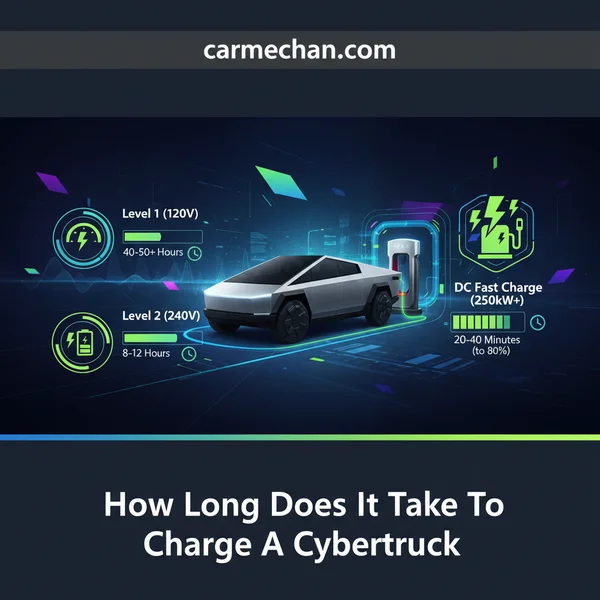
This post cuts straight to the chase, providing clear, practical estimates for charging your Cybertruck. We’ll compare typical charging durations across all major methods – Level 1 (standard outlet), Level 2 (home wall connector), and DC Fast Charging (Superchargers) – considering different states of charge and the factors that influence how quickly your Cybertruck juices up. Forget the guesswork; here’s what you need to know.
Understanding Cybertruck Charging Levels and Estimated Times
The Cybertruck is equipped with a large battery pack, approximately 123 kWh usable capacity for both the All-Wheel Drive and Cyberbeast variants. This capacity means charging times will naturally be longer than for smaller EV batteries, but the charging hardware is designed to handle it efficiently across various power levels.
Level 1 (120V) Charging: The Slowest Option
- Power Output: Around 1.4 kW (kilowatts) from a standard 120V home outlet (typically 12 amps).
- Practical Use: Best for maintaining a charge or adding a very small amount of range overnight if you don’t drive much. It’s essentially a “trickle charge.”
- Estimated Time (0-100%): Expect upwards of 80-90 hours to fully charge a depleted Cybertruck. This means you’ll gain roughly 4-6 miles of range per hour of charging.
While Level 1 is universally available, it’s rarely a practical primary charging solution for a vehicle with the Cybertruck’s battery size unless it’s an emergency or your daily driving is minimal.
Level 2 (240V) Home Charging: The Sweet Spot
For most Cybertruck owners, Level 2 charging at home will be the primary method. This requires a 240V outlet, similar to what’s used for an electric dryer or oven, and a dedicated EV charging station (like the Tesla Wall Connector).
- Power Output: Can range from 7 kW (for a 30-amp circuit) up to 11.5 kW (for a 60-amp circuit), which is the Cybertruck’s maximum AC charging rate.
-
Estimated Time (0-100%):
- At 11.5 kW: Approximately 11-12 hours for a full charge from empty. This is ideal for overnight charging.
- At 9.6 kW (common Wall Connector setup): Around 13-14 hours for a full charge.
- At 7 kW: Roughly 18-20 hours for a full charge.
- Practical Use: Plug in when you get home, and wake up to a full battery. This provides ample range for daily driving and leaves you ready for longer trips with a top-off from a Supercharger if needed. You’ll add 25-45 miles of range per hour.
Supercharger (DC Fast Charging): For Road Trips
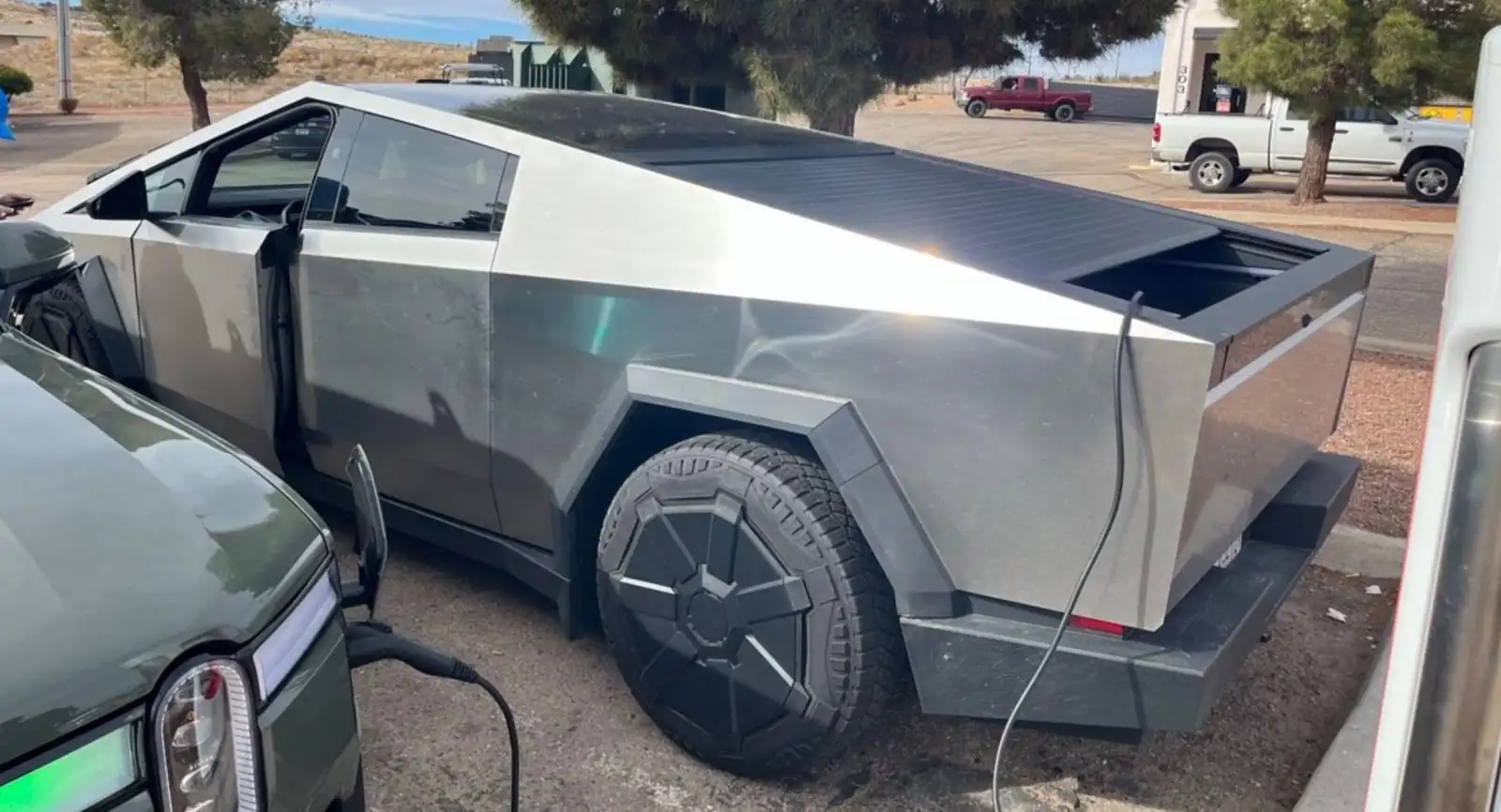
When you’re on the go and need to quickly replenish your battery, Tesla’s Supercharger network is the answer. The Cybertruck can leverage the latest V3 and V4 Superchargers for very high charging speeds.
- Power Output: V3 and V4 Superchargers can deliver up to 250 kW or even higher. However, the truck’s charging rate will taper off as the battery fills up.
- Optimal Range: DC fast charging is most efficient and fastest when charging from a low state of charge (e.g., 20%) up to about 80%. Charging beyond 80% significantly slows down to protect the battery.
- Estimated Time (20-80%): Under ideal conditions, you can expect to add 60% of the Cybertruck’s battery capacity in approximately 25-35 minutes. This translates to roughly 150-200 miles of range in that timeframe, depending on the variant and conditions.
- Practical Use: Perfect for adding significant range during a quick stop on a road trip, allowing you to get back on the road swiftly.
Key Factors Influencing Cybertruck Charging Speed
While the stated power output of a charger gives you a baseline, several dynamic factors can significantly impact how quickly your Cybertruck actually charges. Being aware of these helps manage expectations and optimize your charging experience.
Battery Variant and State of Charge
The Cybertruck currently comes with essentially the same battery pack capacity for both the All-Wheel Drive and Cyberbeast variants (approximately 123 kWh usable). This means their theoretical charging times for a given power level are very similar. However, the battery’s state of charge (SOC) is a critical factor for fast charging:
- Lower SOC, Faster Charge: When your Cybertruck’s battery is nearly empty (e.g., below 20-30%), it can accept power at its maximum rate.
- Higher SOC, Slower Charge: As the battery fills up, particularly beyond 80%, the charging speed gradually decreases. This “tapering” protects the battery’s health and longevity. It’s why fast charging from 80% to 100% can take almost as long as charging from 20% to 80%.
Ambient Temperature and Preconditioning
Temperature plays a crucial role in battery performance, including charging speed. Both the ambient air temperature and the battery’s internal temperature matter.
- Cold Weather Impact: In cold conditions, the Cybertruck’s battery management system will limit charging speeds to prevent damage, especially during DC fast charging. A cold battery cannot accept high power as efficiently.
- Battery Preconditioning: Tesla vehicles, including the Cybertruck, feature battery preconditioning. When you navigate to a Supercharger using the vehicle’s navigation system, the Cybertruck will automatically warm or cool the battery to an optimal temperature for fast charging before you arrive. This significantly improves charging speed and efficiency, especially in extreme temperatures. Always use navigation to a Supercharger to ensure preconditioning.
- Hot Weather: Extremely hot temperatures can also impact charging, as the system might need to dedicate power to cooling the battery, potentially reducing the net charging rate slightly, though typically less dramatically than cold.
<h2>Optimizing Your Cybertruck Charging Strategy</h2>
<p>Getting the most out of your Cybertruck’s charging experience isn’t just about plugging in; it’s about smart habits and strategic planning. By understanding a few key principles, you can maximize efficiency, extend battery life, and save money.</p>
<h3>Charging Habits for Peak Battery Health</h3>
<p>Think of your Cybertruck’s battery like a muscle – consistent, moderate use is best. For daily driving, aim to keep your battery’s State of Charge (SoC) between <strong>20% and 80%</strong>.</p>
<ul>
<li><strong>Daily Driving</strong>: Charging to 80% prevents unnecessary stress on the battery, which contributes to its long-term health and degradation. It also keeps regeneration available for braking.</li>
<li><strong>Long Trips</strong>: If you need maximum range, charge to 100% just before you leave. Avoid letting it sit at 100% for extended periods.</li>
<li><strong>Pre-Conditioning</strong>: Especially in colder climates, use your Cybertruck’s navigation to pre-condition the battery before arriving at a Supercharger. A warm battery accepts charge much faster and more efficiently.</li>
</ul>
<h3>Smart Scheduling and Off-Peak Charging</h3>
<p>Your Cybertruck and the Tesla app offer powerful tools to automate your charging. Take advantage of them to make charging convenient and cost-effective.</p>
<ul>
<li><strong>Schedule via App</strong>: Set a recurring schedule for home charging. This ensures your Cybertruck is ready when you are, usually with a full 80% charge.</li>
<li><strong>Off-Peak Rates</strong>: Many utility companies offer lower electricity rates during off-peak hours (often overnight). Scheduling your charging for these times can significantly reduce your operating costs. <em>Imagine saving hundreds of dollars a year just by charging while you sleep!</em></li>
<li><strong>Monitor Usage</strong>: Keep an eye on your energy consumption through the Tesla app or your utility provider’s portal to fine-tune your strategy.</li>
</ul>
<h2>Comparing Cybertruck Charging Across Models and Scenarios</h2>
<p>While the core charging principles apply to all Cybertrucks, there are nuances between the different models and how various external factors can influence your charging experience.</p>
<h3>Dual Motor vs. Cyberbeast Charging Differences</h3>
<p>The Cybertruck offers impressive performance across its lineup, but how does this translate to charging? Both the Dual Motor All-Wheel Drive and the Tri-Motor Cyberbeast boast large battery packs designed for substantial range and utility. <strong>Critically, both models are expected to share very similar peak charging rates</strong> at Superchargers, as this is primarily limited by the vehicle’s onboard charging hardware and the Supercharger’s capability.</p>
<ul>
<li><strong>Battery Capacity</strong>: The main difference lies in the total usable battery capacity. The Dual Motor typically offers a longer range, meaning it has a slightly larger battery pack than the Cyberbeast (which prioritizes power and acceleration). This implies that a Dual Motor Cybertruck will take marginally longer to charge from 0-100% than a Cyberbeast, simply because there’s more energy to put in.</li>
<li><strong>Miles Added per Hour</strong>: When comparing based on <em>miles of range added per hour</em>, the difference between models becomes almost negligible under optimal charging conditions. You’ll replenish range at a similar pace for either truck.</li>
<li><strong>Efficiency</strong>: While the Cyberbeast is incredibly powerful, it might consume energy at a slightly higher rate if you frequently engage its performance capabilities. This could mean more frequent charging stops on long, spirited drives.</li>
</ul>
<h3>Impact of External Factors on Charging Speed</h3>
<p>Charging isn’t a static process; several environmental and internal factors can affect how quickly your Cybertruck powers up.</p>
<ul>
<li><strong>Battery State of Charge (SoC)</strong>: This is perhaps the biggest factor. Charging is fastest when your battery is low (e.g., 10-20%) and gradually <em>tapers off</em> as it approaches a full charge. Beyond 80%, the rate slows significantly to protect battery health and prevent overcharging.</li>
<li><strong>Ambient Temperature</strong>: Extreme cold can noticeably slow down charging speeds, especially at Superchargers. The battery needs to be within an optimal temperature range to accept power efficiently. Conversely, very hot conditions can also slightly impact charging efficiency as the system works to manage battery temperature.</li>
<li><strong>Supercharger Utilization</strong>: At some older or highly congested Supercharger locations, power might be shared between stalls. If you’re charging next to another vehicle on the same circuit, your speed could be slightly reduced.</li>
<li><strong>Battery Degradation</strong>: Over many years and tens of thousands of miles, all EV batteries experience some degradation, which can subtly impact both range and charging speed.</li>
</ul>
<h2>Conclusion</h2>
<p>Charging your Cybertruck offers a flexible experience tailored to your lifestyle. Whether you’re topping up at home overnight or grabbing a quick boost on the road, understanding the factors that influence charging times empowers you. Focus on utilizing convenient home charging for daily needs, strategically leveraging Superchargers for longer journeys, and adopting smart charging habits for optimal battery health and cost savings. Embrace the powerful versatility of your Cybertruck, knowing that its charging infrastructure and capabilities are designed to keep you moving forward.</p>
❓ Frequently Asked Questions
What are the specific charging times for a Cybertruck across Level 1, Level 2, and Supercharging?
Level 1 (120V) adds roughly 2-4 miles/hour, taking 5+ days for a full charge. Level 2 (240V, 48A) can fully charge the Cybertruck in 6-12 hours. Supercharging (DC Fast) can add 20-80% range in approximately 20-40 minutes, depending on the charger’s kW output and initial state of charge.
How does the Cybertruck’s specific model (AWD vs. Cyberbeast) impact charging duration?
The Cyberbeast model, with its larger battery capacity, will inherently take longer to reach a full charge compared to the AWD model when charged at the same power level. While Supercharging 20-80% might be similar, 0-100% times will differ more significantly.
What role does battery preconditioning and ambient temperature play in Cybertruck charging speeds?
Battery preconditioning warms the battery to an optimal temperature, significantly improving charging speeds, especially in cold weather, by allowing it to accept higher power. Cold ambient temperatures without preconditioning can drastically slow down charging across all levels.
What are the peak charging rates the Cybertruck can accept, and how do they compare to Supercharger V3/V4 capabilities?
The Cybertruck can accept peak charging rates up to 250 kW at V3/V4 Superchargers. While the Supercharger can deliver this power, the actual rate tapers as the battery fills, with the highest speeds occurring between 10-60% state of charge.
Is it safe to routinely charge the Cybertruck to 100%, or is a lower limit recommended for battery health?
For daily driving, Tesla generally recommends charging to 80-90% to prolong battery longevity and health. Charging to 100% should be reserved for longer trips to ensure the battery is not held at a high state of charge for extended periods, which can accelerate degradation.
How can I estimate the cost of charging my Cybertruck at home versus using a Supercharger?
Home charging costs depend on your local electricity rate (e.g., cents per kWh) multiplied by the battery capacity, making it significantly cheaper per mile. Supercharger costs are higher, typically billed per kWh or minute, and vary by location and time of day, but offer convenience on trips.