Ford Explorer TPMS Reset Button Location by Model Year 2026
Last Updated on June 24, 2026 by Albert Duke
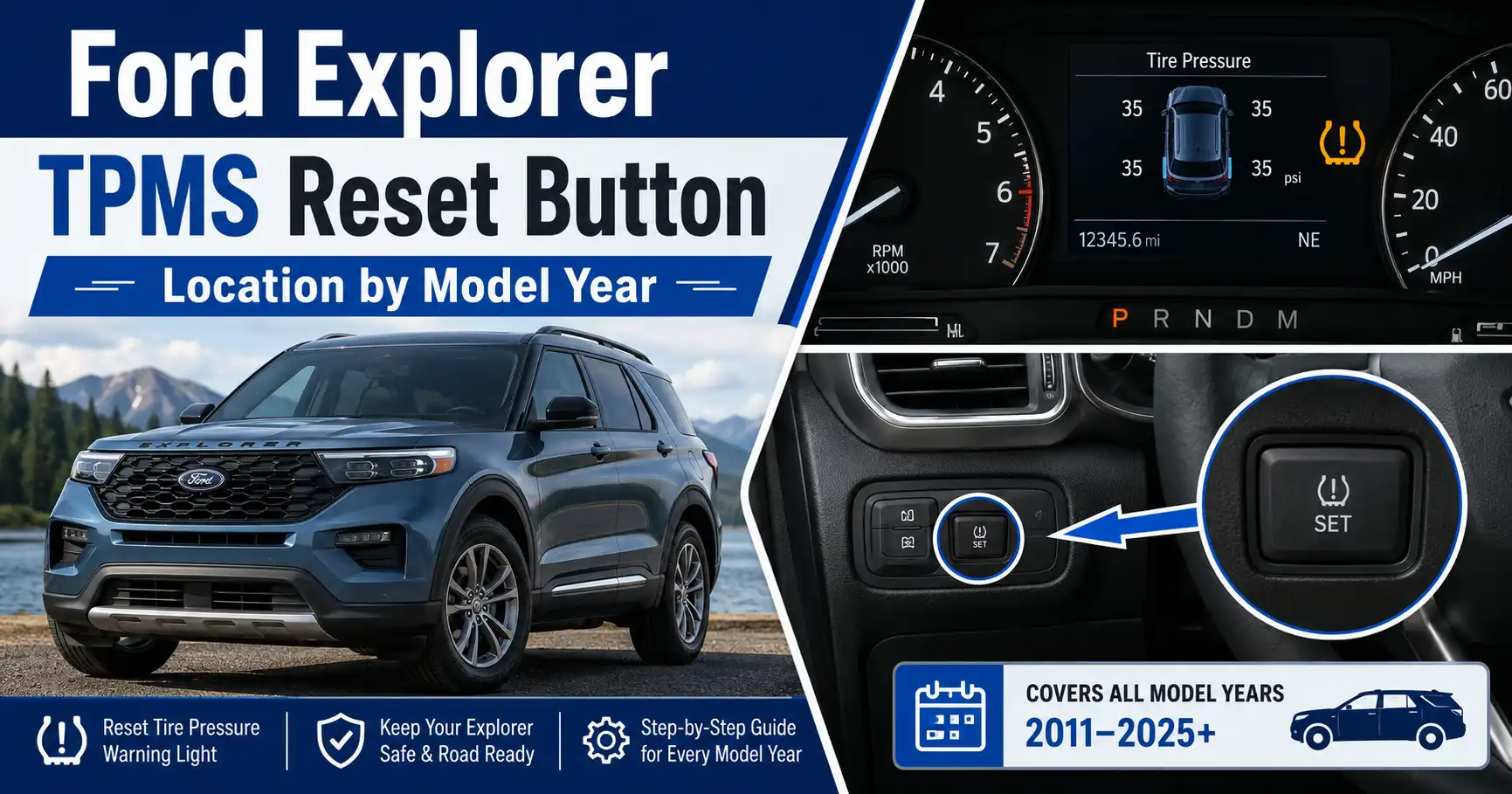
The Ford Explorer TPMS reset button location depends on the model year, and many Explorers do not use a dedicated physical reset button at all.

Prime for Young Adults — 6 Months Free
Students and 18–24s get six months of Prime free, then half price.
Start 6 Months FreeTPMS means Tire Pressure Monitoring System. It uses sensors in the wheels to monitor tire pressure and warn you when one or more tires are low.
For most Explorer owners, the correct first step is not searching under the dash. Check the tire pressure, confirm the recommended PSI on the driver door label, then decide whether your SUV needs a simple reset, a relearn procedure, or sensor diagnosis.
The fastest way to avoid the wrong reset method is to identify which Explorer generation you have first.
Which Ford Explorer Years Have a TPMS Reset Button
Recommended Best Deal Products


The location question only makes sense after you separate Explorer years into reset-method groups.
| Ford Explorer Years | Physical TPMS Reset Button | Most Likely Reset Method |
|---|---|---|
| 2002–2005 | Not verified in official manual data checked | Manual relearn with TPMS tool may apply |
| 2006–2010 | Not verified as a universal button setup | Ignition and brake pedal relearn procedure |
| 2011–2019 | Usually not a dedicated under-dash button | Manual relearn, auto relearn, or OBD relearn |
| 2020–2025 | No universal physical reset button confirmed | Tire pressure screen, drive reset, or relearn mode |
| 2026 and newer | Confirm by owner manual | Likely menu-based TPMS monitoring |
The safest answer is this: do not assume your Ford Explorer has a TPMS reset button under the steering wheel. Some generic Ford TPMS pages mention a reset button, but Explorer-specific data points more strongly toward menu-based monitoring and relearn procedures.
ATEQ lists Ford Explorer TPMS coverage from 2002–2019 and describes manual relearn procedures rather than a simple physical reset button. It also lists direct sensor-based TPMS frequencies, including 433 MHz for 2002–2005 and 315 MHz for 2006–2019.
For newer models, Ford’s 2025 Explorer owner manual lists TPMS sections for tire pressure viewing, warning lamps, and information messages. That points to a system controlled through the instrument cluster and vehicle logic, not one fixed button location.
Once you know your year group, the next step is checking the actual places Ford owners commonly look first.

Audible — Listen Free for 30 Days
One free credit a month and thousands of titles included.
Listen Free for 30 DaysWhere To Look First on a Ford Explorer
Start with the driver-side lower dash, but do not stop there if you own a newer Explorer.
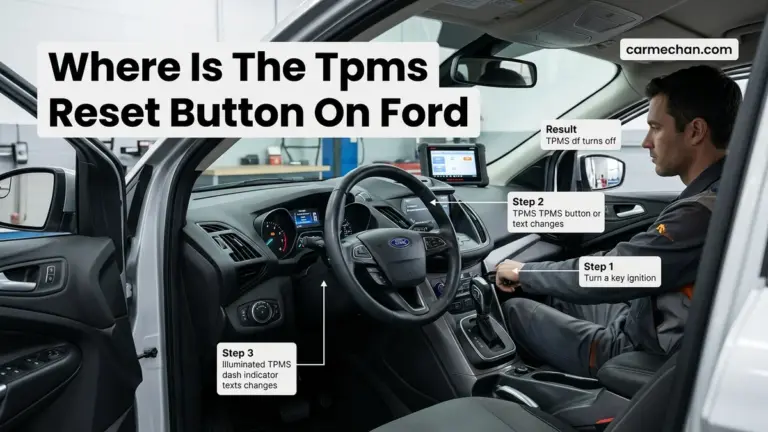
- Check below the steering wheel. Look around the lower driver-side dash panel and knee bolster area. If your Explorer has a physical TPMS button, this is the most common place owners expect to find it.
- Check near the driver-side fuse panel. Some reset or diagnostic-related controls on older vehicles sit near the lower dash trim or side fuse cover area.
- Check the instrument cluster menu. On newer Explorers, the steering wheel controls are more useful than the lower dash. Look for tire pressure information inside the driver display.
- Check the center screen settings. Some newer Ford vehicles route vehicle status and tire pressure data through the cluster and infotainment menus.
- Check the owner manual for your exact year. Ford changed Explorer electronics across generations, so one online answer cannot safely cover every year.
If you do not find a button in these locations, do not remove trim panels or keep searching blindly. Your Explorer probably needs a menu reset, drive cycle, or relearn procedure instead.
What To Do If There Is No TPMS Reset Button
Recommended Best Deal Products


No button does not mean the TPMS cannot be reset.
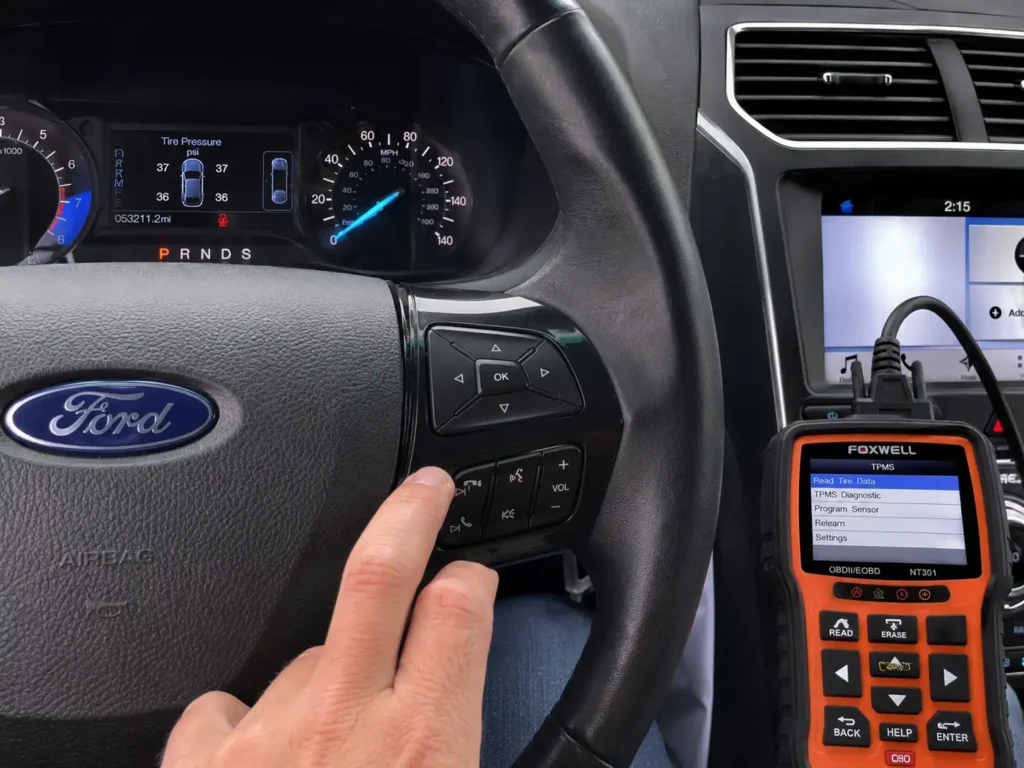
If the warning came on after a cold night, start with air pressure. Ford’s 2016 Explorer manual says the TPMS light turns on when tire pressure is significantly low, and the tires must be inflated to the manufacturer’s recommended pressure shown on the tire label at the driver door or B-pillar.
If the light came on after tire rotation, wheel replacement, or new sensors, treat it as a relearn problem. A relearn teaches the vehicle which sensor is in each wheel position.
If the TPMS light flashes for about one minute and then stays on, treat it as a system malfunction. Ford’s 2016 Explorer manual describes this flashing pattern as the malfunction indicator sequence.
That flashing pattern is different from a simple low-pressure warning. Low pressure usually means the system sees underinflation. A flashing light usually means the system cannot read or trust the sensor data.
The exact reset path changes depending on whether the light came from low air pressure or a sensor relearn issue.
How To Reset the Ford Explorer TPMS Light
If the TPMS light came on after a temperature drop or slow leak, start with tire pressure before touching any reset procedure.
Audible Premium Plus — Annual Membership
12 audiobook credits up front, plus the full Audible catalogue.
See Annual Plans- Park the Explorer safely. Let the tires cool if you recently drove. Cold tire pressure gives the most accurate reading.
- Read the driver door tire label. Use the pressure listed on the tire and loading label, not the maximum pressure printed on the tire sidewall.
- Check all four road tires. Use an accurate gauge. For owners who need a better gauge, Car Mechan has a guide to the best tire pressure gauge for regular tire checks.
- Inflate every low tire. Bring each tire to the recommended PSI listed for your Explorer.
- Drive the SUV. Ford’s 2016 Explorer manual says the light may take up to two minutes of driving over 20 mph to turn off after the tires are filled to the recommended pressure.
This reset method works only when the warning was caused by low tire pressure. If the light stays on after the pressures are correct, the issue may be sensor training rather than a basic reset.
How To Relearn Ford Explorer TPMS Sensors
Recommended Best Deal Products


A relearn is not the same as clearing a warning light.
A reset responds to corrected tire pressure. A relearn teaches the Explorer which sensor belongs to each wheel position after tire service.
When Relearn Is Needed
Use TPMS relearn after tire rotation, sensor replacement, wheel replacement, or seasonal wheel swaps.
ATEQ lists manual relearn procedures for Ford Explorer model years 2002–2019. It also lists auto relearn and OBD relearn coverage for 2016–2019 Explorers.
That matters because a 2018 Explorer may not need the same process as an older key-start Explorer. If your SUV has push-button start, the button sequence may differ from a traditional ignition-key procedure.
What Training Mode Looks Like
In the ATEQ standard ignition procedure for 2002–2019 Explorers, the process starts with the parking brake engaged and tires inflated. The sequence uses brake pedal presses and ignition cycling to enter relearn mode.
ATEQ says a single horn chirp indicates relearn mode is active. Then a TPMS tool activates sensors in order: left front, right front, right rear, and left rear.
For 2016–2019 Explorers, ATEQ also lists auto relearn. It says to confirm the sensors are installed, adjust tire pressure to placard value, and drive up to 20 minutes at about 15 mph or until the light turns off.
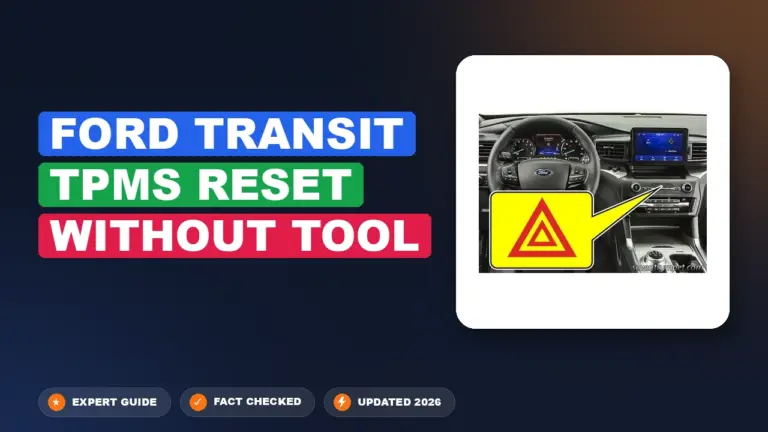
Explorer owner forum reports also describe a hazard-switch method on newer models, where pressing the hazard switch multiple times can enter training mode. Treat that as owner-reported data, not a substitute for your exact Ford manual.
If your Explorer cannot enter training mode, the problem may be a failed sensor, dead sensor battery, or wrong procedure for your year.
Why the TPMS Light Stays On After Reset
A TPMS light that stays on after correct tire pressure usually means the system still sees a real fault.
One tire is still low. Check all four tires again when cold. Pressure changes with temperature, and Ford notes that tire pressure can drop about 3 psi after a 30°F temperature drop.
The spare tire is in use. Ford’s 2016 Explorer manual says the system continues to identify an issue when a temporary spare replaces a road wheel. Full TPMS function returns only after the damaged road wheel and tire assembly is repaired and remounted.
A sensor is damaged. Each road tire has a sensor inside the wheel and tire assembly. Ford warns that the sensor is not visible unless the tire is removed, and it can be damaged during tire service.
A new sensor has not been trained. New sensors often need relearn or programming before the Explorer recognizes them.
The sensor battery is weak. TPMS sensors use internal batteries. When a battery dies, the sensor usually needs replacement.
There is a TPMS system fault. Ford’s 2016 Explorer manual lists “Tire Pressure Monitor Fault” as a message when the system is malfunctioning.
RepairPal estimates a Ford Explorer TPMS relearn at $49–$72. For TPMS sensor replacement, RepairPal’s general estimate is $246–$313, while AutoZone says tire pressure sensor replacement commonly ranges from $50–$250 per sensor.
Before replacing parts, separate a pressure warning from a sensor fault.
Quick Ford Explorer TPMS Decision Guide
Use this quick guide if you just want the next correct action.
| What You See | Most Likely Cause | What To Do Next |
|---|---|---|
| Solid TPMS light after cold weather | Low tire pressure | Inflate tires to door-label PSI and drive |
| Solid light after tire rotation | Sensor position not learned | Run relearn or drive reset if your year supports it |
| Light after new wheels or sensors | Sensor not programmed | Use TPMS tool or shop relearn |
| Flashing light then solid light | TPMS malfunction | Scan or diagnose sensor fault |
| No reset button found | Menu or relearn-based system | Use year-specific reset path |
| One pressure reading missing | Sensor or communication issue | Diagnose that wheel sensor |
For most Explorer owners, the correct path is simple. Low tire pressure gets air first. Tire service gets relearn. Flashing warning lights get diagnosis.
Ford Explorer TPMS Decision Flow
Use this guide to choose the right next step based on what triggered the tire pressure warning.
Solid Light After Cold Weather
The most likely cause is low tire pressure from temperature change.
Light After Tire Rotation
The Explorer may need to relearn which sensor is in each wheel position.
Light After New Sensors
New sensors may not be programmed or trained to the vehicle yet.
Flashing Light Then Solid Light
This usually points to a TPMS malfunction rather than simple low air pressure.
No Reset Button Found
Many Explorers use menu screens, drive reset, or sensor relearn instead of a button.
One Tire Reading Missing
A missing reading may indicate a failed sensor, weak battery, or communication issue.
With the decision path clear, the final step is knowing when DIY reset is no longer enough.
When To Get TPMS Diagnosed by a Shop
You do not need a shop for every TPMS light, but some TPMS faults need a scan tool.
Get the Ford Explorer checked if the warning flashes for about one minute and then stays on. Ford identifies that pattern as a TPMS malfunction sequence, not just a low tire.
Shop diagnosis also makes sense if relearn mode will not activate, a new sensor will not program, or one tire pressure reading is missing from the display.
Use a shop or tire service center when:
- The light returns immediately after correct inflation
- A sensor was replaced but will not learn
- The spare tire is not in use but the warning stays on
- The warning started after tire sealant was used
- The vehicle shows “Tire Pressure Monitor Fault”
- You do not have a TPMS activation tool
Ford owners comparing tires or replacing a full set may also find Car Mechan’s guide to the best tires for Ford Explorer useful before installing new sensors.
For recall-related concerns, use the NHTSA VIN recall lookup. NHTSA says VIN search can show whether a specific vehicle has an unrepaired recall.
For most owners, the right answer comes down to year, warning type, and whether any tire work was recently done.
What Ford Explorer Owners Should Do Next
The safest answer is to stop searching for a reset button until you confirm your Explorer year.
The Ford Explorer TPMS reset button location is not universal. Older Explorers may use manual relearn procedures, 2016–2019 models may support auto or OBD relearn, and newer Explorers often rely on tire pressure screens, drive cycles, and training modes.
Start with the simple fix: check all four tires cold and inflate them to the door-label pressure. If the light started after tire service, use relearn. If the light flashes or shows a TPMS fault message, get the system scanned before buying parts.
Ford Explorer TPMS Reset Button Questions
Where Is the TPMS Reset Button on a Ford Explorer
The Ford Explorer does not have one universal TPMS reset button location across all years. Check the lower driver-side dash first, then check the instrument cluster tire pressure menu. If no button is present, use the reset or relearn method for your model year.
Does a 2016 Ford Explorer Have a TPMS Reset Button
A dedicated physical TPMS reset button was not verified from the official 2016 Explorer owner manual data checked. The 2016 manual explains TPMS warning behavior, tire pressure correction, and fault messages. ATEQ lists manual, auto, and OBD relearn coverage for 2016–2019 Explorers.
How Do You Reset the Tire Pressure Light on a Ford Explorer
Check all four tires cold, inflate them to the driver door label pressure, then drive the vehicle. Ford’s 2016 Explorer manual says the light may take up to two minutes of driving over 20 mph to turn off after correct inflation.
Why Is My Ford Explorer TPMS Light Flashing
A flashing TPMS light usually points to a TPMS malfunction, not only low tire pressure. Ford’s manual says the malfunction indicator flashes for about one minute and then stays illuminated when the system detects a fault.
Do I Need a TPMS Tool To Reset a Ford Explorer
You do not need a TPMS tool for a simple low-pressure warning. You may need one after sensor replacement, wheel replacement, or manual sensor relearn. ATEQ’s Ford Explorer relearn procedure uses a TPMS tool to activate each wheel sensor.
Can I Reset Ford Explorer TPMS After Tire Rotation
Yes, but the correct method depends on the Explorer year and system type. Some models can relearn through driving, while others need manual training mode or a TPMS activation tool. If the light stays on, use the year-specific relearn procedure.