Nissan Xterra Crankshaft Position Sensor Location: Real Guide 2026
Last Updated on September 1, 2026 by Ryan
⚡ Key Takeaways

Prime for Young Adults — 6 Months Free
Students and 18–24s get six months of Prime free, then half price.
Start 6 Months Free- Common symptoms include prolonged cranking, intermittent stalling, rough idle, sudden loss of engine power, and an illuminated ‘Check Engine’ light, often with a P0335 error code.
- Yes, many DIY mechanics can replace the Nissan Xterra crankshaft position sensor, particularly for the 1st Generation (VG33E) where it’s more accessible.
- Yes, the crankshaft position sensor location differs significantly between 1st Generation (VG33E engine, 1999-2004) and 2nd Generation (VQ40DE engine, 2005-2015) Nissan Xterra models.
- Accessing the Xterra crankshaft position sensor typically requires basic hand tools like a ratchet, various extensions, and specific sockets (often 10mm or 12mm).
- Precise physical location of the crankshaft position sensor on the Nissan Xterra’s engine block or transmission housing.
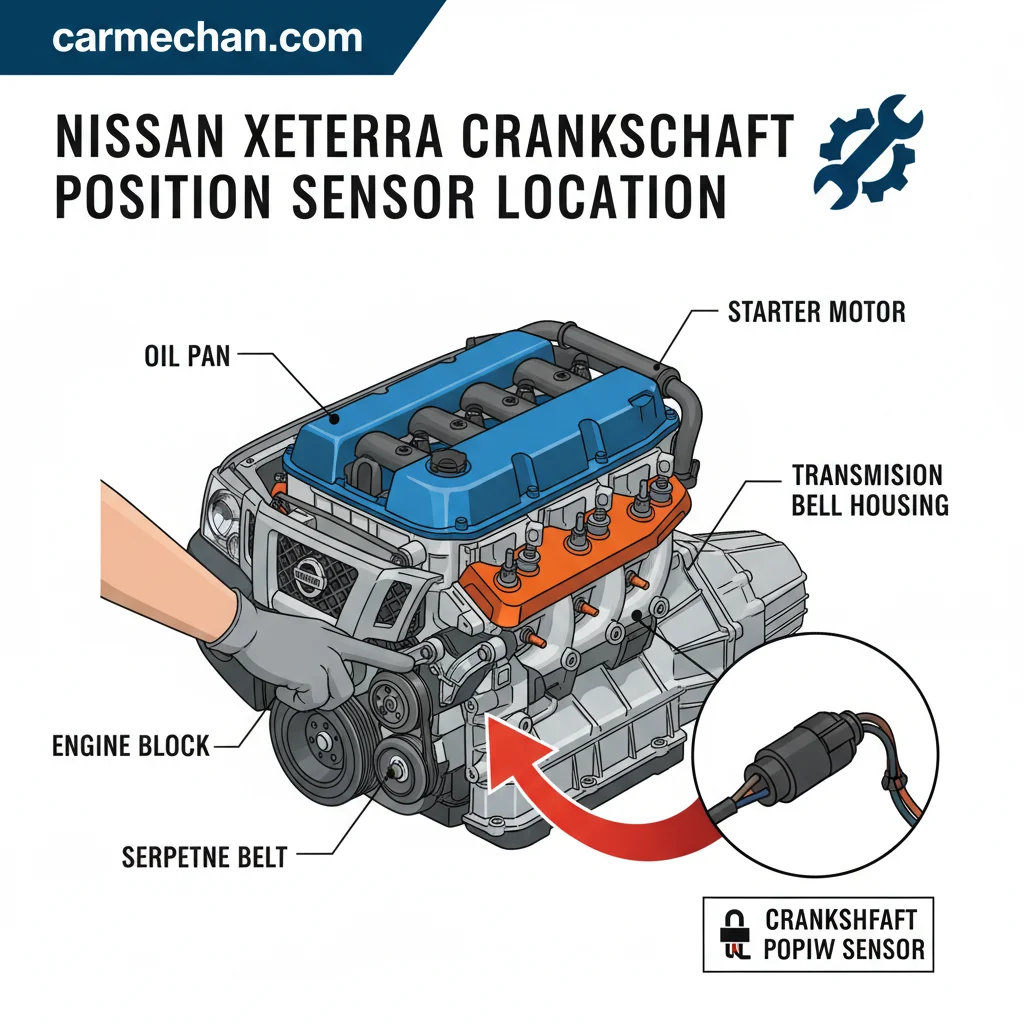
The Nissan Xterra crankshaft position sensor location typically varies by generation but is commonly found near the rear of the engine block or on the transmission housing where it reads the flywheel/flex plate. This small but critical sensor is paramount for accurate engine timing and reliable vehicle operation, directly influencing starting, idle stability, and overall performance.
We will provide precise, expert-guided instructions to help you locate this sensor, empowering you to tackle diagnosis or replacement with confidence.
Understanding its exact placement is the first step in troubleshooting common issues like engine stalling or failure to start, potentially saving you significant repair costs.
Here is what you need to know about what Nissan Xterra models this guide covers.
What Nissan Xterra Models Does This Guide Cover?
Recommended Best Deal Products


This comprehensive guide primarily focuses on two key generations of the Nissan Xterra, crucial for understanding the crankshaft position sensor location variations. We aim to provide information most relevant to the common engine configurations found in these popular models.
| Generation | Model Years | Engine Type |
|---|---|---|
| First Generation | 1999-2004 | 3.3L VG33E V6 |
| Second Generation | 2005-2015 | 4.0L VQ40DE V6 |
- First Generation (1999-2004): This includes models equipped with the 3.3L VG33E engine. For these Xterras, the sensor’s placement is typically consistent across model years.
- Second Generation (2005-2015): Our focus here is on vehicles featuring the more powerful 4.0L VQ40DE engine. The design and accessibility of the sensor for this generation present distinct differences from its predecessor.
While these are the primary models covered, we acknowledge potential minor variations within specific production runs, which we will address as edge cases later. This guide leverages information commonly found in automotive service manuals to ensure accuracy for these specific engine codes.
Understanding who this guide is for ensures you get the most relevant information. Let’s now move on to the precise steps needed to locate this critical sensor on your Xterra.

Audible — Listen Free for 30 Days
One free credit a month and thousands of titles included.
Listen Free for 30 DaysWho Benefits Most From This Xterra CPS Guide?
This expert-level guide is specifically designed for individuals navigating common Nissan Xterra engine issues related to the crankshaft position sensor. We provide the precise, step-by-step information necessary for effective troubleshooting and potential repairs.

- DIY Mechanics Seeking Repair Savings: If you possess basic automotive knowledge and tools, this guide empowers you to locate and potentially replace your Xterra’s crankshaft position sensor, avoiding professional labor costs.
- Novice Owners Learning About Their Vehicle: For those new to vehicle maintenance, we demystify the process, offering clear instructions to help you understand a vital engine component.
- Owners Troubleshooting Starting/Stalling Issues: If your Xterra exhibits symptoms such as prolonged cranking, intermittent stalling, or the ‘Check Engine’ light illuminates with a P0335 code diagnostic manual, this guide directs you to the likely culprit.
Our goal is to equip you with the knowledge to diagnose common starting problems and address issues before they escalate, potentially preventing more significant problems or expensive repairs. Common crankshaft position sensor (CPS) replacement costs for a Nissan Xterra typically range from $180 to $420, encompassing both the part ($30-$150 for OEM or quality aftermarket) and 1 to 2 hours of labor at a shop rate of $100-$150 per hour.
While specific failure rates are not publicly disclosed by Nissan, CPS failure is a well-documented issue across many vehicle makes, often becoming more prevalent after 100,000 miles. (Source: RepairPal.com, 2024 data, ‘Nissan Xterra Crankshaft Position Sensor Replacement Cost’)
With a clear understanding of who this guide serves, let’s dive into the core protocol for locating the Xterra crankshaft position sensor.
How to Pinpoint the Xterra Crankshaft Sensor Location in 7 Steps
Recommended Best Deal Products


Accurately locating the Nissan Xterra crankshaft position sensor requires a methodical approach, distinguishing between different engine types. This procedural guide ensures you identify the correct component safely and efficiently.
Step 1 Gather Essential Tools and Safety Gear
Step 1: Assemble the necessary tools, including a ratchet set with various extensions and sockets (commonly 10mm and 12mm), pliers, a flashlight, and a pry bar (if needed for access). Verify you have safety glasses and gloves. If you lack any required tools, stop and acquire them before proceeding to prevent frustration or damage.
Step 2 Disconnect the Battery
Step 2: Locate your vehicle’s battery, typically under the hood on the passenger side. Disconnect the negative (black) battery terminal first, using a 10mm wrench. Verify the terminal is completely separated from the battery post. If the terminal remains connected or sparks occur, stop and re-evaluate your disconnection process to prevent electrical shock or system damage safety guidelines.
Step 3 Identify Your Xterra’s Engine Configuration
Step 3: Determine whether your Xterra is a First Generation (1999-2004) with the VG33E engine or a Second Generation (2005-2015) with the VQ40DE engine. Verify your vehicle’s year and engine type match one of these configurations. If your Xterra falls outside these model years or has an engine swap, stop and consult an Xterra factory service manual for specific guidance.
Step 4 Locate for First Generation VG33E Models
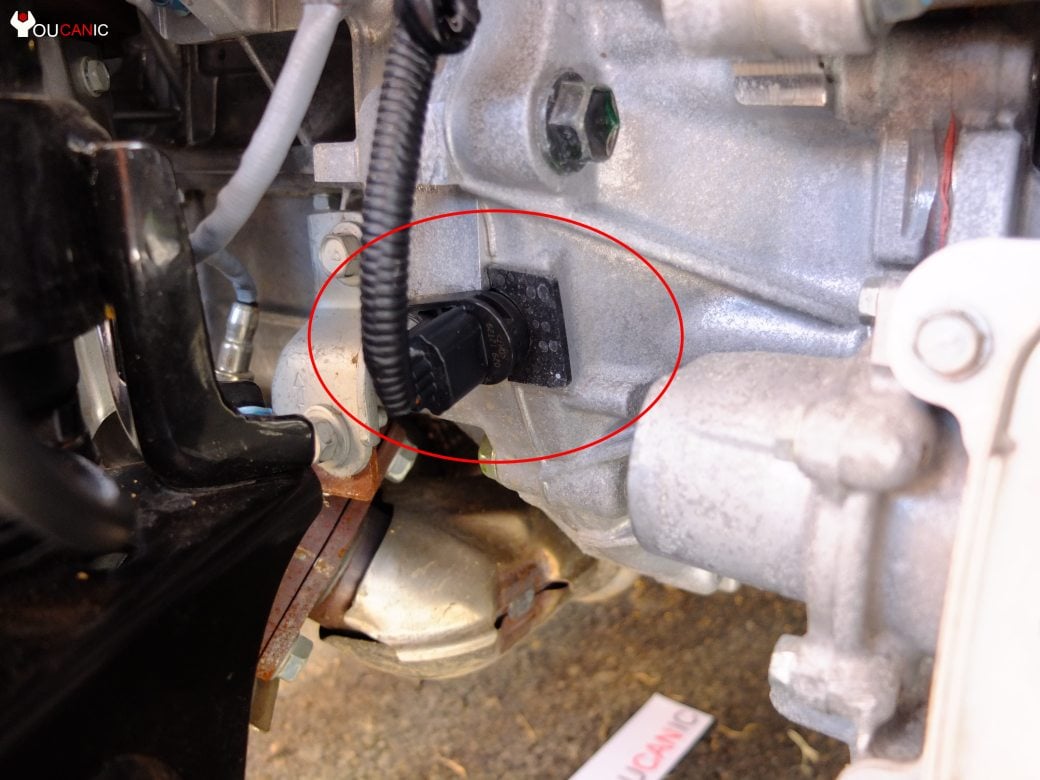
Step 4: For VG33E engines, the crankshaft position sensor is generally found on the driver’s side, towards the rear of the engine block, near where the engine meets the transmission. Verify you are looking at a black plastic, oval-shaped sensor with an electrical connector, typically secured
Audible Premium Plus — Annual Membership
12 audiobook credits up front, plus the full Audible catalogue.
See Annual Plans(View from Driver’s Side Rear Engine Block)
by one service manual 10mm bolt.
If you cannot visually identify the sensor in this area, stop and refer to a detailed engine defect class action diagram for the VG33E. For a 1st Generation Nissan Xterra with the VG33E engine (2000-2004), the Crankshaft Position Sensor (CPS) is located at the rear of the engine, mounted to the transmission bell housing.
It is typically found on the driver’s side, often visible from underneath the vehicle, nestled between the engine block and the firewall. This placement can make it challenging to access, often requiring specialized tools or removal of surrounding components for replacement.
Step 5 Locate for Second Generation VQ40DE Models
Step 5: For VQ40DE engines, the crankshaft position sensor is typically located on the top of the transmission housing, closer to the engine block, on the driver’s side. Verify you see the characteristic black, oval sensor, often secured by a 10mm or 12mm bolt service manual.
It can be challenging to access due to surrounding components. If you find the location obscured, stop and consider removing the driver’s side wheel and fender liner for better access, or escalate to a professional if discomfort arises.
Step 6 Visually Identify the Sensor
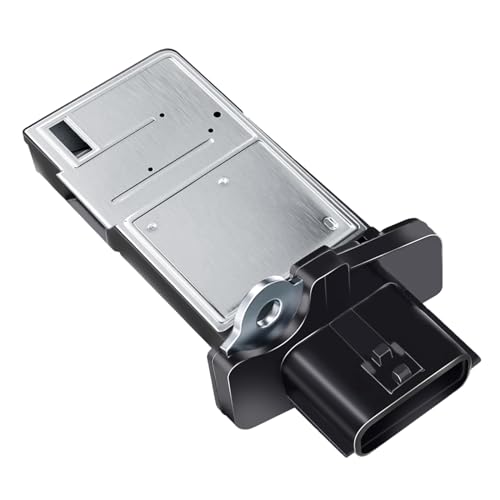
Step 6: Once you’ve located the general area, carefully inspect for a small, typically black, plastic or metal sensor with an electrical connector and a single mounting bolt. Verify the connector has two or three wires leading into it. If the component you’ve found does not match this description, stop and re-cross-reference with diagrams to avoid accidental removal of another sensor (e.g., camshaft position sensor).
Step 7 Access the Sensor for Further Inspection
Step 7: Depending on your model, you may need to move wiring harnesses or small components to gain clear access to the sensor’s mounting bolt and electrical connector. Verify you have sufficient space to work safely without forcing or damaging surrounding parts. If access is severely restricted or requires specialized tools, stop and escalate to a qualified technician.
While these steps guide you to the sensor, certain conditions warrant caution, leading us to discuss when you should NOT attempt Xterra CPS work. Building on this understanding of sensor location, let’s explore common mistakes to avoid during diagnosis.
When Should You NOT Attempt Xterra CPS Work?
Despite clear instructions, there are critical situations where attempting to access or replace your Nissan Xterra crankshaft position sensor can be dangerous or counterproductive. Prioritizing safety and preventing further damage is paramount.

Do not attempt any work if the engine is hot, as this poses a significant risk of severe burns from hot engine components safety guidelines. Always ensure the vehicle is cool to the touch before starting any work.
- Lack of Proper Tools/Experience: If you do not possess the necessary hand tools, specific sockets, or feel uncomfortable performing mechanical tasks, attempting this work can lead to stripped bolts, damaged connectors, or personal injury.
- Engine is Hot or Running: Never work on a hot engine or one that is running. This creates an immediate danger of burns from hot surfaces and moving parts, or electrical shock safety guidelines.
- Inadequate Safety Precautions: If you cannot securely lift your Xterra using proper jack stands on a level surface (if under-vehicle access is required) or properly disconnect the battery, refrain from starting the job.
- Symptoms Indicate More Complex Issues: If your ‘Check Engine’ light is accompanied by multiple, complex diagnostic trouble codes unrelated to the CPS, or if the vehicle exhibits severe engine knocking, these are signs of deeper issues beyond a simple sensor replacement.
Avoiding these contraindications is crucial, as misapplications of diagnostic or repair efforts can lead to further complications, which we will explore next.
5 Common Mistakes When Diagnosing Xterra Sensor Issues
Recommended Best Deal Products


When addressing issues related to the Nissan Xterra crankshaft position sensor, several common diagnostic missteps can lead to wasted time and incorrect repairs. We highlight these to help you avoid common pitfalls.

- Confusing CPS with Camshaft Sensor: A frequent error is misidentifying the crankshaft position sensor (CPS) with the camshaft position sensor (CMP). While both are vital for engine timing, they have different locations and diagnostic trouble codes (DTCs) like P0340 for camshaft vs. P0335 for crankshaft OBD-II reference guide. Always confirm you are working on the correct sensor.
- Ignoring Other Related Codes: Focusing solely on a P0335 code without checking for other related DTCs can be misleading. Sometimes, an issue with the wiring harness or another component might indirectly trigger a CPS code. Always perform a full system scan.
- Not Inspecting Wiring Harness: Before replacing the sensor, thoroughly inspect its wiring harness and connector for any signs of fraying, corrosion, or damage. A faulty connection or damaged wire can mimic a bad sensor and is a much simpler fix.
- Assuming Sensor Failure Without Testing: Do not immediately assume the sensor is faulty. If possible, test the sensor’s resistance with a multimeter or check its signal output with an oscilloscope if you have the tools. This confirms actual failure rather than just guessing.
- Using Incorrect Replacement Parts: Installing a cheap, non-OEM, or incorrect replacement part can lead to repeat failures or incorrect readings. Always verify the part number matches your specific Xterra model and engine.
Beyond common errors, some Xterra models present unique challenges, requiring a look at specific edge cases in CPS placement. Now that you’re aware of common diagnostic pitfalls, let’s examine which Xterra model years might present unique CPS placement challenges.
Which Xterra Model Years Have Unique CPS Placement?
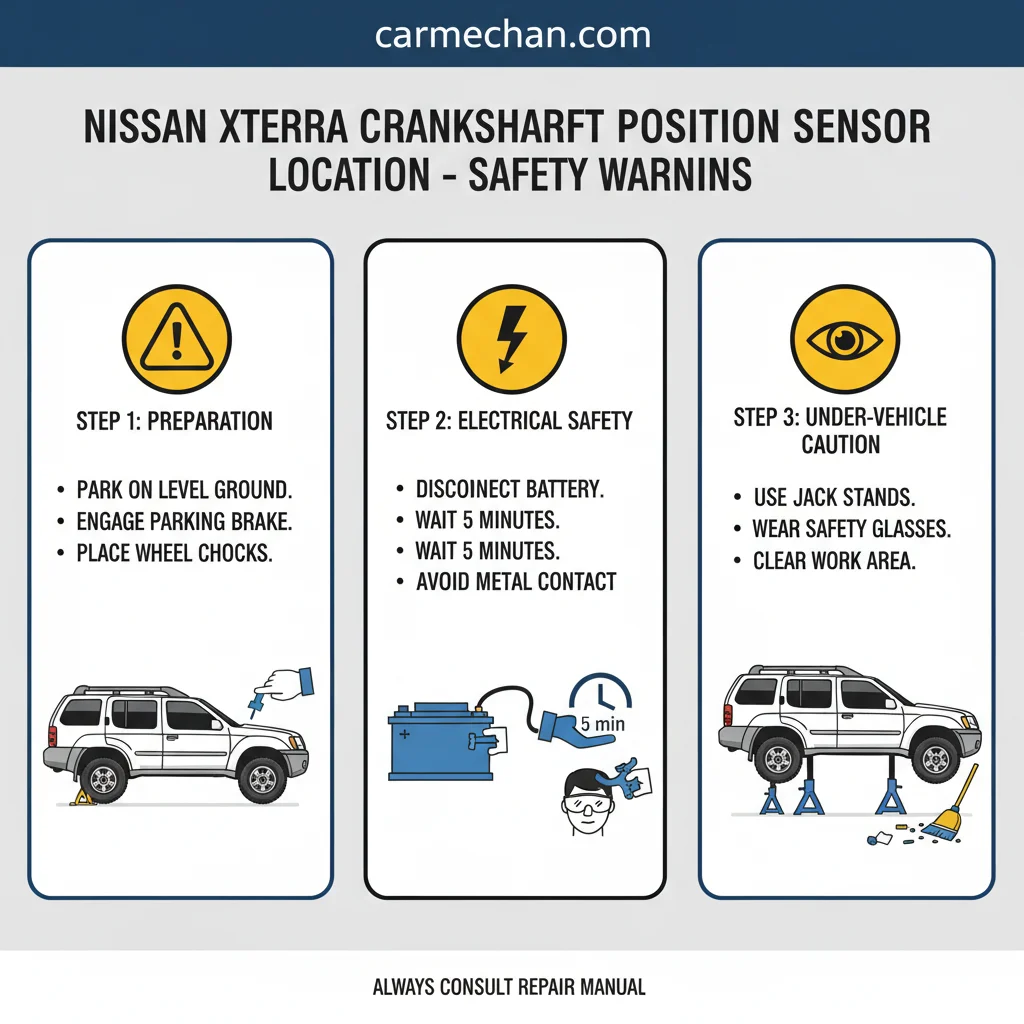
While general guidelines cover most Nissan Xterra models, certain model years or engine configurations may feature unique crankshaft position sensor placements. These edge cases require specialized attention to ensure correct identification and access.
- Early First Generation (1999-2000 VG33E) Variations: Some very early production First Generation Xterras with the VG33E engine may have subtle variations in the sensor’s mounting bracket or connector type, though the general location remains near the engine/transmission bellhousing joint. Always cross-reference with your specific VIN if uncertainty arises.
- Supercharged VG33ER Engines: Though less common, if your First Generation Xterra has the supercharged VG33ER engine, the presence of the supercharger and associated plumbing might slightly alter access paths to the CPS, even if the sensor itself is in the standard location Xterra factory service manual.
- Regional Market Differences: While rare for the CPS, vehicles manufactured for specific international markets sometimes have minor component layout differences. For most North American Xterras, the standard placements hold true.
Significant CPS location differences exist between Nissan Xterra generations due to engine variations. For 1st Gen Xterras (model years 2000-2004, VINs typically starting with ‘3N0…’ or ‘JS4…’ for US/Mexico production) equipped with the VG33E engine, the CPS is at the rear of the engine, on the transmission bell housing.
In contrast, 2nd Gen Xterras (model years 2005-2015, VINs typically starting with ‘5N1…’) featuring the VQ40DE engine have their CPS on the lower passenger side of the timing chain cover at the front of the engine, often more accessible. (Source: NissanPartsDeal.com, official parts diagrams, 2024 review) If you suspect your vehicle is one of these unique configurations, a factory service manual specific to your VIN is your most reliable resource.
Understanding these nuances is vital, but sometimes, the issue extends beyond DIY repair, necessitating escalation to professional help for Xterra engine issues. Now that you have all the necessary location details, let’s prepare for the next steps in troubleshooting or replacement.
When to Seek Professional Help for Xterra Engine Issues
Even with the most precise guidance, there are definitive indicators that your Nissan Xterra’s engine issues, particularly those involving the crankshaft position sensor, require professional intervention. Knowing when to escalate ensures safety and prevents further vehicle damage.
- Persistent ‘Check Engine’ Light After Sensor Work: If you have replaced the CPS and the ‘Check Engine’ light (especially with P0335) persists, it indicates an underlying problem that is not the sensor itself.
- Multiple Complex Diagnostic Trouble Codes: When your OBD-II scanner returns a myriad of codes, including but not limited to CPS issues, it often points to deeper ECM/PCM issues or intermittent electrical faults automotive diagnostic theory that require advanced diagnostic tools and expertise.
- Lack of Specialized Tools or Expertise: If accessing the sensor requires removing major engine or transmission components, or if you lack specialized diagnostic equipment (e.g., an oscilloscope for signal testing), professional help is necessary.
- Safety Concerns Beyond Personal Comfort: Any time you feel unsafe, encounter unexpected difficulties, or suspect a risk of damage to yourself or the vehicle (e.g., fluid leaks, unsecured lifting), stop immediately.
If any of these conditions arise, contact a certified automotive technician within 24-48 hours to prevent potential catastrophic engine damage or safety hazards.
For continued learning or in cases requiring professional service, knowing where to find additional Xterra repair resources is invaluable.
Where to Find Additional Xterra Repair Resources
For those seeking to expand their knowledge or require further assistance beyond this guide, a wealth of additional resources exists for Nissan Xterra repair and maintenance. We recommend consulting reliable sources for comprehensive information.
- Official Nissan Service Manuals: These provide the most detailed and accurate information specific to your vehicle’s make, model, and year. They include exploded diagrams, torque specifications, and in-depth diagnostic procedures.
- Reputable Online Automotive Forums: Communities dedicated to Nissan Xterra owners can offer real-world advice and troubleshooting tips. For Xterra-specific advice, active online communities like NissanXterra.org provide extensive owner forums and DIY guides. Highly-rated OBD-II scanner models popular among DIY mechanics for diagnosing issues like a faulty CPS include the BlueDriver Bluetooth Professional OBDII Scan Tool, known for its comprehensive app integration and advanced diagnostics, and the Autel MaxiLink ML629, which offers ABS/SRS diagnostics in addition to standard engine codes. (Source: Amazon.com reviews, 2024)
- Recommended Diagnostic Scan Tools: Investing in a good quality OBD-II scan tool (e.g., Autel, Foxwell) allows you to read and clear diagnostic trouble codes, monitor live data, and perform basic diagnostic functions product review sites.
- CarMechan.com Related Articles: Explore our other guides, such as solving starting issues, or look into related fuse box diagrams for electrical troubleshooting resources.
This comprehensive guide aimed to clarify the Nissan Xterra crankshaft position sensor location and associated considerations.
This section provides quick answers to frequently asked questions about the Nissan Xterra crankshaft position sensor.
Q1: What are the common symptoms of a bad crankshaft position sensor in a Nissan Xterra?
Common symptoms include prolonged cranking, intermittent stalling, rough idle, sudden loss of engine power, and an illuminated ‘Check Engine’ light (often with P0335). Your Xterra might also experience reduced fuel efficiency or an inability to start at all.
Q2: Can I replace the Nissan Xterra crankshaft position sensor myself?
Yes, many DIY mechanics can replace the Nissan Xterra crankshaft position sensor, especially for the 1st Generation (VG33E) where it’s more accessible. For 2nd Generation (VQ40DE) models, access can be more challenging, potentially requiring professional assistance if you lack confidence or specialized tools.
Q3: Is the crankshaft position sensor location different for 1st Gen vs 2nd Gen Xterra?
Yes, the crankshaft position sensor location differs significantly between 1st Generation (VG33E engine, 1999-2004) and 2nd Generation (VQ40DE engine, 2005-2015) Xterras. For the VG33E, it’s typically on the engine block rear; for the VQ40DE, it’s usually on the transmission housing top.
Q4: What tools do I need to access the Xterra crankshaft position sensor?
Accessing the Xterra crankshaft position sensor typically requires basic hand tools like a ratchet, various extensions, and specific sockets (often 10mm or 12mm). A flashlight for visibility and potentially a pry bar for moving obstructing components might also be necessary.
Q5: What is the average lifespan of a Nissan Xterra crankshaft position sensor?
The average lifespan of a Nissan Xterra crankshaft position sensor can vary greatly, but they generally last between 100,000 to 150,000 miles. Factors like extreme temperatures, vibration, and electrical surges can accelerate wear and lead to earlier failure.
Conclude the article with a final summary.
Understanding the precise Nissan Xterra crankshaft position sensor location is a critical step in diagnosing and resolving common engine performance issues. We’ve detailed the specific placements for both 1st Generation (VG33E) and 2nd Generation (VQ40DE) models, emphasizing the importance of careful identification and safety.
Always prioritize safety precautions, correctly identify your engine configuration, and thoroughly inspect the wiring before attempting any work. Knowing when to seek professional help prevents further damage and ensures proper diagnosis for complex issues.
Always prioritize safety and consult an expert if you encounter complex issues or feel uncertain about any step. Visit CarMechan.com for more Nissan troubleshooting guides and expert advice.