Remote Start Your Toyota Highlander: Key Fob & App Guide
Last Updated on September 1, 2026 by Ryan
Remote starting your Toyota Highlander can be done via your key fob or the Toyota App, depending on your model year and trim level. This guide will clarify compatibility, walk you through the precise steps for each method, and offer troubleshooting tips to ensure a smooth start every time.
🎯 Key Takeaways
- Check Highlander’s remote start compatibility first.
- Use specific key fob press sequence for activation.
- Toyota App requires active Connected Services subscription.
- Ensure doors are locked for remote start function.
- Troubleshoot non-starts by checking vehicle conditions.


Remote starting your Toyota Highlander is a convenient feature, allowing you to warm up or cool down your vehicle’s interior before you even step outside. Whether you prefer the simplicity of your key fob or the advanced capabilities of a smartphone app, getting your Highlander ready is straightforward once you know the correct steps. This guide will walk you through exactly how to activate remote start on your Highlander, ensuring comfort awaits you, regardless of the weather.
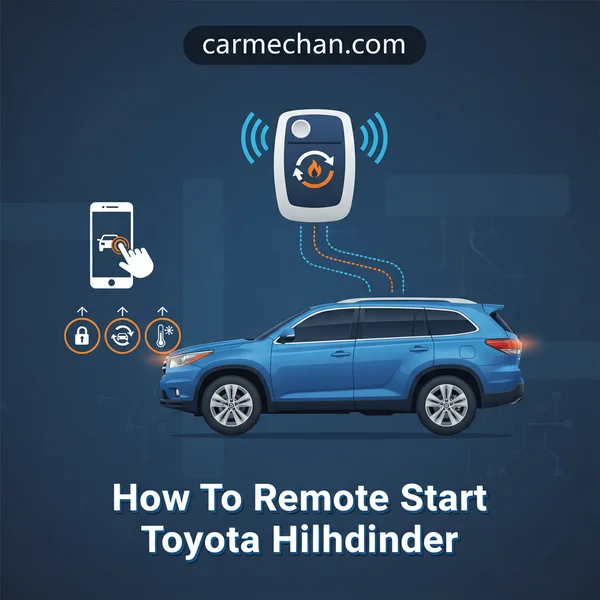
Knowing how to use this feature effectively means you can maximize your comfort and save time. There’s no need to rush out in the cold or heat just to get your vehicle to a comfortable temperature. Instead, a few quick presses or taps will have your Highlander’s climate control system working to prepare the cabin for your arrival.
Understanding Toyota Highlander Remote Start Compatibility
Before attempting to remote start your Toyota Highlander, it’s crucial to confirm that your specific model year and trim level are equipped with the necessary hardware and software for this feature. Not all Highlanders come standard with factory remote start, and compatibility can vary significantly.
Identifying Factory Remote Start
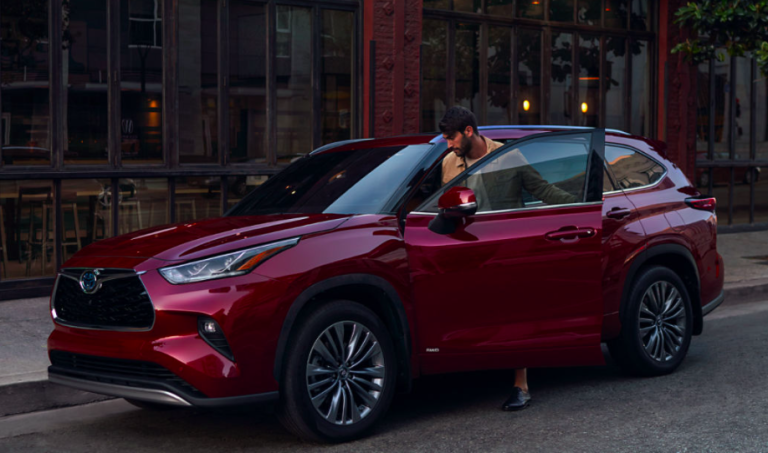
Factory-installed remote start is typically available on newer Toyota Highlander models, often as part of higher trim levels or specific technology packages. Generally, Highlanders from the 2020 model year and newer are more likely to have this capability, particularly XLE, Limited, and Platinum trims. To verify if your Highlander has factory remote start, first check your key fob for a specific button: it will usually be a circular button with an arrow forming a half-circle or an “engine start” icon. If this button is present, your key fob supports remote start. Additionally, you can consult your vehicle’s owner’s manual, or log into your Toyota Connected Services account online or via the Toyota app to see if “Remote Connect” services are available for your VIN. If you have an older model lacking this feature, aftermarket solutions exist, but this guide focuses on the integrated factory system.
Key Fob Requirements
For key fob remote start, you must possess the original Toyota smart key that came with your Highlander. This key fob is uniquely programmed to your vehicle and contains the specific remote start button mentioned above. Without this particular button, remote start via the key fob is not an option. It’s important to note that key fob remote start also has a limited operational range, typically working within 80-100 feet of your vehicle, provided there are no significant obstructions between you and the Highlander. Ensure your key fob battery is adequately charged for reliable operation.
How to Remote Start Your Toyota Highlander Like a Pro: A Practical Walkthrough
Welcome to your essential guide for mastering the remote start feature on your Toyota Highlander! This comprehensive, step-by-step walkthrough is designed to help you confidently pre-condition your vehicle’s cabin, ensuring it’s always the perfect temperature before you even step inside. Following these detailed instructions will not only save you time and provide comfort but also ensure you’re utilizing your Highlander’s features correctly and safely. Get ready to transform your daily commute into a more pleasant experience, regardless of the weather outside.
Step 1: Confirm Your Highlander’s Remote Start Capability and Readiness
What you need: Your Toyota Highlander, its factory Smart Key fob, and a clear understanding of its model year and features.
Instructions: Before attempting to remote start, it’s crucial to confirm your specific Highlander model supports this feature. Factory remote start is typically available on newer models (often 2018 onwards, but check your owner’s manual) with a Smart Key system. Ensure all vehicle doors are securely closed, the hood is fully latched, and the transmission is firmly in the “Park” (P) position. The engine must also be completely off. Any open door, unlatched hood, or an active ‘check engine’ light might prevent the remote start system from engaging as a safety precaution. Take a moment to glance around your vehicle to confirm these basic conditions are met.
Pro Tip: There’s a difference between factory-installed remote start and aftermarket systems. This guide focuses on the factory Smart Key method. If you have an aftermarket system, consult its specific manual, as the procedure will likely differ significantly from the Toyota factory method.
Step 2: Locate Your Key Fob and Identify the “Lock” Button
What you need: Your primary Toyota Smart Key fob for your Highlander.
Instructions: Retrieve your Toyota Smart Key fob. These fobs are typically sleek, rectangular devices with several buttons. Locate the “Lock” button, which usually features a closed padlock icon. It’s essential that your key fob has a healthy battery for reliable operation; if you’ve noticed reduced range or intermittent functionality recently, consider replacing the battery (typically a CR2032 coin cell) before attempting to remote start. Ensure the fob is free from physical obstructions or damage that might hinder button presses. Familiarize yourself with its layout, as the subsequent steps require specific button presses.
Pro Tip: Keep your key fob in a secure and accessible location. Avoid placing it near strong magnetic fields or other electronic devices that could interfere with its signal transmission, especially when attempting remote start from a distance.
Step 3: Execute the “Lock-Lock-Hold Lock” Sequence
What you need: Your key fob, and a clear line of sight or proximity to your Highlander (within approximately 80-100 feet for optimal results).
Instructions: This is the core sequence for remote starting your Highlander. First, press the “Lock” button once and release it immediately. Then, within 1-2 seconds of the first press, press the “Lock” button a second time and release it. Finally, and this is the crucial part, press and HOLD the “Lock” button for approximately 3 to 5 seconds. Do not release it too early. Maintain a steady press, listening for an audible confirmation or watching for visual cues from your vehicle. The timing between the first two presses is quick, but the third press requires a sustained hold. Be patient and precise with your presses.
Pro Tip: Timing is paramount for this sequence. If you press the buttons too slowly or release the third press too quickly, the system may not register the command. Practice in a calm environment to get the feel for the rhythm. If it doesn’t work, wait 5-10 seconds before attempting the sequence again.
Step 4: Observe for Visual Confirmation of Engine Start
What you need: A clear line of sight to your Toyota Highlander’s exterior lights.
Instructions: After successfully executing the “Lock-Lock-Hold Lock” sequence, immediately shift your attention to your Highlander. You should observe its hazard lights (turn signals) flashing two to three times. This visual cue confirms that the remote start command has been received and processed. Following these flashes, the engine will then typically start, and you will hear the distinct sound of the engine running. If you don’t see the flashes or hear the engine within 5-10 seconds of releasing the third “Lock” press, the remote start attempt was likely unsuccessful, and you should re-attempt the sequence from Step 3.
Pro Tip: Environmental factors like thick walls, other vehicles, or electronic interference can affect the range of your key fob. If you’re having trouble getting confirmation, try moving closer to your Highlander and ensure there are no major obstructions between you and the vehicle.
Step 5: Understanding the Remote Start Duration and Auto Shut-off
What you need: Awareness of time and your vehicle’s safety protocols.

![[2026 Upgraded] DooGooCoo Windshield Sun Shade for Toyota Highlander 2020-2025 2026 [Cooling…](https://m.media-amazon.com/images/I/51vHom8xtgL._SS500_.jpg)

Instructions: Once the engine successfully remote starts, it will run for a predetermined period, typically around 10 minutes, before automatically shutting off to conserve fuel and for safety reasons. This duration is usually non-adjustable for factory systems. If you need more time, most Highlander models allow you to extend the remote start cycle once. To do this, simply repeat the “Lock-Lock-Hold Lock” sequence (from Step 3) while the engine is already running via remote start. This will add another 10 minutes, for a total of 20 minutes of remote run time. If you do not enter the vehicle and fully take over within the allocated time, the engine will automatically turn off.
Pro Tip: Do not attempt to remote start your vehicle in an enclosed space such as a garage. The accumulation of carbon monoxide fumes can be extremely dangerous and even fatal. Always ensure your Highlander is in an open, well-ventilated area before using the remote start feature.
Step 6: Entering Your Highlander After Remote Start
What you need: Your key fob in your possession.
Instructions: With your Highlander’s engine running via remote start, approach the vehicle as you normally would. Your key fob still needs to be on your person for the Smart Entry system to function. Simply grab the driver’s door handle (or press the unlock button on your fob if you prefer) to unlock the doors and gain entry. As a key safety feature, the engine will typically shut off immediately upon opening any of the vehicle doors. This is a normal operation and prevents anyone from simply driving away with the vehicle without the key present and the proper “takeover” procedure.
Pro Tip: This safety shut-off feature is standard across most factory remote start systems. It ensures that even if someone were to gain unauthorized entry while the vehicle is remote started, they would not be able to drive it away without the physical key fob inside and the engine properly re-started.
Step 7: Taking Control and Driving Away
What you need: To be seated in the driver’s seat with your key fob inside the vehicle.
Instructions: Once inside your Highlander, close the door firmly. Ensure your key fob is detected within the cabin (e.g., in your pocket, purse, or cup holder). Now, press your foot firmly down on the brake pedal. While your foot is on the brake, press the “START/STOP Engine” button located on your dashboard. This action will fully power on all vehicle systems, restart the engine (if it shut off upon door entry), and transfer control from the remote start system to the internal ignition system. The dashboard will illuminate fully, and you’ll be ready to shift into “Drive” (D) and begin your journey.
Pro Tip: Never press the “START/STOP Engine” button without your foot on the brake pedal first. This ensures the vehicle powers on correctly and prevents accidental engagement of the starter motor if the engine is already running or partially engaged.
✅ Final Checklist
- Engine is audibly running after remote start.
- Hazard lights flashed 2-3 times as visual confirmation.
- Cabin is warming up or cooling down to your last climate control setting.
- Key fob successfully initiated the remote start sequence.
- Vehicle fully powered on after entering, pressing brake, and pushing the START/STOP button.
Important Notes:
- Safety Considerations: Always ensure your Toyota Highlander is parked outdoors or in a well-ventilated area before using the remote start function to avoid carbon monoxide buildup. Never leave children or pets unattended in a remote-started vehicle.
- When to Seek Professional Help: If your remote start consistently fails despite following these steps, if your key fob battery is new but the range is poor, or if you suspect a system malfunction, it’s best to consult your local authorized Toyota dealership for diagnosis and service.
- Estimated Time and Cost Range: Using the factory remote start feature is completely free once your vehicle is equipped. The remote start sequence itself takes mere seconds to initiate. If you opt for Toyota’s connected services via the Toyota app (for newer models with an active subscription), there might be an annual or monthly fee, typically ranging from $8-$15 per month or $80-$150 annually, depending on the service package.
Key Fob vs. Toyota App Remote Start Functionality
Toyota offers two primary methods for remote starting your Highlander: the physical key fob and the Toyota App, which integrates with Toyota Connected Services. Both methods achieve the same goal but offer different levels of convenience and functionality.
Key Fob Convenience and Limitations
Remote starting your Highlander with the key fob is the most immediate and direct method. It requires no subscription services once your vehicle is equipped with factory remote start. This makes it a quick and easy option when you’re within close proximity to your vehicle, such as when leaving your home or office. The process is simple and intuitive, focusing solely on engine activation. However, the key fob’s main limitation is its operational range. You must be relatively close to your Highlander for the signal to reach it. Furthermore, the key fob only allows for engine start; it doesn’t provide additional controls like checking fuel levels, locking/unlocking doors, or adjusting climate settings remotely. Once started, the engine will typically run for 10 minutes before automatically shutting off to conserve fuel and prevent unnecessary idling.
Toyota App Advanced Features
The Toyota App, paired with an active Remote Connect subscription, unlocks a more advanced and versatile remote start experience. This method offers virtually unlimited range, allowing you to start your Highlander from almost anywhere, provided both your smartphone and vehicle have a cellular signal. Beyond just starting the engine, the Toyota App provides a suite of additional controls and vehicle status information. You can remotely lock or unlock doors, check your vehicle’s status (e.g., door open/closed, low fuel), find your vehicle in a crowded parking lot, and even customize climate control settings before starting the engine. The app also allows you to extend the engine’s run time from the standard 10 minutes up to 20 minutes for prolonged warming or cooling. While the app offers superior flexibility, it does require an active paid subscription to Toyota’s Remote Connect services after a trial period, which is an important consideration for ongoing use.
Essential Requirements and Common Limitations for Remote Start
Understanding the foundation of your Highlander’s remote start system is crucial for a smooth experience. It’s not just a magic trick; specific conditions need to be met, and certain factors can prevent it from working.
Vehicle Compatibility and Key Fob Features
First and foremost, your Toyota Highlander needs to be equipped with the factory remote start system. This is often an option or standard feature on certain trim levels and model years. If your Highlander didn’t come with it, an aftermarket system might be an alternative, though this post focuses on the factory setup. For key fob remote start, your specific key fob must have the necessary three-press lock button sequence capability. Additionally, if you’re using the Toyota app, an active subscription to Toyota Connected Services (specifically Remote Connect) is essential. Without it, the app functionality simply won’t work.
System Limitations and Best Practices
Even with everything in place, remote start has its limits. Proximity is key for the key fob method – you generally need to be within a reasonable range, often around 80-100 feet, and ideally with a clear line of sight. The system also prioritizes safety: if any doors are ajar, the hood is open, or your fuel level is critically low, the remote start won’t activate. Many Highlanders will also have a default engine runtime limit, typically 10 minutes, after which the engine will shut off to conserve fuel and prevent excessive idling. Always ensure your vehicle is securely locked before attempting to remote start, as this is a primary prerequisite for the system to engage.
Optimizing Your Remote Start Experience and Troubleshooting Tips
To truly get the most out of your Highlander’s remote start, a few simple strategies can make a big difference. And if things don’t go as planned, knowing some common troubleshooting steps can quickly get you back on track.
Maximizing Range and Performance
For key fob users, range can sometimes be tricky. Try holding your key fob up high, even against your chin, which can sometimes extend its effective reach by turning your body into an antenna. Ensure there are no major obstructions between you and your Highlander, like large buildings or other vehicles, which can interfere with the signal. A fresh battery in your key fob is also a surprisingly common solution for range issues or unresponsive commands. For app users, a stable internet connection on your phone and good cellular reception for your Highlander are paramount. Sometimes, simply restarting your phone or the app itself can resolve minor connectivity glitches.
Addressing Common Remote Start Issues
What if your Highlander just won’t start remotely? First, double-check all doors, the hood, and the tailgate are fully closed and locked. Confirm your fuel level isn’t critically low. If you’re using the app, verify your Toyota Connected Services subscription is active and hasn’t expired. A dead or weak 12V car battery can also prevent remote start, even if the vehicle still starts with the key in the ignition. If you’re seeing any warning lights on your dashboard, especially a check engine light, this can sometimes disable the remote start function as a safety measure. When in doubt, consulting your Highlander’s owner’s manual provides model-specific details and a deeper dive into potential error codes or unique system behaviors.
Conclusion
Remote starting your Toyota Highlander, whether with the simplicity of your key fob or the advanced control of the Toyota app, brings unparalleled comfort and convenience to your daily drives. We’ve explored the prerequisites, common limitations, and practical tips to ensure you get the most out of this fantastic feature.
Before your next chilly morning or scorching afternoon, take a moment to confirm your Highlander’s specific capabilities and ensure your Toyota Connected Services subscription (if using the app) is active. With these insights, you’re now equipped to step into a perfectly climate-controlled vehicle every time.
Enjoy the enhanced comfort and smart convenience that remote start adds to your Toyota Highlander experience!
❓ Frequently Asked Questions
What Highlander models and years typically support factory remote start?
Factory remote start is commonly found on 2020 and newer Highlanders, particularly XLE, Limited, and Platinum trims, often as part of specific technology or premium packages. Older models might require an aftermarket solution.
What’s the specific key fob sequence for remote starting a Highlander?
For most compatible Highlanders, press the lock button on your key fob three times, holding it down on the third press for about 3 seconds until the parking lights flash and the engine starts. You must lock the doors first.
How do I use the Toyota App to remote start my Highlander?
First, ensure you have an active Toyota Connected Services subscription. Then, open the Toyota App, select your vehicle, and tap the remote start button. The app will confirm the command and notify you when the vehicle has started.
What are the main differences between key fob and app-based remote start?
Key fob remote start relies on direct line-of-sight and has a limited range, typically not requiring a subscription. App-based remote start offers virtually unlimited range, works anywhere you have cell service, and usually requires an active paid subscription to Toyota Connected Services.
What common issues might prevent my Highlander from remote starting, and how can I troubleshoot?
Common issues include unlocked doors, an open hood, low fuel, a dead key fob battery, or an expired Connected Services subscription. To troubleshoot, ensure all vehicle conditions are met, replace the key fob battery if needed, and verify your subscription status.
Does remote starting affect my vehicle’s warranty or safety features?
Factory-installed remote start systems are designed to integrate seamlessly with your vehicle’s existing safety and security features without voiding the warranty. Aftermarket systems should be installed by certified professionals to maintain warranty validity.