Chevy Malibu TPMS Reset Guide for Tire Warning Lights
Last Updated on June 24, 2026 by Albert Duke
A Chevy Malibu TPMS reset is usually not a button reset. It depends on why the tire light came on.
TPMS means Tire Pressure Monitoring System. In the Chevy Malibu, this system watches tire pressure through sensors inside the wheel assemblies. If the light is solid, start with tire pressure. If the light flashes or the display says Service Tire Monitor System, treat it as a system fault.
The right fix depends on your Malibu year, dashboard controls, and whether the tires were rotated or a sensor was replaced. The fastest way to fix it is to identify which TPMS situation your Malibu is in.
What Chevy Malibu TPMS Warning Means



The Chevy Malibu TPMS light tells you which fix to try first. A normal low-pressure warning and a TPMS malfunction are not the same problem.
General Motors explains in a service bulletin hosted by NHTSA that a Check Tire Pressure or Low Tire Pressure message usually means the system is working as designed and the tire needs air. A Service Tire Monitor message means the system has a condition that should be diagnosed and corrected, according to the same GM Tire Pressure Monitor System service bulletin.
Solid Tire Pressure Light
A solid tire pressure light usually means at least one tire is below the warning threshold. This can happen from a slow leak, a puncture, or cold weather.
Tire pressure changes with temperature. GM states that tire pressure changes about 1 psi for every 10 degrees Fahrenheit change in outside temperature.
Flashing Tire Pressure Light
A flashing tire pressure light is more serious than a solid light. GM says the tire pressure light will blink for about one minute and then stay on when a system malfunction occurs.
That warning can happen if a tire pressure sensor stops transmitting, a sensor is missing, or the system cannot identify one of the wheel sensors.
Service Tire Monitor Message
A Service Tire Monitor System message means the Malibu needs diagnosis, not just air. Do not keep repeating reset steps if this message returns.
Once you know what the warning is telling you, the first branch is checking tire pressure.
How To Reset Chevy Malibu TPMS After Low Pressure


If the light is solid and the tires are simply low, start with air pressure before trying any relearn procedure. Many Malibu owners do not need a scan tool or reset tool for this situation.
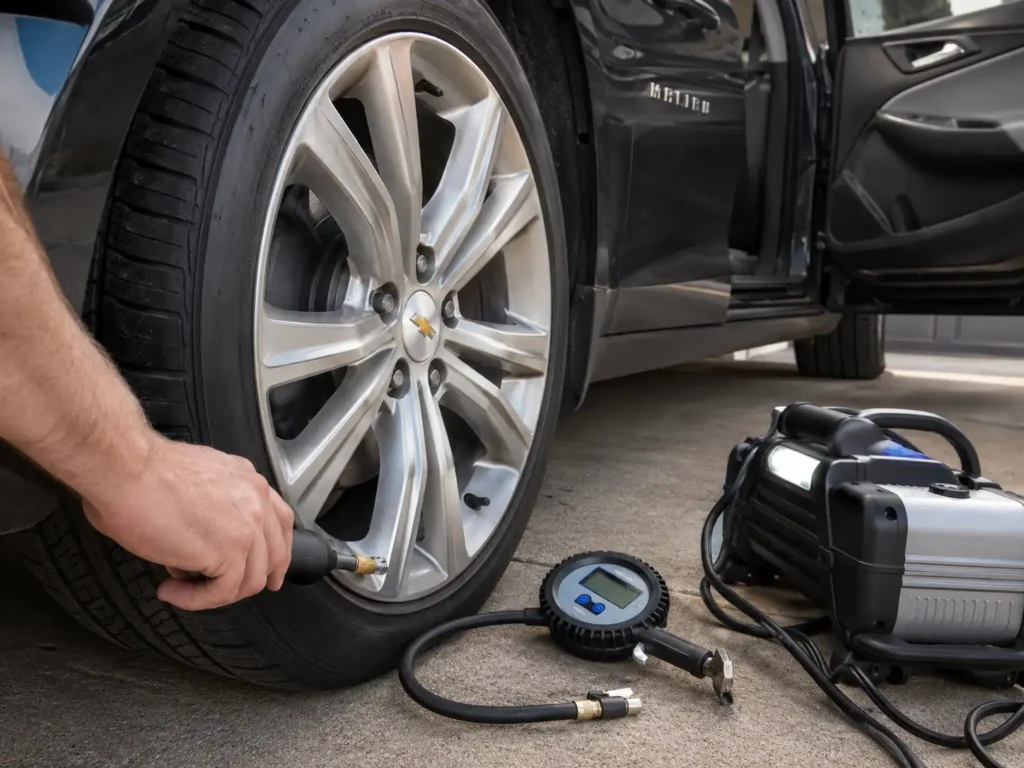
Use a quality gauge and check the tires when they are cold. The correct pressure is on the driver-side door placard, not on the tire sidewall.
For tool accuracy, a dedicated digital tire pressure gauge is more useful than guessing from the dashboard display alone.
- Park The Malibu Safely
Park on level ground and let the tires cool if you recently drove. Cold tire pressure gives the most reliable reading.
Do not bleed air from a hot tire just because the number looks high. Tire pressure rises as the tire warms up.
- Check The Door Placard
Open the driver door and find the tire information label. Use that pressure value for the front and rear tires unless your exact Malibu label says otherwise.
Do not use the maximum pressure printed on the tire sidewall. That number is the tire’s limit, not the Malibu’s recommended setting.
- Inflate All Four Tires
Add air to each tire until it matches the placard value. Check all four road tires, not only the tire shown on the display.
A tire can be low even if it does not look flat. Low-profile tires can hide underinflation from a quick visual check.
- Drive And Let The System Update
For 2008 to 2015 Malibu models and the 2016 Malibu Limited, Modern Tire Dealer states that the warning can clear after the tires are adjusted to recommended pressure and the vehicle is driven above 25 mph for at least 2 minutes. That applies to the covered HHR and Malibu TPMS service information in its Chevrolet HHR and Malibu TPMS procedure.
For newer Malibu models, the same owner logic applies: correct the tire pressure first, then drive normally and watch whether the warning returns.
- Recheck If The Light Returns
If the light comes back after pressure correction, check for a slow leak. The problem may be a nail, valve stem leak, wheel leak, or bad sensor.
If the pressures are correct but the tire positions are wrong, you need a relearn instead of a pressure reset.
When Chevy Malibu TPMS Needs Sensor Relearn


A TPMS relearn does not add air. It teaches the Malibu which sensor belongs to each wheel position.
This matters because direct TPMS sensors transmit data from each wheel. If the car does not know which sensor is on which corner, the dashboard tire position can be wrong.
After Tire Rotation
Run a relearn after tire rotation if the dashboard shows pressure values in the wrong locations. For example, the display may show the left front tire low when the actual low tire is now on the rear.
This is different from a Honda-style calibration system. If you work on multiple brands, compare this with our guide to Honda Civic TPMS calibration so you do not mix up calibration and sensor matching.
After Sensor Replacement
Run a relearn after replacing one or more TPMS sensors. The Malibu must learn the new sensor ID before it can display correct pressure data.
A new sensor can be installed physically but still not recognized electronically. That is why the tire light may stay on after a new sensor is fitted.
After Wheel Replacement
Run a relearn after replacing wheels or reinstalling a road tire with a sensor. This is common after winter wheel swaps or after a damaged wheel is replaced.
The normal Malibu relearn order is left front, right front, right rear, and left rear. The exact relearn entry method depends on the Malibu year and dashboard controls.
How Chevy Malibu TPMS Relearn Works by Year
Use the relearn method that matches your Malibu’s dashboard controls. The verified public ATEQ service coverage for Malibu runs through 2020, so owners of 2021 to 2025 Malibu models should confirm the entry method in the owner manual or with a tire shop scan tool.
ATEQ identifies the Malibu as a direct TPMS vehicle and lists manual relearn coverage for 2006 to 2020. Its Chevrolet Malibu TPMS relearn information also states that a relearn is recommended after sensor replacement or tire rotation.
| Chevy Malibu Setup | How Relearn Starts | Tool Needed | Best Use |
|---|---|---|---|
| 2008 to 2016 with keyless entry | Hold lock and unlock on the key fob until the horn sounds | TPMS activation tool | Sensor matching after rotation |
| 2008 to 2016 with DIC button | Use the Driver Information Center until Press Tire Learn appears | TPMS activation tool | Cars with DIC controls |
| 2008 to 2016 with odometer stem | Hold the trip odometer reset stem until the relearn prompt appears | TPMS activation tool | Cars without full DIC controls |
| 2017 to 2020 Malibu | Use the tire pressure screen or vehicle menu, depending on trim | TPMS activation tool or shop TPMS tool | Newer dashboard layouts |
| 2021 to 2025 Malibu | Verify in owner manual or with a tire shop TPMS tool | TPMS activation tool or shop scan tool | Avoid unverified year guessing |
Older Key Fob Method
Turn the ignition on without starting the engine. Hold the lock and unlock buttons on the key fob until the horn sounds.
Activate the left front tire sensor with a TPMS tool near the valve stem. Wait for the horn chirp, then repeat right front, right rear, and left rear.
DIC Button Method
Apply the parking brake and turn the ignition on. Use the Driver Information Center button until the display shows a tire learn prompt.
Confirm the prompt, then activate each tire sensor in the correct order. The horn chirp confirms each sensor has been learned.
Steering Wheel DIC Method
On newer Malibu trims, the relearn entry is usually reached through the tire pressure screen or vehicle information menu. The exact menu layout can vary by trim and model year.
Once learning mode starts, use the TPMS activation tool at each valve stem in the correct wheel order.
Odometer Stem Method
Some older Malibu models use the trip odometer reset stem instead of a full DIC button layout. Hold the stem until the tire position relearn prompt appears.
Confirm the prompt, then trigger each wheel sensor with the TPMS tool. ATEQ notes the manual timing rule from the Malibu owner manual: 2 minutes to match the first tire position and 5 minutes overall to match all four positions.
If relearn mode starts but the light comes back, the issue is likely not the reset process.
6 Reasons Chevy Malibu TPMS Light Will Not Reset
If the Chevy Malibu TPMS light will not reset, the system may be seeing a real fault. The reset process cannot fix a bad sensor, leaking tire, or missing relearn step.
- Tire Pressure Is Still Wrong
Recheck all four tires cold. A hot tire reading can mislead you because pressure rises after driving.
- The Tire Has A Slow Leak
A slow leak can make the warning return a day or two after inflation. Check the tread, valve stem, and wheel bead area.
- The Tires Were Rotated Without Relearn
If the tire positions were not relearned after rotation, the display may show the wrong corner. GM’s service bulletin lists incorrect tire position relearn as one possible cause of warning confusion.
- A TPMS Sensor Battery Is Dead
TPMS sensors have internal batteries. When a sensor stops transmitting, the system may flash the light and show a service message.
- The Wrong Sensor Frequency Is Installed
ATEQ lists 315 MHz for 2008 to 2015 Malibu, 433 MHz for 2017 to 2020, and both frequencies for 2016 models. A wrong or incompatible sensor can prevent relearn completion.
- The System Has A Stored Fault
A Service Tire Monitor System message can set diagnostic trouble codes. A tire shop or mechanic may need a TPMS scan tool to identify the failed sensor or receiver issue.
Older Malibu owners may also want to review our guide on how long Chevy Malibus last when repeated warning lights are part of a broader maintenance check.
The warning message matters because some TPMS problems require service, not another reset attempt.
When To Service Chevy Malibu Tire Monitor System
Stop repeating the reset if the Malibu shows a TPMS malfunction pattern. A flashing tire light for about one minute, followed by a solid light, points to a system fault.
Service is also the better path if one tire position shows dashes, one sensor will not learn, or the Service Tire Monitor System message returns after a relearn.
Visit a tire shop, mechanic, or Chevrolet dealer if you recently installed aftermarket sensors and the relearn will not complete. A shop TPMS tool can read sensor ID, pressure, temperature, battery status, and frequency.
For safety-related concerns, check open recalls by VIN through NHTSA’s vehicle recall lookup. Do not assume a TPMS fault is recall-related unless your VIN shows an open campaign.
For most owners, the choice comes down to three simple paths.
Quick Chevy Malibu TPMS Decision Guide
Use this quick guide if you want the fastest next step.
Chevy Malibu TPMS Reset Decision Flow
Use the warning pattern first. A solid light, wrong tire position, new sensor, and service message each need a different fix.
Solid Tire Light
One or more tires are likely low. Check cold pressure and inflate to the driver door placard value.
Light Clears After Driving
The system updated after pressure correction. Continue monitoring tire pressure over the next few days.
Wrong Tire Position
The tires were likely rotated without sensor matching. The Malibu needs a TPMS relearn.
New Sensor Installed
The new sensor ID must be matched to the car. A TPMS activation tool or shop tool is usually needed.
Flashing Then Solid
This points to a TPMS malfunction pattern, not a simple low-pressure reset.
Service Tire Monitor
A sensor, receiver, or relearn issue may be present. Repeating the reset will not fix a system fault.
| What You See | Likely Cause | What To Do | DIY Or Service |
|---|---|---|---|
| Solid tire pressure light | One or more tires low | Check cold pressure and inflate to door placard | DIY |
| Light clears after driving | Normal low pressure event | Keep monitoring pressure | DIY |
| Tire positions are wrong | Tires rotated without relearn | Run TPMS sensor relearn | DIY with tool or tire shop |
| New sensor installed | Sensor ID not learned | Run relearn with activation tool | DIY with tool or tire shop |
| Light flashes then stays solid | TPMS malfunction | Scan sensors and diagnose fault | Service likely |
| Service Tire Monitor message | Sensor or system fault | Stop repeating reset and diagnose | Service recommended |
| Warning returns after air | Leak or bad sensor | Inspect tire, valve stem, wheel, and sensor | DIY first, service if leak persists |
Once you know your path, the final step is checking the system safely before driving normally.
Best Next Step for Chevy Malibu TPMS Reset
The right Chevy Malibu TPMS reset starts with the warning pattern. A solid light usually means you should check cold tire pressure, inflate to the door placard value, and drive until the system updates.
If the tires were rotated, wheels were changed, or a sensor was replaced, you need a TPMS relearn instead of a simple pressure correction. Use the method that matches your Malibu’s year and dashboard controls.
If the light flashes or the display says Service Tire Monitor System, stop treating it like a reset problem. Have the sensors and TPMS system diagnosed before replacing parts.
6 Chevy Malibu TPMS Reset Questions Answered
Where Is The Chevy Malibu TPMS Reset Button?
Most Chevy Malibu models do not use a simple physical TPMS reset button. Many use a dashboard menu, Driver Information Center controls, key fob method, odometer stem method, or TPMS activation tool depending on year and trim.
Can I Reset Chevy Malibu TPMS Without A Tool?
You can often clear a solid low-pressure warning without a tool by inflating the tires to the correct placard pressure and driving. You usually need a TPMS activation tool for sensor relearn after tire rotation or sensor replacement.
Why Is My Chevy Malibu TPMS Light Flashing?
A flashing TPMS light usually points to a system malfunction. GM service information says the light can blink for about one minute and then stay on when a TPMS fault occurs.
Why Does My Malibu Show The Wrong Tire Pressure Location?
Wrong tire location usually happens after tire rotation without sensor relearn. Run the Malibu TPMS relearn process so the car knows which sensor is installed at each wheel position.
How Long Does Chevy Malibu TPMS Take To Reset?
Older Malibu service information says some low-pressure warnings can clear after adjusting pressure and driving above 25 mph for at least 2 minutes. Sensor relearn timing is different, with 2 minutes for the first tire position and 5 minutes overall in the cited Malibu manual procedure.
Do I Need To Reset TPMS After Rotating Malibu Tires?
Yes, you should relearn TPMS positions after rotating Malibu tires if the dashboard shows individual tire pressures by position. Without relearn, the system may warn you about the wrong wheel location.